Page 154 of 573
153
uuInterior Lights/Interior Convenience ItemsuInterior Convenience Items
Controls
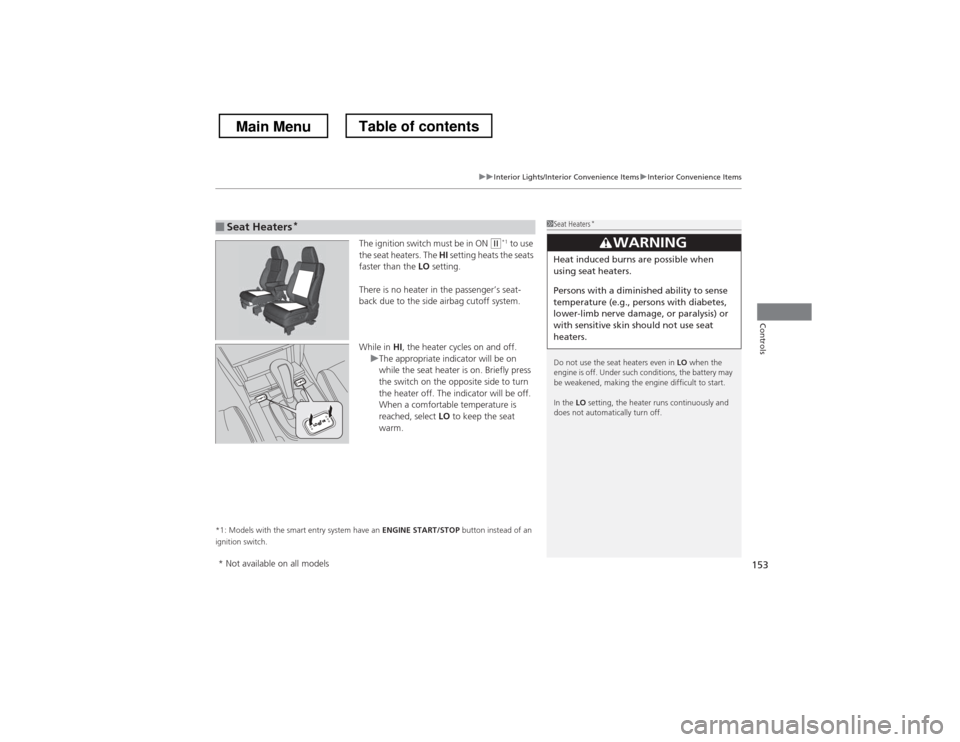
The ignition switch must be in ON (w*1
to use
the seat heaters. The HI setting heats the seats
faster than the LO setting.
There is no heater in the passenger’s seat-
back due to the side airbag cutoff system.
While in HI, the heater cycles on and off.
uThe appropriate indicator will be on
while the seat heater is on. Briefly press
the switch on the opposite side to turn
the heater off. The indicator will be off.
When a comfortable temperature is
reached, select LO to keep the seat
warm.
*1: Models with the smart entry system have an ENGINE START/STOP button instead of an
ignition switch.
■Seat Heaters *1Seat Heaters
*
Do not use the seat heaters even in LO when the
engine is off. Under such conditions, the battery may
be weakened, making the engine difficult to start. In the LO setting, the heater runs continuously and
does not automatically turn off.
3WARNING
Heat induced burns are possible when
using seat heaters.
Persons with a diminish ed ability to sense
temperature (e.g., persons with diabetes,
lower-limb nerve damage, or paralysis) or
with sensitive skin should not use seat
heaters.
* Not available on all models
Main MenuTable of contents
Page 167 of 573
166
uuAudio SystemuAudio System Theft Protection
Features
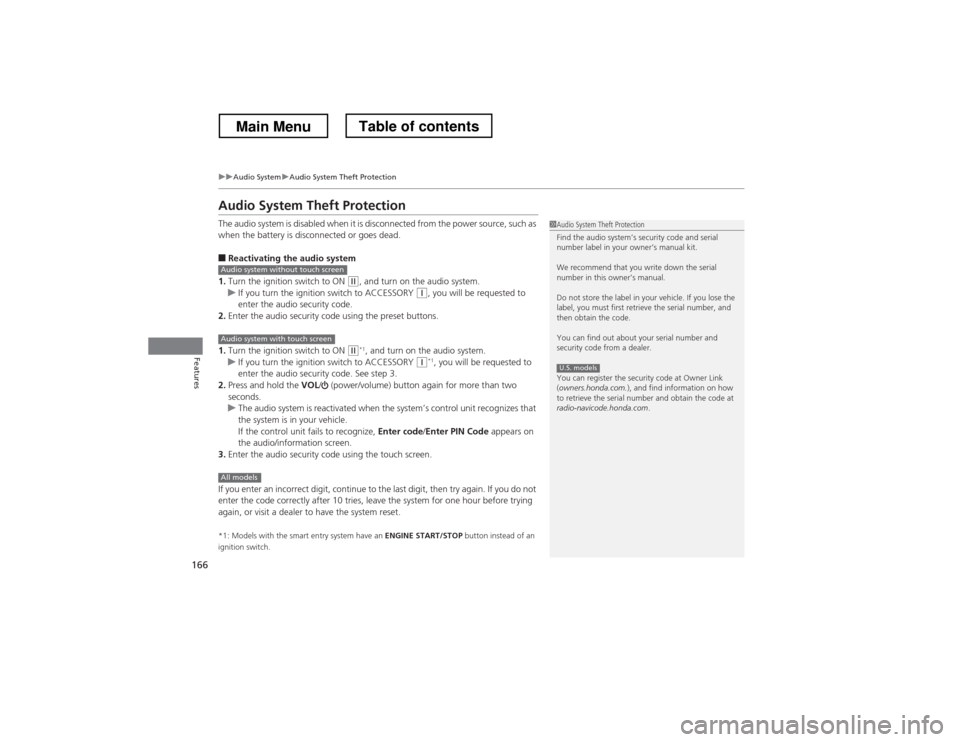
Audio System Theft Protection
The audio system is disabled when it is disconnected from the power source, such as
when the battery is disconnected or goes dead. ■Reactivating the audio system
1. Turn the ignition switch to ON
(w , and turn on the audio system.uIf you turn the ignition switch to ACCESSORY (q, you will be requested to
enter the audio security code.
2. Enter the audio security code using the preset buttons.
1. Turn the ignition switch to ON
(w *1
, and turn on the audio system.uIf you turn the ignition switch to ACCESSORY (q *1
, you will be requested to
enter the audio security code. See step 3.
2. Press and hold the VOL/ (power/volume) button again for more than two
seconds.
uThe audio system is reactivated when the system’s control unit recognizes that
the system is in your vehicle.
If the control unit fails to recognize, Enter code/Enter PIN Code appears on
the audio/information screen.
3. Enter the audio security code using the touch screen.
If you enter an incorrect digit, continue to the last digit, then try again. If you do not
enter the code correctly after 10 tries, leave the system for one hour before trying
again, or visit a dealer to have the system reset. *1: Models with the smart entry system have an ENGINE START/STOP button instead of an
ignition switch.
1Audio System Theft Protection
Find the audio system’s security code and serial
number label in your owner’s manual kit.
We recommend that you write down the serial
number in this owner’s manual.
Do not store the label in your vehicle. If you lose the
label, you must first retrieve the serial number, and
then obtain the code.
You can find out about your serial number and
security code from a dealer.
You can register the security code at Owner Link ( owners.honda.com. ), and find information on how
to retrieve the serial number and obtain the code at
radio-navicode.honda.com .
U.S. models
Audio system without touch screen
Audio system with touch screen
All models
Main MenuTable of contents
Page 183 of 573
182
Features
Audio System Basic Operation
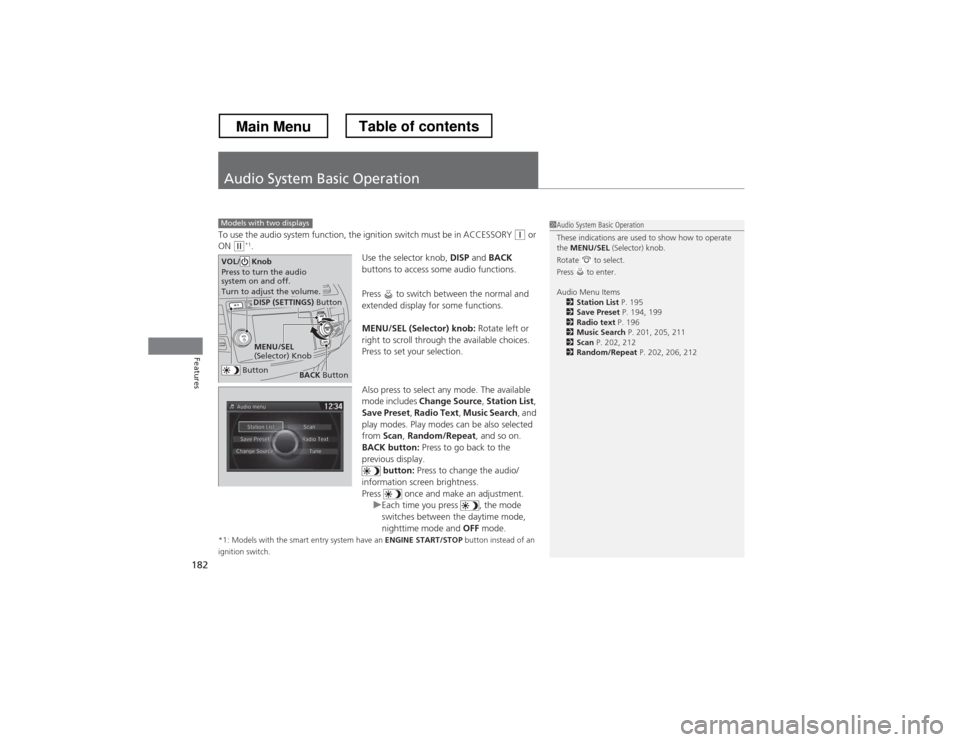
To use the audio system function, the ignition switch must be in ACCESSORY (q or
ON (w *1
.
Use the selector knob, DISP and BACK
buttons to access some audio functions.
Press to switch between the normal and
extended display for some functions.
MENU/SEL (Selector) knob: Rotate left or
right to scroll through the available choices.
Press to set your selection.
Also press to select any mode. The available
mode includes Change Source , Station List ,
Save Preset , Radio Text , Music Search , and
play modes. Play modes can be also selected from Scan, Random/Repeat , and so on.
BACK button: Press to go back to the
previous display. button: Press to change the audio/
information screen brightness.
Press once and make an adjustment.
uEach time you press , the mode
switches between the daytime mode,
nighttime mode and OFF mode.
*1: Models with the smart entry system have an ENGINE START/STOP button instead of an
ignition switch.
Models with two displays1Audio System Basic Operation
These indications are used to show how to operate the MENU/SEL (Selector) knob.
Rotate to select.
Press to enter.
Audio Menu Items 2 Station List P. 195
2 Save Preset P. 194, 199
2 Radio text P. 196
2 Music Search P. 201, 205, 211
2 Scan P. 202, 212
2 Random/Repeat P. 202, 206, 212
Button
MENU/SEL
(Selector) Knob
DISP (SETTINGS) Button
BACK Button
VOL/ Knob
Press to turn the audio
system on and off.
Turn to adjust the volume.
Main MenuTable of contents
Page 216 of 573
215
Features
Audio System Basic Operation
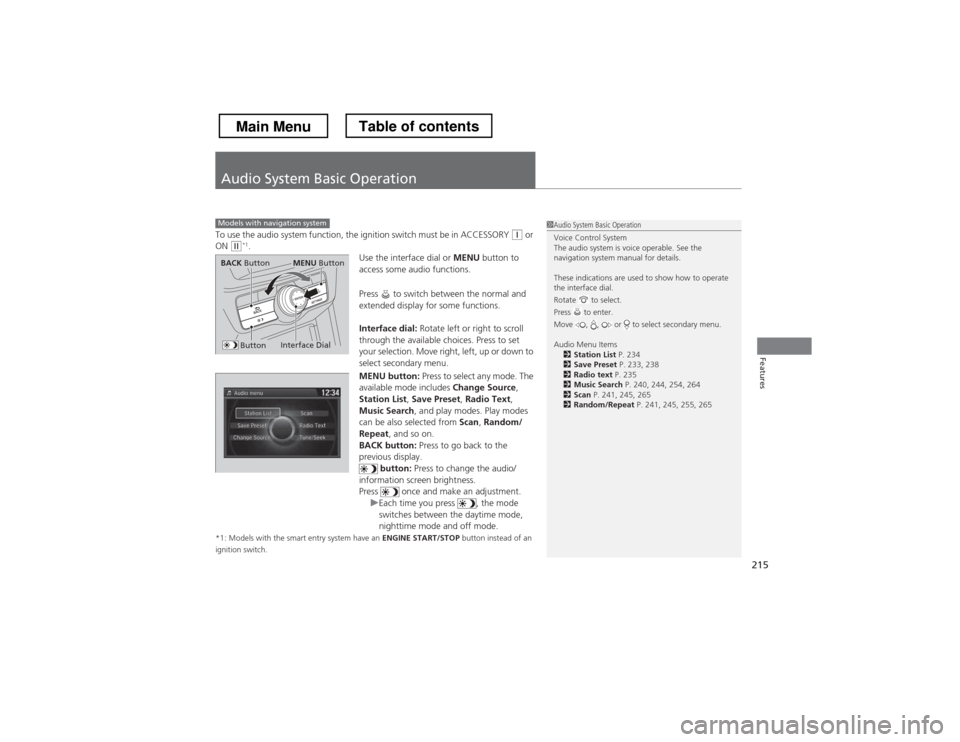
To use the audio system function, the ignition switch must be in ACCESSORY (q or
ON (w *1
.
Use the interface dial or MENU button to
access some audio functions.
Press to switch between the normal and
extended display for some functions.
Interface dial: Rotate left or right to scroll
through the available choices. Press to set
your selection. Move right, left, up or down to
select secondary menu.
MENU button: Press to select any mode. The
available mode includes Change Source,
Station List , Save Preset , Radio Text ,
Music Search , and play modes. Play modes
can be also selected from Scan, Random/
Repeat , and so on.
BACK button: Press to go back to the
previous display. button: Press to change the audio/
information screen brightness.
Press once and make an adjustment.
uEach time you press , the mode
switches between the daytime mode,
nighttime mode and off mode.
*1: Models with the smart entry system have an ENGINE START/STOP button instead of an
ignition switch.
Models with navigation system1Audio System Basic Operation
Voice Control System
The audio system is voice operable. See the
navigation system manual for details.
These indications are used to show how to operate the interface dial.
Rotate to select.
Press to enter.
Move , , or to select secondary menu.
Audio Menu Items 2 Station List P. 234
2 Save Preset P. 233, 238
2 Radio text P. 235
2 Music Search P. 240, 244, 254, 264
2 Scan P. 241, 245, 265
2 Random/Repeat P. 241, 245, 255, 265
Interface Dial
MENU ButtonBACK Button
Button
Main MenuTable of contents
Page 282 of 573
281
Continued
Features
Customized Features *
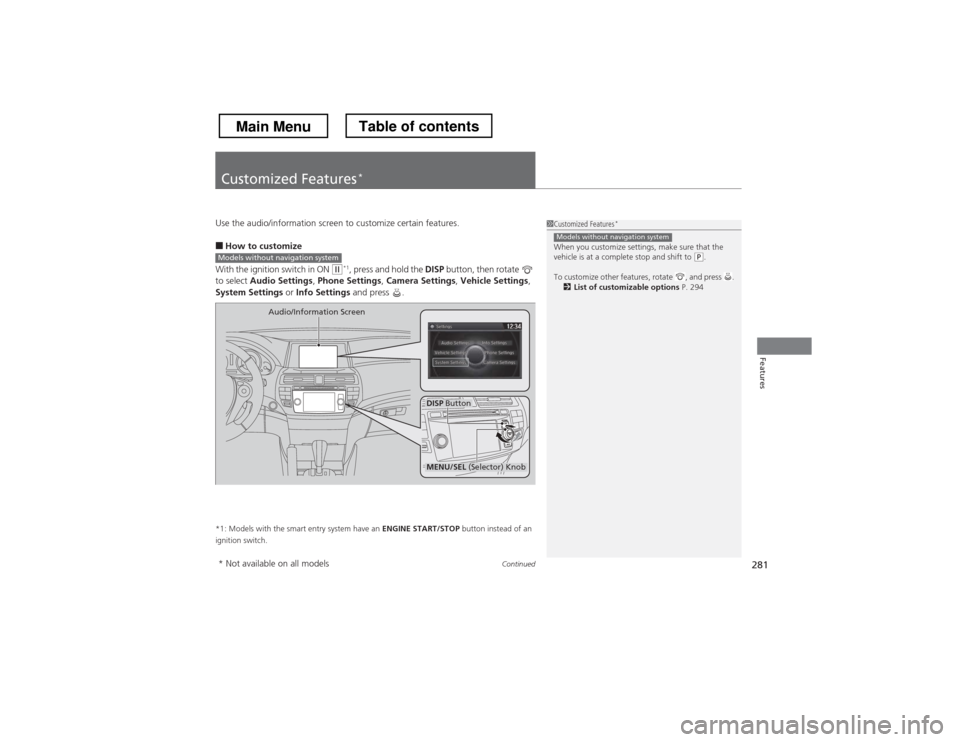
Use the audio/information screen to customize certain features. ■
How to customize
With the ignition switch in ON
(w *1
, press and hold the DISP button, then rotate
to select Audio Settings , Phone Settings , Camera Settings , Vehicle Settings ,
System Settings or Info Settings and press .
*1: Models with the smart entry system have an ENGINE START/STOP button instead of an
ignition switch.
1Customized Features *
When you customize settings, make sure that the
vehicle is at a complete stop and shift to
(P .
To customize other features, rotate , and press . 2 List of customizable options P. 294
Models without navigation system
Models without navigation system
DISP Button
Audio/Information Screen
MENU/SEL
(Selector) Knob
* Not available on all models
Main MenuTable of contents
Page 283 of 573
uuCustomized Features*u
282
Features
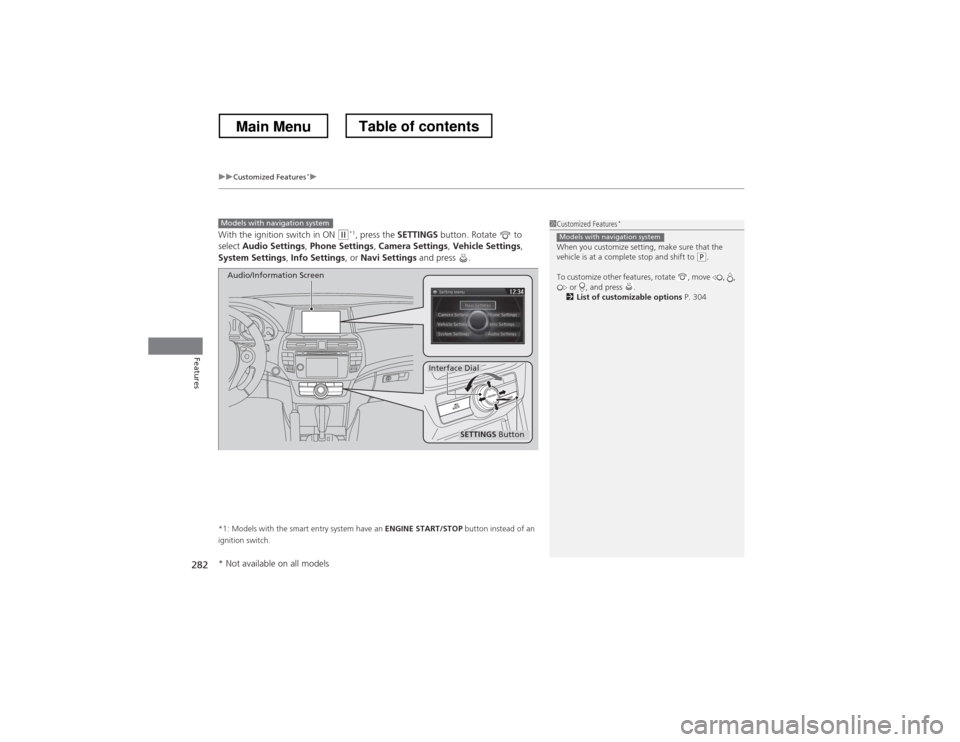
With the ignition switch in ON (w*1
, press the SETTINGS button. Rotate to
select Audio Settings , Phone Settings , Camera Settings , Vehicle Settings ,
System Settings , Info Settings , or Navi Settings and press .
*1: Models with the smart entry system have an ENGINE START/STOP button instead of an
ignition switch.
Models with navigation system
SETTINGS Button
Audio/Information Screen
Interface Dial
1Customized Features *
When you customize setting, make sure that the
vehicle is at a complete stop and shift to
(P .
To customize other features, rotate , move , , or , and press .
2 List of customizable options P. 304
Models with navigation system
* Not available on all models
Main MenuTable of contents
Page 335 of 573
334
uuBluetooth® HandsFreeLink ®uHFL Menus
Features
HFL Menus
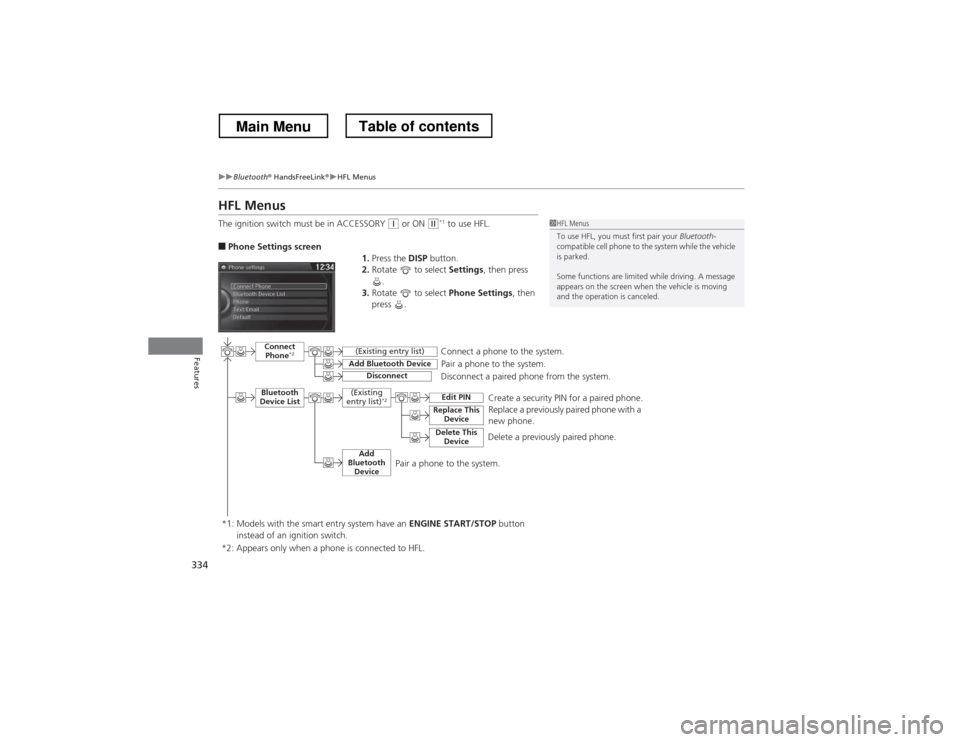
The ignition switch must be in ACCESSORY
(q or ON (w*1
to use HFL.
■ Phone Settings screen
1.Press the DISP button.
2. Rotate to select Settings, then press
.
3. Rotate to select Phone Settings, then
press .1HFL Menus
To use HFL, you must first pair your Bluetooth-
compatible cell phone to the system while the vehicle is parked.
Some functions are limited while driving. A message
appears on the screen when the vehicle is moving
and the operation is canceled.
Pair a phone to the system.
Replace a previously paired phone with a
new phone.
Connect
Phone *2
Bluetooth
Device List
Add Bluetooth Device
Edit PIN
(Existing entry list)
Disconnect
Connect a phone to the system.
Disconnect a paired phone from the system.
*1: Models with the smart entry system have an ENGINE START/STOP button
instead of an ignition switch. (Existing
entry list) *2
Replace This
Device
Delete This DeviceDelete a previously paired phone.Create a security PIN for a paired phone.
Add
Bluetooth Device
*2: Appears only when a phone is connected to HFL.
Pair a phone to the system.
Main MenuTable of contents
Page 365 of 573
uuBluetooth® HandsFreeLink ®uHFL Menus
364
Features
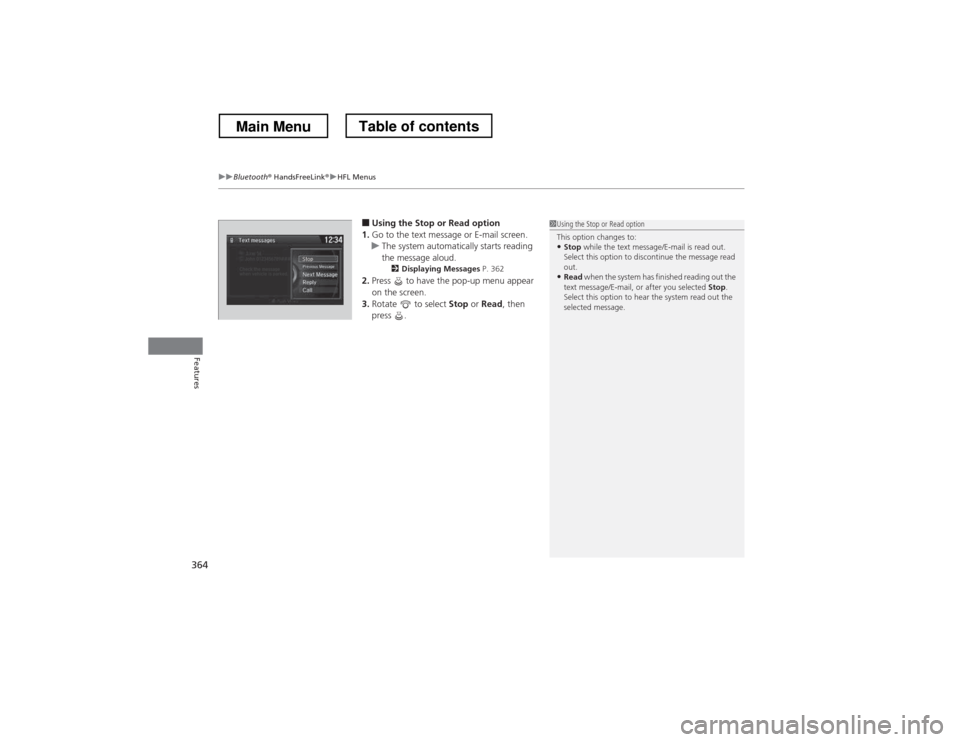
■ Using the Stop or Read option
1. Go to the text message or E-mail screen.
uThe system automatically starts reading
the message aloud.
2 Displaying Messages P. 362
2. Press to have the pop-up menu appear
on the screen.
3. Rotate to select Stop or Read , then
press .
1Using the Stop or Read option
This option changes to:
• Stop while the text message/E-mail is read out.
Select this option to discontinue the message read out.
• Read when the system has finished reading out the
text message/E-mail, or after you selected Stop.
Select this option to hear the system read out the
selected message.
Main MenuTable of contents