Page 419 of 573
418
uuTowing a TraileruDriving Safely with a Trailer
Driving
Driving Safely with a Trailer •Have the trailer properly serviced and keep it in good condition.
• Make sure that all the weights and load in the vehicle and trailer are within limits.
2 Towing Load Limits P. 415
• Securely attach the hitch, safety chains, and other necessary parts to the trailer.
• Securely store all the items in and on the trailer so that they do not shift while
driving.
• Check if the lights and brakes on the trailer are working properly.
• Check the pressures of the trailer tires, including the spare.
• Drive slower than normal.
• Obey posted speed limits for vehicles with trailers.
• Use the
(D position when towing a trailer on level roads.
• Turn more slowly and with a wider turning arc than normal.
• Allow more time and distance for braking.
• Do not brake or turn suddenly.
■Things You Need To Know Before Towing a Trailer
■Towing Speeds and Gears
■Turning and Braking
1Driving Safely with a Trailer
Parking
In addition to the normal precautions, place wheel
chocks at each of the trailer’s tires.
Main MenuTable of contents
Page 420 of 573
419
uuTowing a TraileruTowing Your Vehicle
Driving
•Monitor your temperature gauge. If it nears the red (Hot) mark, turn off the
heating and cooling system *
/climate control system *
and reduce speed. Pull to the
side of the road safely to cool down the engine if necessary.
• Shift to the
(S or (d position if the transmission shifts frequently.
Towing Your Vehicle
Your vehicle is not designed to be towed behind a motor home. If your vehicle needs
to be towed in an emergency, refer to the emergency towing information.
2 Emergency Towing P. 542
■Driving in Hilly Terrain
* Not available on all models
Main MenuTable of contents
Page 427 of 573
426
uuWhen DrivinguShifting
Driving
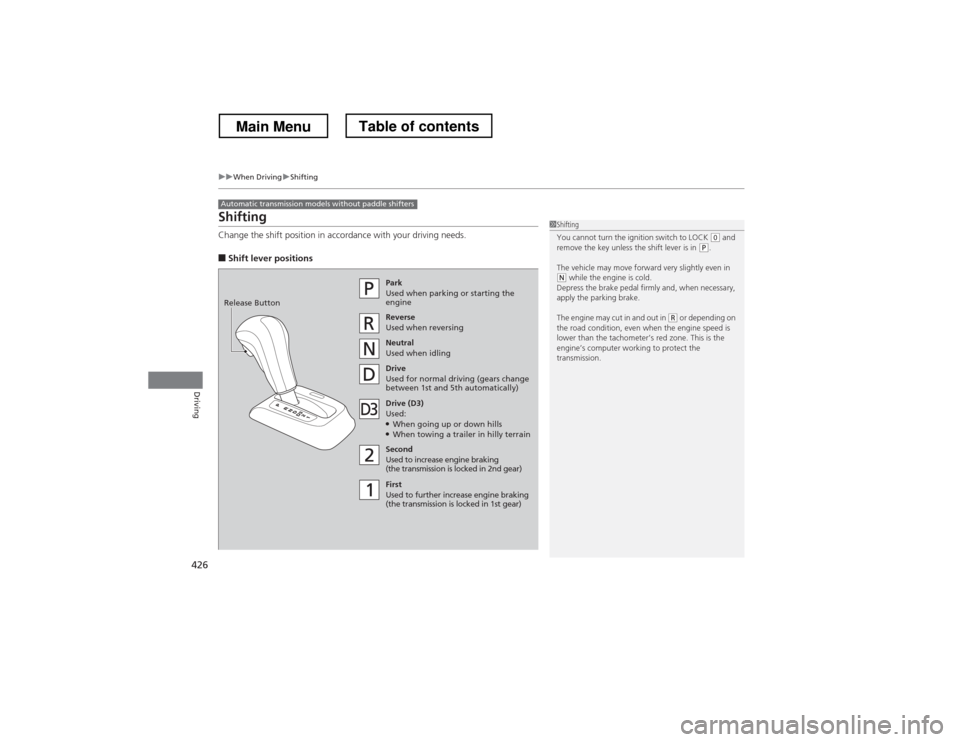
Shifting
Change the shift position in accordance with your driving needs. ■Shift lever positions
Automatic transmission models without paddle shifters
1Shifting
You cannot turn the ignition switch to LOCK
(0 and
remove the key unless the shift lever is in (P .
The vehicle may move forward very slightly even in
(N while the engine is cold.
Depress the brake pedal firmly and, when necessary,
apply the parking brake.
The engine may cut in and out in
(R or depending on
the road condition, even when the engine speed is
lower than the tachometer’s red zone. This is the
engine’s computer working to protect the
transmission.
Park
Used when parking or starting the
engine
Reverse Used when reversing
Neutral
Used when idling
Drive
Used for normal driving (gears change
between 1st and 5th automatically)
Drive (D3)
Used: ● When going up or down hills
● When towing a trailer in hilly terrain
Second Used to increase engine braking
(the transmission is locked in 2nd gear)
First
Used to further increase engine braking
(the transmission is locked in 1st gear)
Release Button
Main MenuTable of contents
Page 429 of 573
428
uuWhen DrivinguShifting
Driving
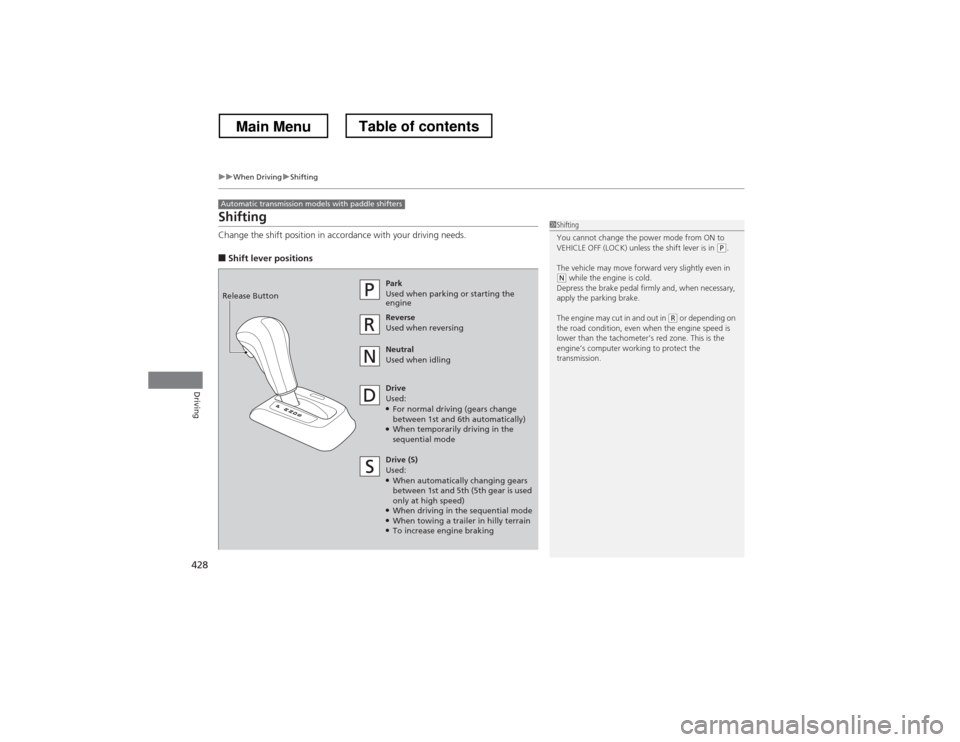
Shifting
Change the shift position in accordance with your driving needs. ■Shift lever positions
Automatic transmission models with paddle shifters
1Shifting
You cannot change the power mode from ON to
VEHICLE OFF (LOCK) unless the shift lever is in
(P.
The vehicle may move forward very slightly even in
(N while the engine is cold.
Depress the brake pedal firmly and, when necessary,
apply the parking brake.
The engine may cut in and out in
(R or depending on
the road condition, even when the engine speed is
lower than the tachometer’s red zone. This is the
engine’s computer working to protect the
transmission.
Park
Used when parking or starting the
engine
Reverse Used when reversing
Neutral
Used when idling
Drive
Used: ● For normal driving (gears change
between 1st and 6th automatically)
● When temporarily driving in the
sequential mode
Release Button
Drive (S)
Used: ●
When automatically changing gears
between 1st and 5th (5th gear is used
only at high speed)
● When driving in the sequential mode
● When towing a trailer in hilly terrain
● To increase engine braking
Main MenuTable of contents
Page 439 of 573
438
uuWhen DrivinguForward Collision Warning (FCW)*
Driving
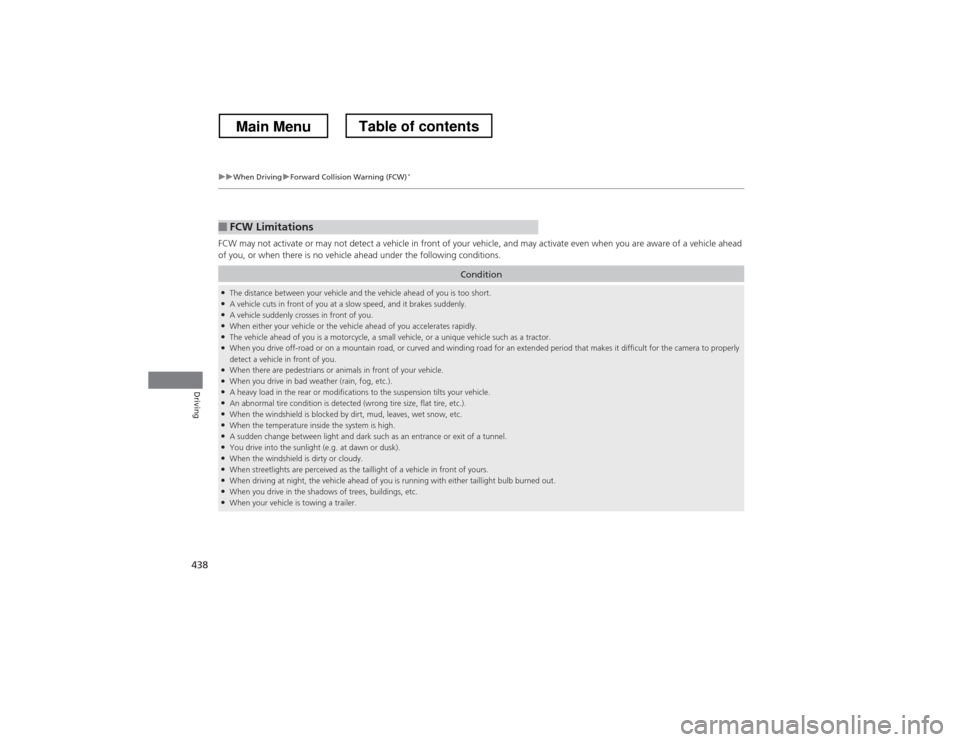
FCW may not activate or may not detect a vehicle in front of your vehicle, and may activate even when you are aware of a vehicl
e ahead
of you, or when there is no vehicle ahead under the following conditions.
■FCW Limitations
Condition
● The distance between your vehicle and the vehicle ahead of you is too short.
● A vehicle cuts in front of you at a slow speed, and it brakes suddenly.
● A vehicle suddenly crosses in front of you.
● When either your vehicle or the vehicle ahead of you accelerates rapidly.
● The vehicle ahead of you is a motorcycle, a small vehicle, or a unique vehicle such as a tractor.
● When you drive off-road or on a mountain road, or curved and winding road for an extended period that makes it difficult for th e camera to properly
detect a vehicle in front of you.
● When there are pedestrians or animals in front of your vehicle.
● When you drive in bad weather (rain, fog, etc.).
● A heavy load in the rear or modifications to the suspension tilts your vehicle.
● An abnormal tire condition is detected (wrong tire size, flat tire, etc.).
● When the windshield is blocked by dirt, mud, leaves, wet snow, etc.
● When the temperature inside the system is high.
● A sudden change between light and dark such as an entrance or exit of a tunnel.
● You drive into the sunlight (e.g. at dawn or dusk).
● When the windshield is dirty or cloudy.
● When streetlights are perceived as the taillight of a vehicle in front of yours.
● When driving at night, the vehicle ahead of you is running with either taillight bulb burned out.
● When you drive in the shadows of trees, buildings, etc.
● When your vehicle is towing a trailer.
Main MenuTable of contents
Page 442 of 573
441
uuWhen DrivinguLane Departure Warning (LDW)*
Driving
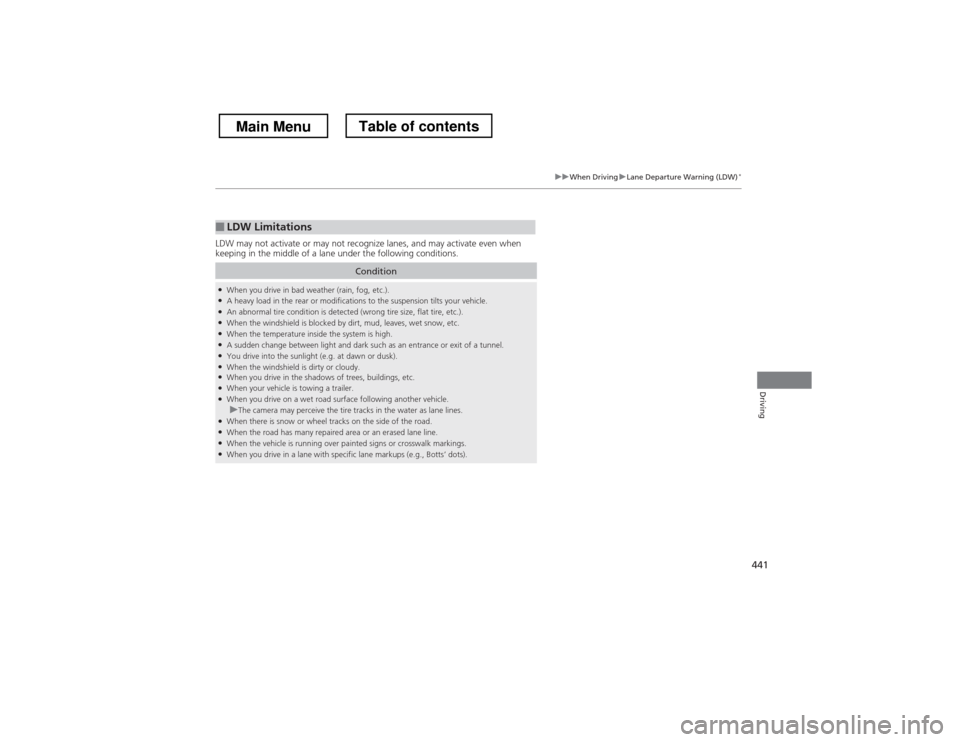
LDW may not activate or may not recognize lanes, and may activate even when
keeping in the middle of a lane under the following conditions.
■LDW Limitations
Condition
●
When you drive in bad weather (rain, fog, etc.).
● A heavy load in the rear or modifications to the suspension tilts your vehicle.
● An abnormal tire condition is detected (wrong tire size, flat tire, etc.).
● When the windshield is blocked by dirt, mud, leaves, wet snow, etc.
● When the temperature inside the system is high.
● A sudden change between light and dark such as an entrance or exit of a tunnel.
● You drive into the sunlight (e.g. at dawn or dusk).
● When the windshield is dirty or cloudy.
● When you drive in the shadows of trees, buildings, etc.
● When your vehicle is towing a trailer.
● When you drive on a wet road surface following another vehicle.
uThe camera may perceive the tire tracks in the water as lane lines.
● When there is snow or wheel tracks on the side of the road.
● When the road has many repaired area or an erased lane line.
● When the vehicle is running over painted signs or crosswalk markings.
● When you drive in a lane with specific lane markups (e.g., Botts’ dots).
Main MenuTable of contents
Page 485 of 573
484
Maintenance
Replacing Light Bulbs
Headlight Bulbs
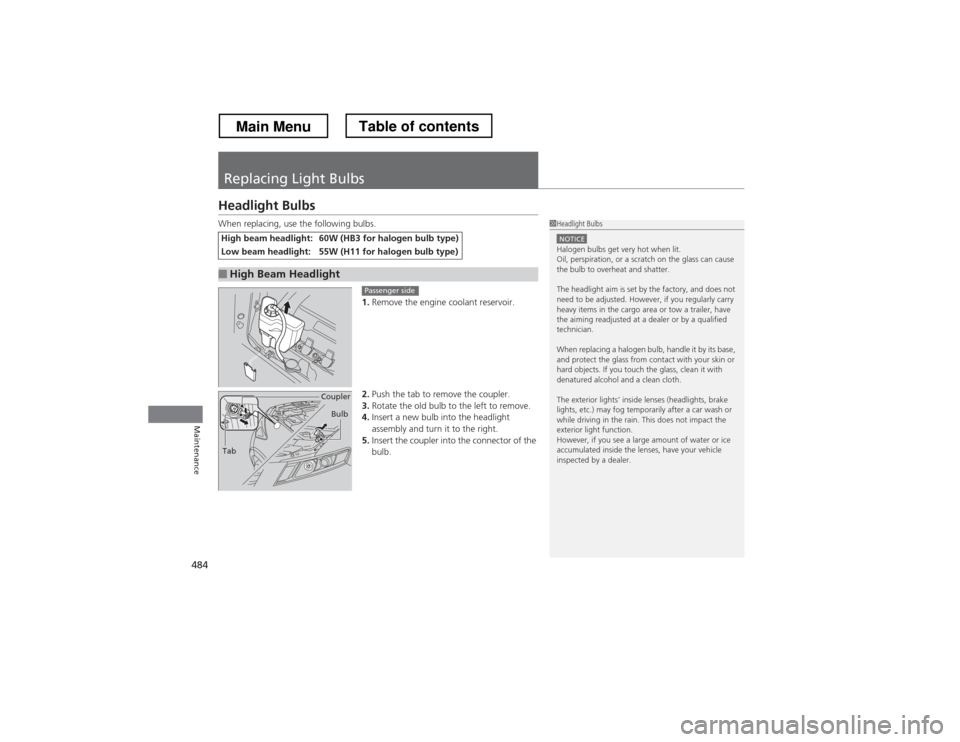
When replacing, use the following bulbs.1.Remove the engine coolant reservoir.
2. Push the tab to remove the coupler.
3. Rotate the old bulb to the left to remove.
4. Insert a new bulb into the headlight
assembly and turn it to the right.
5. Insert the coupler into the connector of the
bulb.
High beam headlight:60W (HB3 for halogen bulb type)
Low beam headlight:55W (H11 for halogen bulb type)
■High Beam Headlight
1Headlight Bulbs
NOTICEHalogen bulbs get very hot when lit.
Oil, perspiration, or a scratch on the glass can cause
the bulb to overheat and shatter.
The headlight aim is set by the factory, and does not
need to be adjusted. However, if you regularly carry
heavy items in the cargo area or tow a trailer, have
the aiming readjusted at a dealer or by a qualified
technician.
When replacing a halogen bulb, handle it by its base,
and protect the glass from contact with your skin or
hard objects. If you touch the glass, clean it with
denatured alcohol and a clean cloth.
The exterior lights’ inside lenses (headlights, brake
lights, etc.) may fog temporarily after a car wash or
while driving in the rain. This does not impact the
exterior light function.
However, if you see a large amount of water or ice
accumulated inside the lenses, have your vehicle
inspected by a dealer.
Passenger side
Tab Coupler
Bulb
Main MenuTable of contents
Page 539 of 573

538
Handling the Unexpected
Fuses
Fuse Locations
If any electrical devices are not working,
turn the ignition switch to LOCK
(0*1
and
check to see if any applicable fuse is blown.
Located near the brake fluid reservoir. Push
the tabs to open the box.
Fuse locations are shown on the fuse box
cover. Locate the fuse in question by the
fuse number and box cover number.
■Engine Compartment Fuse Box
■ Circuit protected and fuse rating
Circuit ProtectedAmps
1Battery120 A *3Battery100 A
*2Passenger’s Fuse Box40 A
2
ESP MTR70 AVSA SFR40 AVSA Motor30 AAS F/B OP40 AHeadlight washer *30 A−−
3
IG Main50 A−−Passenger Side Light Main30 ADR F/B STD60 ADriver Side Light Main30 AMain Fan30 AWiper Motor30 ASub Fan30 A
4 Fan Relay 7.5 A
5Rear Defroster40 A
6 Sub Fan Motor *2
20 A
*1:Models with the smart entry system have an
ENGINE START/STOP button instead of an
ignition switch.
*2:4-cylinder models
*3:6-cylinder models
7Hazard15 A
8 Horn, STOP 20 A
9−−
10 Trailer 15 A
11IG Coil15 A
12 FI Sub 15 A
13IGI Main 1 *330 A
14 IGI Main 2 *3
30 A
15Back up10 A
16 Interior Lights 7.5 A
17FI Main15 A
18 DBW 15 A
19ACM *320 A
20 Heater Motor 40 A
21MG Clutch7.5 A
Circuit ProtectedAmps
* Not available on all models
Main MenuTable of contents