Page 70 of 361

69
uuIndicatorsu
Continued
Instrument Panel
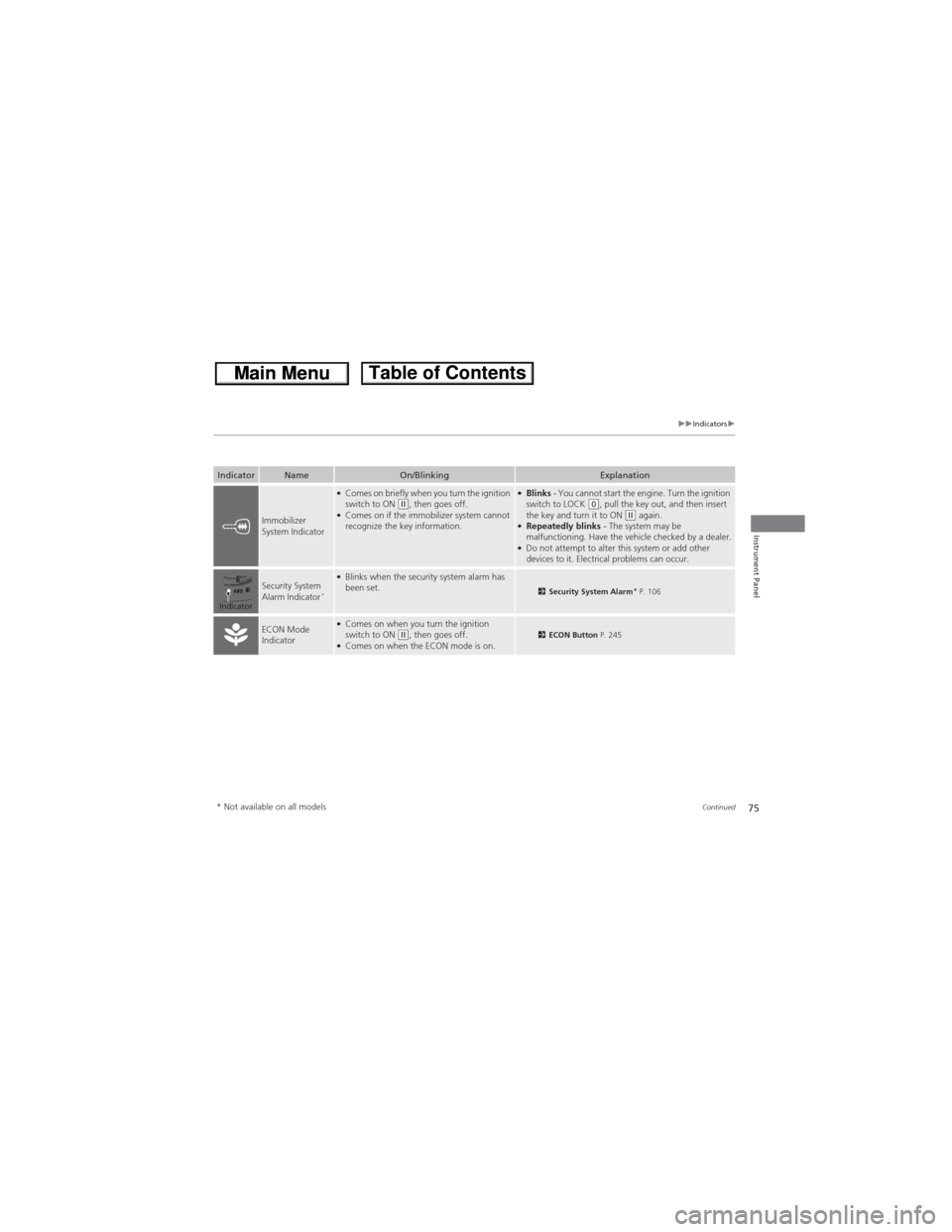
IndicatorNameOn/BlinkingExplanation
Malfunction
Indicator Lamp
●Comes on when you turn the ignition switch
to ON (w, and goes off when the engine
starts, or after several seconds if the engine
did not start. If “readiness codes” have not
been set, it blinks five times before it goes off.
●Comes on if there is a problem with the
emissions control systems.
●Blinks when a misfire in the engine's cylinders
is detected.
●Readiness codes are part of the on board diagnostics
for the emissions control systems.
2Testing of Readiness Codes P. 347●Comes on while driving - Have the vehicle checked
by a dealer.
●Blinks while driving - Stop in a safe place where
there are no flammable objects. Stop the engine for
10 minutes or more, and wait for it to cool down.
Then, take the vehicle to a dealer.
2If the Malfunction Indicator Lamp Comes On or
Blinks P. 332
Charging System
Indicator
●Comes on when you turn the ignition switch
to ON (w, and goes off when the engine
starts.
●Comes on when the battery is not charging.
●Comes on while driving - Turn off the heating and
cooling system*/climate control system* and rear
defogger to reduce electricity consumption.
2If the Charging System Indicator Comes On
P. 331
Shift Lever
Position Indicator
●Indicates current shift lever position.(d indicator:●Comes on for a few seconds when you turn
the ignition switch to ON (w, then goes off.●Comes on when you press the (d button
while the shift lever is in (D.
2Shifting P. 243
* Not available on all models
Page 72 of 361
71
uuIndicatorsu
Continued
Instrument Panel
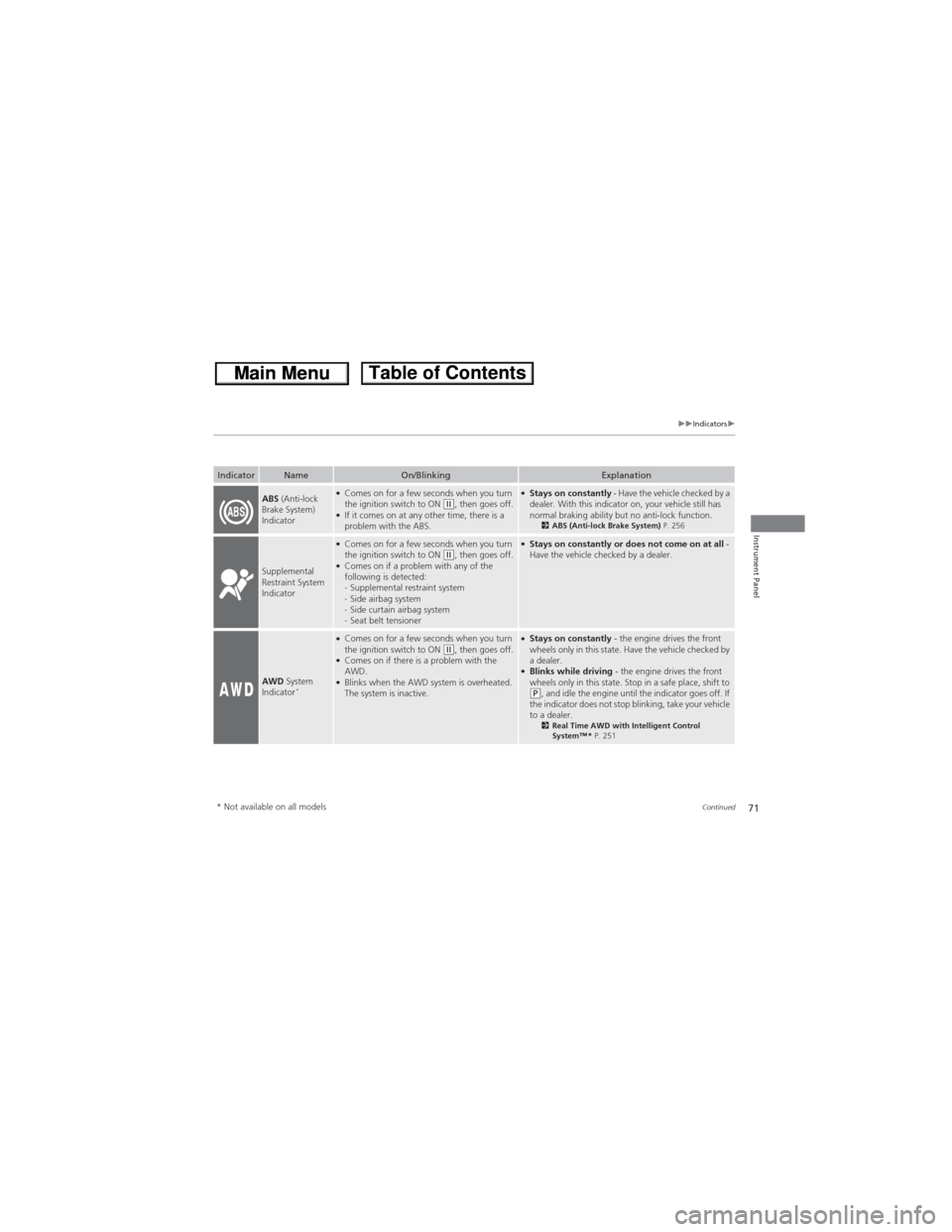
IndicatorNameOn/BlinkingExplanation
ABS (Anti-lock
Brake System)
Indicator●Comes on for a few seconds when you turn
the ignition switch to ON (w, then goes off.●If it comes on at any other time, there is a
problem with the ABS.
●Stays on constantly - Have the vehicle checked by a
dealer. With this indicator on, your vehicle still has
normal braking ability but no anti-lock function.
2ABS (Anti-lock Brake System) P. 256
Supplemental
Restraint System
Indicator
●Comes on for a few seconds when you turn
the ignition switch to ON (w, then goes off.●Comes on if a problem with any of the
following is detected:
-Supplemental restraint system
-Side airbag system
-Side curtain airbag system
-Seat belt tensioner
●Stays on constantly or does not come on at all -
Have the vehicle checked by a dealer.
AWD System
Indicator*
●Comes on for a few seconds when you turn
the ignition switch to ON (w, then goes off.●Comes on if there is a problem with the
AWD.
●Blinks when the AWD system is overheated.
The system is inactive.
●Stays on constantly - the engine drives the front
wheels only in this state. Have the vehicle checked by
a dealer.
●Blinks while driving - the engine drives the front
wheels only in this state. Stop in a safe place, shift to
(P, and idle the engine until the indicator goes off. If
the indicator does not stop blinking, take your vehicle
to a dealer.
2Real Time AWD with Intelligent Control
System™ * P. 251
* Not available on all models
Page 75 of 361

74
uuIndicatorsu
Instrument Panel
IndicatorNameOn/BlinkingExplanation
Turn Signal
Indicators●Blinks when you operate the turn signal
lever.
●Blinks along with all turn signals if you press
the hazard warning button.
●Does not blink or blinks rapidly - A turn signal
light bulb has blown. Change the bulb immediately.
2Replacing Light Bulbs P. 290
High Beam
Indicator●Comes on when the high beam headlights
are on.—
Lights On
Indicator●Comes on whenever the light switch is on, or
in AUTO* when the exterior lights are on.●If you remove the key from the ignition switch while
the lights are on, a chime sounds when the driver's
door is opened.
Fog Light
Indicator*●Comes on when the fog lights are on.—
Side Airbag Off
Indicator
●Comes on for a few seconds when you turn
the ignition switch to ON (w, then goes off.●Comes on when the passenger side airbag
system is automatically shut off.
●It does not mean there is a problem with your side
airbags.
●Comes on when nobody is sitting in the
passenger seat - Have the vehicle checked by a
dealer.
●Comes on when someone is sitting in the seat -
Have the passenger sit properly.
U.S.
Canada
* Not available on all models
Page 76 of 361
75
uuIndicatorsu
Continued
Instrument Panel
IndicatorNameOn/BlinkingExplanation
Immobilizer
System Indicator
●Comes on briefly when you turn the ignition
switch to ON (w, then goes off.●Comes on if the immobilizer system cannot
recognize the key information.
●Blinks - You cannot start the engine. Turn the ignition
switch to LOCK (0, pull the key out, and then insert
the key and turn it to ON (w again.●Repeatedly blinks - The system may be
malfunctioning. Have the vehicle checked by a dealer.
●Do not attempt to alter this system or add other
devices to it. Electrical problems can occur.
Security System
Alarm Indicator*
●Blinks when the security system alarm has
been set.2Security System Alarm* P. 106
ECON Mode
Indicator●Comes on when you turn the ignition
switch to ON (w, then goes off.●Comes on when the ECON mode is on.2ECON Button P. 245
Indicator
* Not available on all models
Page 88 of 361

87
uuGauges and DisplaysuMulti-Information Display
Continued
Instrument Panel
■List of customizable options
*1: Default Setting
*2: See the Navigation System ManualSetup Group Customizable Features Description Selectable settings
Vehicle
InformationMaintenance infoReset the Maintenance MinderTM.No/Yes
Adjust Clock*Selects the 12 hour or 24 hour clock display, and adjusts
the time.12 h*1/24 h
Customize
SettingsDisplay
Setup
Select
WallpaperSelects the full-size analogue clock or the wallpaper.Clock*1/Image 1/Image 2/
Image 3
Import
WallpaperImports an image file for a new wallpaper.Three images can be stored.2Importing wallpapers
from USB P. 90
Delete
WallpaperDeletes an image file for a wallpaper.Image 1/Image 2/Image 3
Trip Meter
Item to DisplaySelects an item to be displayed along with average
fuel economy.Range*1/Elapsed time/
Average speed
Welcome
ScreenSelects whether the welcome screen comes on or
not when you turn the ignition switch to ON (w.On*1/Off
Color ThemeChanges the color of the screen.Blue*1/Red/Amber/Gray
Turn by Turn
Display *, *2Select whether the turn-by-turn display comes on or
not during the route guidance.On*1/Off
Language
SelectionChanges the displayed language.English*1/Francais/Español
* Not available on all models
Page 89 of 361
88
uuGauges and DisplaysuMulti-Information Display
Instrument Panel
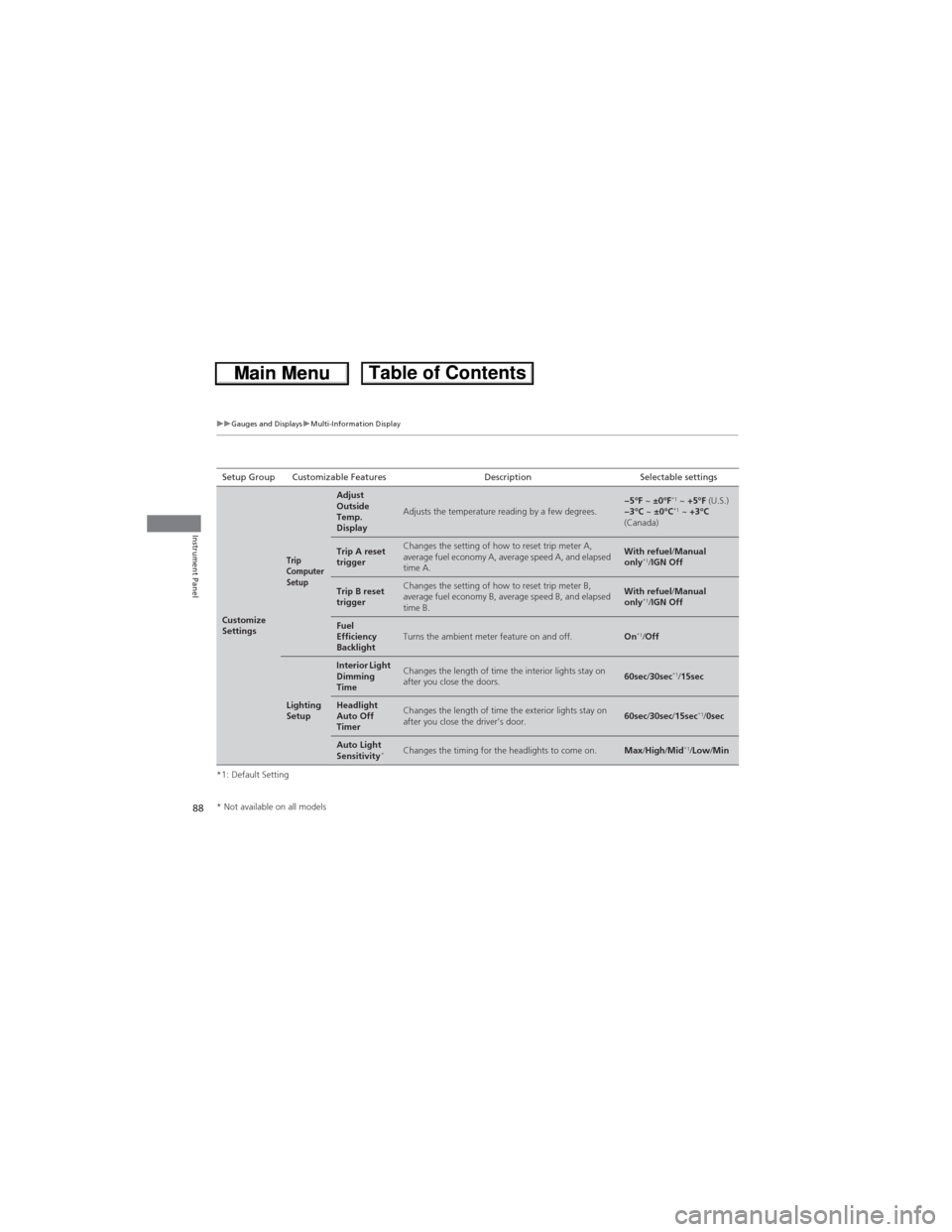
*1: Default SettingSetup Group Customizable Features Description Selectable settings
Customize
Settings
Trip
Computer
Setup
Adjust
Outside
Temp.
Display
Adjusts the temperature reading by a few degrees.−5°F ~ ±0°F*1 ~ +5°F (U.S.)
−3°C ~ ±0°C*1 ~ +3°C
(Canada)
Trip A reset
triggerChanges the setting of how to reset trip meter A,
average fuel economy A, average speed A, and elapsed
time A.With refuel/Manual
only*1/IGN Off
Trip B reset
triggerChanges the setting of how to reset trip meter B,
average fuel economy B, average speed B, and elapsed
time B.With refuel/Manual
only*1/IGN Off
Fuel
Efficiency
BacklightTurns the ambient meter feature on and off.On*1/Off
Lighting
Setup
Interior Light
Dimming
TimeChanges the length of time the interior lights stay on
after you close the doors.60sec/30sec*1/15sec
Headlight
Auto Off
TimerChanges the length of time the exterior lights stay on
after you close the driver’s door.60sec/30sec/15sec*1/0sec
Auto Light
Sensitivity*Changes the timing for the headlights to come on.Max/High/Mid*1/Low/Min
* Not available on all models
Page 100 of 361

99
uuLocking and Unlocking the DoorsuLocking/Unlocking the Doors from the Outside
Continued
Controls
Locking/Unlocking the Doors from the Outside
■Locking the doors
Press the lock button.
Once:
uSome exterior lights flash, all the doors
and tailgate lock, and the security system
sets.
Twice (within five seconds after the first
push):
uThe beeper sounds and verifies the
security system is set.
■Unlocking the doors
Press the unlock button.
Once:
uSome exterior lights flash twice, and the
driver's door unlocks.
Twice:
uThe remaining doors and tailgate unlock.
■Using the Remote Transmitter1Using the Remote Transmitter
If you do not open a door within 30 seconds of
unlocking the vehicle with the remote transmitter,
the doors will automatically relock.
You can change the relock timer setting.
2Customized Features P. 84
If the interior light switch is in the door activated
position, the interior lights come on when you press
the unlock button.
No doors opened: The lights fade out after 30
seconds.
Doors relocked with the remote: The lights go off
immediately.
2Interior Lights P. 132
The remote transmitter uses low-power signals, so
the operating range may vary depending on the
surroundings.
The remote will not lock the vehicle when a door or
the tailgate is open.
If the distance at which the remote transmitter works
varies, the battery is probably low.
If the LED does not come on when you press a
button, the battery is dead.
2Replacing the Button Battery P. 308
You can customize the door unlock mode setting.
2Customized Features P. 84
LED
Unlock
ButtonLock
Button
Page 101 of 361

uuLocking and Unlocking the DoorsuLocking/Unlocking the Doors from the Outside
100
Controls
Fully insert the key and turn it.
■Locking the driver's door
Push the lock tab forward a or push the
master door lock switch in the lock direction
b, and close the door.
■Locking the passenger's doors
Push the lock tab forward and close the door.
■Lockout prevention system
The doors and tailgate cannot be locked when the key is in the ignition switch, and any
door or the tailgate is open.
■Locking/Unlocking the Doors Using a Key1Locking/Unlocking the Doors Using a Key
When you lock the driver's door with a key, all the
other doors and tailgate lock at the same time. When
unlocking, the driver's door unlocks first. Turn the
key a second time within a few seconds to unlock the
remaining doors and the tailgate.
You can customize the door unlock mode setting.
2Customized Features P. 84
Lock
Unlock
■Locking a Door Without Using a Key1Locking a Door Without Using a Key
When you lock the driver's door, all the other doors
and tailgate lock at the same time.
Make sure you have the key in your hand before
locking the door to prevent it from being locked in
the vehicle.