2013 GMC ACADIA service
[x] Cancel search: servicePage 134 of 410
Black plate (20,1)Acadia/Acadia Denali Owner Manual - 2013 - crc2 - 12/11/12
5-20 Instruments and Controls
there are no antilock brakes and
there is a problem with the regular
brakes. SeeBrake System Warning
Light on page 5‑18.
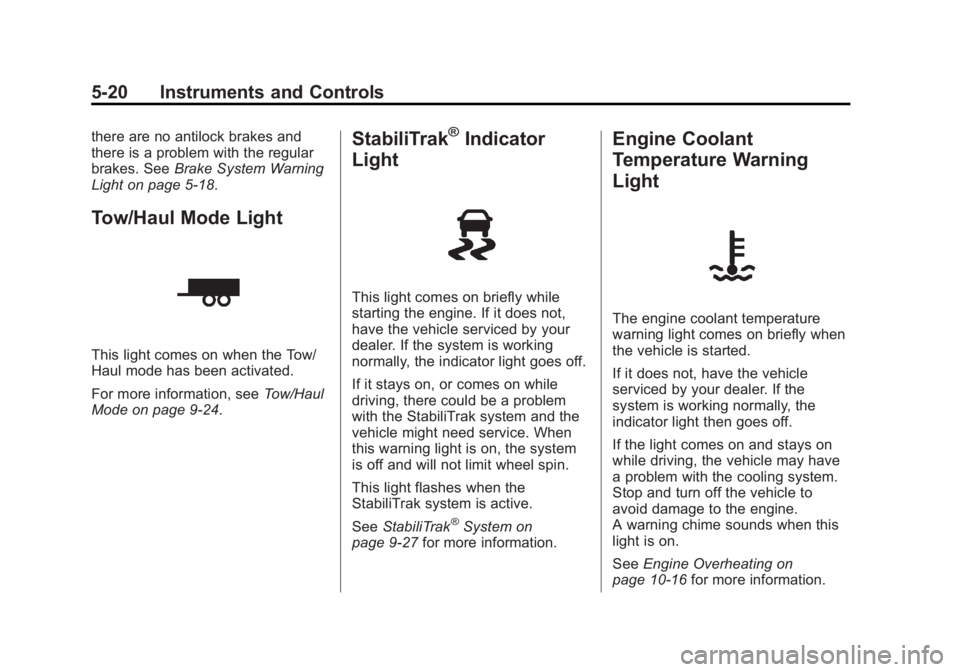
Tow/Haul Mode Light
This light comes on when the Tow/
Haul mode has been activated.
For more information, see Tow/Haul
Mode on page 9‑24.
StabiliTrak®Indicator
Light
This light comes on briefly while
starting the engine. If it does not,
have the vehicle serviced by your
dealer. If the system is working
normally, the indicator light goes off.
If it stays on, or comes on while
driving, there could be a problem
with the StabiliTrak system and the
vehicle might need service. When
this warning light is on, the system
is off and will not limit wheel spin.
This light flashes when the
StabiliTrak system is active.
See StabiliTrak
®System on
page 9‑27 for more information.
Engine Coolant
Temperature Warning
Light
The engine coolant temperature
warning light comes on briefly when
the vehicle is started.
If it does not, have the vehicle
serviced by your dealer. If the
system is working normally, the
indicator light then goes off.
If the light comes on and stays on
while driving, the vehicle may have
a problem with the cooling system.
Stop and turn off the vehicle to
avoid damage to the engine.
A warning chime sounds when this
light is on.
SeeEngine Overheating on
page 10‑16 for more information.
Page 135 of 410

Black plate (21,1)Acadia/Acadia Denali Owner Manual - 2013 - crc2 - 12/11/12
Instruments and Controls 5-21
Tire Pressure Light
For vehicles with the Tire Pressure
Monitor System (TPMS), this light
comes on briefly when the engine is
started. It provides information
about tire pressures and the TPMS.
When the Light Is On Steady
This indicates that one or more of
the tires are significantly
underinflated.
A Driver Information Center (DIC)
tire pressure message may also
display. SeeTire Messages on
page 5‑39. Stop as soon as
possible, and inflate the tires to the
pressure value shown on the Tire
and Loading Information label. See
Tire Pressure on page 10‑45. When the Light Flashes First and
Then Is On Steady
If the light flashes for about a minute
and then stays on, there may be a
problem with the TPMS. If the
problem is not corrected, the light
will come on at every ignition cycle.
See
Tire Pressure Monitor
Operation on page 10‑47.
Engine Oil Pressure Light
Notice: Lack of proper engine oil
maintenance can damage the
engine. Driving with the engine
oil low can also damage the
engine. The repairs would not be
covered by the vehicle warranty.
Check the oil level as soon as
possible. Add oil if required, but
if the oil level is within the
operating range and the oil
pressure is still low, have the
vehicle serviced. Always follow
the maintenance schedule for
changing engine oil.
The oil pressure light should come
on briefly as the engine is started.
If it does not come on, have the
vehicle serviced by your dealer.
If the light comes on and stays on, it
means that oil is not flowing through
the engine properly. The vehicle
could be low on oil and might have
some other system problem. See
your dealer.
Security Light
Page 136 of 410

Black plate (22,1)Acadia/Acadia Denali Owner Manual - 2013 - crc2 - 12/11/12
5-22 Instruments and Controls
The security light should come on
briefly as the engine is started. If the
system is working normally, the
indicator light turns off. If it does not
come on, have the vehicle serviced
by your dealer.
If the light stays on and the engine
does not start, there could be a
problem with the theft-deterrent
system.
This light is also used to indicate the
status of the anti-theft alarm system
when the ignition is turned off. The
light will flash rapidly if the alarm
system is arming and one or more
of the monitored entry points is not
closed. The light will stay on if the
alarm is arming and all entry points
are closed.
For information regarding this light
and the vehicle's security system,
seeVehicle Alarm System on
page 2‑11.High-Beam On Light
The high-beam on light comes on
when the high-beam headlamps are
in use.
See Headlamp High/Low-Beam
Changer on page 6‑2 for more
information.
Front Fog Lamp Light
The fog lamp light comes on when
the fog lamps are in use. The light goes out when the fog
lamps are turned off. See
Fog
Lamps on page 6‑4 for more
information.
Cruise Control Light
This light comes on whenever the
cruise control is set.
The light goes out when the cruise
control is turned off. See Cruise
Control on page 9‑29 for more
information.
Page 137 of 410

Black plate (23,1)Acadia/Acadia Denali Owner Manual - 2013 - crc2 - 12/11/12
Instruments and Controls 5-23
Information Displays
Driver Information
Center (DIC)
The DIC displays information about
your vehicle. It also displays
warning messages if a system
problem is detected.
All messages will appear in the DIC
display located at the top of the
instrument cluster.
The DIC comes on when the ignition
is on. After a short delay, the DIC
will display the information that was
last displayed before the engine
was turned off.
The DIC also displays a shift lever
position indicator on the bottom line
of the display. SeeAutomatic
Transmission on page 9‑21 for more
information. The outside air temperature and
compass, if equipped, also display
on the DIC when viewing the trip
and fuel information. The outside air
temperature automatically appears
in the top right corner of the DIC
display. If there is a problem with
the system that controls the
temperature display, the numbers
will be replaced with dashes. If this
occurs, have the vehicle serviced.
The compass will be shown in the
bottom right corner of the DIC
display. See
Compass on page 5‑4
for more information.
The DIC has different displays
which can be accessed by pressing
the DIC buttons located on the
instrument panel.
The DIC also allows some features
to be customized. See Vehicle
Personalization on page 5‑41 for
more information. DIC Buttons
The buttons are the set/reset,
customization, vehicle information,
and trip/fuel buttons. The button
functions are detailed in the
following pages.
V(Set/Reset):
Press this button to
set or reset certain functions and to
turn off or acknowledge messages
on the DIC.
U(Customization): Press this
button to customize the feature
settings on your vehicle. See
Vehicle Personalization on
page 5‑41 for more information.
T(Vehicle Information): Press
this button to display the oil life,
park assist on vehicles with this
feature, units, tire pressure readings
Page 139 of 410

Black plate (25,1)Acadia/Acadia Denali Owner Manual - 2013 - crc2 - 12/11/12
Instruments and Controls 5-25
choose ON, the system will be
turned on. If you choose OFF, the
system will be turned off. The URPA
system automatically turns back on
after each vehicle start. When the
URPA system is turned off and the
vehicle is shifted out of P (Park), the
DIC will display the PARK ASSIST
OFF message as a reminder that
the system has been turned off. See
Object Detection System Messages
on page 5‑36andUltrasonic
Parking Assist on page 9‑31.
REAR CROSS TRAFFIC ALERT
If the vehicle has the Rear Cross
Traffic Alert (RCTA) system, this
display allows the system to be
turned on or off. Once in this
display, press the set/reset button to
select between ON or OFF. If you
choose ON, the system will be
turned on. If you choose OFF, the
system will be turned off. When the
RCTA system is turned off, the DIC
will display the REAR CROSS
TRAFFIC ALERT SYSTEM OFF
message as a reminder that the
system has been turned off. See
Object Detection System
Messages on page 5‑36 andRear
Vision Camera (RVC) on page 9‑35.
UNITS
Press the vehicle information button
until UNITS displays. This display
allows you to select between metric
or English units of measurement.
Once in this display, press the set/
reset button to select between
METRIC or ENGLISH units. All of
the vehicle information will then be
displayed in the unit of
measurement selected.
FRONT TIRES or REAR TIRES
On vehicles with the Tire Pressure
Monitor System (TPMS), the
pressure for each tire can be viewed
in the DIC. The tire pressure will be
shown in either kilopascals (kPa) or
pounds per square inch (psi). Press
the vehicle information button until
the DIC displays FRONT
TIRES kPa (PSI) LEFT ##
RIGHT ##. Press the vehicle information button again until the
DIC displays REAR TIRES kPa
(PSI) LEFT ## RIGHT ##.
If a low tire pressure condition is
detected by the system while
driving, a message advising you
add air to a specific tire will appear
in the display. See
Tire Pressure on
page 10‑45 andTire Messages on
page 5‑39 for more information.
If the tire pressure display shows
dashes instead of a value, there
may be a problem with your vehicle.
If this consistently occurs, see your
dealer for service.
COMPASS ZONE SETTING
This display will be available if the
vehicle has a compass. See
Compass on page 5‑4 for more
information.
COMPASS RECALIBRATION
This display will be available if the
vehicle has a compass. See
Compass on page 5‑4 for more
information.
Page 146 of 410

Black plate (32,1)Acadia/Acadia Denali Owner Manual - 2013 - crc2 - 12/11/12
5-32 Instruments and Controls
The following are the possible
messages that can be displayed
and some information about them.
Battery Voltage and
Charging Messages
BATTERY SAVER ACTIVE
This message displays when the
system detects that the battery
voltage is dropping below expected
levels. The battery saver system
starts reducing certain features of
the vehicle that you may be able to
notice. At the point that the features
are disabled, this message is
displayed. It means that the vehicle
is trying to save the charge in the
battery.
Turn off all unnecessary
accessories to allow the battery to
recharge.
The normal battery voltage range is
11.5 to 15.5 volts.
SERVICE BATTERY
CHARGING SYSTEM
On some vehicles, this message
displays if there is a problem with
the battery charging system. Under
certain conditions, the charging
system light may also turn on in the
instrument cluster. SeeCharging
System Light on page 5‑15. Driving
with this problem could drain the
battery. Turn off all unnecessary
accessories. Have the electrical
system checked as soon as
possible. See your dealer.
Brake System Messages
SERVICE BRAKE SYSTEM
This message displays along with
the brake system warning light if
there is a problem with the brake
system. See Brake System Warning
Light on page 5‑18. If this message
appears, stop as soon as possible
and turn off the vehicle. Restart the
vehicle and check for the message
on the DIC display. If the message
is still displayed or appears again when you begin driving, the brake
system needs service as soon as
possible. See your dealer.
Cruise Control Messages
CRUISE SET TO XXX
This message displays whenever
the cruise control is set. See
Cruise
Control on page 9‑29 for more
information.
Door Ajar Messages
DRIVER DOOR OPEN
This message displays and a chime
sounds if the driver door is not fully
closed and the vehicle is shifted out
of P (Park). Stop and turn off the
vehicle, check the door for
obstructions, and close the door
again. Check to see if the message
still appears on the DIC.
Page 148 of 410

Black plate (34,1)Acadia/Acadia Denali Owner Manual - 2013 - crc2 - 12/11/12
5-34 Instruments and Controls
ENGINE OVERHEATED IDLE
ENGINE
Notice:If you drive the vehicle
while the engine is overheating,
severe engine damage may
occur. If an overheat warning
appears on the instrument cluster
and/or DIC, stop the vehicle as
soon as possible. Do not increase
the engine speed above normal
idling speed. See Engine
Overheating on page 10‑16 for
more information.
This message displays when the
engine coolant temperature is too
hot. Stop and allow the vehicle to
idle until it cools down. See Engine
Coolant Temperature Gauge on
page 5‑12.
See Overheated Engine Protection
Operating Mode on page 10‑17 for
information on driving to a safe
place in an emergency.
ENGINE OVERHEATED STOP
ENGINE
Notice: If you drive the vehicle
while the engine is overheating,
severe engine damage may
occur. If an overheat warning
appears on the instrument cluster
and/or DIC, stop the vehicle as
soon as possible. Do not increase
the engine speed above normal
idling speed. See Engine
Overheating on page 10‑16 for
more information.
This message displays and a
continuous chime sounds if the
engine cooling system reaches
unsafe temperatures for operation.
Stop and turn off the vehicle as
soon as it is safe to do so to avoid
severe damage. This message
clears when the engine has cooled
to a safe operating temperature.
Engine Oil Messages
CHANGE ENGINE OIL SOON
This message displays when
service is required for the vehicle.
See your dealer. See Engine Oil on
page 10‑7 andMaintenance
Schedule on page 11‑2 for more
information.
Acknowledging the CHANGE
ENGINE OIL SOON message will
not reset the OIL LIFE REMAINING.
See “Oil Life” underDriver
Information Center (DIC) on
page 5‑23 andEngine Oil Life
System on page 10‑9.
ENGINE OIL LOW —ADD OIL
On some vehicles, this message
displays when the engine oil level
may be too low. Check the oil level
before filling to the recommended
level. If the oil is not low and this
message remains on, take the
vehicle to your dealer for service.
See Engine Oil on page 10‑7.
Page 149 of 410
Black plate (35,1)Acadia/Acadia Denali Owner Manual - 2013 - crc2 - 12/11/12
Instruments and Controls 5-35
OIL PRESSURE LOW STOP
ENGINE
Notice:If you drive the vehicle
while the engine oil pressure is
low, severe engine damage may
occur. If a low oil pressure
warning appears on the Driver
Information Center (DIC), stop the
vehicle as soon as possible. Do
not drive the vehicle until the
cause of the low oil pressure is
corrected. See Engine Oil on
page 10‑7 for more information.
This message displays when the
vehicle's engine oil pressure is low.
The oil pressure light also appears
on the instrument cluster. See
Engine Oil Pressure Light on
page 5‑21.
Stop the vehicle immediately, as
engine damage can result from
driving a vehicle with low oil
pressure. Have the vehicle serviced
by your dealer as soon as possible
when this message is displayed.
Engine Power Messages
ENGINE POWER IS REDUCED
This message displays and a chime
sounds when the cooling system
temperature gets too hot and the
engine further enters the engine
coolant protection mode. See
Engine Overheating on page 10‑16
for further information.
This message also displays when
the vehicle's engine power is
reduced. Reduced engine power
can affect the vehicle's ability to
accelerate. If this message is on,
but there is no reduction in
performance, proceed to your
destination. The performance may
be reduced the next time the vehicle
is driven. The vehicle may be driven
at a reduced speed while this
message is on, but acceleration and
speed may be reduced. Anytime
this message stays on, the vehicle
should be taken to your dealer for
service as soon as possible.
Fuel System Messages
FUEL LEVEL LOW
This message displays and a chime
sounds if the fuel level is low. Refuel
as soon as possible. See Fuel
Gauge on page 5‑11 andFuel on
page 9‑38 for more information.
TIGHTEN GAS CAP
This message may display along
with the check engine light on the
instrument cluster if the vehicle's
fuel cap is not tightened properly.
SeeMalfunction Indicator Lamp on
page 5‑16. Reinstall the fuel cap
fully. See Filling the Tank on
page 9‑41. The diagnostic system
can determine if the fuel cap has
been left off or improperly installed.
A loose or missing fuel cap allows
fuel to evaporate into the
atmosphere. A few driving trips with
the cap properly installed should
turn this light and message off.