2013 FORD TAURUS remote control
[x] Cancel search: remote controlPage 59 of 541
Programming Memory To the Transmitter
To activate this feature:
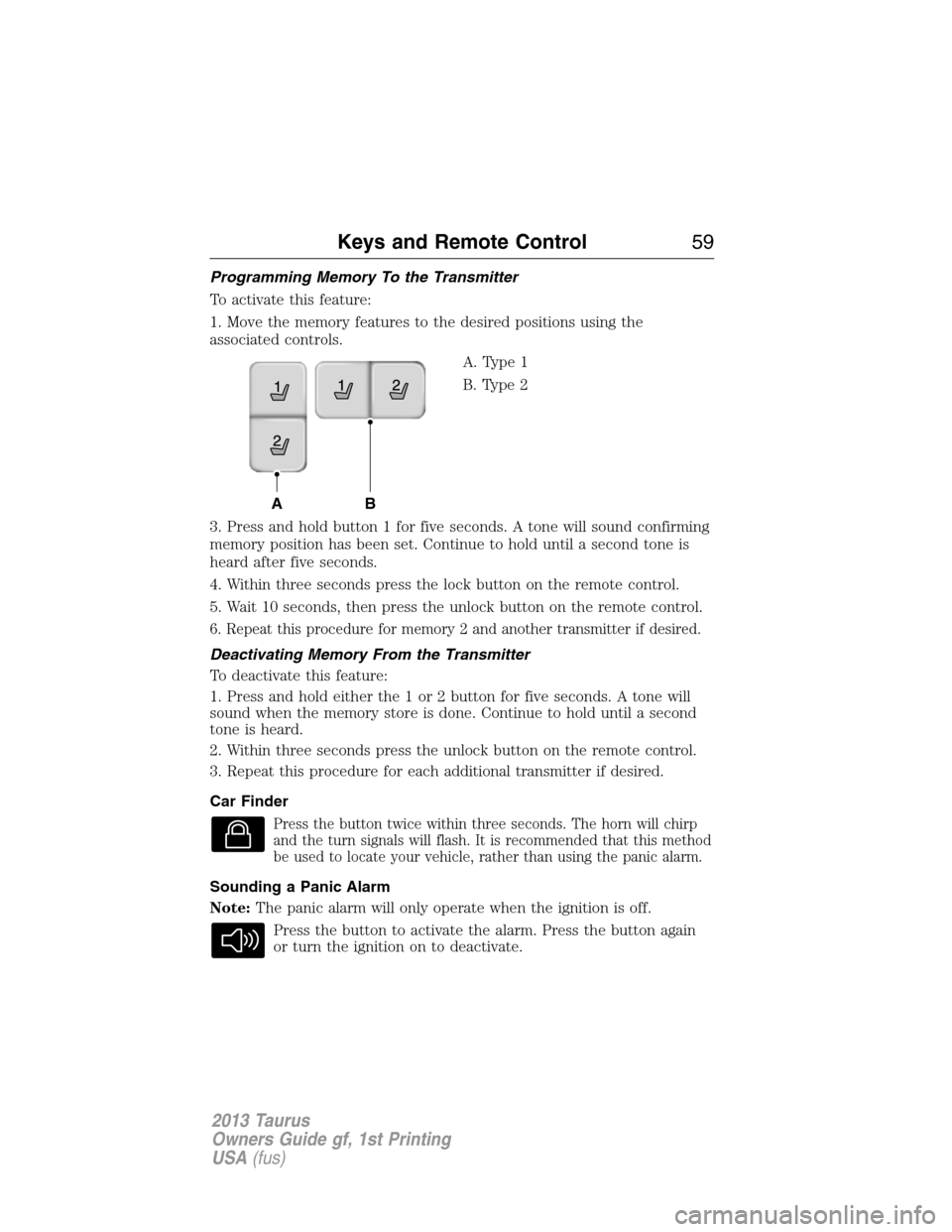
1. Move the memory features to the desired positions using the
associated controls.
A. Type 1
B. Type 2
3. Press and hold button 1 for five seconds. A tone will sound confirming
memory position has been set. Continue to hold until a second tone is
heard after five seconds.
4. Within three seconds press the lock button on the remote control.
5. Wait 10 seconds, then press the unlock button on the remote control.
6. Repeat this procedure for memory 2 and another transmitter if desired.
Deactivating Memory From the Transmitter
To deactivate this feature:
1. Press and hold either the 1 or 2 button for five seconds. A tone will
sound when the memory store is done. Continue to hold until a second
tone is heard.
2. Within three seconds press the unlock button on the remote control.
3. Repeat this procedure for each additional transmitter if desired.
Car Finder
Press the button twice within three seconds. The horn will chirp
and the turn signals will flash. It is recommended that this method
be used to locate your vehicle, rather than using the panic alarm.
Sounding a Panic Alarm
Note:The panic alarm will only operate when the ignition is off.
Press the button to activate the alarm. Press the button again
or turn the ignition on to deactivate.
AB
Keys and Remote Control59
2013 Taurus
Owners Guide gf, 1st Printing
USA(fus)
Page 60 of 541
Remote Start (If Equipped)
WARNING:To avoid exhaust fumes, do not use remote start if
your vehicle is parked indoors or areas that are not well
ventilated.
Note:Do not use remote start if your vehicle is low on fuel.
Your vehicle has remote start if the transmitter has this button.
The remote start feature allows you to start the engine from outside the
vehicle. The transmitter has an extended operating range.
Vehicles with automatic climate control can be configured to operate
when the vehicle is remote started. Refer to theClimate Controlchapter
for more information. A manual climate control system will run at the
setting it was set to when the vehicle was last turned off.
Many states and provinces have restrictions for the use of remote start.
Check your local and state or provincial laws for specific requirements
regarding remote start systems.
The remote start system will not work if:
•the ignition is on
•the alarm system is triggered
•the feature has been disabled
•the hood is not closed
•two remote vehicle starts have already been attempted within the last
hour
•the vehicle is not in P (Park)
•the vehicle battery voltage is too low
•the service engine soon light is on.
60Keys and Remote Control
2013 Taurus
Owners Guide gf, 1st Printing
USA(fus)
Page 61 of 541
Remote Starting the Engine
Note:Each button press must be done within three seconds of each
other. The vehicle will not remote start if this sequence is not followed
and the horn will not chirp.
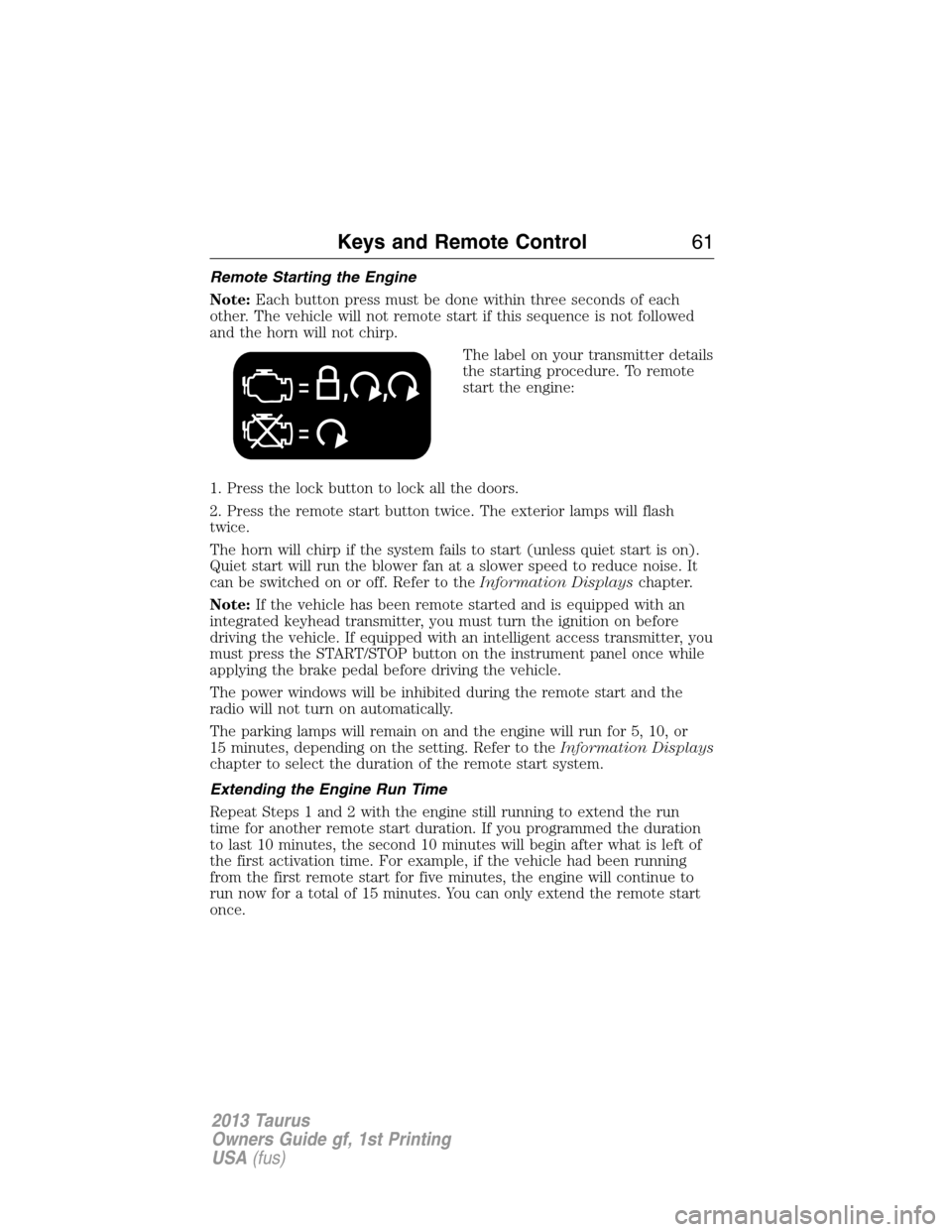
The label on your transmitter details
the starting procedure. To remote
start the engine:
1. Press the lock button to lock all the doors.
2. Press the remote start button twice. The exterior lamps will flash
twice.
The horn will chirp if the system fails to start (unless quiet start is on).
Quiet start will run the blower fan at a slower speed to reduce noise. It
can be switched on or off. Refer to theInformation Displayschapter.
Note:If the vehicle has been remote started and is equipped with an
integrated keyhead transmitter, you must turn the ignition on before
driving the vehicle. If equipped with an intelligent access transmitter, you
must press the START/STOP button on the instrument panel once while
applying the brake pedal before driving the vehicle.
The power windows will be inhibited during the remote start and the
radio will not turn on automatically.
The parking lamps will remain on and the engine will run for 5, 10, or
15 minutes, depending on the setting. Refer to theInformation Displays
chapter to select the duration of the remote start system.
Extending the Engine Run Time
Repeat Steps 1 and 2 with the engine still running to extend the run
time for another remote start duration. If you programmed the duration
to last 10 minutes, the second 10 minutes will begin after what is left of
the first activation time. For example, if the vehicle had been running
from the first remote start for five minutes, the engine will continue to
run now for a total of 15 minutes. You can only extend the remote start
once.
Keys and Remote Control61
2013 Taurus
Owners Guide gf, 1st Printing
USA(fus)
Page 62 of 541
Wait at least five seconds before remote starting after an engine
shutdown. Only two remote starts are allowed.
The ignition must be turned on and then back off or allow one hour to
pass before using remote start again if additional remote starts are
desired.
Turning the Engine Off After Remote Starting
Press the button once. The parking lamps will turn off.
You may have to be closer to the vehicle than when starting due to
ground reflection and the added noise of the running engine.
You can disable or enable the remote start system through the
information display. Refer to theInformation Displaychapter.
REPLACING A LOST KEY OR REMOTE CONTROL
Replacement or additional keys or remote controls can be purchased
from your authorized dealer. Your dealer can program the transmitters to
your vehicle or you may be able to program them yourself. Refer to the
Securitychapter for information on programming your transmitters.
62Keys and Remote Control
2013 Taurus
Owners Guide gf, 1st Printing
USA(fus)
Page 64 of 541
•Audio system maximum volume of 45%. A message in the audio
system is displayed when attempting to exceed the limited volume.
Also, Speed sensitive compensated volume (sscv) feature will be
disabled.
•Always on setting. When this is selected you will not be able to disable
911 Assist, AdvanceTrac or Do not disturb feature.
CREATING A MYKEY
Use the information display control to create a MyKey
1. Insert the key you want to program into the ignition or, if the vehicle
is equipped with push button start, put the intelligent access key in
the backup slot; refer toStarting and Stopping the Enginechapter.
2. Turn the ignition on.
3. Access the main menu on the information display controls and select
Settings, then MyKey by pressing OK or the > button.
4. Press OK to select Create.
5. When prompted hold the OK button until you see a message
informing you to label this key as a MyKey. The key will be restricted
at the next start.
The key is successfully programmed. Make sure you label it so you can
distinguish it from the admin keys.
To program optional settings for the key(s), refer to
Programming/Changing optional settings.If your vehicle is equipped
with remote start, refer toUsing MyKey with remote start systems.
Programming/Changing Optional Settings
Note:All programmed keys can be cleared within the same key cycle in
which a key was programmed, otherwise an admin key is required to
clear the keys. To clear all keys, refer toClearing all MyKeys.
You can access the optional settings through the information display
control.
1. Turn the ignition on using an admin key.
2. Access the main menu and select Settings, then MyKey.
3. Use the arrow buttons to get to an optional feature.
4. Press OK or > to scroll through settings.
5. Press OK or > to make a selection.
64MyKey
2013 Taurus
Owners Guide gf, 1st Printing
USA(fus)
Page 65 of 541
CLEARING ALL MYKEYS
Note:All programmed MyKeys can be cleared within the same key cycle
in which a MyKey was created, otherwise an admin key is required to
clear the keys.
To clear all MyKeys as admin keys, use the information display control to
do the following:
1. Access the main menu and select Settings, then MyKey .
2. Scroll to Clear All and press the OK button.
3. Hold the OK button until ALL MYKEYS CLEARED is displayed.
CHECKING MYKEY SYSTEM STATUS
The information display control displays information about keys
programmed to the vehicle:
•MYKEY MILES:Tracks mileage when a restricted key is used. If
mileage does not accumulate as expected, then the key is not being
used by the intended user. The only way to reset this to zero is by
resetting the keys. If the mileage is lower than the last time you
checked, then the key system has been recently reset.
•# MYKEY(S):Indicates how many restricted keys are programmed
to the vehicle. Can also be used to detect deletion of a restricted key.
•# ADMIN KEY(S):Indicates how many admin keys are programmed
to the vehicle. Can also be used to detect if an additional key has
been programmed to the vehicle.
USING MYKEY WITH REMOTE START SYSTEMS
MyKey is NOT compatible with non-Ford-approved aftermarket remote
start systems. If you choose to install a remote start system please see
your Ford authorized dealer for a Ford-approved remote start system.
The following information MAY help customers who choose to use a
non-Ford-approved remote start system. The actions provided below do
NOT make MyKey compatible with non-Ford-approved remote start
system, but it MAY help you to retain some MyKey functions.
Vehicles Equipped with Traditional Keys
When using a non-Ford-approved remote start system, the default
settings may recognize the remote start system as an additional admin
key with its associated privileges. This makes it NOT compatible with
MyKey. Restart the engine when you insert a key into the ignition
cylinder it may help you to retain some MyKey functions.
MyKey65
2013 Taurus
Owners Guide gf, 1st Printing
USA(fus)
Page 69 of 541
LOCKING AND UNLOCKING
You can use the power door lock control or the remote control to lock
and unlock the vehicle.
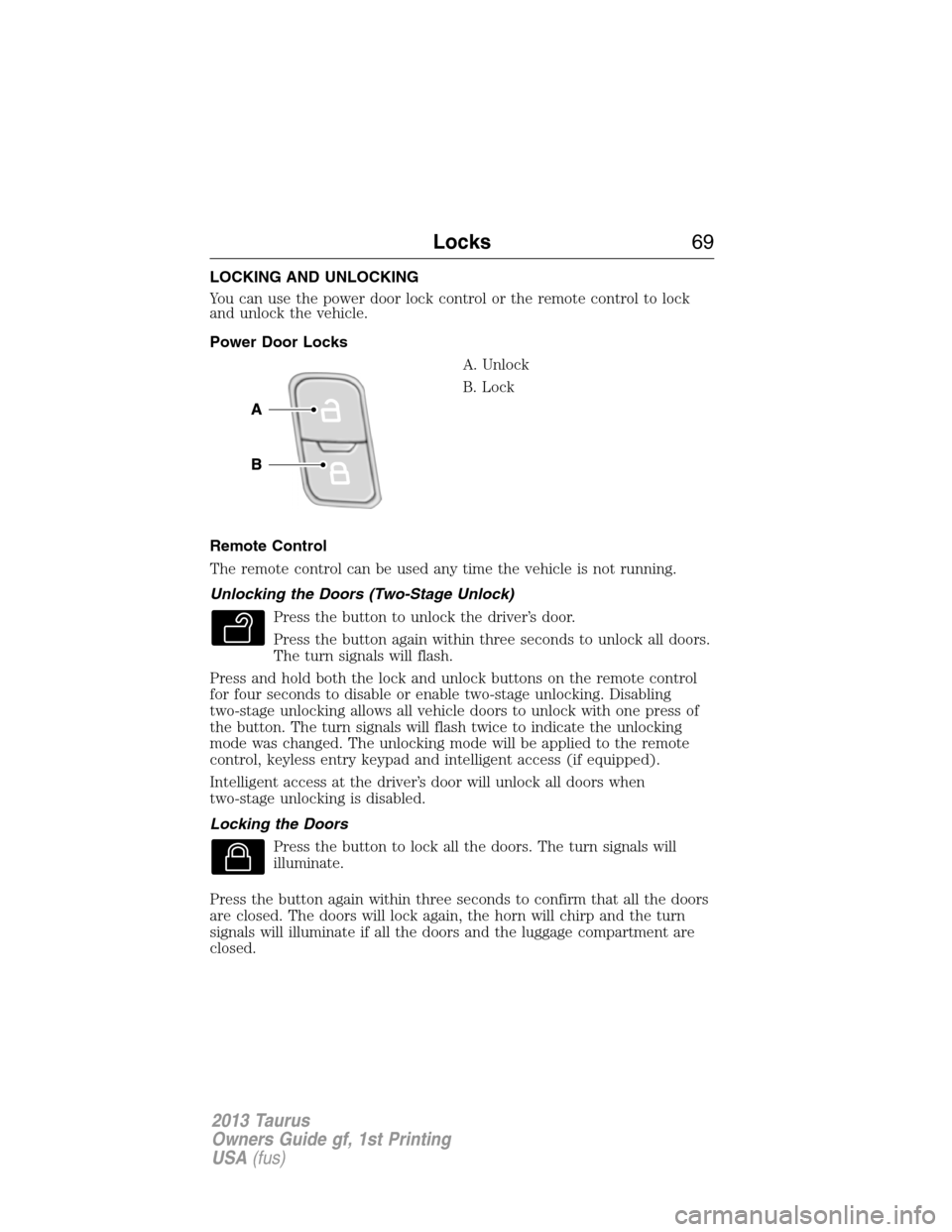
Power Door Locks
A. Unlock
B. Lock
Remote Control
The remote control can be used any time the vehicle is not running.
Unlocking the Doors (Two-Stage Unlock)
Press the button to unlock the driver’s door.
Press the button again within three seconds to unlock all doors.
The turn signals will flash.
Press and hold both the lock and unlock buttons on the remote control
for four seconds to disable or enable two-stage unlocking. Disabling
two-stage unlocking allows all vehicle doors to unlock with one press of
the button. The turn signals will flash twice to indicate the unlocking
mode was changed. The unlocking mode will be applied to the remote
control, keyless entry keypad and intelligent access (if equipped).
Intelligent access at the driver’s door will unlock all doors when
two-stage unlocking is disabled.
Locking the Doors
Press the button to lock all the doors. The turn signals will
illuminate.
Press the button again within three seconds to confirm that all the doors
are closed. The doors will lock again, the horn will chirp and the turn
signals will illuminate if all the doors and the luggage compartment are
closed.
Locks69
2013 Taurus
Owners Guide gf, 1st Printing
USA(fus)
Page 70 of 541

Note:If any door or the luggage compartment is not closed, or if the
hood is not closed on vehicles equipped with an anti-theft alarm or
remote start, the horn will chirp twice and the lamps will not flash.
Opening the Trunk
Press the button twice within three seconds to open the trunk.
Make sure the trunk is closed and latched before driving your vehicle. An
unlatched trunk may cause objects to fall out or block the driver’s rear
view.
Activating Intelligent Access (If Equipped)
The intelligent access key must be within 3 feet (1 meter) of the vehicle.
At the Front Doors
Pull a front exterior door handle. The door will unlock and can be
opened.
Press and hold the door handle lock
sensor to lock the vehicle.
At the Trunk
Press the exterior trunk release button hidden near the license plate.
Smart Unlocks for Integrated Keyhead Transmitter
This feature helps to prevent you from locking yourself out of the vehicle
if your key is still in the ignition.
When you open one of the front doors and lock the vehicle with the
power door lock control, all the doors will lock then unlock if your key is
still in the ignition.
The vehicle can still be locked with the key in the ignition by using the
keyless entry keypad with the driver door closed, or by pressing the lock
button on the transmitter even if the doors are not closed.
If both front doors are closed, the vehicle can be locked by any method,
regardless of whether the key is in the ignition or not.
70Locks
2013 Taurus
Owners Guide gf, 1st Printing
USA(fus)