Page 73 of 437
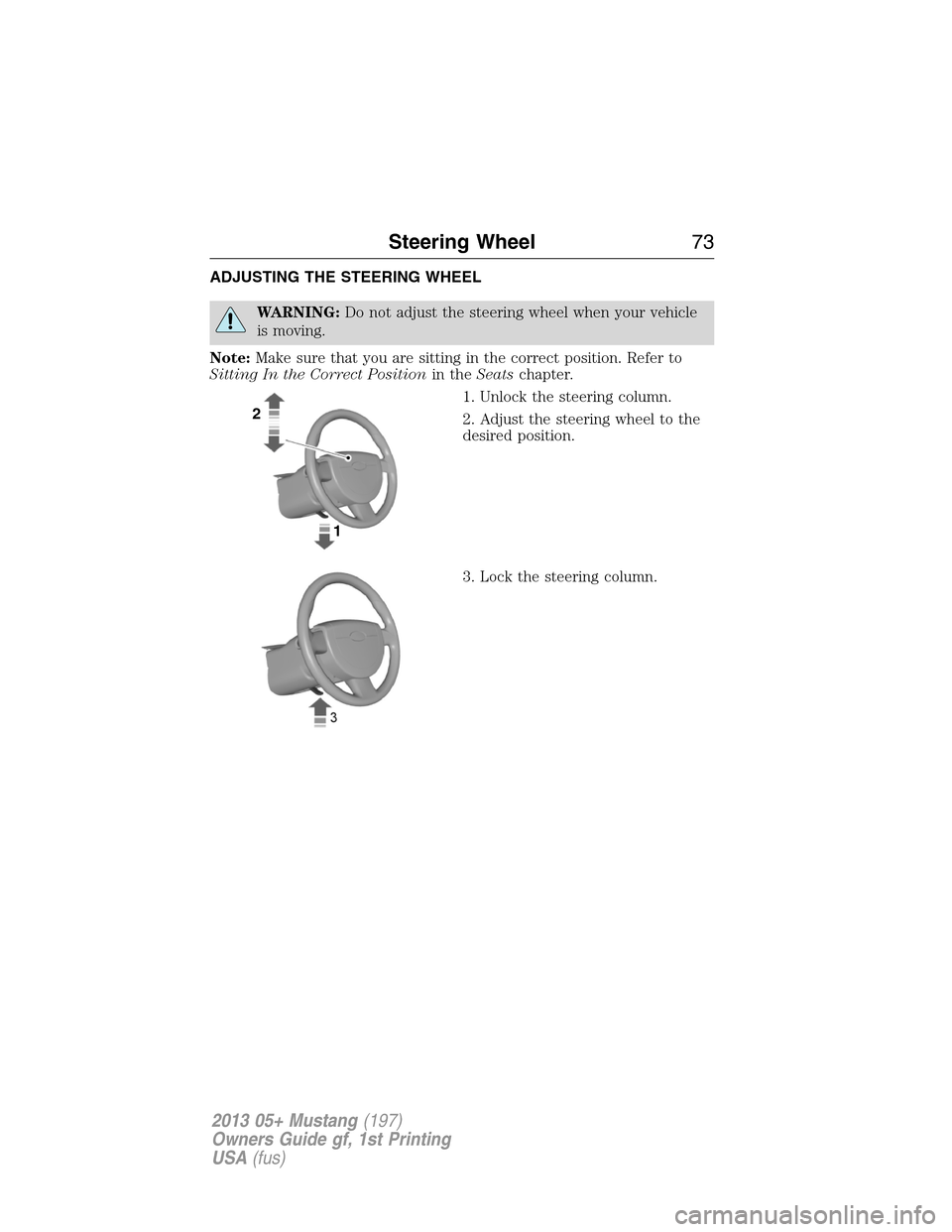
ADJUSTING THE STEERING WHEEL
WARNING:Do not adjust the steering wheel when your vehicle
is moving.
Note:Make sure that you are sitting in the correct position. Refer to
Sitting In the Correct Positionin theSeatschapter.
1. Unlock the steering column.
2. Adjust the steering wheel to the
desired position.
3. Lock the steering column.
2
1
Steering Wheel73
2013 05+ Mustang(197)
Owners Guide gf, 1st Printing
USA(fus)
Page 84 of 437

3. Turn the ignition off, then turn back on.
4. Pull and hold the rear window switch up and hold for three seconds.
The rear windows will begin to start moving up.
Accessory Delay
You can use the window switches for several minutes after you turn the
ignition off, or until either front door is opened.
EXTERIOR MIRRORS
Power Exterior Mirrors
WARNING:Do not adjust the mirror while the vehicle is in
motion.
A. Left-hand mirror
B. Off
C. Right-hand mirror
To adjust your mirrors:
1. Select the mirror you want to adjust.
2. Move the control in the direction you want to tilt the mirror.
3. Return the control to the center position to lock mirrors in place.
Heated Exterior Mirror (If Equipped)
Note:Do not remove ice from the mirrors with a scraper or attempt to
readjust the mirror glass if it is frozen in place. These actions could
cause damage to the glass and mirrors.
Note:Do not clean the housing or glass of any mirror with harsh
abrasives, fuel or other petroleum-based cleaning products.
Both mirrors are heated to remove ice, mist and fog when the rear
window defroster is activated.
Pony Projections Lights (If Equipped)
Note:Moisture, frost and ice build-up (or other types of contamination)
on the surface of the light lens can cause some non-permanent distortion
or reduced brightness of the image. Do not use abrasive materials to
clean the lens.
B
AC
84Windows and Mirrors
2013 05+ Mustang(197)
Owners Guide gf, 1st Printing
USA(fus)
Page 86 of 437

INTERIOR MIRROR
WARNING:Do not adjust the mirror when your vehicle is
moving.
Note:Do not clean the housing or glass of any mirror with harsh
abrasives, fuel or other petroleum or ammonia based cleaning products.
You can adjust the interior mirror to your preference. Some mirrors also
have a second pivot point. This lets you move the mirror head up or
down and from side to side.
Pull the tab below the mirror toward you to reduce glare at night.
Auto-Dimming Mirror (If Equipped)
Note:Do not block the sensors on the front and back of the mirror.
Mirror performance may be affected. A rear center passenger or raised
rear center head restraint may also block light from reaching the sensor.
The mirror will dim automatically to reduce glare when bright lights are
detected from behind your vehicle. It will automatically return to normal
reflection when you select reverse gear to make sure you have a clear
view when backing up.
SUN VISORS
Slide-On-Rod
Rotate the visor toward the side
window and extend it rearward for
extra sunlight coverage.
Retract the visor before moving it
back toward the windshield and
storing it.
86Windows and Mirrors
2013 05+ Mustang(197)
Owners Guide gf, 1st Printing
USA(fus)
Page 92 of 437
Anti-lock brake system
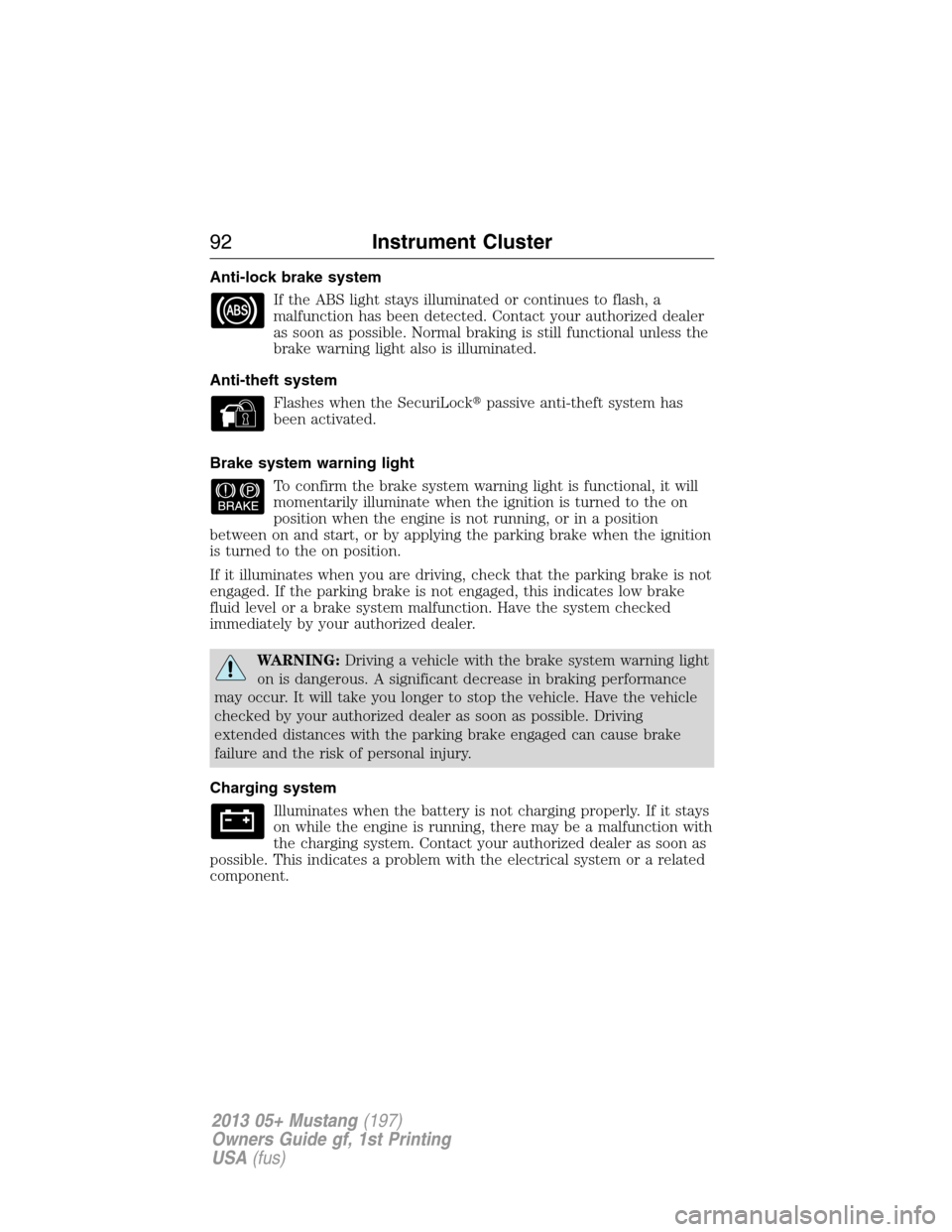
If the ABS light stays illuminated or continues to flash, a
malfunction has been detected. Contact your authorized dealer
as soon as possible. Normal braking is still functional unless the
brake warning light also is illuminated.
Anti-theft system
Flashes when the SecuriLock�passive anti-theft system has
been activated.
Brake system warning light
To confirm the brake system warning light is functional, it will
momentarily illuminate when the ignition is turned to the on
position when the engine is not running, or in a position
between on and start, or by applying the parking brake when the ignition
is turned to the on position.
If it illuminates when you are driving, check that the parking brake is not
engaged. If the parking brake is not engaged, this indicates low brake
fluid level or a brake system malfunction. Have the system checked
immediately by your authorized dealer.
WARNING:Driving a vehicle with the brake system warning light
on is dangerous. A significant decrease in braking performance
may occur. It will take you longer to stop the vehicle. Have the vehicle
checked by your authorized dealer as soon as possible. Driving
extended distances with the parking brake engaged can cause brake
failure and the risk of personal injury.
Charging system
Illuminates when the battery is not charging properly. If it stays
on while the engine is running, there may be a malfunction with
the charging system. Contact your authorized dealer as soon as
possible. This indicates a problem with the electrical system or a related
component.
92Instrument Cluster
2013 05+ Mustang(197)
Owners Guide gf, 1st Printing
USA(fus)
Page 99 of 437

•COMFORT–Slightly less effort required for steering with less road
force felt through the steering wheel.
Note:When AdvanceTrac�sport mode is on or when AdvanceTrac�and
traction control are off, the steering feel will be locked in sport mode.
The display will show STEERING FEEL LOCKED and the
steering feel will not be selectable.
HALO LIGHT
Turns the halo lighting around the gauges on or off.
Press and hold RESET to turn the feature on or off.
AMBIENT LIGHT
Turns the ambient lighting on or off. Ambient lighting provides accent
lighting in various locations such as footwell areas, cup holders and the
center console bin. The parking lamps/headlamps must be on to use
ambient lighting.
Press and hold RESET to turn the feature on or off.
AMBIENT DIM
Use this to adjust the brightness of the ambient lighting.
Press RESET to choose the various settings.
GAUGE COLOR, AMBIENT COLOR, HALO COLOR
GAUGE COLOR:The instrument cluster gauges are backlit with white
backlighting when the headlamps are off. When the headlamps are on,
you can select one of the preset colors for the nighttime gauge
backlighting or create up to three custom colors using the MyColor�
feature.
Note:A gauge in a warning condition will be lit red when the headlamps
are on.
AMBIENT COLOR:You can select one of the preset colors for ambient
lighting or create up to three custom colors using the MyColor�feature.
Information Displays99
2013 05+ Mustang(197)
Owners Guide gf, 1st Printing
USA(fus)
Page 101 of 437

AUTOLAMP (SEC)
This feature keeps your headlights on for up to three minutes after the
ignition is switched off.
Press RESET to select the new Autolamp delay values of 0, 10, 20, 30,
60, 90, 120 or 180 seconds.
AUTOLOCK
This feature automatically locks all vehicle doors when the vehicle is
shifted into any gear and driven.
Press RESET to turn autolock on or off.
AUTOUNLOCK
This feature automatically unlocks all vehicle doors when the driver’s
door is opened within 10 minutes of the ignition being turned off.
Press RESET to turn autounlock on or off.
REAR PARK AID
This feature sounds a warning tone to warn the driver of obstacles near
the rear bumper, and functions only when R (Reverse) gear is selected.
Press RESET to turn it off or on.
CREATE MYKEY / MYKEY SETUP/ CLEAR MYKEY
For more information refer to theMyKey�chapter.
LANGUAGE = ENGLISH / SPANISH / FRENCH
Allows you to choose which language for the information display.
Selectable languages are English, Spanish, or French.
Waiting four seconds or pressing the RESET button cycles through each
of the language choices.
Press and hold RESET for two seconds to set the language choice.
Information messages
SeeInformation messageslater in this chapter for more information.
Information Displays101
2013 05+ Mustang(197)
Owners Guide gf, 1st Printing
USA(fus)
Page 104 of 437
†Track Apps
Accelerometer
Acceleration timer
Brake Performance
Dashboard
Screen (Shelby�
GT500�)Launch Control
(Shelby�
GT500�)Off/On / RPM Setting
View/Clear Results
†SeeTrack appslater in this section for more information.
Settings
Driver Assist Rear Park Aid On/Off
Vehicle Autolamp Delay Off or XXX seconds
Locks Autolock On/Off
Autounlock On/Off
Menu Control Standard: with standard set,
pressing the up/down arrows from
a lower level menu will escape to
the main menu.
Memory On: with memory on set,
pressing the up/down arrows will
navigate to the previous lower
level menu.
Oil Life Reset Set to XXX% (Hold OK to Reset).
Shiftpoint
(Shelby�
GT500�)Shiftlamp On/Off
Shiftpoint 1500–7000 RPM
Shifttone On/Off
104Information Displays
2013 05+ Mustang(197)
Owners Guide gf, 1st Printing
USA(fus)
Page 105 of 437
Settings
Vehicle Dampers
(Shelby�
GT500�)Sport / Normal
Steering Feel Standard
Sport Sport Locked:
This will display
when
AdvanceTrac�
sport mode is
on or when
AdvanceTrac�
and traction
control are off.
The steering
feel will be
locked in sport
mode and
steering feel
will not be
selectable.
Comfort
Information Displays105
2013 05+ Mustang(197)
Owners Guide gf, 1st Printing
USA(fus)