Page 5 of 475

Stability Control 190
AdvanceTrac�.......................................191
Parking Aids 192
Sensing system.......................................192
Active park assist.....................................195
Rear-view camera system...............................199
Cruise Control 204
Driving Aids 206
Eco Mode...........................................206
Steering............................................207
Load Carrying 209
Vehicle loading.......................................209
Towing 215
Trailertowing........................................215
Wrecker towing......................................215
Recreational towing...................................216
Driving Hints 219
Economical driving....................................219
Floormats..........................................221
Roadside Emergencies 223
Getting roadside assistance..............................223
Hazard warning flashers................................224
Fuel cut-off switch....................................224
Jump-starting the vehicle...............................225
Customer Assistance 228
Reporting safety defects (U.S. only).......................235
Reporting safety defects (Canada only).....................235
Fuses 236
Changing a fuse......................................236
Fuse specification chart................................237
Table of Contents5
2013 Focus(foc)
Owners Guide gf, 1st Printing
USA(fus)
Page 10 of 475
SYMBOL GLOSSARY
WARNING:You risk death or serious injury to yourself and
others if you do not follow the instruction highlighted by the
warning symbol.
These are some of the symbols you may see on your vehicle.
Symbol Description Symbol Description Symbol Description
Safety alertSee Owner’s
ManualAnti-lock
braking
system
Avoid
smoking,
flames, or
sparksBatteryBattery acid
Brake fluid –
non
petroleum
baseBrake systemCabin air
filter
Check fuel
capChild Safety
Door Lock
and UnlockChild seat
lower anchor
Child seat
tether
anchorCruise
controlDo not open
when hot
Engine air
filterEngine
coolantEngine
coolant
temperature
Engine oilExplosive gasFan warning
Fasten safety
beltFront airbagFront fog
lamps
10Introduction
2013 Focus(foc)
Owners Guide gf, 1st Printing
USA(fus)
Page 84 of 475
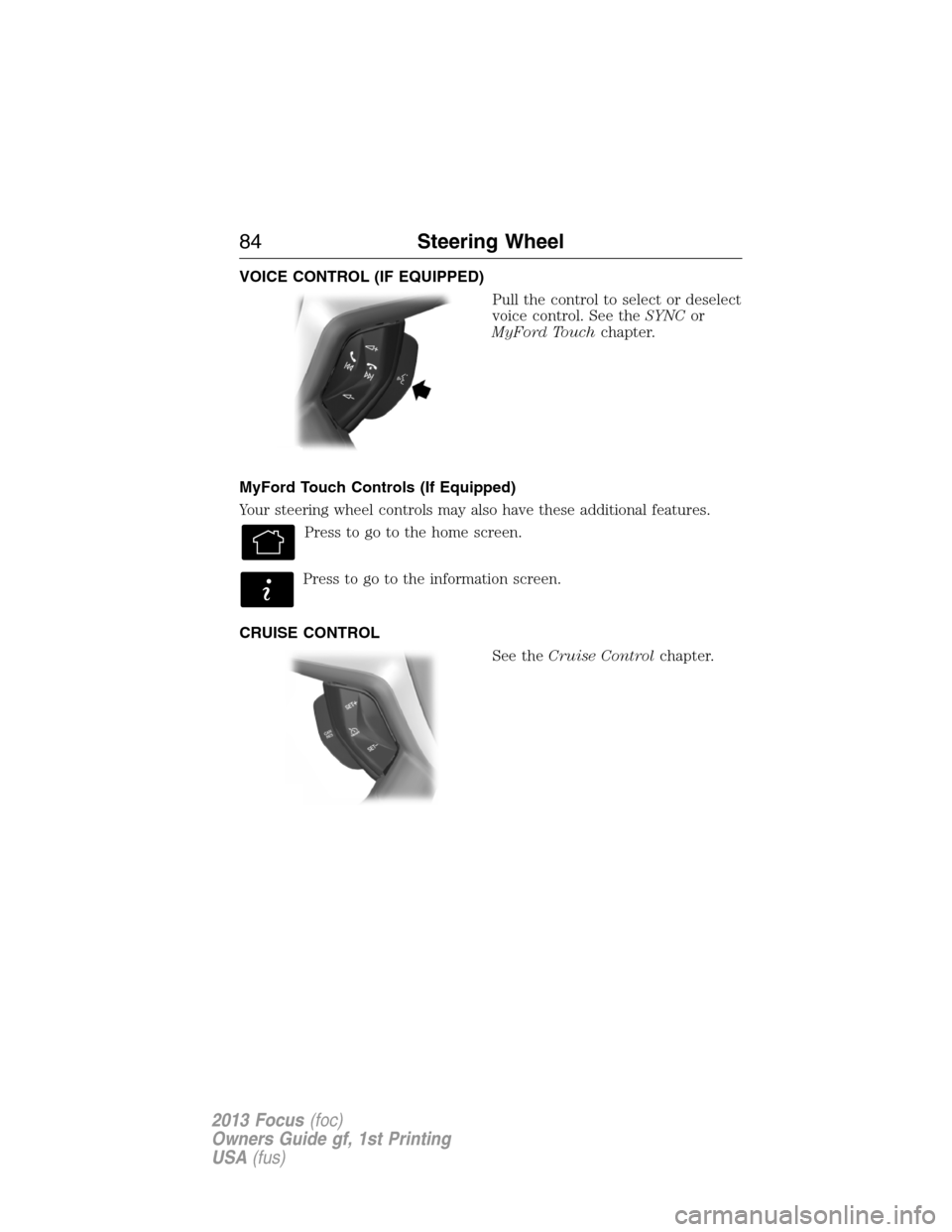
VOICE CONTROL (IF EQUIPPED)
Pull the control to select or deselect
voice control. See theSYNCor
MyFord Touchchapter.
MyFord Touch Controls (If Equipped)
Your steering wheel controls may also have these additional features.
Press to go to the home screen.
Press to go to the information screen.
CRUISE CONTROL
See theCruise Controlchapter.
84Steering Wheel
2013 Focus(foc)
Owners Guide gf, 1st Printing
USA(fus)
Page 104 of 475

Brake System
It will illuminate when the parking brake is engaged and the
ignition is on.
If it illuminates when you are driving, check that the parking
brake is not engaged. If the parking brake is not engaged, this indicates
low brake fluid level or a brake system malfunction. Have the system
checked immediately by your authorized dealer.
WARNING:Driving a vehicle with the brake system warning
light on is dangerous. A significant decrease in braking
performance may occur. It will take you longer to stop the vehicle.
Have the vehicle checked by your authorized dealer as soon as possible.
Driving extended distances with the parking brake engaged can cause
brake failure and the risk of personal injury.
Cruise Control (if equipped)
It will illuminate when you switch this feature on.
Direction Indicator
Illuminates when the left or right turn signal or the hazard
warning flasher is turned on. If the indicators flash faster, check
for a burned out bulb.
Engine Oil
If it illuminates with the engine running or when you are
driving, this indicates a malfunction. Stop your vehicle as soon
as it is safe to do so and switch the engine off. Check the
engine oil level.
Note:Do not resume your journey if it illuminates despite the level
being correct. Have the system checked by your authorized dealer.
Fasten Safety Belt
It will illuminate and a chime will sound to remind you to fasten
your safety belt.
104Instrument Cluster
2013 Focus(foc)
Owners Guide gf, 1st Printing
USA(fus)
Page 204 of 475
PRINCIPLES OF OPERATION
Cruise control lets you maintain a set speed without keeping your foot
on the accelerator pedal.
USING CRUISE CONTROL (IF EQUIPPED)
WARNING:Do not use cruise control in heavy traffic or on
roads that are winding, slippery or unpaved.
Note:Vehicle speed may vary momentarily when driving up or down a
steep hill. Apply the brakes if the vehicle speed increases above the set
speed while driving downhill.
Note:Cruise control will disengage if the vehicle speed decreases more
than 10 mph (16 km/h) below your set speed while driving uphill.
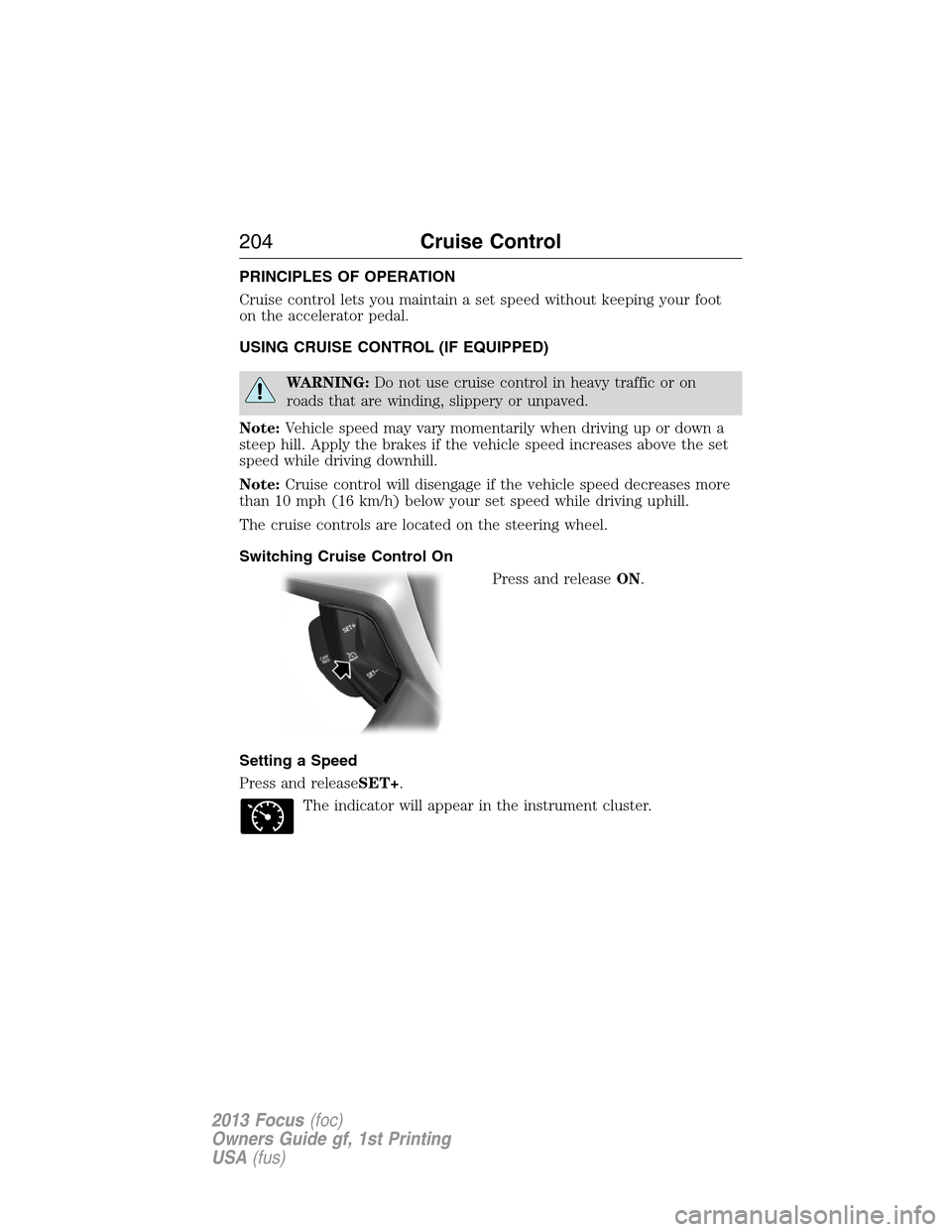
The cruise controls are located on the steering wheel.
Switching Cruise Control On
Press and releaseON.
Setting a Speed
Press and releaseSET+.
The indicator will appear in the instrument cluster.
204Cruise Control
2013 Focus(foc)
Owners Guide gf, 1st Printing
USA(fus)
Page 205 of 475
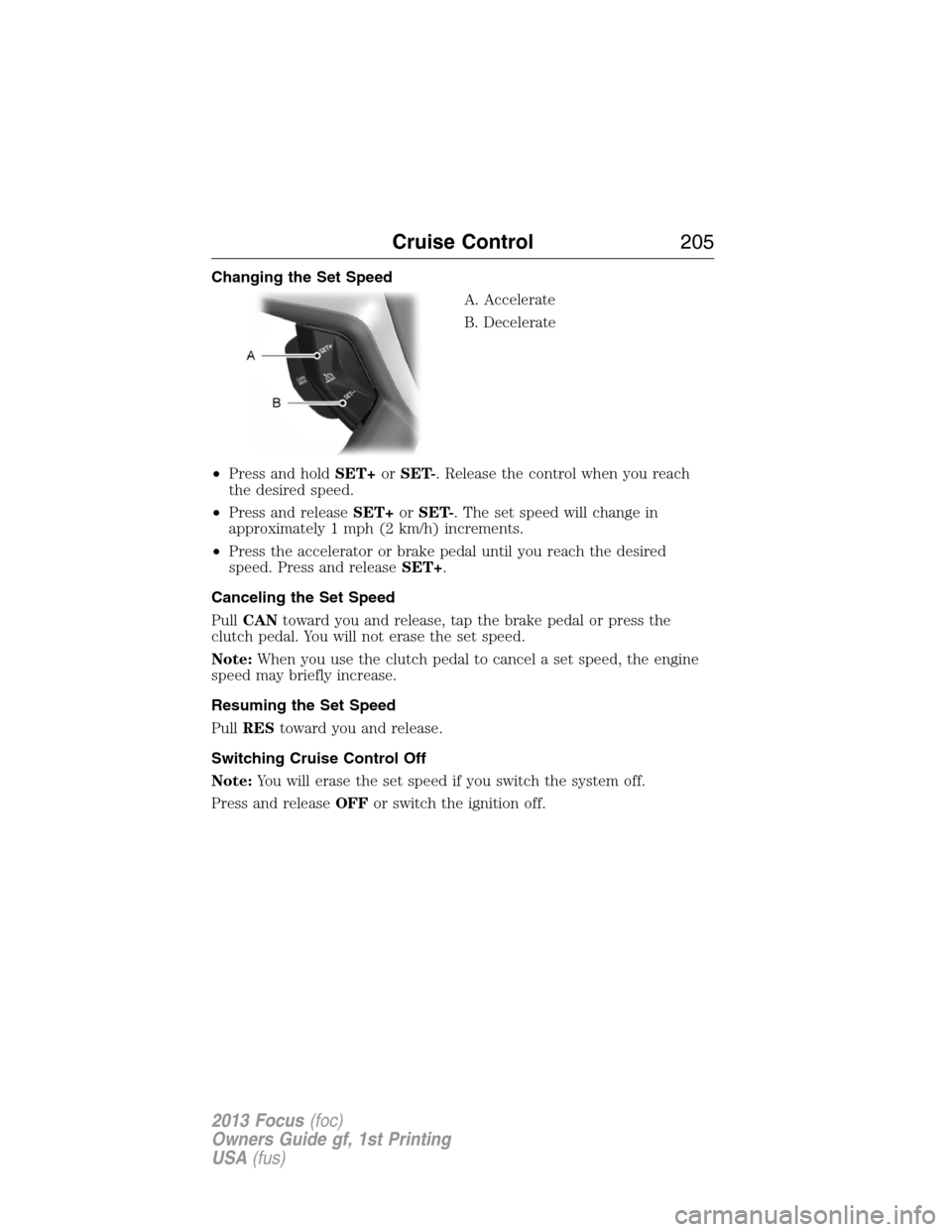
Changing the Set Speed
A. Accelerate
B. Decelerate
•Press and holdSET+orSET-. Release the control when you reach
the desired speed.
•Press and releaseSET+orSET-. The set speed will change in
approximately 1 mph (2 km/h) increments.
•Press the accelerator or brake pedal until you reach the desired
speed. Press and releaseSET+.
Canceling the Set Speed
PullCANtoward you and release, tap the brake pedal or press the
clutch pedal. You will not erase the set speed.
Note:When you use the clutch pedal to cancel a set speed, the engine
speed may briefly increase.
Resuming the Set Speed
PullREStoward you and release.
Switching Cruise Control Off
Note:You will erase the set speed if you switch the system off.
Press and releaseOFFor switch the ignition off.
Cruise Control205
2013 Focus(foc)
Owners Guide gf, 1st Printing
USA(fus)