Page 6 of 577

Cruise Control 238
Driving Aids 240
Load Carrying 241
Vehicle loading.......................................241
Tailgate............................................248
Towing 253
Trailertowing........................................253
Trailer brake controller-integrated.........................259
Wrecker towing......................................266
Recreational towing...................................268
Driving Hints 269
Economical driving....................................269
Floormats..........................................271
Roadside Emergencies 276
Getting roadside assistance..............................276
Hazard flasher control..................................278
Fuel cut-off switch....................................278
Jump-starting the vehicle...............................279
Customer Assistance 282
Reporting safety defects (U.S. only).......................289
Reporting safety defects (Canada only).....................289
Fuses 290
Changing a fuse......................................290
Fuse specification chart................................291
Upfitter controls......................................300
Table of Contents5
2013 F-250/350/450/550(f23)
Owners Guide gf, 3rd Printing, December 2012
USA(fus)
Page 95 of 577
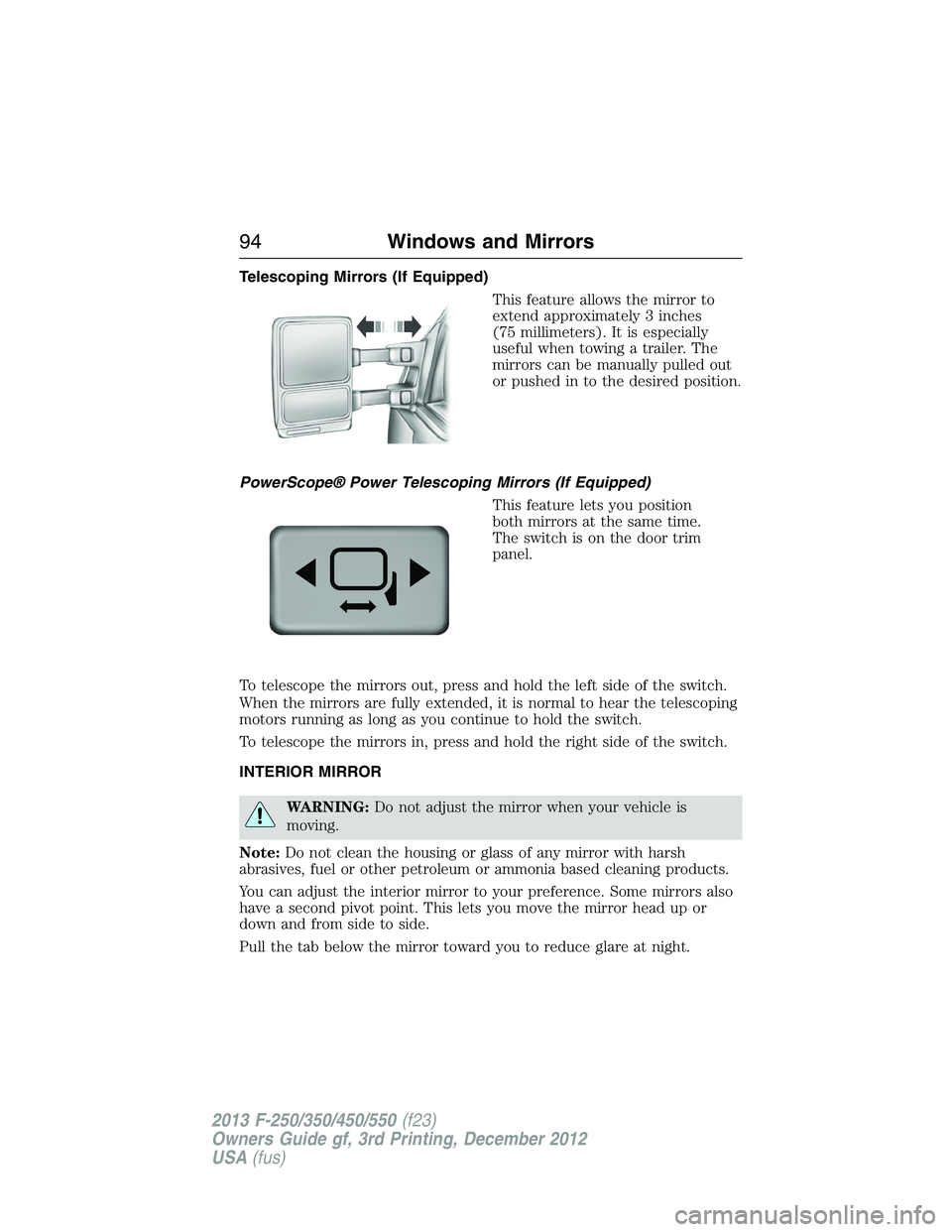
Telescoping Mirrors (If Equipped)
This feature allows the mirror to
extend approximately 3 inches
(75 millimeters). It is especially
useful when towing a trailer. The
mirrors can be manually pulled out
or pushed in to the desired position.
PowerScope® Power Telescoping Mirrors (If Equipped)
This feature lets you position
both mirrors at the same time.
The switch is on the door trim
panel.
To telescope the mirrors out, press and hold the left side of the switch.
When the mirrors are fully extended, it is normal to hear the telescoping
motors running as long as you continue to hold the switch.
To telescope the mirrors in, press and hold the right side of the switch.
INTERIOR MIRROR
WARNING:Do not adjust the mirror when your vehicle is
moving.
Note:Do not clean the housing or glass of any mirror with harsh
abrasives, fuel or other petroleum or ammonia based cleaning products.
You can adjust the interior mirror to your preference. Some mirrors also
have a second pivot point. This lets you move the mirror head up or
down and from side to side.
Pull the tab below the mirror toward you to reduce glare at night.
94Windows and Mirrors
2013 F-250/350/450/550(f23)
Owners Guide gf, 3rd Printing, December 2012
USA(fus)
Page 105 of 577
GENERAL INFORMATION
WARNING:Driving while distracted can result in loss of vehicle
control, accident and injury. Ford strongly recommends that drivers
use extreme caution when using any device or feature that may take their
focus off the road. Your primary responsibility is the safe operation of the
vehicle. We recommend against the use of any handheld device while
driving and that you comply with all applicable laws.
Various systems on your vehicle can be controlled using the information
display controls on the steering wheel. Corresponding information is
displayed in the information display.
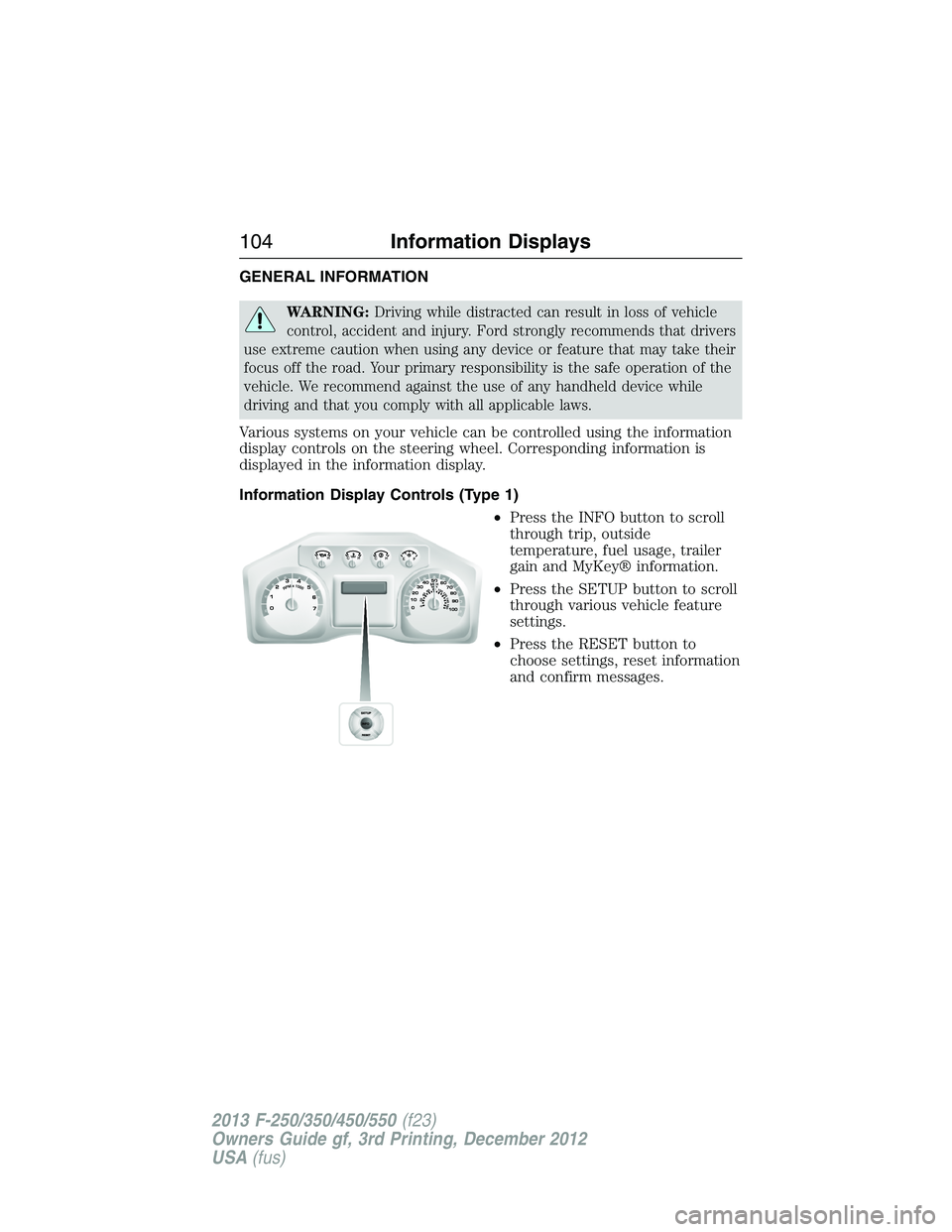
Information Display Controls (Type 1)
•Press the INFO button to scroll
through trip, outside
temperature, fuel usage, trailer
gain and MyKey® information.
•Press the SETUP button to scroll
through various vehicle feature
settings.
•Press the RESET button to
choose settings, reset information
and confirm messages.
104Information Displays
2013 F-250/350/450/550(f23)
Owners Guide gf, 3rd Printing, December 2012
USA(fus)
Page 107 of 577
•TIMER: Displays the trip elapsed drive time. Press and release RESET
to pause the timer. Press and hold RESET to reset the timer.
•TBC GAIN (if equipped): Displays the level of trailer brake gain or if
the trailer is not connected.
•EXHAUST FILTER (Diesel only): For more information, refer to the
Diesel exhaust system: oxidation catalyst/diesel particulate filter
systemin your diesel supplement for more information.
System Check and Vehicle Feature Customization
Press the SETUP button repeatedly to cycle the message center through
the following features:
Note:Some options may appear slightly different or not at all if the
items are optional.
Note:When returning to the SETUP menu and a non-English language
has been selected, HOLD RESET FOR ENGLISH will be displayed to
change back to English. Press and hold the RESET button to change
back to English.
SETUP
RESET FOR
SYSTEM CHECKpress the
RESET buttonOIL LIFE
EXHAUST FLUID LEVEL
(Diesel only)
ENGINE HOURS
ENGINE IDLE HOURS
CHARGING SYSTEM
DOOR
BRAKE SYSTEM
TBC GAIN = XX.X
FUEL LEVEL
MYKEY DISTANCE
MYKEY(S) PROGRAMMED
ADMIN KEYS PROGRAMMED
106Information Displays
2013 F-250/350/450/550(f23)
Owners Guide gf, 3rd Printing, December 2012
USA(fus)
Page 108 of 577
SETUP
OIL LIFE
UNITS press the
RESET buttonDistance English
Metric
Temperature Fahrenheit
Celsius
AUTOLAMP
(SEC)0 to 180 seconds
AUTOLOCK On or Off
AUTOUNLOCK On or Off
COURTESY
WIPEOn or Off
REMOTE
WINDOW OPENOn or Off
CREATE MYKEY / MYKEY SETUP / CLEAR MYKEY
RESET FOR ZONE SETTING (if equipped)
ZONE XX RESET = CHANGE (if equipped)
RESET FOR CALIBRATION (if equipped)
RESET FOR
REMOTE START
(if equipped)press the
RESET buttonOn or Off
5, 10, 15 minutes
TBC MODE (if
equipped)Electric or EOH
TRAILER SWAY
(if equipped)On or Off
LANGUAGE =
ENGLISH /
SPANISH /
FRENCHEnglish / Spanish / French
•RESET FOR SYSTEM CHECK: The message center will begin to cycle
through the vehicle systems and provide a status of the item if
needed. Some systems show a message only if a condition is present.
•
OIL LIFE: This displays the remaining oil life. An oil change is required
whenever indicated by the message center and according to the
recommended maintenance schedule. USE ONLY RECOMMENDED
ENGINE OILS.
Information Displays107
2013 F-250/350/450/550(f23)
Owners Guide gf, 3rd Printing, December 2012
USA(fus)
Page 111 of 577
3. The compass is now calibrated.
•RESET FOR REMOTE START (if equipped)
•REAR PARK AID (if equipped): This feature sounds a warning tone to
warn the driver of obstacles near the rear bumper, and functions only
when R (Reverse) gear is selected.
•TBC MODE (if equipped): Allows you to choose the trailer brake
mode.
•TRAILER SWAY (if equipped): This feature uses the electronic
stability control to mitigate trailer sway.
•LANGUAGE = ENGLISH / SPANISH / FRENCH: Allows you to choose
which language the message center will display in.
Waiting four seconds or pressing the RESET button cycles the message
center through each of the language choices.
Press the RESET button to set the language choice.
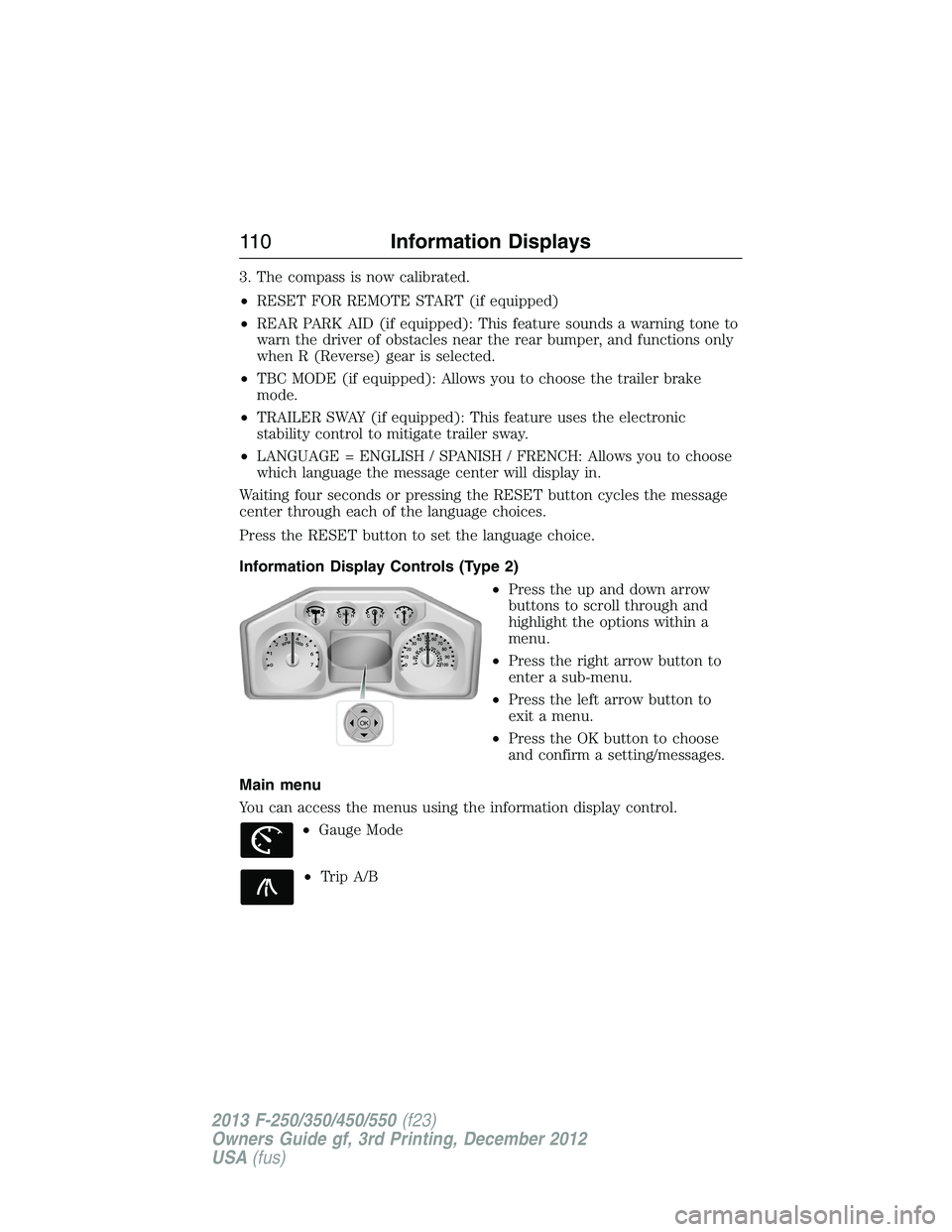
Information Display Controls (Type 2)
•Press the up and down arrow
buttons to scroll through and
highlight the options within a
menu.
•Press the right arrow button to
enter a sub-menu.
•Press the left arrow button to
exit a menu.
•Press the OK button to choose
and confirm a setting/messages.
Main menu
You can access the menus using the information display control.
•Gauge Mode
•Trip A/B
OK
11 0Information Displays
2013 F-250/350/450/550(f23)
Owners Guide gf, 3rd Printing, December 2012
USA(fus)
Page 114 of 577
•Instant MPG: shows instantaneous fuel usage.
•Miles to empty: shows the approximate distance the vehicle can travel
before running out of fuel.
•Average MPG: shows the average fuel usage based on time. See Fuel
Hist. to change the time interval. Press and hold OK to reset this
value.
Truck Apps
In this mode, off-road information depicted with graphics and
trailer towing application options are available.
Note:Some items are optional and may not appear.
Truck Apps
Off Road Pitch and bank angle (in degrees): Displays the pitch angle
(front to rear) and bank angle (side to side) of the road
surface.
Steering angle (in degrees): Displays the steering angle of
the front wheels after the vehicle has been driven for a
period of time.
Differential lock/unlock: Displays the state (locked or
unlocked) of the electronic locking differential.
Energy flow: Displays the operating mode of the transfer
case: 4X2, 4X4 High or 4X4 Low.
Press OK for
InfoELD (Electronic Locking Differential)
Hill Descent Control
4X4 System
Traction Control
AdvanceTrac® + RSC
Information Displays11 3
2013 F-250/350/450/550(f23)
Owners Guide gf, 3rd Printing, December 2012
USA(fus)
Page 115 of 577
Truck Apps (cont’d)
Trailer
(cont’d)Active trailer name or default trailer
Accumulated trailer distance
Trailer gain and output
Trailer disconnected. Disregard this status if your vehicle
is not equipped with a factory installed trailer brake
controller. This message may appear when an aftermarket
TBC is used even when the trailer is connected.
Press OK for
optionsOptions
Change
Active
TrailerWhen this is highlighted,
press the right arrow key
to change the currently
selected trailer. Use the up
and down arrows to select
a trailer and press the OK
button to choose the
highlighted trailer.
Adding a new trailer– Use
the up/down arrows to
highlight New Trailer and
press the right arrow key to
enter the New Trailer input
screen. Use the up/down
arrow keys to choose alpha,
numeric and symbol
characters and then press
the right arrow to move the
character space over.
Continue adding characters
as needed. Press the left
arrow to go back and change
a previously selected
character. When finished
with the new trailer name,
press OK to accept the new
trailer name.
11 4Information Displays
2013 F-250/350/450/550(f23)
Owners Guide gf, 3rd Printing, December 2012
USA(fus)