2013 FORD EXPEDITION ECU
[x] Cancel search: ECUPage 184 of 497
Note:We recommend that upon the sale or lease termination of your
vehicle, you erase the programmed function buttons for security reasons.
SeeErasing the function button codeslater in this section.
Note:You can program a maximum of three devices. To change or
replace any of the three devices after it has been initially programmed,
you must first erase the current settings. SeeErasing the function
button codeslater in this section.
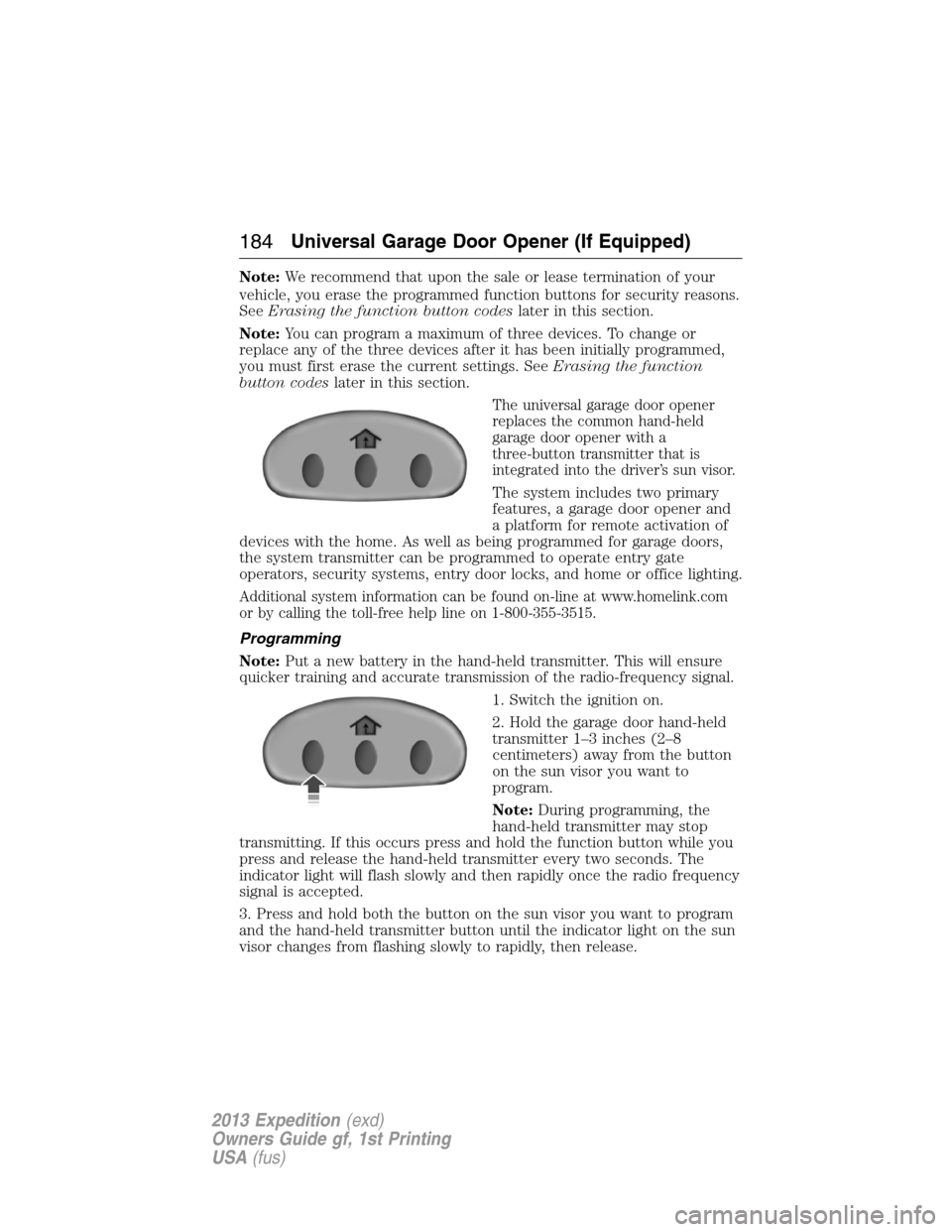
The universal garage door opener
replaces the common hand-held
garage door opener with a
three-button transmitter that is
integrated into the driver’s sun visor.
The system includes two primary
features, a garage door opener and
a platform for remote activation of
devices with the home. As well as being programmed for garage doors,
the system transmitter can be programmed to operate entry gate
operators, security systems, entry door locks, and home or office lighting.
Additional system information can be found on-line at www.homelink.com
or by calling the toll-free help line on 1-800-355-3515.
Programming
Note:Put a new battery in the hand-held transmitter. This will ensure
quicker training and accurate transmission of the radio-frequency signal.
1. Switch the ignition on.
2. Hold the garage door hand-held
transmitter 1–3 inches (2–8
centimeters) away from the button
on the sun visor you want to
program.
Note:During programming, the
hand-held transmitter may stop
transmitting. If this occurs press and hold the function button while you
press and release the hand-held transmitter every two seconds. The
indicator light will flash slowly and then rapidly once the radio frequency
signal is accepted.
3. Press and hold both the button on the sun visor you want to program
and the hand-held transmitter button until the indicator light on the sun
visor changes from flashing slowly to rapidly, then release.
184Universal Garage Door Opener (If Equipped)
2013 Expedition(exd)
Owners Guide gf, 1st Printing
USA(fus)
Page 210 of 497
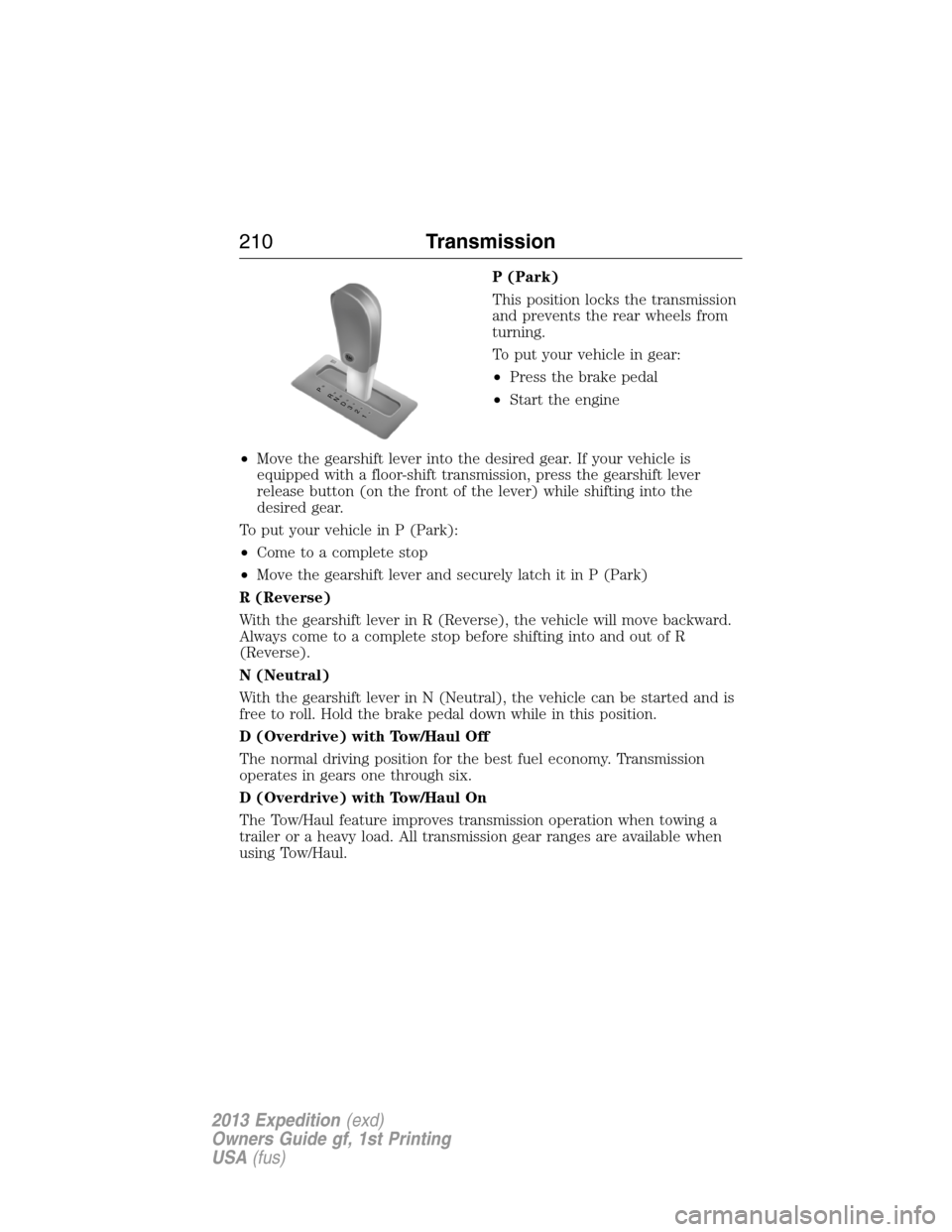
P (Park)
This position locks the transmission
and prevents the rear wheels from
turning.
To put your vehicle in gear:
•Press the brake pedal
•Start the engine
•Move the gearshift lever into the desired gear. If your vehicle is
equipped with a floor-shift transmission, press the gearshift lever
release button (on the front of the lever) while shifting into the
desired gear.
To put your vehicle in P (Park):
•Come to a complete stop
•Move the gearshift lever and securely latch it in P (Park)
R (Reverse)
With the gearshift lever in R (Reverse), the vehicle will move backward.
Always come to a complete stop before shifting into and out of R
(Reverse).
N (Neutral)
With the gearshift lever in N (Neutral), the vehicle can be started and is
free to roll. Hold the brake pedal down while in this position.
D (Overdrive) with Tow/Haul Off
The normal driving position for the best fuel economy. Transmission
operates in gears one through six.
D (Overdrive) with Tow/Haul On
The Tow/Haul feature improves transmission operation when towing a
trailer or a heavy load. All transmission gear ranges are available when
using Tow/Haul.
T/H
PR
N
D
3
2
1
210Transmission
2013 Expedition(exd)
Owners Guide gf, 1st Printing
USA(fus)
Page 226 of 497
HINTS ON DRIVING WITH ANTI-LOCK BRAKES
When the system is operating, the brake pedal will pulse and may travel
further. Maintain pressure on the brake pedal. You may also hear a noise
from the system. This is normal.
The ABS will not eliminate the dangers inherent when:
•you drive too closely to the vehicle in front of you.
•your vehicle is hydroplaning.
•you take corners too fast.
•the road surface is poor.
PARKING BRAKE
WARNING:Always set the parking brake fully and make sure
that the transmission selector lever is securely latched in
positionP.
To set the parking brake, press the parking brake pedal down until the
pedal stops.
The BRAKE warning lamp will illuminate and will remain illuminated
until the parking brake is released.
To release, pull the brake release lever located at the lower left side of
the instrument panel.
226Brakes
2013 Expedition(exd)
Owners Guide gf, 1st Printing
USA(fus)
Page 240 of 497
ROOF RACKS AND LOAD CARRIERS
WARNING:When loading the roof rail crossbars, it is
recommended to evenly distribute the load, as well as maintain a
low center of gravity. Loaded vehicles, with higher centers of gravity,
may handle differently than unloaded vehicles. Extra precautions, such
as slower speeds and increased stopping distance, should be taken
when driving a heavily loaded vehicle.
Note:The maximum recommended load is 200 pounds (90 kilograms),
evenly distributed on the crossbars.
Note:Loads should never be placed directly on the roof panel. The roof
panel is not designed to directly carry a load.
For proper function of the roof rack system, loads must be placed
directly on crossbars affixed to the roof rack side rails. Your vehicle may
be equipped with factory-installed crossbars. Ford Genuine Accessory
crossbars, designed specifically for your vehicle, are also recommended
for use with your roof rack system.
Make sure that the load is securely fastened. Check the tightness of the
load before driving and at each fuel stop.
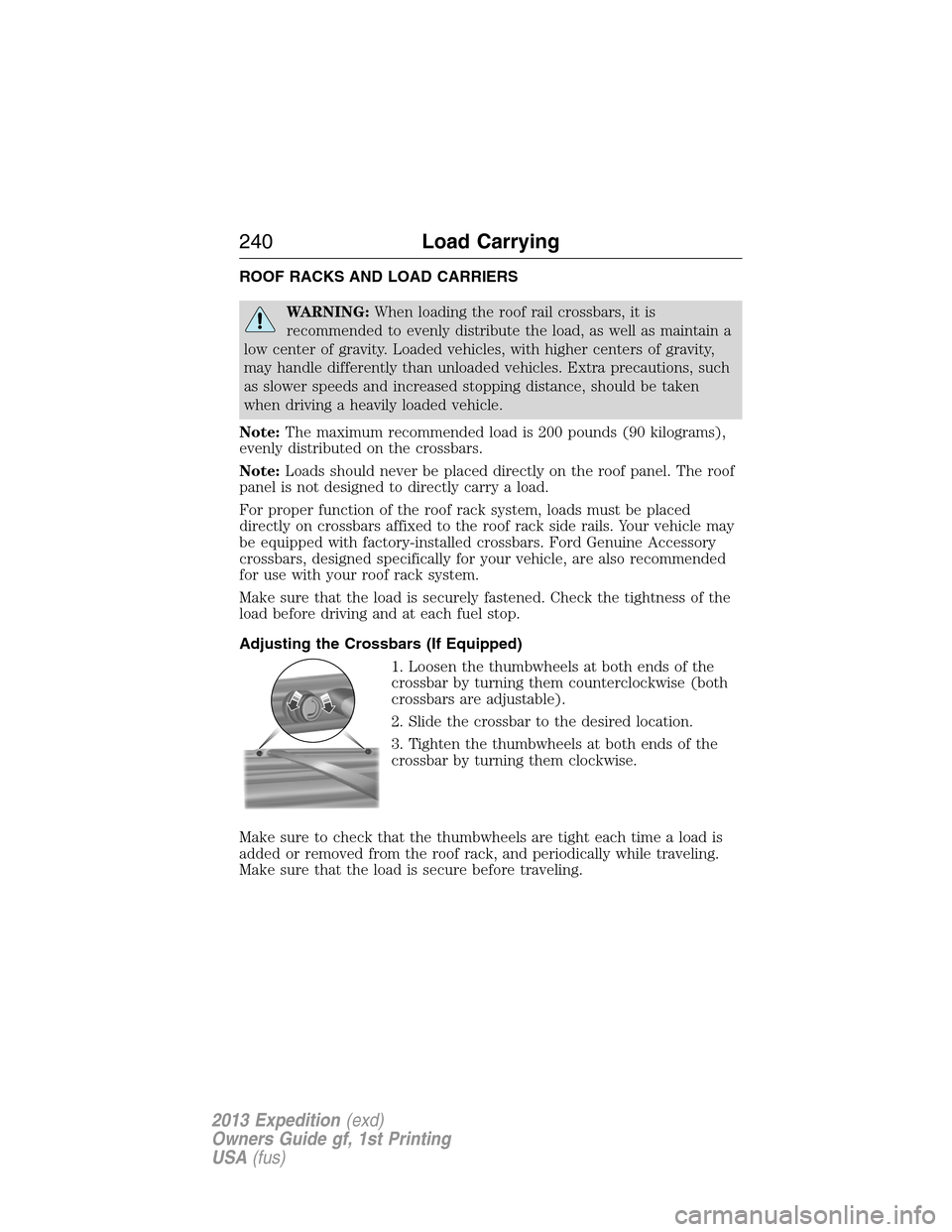
Adjusting the Crossbars (If Equipped)
1. Loosen the thumbwheels at both ends of the
crossbar by turning them counterclockwise (both
crossbars are adjustable).
2. Slide the crossbar to the desired location.
3. Tighten the thumbwheels at both ends of the
crossbar by turning them clockwise.
Make sure to check that the thumbwheels are tight each time a load is
added or removed from the roof rack, and periodically while traveling.
Make sure that the load is secure before traveling.
240Load Carrying
2013 Expedition(exd)
Owners Guide gf, 1st Printing
USA(fus)
Page 266 of 497
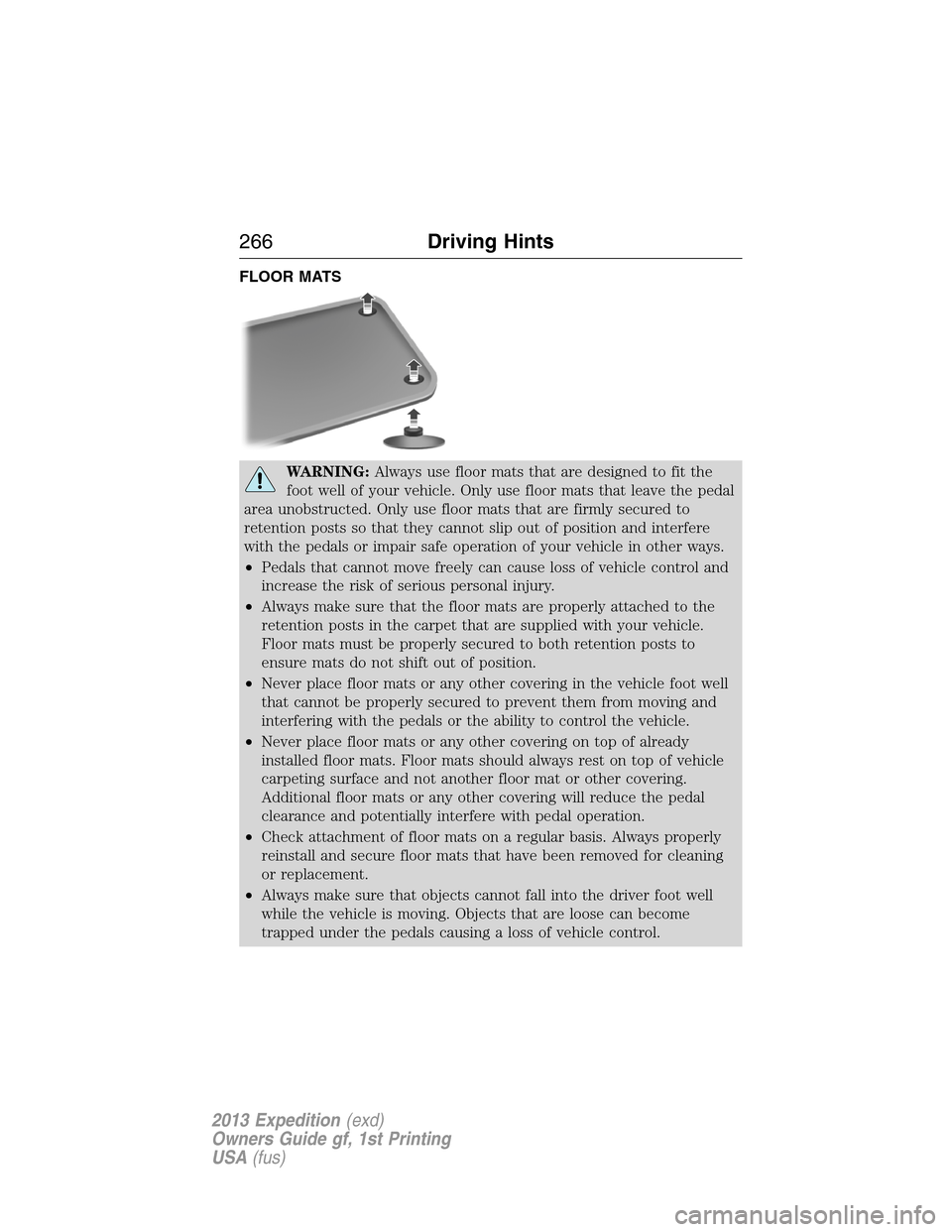
FLOOR MATS
WARNING:Always use floor mats that are designed to fit the
foot well of your vehicle. Only use floor mats that leave the pedal
area unobstructed. Only use floor mats that are firmly secured to
retention posts so that they cannot slip out of position and interfere
with the pedals or impair safe operation of your vehicle in other ways.
•Pedals that cannot move freely can cause loss of vehicle control and
increase the risk of serious personal injury.
•Always make sure that the floor mats are properly attached to the
retention posts in the carpet that are supplied with your vehicle.
Floor mats must be properly secured to both retention posts to
ensure mats do not shift out of position.
•Never place floor mats or any other covering in the vehicle foot well
that cannot be properly secured to prevent them from moving and
interfering with the pedals or the ability to control the vehicle.
•Never place floor mats or any other covering on top of already
installed floor mats. Floor mats should always rest on top of vehicle
carpeting surface and not another floor mat or other covering.
Additional floor mats or any other covering will reduce the pedal
clearance and potentially interfere with pedal operation.
•Check attachment of floor mats on a regular basis. Always properly
reinstall and secure floor mats that have been removed for cleaning
or replacement.
•Always make sure that objects cannot fall into the driver foot well
while the vehicle is moving. Objects that are loose can become
trapped under the pedals causing a loss of vehicle control.
266Driving Hints
2013 Expedition(exd)
Owners Guide gf, 1st Printing
USA(fus)
Page 275 of 497
IN CALIFORNIA (U.S. ONLY)
California Civil Code Section 1793.2(d) requires that, if a manufacturer
or its representative is unable to repair a motor vehicle to conform to the
vehicle’s applicable express warranty after a reasonable number of
attempts, the manufacturer shall be required to either replace the
vehicle with one substantially identical or repurchase the vehicle and
reimburse the buyer in an amount equal to the actual price paid or
payable by the consumer (less a reasonable allowance for consumer
use). The consumer has the right to choose whether to receive a refund
or replacement vehicle.
California Civil Code Section 1793.22(b) presumes that the manufacturer
has had a reasonable number of attempts to conform the vehicle to its
applicable express warranties if, within the first 18 months of ownership
of a new vehicle or the first 18000 miles (29 000 km), whichever occurs
first:
1. Two or more repair attempts are made on the same non-conformity
likely to cause death or serious bodily injury OR
2. Four or more repair attempts are made on the same nonconformity (a
defect or condition that substantially impairs the use, value or safety of
the vehicle) OR
3. The vehicle is out of service for repair of nonconformities for a total of
more than 30 calendar days (not necessarily all at one time)
In the case of 1 or 2 above, the consumer must also notify the
manufacturer of the need for the repair of the nonconformity at the
following address:
Ford Motor Company
16800 Executive Plaza Drive
Mail Drop 3NE-B
Dearborn, MI 48126
You are required to submit your warranty dispute to BBB AUTO LINE
before asserting in court any rights or remedies conferred by California
Civil Code Section 1793.22(b). You are also required to use BBB AUTO
LINE before exercising rights or seeking remedies created by the Federal
Magnuson-Moss Warranty Act, 15 U.S.C. sec. 2301 et seq. If you choose
to seek redress by pursuing rights and remedies not created by California
Civil Code Section 1793.22(b) or the Magnuson-Moss Warranty Act,
resort to BBB AUTO LINE is not required by those statutes.
THE BETTER BUSINESS BUREAU (BBB) AUTO LINE PROGRAM
(U.S. ONLY)
Your satisfaction is important to Ford Motor Company and to your dealer.
If a warranty concern has not been resolved using the three-step
Customer Assistance275
2013 Expedition(exd)
Owners Guide gf, 1st Printing
USA(fus)
Page 293 of 497
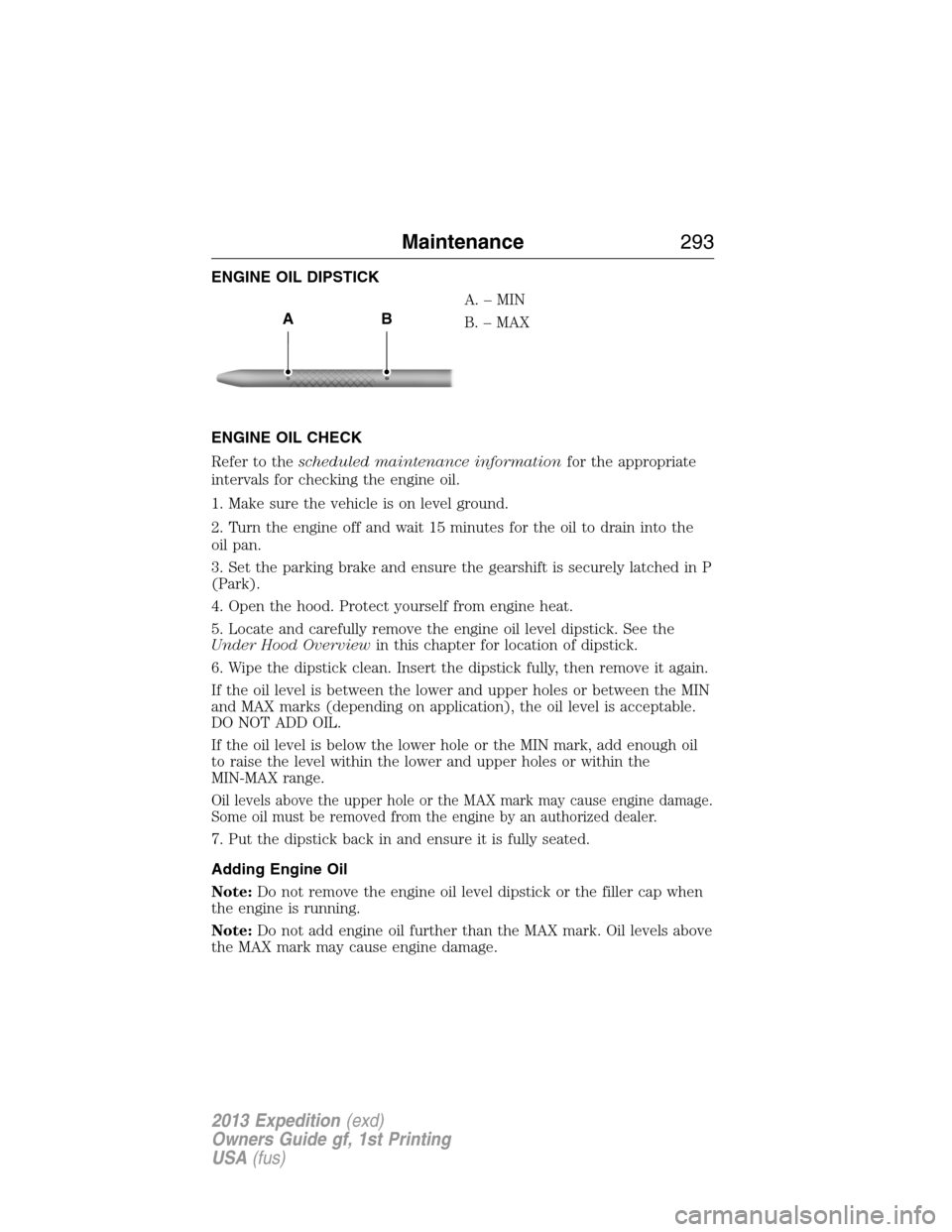
ENGINE OIL DIPSTICK
A.–MIN
B. – MAX
ENGINE OIL CHECK
Refer to thescheduled maintenance informationfor the appropriate
intervals for checking the engine oil.
1. Make sure the vehicle is on level ground.
2. Turn the engine off and wait 15 minutes for the oil to drain into the
oil pan.
3. Set the parking brake and ensure the gearshift is securely latched in P
(Park).
4. Open the hood. Protect yourself from engine heat.
5. Locate and carefully remove the engine oil level dipstick. See the
Under Hood Overviewin this chapter for location of dipstick.
6. Wipe the dipstick clean. Insert the dipstick fully, then remove it again.
If the oil level is between the lower and upper holes or between the MIN
and MAX marks (depending on application), the oil level is acceptable.
DO NOT ADD OIL.
If the oil level is below the lower hole or the MIN mark, add enough oil
to raise the level within the lower and upper holes or within the
MIN-MAX range.
Oil levels above the upper hole or the MAX mark may cause engine damage.
Some oil must be removed from the engine by an authorized dealer.
7. Put the dipstick back in and ensure it is fully seated.
Adding Engine Oil
Note:Do not remove the engine oil level dipstick or the filler cap when
the engine is running.
Note:Do not add engine oil further than the MAX mark. Oil levels above
the MAX mark may cause engine damage.
AB
Maintenance293
2013 Expedition(exd)
Owners Guide gf, 1st Printing
USA(fus)
Page 305 of 497
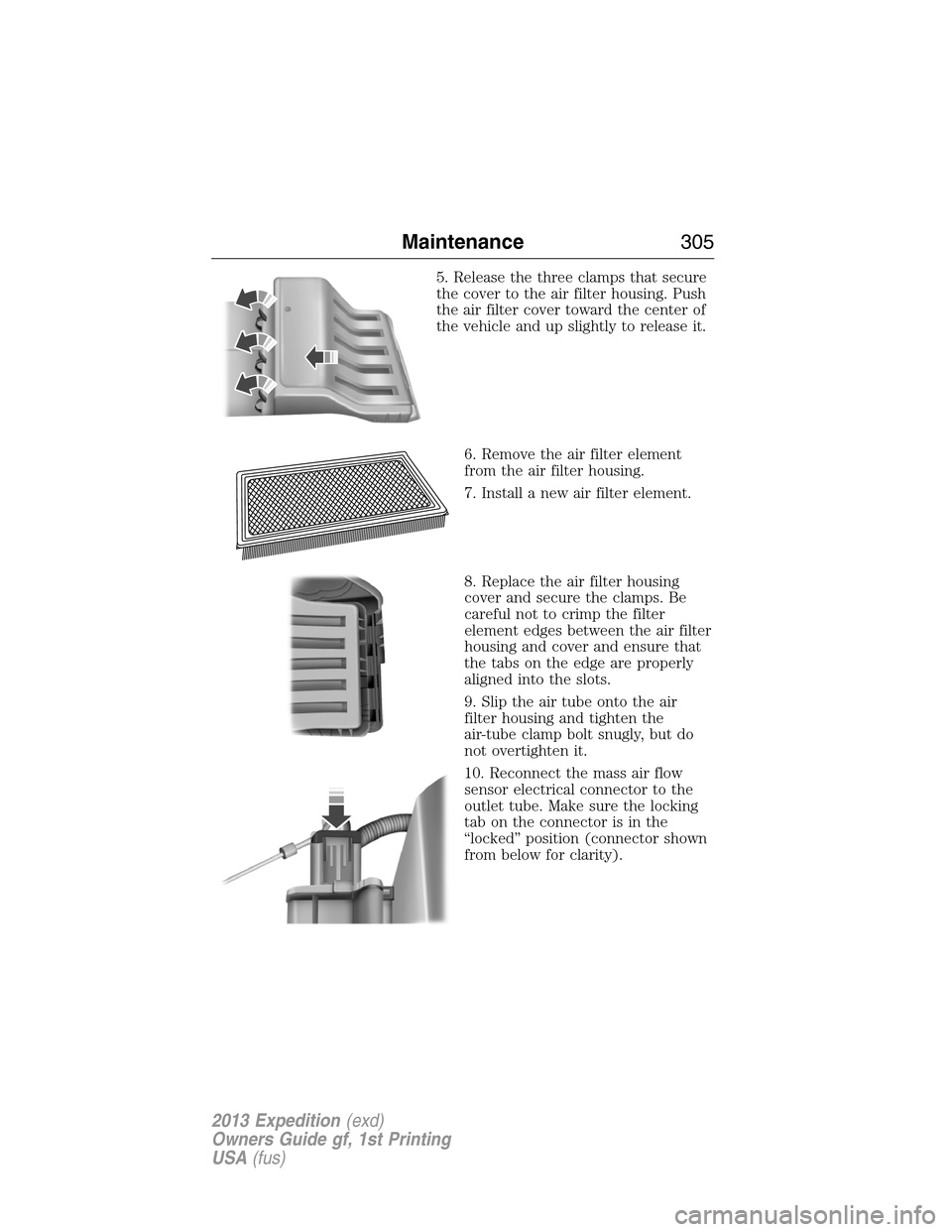
5. Release the three clamps that secure
the cover to the air filter housing. Push
the air filter cover toward the center of
the vehicle and up slightly to release it.
6. Remove the air filter element
from the air filter housing.
7. Install a new air filter element.
8. Replace the air filter housing
cover and secure the clamps. Be
careful not to crimp the filter
element edges between the air filter
housing and cover and ensure that
the tabs on the edge are properly
aligned into the slots.
9. Slip the air tube onto the air
filter housing and tighten the
air-tube clamp bolt snugly, but do
not overtighten it.
10. Reconnect the mass air flow
sensor electrical connector to the
outlet tube. Make sure the locking
tab on the connector is in the
“locked” position (connector shown
from below for clarity).
Maintenance305
2013 Expedition(exd)
Owners Guide gf, 1st Printing
USA(fus)