Page 469 of 497
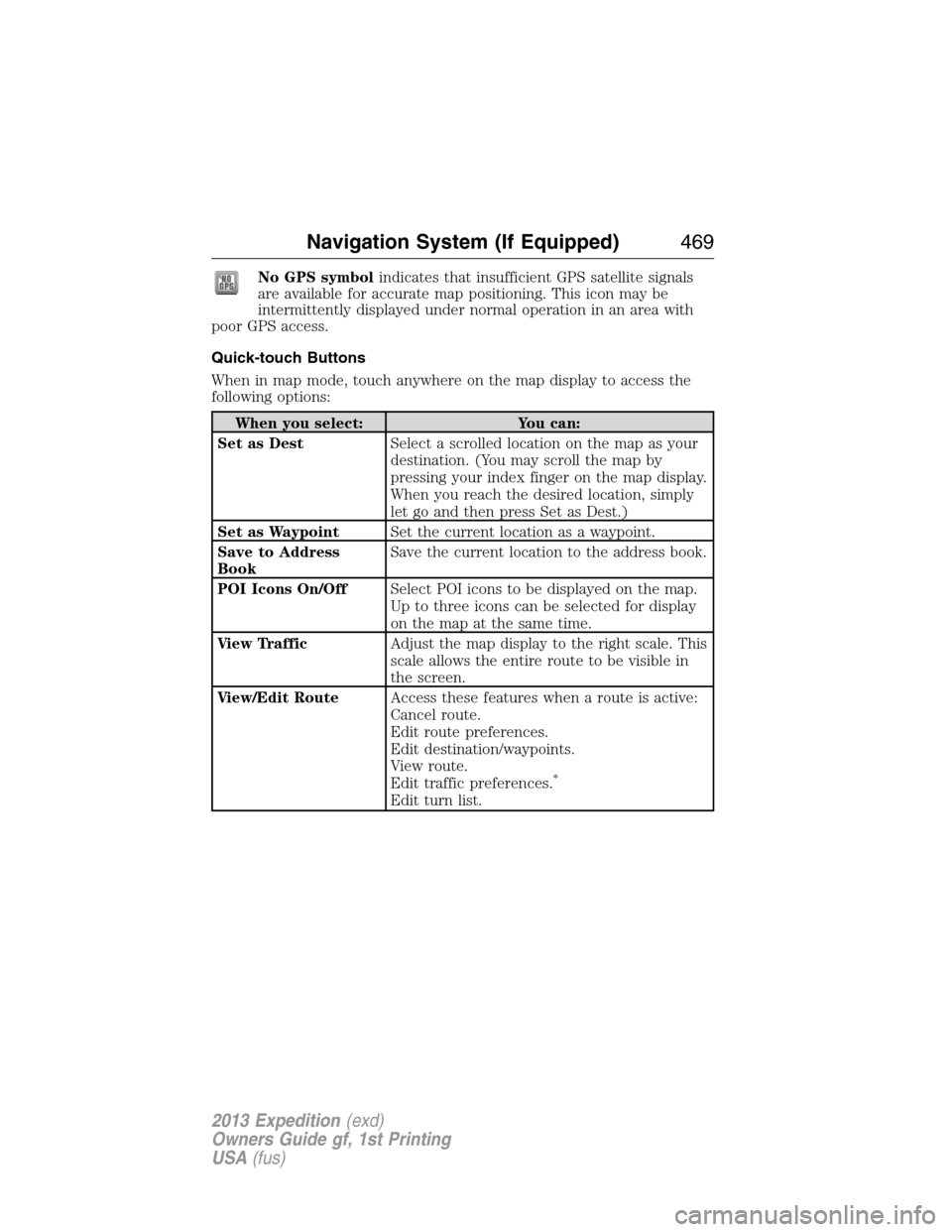
No GPS symbolindicates that insufficient GPS satellite signals
are available for accurate map positioning. This icon may be
intermittently displayed under normal operation in an area with
poor GPS access.
Quick-touch Buttons
When in map mode, touch anywhere on the map display to access the
following options:
When you select: You can:
Set as DestSelect a scrolled location on the map as your
destination. (You may scroll the map by
pressing your index finger on the map display.
When you reach the desired location, simply
let go and then press Set as Dest.)
Set as WaypointSet the current location as a waypoint.
Save to Address
BookSave the current location to the address book.
POI Icons On/OffSelect POI icons to be displayed on the map.
Up to three icons can be selected for display
on the map at the same time.
View TrafficAdjust the map display to the right scale. This
scale allows the entire route to be visible in
the screen.
View/Edit RouteAccess these features when a route is active:
Cancel route.
Edit route preferences.
Edit destination/waypoints.
View route.
Edit traffic preferences.
*
Edit turn list.
Navigation System (If Equipped)469
2013 Expedition(exd)
Owners Guide gf, 1st Printing
USA(fus)
Page 470 of 497
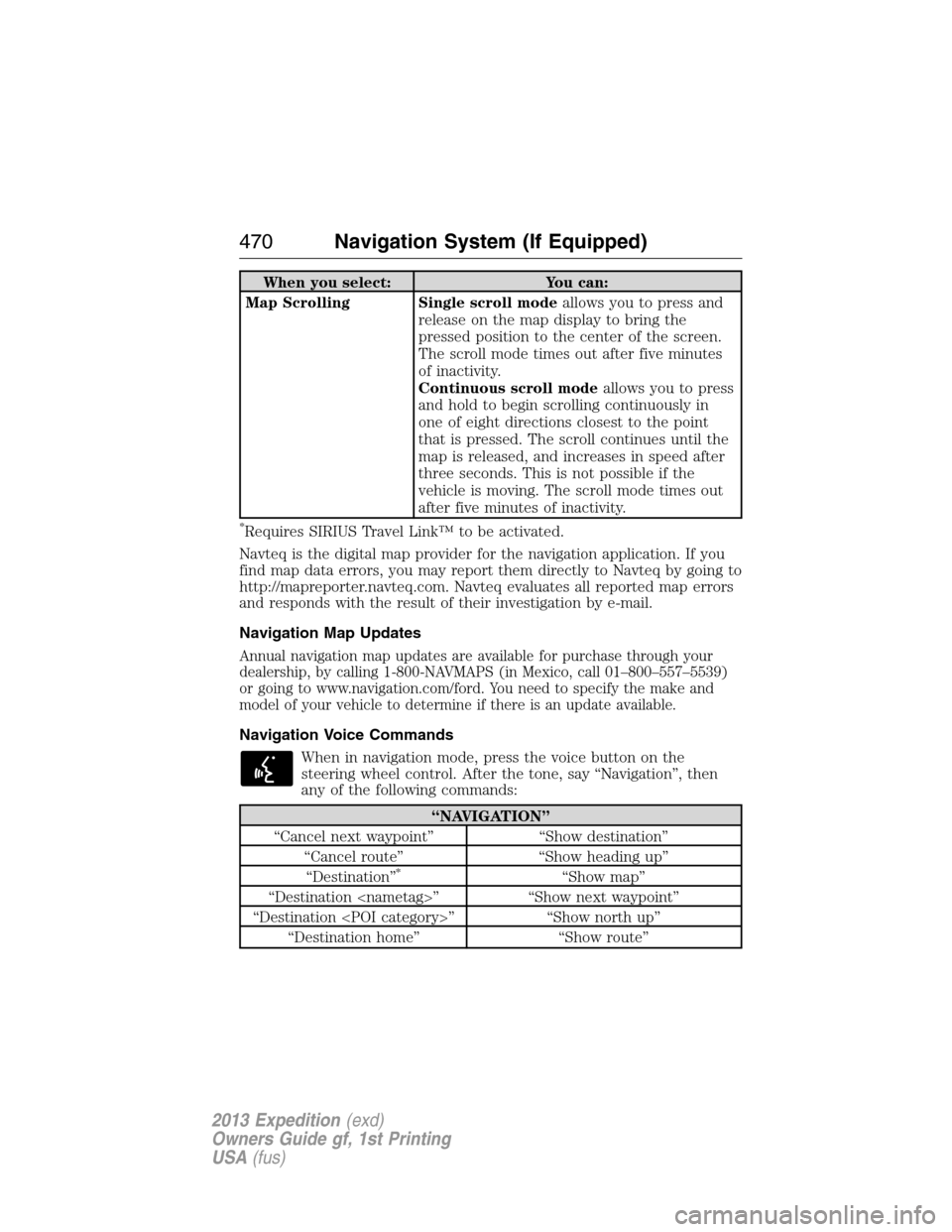
When you select: You can:
Map Scrolling Single scroll modeallows you to press and
release on the map display to bring the
pressed position to the center of the screen.
The scroll mode times out after five minutes
of inactivity.
Continuous scroll modeallows you to press
and hold to begin scrolling continuously in
one of eight directions closest to the point
that is pressed. The scroll continues until the
map is released, and increases in speed after
three seconds. This is not possible if the
vehicle is moving. The scroll mode times out
after five minutes of inactivity.
*Requires SIRIUS Travel Link™ to be activated.
Navteq is the digital map provider for the navigation application. If you
find map data errors, you may report them directly to Navteq by going to
http://mapreporter.navteq.com. Navteq evaluates all reported map errors
and responds with the result of their investigation by e-mail.
Navigation Map Updates
Annual navigation map updates are available for purchase through your
dealership, by calling 1-800-NAVMAPS (in Mexico, call 01–800–557–5539)
or going to www.navigation.com/ford. You need to specify the make and
model of your vehicle to determine if there is an update available.
Navigation Voice Commands
When in navigation mode, press the voice button on the
steering wheel control. After the tone, say “Navigation”, then
any of the following commands:
“NAVIGATION”
“Cancel next waypoint” “Show destination”
“Cancel route” “Show heading up”
“Destination”
*“Show map”
“Destination ” “Show next waypoint”
“Destination ” “Show north up”
“Destination home” “Show route”
470Navigation System (If Equipped)
2013 Expedition(exd)
Owners Guide gf, 1st Printing
USA(fus)
Page 493 of 497

Fuses ..........................281–282, 286
G
Garage door opener ..........179, 183
Gas cap (see Fuel cap) ............203
Gauges .........................................94
H
Hazard flashers .........................269
HD Radio™ ...............................444
Headlamps ...................................82
aiming ......................................306
autolamp system .......................83
bulb specifications ..................312
checking alignment ................306
flash to pass ..............................82
high beam .................................82
replacing bulbs .......................308
turning on and off ....................82
Head restraints .........................159
Heating ..............146, 148, 150, 152
Homelink wireless control
system ........................................183
Hood ..........................................291
I
Ignition ...............................195, 355
Illuminated visor mirror .............92
Information displays .................101
Inspection/maintenance (I/M)
testing ........................................208
Instrument panel
cleaning ...................................317
cluster ........................................95
lighting up panel and interior...83J
Jack ............................................346
positioning ...............................346
storage .....................................346
Joining two calls
(multiparty/conference call) ....394
Jukebox features .......................457
Jump-starting your vehicle ......270
K
Keyless entry system
autolock .....................................64
keypad .......................................71
locking and unlocking doors ....72
programming entry code .........71
Keys .......................................53, 74
positions of the ignition .........195
L
Lamps ..........................................82
autolamp system .......................83
bulb replacement
specifications chart ................312
fog lamps ...................................84
headlamps .................................82
headlamps, flash to pass ..........82
instrument panel, dimming .....83
interior lamps ...........................85
replacing bulbs ...............308, 311
Lane change indicator
(see Turn signal) ........................84
LATCH anchors ...........................27
Liftgate ............................63, 66–67
Lights, warning and indicator ....95
Loading instructions .................247
Loading pictures .......................434
Index493
2013 Expedition(exd)
Owners Guide gf, 1st Printing
USA(fus)
Page 495 of 497
Q
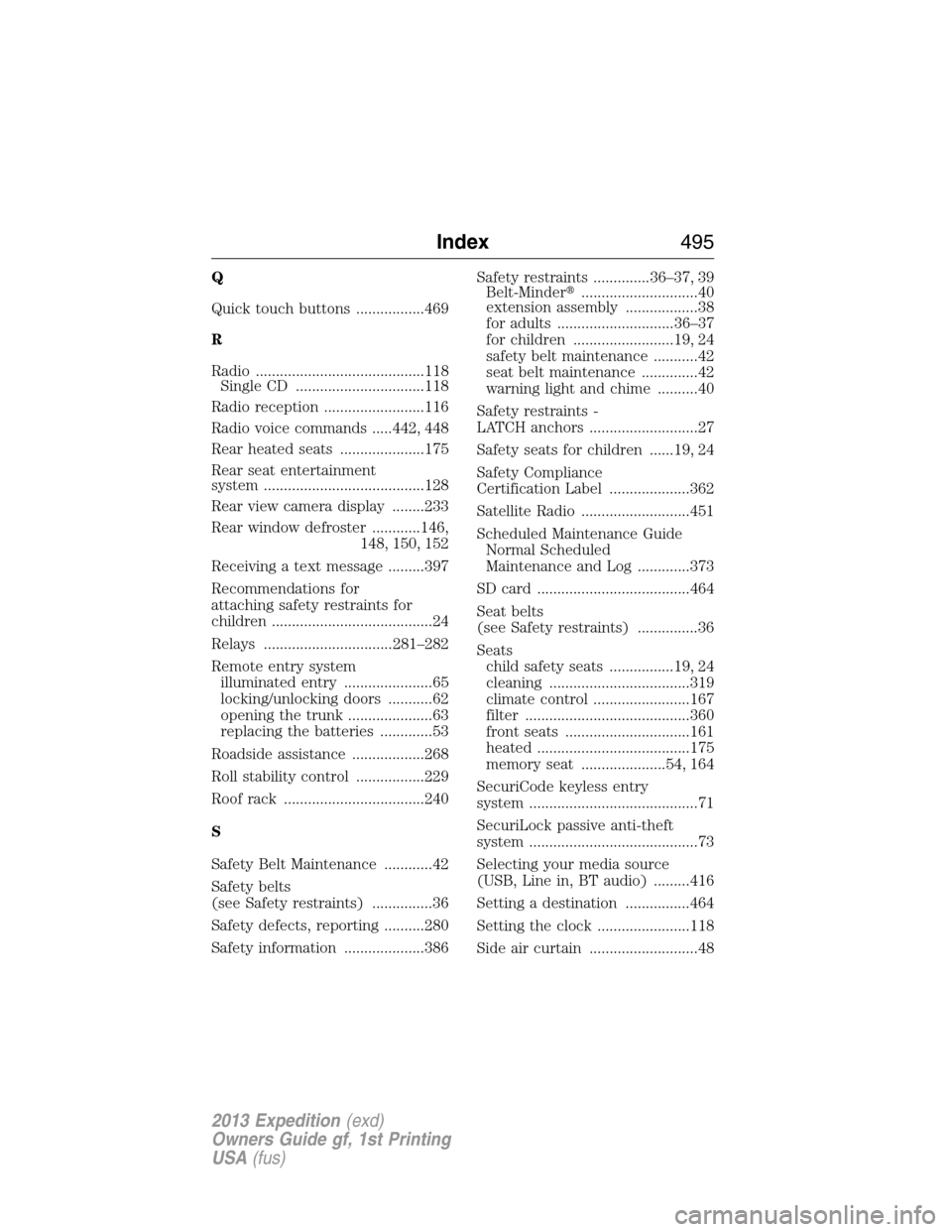
Quick touch buttons .................469
R
Radio ..........................................118
Single CD ................................118
Radio reception .........................116
Radio voice commands .....442, 448
Rear heated seats .....................175
Rear seat entertainment
system ........................................128
Rear view camera display ........233
Rear window defroster ............146,
148, 150, 152
Receiving a text message .........397
Recommendations for
attaching safety restraints for
children ........................................24
Relays ................................281–282
Remote entry system
illuminated entry ......................65
locking/unlocking doors ...........62
opening the trunk .....................63
replacing the batteries .............53
Roadside assistance ..................268
Roll stability control .................229
Roof rack ...................................240
S
Safety Belt Maintenance ............42
Safety belts
(see Safety restraints) ...............36
Safety defects, reporting ..........280
Safety information ....................386Safety restraints ..............36–37, 39
Belt-Minder�.............................40
extension assembly ..................38
for adults .............................36–37
for children .........................19, 24
safety belt maintenance ...........42
seat belt maintenance ..............42
warning light and chime ..........40
Safety restraints -
LATCH anchors ...........................27
Safety seats for children ......19, 24
Safety Compliance
Certification Label ....................362
Satellite Radio ...........................451
Scheduled Maintenance Guide
Normal Scheduled
Maintenance and Log .............373
SD card ......................................464
Seat belts
(see Safety restraints) ...............36
Seats
child safety seats ................19, 24
cleaning ...................................319
climate control ........................167
filter .........................................360
front seats ...............................161
heated ......................................175
memory seat .....................54, 164
SecuriCode keyless entry
system ..........................................71
SecuriLock passive anti-theft
system ..........................................73
Selecting your media source
(USB, Line in, BT audio) .........416
Setting a destination ................464
Setting the clock .......................118
Side air curtain ...........................48
Index495
2013 Expedition(exd)
Owners Guide gf, 1st Printing
USA(fus)