Page 463 of 552

“BROWSE”
“Album ” “All video podcasts”*
“All albums” “All videos”*
“All artists” “Artist ”
“All audiobooks” “Audiobook ”
“All authors” “Author ”
“All composers” “Composer ”
“All folders” “Folder ”
“All genres” “Genre ”
“All movies”
*“Playlist ”
“All music videos”*“Podcast ”
“All playlists” “TV show ”*
“All podcasts” “Video ”*
“All songs” “Video playlist ”*
“All TV shows”*“Video podcast ”*
“All video playlists”*“Help”
*These commands are only available in USB mode and are
device-dependent.
Supported Media Players, Formats and Metadata Information
SYNC is capable of hosting nearly any digital media player, including
iPod®, Zune™, plays from device players, and most USB drives.
Supported audio formats include MP3, WMA, WAV and AAC.
It is also able to organize your indexed media from your playing device by
metadata tags. Metadata tags, which are descriptive software identifiers
embedded in the media files, provide information about the file.
If your indexed media files contain no information embedded in these
metadata tags, SYNC may classify the empty metadata tags asUnknown.
In order to playback video from your iPod® or iPhone®, (if compatible),
you MUST have a special combination USB/RCA composite video cable
(which you can buy from Apple®). When the cable is connected to your
iPod® or iPhone®, plug the other end into both the RCA jacks and the
USB port.
462MyFord Touch® (If Equipped)
2013 C-Max Full Hybrid(34h)
Owners Guide gf, 3rd Printing, January 2013
USA(fus)
Page 465 of 552
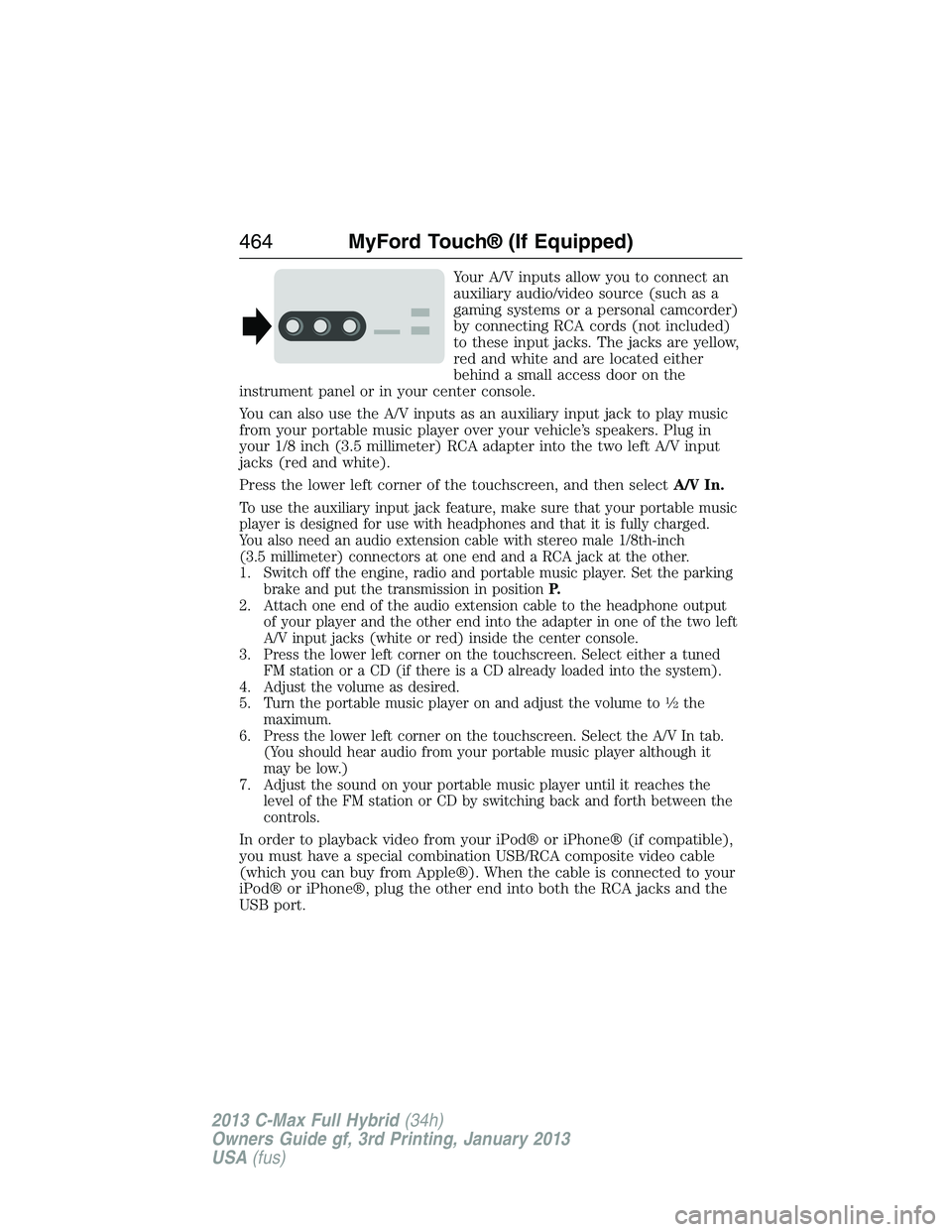
Your A/V inputs allow you to connect an
auxiliary audio/video source (such as a
gaming systems or a personal camcorder)
by connecting RCA cords (not included)
to these input jacks. The jacks are yellow,
red and white and are located either
behind a small access door on the
instrument panel or in your center console.
You can also use the A/V inputs as an auxiliary input jack to play music
from your portable music player over your vehicle’s speakers. Plug in
your 1/8 inch (3.5 millimeter) RCA adapter into the two left A/V input
jacks (red and white).
Press the lower left corner of the touchscreen, and then selectA/V In.
To use the auxiliary input jack feature, make sure that your portable music
player is designed for use with headphones and that it is fully charged.
You also need an audio extension cable with stereo male 1/8th-inch
(3.5 millimeter) connectors at one end and a RCA jack at the other.
1. Switch off the engine, radio and portable music player. Set the parking
brake and put the transmission in positionP.
2. Attach one end of the audio extension cable to the headphone output
of your player and the other end into the adapter in one of the two left
A/V input jacks (white or red) inside the center console.
3. Press the lower left corner on the touchscreen. Select either a tuned
FM station or a CD (if there is a CD already loaded into the system).
4. Adjust the volume as desired.
5. Turn the portable music player on and adjust the volume to
12the
maximum.
6. Press the lower left corner on the touchscreen. Select the A/V In tab.
(You should hear audio from your portable music player although it
may be low.)
7. Adjust the sound on your portable music player until it reaches the
level of the FM station or CD by switching back and forth between the
controls.
In order to playback video from your iPod® or iPhone® (if compatible),
you must have a special combination USB/RCA composite video cable
(which you can buy from Apple®). When the cable is connected to your
iPod® or iPhone®, plug the other end into both the RCA jacks and the
USB port.
464MyFord Touch® (If Equipped)
2013 C-Max Full Hybrid(34h)
Owners Guide gf, 3rd Printing, January 2013
USA(fus)
Page 466 of 552
Troubleshooting
•Do not connect the audio input jack to a line level output. The jack
only works correctly with devices that have a headphone output with
a volume control.
•Do not set the portable music player’s volume level higher than is
necessary to match the volume of the CD or FM radio as this causes
distortion and reduces sound quality.
•If the music sounds distorted at lower listening levels, turn the
portable music player volume down. If the problem persists, replace or
recharge the batteries in the portable media player.
•Control the portable media player in the same manner when used with
headphones, as the auxiliary input jack does not provide control (such
as Play or Pause) over the attached portable media player.
PHONE
A. Phone
B. Quick Dial
C. Phonebook
D. History
E. Messaging
F. Settings
A
B
C
D
E
F
MyFord Touch® (If Equipped)465
2013 C-Max Full Hybrid(34h)
Owners Guide gf, 3rd Printing, January 2013
USA(fus)
Page 545 of 552

911 Assist™ ......................401, 492
A
ABS (see Brakes) .....................218
Accessing and using your
USB port ....................................459
Accessing call history/phone
book during active call .............390
Accessing your calendar ..........492
Accessing your media menu
features ......................................415
Accessing your phone menu
features ......................................392
Accessory delay ........................100
Active call menu options .........390
Active Park Assist .....................227
Adding (pairing) a phone ........467
Advanced menu options ...399, 421
Advanced menu options
(prompts, languages, defaults,
master reset, installing
applications) ..............................399
Airbag supplemental restraint
system ..........................................46
and child safety seats ..............47
description ................................46
disposal ......................................56
driver airbag ..............................46
passenger airbag .......................46
side airbag ...........................46, 51
Air cleaner filter .......296–297, 354
Air filter .....................283, 297, 354
Ambient mood/lighting .......97, 499
AM/FM .......................................446Antifreeze (see Engine
coolant) .....................................286
Anti-lock brake system
(see Brakes) ..............................218
Anti-theft system ........................83
arming the system ..............83, 85
disarming a triggered system ..85
AppLink™ .................................409
Armrests ....................................164
Audio system
Single CD ................138, 143–144
Audio system
(see Radio) ................138, 143–144
Automatic transmission
driving an automatic
overdrive .................................213
fluid, adding ............................291
fluid, checking ........................291
fluid, refill capacities ..............351
Auxiliary Input Jack .................455
Auxiliary input jack (Line in) ..145
Auxiliary powerpoint ................171
A/V inputs ..........................147, 463
B
Battery .......................................293
jumping a disabled battery ....259
maintenance-free ....................293
replacement, specifications ...354
servicing ..................................293
traction battery pack
assembly ..................................205
Booster seats ...............................23
Brakelamp
high-mount brakelamp ...........308
544Index
2013 C-Max Full Hybrid(34h)
Owners Guide gf, 3rd Printing, January 2013
USA(fus)
