2013 FORD B MAX ignition
[x] Cancel search: ignitionPage 56 of 298

Downloaded from www.Manualslib.com manuals search engine 2.Close the window a third time to thepoint of resistance. The bounce-backfeature is now disabled and you canclose the window manually. Thewindow will go past the point ofresistance and you can close it fully.
See an authorized dealer as soon aspossible if the window does not close afterthe third attempt.
Resetting the Bounce-Back Feature
WARNING
The bounce-back feature remainsturned off until you reset thememory.
If you have disconnected the battery, youmust reset the bounce-back memoryseparately for each window.
1.Lift and hold the switch until thewindow is fully closed.
2.Release the switch.
3.Lift the switch again for one moresecond.
4.Press and hold the switch until thewindow is fully open.
5.Release the switch.
6.Lift and hold the switch until thewindow is fully closed.
7.Open the window and then try to closeit automatically.
8.Reset and repeat the procedure if thewindow does not close automatically.
Accessory Delay (If Equipped)
You can use the window switches forseveral minutes after you have switchedthe ignition off or until either front door isopened.
EXTERIOR MIRRORS
Power Exterior Mirrors
WARNING
Do not adjust the mirrors when yourvehicle is moving.
Left-hand mirrorA
OffB
Right-hand mirrorC
Press the arrows to adjust the mirror.
Electric Folding Mirrors
Automatic Folding and Unfolding
Note:If the mirrors have been folded usingthe manual fold button they can only beunfolded using the manual fold button.
54B-MAX (CB2) Vehicles Built From: 25-06-2012, Vehicles Built Up To: 31-12-2013Windows and Mirrors
Page 57 of 298
Downloaded from www.Manualslib.com manuals search engine The mirrors will fold automatically whenyou lock your vehicle with the key, theremote control or a keyless entry systemrequest. The mirrors will unfold when youunlock your vehicle with the key, theremote control, a keyless entry systemrequest, the driver's interior door handle orstarting the engine.
Manual Folding and Unfolding
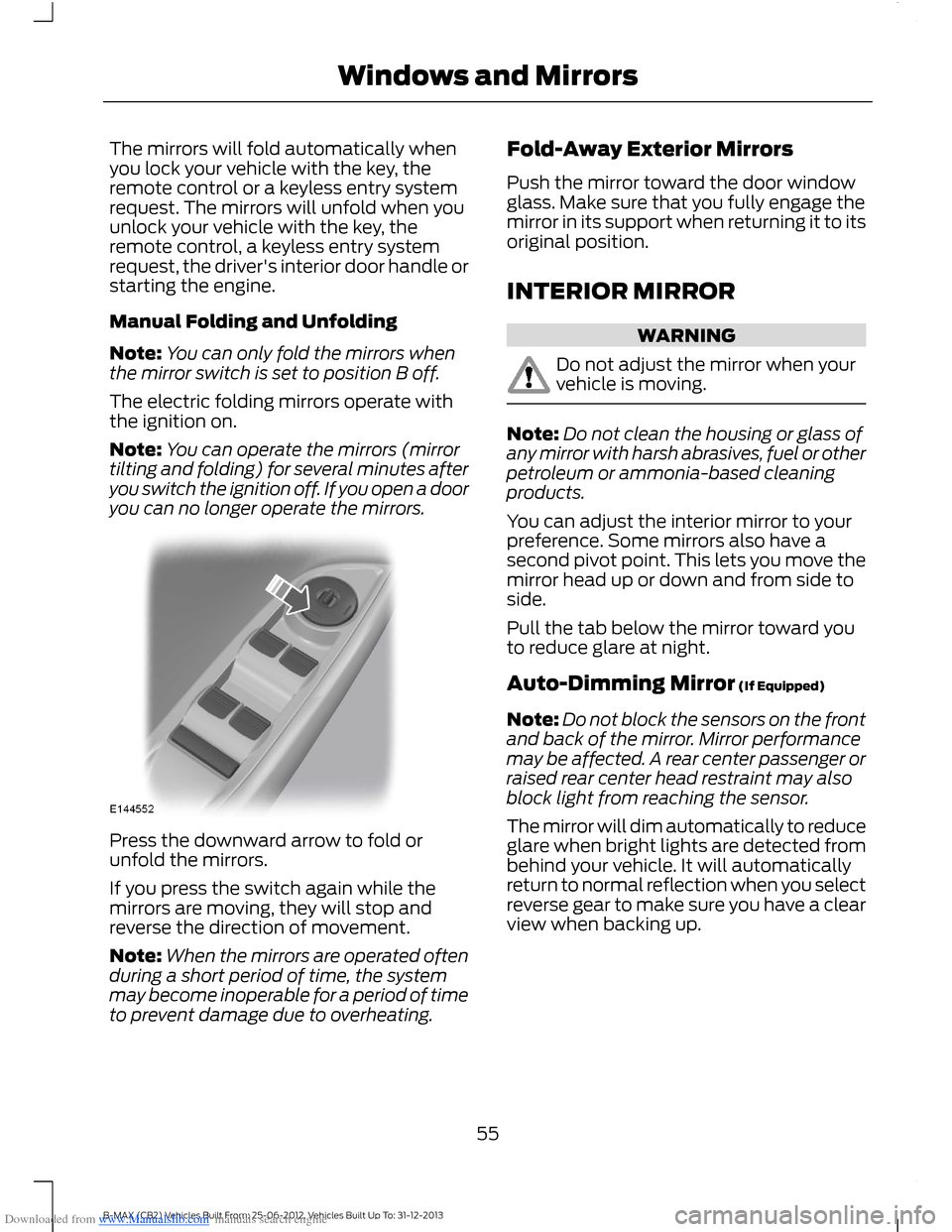
Note:You can only fold the mirrors whenthe mirror switch is set to position B off.
The electric folding mirrors operate withthe ignition on.
Note:You can operate the mirrors (mirrortilting and folding) for several minutes afteryou switch the ignition off. If you open a dooryou can no longer operate the mirrors.
Press the downward arrow to fold orunfold the mirrors.
If you press the switch again while themirrors are moving, they will stop andreverse the direction of movement.
Note:When the mirrors are operated oftenduring a short period of time, the systemmay become inoperable for a period of timeto prevent damage due to overheating.
Fold-Away Exterior Mirrors
Push the mirror toward the door windowglass. Make sure that you fully engage themirror in its support when returning it to itsoriginal position.
INTERIOR MIRROR
WARNING
Do not adjust the mirror when yourvehicle is moving.
Note:Do not clean the housing or glass ofany mirror with harsh abrasives, fuel or otherpetroleum or ammonia-based cleaningproducts.
You can adjust the interior mirror to yourpreference. Some mirrors also have asecond pivot point. This lets you move themirror head up or down and from side toside.
Pull the tab below the mirror toward youto reduce glare at night.
Auto-Dimming Mirror (If Equipped)
Note:Do not block the sensors on the frontand back of the mirror. Mirror performancemay be affected. A rear center passenger orraised rear center head restraint may alsoblock light from reaching the sensor.
The mirror will dim automatically to reduceglare when bright lights are detected frombehind your vehicle. It will automaticallyreturn to normal reflection when you selectreverse gear to make sure you have a clearview when backing up.
55B-MAX (CB2) Vehicles Built From: 25-06-2012, Vehicles Built Up To: 31-12-2013Windows and Mirrors
Page 58 of 298

Downloaded from www.Manualslib.com manuals search engine CHILDMINDER MIRROR
GLOBAL OPENING AND
CLOSING
You can also operate the power windowswith the ignition off using the globalopening and global closing function.
Note:Global opening will only operate fora short period of time after you haveunlocked your vehicle using the remotecontrol.
Note:Global closing will only operate if youhave set the memory correctly for eachwindow. See Power Windows (page 53).
Global Opening
To open all the windows:
1.Press and release the remote controlunlock button.
2.Press and hold the remote controlunlock button for at least threeseconds.
Press the lock or unlock button to stop theopening function.
Global Closing
Vehicles Without Keyless Entry
WARNING
Take care when using global closing.In an emergency, press the lock orunlock button immediately to stop.
56B-MAX (CB2) Vehicles Built From: 25-06-2012, Vehicles Built Up To: 31-12-2013Windows and Mirrors
Page 60 of 298

Downloaded from www.Manualslib.com manuals search engine GAUGES
TachometerA
Information displayB
SpeedometerC
Fuel gaugeD
Tripmeter reset buttonE
Fuel Gauge
Switch the ignition on. The fuel gauge willindicate approximately how much fuel isleft in the fuel tank. The fuel gauge mayvary slightly when your vehicle is movingor on a gradient. The arrow adjacent to thefuel pump symbol indicates on which sideof your vehicle the fuel filler door is located.
WARNING LAMPS AND
INDICATORS
The following warning lamps andindicators will illuminate when you switchthe ignition on:
•Anti-lock brake system.
•Airbag.
•Brake system.
•Coolant temperature.
•Doors ajar.
•Engine.
•Frost warning.
•Ignition.
58B-MAX (CB2) Vehicles Built From: 25-06-2012, Vehicles Built Up To: 31-12-2013Instrument Cluster
Page 61 of 298

Downloaded from www.Manualslib.com manuals search engine •Oil pressure.
•Power steering.
•Stability control.
When a warning lamp or indicator does notilluminate once you have switched theignition on, it indicates a malfunction. Havethe system checked by an authorizeddealer.
Anti-Lock Brake System WarningLamp
If it illuminates when you aredriving, this indicates amalfunction. Your vehicle willcontinue to have normal braking withoutAnti-lock brake system function.
Brake System Warning Lamp
It will illuminate when youengage the parking brake andthe ignition is on.
WARNING
Reduce your speed gradually andstop your vehicle as soon as it is safeto do so. Use your brakes with care.
If it illuminates when your vehicle ismoving, make sure the parking brake isdisengaged. If the parking brake isdisengaged, this indicates low brake fluidlevel or a brake system malfunction. Havethe system checked by an authorizeddealer immediately.
Coolant Temperature WarningLamp
WARNING
Do not resume your journey if itilluminates despite the level beingcorrect. Have the system checked bya an authorized dealer immediately.
If it illuminates when you aredriving, this indicates amalfunction. Stop your vehicleas soon as it is safe to do so and switch theengine off. Check the coolant level. SeeEngine Coolant Check (page 158).
Cruise Control Indicator
It will illuminate when you haveset a speed using the cruisecontrol system. See UsingCruise Control (page 117).
Direction Indicator Warning Lamp
Flashes during operation. Asudden increase in the rate offlashing warns of a failedindicator bulb. See Changing a Bulb(page 162).
Door Ajar Warning Lamp
It will illuminate when you switchthe ignition on and remains on ifany door or the hood is open.
Engine Warning Lamps
Malfunction Indicator Lamp
Powertrain Warning Lamp
All Vehicles
If either lamp illuminates when the engineis running, this indicates a malfunction. Theengine will continue to run but it may havelimited power. If it flashes when you aredriving, reduce the speed of your vehicleimmediately. If it continues to flash, avoidheavy acceleration or deceleration. Havethe system checked by an authorizeddealer immediately.
59B-MAX (CB2) Vehicles Built From: 25-06-2012, Vehicles Built Up To: 31-12-2013Instrument Cluster
Page 62 of 298
Downloaded from www.Manualslib.com manuals search engine WARNING
Have this checked immediately.
If both lamps illuminate together, stop yourvehicle as soon as it is safe to do so(continued use may cause reduced powerand cause the engine to stop). Switch theignition off and attempt to restart theengine. If the engine restarts have thesystem checked by an authorized dealerimmediately.
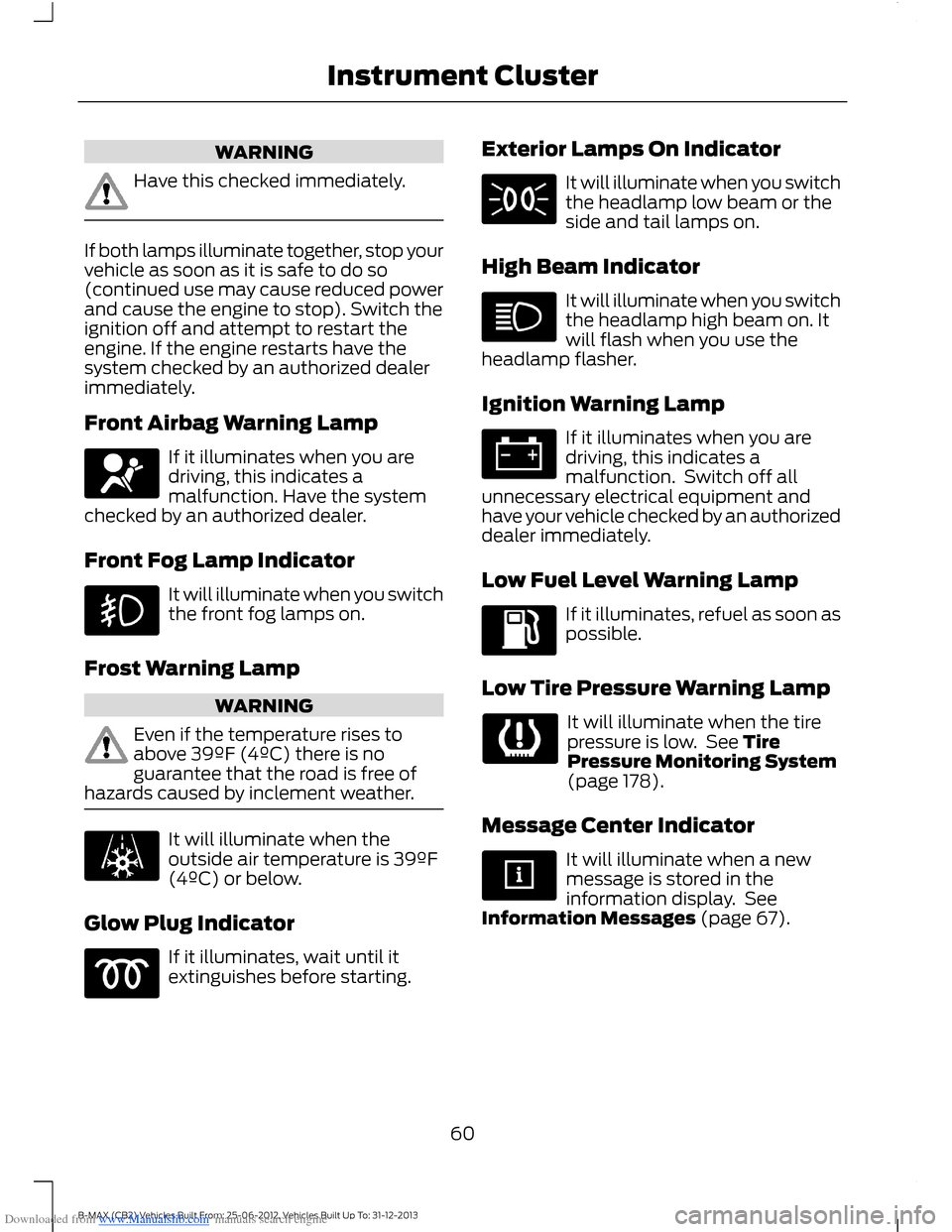
Front Airbag Warning Lamp
If it illuminates when you aredriving, this indicates amalfunction. Have the systemchecked by an authorized dealer.
Front Fog Lamp Indicator
It will illuminate when you switchthe front fog lamps on.
Frost Warning Lamp
WARNING
Even if the temperature rises toabove 39ºF (4ºC) there is noguarantee that the road is free ofhazards caused by inclement weather.
It will illuminate when theoutside air temperature is 39ºF(4ºC) or below.
Glow Plug Indicator
If it illuminates, wait until itextinguishes before starting.
Exterior Lamps On Indicator
It will illuminate when you switchthe headlamp low beam or theside and tail lamps on.
High Beam Indicator
It will illuminate when you switchthe headlamp high beam on. Itwill flash when you use theheadlamp flasher.
Ignition Warning Lamp
If it illuminates when you aredriving, this indicates amalfunction. Switch off allunnecessary electrical equipment andhave your vehicle checked by an authorizeddealer immediately.
Low Fuel Level Warning Lamp
If it illuminates, refuel as soon aspossible.
Low Tire Pressure Warning Lamp
It will illuminate when the tirepressure is low. See TirePressure Monitoring System(page 178).
Message Center Indicator
It will illuminate when a newmessage is stored in theinformation display. SeeInformation Messages (page 67).
60B-MAX (CB2) Vehicles Built From: 25-06-2012, Vehicles Built Up To: 31-12-2013Instrument Cluster
Page 63 of 298

Downloaded from www.Manualslib.com manuals search engine Oil Pressure Warning Lamp
WARNING
Do not resume your journey if itilluminates despite the level beingcorrect. Have the system checked byan authorized dealer immediately.
If it illuminates when you aredriving, this indicates amalfunction. Stop your vehicleas soon as it is safe to do so and switch theengine off. Check the engine oil level. SeeEngine Oil Check (page 157).
Power Steering Warning Lamp
If it illuminates when you aredriving, this indicates amalfunction. You will continueto have full steering but will need to exertgreater force on the steering wheel. Havethe system checked by an authorizeddealer as soon as possible.
Rear Fog Lamp Indicator
It will illuminate when you switchthe rear fog lamps on.
Safety Belt Minder Warning Lamp
It will illuminate when a safetybelt is not fastened. See SafetyBelt Minder (page 22).
Shift Indicator
It will illuminate to inform youthat shifting to a higher gear maygive better fuel economy andlower CO2 emissions. It will notilluminate during periods of highacceleration, when you brake orpress the clutch pedal.
Stability Control Indicator
While driving, it flashes when thesystem is operating. After youswitch the ignition on, if it doesnot illuminate or illuminates continuouslywhile driving, this indicates a malfunction.During a malfunction, the system switchesoff. Have the system checked by anauthorized dealer as soon as possible.
If you switch the electronic stabilityprogram off, the warning lamp willilluminate. The lamp will go out when youswitch the system back on or when youswitch the ignition off.
AUDIBLE WARNINGS AND
INDICATORS
Automatic Transmission
Sounds when you open the driver's doorand do not move the transmission selectorlever to position P.
Key Outside Car
Vehicles With Keyless System
Sounds when you close the door, theengine is running and the system does notdetect a passive key inside your vehicle.
Headlamps On
Sounds when you remove the key from theignition and open the driver's door and youhave left the headlamps or parking lampson.
Low Fuel
A warning chime will sound when theremaining fuel is less than approximately1.3 gallons (6 liters). The distance to emptydisplayed may vary depending on drivingstyle and road conditions.
61B-MAX (CB2) Vehicles Built From: 25-06-2012, Vehicles Built Up To: 31-12-2013Instrument Cluster
Page 65 of 298

Downloaded from www.Manualslib.com manuals search engine GENERAL INFORMATION
WARNING
Driving while distracted can result inloss of vehicle control, crash andinjury. We strongly recommend thatyou use extreme caution when using anydevice that may take your focus off theroad. Your primary responsibility is the safeoperation of your vehicle. We recommendagainst the use of any hand-held devicewhile driving and encourage the use ofvoice-operated systems when possible.Make sure you are aware of all applicablelocal laws that may affect the use ofelectronic devices while driving.
Note:The information display will remainon for several minutes after you switch theignition off.
Device List
The icon changes to show the currentfunction in use.
CD
Radio
Auxiliary input
Information Display Controls
You can control various systems on yourvehicle using the information displaycontrols on the audio unit. The informationdisplay will show the correspondinginformation.
To use the controls:
•Press the up or down arrow button toscroll through and highlight the optionswithin a menu.
•Press the right arrow button to enter asubmenu.
•Press the left arrow button to exit asubmenu.
•Press and hold the left arrow button atany time to return to the main menudisplay.
•Press the OK button to choose andconfirm settings or messages.
Menu Structure - InformationDisplay
You can access the menu using theinformation display control.
Note:Some options may appear slightlydifferent or not at all if the items areoptional.
SYNC-Media allows you to access theSYNC® features.
63B-MAX (CB2) Vehicles Built From: 25-06-2012, Vehicles Built Up To: 31-12-2013Information Displays