Page 110 of 630
Periodic Safety Checks You Should Make Outside
The Vehicle
Tires
Examine tires for excessive tread wear and uneven wear
patterns. Check for stones, nails, glass, or other objects
lodged in the tread or sidewall. Inspect the tread for cuts
and cracks. Inspect sidewalls for cuts, cracks and bulges.
Check the wheel nuts for tightness. Check the tires
(including spare) for proper cold inflation pressure.
Lights
Have someone observe the operation of brake lights and
exterior lights while you work the controls. Check turn
signal and high beam indicator lights on the instrument
panel.
Door Latches
Check for positive closing, latching, and locking.
Fluid Leaks
Check area under vehicle after overnight parking for fuel,
engine coolant, oil, or other fluid leaks. Also, if gasoline
fumes are detected or if fuel, power steering fluid, or
brake fluid leaks are suspected, the cause should be
located and corrected immediately.
108 THINGS TO KNOW BEFORE STARTING YOUR VEHICLE
Page 206 of 630
Fold-Flat Front Passenger Seat — If Equipped
This feature allows for extended cargo space. When the seat
is folded flat, it is an extension of the load floor surface
(allowing long cargo to fit from the rear hatch up to the
instrument panel). The fold-flat seatback also has a hardback
surface that you can use as a work surface when the seat is
folded flat and the vehicle is not in motion.Pull upward on the recline lever to fold or unfold the seat.WARNING!
Adjusting a seat while the vehicle is moving is
dangerous. The sudden movement of the seat could
cause you to lose control. Adjust any seat only while
the vehicle is parked.
Fold-Flat Seat
204 UNDERSTANDING THE FEATURES OF YOUR VEHICLE
Page 220 of 630

The seatback can also be locked in the reclined position.
To do so, pull the latch release-loop located at the top of
the seatback upward, allow the seatback to recline, and
release the release-loop.
WARNING!
•Be certain that the seatback is locked securely into
position. Otherwise, the seat will not provide the
proper stability for passengers. An improperly
latched seat could cause serious injury.
•
Do not allow a passenger to sit in a third row seat
without having the head restraint unfolded and
locked in place. Failure to follow this warning may
result in personal injury to the passenger in the event
of a collision.
•Do not allow a passenger to sit in a third row seat
with the second row seatback(s) folded flat. In a
collision, the passenger could slide underneath the
seat belt and be seriously or even fatally injured.
TO OPEN AND CLOSE THE HOOD
Two latches must be released to open the hood.
1. Pull the hood release lever located under the left side
of the instrument panel.
Hood Release
218 UNDERSTANDING THE FEATURES OF YOUR VEHICLE
Page 222 of 630
CAUTION!
To prevent possible damage:
•Before closing hood, make sure the hood prop rod
is fully seated into its storage retaining clips.
•Do not slam the hood to close it. Use a firm
downward push at the center front edge of the
hood to ensure that both latches engage. Never
drive your vehicle unless the hood is fully closed,
with both latches engaged.
WARNING!
Be sure the hood is fully latched before driving your
vehicle. If the hood is not fully latched, it could open
when the vehicle is in motion and block your vision.
Failure to follow this warning could result in serious
injury or death.
LIGHTS
Headlight Switch
The headlight switch is located on the left side of the
instrument panel. This switch controls the operation of the
headlights, parking lights, instrument panel lights, instru-
ment panel light dimming, interior lights and fog lights.
Headlight Switch
220 UNDERSTANDING THE FEATURES OF YOUR VEHICLE
Page 223 of 630

Rotate the headlight switch clockwise to the first detent for
parking lights and instrument panel light operation. Rotate
the headlight switch to the second detent for headlight,
parking light and instrument panel light operation.
Automatic Headlights — If Equipped
This system automatically turns the headlights on or off
according to ambient light levels. To turn the system on,
rotate the headlight switch counterclockwise to the AUTO
position. When the system is on, the headlight time delay
feature is also on. This means the headlights will stay on for
up to 90 seconds after you place the ignition into the OFF
position. To turn the automatic system off, move the
headlight switch out of the AUTO position.
NOTE:The engine must be running before the head-
lights will come on in the automatic mode.
Headlights On With Wipers (Available with
Automatic Headlights Only)
When this feature is active, the headlights will turn on
approximately 10 seconds after the wipers are turned on
if the headlight switch is placed in the AUTO position. In
addition, the headlights will turn off when the wipers are
turned off if they were turned on by this feature.
NOTE:The Headlights On with Wipers feature can be
turned on or off using the Uconnect® System, refer to
“Uconnect® Settings” in “Understanding Your Instru-
ment Panel” for further information.
Headlight Time Delay
This feature provides the safety of headlight illumination
for up to 90 seconds when leaving your vehicle in an
unlit area.
3
UNDERSTANDING THE FEATURES OF YOUR VEHICLE 221
Page 224 of 630

To activate the delay feature, turn OFF the ignition switch
while the headlights are still on. Then, turn off the
headlights within 45 seconds. The delay interval begins
when the headlight switch is turned off.
NOTE:The lights must be turned off within 45 seconds
of turning the ignition OFF to activate this feature.
If you turn the headlights, parking lights or ignition
switch ON again, the system will cancel the delay.
If you turn the headlights off before the ignition, they will
turn off in the normal manner.
NOTE:The Headlight Time Delay is programmable us-
ing the Uconnect Touch™ System, refer to “Uconnect
Touch™ Settings — Customer Programmable Features”
in “Understanding Your Instrument Panel” for further
information.Daytime Running Lights (DRL) — If Equipped
The Daytime Running Lights will turn ON the first time
the vehicle is shifted out of PARK, and remain ON unless
the parking brake is applied. Upon returning to the
PARK position, the DRLs will turn OFF. DRLs will turn
OFF when the ignition is switched OFF.
NOTE:
The daytime running lights can be turned on and
off using the Uconnect Touch™ System, refer to “Uconnect
Touch™ Settings — Customer Programmable Features” in
“Understanding Your Instrument Panel” for further infor-
mation.
Lights-On Reminder
If the headlights or parking lights are on after the ignition
is turned OFF, a chime will sound to alert the driver
when the driver’s door is opened.
222 UNDERSTANDING THE FEATURES OF YOUR VEHICLE
Page 228 of 630
Dimmer Controls
The dimmer control is part of the headlight switch and is
located on the left side of the instrument panel. Rotating the
dimmer control upward with the parking lights or head-
lights on will increase the brightness of the instrument panel
lights, door map pockets and cupholders (if equipped).
Dome Light Position
Rotate the left dimmer control completely upward to the
second detent to turn on the interior lights. The interior
lights will remain on when the dimmer control is in this
position.
Interior Light Defeat (OFF)
Rotate the dimmer control to the extreme bottom off
position. The interior lights will remain off when the
doors are open.
Parade Mode (Daytime Brightness Feature)
Rotate the dimmer control upward to the first detent.
This feature brightens all text displays such as the
odometer, EVIC (if equipped), and radio when the park-
ing lights or headlights are on.
Dimmer Controls
226 UNDERSTANDING THE FEATURES OF YOUR VEHICLE
Page 240 of 630
ParkSense® Sensors
The four ParkSense® sensors, located in the rear fascia/
bumper, monitor the area behind the vehicle that is within
the sensors’ field of view. The sensors can detect obstacles
from approximately 18 in (45 cm) up to 79 in (200 cm) from
the rear fascia/bumper in the horizontal direction, depend-
ing on the location, type and orientation of the obstacle.
ParkSense® Warning Display
The ParkSense® Warning screen will only be displayed if
Sound and Display is selected from the Uconnect®
System. Refer to “Uconnect® Settings” in “Understand-
ing Your Instrument Panel” for further information.
The ParkSense® Warning screen is located within the Elec-
tronic Vehicle Information Center (EVIC). It provides visual
warnings to indicate the distance between the rear fascia/
bumper and the detected obstacle. Refer to “Electronic
Vehicle Information Center (EVIC)/Settings” in Under-
standing Your Instrument Panel” for further information.
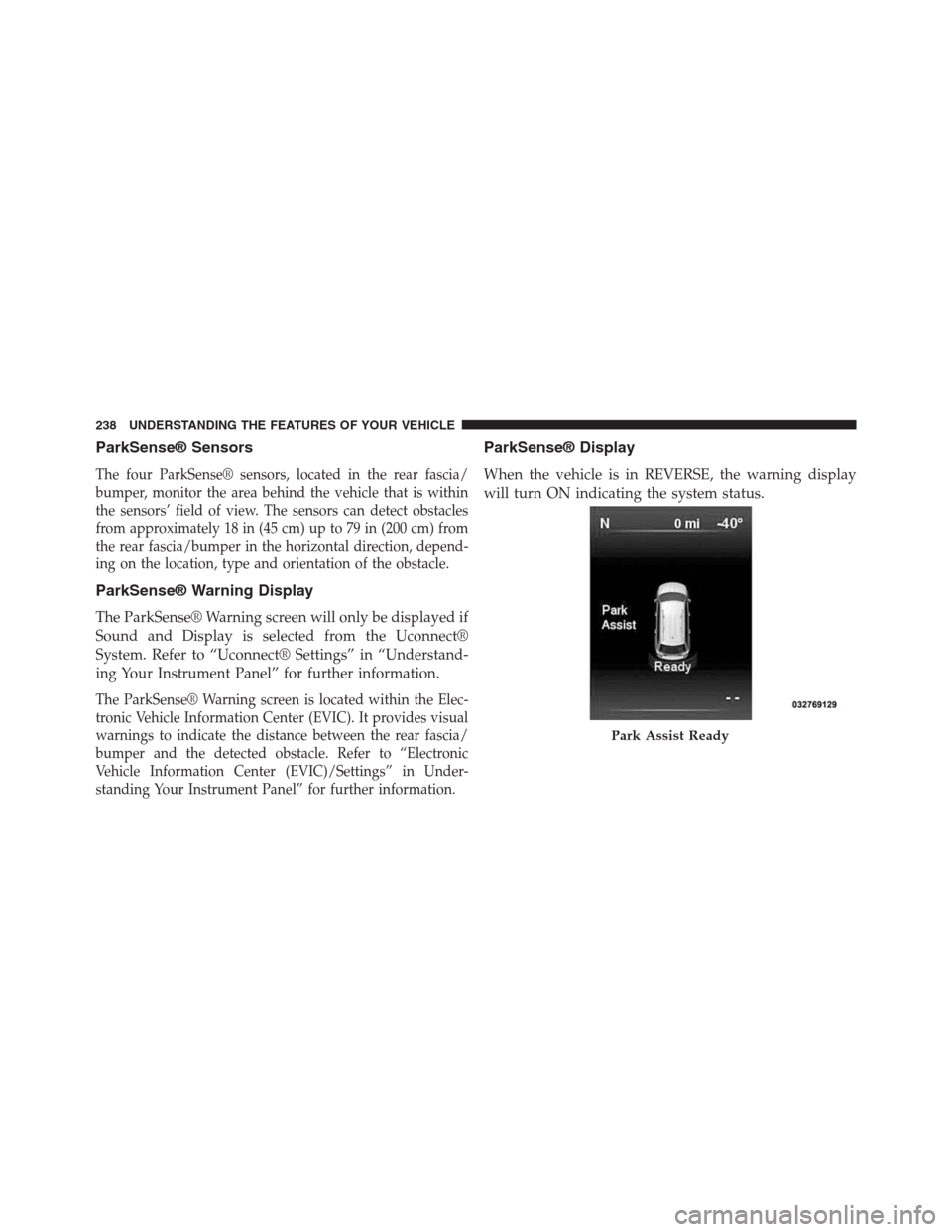
ParkSense® Display
When the vehicle is in REVERSE, the warning display
will turn ON indicating the system status.
Park Assist Ready
238 UNDERSTANDING THE FEATURES OF YOUR VEHICLE


