Page 138 of 683

BLIND SPOT MONITORING — IF EQUIPPED
The Blind Spot Monitoring (BSM) system uses two radar-
based sensors, located inside the rear bumper fascia, to
detect highway licensable vehicles (automobiles, trucks,
motorcycles, etc.) that enter the blind spot zones from the
rear/front/side of the vehicle.When the vehicle is started, the BSM warning light will
momentarily illuminate in both outside rear view mirrors
to let the driver know that the system is operational. The
BSM system sensors operate when the vehicle is in any
forward gear or REVERSE and enters stand-by mode
when the vehicle is in PARK.
The BSM detection zone covers approximately one lane
on both sides of the vehicle (11 ft or 3.35 m). The zone
starts at the outside rear view mirror and extends ap-
proximately 20 ft (6 m) to the rear of the vehicle. The BSM
system monitors the detection zones on both sides of the
vehicle when the vehicle speed reaches approximately
6 mph (10 km/h) or higher and will alert the driver of
vehicles in these areas.
Rear Detection Zones
136 UNDERSTANDING THE FEATURES OF YOUR VEHICLE
Page 139 of 683

NOTE:
•The BSM system does NOT alert the driver about
rapidly approaching vehicles that are outside the de-
tection zones.
•The BSM system detection zone DOES NOT change if
your vehicle is towing a trailer. Therefore, visually
verify the adjacent lane is clear for both your vehicle
and trailer before making a lane change. If the trailer or
other object (i.e., bicycle, sports equipment) extends
beyond the side of your vehicle, this may result in the
BSM warning light remaining illuminated the entire
time the vehicle is in a forward gear.
The area on the rear fascia where the radar sensors are
located must remain free of snow, ice, and dirt/road
contamination so that the BSM system can function
properly. Do not block the area of the rear fascia where
the radar sensors are located with foreign objects (bum-
per stickers, bicycle racks, etc.).The BSM system notifies the driver of objects in the
detection zones by illuminating the BSM warning light
located in the outside mirrors in addition to sounding an
Sensor Locations
3
UNDERSTANDING THE FEATURES OF YOUR VEHICLE 137
Page 143 of 683
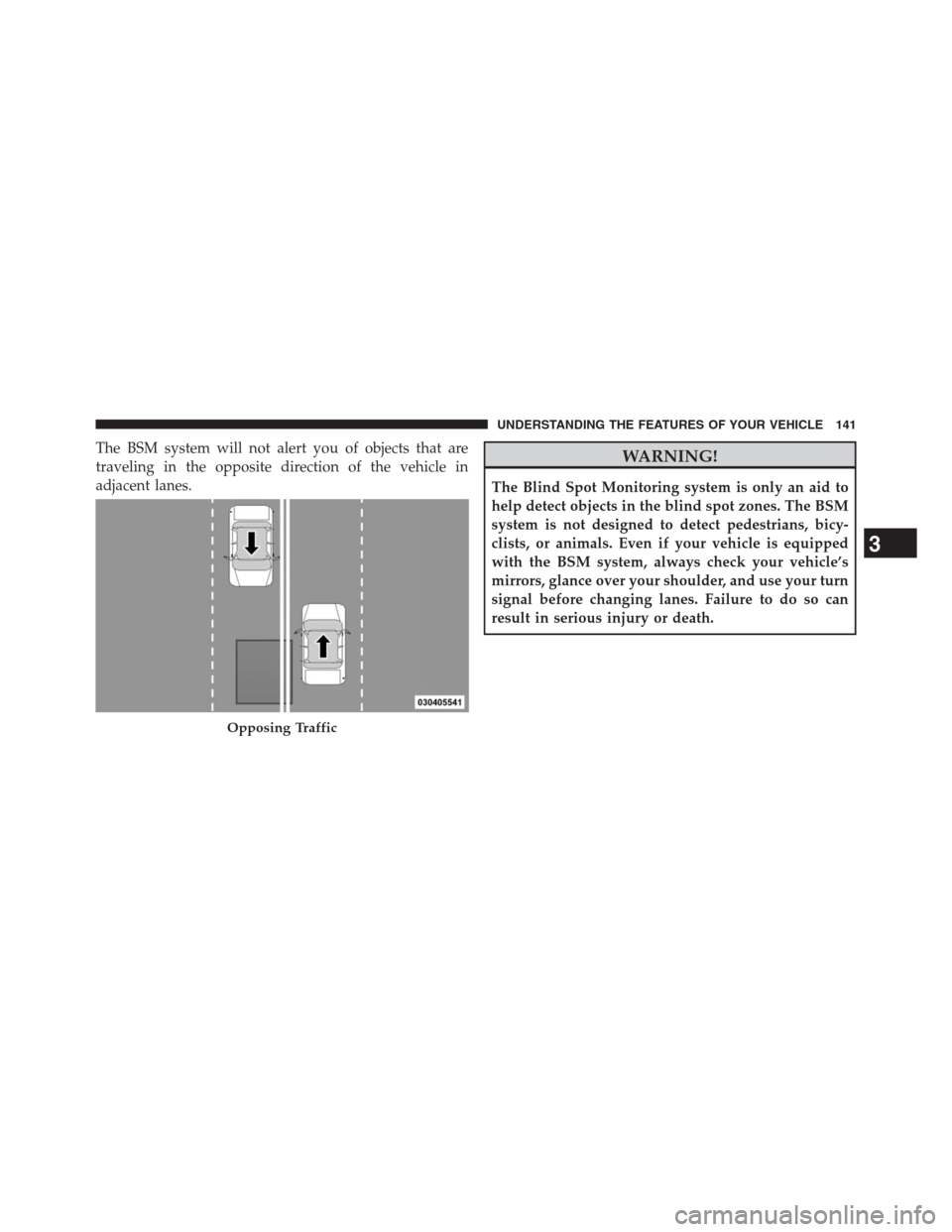
The BSM system will not alert you of objects that are
traveling in the opposite direction of the vehicle in
adjacent lanes.WARNING!
The Blind Spot Monitoring system is only an aid to
help detect objects in the blind spot zones. The BSM
system is not designed to detect pedestrians, bicy-
clists, or animals. Even if your vehicle is equipped
with the BSM system, always check your vehicle’s
mirrors, glance over your shoulder, and use your turn
signal before changing lanes. Failure to do so can
result in serious injury or death.
Opposing Traffic
3
UNDERSTANDING THE FEATURES OF YOUR VEHICLE 141
Page 145 of 683

NOTE:In a parking lot situation, oncoming vehicles can
be obscured by vehicles parked on either side. If the
sensors are blocked by other structures or vehicles, the
system will not be able to alert the driver.
When RCP is on and the vehicle is in REVERSE, the
driver is alerted using both the visual and audible
alarms, including reducing the radio volume.
WARNING!
RCP is not a Back Up Aid system. It is intended to be
used to help a driver detect an oncoming vehicle in a
parking lot situation. Drivers must be careful when
backing up, even when using RCP. Always check
carefully behind your vehicle, look behind you, and be
sure to check for pedestrians, animals, other vehicles,
obstructions, and blind spots before backing up. Fail-
ure to do so can result in serious injury or death.
Modes Of Operation
Three selectable modes of operation are available in the
Electronic Vehicle Information Center (EVIC). Refer to
“Electronic Vehicle Information Center (EVIC)/Personal
Settings (Customer-Programmable Features)” in “Under-
standing Your Instrument Panel” for further information.
Blind Spot Alert
When operating in Blind Spot Alert mode, the BSM
system will provide a visual alert in the appropriate side
view mirror based on a detected object. However, when
the system is operating in RCP, the system will respond
with both visual and audible alerts when a detected
object is present. Whenever an audible alert is requested,
the radio is muted.
3
UNDERSTANDING THE FEATURES OF YOUR VEHICLE 143
Page 146 of 683
Blind Spot Alert Lights/Chime
When operating in Blind Spot Alert Lights/Chime mode,
the BSM system will provide a visual alert in the appro-
priate side view mirror based on a detected object. If the
turn signal is then activated, and it corresponds to an
alert present on that side of the vehicle, an audible chime
will also be sounded. Whenever a turn signal and de-
tected object are present on the same side at the same
time, both the visual and audio alerts will be issued. In
addition to the audible alert the radio (if on) will also be
muted.
NOTE:
•Whenever an audible alert is requested by the BSM
system, the radio is also muted.
•If the hazard flashers are on, the system will request
the appropriate visual alert only.When the system is in RCP, the system shall respond with
both visual and audible alerts when a detected object is
present. Whenever an audible alert is requested, the radio
is also muted. Turn/hazard signal status is ignored; the
RCP state always requests the chime.
Blind Spot Alert Off
When the BSM system is turned off there will be no
visual or audible alerts from either the BSM or RCP
systems.
NOTE:The BSM system will store the current operating
mode when the vehicle is shut off. Each time the vehicle
is started the previously stored mode will be recalled and
used
144 UNDERSTANDING THE FEATURES OF YOUR VEHICLE
Page 147 of 683

Astronomy Zone — System Temporarily Unavailable
When the vehicle enters this zone the blind spot system
will become temporarily unavailable and the EVIC will
display the message “ Blind spot system unavailable-
Astronomy zone”. The side mirrors LED’s will be lit up
and stay lit until the vehicle exits the zone.
Uconnect® Phone — IF EQUIPPED
Uconnect® Phone is a voice-activated, hands-free, in-
vehicle communications system. Uconnect® Phone allows
you to dial a phone number with your mobile phone using
simple voice commands (e.g., “Call”�“Mike”�“Work” or
“Dial”�“248-555-1212”). Your mobile phone’s audio is
transmitted through your vehicle’s audio system; the sys-
tem will automatically mute your radio when using the
Uconnect® Phone.
NOTE:The Uconnect® Phone requires a mobile phone
equipped with the Bluetooth® “Hands-Free Profile”,
Version 0.96 or higher. See the Uconnect® website for
supported phones.
For Uconnect® Customer Support: U.S. residents - visit
www.UconnectPhone.com or call 1–877–855–8400. Cana-
dian Residents - visit www.DriveUconnect.ca or call,
1-800-465–2001 (English) or 1-800-387-9983 (French).
Uconnect® Phone allows you to transfer calls between
the system and your mobile phone as you enter or exit
your vehicle and enables you to mute the system’s
microphone for private conversation.
The Uconnect® Phone is driven through your Bluetooth®
“Hands-Free Profile” mobile phone. Uconnect® features
Bluetooth® technology - the global standard that enables
different electronic devices to connect to each other without
3
UNDERSTANDING THE FEATURES OF YOUR VEHICLE 145
Page 169 of 683
Voice Command
•For best performance, adjust the rearview mirror to
provide at least ½ in (1 cm) gap between the overhead
console (if equipped) and the mirror.
•Always wait for the beep before speaking.
•
Speak normally, without pausing, just as you would speak
to a person sitting a few feet/meters away from you.
•Make sure that no one other than you is speaking
during a Voice Command period.
•Performance is maximized under:
•low-to-medium blower setting,
•low-to-medium vehicle speed,
•low road noise,
•smooth road surface,
•fully closed windows,
•dry weather condition.•Even though the system is designed for users speaking
in North American English, French, and Spanish ac-
cents, the system may not always work for some.
•When navigating through an automated system such
as voice mail, or when sending a page, at the end of
speaking the digit string, make sure to say “Send”.
•Storing names in the phonebook when the vehicle is
not in motion is recommended.
•It is not recommended to store similar sounding names
in the Uconnect® Phonebook.
•Phonebook (Downloaded and Uconnect® Phone Lo-
cal) name recognition rate is optimized when the
entries are not similar.
•Numbers must be spoken in single digits. “800” must
be spoken “eight-zero-zero” not “eight hundred”.
•You can say “O” (letter “O”) for “0” (zero).
3
UNDERSTANDING THE FEATURES OF YOUR VEHICLE 167
Page 217 of 683
Plastic Grocery Bag Retainer Hooks
Retainer hooks which will hold plastic grocery bag
handles are built into the seatbacks of all rear seats and
some front seats. The floor supports the partial weight of
the bagged goods.
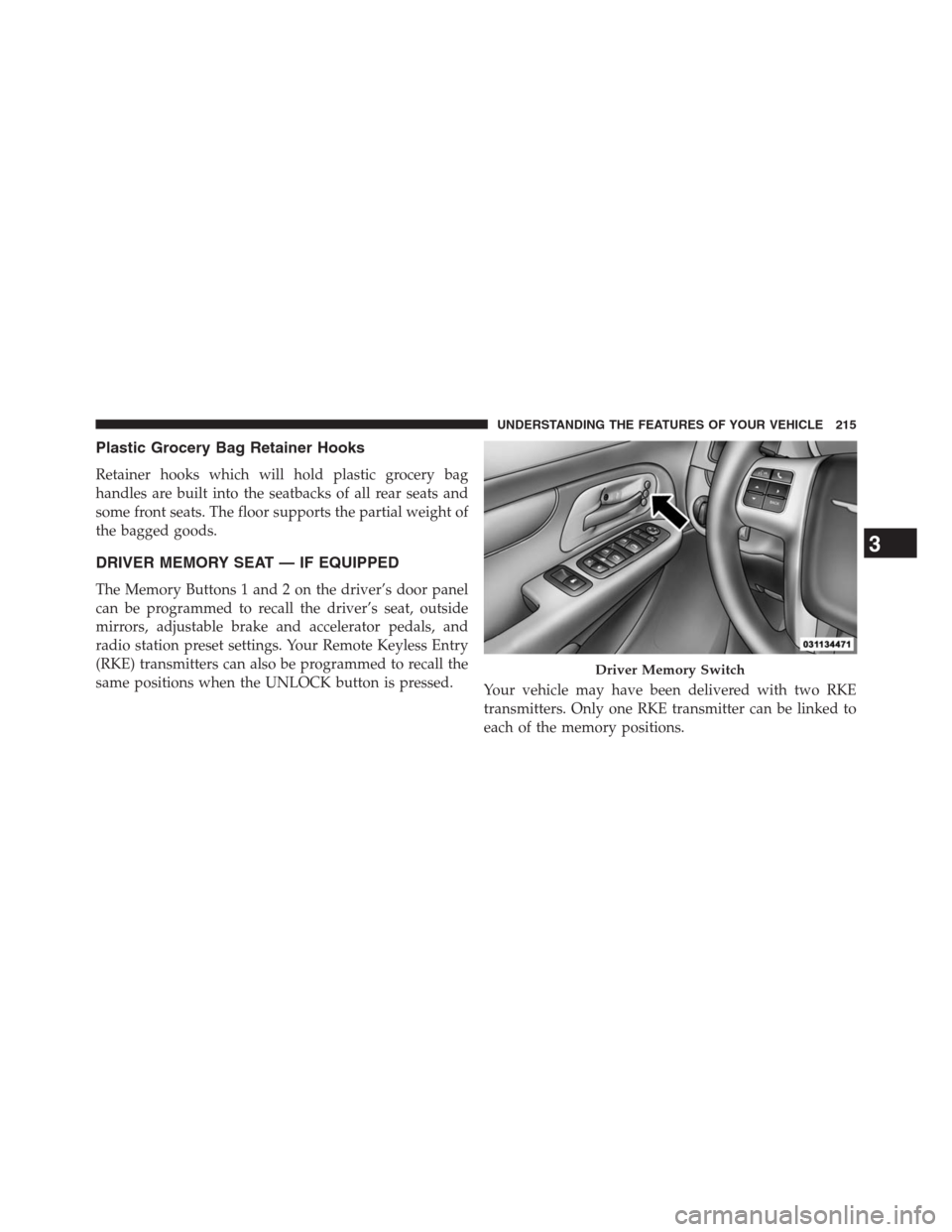
DRIVER MEMORY SEAT — IF EQUIPPED
The Memory Buttons 1 and 2 on the driver’s door panel
can be programmed to recall the driver’s seat, outside
mirrors, adjustable brake and accelerator pedals, and
radio station preset settings. Your Remote Keyless Entry
(RKE) transmitters can also be programmed to recall the
same positions when the UNLOCK button is pressed.
Your vehicle may have been delivered with two RKE
transmitters. Only one RKE transmitter can be linked to
each of the memory positions.
Driver Memory Switch
3
UNDERSTANDING THE FEATURES OF YOUR VEHICLE 215