Page 265 of 683
Reprogramming A Single HomeLink® Button
To reprogram a channel that has been previously trained,
follow these steps:
1. Cycle the ignition to the ON/RUN position.
2. Press and hold the desired HomeLink® button until
the indicator light begins to flash after 20 seconds.Do
not release the button.
3.
Without releasing the buttonproceed with “Canadian/
Gate Operator Programming” Step 2 and follow all
remaining steps.
Using HomeLink®
To operate, press and release the programmed HomeLink®
button. Activation will now occur for the programmed
device (i.e., garage door opener, gate operator, security
system, entry door lock, home/office lighting, etc.,). The
hand-held transmitter of the device may also be used at any
time.
Security
It is advised to erase all channels before you sell or turn
in your vehicle.
To do this, press and hold the two outside buttons for
20 seconds until the red indicator flashes. Note that all
channels will be erased. Individual channels cannot be
erased.
The HomeLink® Universal Transceiver is disabled when
the Vehicle Security Alarm is active.
Troubleshooting Tips
If you are having trouble programming HomeLink®,
here are some of the most common solutions:
•
Replace the battery in the original hand-held transmitter.
•Press the LEARN button on the Garage Door Opener
to complete the training for a Rolling Code.
•Did you unplug the device for programming and
remember to plug it back in?
3
UNDERSTANDING THE FEATURES OF YOUR VEHICLE 263
Page 270 of 683
Sunshade Operation
The sunshade can be opened manually. However, the
sunshade will open automatically as the sunroof opens.
NOTE:The sunshade cannot be closed if the sunroof is
open.
Wind Buffeting
Wind buffeting can be described as the perception of
pressure on the ears or a helicopter-type sound in the
ears. Your vehicle may exhibit wind buffeting with the
windows down, or the sunroof (if equipped) in certain
open or partially open positions. This is a normal occur-
rence and can be minimized. If the buffeting occurs with
the rear windows open, open the front and rear windows
together to minimize the buffeting. If the buffeting occurs
with the sunroof open, adjust the sunroof opening to
minimize the buffeting or open any window.
Sunroof Maintenance
Use only a non-abrasive cleaner and a soft cloth to clean
the glass panel.
Ignition Off Operation
For Vehicles Not Equipped With The Electronic Vehicle
Information Center (EVIC)
The power sunroof switch will remain active for 45 seconds
after the ignition switch is turned to the LOCK position.
Opening either front door will cancel this feature.
For Vehicles Equipped With The EVIC
The power sunroof switch will remain active for up to
approximately ten minutes after the ignition switch is
turned to the LOCK position. Opening either front door
will cancel this feature.
268 UNDERSTANDING THE FEATURES OF YOUR VEHICLE
Page 281 of 683
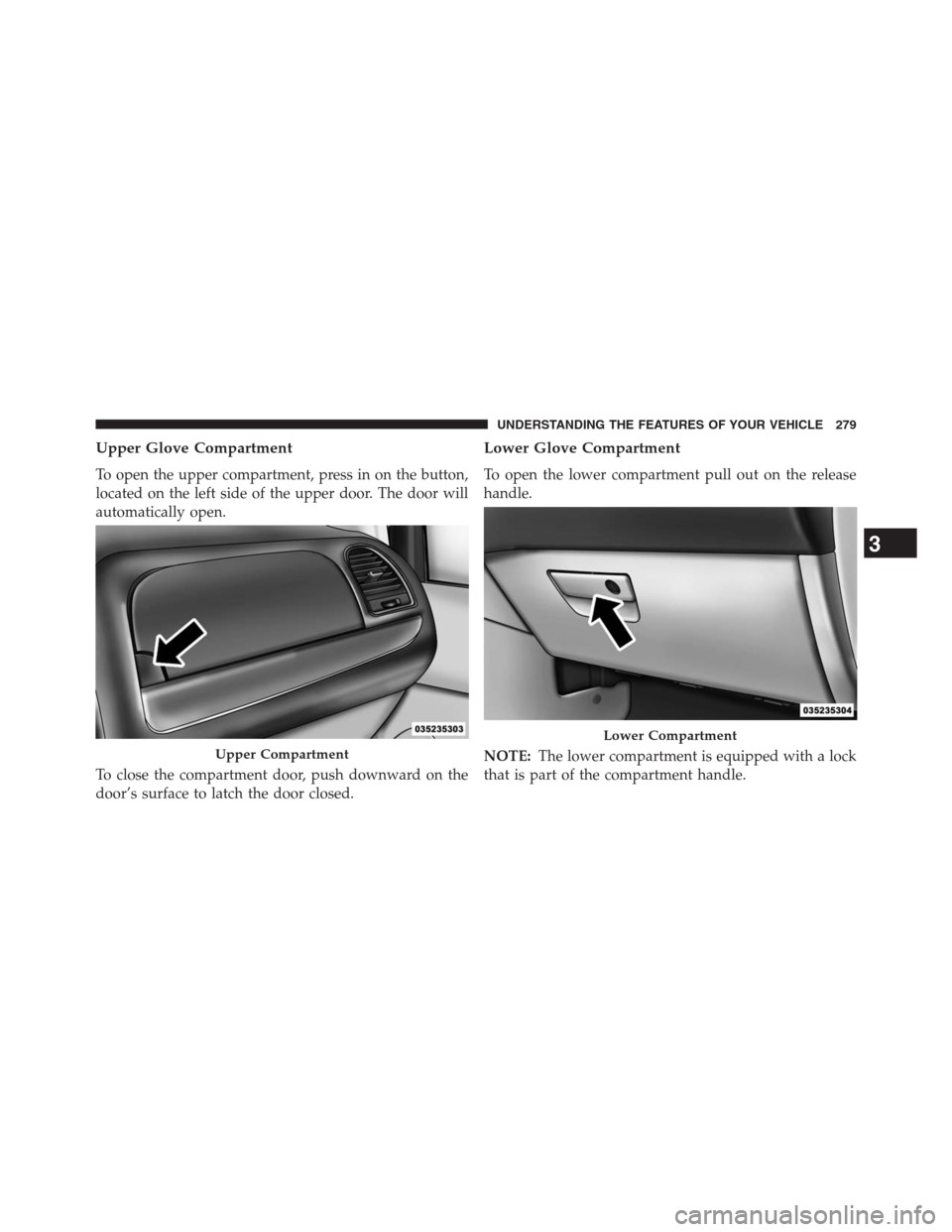
Upper Glove Compartment
To open the upper compartment, press in on the button,
located on the left side of the upper door. The door will
automatically open.
To close the compartment door, push downward on the
door’s surface to latch the door closed.
Lower Glove Compartment
To open the lower compartment pull out on the release
handle.
NOTE:The lower compartment is equipped with a lock
that is part of the compartment handle.
Upper Compartment
Lower Compartment
3
UNDERSTANDING THE FEATURES OF YOUR VEHICLE 279
Page 283 of 683
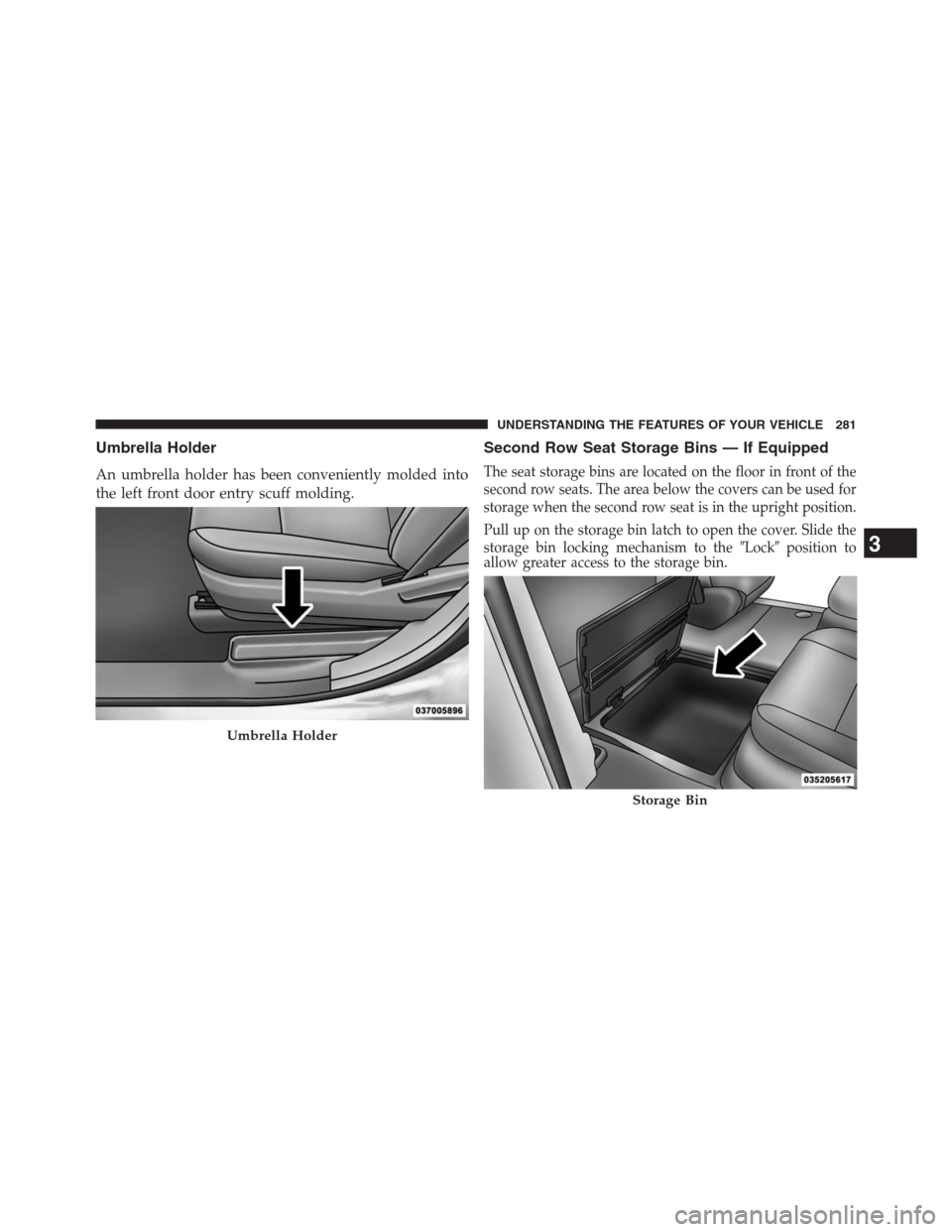
Umbrella Holder
An umbrella holder has been conveniently molded into
the left front door entry scuff molding.
Second Row Seat Storage Bins — If Equipped
The seat storage bins are located on the floor in front of the
second row seats. The area below the covers can be used for
storage when the second row seat is in the upright position.
Pull up on the storage bin latch to open the cover. Slide the
storage bin locking mechanism to the�Lock�position to
allow greater access to the storage bin.
Umbrella Holder
Storage Bin
3
UNDERSTANDING THE FEATURES OF YOUR VEHICLE 281
Page 284 of 683
CAUTION!
NOTE: The storage bin cover must be locked and flat
to avoid damage from contact with the front seat
tracks, which have minimal clearance to the cover.
WARNING!
In a collision, serious injury could result if the seat
storage bin covers are not properly latched.
•Do not drive the vehicle with the storage bin covers
open.
•Keep the storage bin covers closed and latched
while the vehicle is in motion.
•Do not use a storage bin latch as a tie down.
Storage Bin Safety Warning
Carefully follow these warnings to help prevent personal
injury or damage to your vehicle:
WARNING!
•Always close the storage bin covers when your
vehicle is unattended.
•Do not allow children to have access to the second
row seat storage bins. Once in the storage bin,
young children may not be able to escape. If
trapped in the storage bin, children can die from
suffocation or heat stroke.
•In a collision, serious injury could result if the seat
storage bin covers are not properly latched.
•Do not drive the vehicle with the storage bin covers
open. Keep the storage bin covers closed and
latched while the vehicle is in motion.
(Continued)
282 UNDERSTANDING THE FEATURES OF YOUR VEHICLE
Page 285 of 683
WARNING!(Continued)
•Do not operate the storage bin covers while the
vehicle is in motion.
•Do not use a storage bin latch as a tie down.
CAUTION!
The storage bin cover must be flat and locked to
avoid damage from contact with the front seat tracks,
which have minimal clearance to the cover.
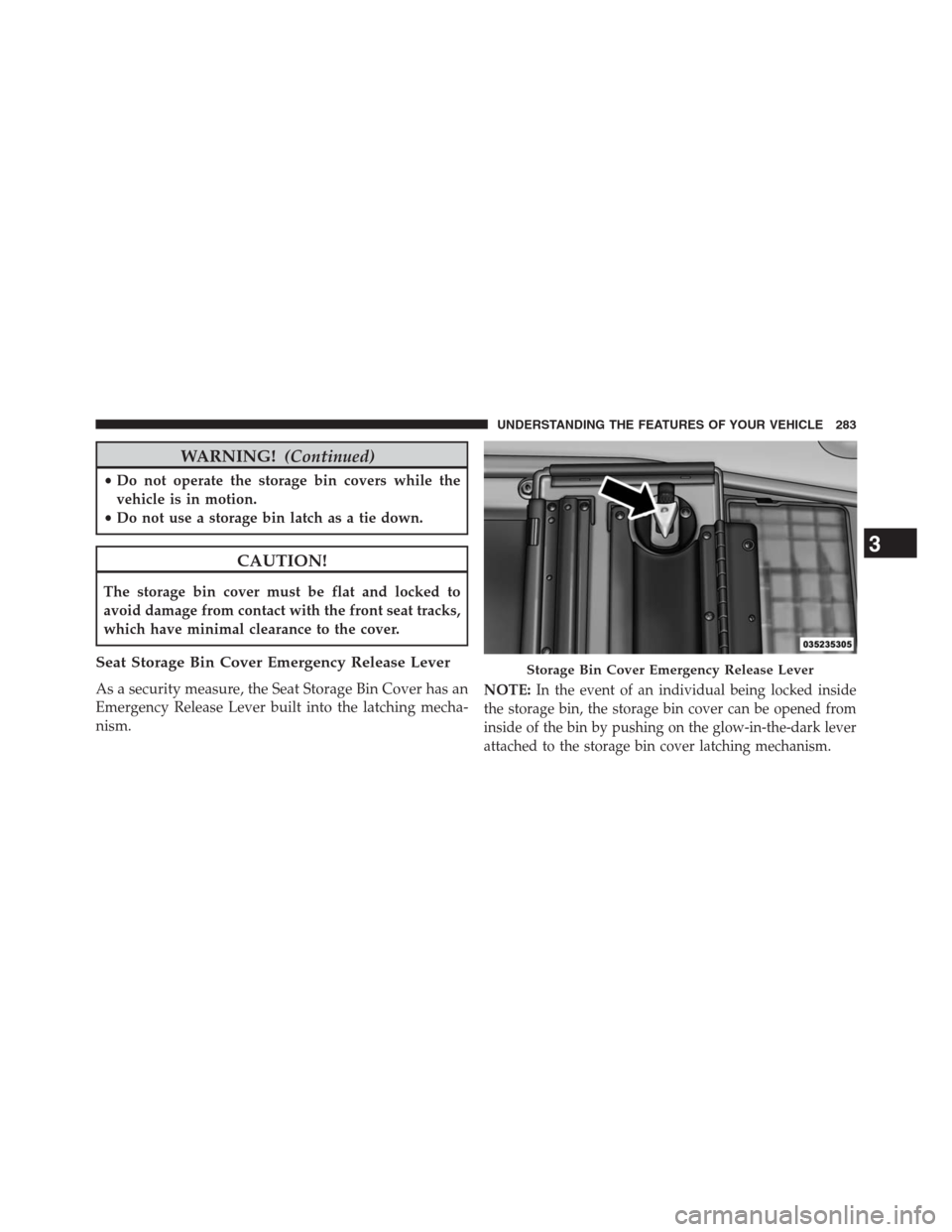
Seat Storage Bin Cover Emergency Release Lever
As a security measure, the Seat Storage Bin Cover has an
Emergency Release Lever built into the latching mecha-
nism.NOTE:In the event of an individual being locked inside
the storage bin, the storage bin cover can be opened from
inside of the bin by pushing on the glow-in-the-dark lever
attached to the storage bin cover latching mechanism.
Storage Bin Cover Emergency Release Lever
3
UNDERSTANDING THE FEATURES OF YOUR VEHICLE 283
Page 307 of 683

▫Using This Feature.....................378
▫Controlling The iPod® Or External USB
Device Using Radio Buttons..............378
▫Play Mode..........................378
▫List Or Browse Mode...................380
▫Bluetooth Streaming Audio (BTSA).........382
�UCONNECT® MULTIMEDIA — VIDEO
ENTERTAINMENT SYSTEM (VES™) — If
Equipped.............................383
▫Getting Started.......................383
▫Blu-ray Player........................384
▫Play Video Games.....................385
▫Listen To An Audio Source On Channel 2
While A Video Is Playing On Channel 1......388▫Dual Video Screen.....................390
▫Play A DVD Using The Touch-Screen Radio . . .390
▫Play A DVD Using The VES™ Player
(If Equipped).........................392
▫Play A Blu-ray Disc Using The Blu-ray Player
(If Equipped).........................395
▫Listen To An Audio Source While A Video Is
Playing.............................397
▫Important Notes For Dual Video Screen
System.............................399
▫VES Remote Control – If Equipped.........400
▫Blu-ray Player Remote Control – If Equipped . .403
▫Remote Control Storage.................405
▫Locking The Remote Control.............406
4
UNDERSTANDING YOUR INSTRUMENT PANEL 305
Page 316 of 683

Unless reset, this message will continue to display each
time you turn the ignition switch to the ON/RUN
position. To turn off the message temporarily, press and
release the STEP button on the steering wheel. To reset
the oil change indicator system (after performing the
scheduled maintenance), perform the following steps.
1. Turn the ignition switch to the ON/RUN position
(do not start the engine).
2. Fully depress the accelerator pedal, slowly, three times
within 10 seconds.
3. Turn the ignition switch to the OFF/LOCK position.
NOTE:If the indicator message illuminates when you
start the engine, the oil change indicator system did not
reset. If necessary, repeat these steps.Electronic Vehicle Information Center (EVIC)
Display — If Equipped
The Electronic Vehicle Information Center (EVIC) fea-
tures a driver-interactive display that is located in the
instrument cluster. For further information, refer to
“Electronic Vehicle Information Center (EVIC)”.
7. Anti-Lock Brake (ABS) Light
This light monitors the Anti-Lock Brake System
(ABS). The light will turn on when the ignition
switch is turned to the ON/RUN position and
may stay on for as long as four seconds.
If the ABS light remains on or turns on while driving, it
indicates that the Anti-Lock portion of the brake system
is not functioning and that service is required. However,
the conventional brake system will continue to operate
normally if the BRAKE warning light is not on.
314 UNDERSTANDING YOUR INSTRUMENT PANEL