Page 115 of 519

WARNING!
Any voice commanded system should be used only
in safe driving conditions following all applicable
laws, including laws regarding phone use. Your at-
tention should be focused on safely operating the
vehicle. Failure to do so may result in a collision
causing serious injury or death.
Uconnect® Phone Button The radio or steering wheel controls (if
equipped) will contain the two control buttons
(Uconnect® Phone
button and Voice Com-
mand
button) that will enable you to
access the system. When you press the button you will
hear the word Uconnect® followed by a BEEP. The beep
is your signal to give a command. Voice Command Button
Actual button location may vary with the radio.
The individual buttons are described in the
“Operation” section.
The Uconnect® Phone can be used with any Hands-Free
Profile certified Bluetooth® mobile phone. See the
Uconnect® website for supported phones. Refer to your
mobile service provider or the phone manufacturer for
details.
The Uconnect® Phone is fully integrated with the vehi-
cle’s audio system. The volume of the Uconnect® Phone
can be adjusted either from the radio volume control
knob or from the steering wheel radio control (right
switch), if so equipped.
The radio display will be used for visual prompts from
the Uconnect® Phone such as “CELL” or caller ID on
certain radios.3
UNDERSTANDING THE FEATURES OF YOUR VEHICLE 113
Page 211 of 519
▫Play Mode ......................... .270
▫ List Or Browse Mode ...................272
▫ Bluetooth Streaming Audio (BTSA) .........273
� STEERING WHEEL AUDIO CONTROLS —
IF EQUIPPED ........................ .275
▫ Right-Hand Switch Functions .............276
▫ Left-Hand Switch Functions For Radio
Operation .......................... .276
▫ Left-Hand Switch Functions For Media
(i.e., CD) Operation ....................276 �
CD/DVD DISC MAINTENANCE ...........277
�
RADIO OPERATION AND MOBILE PHONES . . .277
� CLIMATE CONTROLS ...................278
▫ Manual Heating And Air Conditioning ......278
▫ Automatic Temperature Control (ATC) —
If Equipped ........................ .282
▫ Operating Tips ...................... .288
4
UNDERSTANDING YOUR INSTRUMENT PANEL 209
Page 212 of 519
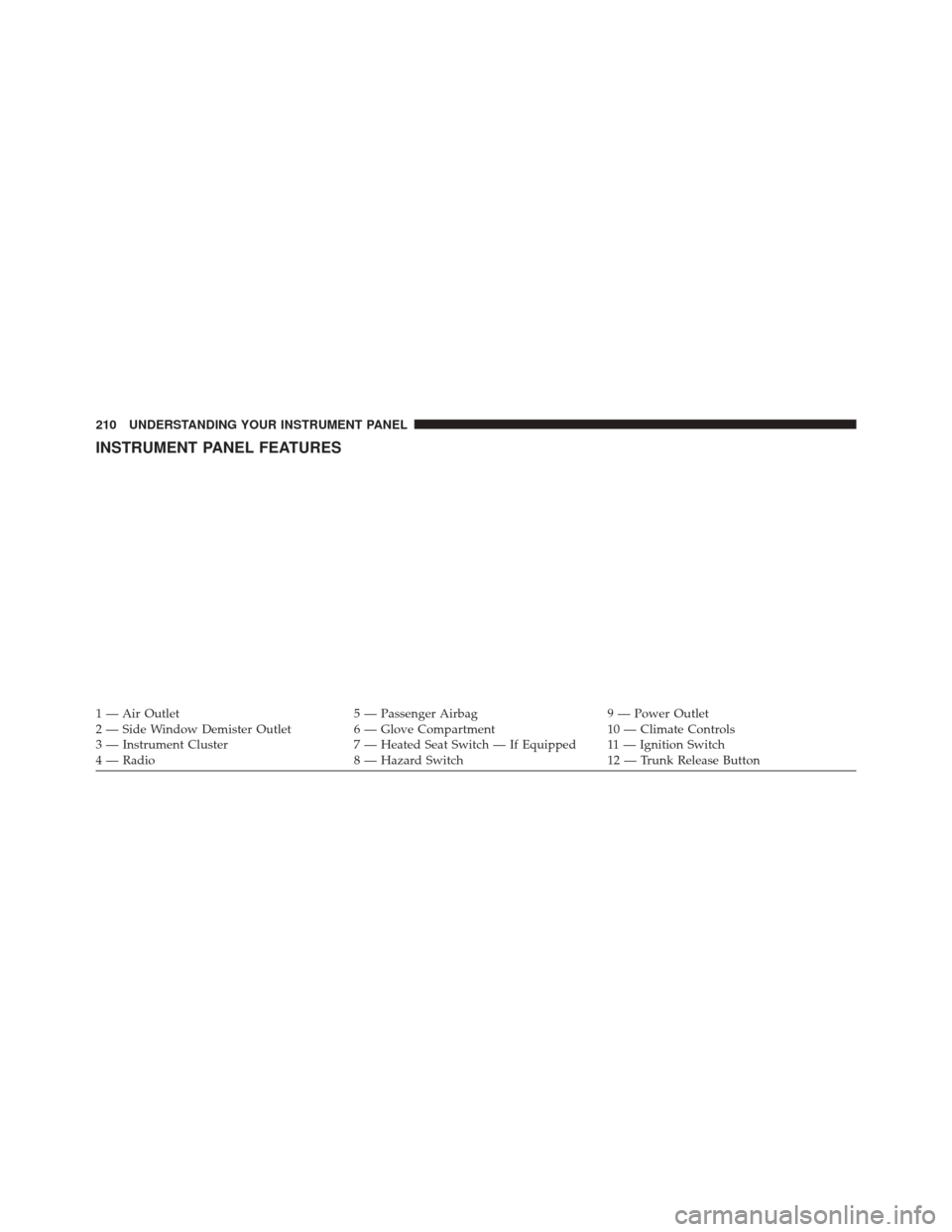
INSTRUMENT PANEL FEATURES
1 — Air Outlet5 — Passenger Airbag9 — Power Outlet
2 — Side Window Demister Outlet 6 — Glove Compartment10 — Climate Controls
3 — Instrument Cluster 7 — Heated Seat Switch — If Equipped 11 — Ignition Switch
4 — Radio 8 — Hazard Switch12 — Trunk Release Button
210 UNDERSTANDING YOUR INSTRUMENT PANEL
Page 270 of 519
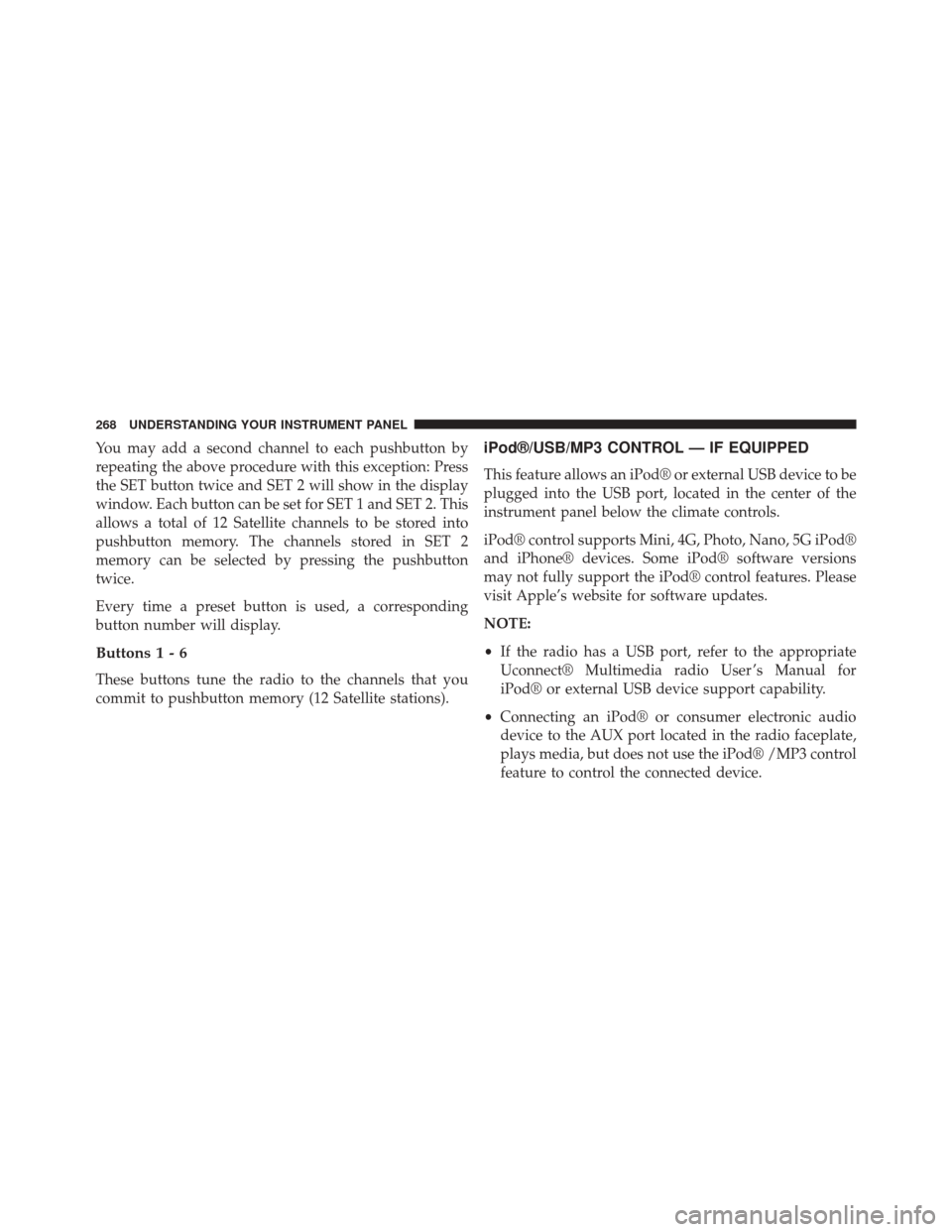
You may add a second channel to each pushbutton by
repeating the above procedure with this exception: Press
the SET button twice and SET 2 will show in the display
window. Each button can be set for SET 1 and SET 2. This
allows a total of 12 Satellite channels to be stored into
pushbutton memory. The channels stored in SET 2
memory can be selected by pressing the pushbutton
twice.
Every time a preset button is used, a corresponding
button number will display.
Buttons1-6
These buttons tune the radio to the channels that you
commit to pushbutton memory (12 Satellite stations).
iPod®/USB/MP3 CONTROL — IF EQUIPPED
This feature allows an iPod® or external USB device to be
plugged into the USB port, located in the center of the
instrument panel below the climate controls.
iPod® control supports Mini, 4G, Photo, Nano, 5G iPod®
and iPhone® devices. Some iPod® software versions
may not fully support the iPod® control features. Please
visit Apple’s website for software updates.
NOTE:
•If the radio has a USB port, refer to the appropriate
Uconnect® Multimedia radio User ’s Manual for
iPod® or external USB device support capability.
• Connecting an iPod® or consumer electronic audio
device to the AUX port located in the radio faceplate,
plays media, but does not use the iPod® /MP3 control
feature to control the connected device.
268 UNDERSTANDING YOUR INSTRUMENT PANEL
Page 271 of 519
Connecting The iPod® Or External USB Device
Use the connection cable to connect an iPod® or external
USB device to the vehicle’s USB connector port which is
located in the center of the instrument panel below the
climate controls.Once the audio device is connected and synchronized to
the vehicle’s iPod®/USB/MP3 control system (iPod® or
external USB device may take a few minutes to connect),
the audio device starts charging and is ready for use by
pressing radio switches, as described below.
NOTE:
If the audio device battery is completely dis-
charged, it may not communicate with the iPod®/USB/
MP3 control system until a minimum charge is attained.
Leaving the audio device connected to the iPod®/USB/
MP3 control system may charge it to the required level.
Using This Feature
By using an iPod® cable, or an external USB device to
connect to the USB port:
• The audio device can be played on the vehicle’s sound
system, providing metadata (artist, track title, album,
etc.) information on the radio display.
USB Connector Port
4
UNDERSTANDING YOUR INSTRUMENT PANEL 269
Page 277 of 519
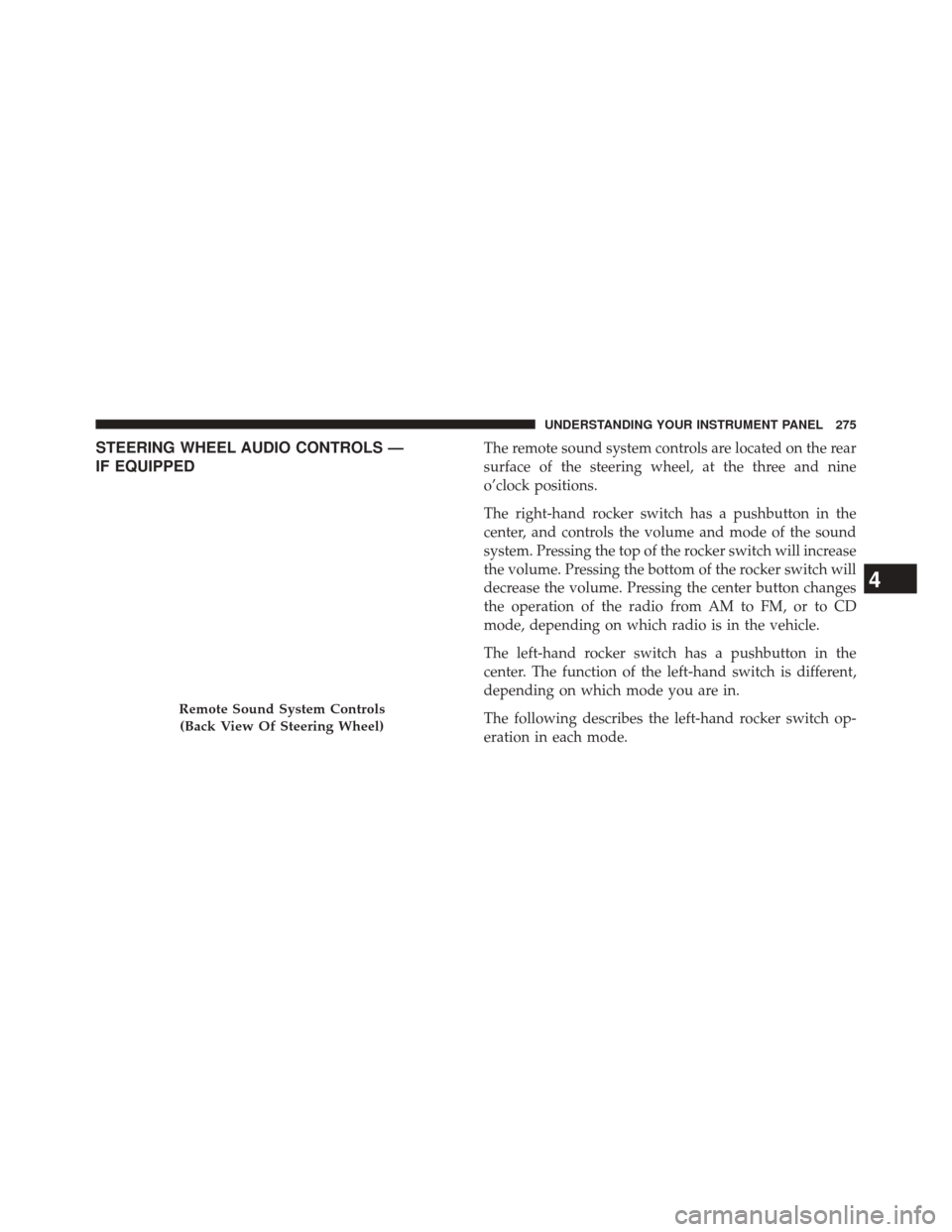
STEERING WHEEL AUDIO CONTROLS —
IF EQUIPPEDThe remote sound system controls are located on the rear
surface of the steering wheel, at the three and nine
o’clock positions.
The right-hand rocker switch has a pushbutton in the
center, and controls the volume and mode of the sound
system. Pressing the top of the rocker switch will increase
the volume. Pressing the bottom of the rocker switch will
decrease the volume. Pressing the center button changes
the operation of the radio from AM to FM, or to CD
mode, depending on which radio is in the vehicle.
The left-hand rocker switch has a pushbutton in the
center. The function of the left-hand switch is different,
depending on which mode you are in.
The following describes the left-hand rocker switch op-
eration in each mode.
Remote Sound System Controls(Back View Of Steering Wheel)
4
UNDERSTANDING YOUR INSTRUMENT PANEL 275
Page 467 of 519
CavityCar-
tridge Fuse Mini
Fuse Description
18 40 Amp Green — Auto Shutdown
(ASD) Relay
19 — 20 Amp YellowAudio Amplifier –
If Equipped
20 — 15 Amp Lt. BlueRadio
21 — 10 Amp RedSiren – If Equipped
22 — 10 Amp RedIgnition Run –
Climate Controls/
Hot Cupholder –
If Equipped
23 — 15 Amp Lt. BlueAuto Shutdown
(ASD) Relay 3Cavity Car-
tridge Fuse Mini
Fuse Description
24 — 25 Amp NaturalSunroof –
If Equipped
25 — 10 Amp RedIgnition Run —
Heated Mirrors -
If Equipped
26 — 15 Amp Lt. BlueAuto Shutdown
(ASD) Relay 2
27 — 10 Amp RedIgnition Run –
Occupant
Classification
Module (OCM)/
Occupant Restraint
Controller (ORC)
7
MAINTAINING YOUR VEHICLE 465
Page 500 of 519
About Your Brakes....................... .328
ABS (Anti-Lock Brake System) ................330
Adding Engine Coolant (Antifreeze) ............446
Adding Fuel ............................ .379
Adding Washer Fluid ..................... .441
Additives, Fuel .......................... .373
Airbag ..................................61
Airbag Deployment ........................71
Airbag Light .............................68
Airbag Maintenance ........................73
Airbag, Side ..............................64
Airbag, Window (Side Curtain) ................65
Air Cleaner, Engine (Engine Air Cleaner Filter) . . . .434
Air Conditioner Maintenance .................437
Air Conditioning ......................... .278
Air Conditioning Controls ...................278
Air Conditioning Filter .....................290
Air Conditioning, Operating Tips ..............291
Air Conditioning Refrigerant .................437Air Conditioning System
....................278
Air Pressure, Tires ........................ .350
Alarm System (Security Alarm) ................19
Alterations/Modifications, Vehicle ...............7
Antenna, Satellite Radio .....................265
Antifreeze (Engine Coolant) ..................445
Disposal ............................. .448
Anti-Lock Brake System (ABS) ................330
Anti-Lock Warning Light ....................330
Anti-Theft Security Alarm (Theft Alarm) ..........19
Appearance Care ........................ .456
Ashtray ............................... .198
Assistance Towing ........................ .126
Auto Down Power Windows ..................38
Automatic Dimming Mirror ..................108
Automatic Door Locks ......................34
Automatic Oil Change Indicator ...............219
Automatic Temperature Control (ATC) ..........282
Automatic Transaxle ........................13
498 INDEX