Page 92 of 519
Installing Child Restraints Using The Vehicle Seat
Belt
The seat belts in the passenger seating positions are
equipped with either a Switchable Automatic Locking
Retractor (ALR) or a cinching latch plate or both. Both
types of seat belts are designed to keep the lap portion of
the seat belt tight around the child restraint so that it is not
necessary to use a locking clip. The ALR retractor can be
“switched” into a locked mode by pulling all of the
webbing out of the retractor and then letting the webbing
retract back into the retractor. If it is locked, the ALR will
make a clicking noise while the webbing is pulled back into
the retractor. For additional information on ALR, refer to
the “Automatic Locking Mode” description under “Occu-
pant Restraints.” The cinching latch plate is designed to
hold the lap portion of the seatbelt tight when webbing is
pulled tight and straight through a child restraint’s belt
path. Please see the table below and the following sections
for more information about both types of seat belts.
Lap/Shoulder Belt Systems for Installing Child
Restraints in this Vehicle
90 THINGS TO KNOW BEFORE STARTING YOUR VEHICLE
Page 94 of 519
Installing A Child Restraint with a Switchable
Automatic Locking Retractor (ALR)
1. Place the child seat in the center of the seatingposition. For some second row seats, you may need to
recline the seat and/or raise the head restraint to get a
better fit.
2. Pull enough of the seat belt webbing from the retractor to pass it through the belt path of the child restraint.
Do not twist the belt webbing in the belt path.
3. Slide the latch plate into the buckle until you hear a “click.”
4. Pull on the webbing to make the lap portion tight against the child seat.
5. To lock the seat belt, pull down on the shoulder part of the belt until you have pulled all the seat belt webbing
out of the retractor. Then, allow the webbing to retract back into the retractor. As the webbing retracts, you
will hear a clicking sound. This means the seat belt is
now in the Automatic Locking mode.
6. Try to pull the webbing out of the retractor. If it is locked, you should not be able to pull out any web-
bing. If the retractor is not locked, repeat step 5.
7. Finally, pull up on any excess webbing to tighten the lap portion around the child restraint while you push
the child restraint rearward and downward into the
vehicle seat.
8. If the child restraint has a top tether strap and the seating position has a top tether anchorage, connect
the tether strap to the anchorage and tighten the tether
strap. Refer to “Lower Anchors and Tethers for Chil-
dren (LATCH) Restraint System” for directions to
attach a tether anchor.
92 THINGS TO KNOW BEFORE STARTING YOUR VEHICLE
Page 103 of 519

Periodic Safety Checks You Should Make Outside
The Vehicle
Tires
Examine tires for excessive tread wear and uneven wear
patterns. Check for stones, nails, glass, or other objects
lodged in the tread or sidewall. Inspect the tread for cuts
and cracks. Inspect sidewalls for cuts, cracks and bulges.
Check the wheel nuts for tightness. Check the tires
(including spare) for proper cold inflation pressure.
Lights
Have someone observe the operation of brake lights and
exterior lights while you work the controls. Check turn
signal and high beam indicator lights on the instrument
panel.
Door Latches
Check for positive closing, latching, and locking.
Fluid Leaks
Check area under vehicle after overnight parking for fuel,
engine coolant, oil, or other fluid leaks. Also, if gasoline
fumes are detected or if fuel, power steering fluid (if
equipped), or brake fluid leaks are suspected, the cause
should be located and corrected immediately.
2
THINGS TO KNOW BEFORE STARTING YOUR VEHICLE 101
Page 164 of 519
WARNING!
•Be certain that the seatback is securely locked into
position. If the seatback is not securely locked into
position the seat will not provide the proper stabil-
ity for child seats and/or passengers. An improp-
erly latched seat could cause serious injury.
• The rear cargo area of the vehicle (with the rear
seatbacks in the locked-up or folded down posi-
tion) should not be used as a play area by children.
They could be seriously injured in a collision.
Children should be seated and using the proper
restraint system.
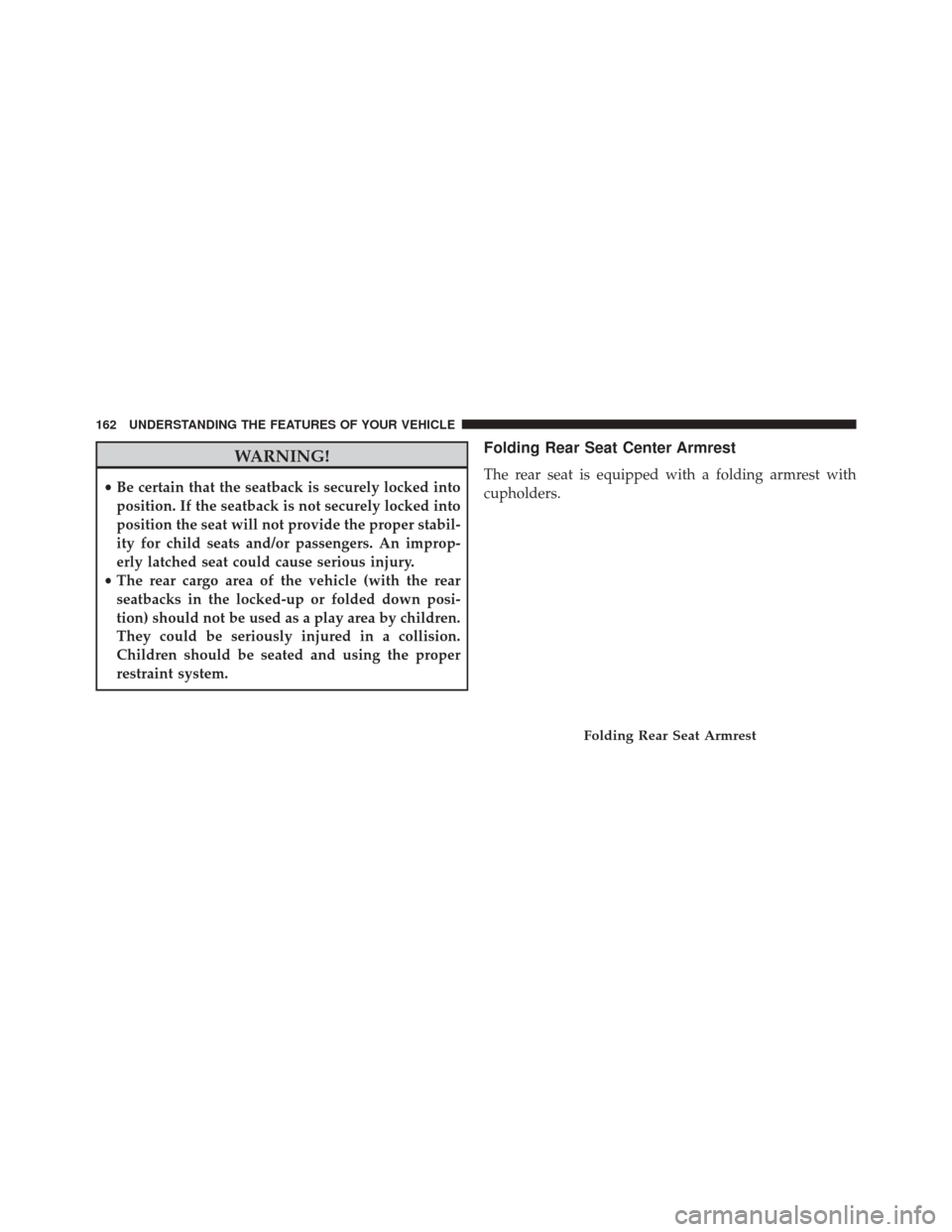
Folding Rear Seat Center Armrest
The rear seat is equipped with a folding armrest with
cupholders.
Folding Rear Seat Armrest
162 UNDERSTANDING THE FEATURES OF YOUR VEHICLE
Page 166 of 519
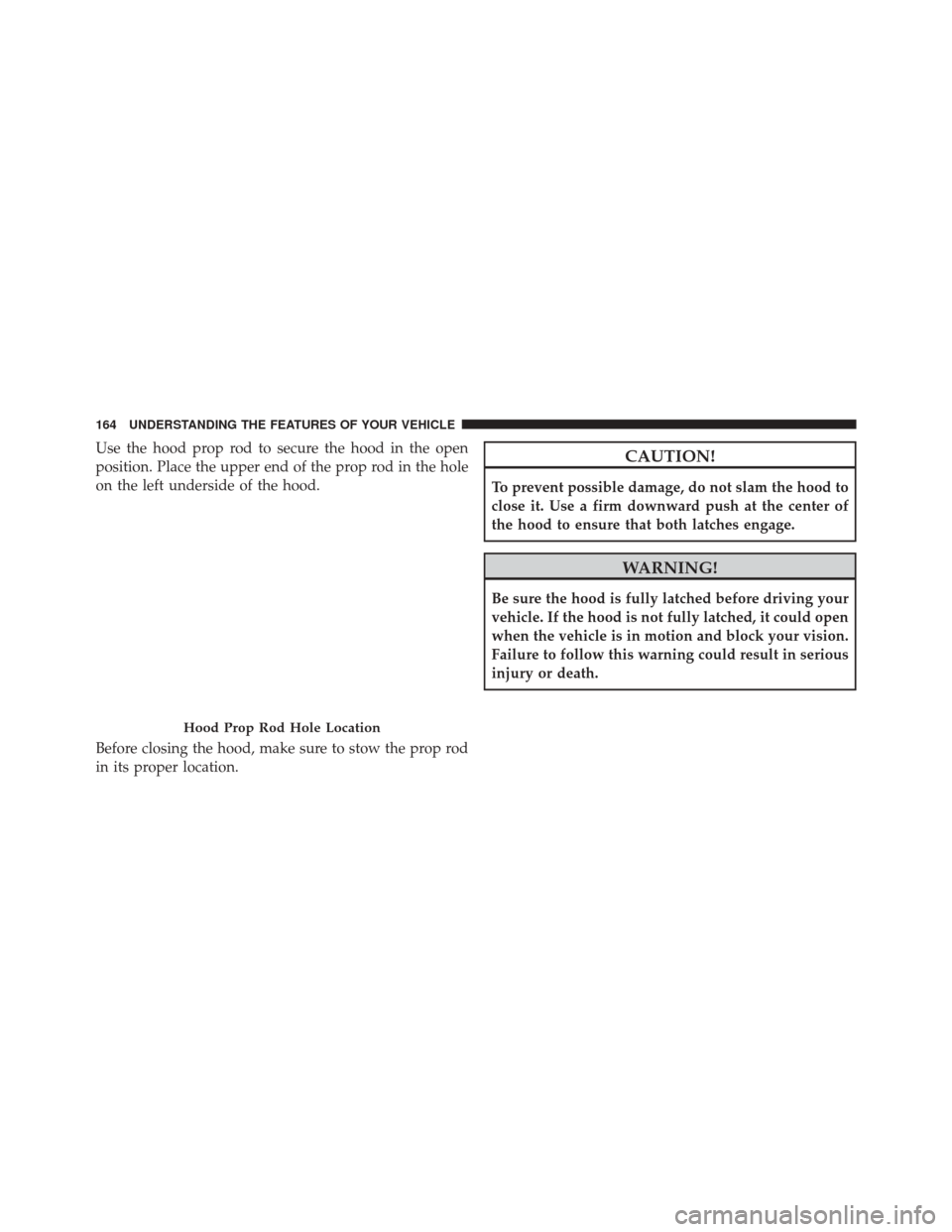
Use the hood prop rod to secure the hood in the open
position. Place the upper end of the prop rod in the hole
on the left underside of the hood.
Before closing the hood, make sure to stow the prop rod
in its proper location.CAUTION!
To prevent possible damage, do not slam the hood to
close it. Use a firm downward push at the center of
the hood to ensure that both latches engage.
WARNING!
Be sure the hood is fully latched before driving your
vehicle. If the hood is not fully latched, it could open
when the vehicle is in motion and block your vision.
Failure to follow this warning could result in serious
injury or death.
Hood Prop Rod Hole Location
164 UNDERSTANDING THE FEATURES OF YOUR VEHICLE
Page 174 of 519
There is a second light located midway back in the
headliner.
To protect the battery, the interior lights will turn off
automatically 10 minutes after the ignition switch is
moved to the LOCK position. This will occur if the
interior lights were switched on manually or are on
because a door is open. To restore interior light operation,
either turn the ignition switch ON or cycle the light
switch.
Battery Saver Feature
To protect the battery, the interior lights will turn off
automatically 10 minutes after the ignition switch is
moved to the LOCK position. This will occur if the
interior lights were switched on manually or are on
because a door is open.
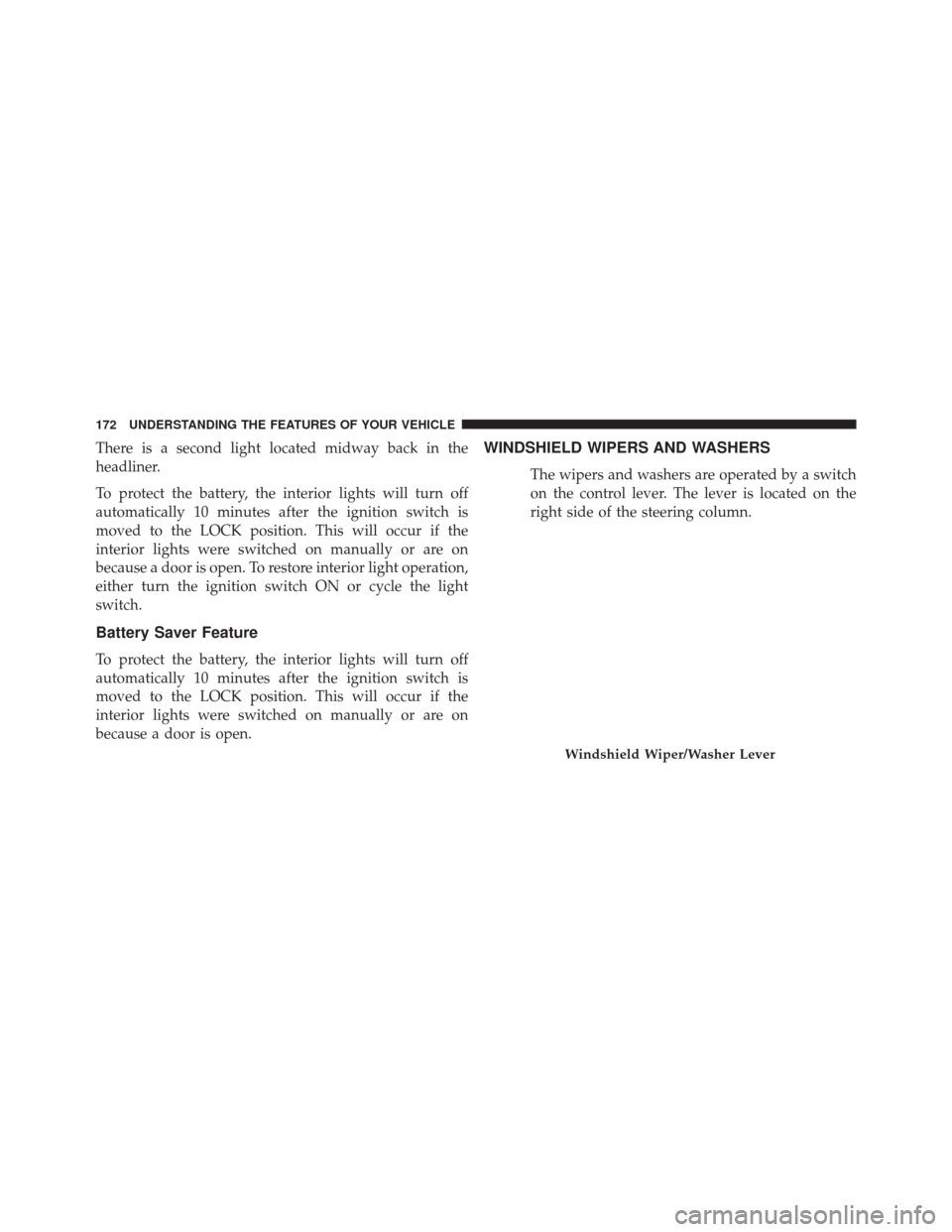
WINDSHIELD WIPERS AND WASHERS
The wipers and washers are operated by a switch
on the control lever. The lever is located on the
right side of the steering column.
Windshield Wiper/Washer Lever
172 UNDERSTANDING THE FEATURES OF YOUR VEHICLE
Page 179 of 519
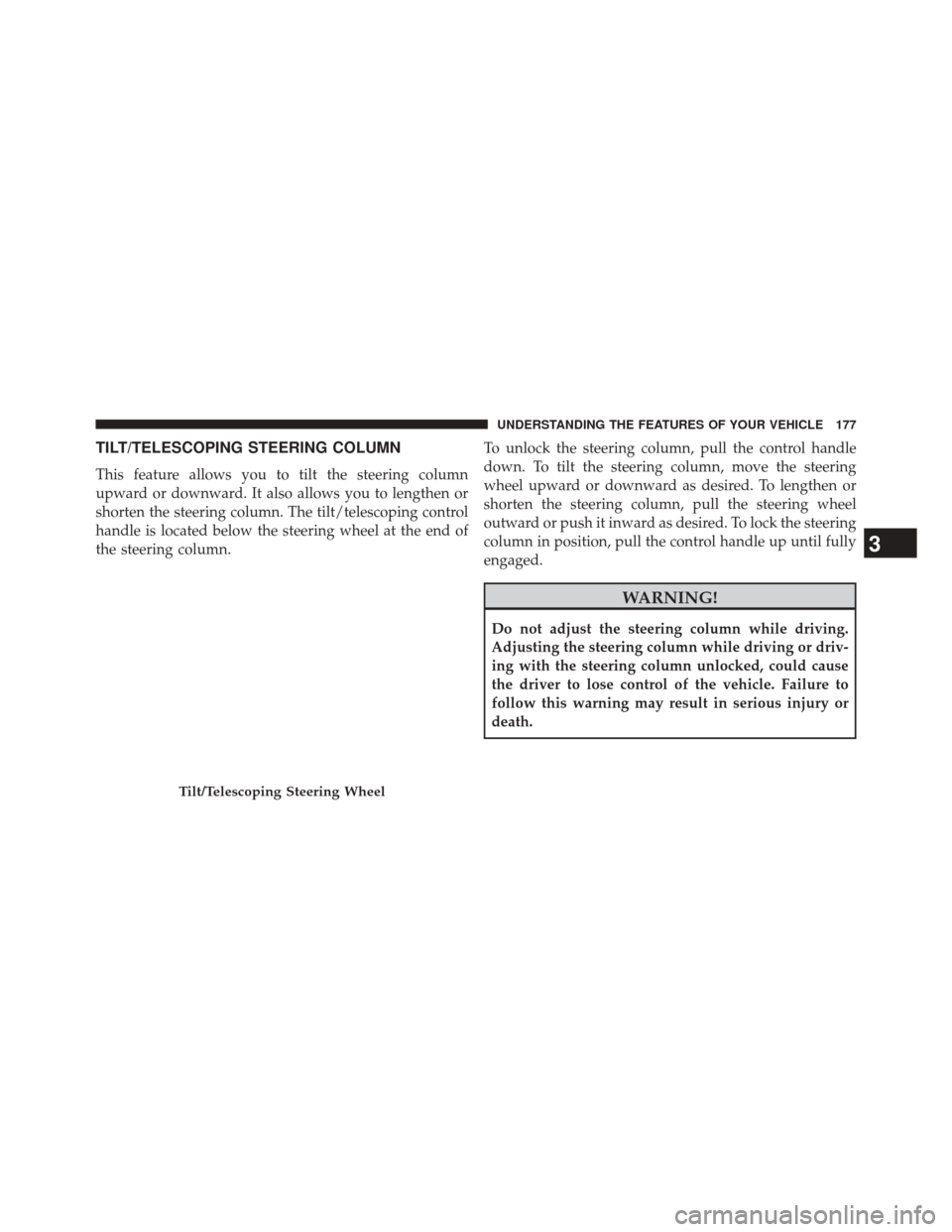
TILT/TELESCOPING STEERING COLUMN
This feature allows you to tilt the steering column
upward or downward. It also allows you to lengthen or
shorten the steering column. The tilt/telescoping control
handle is located below the steering wheel at the end of
the steering column.To unlock the steering column, pull the control handle
down. To tilt the steering column, move the steering
wheel upward or downward as desired. To lengthen or
shorten the steering column, pull the steering wheel
outward or push it inward as desired. To lock the steering
column in position, pull the control handle up until fully
engaged.
WARNING!
Do not adjust the steering column while driving.
Adjusting the steering column while driving or driv-
ing with the steering column unlocked, could cause
the driver to lose control of the vehicle. Failure to
follow this warning may result in serious injury or
death.
Tilt/Telescoping Steering Wheel
3
UNDERSTANDING THE FEATURES OF YOUR VEHICLE 177
Page 190 of 519
successfully accepted the frequency signal. The indi-
cator light will flash slowly and then rapidly when
fully trained.
4. Watch for the HomeLink® indicator to change flash rates. When it changes, it is programmed. It may take
up to 30 seconds or longer in rare cases. The garage
door may open and close while you are programming.
5. Press and hold the programmed HomeLink® button and observe the indicator light.
• If the indicator light stays on constantly, program-
ming is complete and the garage door/device should
activate when the HomeLink® button is pressed.
• To program the two remaining HomeLink® buttons,
repeat each step for each remaining button. DO NOT
erase the channels.
If you unplugged the garage door opener/device for
programming, plug it back in at this time.Reprogramming A Single HomeLink® Button
To reprogram a channel that has been previously trained,
follow these steps:
1. Cycle the ignition to the ON/RUN position.
2. Press and hold the desired HomeLink® button until the indicator light begins to flash after 20 seconds.
Do not release the button.
3.
Without releasing the buttonproceed with “Cana-
dian/Gate Operator Programming” Step 2 and follow
all remaining steps.
Using HomeLink®
To operate, press and release the programmed HomeLink®
button. Activation will now occur for the programmed
device (i.e., garage door opener, gate operator, security
system, entry door lock, home/office lighting, etc.,). The
hand-held transmitter of the device may also be used at
any time.
188 UNDERSTANDING THE FEATURES OF YOUR VEHICLE