Page 207 of 519
REAR WINDOW FEATURES
Rear Window Defroster
The rear window defroster button is located on
the climate control (Mode) knob. Press this button
to turn on the rear window defroster and the heated
outside mirrors (if equipped). An indicator in the button
will illuminate when the rear window defroster is on.
The rear window defroster automatically turns off after
approximately 10 minutes. For an additional five minutes
of operation, press the button a second time.
NOTE: To prevent excessive battery drain, use the rear
window defroster only when the engine is operating.
CAUTION!
Failure to follow these cautions can cause damage to
the heating elements:
• Use care when washing the inside of the rear
window. Do not use abrasive window cleaners on
the interior surface of the window. Use a soft cloth
and a mild washing solution, wiping parallel to the
heating elements. Labels can be peeled off after
soaking with warm water.
• Do not use scrapers, sharp instruments, or abrasive
window cleaners on the interior surface of the
window.
• Keep all objects a safe distance from the window.
3
UNDERSTANDING THE FEATURES OF YOUR VEHICLE 205
Page 233 of 519
SELECT ButtonPress and release the SELECT Button to accept
a selection. The SELECT Button also resets
various Trip Functions.
Electronic Vehicle Information Center (EVIC)
Displays
When the appropriate conditions exist, the EVIC displays
the following messages:
•Turn Signal On (with a continuous warning chime
after one mile traveled)
• Left Front Turn Signal Lamp Out (with a single chime)
• Left Rear Turn Signal Lamp Out (with a single chime)
•
Right Front Turn Signal Lamp Out (with a single chime)
• Right Rear Turn Signal Lamp Out (with a single chime) •
RKE (Remote Keyless Entry) Battery Low (with a
single chime)
• Personal Settings Not Avail – Vehicle Not In PARK
• Personal Settings Not Avail – Vehicle in Motion
• Door Ajar (with vehicle graphic showing which door is
open. A single chime sounds if the vehicle is in
motion).
• Doors Ajar (with vehicle graphic showing which doors
are open. A single chime sounds if the vehicle is in
motion).
• Trunk Open (with vehicle graphic showing an open
trunk and A single chime )
• Lights On
• Key In Ignition
4
UNDERSTANDING YOUR INSTRUMENT PANEL 231
Page 238 of 519
NOTE:Magnetic and battery powered devices, (such as
cell phones, iPod’s, radar detectors, PDA’s and laptops)
should be kept away from the top of the instrument panel.
This is where the compass module is located and such
devices may interfere and cause false compass readings.To Change Compass Variance:
1. Turn the ignition switch to the ON position. Leave the shift lever in PARK.
2. Press and release the MENU button until “Personal Settings” displays in the EVIC.
3. Press and release the DOWN button until “Compass Variance” and the current Variance Value displays in
the EVIC.
4. Press and release the SELECT button to increment the Variance Value by one, (one button press per update),
until the proper variance zone is selected according to
the map.
NOTE: The Variance Values will wrap around from 15
back to 1. The Default Variance is Zone 8.
Compass Variance Map
236 UNDERSTANDING YOUR INSTRUMENT PANEL
Page 271 of 519
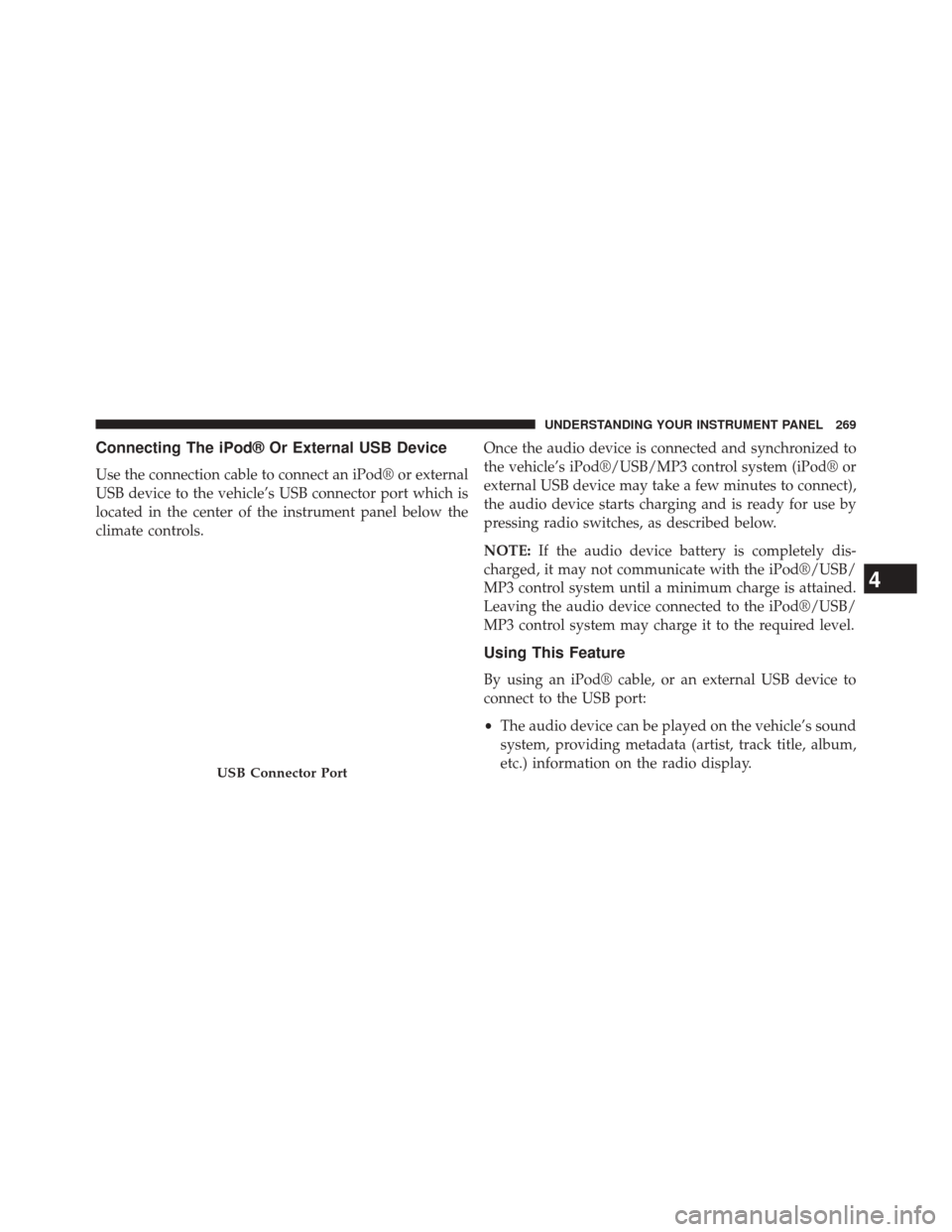
Connecting The iPod® Or External USB Device
Use the connection cable to connect an iPod® or external
USB device to the vehicle’s USB connector port which is
located in the center of the instrument panel below the
climate controls.Once the audio device is connected and synchronized to
the vehicle’s iPod®/USB/MP3 control system (iPod® or
external USB device may take a few minutes to connect),
the audio device starts charging and is ready for use by
pressing radio switches, as described below.
NOTE:
If the audio device battery is completely dis-
charged, it may not communicate with the iPod®/USB/
MP3 control system until a minimum charge is attained.
Leaving the audio device connected to the iPod®/USB/
MP3 control system may charge it to the required level.
Using This Feature
By using an iPod® cable, or an external USB device to
connect to the USB port:
• The audio device can be played on the vehicle’s sound
system, providing metadata (artist, track title, album,
etc.) information on the radio display.
USB Connector Port
4
UNDERSTANDING YOUR INSTRUMENT PANEL 269
Page 272 of 519
•The audio device can be controlled using the radio
buttons to Play, Browse, and List the iPod® contents.
• The audio device battery charges when plugged into
the USB/AUX connector (if supported by the specific
audio device).
Controlling The iPod® Or External USB Device
Using Radio Buttons
To get into the iPod®/USB/MP3 control mode and
access a connected audio device, either press the “AUX”
button on the radio faceplate or press the VR button and
say �USB� or�Switch to USB�. Once in the iPod®/USB/
MP3 control mode, audio tracks (if available from audio
device) start playing over the vehicle’s audio system.
Play Mode
When switched to iPod®/USB/MP3 control mode, the
iPod® or external USB device automatically starts Play mode. In Play mode, the following buttons on the radio
faceplate may be used to control the iPod® or external
USB device and display data:
•
Use the TUNE control knob to select the next or
previous track.
• Turning it clockwise (forward) by one click, while
playing a track, skips to the next track or press the
VR button and say �Next Track�.
• Turning it counterclockwise (backward) by one click,
will jump to the previous track in the list or press the
VR button and say �Previous Track�
• Jump backward in the current track by pressing and
holding the << RWbutton. Holding the << RWbutton
long enough will jump to the beginning of the current
track.
• Jump forward in the current track by pressing and
holding the FF>> button.
270 UNDERSTANDING YOUR INSTRUMENT PANEL
Page 302 of 519
to start, the starter will disengage automatically in 10 sec-
onds. If this occurs, turn the ignition switch to the LOCK
position, wait 10 to 15 seconds, then repeat the “Normal
Starting” procedure.
Extreme Cold Weather (Below –20°F Or 29°C)
To ensure reliable starting at these temperatures, use of
an externally powered electric engine block heater (avail-
able from your authorized dealer) is recommended.
If Engine Fails To Start
WARNING!
•Never pour fuel or other flammable liquid into the
throttle body air inlet opening in an attempt to start
the vehicle. This could result in flash fire causing
serious personal injury.
(Continued)
WARNING! (Continued)
•Do not attempt to push or tow your vehicle to get it
started. Vehicles equipped with an automatic trans-
mission cannot be started this way. Unburned fuel
could enter the catalytic converter and once the
engine has started, ignite and damage the converter
and vehicle.
• If the vehicle has a discharged battery, booster
cables may be used to obtain a start from a booster
battery or the battery in another vehicle. This type
of start can be dangerous if done improperly. Refer
to “Jump Starting” in “What To Do In Emergen-
cies” for further information.
300 STARTING AND OPERATING
Page 374 of 519
E-85 Usage In Non-Flex Fuel Vehicles
Non-FFV vehicles are compatible with gasoline contain-
ing 10% ethanol (E10). Gasoline with higher ethanol
content may void the New Vehicle Limited Warranty.
If a Non-FFV vehicle is inadvertently fueled with E-85
fuel, the engine will have some or all of these symptoms:
•operate in a lean mode
• OBD II “Malfunction Indicator Light” on
• poor engine performance
• poor cold start and cold drivability
• increased risk for fuel system component corrosion To fix a Non-FFV vehicle inadvertently fueled once with
E-85 perform the following:
•
drain the fuel tank (see your authorized dealer)
• change the engine oil and oil filter
• disconnect and reconnect the battery to reset the
engine controller memory
More extensive repairs will be required for prolonged
exposure to E-85 fuel.
MMT In Gasoline
MMT (Methylcyclopentadienyl Manganese Tricarbonyl)
is a manganese-containing metallic additive that is
blended into some gasoline to increase octane. Gasoline
blended with MMT provides no performance advantage
372 STARTING AND OPERATING
Page 394 of 519
The electrical connections are all complete to the vehicle,
but you must mate the harness to a trailer connector.
Refer to the following illustrations.
1 — Female Pins4 — Park
2 — Male Pin 5 — Left Stop/Turn
3 — Ground 6 — Right Stop/Turn
1 — Battery5 — Ground
2 — Backup Lamps 6 — Left Stop/Turn
3 — Right Stop/Turn 7 — Running Lamps
4 — Electric Brakes
392 STARTING AND OPERATING