2013 CHEVROLET TRAX fog light
[x] Cancel search: fog lightPage 137 of 408

Black plate (33,1)Chevrolet TRAX Owner Manual - 2013 - CRC - 3/6/13
Instruments and Controls 5-33
Press Auto Fan Speed when
highlighted. Select Low, Medium,
or High. Press
4.
Auto Compartment Zone Temp
This allows the selection of the
compartment zone temperature
setting when the vehicle is
restarted.
Press Auto Compartment Zone
Temp when highlighted. Select
Single Zone, Dual Zone, or Last
Setting. Press
4.
Rear Zone Temp
This allows the selection of the rear
temperature setting when the
vehicle is restarted.
Press Rear Zone Temp when
highlighted. Select Off, Rear Mimic
Front, or Rear Last Known.
Press
4.
Air Quality Sensor
This allows the selection of whether
the system will operate at high or
low sensitivity. Press Air Quality Sensor when
highlighted. Select Off, Low
Sensitivity, High Sensitivity.
Press
4.
Air Conditioning Mode
This allows the selection of
automatic start of the air
conditioning upon vehicle start.
Selecting On indicates the air
conditioning will be on when the
vehicle is started. Selecting Off
turns the air conditioning off each
time the vehicle is started. Last
Setting will resume the last setting
when the vehicle was shut off.
Press Air Conditioning Mode when
highlighted. Select Off, On, or Last
Setting. Press
4.
Auto Defog
This allows the auto defog to be
turned on or off.
Press Auto Defog when highlighted.
Select On or Off. Press
4. Auto Rear Defog
This allows the auto rear defog to
be turned on or off. This feature will
automatically turn on the rear
window defogger when it is cold
outside.
Press Auto Rear Defog when
highlighted. Select On or Off.
Press
4.
Auto Cooled Vented Seats
When on, this feature will turn the
cooled seats on when using remote
start on warm days.
Press Auto Cooled Vented Seats
when highlighted. Select On or Off.
Press
4.
Auto Heated Seats
When on, this feature will turn the
heated seats on.
Press Auto Heated Seats when
highlighted. Select On or Off.
Press
4.
Page 145 of 408

Black plate (1,1)Chevrolet TRAX Owner Manual - 2013 - CRC - 3/6/13
Lighting 6-1
Lighting
Exterior Lighting
Exterior Lamp Controls . . . . . . . . 6-1
Headlamp High/Low-BeamChanger . . . . . . . . . . . . . . . . . . . . . 6-2
Flash-to-Pass . . . . . . . . . . . . . . . . . 6-2
Daytime Running Lamps (DRL) . . . . . . . . . . . . . . . . 6-2
Automatic Headlamp System . . . . . . . . . . . . . . . . . . . . . . 6-3
Hazard Warning Flashers . . . . . 6-4
Turn and Lane-Change Signals . . . . . . . . . . . . . . . . . . . . . . 6-4
Front Fog Lamps . . . . . . . . . . . . . . 6-4
Interior Lighting
Instrument Panel Illumination Control . . . . . . . . . . . . . . . . . . . . . . 6-5
Courtesy Lamps . . . . . . . . . . . . . . 6-5
Dome Lamps . . . . . . . . . . . . . . . . . 6-6
Reading Lamps . . . . . . . . . . . . . . . 6-6
Lighting Features
Battery Load Management . . . . 6-6
Battery Power Protection . . . . . . 6-7
Exterior Lighting
Exterior Lamp Controls
The exterior lamp control is to the
left of the steering column on the
instrument panel.
There are four positions:
O(Off): Briefly turn to this position
to turn the automatic lamp control
off or on again. AUTO (Automatic):
Turns the
headlamps on automatically at
normal brightness, together with the
following:
.Parking Lamps
.Taillamps
.License Plate Lamps
.Instrument Panel Lights
.Sidemarker Lamps
;(Parking Lamps): Turns the
parking lamps on together with the
following:
.Taillamps
.License Plate Lamps
.Instrument Panel Lights
.Sidemarker Lamps
Page 146 of 408
Black plate (2,1)Chevrolet TRAX Owner Manual - 2013 - CRC - 3/6/13
6-2 Lighting
5(Headlamps):Turns the
headlamps on together with the
lamps listed below. A warning chime
sounds if the driver door is opened
when the ignition switch is off and
the headlamps are on.
.Parking Lamps
.Taillamps
.License Plate Lamps
.Instrument Panel Lights
.Sidemarker Lamps
#(Front Fog Lamps): For
vehicles with fog lamps, press to
turn the lamps on or off.
See Front Fog Lamps on page 6‑4.
When the lights are on,
;will be
lit. See Lamps On Reminder on
page 5‑23.
Headlamp High/
Low-Beam Changer
3
(Headlamp High/Low-Beam
Changer): Push the turn signal
lever away from you and release, to
turn the high beams on.
To return to low beams, push the
lever again or pull it toward you and
release.
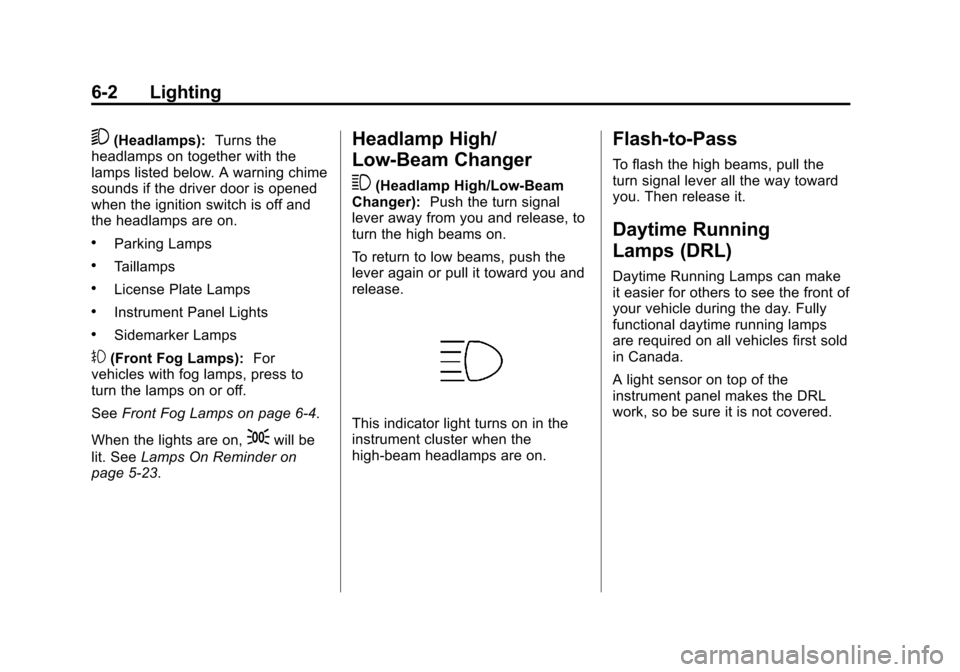
This indicator light turns on in the
instrument cluster when the
high-beam headlamps are on.
Flash-to-Pass
To flash the high beams, pull the
turn signal lever all the way toward
you. Then release it.
Daytime Running
Lamps (DRL)
Daytime Running Lamps can make
it easier for others to see the front of
your vehicle during the day. Fully
functional daytime running lamps
are required on all vehicles first sold
in Canada.
A light sensor on top of the
instrument panel makes the DRL
work, so be sure it is not covered.
Page 148 of 408

Black plate (4,1)Chevrolet TRAX Owner Manual - 2013 - CRC - 3/6/13
6-4 Lighting
Hazard Warning Flashers
|(Hazard Warning Flasher):
Press and momentarily hold this
button to make the front and rear
turn signal lamps flash on and off.
This warns others that you are
having trouble. Press and
momentarily hold again to turn the
flashers off.
Turn and Lane-Change
Signals
Move the lever all the way up or
down to signal a turn.
An arrow on the instrument cluster
will flash in the direction of the turn
or lane change.
Raise or lower the lever until the
arrow starts to flash to signal a lane
change. The turn signal flashes
three times.
The lever returns to its starting
position when it is released. If after signaling a turn or lane
change the arrow flashes rapidly or
does not come on, a signal bulb
may be burned out. Replace any
burned out bulbs. If a bulb is not
burned out, check the fuse. See
Fuses and Circuit Breakers on
page 10‑33.
Front Fog Lamps
For vehicles with front fog lamps,
the button is on the outboard side of
the instrument panel.
The ignition must be on to turn on
the fog lamps.
Page 149 of 408

Black plate (5,1)Chevrolet TRAX Owner Manual - 2013 - CRC - 3/6/13
Lighting 6-5
#(Front Fog Lamps):Press to
turn the fog lamps on or off. An
indicator light on the instrument
cluster comes on when the fog
lamps are on.
The fog lamps come on together
with the parking lamps.
If the high-beam headlamps are
turned on, the fog lamps will turn off.
If the high-beam headlamps are
turned off, the fog lamps will turn
back on again.
Some localities have laws that
require the headlamps to be on
along with the fog lamps.Interior Lighting
Instrument Panel
Illumination Control
This feature controls the brightness
of the instrument panel controls and
infotainment display screen. The
thumbwheel is to the left of the
steering column on the instrument
panel.
D(Instrument Panel
Brightness): Move the
thumbwheel up or down and hold, to
brighten or dim the instrument panel
controls and infotainment display
screen.
Courtesy Lamps
The courtesy lamps come on
automatically when any door is
opened and the dome lamp is in the
door position.
Page 151 of 408

Black plate (7,1)Chevrolet TRAX Owner Manual - 2013 - CRC - 3/6/13
Lighting 6-7
The battery can be discharged at
idle if the electrical loads are very
high. This is true for all vehicles.
This is because the generator
(alternator) may not be spinning fast
enough at idle to produce all the
power needed for very high
electrical loads.
A high electrical load occurs when
several of the following are on, such
as: headlamps, high beams, fog
lamps, rear window defogger,
climate control fan at high speed,
heated seats, engine cooling fans,
trailer loads, and loads plugged into
accessory power outlets.EPM works to prevent excessive
discharge of the battery. It does this
by balancing the generator's output
and the vehicle's electrical needs.
It can increase engine idle speed to
generate more power, whenever
needed. It can temporarily reduce
the power demands of some
accessories.
Normally, these actions occur in
steps or levels, without being
noticeable. In rare cases at the
highest levels of corrective action,
this action may be noticeable to
the driver.Battery Power Protection
The battery saver feature is
designed to protect the vehicle's
battery.
If some interior lamps are left on
and the ignition is turned off, the
battery rundown protection system
automatically turns the lamp off after
some time.
Page 216 of 408

Black plate (2,1)Chevrolet TRAX Owner Manual - 2013 - CRC - 3/6/13
8-2 Climate Controls
Temperature Control:Turn
clockwise or counterclockwise to
increase or decrease the
temperature.
A(Fan Control): Turn clockwise
or counterclockwise to increase or
decrease the fan speed. Turning the
fan control to 0 turns the fan off. The
fan must be turned on to run the air
conditioning compressor.
Air Delivery Mode Control: Turn
clockwise or counterclockwise to
change the current airflow mode.
Select from the following air delivery
modes:
Y(Vent): Air is directed to the
instrument panel outlets.
\(Bi-Level): Air is divided
between the instrument panel and
floor outlets.
[(Floor): Air is directed to the
floor outlets, with some air directed
to the rear outlets.
W(Defog): This mode clears the
windows of fog or moisture. Air is
directed to the floor, windshield, and
side window outlets.
1(Defrost): This mode clears the
windshield of fog or frost more
quickly. Air is directed to the
windshield and side window outlets.
Do not drive the vehicle until all
windows are clear.
In defrost or defog mode, excessive
air conditioning use can cause the
windows to fog. If this happens,
change the air delivery mode to
Y
and reduce the fan speed.
#(Air Conditioning): For
vehicles with air conditioning, follow
these steps to use the system. Turn
Ato the desired speed. The air
conditioning does not operate when
the fan control knob is in the off
position. Press
#to turn the air
conditioning on and off. When
#is
pressed, an indicator light comes on
to show that the air conditioning
is on. For quick cool down on hot days, do
the following:
1. Open the windows to let hot air
escape.
2. Press
M.
3. Press
#.
4. Select the coolest temperature.
5. Select the highest
Aspeed.
Using these settings together for
long periods of time may cause the
air inside the vehicle to become too
dry. To prevent this from happening,
after the air in the vehicle has
cooled, turn the recirculation
mode off.
M(Recirculation): This mode
recirculates and helps to quickly
cool the air inside the vehicle. It can
be used to prevent outside air and
odors from entering the vehicle.
Page 217 of 408

Black plate (3,1)Chevrolet TRAX Owner Manual - 2013 - CRC - 3/6/13
Climate Controls 8-3
Press the button to turn the
recirculation mode on. An indicator
light comes on to show that the
recirculation is on. Press the button
again to return to outside air mode.
Using the recirculation mode for
extended periods may cause the
windows to fog. If this happens,
select the defrost mode.
M/L(Heated Seats, If
Equipped): Press to heat the driver
or passenger seat. See Heated
Front Seats on page 3‑7.
Rear Window and Outside
Mirror Defogger
1(Rear Window Defogger):
Press to turn the rear window and
outside mirror defogger on or off.
An indicator light comes on to show
that the feature is on.
The rear window defogger turns off
after about 10 minutes. It can also
be turned off by pressing
1again
or by turning the ignition to ACC/
ACCESSORY or LOCK/OFF.
If turned on again it runs for about
five minutes before turning off. For vehicles with heated outside
rearview mirrors, they turn on with
the rear window defogger and help
to clear fog or frost from the surface
of the mirror. See
Heated Mirrors on
page 2‑12.
Notice: Do not use anything
sharp on the inside of the rear
window. If you do, you could cut
or damage the warming grid, and
the repairs would not be covered
by the vehicle warranty. Do not
attach a temporary vehicle
license, tape, a decal, or anything
similar to the defogger grid.