2013 CHEVROLET SONIC brake
[x] Cancel search: brakePage 223 of 382
Black plate (27,1)Chevrolet Sonic Owner Manual - 2013 - 2nd PrintReady - 10/11/12
Driving and Operating 9-27
Notice:Driving with the parking
brake on can overheat the brake
system and cause premature
wear or damage to brake system
parts. Make sure that the parking
brake is fully released and the
brake warning light is off before
driving.
Brake Assist
This vehicle has a brake assist
feature designed to assist the driver
in stopping or decreasing vehicle
speed in emergency driving
conditions. This feature uses the
stability system hydraulic brake
control module to supplement the
power brake system under
conditions where the driver has
quickly and forcefully applied the
brake pedal in an attempt to quickly
stop or slow down the vehicle. The
stability system hydraulic brake
control module increases brake
pressure at each corner of the
vehicle until the ABS activates. Minor brake pedal pulsation or
pedal movement during this time is
normal and the driver should
continue to apply the brake pedal as
the driving situation dictates. The
brake assist feature will
automatically disengage when the
brake pedal is released or brake
pedal pressure is quickly
decreased.Hill Start Assist (HSA)
This vehicle has a Hill Start Assist
(HSA) feature, which may be useful
when the vehicle is stopped on a
grade. This feature is designed to
prevent the vehicle from rolling,
either forward or rearward, during
vehicle drive off. After the driver
completely stops and holds the
vehicle in a complete standstill on a
grade, HSA will be automatically
activated. During the transition
period between when the driver
releases the brake pedal and starts
to accelerate to drive off on a grade,HSA holds the braking pressure to
ensure that there is no rolling. The
brakes will automatically release
when the accelerator pedal is
applied within the two-second
window. It will not activate if the
vehicle is in a drive gear and facing
downhill, or if the vehicle is facing
uphill and in R (Reverse).
Page 224 of 382
Black plate (28,1)Chevrolet Sonic Owner Manual - 2013 - 2nd PrintReady - 10/11/12
9-28 Driving and Operating
Ride Control Systems
Traction Control
System (TCS)
The vehicle has a Traction Control
System (TCS) that limits wheel spin.
On a front-wheel-drive vehicle, the
system operates if it senses that
one or both of the front wheels are
spinning or beginning to lose
traction. When this happens, the
system brakes the spinning
wheel(s), and/or reduces engine
power to limit wheel spin.
The system may be heard or felt
while it is working, but this is
normal.
TCS is on whenever the vehicle is
started. To limit wheel spin,
especially in slippery road
conditions, the system should
always be left on. But, TCS can be
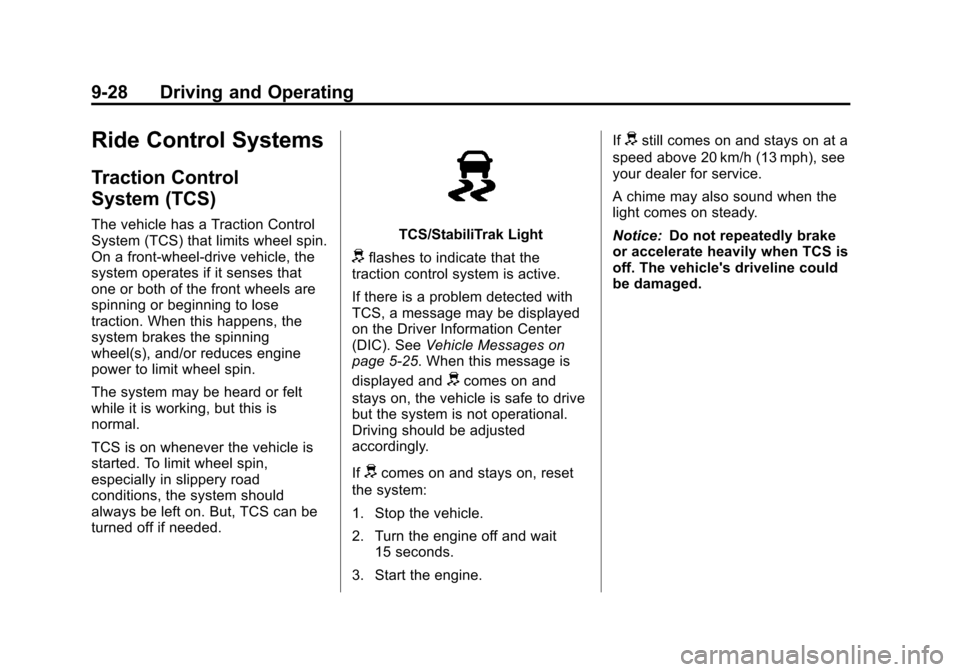
turned off if needed.TCS/StabiliTrak Light
dflashes to indicate that the
traction control system is active.
If there is a problem detected with
TCS, a message may be displayed
on the Driver Information Center
(DIC). See Vehicle Messages on
page 5‑25. When this message is
displayed and
dcomes on and
stays on, the vehicle is safe to drive
but the system is not operational.
Driving should be adjusted
accordingly.
If
dcomes on and stays on, reset
the system:
1. Stop the vehicle.
2. Turn the engine off and wait 15 seconds.
3. Start the engine. If
dstill comes on and stays on at a
speed above 20 km/h (13 mph), see
your dealer for service.
A chime may also sound when the
light comes on steady.
Notice: Do not repeatedly brake
or accelerate heavily when TCS is
off. The vehicle's driveline could
be damaged.
Page 225 of 382
Black plate (29,1)Chevrolet Sonic Owner Manual - 2013 - 2nd PrintReady - 10/11/12
Driving and Operating 9-29
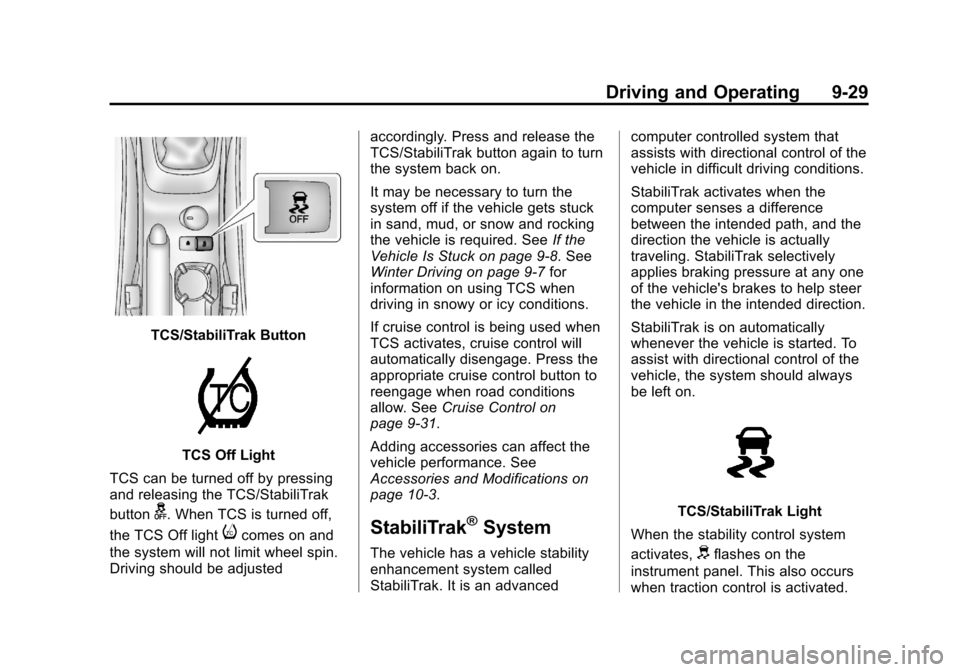
TCS/StabiliTrak Button
TCS Off Light
TCS can be turned off by pressing
and releasing the TCS/StabiliTrak
button
g. When TCS is turned off,
the TCS Off light
icomes on and
the system will not limit wheel spin.
Driving should be adjusted accordingly. Press and release the
TCS/StabiliTrak button again to turn
the system back on.
It may be necessary to turn the
system off if the vehicle gets stuck
in sand, mud, or snow and rocking
the vehicle is required. See
If the
Vehicle Is Stuck on page 9‑8. See
Winter Driving on page 9‑7 for
information on using TCS when
driving in snowy or icy conditions.
If cruise control is being used when
TCS activates, cruise control will
automatically disengage. Press the
appropriate cruise control button to
reengage when road conditions
allow. See Cruise Control on
page 9‑31.
Adding accessories can affect the
vehicle performance. See
Accessories and Modifications on
page 10‑3.StabiliTrak®System
The vehicle has a vehicle stability
enhancement system called
StabiliTrak. It is an advanced computer controlled system that
assists with directional control of the
vehicle in difficult driving conditions.
StabiliTrak activates when the
computer senses a difference
between the intended path, and the
direction the vehicle is actually
traveling. StabiliTrak selectively
applies braking pressure at any one
of the vehicle's brakes to help steer
the vehicle in the intended direction.
StabiliTrak is on automatically
whenever the vehicle is started. To
assist with directional control of the
vehicle, the system should always
be left on.
TCS/StabiliTrak Light
When the stability control system
activates,
dflashes on the
instrument panel. This also occurs
when traction control is activated.
Page 226 of 382
Black plate (30,1)Chevrolet Sonic Owner Manual - 2013 - 2nd PrintReady - 10/11/12
9-30 Driving and Operating
A noise may be heard or vibration
may be felt in the brake pedal. This
is normal. Continue to steer the
vehicle in the intended direction.
If there is a problem detected with
StabiliTrak, a message is displayed
on the Driver Information Center
(DIC). SeeVehicle Messages on
page 5‑25. When this message is
displayed and/or
dcomes on and
stays on, the vehicle is safe to drive
but the system is not operational.
Driving should be adjusted
accordingly.
If
dcomes on and stays on, reset
the system:
1. Stop the vehicle.
2. Turn the engine off and wait 15 seconds.
3. Start the engine.
If
dstill comes on and stays on at a
speed above 20 km/h (13 mph), see
your dealer for service.
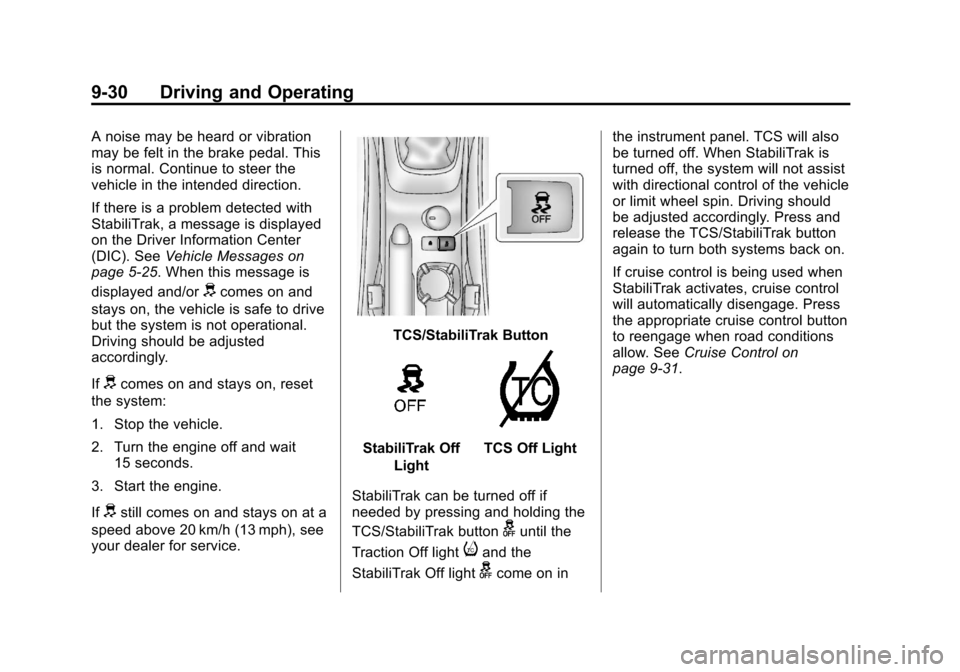
TCS/StabiliTrak Button
StabiliTrak Off
LightTCS Off Light
StabiliTrak can be turned off if
needed by pressing and holding the
TCS/StabiliTrak button
guntil the
Traction Off light
iand the
StabiliTrak Off light
gcome on in the instrument panel. TCS will also
be turned off. When StabiliTrak is
turned off, the system will not assist
with directional control of the vehicle
or limit wheel spin. Driving should
be adjusted accordingly. Press and
release the TCS/StabiliTrak button
again to turn both systems back on.
If cruise control is being used when
StabiliTrak activates, cruise control
will automatically disengage. Press
the appropriate cruise control button
to reengage when road conditions
allow. See
Cruise Control on
page 9‑31.
Page 227 of 382
Black plate (31,1)Chevrolet Sonic Owner Manual - 2013 - 2nd PrintReady - 10/11/12
Driving and Operating 9-31
Cruise Control
For vehicles with cruise control, the
vehicle can maintain a speed of
about 40 km/h (25 mph) or more
without keeping your foot on the
accelerator. Cruise control does not
work at speeds below 40 km/h
(25 mph).
If the brakes are applied, the cruise
control shuts off.
If the vehicle's Traction Control
System (TCS) or StabiliTrak system
begins to limit wheel spin while
using cruise control, the cruise
control will automatically disengage.
SeeTraction Control System (TCS)
on page 9‑28 orStabiliTrak
®System
on page 9‑29. When road conditions
allow you to safely use it again, the
cruise control can be turned
back on.
{WARNING
Cruise control can be dangerous
where you cannot drive safely at
a steady speed. So, do not use
the cruise control on winding
roads or in heavy traffic.
Cruise control can be dangerous
on slippery roads. On such roads,
fast changes in tire traction can
cause excessive wheel slip, and
you could lose control. Do not use
cruise control on slippery roads.
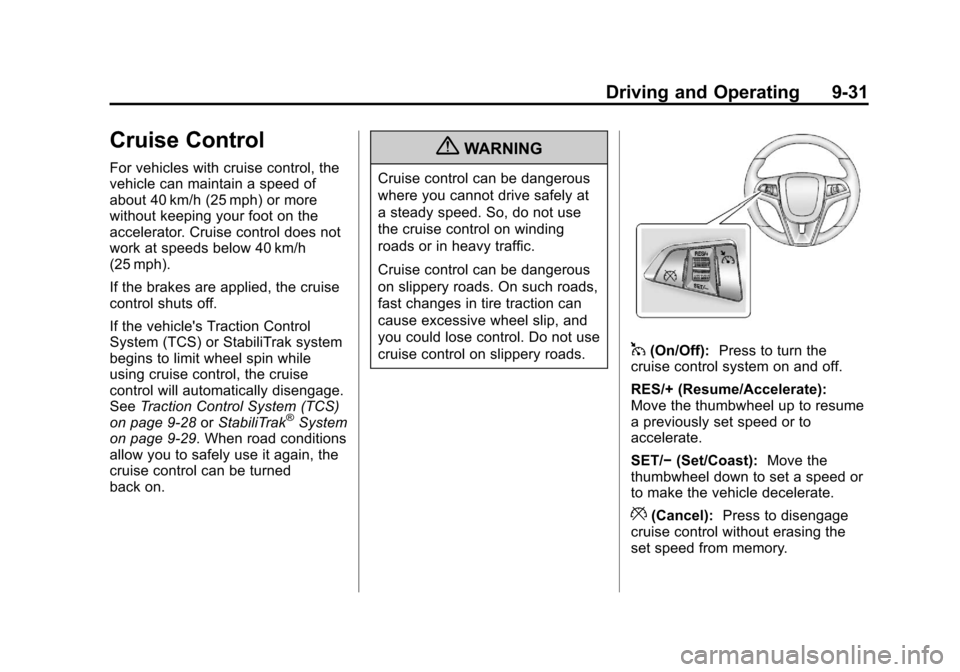
1(On/Off): Press to turn the
cruise control system on and off.
RES/+ (Resume/Accelerate):
Move the thumbwheel up to resume
a previously set speed or to
accelerate.
SET/− (Set/Coast): Move the
thumbwheel down to set a speed or
to make the vehicle decelerate.
*(Cancel): Press to disengage
cruise control without erasing the
set speed from memory.
Page 228 of 382
Black plate (32,1)Chevrolet Sonic Owner Manual - 2013 - 2nd PrintReady - 10/11/12
9-32 Driving and Operating
Setting Cruise Control
If
1is on when not in use, it could
get bumped and go into cruise when
not desired. Keep
1off when cruise
control is not being used.
To set cruise control:
1. Press
1.
2. Get to the speed desired.
3. Move the thumbwheel down to SET/- and release it.
4. Take your foot off the accelerator pedal.
Resuming a Set Speed
If the cruise control is set at a
desired speed and then the brakes
or clutch for manual transmissions
are applied, the cruise control is
disengaged without erasing the set
speed from memory.
Once the vehicle reaches about
40 km/h (25 mph) or more, move the
thumbwheel up toward RES/+ briefly. The vehicle returns to the
speed selected previously and stays
there.
Increasing Speed While Using
Cruise Control
If the cruise control system is
already activated:.Move the thumbwheel up toward
RES/+ and hold it until the
desired speed is reached, then
release it.
.To increase the speed in small
amounts, move the thumbwheel
up toward RES/+ briefly and
then release it. Each time this is
done, the vehicle goes about
1.6 km/h (1 mph) faster.
Reducing Speed While Using
Cruise Control
If the cruise control system is
already activated:
.Move the thumbwheel toward
SET/− and hold until the desired
lower speed is reached, then
release it.
.To slow down in small amounts,
move the thumbwheel toward
SET/− briefly. Each time this is
done, the vehicle goes about
1.6 km/h (1 mph) slower.
Passing Another Vehicle While
Using Cruise Control
Use the accelerator pedal to
increase the vehicle speed. When
you take your foot off the pedal, the
vehicle slows down to the previous
set cruise control speed.
Using Cruise Control on Hills
How well cruise control works on
hills depends on the vehicle speed,
load, and the steepness of the hills.
When going up steep hills, you
might have to step on the
accelerator pedal to maintain the
vehicle speed. When going
downhill, you might have to brake or
shift to a lower gear to maintain the
vehicle speed. When the brakes are
applied, cruise control is
disengaged.
Page 229 of 382
Black plate (33,1)Chevrolet Sonic Owner Manual - 2013 - 2nd PrintReady - 10/11/12
Driving and Operating 9-33
Ending Cruise Control
There are three ways to end cruise
control:
.To disengage cruise control,
step lightly on the brake pedal or
clutch for manual transmission.
.Press*on the steering wheel.
.To turn off cruise control, press1on the steering wheel.
Erasing Speed Memory
The cruise control set speed is
erased from memory if the
1button
is pressed or if the ignition is
turned off.
Fuel
Use of the recommended fuel is an
important part of the proper
maintenance of this vehicle. To help
keep the engine clean and maintain
optimum vehicle performance, we
recommend the use of gasoline
advertised as TOP TIER Detergent
Gasoline.
Look for the TOP TIER label on the
fuel pump to ensure gasoline meets
enhanced detergency standards
developed by auto companies. A list
of marketers providing TOP TIER
Detergent Gasoline can be found at
www.toptiergas.com. TOP TIER
gasoline is only available in the U.S.
and Canada.
Recommended Fuel
Use regular unleaded gasoline with
a posted octane rating of 87 or
higher. If the octane rating is less
than 87, an audible knocking noise,
commonly referred to as spark
knock, might be heard when driving.
If this occurs, use a gasoline rated
at 87 octane or higher as soon as
possible. If heavy knocking is heard
when using gasoline rated at
87 octane or higher, the engine
needs service.
Page 235 of 382
Black plate (1,1)Chevrolet Sonic Owner Manual - 2013 - 2nd PrintReady - 10/11/12
Vehicle Care 10-1
Vehicle Care
General Information
General Information . . . . . . . . . . 10-2
California Proposition65 Warning . . . . . . . . . . . . . . . . . 10-2
California Perchlorate Materials Requirements . . . . 10-3
Accessories and Modifications . . . . . . . . . . . . . . . 10-3
Vehicle Checks
Doing Your OwnService Work . . . . . . . . . . . . . . . 10-3
Hood . . . . . . . . . . . . . . . . . . . . . . . . 10-4
Engine Compartment Overview . . . . . . . . . . . . . . . . . . . 10-6
Engine Oil . . . . . . . . . . . . . . . . . . . 10-9
Engine Oil Life System . . . . . 10-11
Automatic Transmission Fluid . . . . . . . . . . . . . . . . . . . . . . 10-13
Manual Transmission Fluid . . . . . . . . . . . . . . . . . . . . . . 10-13
Hydraulic Clutch . . . . . . . . . . . . 10-13
Engine Air Cleaner/Filter . . . . 10-13
Cooling System . . . . . . . . . . . . 10-15
Engine Coolant . . . . . . . . . . . . . 10-16
Engine Overheating . . . . . . . . 10-19 Washer Fluid . . . . . . . . . . . . . . . 10-20
Brakes . . . . . . . . . . . . . . . . . . . . . 10-21
Brake Fluid . . . . . . . . . . . . . . . . . 10-22
Battery . . . . . . . . . . . . . . . . . . . . . 10-23
Starter Switch Check . . . . . . . 10-24
Automatic Transmission Shift
Lock Control Function
Check . . . . . . . . . . . . . . . . . . . . . 10-25
Ignition Transmission Lock Check . . . . . . . . . . . . . . . . . . . . . 10-25
Park Brake and P (Park) Mechanism Check . . . . . . . . 10-25
Wiper Blade Replacement . . . . . . . . . . . . . . 10-26
Headlamp Aiming
Headlamp Aiming . . . . . . . . . . 10-27
Bulb Replacement
Bulb Replacement . . . . . . . . . . 10-27
Halogen Bulbs . . . . . . . . . . . . . . 10-27
Headlamps, Front TurnSignal and Parking
Lamps . . . . . . . . . . . . . . . . . . . . 10-28
Fog Lamps (LS, LT, and LTZ) . . . . . . . . . . . . . . . . . . 10-29
Fog Lamps (RS) . . . . . . . . . . . . 10-29 Taillamps, Turn Signal,
Stoplamps, and Back-Up
Lamps . . . . . . . . . . . . . . . . . . . . 10-30
License Plate Lamp . . . . . . . . 10-31
Replacement Bulbs . . . . . . . . . 10-31
Electrical System
Electrical System Overload . . . . . . . . . . . . . . . . . . 10-32
Fuses and Circuit Breakers . . . . . . . . . . . . . . . . . . 10-32
Engine Compartment Fuse Block . . . . . . . . . . . . . . . . . . . . . 10-33
Instrument Panel Fuse Block . . . . . . . . . . . . . . . . . . . . . 10-37
Wheels and Tires
Tires . . . . . . . . . . . . . . . . . . . . . . . . 10-39
All-Season Tires . . . . . . . . . . . . 10-40
Winter Tires . . . . . . . . . . . . . . . . 10-41
Summer Tires . . . . . . . . . . . . . . 10-41
Tire Sidewall Labeling . . . . . . 10-41
Tire Designations . . . . . . . . . . . 10-43
Tire Terminology andDefinitions . . . . . . . . . . . . . . . . 10-44
Tire Pressure . . . . . . . . . . . . . . . 10-47
Tire Pressure Monitor System . . . . . . . . . . . . . . . . . . . 10-48