2013 CHEVROLET SILVERADO key
[x] Cancel search: keyPage 130 of 542
Black plate (2,1)Chevrolet Silverado Owner Manual - 2013 - crc2 - 8/13/12
4-2 Storage
Armrest Storage
Vehicles with a rear seat armrest
have two cupholders. Pull the
armrest down from the rear
seatback to access the cupholders.
Center Console Storage
Vehicles with an upper and lower
center console storage area have
cupholders included.
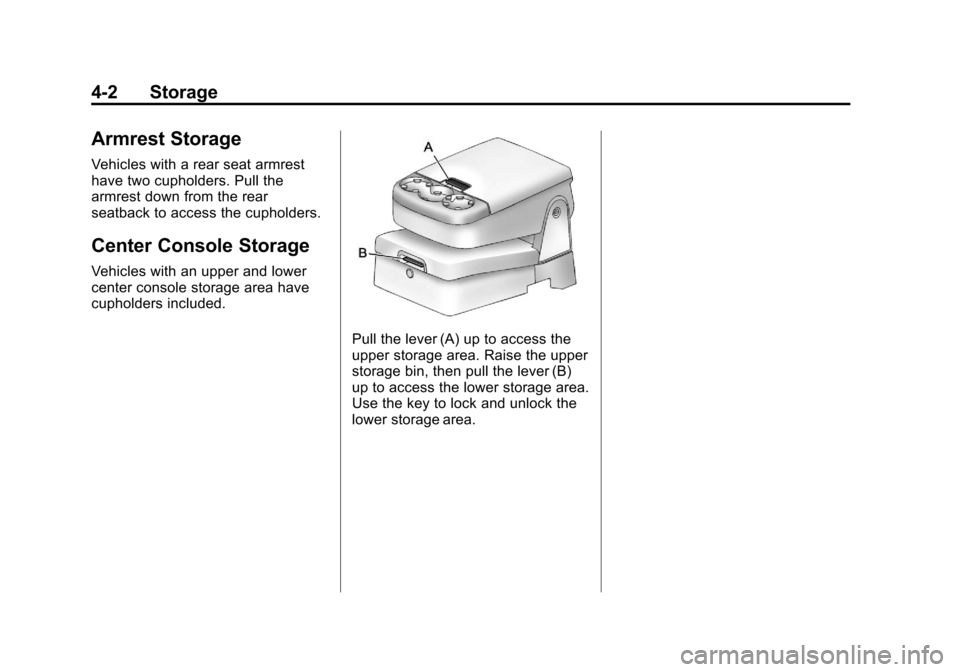
Pull the lever (A) up to access the
upper storage area. Raise the upper
storage bin, then pull the lever (B)
up to access the lower storage area.
Use the key to lock and unlock the
lower storage area.
Page 131 of 542
Black plate (1,1)Chevrolet Silverado Owner Manual - 2013 - crc2 - 8/13/12
Instruments and Controls 5-1
Instruments and
Controls
Controls
Steering Wheel Adjustment . . . 5-2
Steering Wheel Controls . . . . . . 5-2
Horn . . . . . . . . . . . . . . . . . . . . . . . . . . 5-4
Windshield Wiper/Washer . . . . . 5-4
Compass . . . . . . . . . . . . . . . . . . . . . 5-5
Clock . . . . . . . . . . . . . . . . . . . . . . . . . 5-7
Power Outlets . . . . . . . . . . . . . . . . . 5-9
Cigarette Lighter . . . . . . . . . . . . . . 5-9
Ashtrays . . . . . . . . . . . . . . . . . . . . . 5-10
Warning Lights, Gauges, and
Indicators
Warning Lights, Gauges, andIndicators . . . . . . . . . . . . . . . . . . 5-10
Instrument Cluster . . . . . . . . . . . 5-11
Speedometer . . . . . . . . . . . . . . . . 5-12
Odometer . . . . . . . . . . . . . . . . . . . . 5-12
Trip Odometer . . . . . . . . . . . . . . . 5-12
Tachometer . . . . . . . . . . . . . . . . . . 5-12
Fuel Gauge . . . . . . . . . . . . . . . . . . 5-13
Engine Oil Pressure Gauge . . . . . . . . . . . . . . . . . . . . . . 5-14 Engine Coolant Temperature
Gauge . . . . . . . . . . . . . . . . . . . . . . 5-15
Voltmeter Gauge . . . . . . . . . . . . . 5-16
Safety Belt Reminders . . . . . . . 5-16
Airbag Readiness Light . . . . . . 5-17
Airbag On-Off Light . . . . . . . . . . 5-18
Passenger Airbag Status Indicator . . . . . . . . . . . . . . . . . . . . 5-20
Charging System Light . . . . . . 5-21
Malfunction Indicator Lamp . . . . . . . . . . . . . 5-21
Brake System Warning Light . . . . . . . . . . . . . . . . . . . . . . . 5-24
Antilock Brake System (ABS) Warning Light . . . . . . . . . . . . . . 5-24
Four-Wheel-Drive Light . . . . . . 5-25
Tow/Haul Mode Light . . . . . . . . 5-25
StabiliTrak
®OFF Light . . . . . . . 5-25
Traction Control System (TCS)/StabiliTrak
®Light . . . . 5-26
Tire Pressure Light . . . . . . . . . . 5-26
Engine Oil Pressure Light . . . . 5-27
Low Fuel Warning Light . . . . . . 5-27
Security Light . . . . . . . . . . . . . . . . 5-28
High-Beam On Light . . . . . . . . . 5-28
Front Fog Lamp Light . . . . . . . . 5-28
Cruise Control Light . . . . . . . . . 5-28
Information Displays
Driver Information Center (DIC) . . . . . . . . . . . . . . . 5-29
Vehicle Messages
Vehicle Messages . . . . . . . . . . . 5-37
Battery Voltage and ChargingMessages . . . . . . . . . . . . . . . . . . 5-38
Brake System Messages . . . . 5-38
Door Ajar Messages . . . . . . . . . 5-39
Engine Cooling System Messages . . . . . . . . . . . . . . . . . . 5-39
Engine Oil Messages . . . . . . . . 5-40
Engine Power Messages . . . . 5-41
Fuel System Messages . . . . . . 5-41
Key and Lock Messages . . . . . 5-41
Lamp Messages . . . . . . . . . . . . . 5-41
Object Detection System Messages . . . . . . . . . . . . . . . . . . 5-42
Ride Control System Messages . . . . . . . . . . . . . . . . . . 5-42
Airbag System Messages . . . . 5-43
Security Messages . . . . . . . . . . 5-43
Starting the Vehicle Messages . . . . . . . . . . . . . . . . . . 5-43
Tire Messages . . . . . . . . . . . . . . . 5-44
Page 137 of 542

Black plate (7,1)Chevrolet Silverado Owner Manual - 2013 - crc2 - 8/13/12
Instruments and Controls 5-7
2. Press the vehicle informationbutton until PRESS
VTO
CALIBRATE COMPASS
displays. Or, if the vehicle does
not have DIC buttons, press the
trip odometer reset stem until
CALIBRATE COMPASS
displays.
3. Press the set/reset button to start the compass calibration. Or,
if the vehicle does not have DIC
buttons, press and hold the trip
odometer reset stem for
two seconds to start the
compass calibration.
4. The DIC will display CALIBRATING: DRIVE IN
CIRCLES. Drive the vehicle in
tight circles at less than 8 km/h
(5 mph) to complete the
calibration. The DIC will display
CALIBRATION COMPLETE for a
few seconds when the
calibration is complete. The DIC
display will then return to the
previous menu.Clock
AM-FM Radio and AM‐FM
Radio with CD Player
To set the clock:
1. Turn the ignition key to ACC/ACCESSORY or ON/RUN, then
press the
Obutton to turn the
radio on.
2. Press the
Hbutton until the hour
numbers begin to flash, then
turn the
fknob to increase or
decrease the hour.
3. Press the
Hbutton until the
minute numbers begin to flash,
then turn the
fknob to increase
or decrease the minutes.
4. Press the
Hbutton until the
12HR or 24HR time format
begins to flash, then turn the
f
knob to change the time format. 5. Press the
Hbutton again until
the clock display stops flashing
to set the currently displayed
time, or wait until the flashing
stops after five seconds and the
current time displayed
automatically sets.
MP3 Radios with a Single CD
or a Single CD and DVD Player
To adjust the time and date:
1. Turn the ignition key to ACC/ ACCESSORY or ON/RUN, then
press the
Obutton to turn the
radio on.
2. Press the
Hbutton to display
HR, MIN, MM, DD, YYYY (hour,
minute, month, day, and year).
3. Press the softkey located under any one of the tabs to change
that setting.
4. To increase the time or date, do one of the following:
.Press the softkey below the
selected tab.
Page 138 of 542

Black plate (8,1)Chevrolet Silverado Owner Manual - 2013 - crc2 - 8/13/12
5-8 Instruments and Controls
.Press the¨SEEK button.
.Press the\FWD button.
.Turn thefknob clockwise.
5. To decrease the time or date, do one of the following:
.Press the©SEEK button.
.Press thesREV button.
.Turn thefknob
counterclockwise.
To change the time default setting
from 12 hour to 24 hour or to change
the date default setting from month/
day/year to day/month/year:
1. Press the
Hbutton and then the
softkey located below the
forward arrow tab. 12H, 24H, the
date MM/DD (month and day),
and DD/MM (day and month)
displays.
2. Press the softkey located below the desired option. 3. Press the
Hbutton again to
apply the desired option, or let
the screen time out.
MP3 Radio with a Six-Disc CD
Player
To set the time and date:
1. Turn the ignition key to ACC/ ACCESSORY or ON/RUN, then
press the
Obutton to turn the
radio on.
2. Press the MENU button and then the softkey under the
Htab
to display HR, MIN, MM, DD,
YYYY (hour, minute, month, day,
and year).
3. Press the softkey located under any one of the tabs to change
that setting.
4. To increase the time or date, do one of the following:
.Press the softkey below the
selected tab.
.Press the¨SEEK button.
.Press the\FWD button.
.Turn thefknob clockwise.
5. To decrease the time or date, do one of the following:
.Press the©SEEK button.
.Press thesREV button.
.Turn thefknob
counterclockwise.
To change the time default setting
from 12 hour to 24 hour or to change
the date default setting from month/
day to day/month:
1. Press the MENU button and then the softkey under the
Htab.
2. Press the softkey located below the forward arrow tab. 12H, 24H,
the date MM/DD (month and
day), and DD/MM (day and
month) displays.
3. Press the softkey located below the desired option.
Page 151 of 542
Black plate (21,1)Chevrolet Silverado Owner Manual - 2013 - crc2 - 8/13/12
Instruments and Controls 5-21
{WARNING
If the airbag readiness light ever
comes on and stays on, it means
that something may be wrong
with the airbag system. To help
avoid injury to yourself or others,
have the vehicle serviced right
away. SeeAirbag Readiness
Light on page 5‑17 for more
information, including important
safety information.
Charging System Light
This light comes on briefly when the
ignition key is turned to START, but
the engine is not running, as a
check to show it is working. If it does not, have the vehicle
serviced by your dealer.
The light should go out once the
engine starts. If it stays on,
or comes on while driving, there
could be a problem with the
charging system. A charging system
message in the Driver Information
Center (DIC) can also appear. See
Battery Voltage and Charging
Messages on page 5‑38
for more
information. This light could indicate
that there are problems with a
generator drive belt, or that there is
an electrical problem. Have it
checked right away. If the vehicle
must be driven a short distance with
the light on, turn off accessories,
such as the radio and air
conditioner.
If the vehicle is a hybrid, see the
hybrid supplement for more
information.
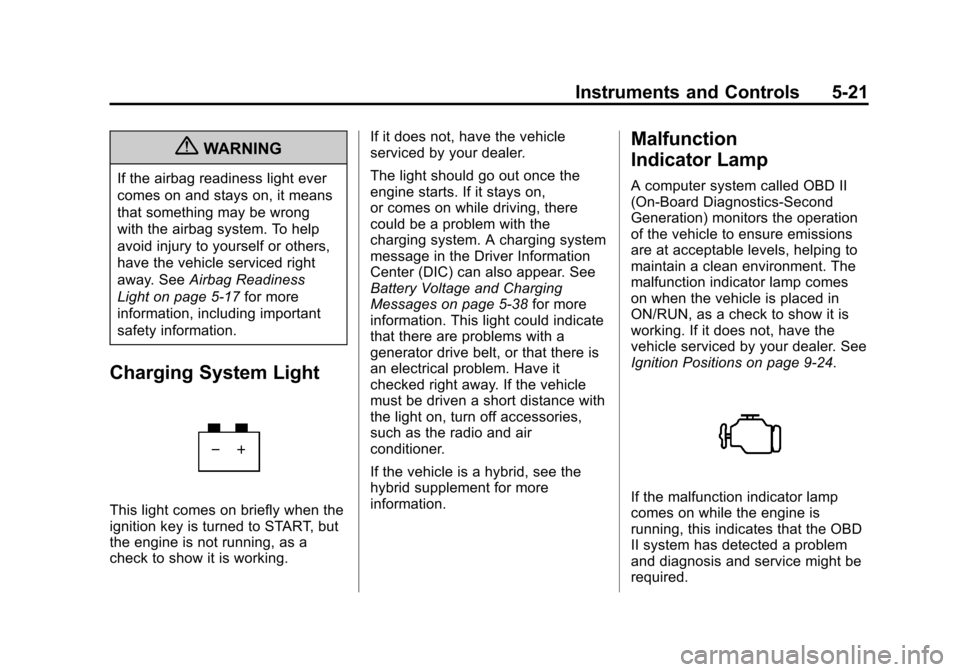
Malfunction
Indicator Lamp
A computer system called OBD II
(On-Board Diagnostics-Second
Generation) monitors the operation
of the vehicle to ensure emissions
are at acceptable levels, helping to
maintain a clean environment. The
malfunction indicator lamp comes
on when the vehicle is placed in
ON/RUN, as a check to show it is
working. If it does not, have the
vehicle serviced by your dealer. See
Ignition Positions on page 9‑24.
If the malfunction indicator lamp
comes on while the engine is
running, this indicates that the OBD
II system has detected a problem
and diagnosis and service might be
required.
Page 154 of 542
Black plate (24,1)Chevrolet Silverado Owner Manual - 2013 - crc2 - 8/13/12
5-24 Instruments and Controls
Brake System Warning
Light
With the ignition on, the brake
system warning light comes on
when the parking brake is set. If the
vehicle is driven with the parking
brake engaged, a chime sounds
when the vehicle speed is greater
than 8 km/h (5 mph).
The vehicle brake system consists
of two hydraulic circuits. If one
circuit is not working, the remaining
circuit can still work to stop the
vehicle. For normal braking
performance, both circuits need to
be working.
If the warning light comes on and a
chime sounds there could be a
brake problem. Have the brake
system inspected right away.
This light can also come on due to
low brake fluid. SeeBrake Fluid on
page 10‑26 for more information.
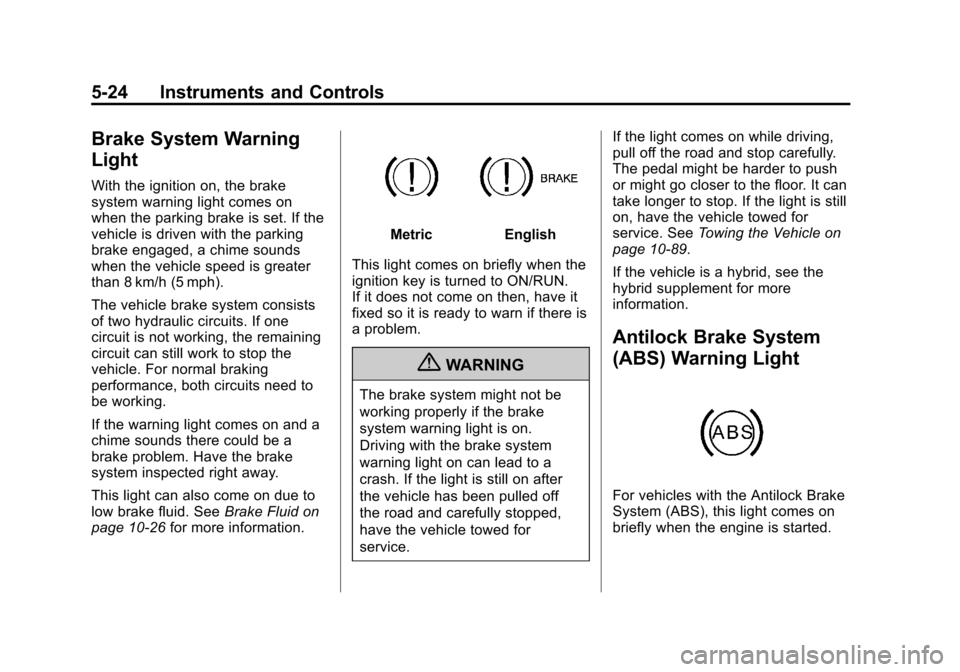
MetricEnglish
This light comes on briefly when the
ignition key is turned to ON/RUN.
If it does not come on then, have it
fixed so it is ready to warn if there is
a problem.
{WARNING
The brake system might not be
working properly if the brake
system warning light is on.
Driving with the brake system
warning light on can lead to a
crash. If the light is still on after
the vehicle has been pulled off
the road and carefully stopped,
have the vehicle towed for
service. If the light comes on while driving,
pull off the road and stop carefully.
The pedal might be harder to push
or might go closer to the floor. It can
take longer to stop. If the light is still
on, have the vehicle towed for
service. See
Towing the Vehicle on
page 10‑89.
If the vehicle is a hybrid, see the
hybrid supplement for more
information.
Antilock Brake System
(ABS) Warning Light
For vehicles with the Antilock Brake
System (ABS), this light comes on
briefly when the engine is started.
Page 171 of 542

Black plate (41,1)Chevrolet Silverado Owner Manual - 2013 - crc2 - 8/13/12
Instruments and Controls 5-41
Engine Power Messages
ENGINE POWER IS REDUCED
This message displays and a chime
may sound when the cooling system
temperature gets too hot and the
engine further enters the engine
coolant protection mode. See
Engine Overheating on page 10‑21
for more information.
This message also displays when
the vehicle's engine power is
reduced. Reduced engine power
can affect the vehicle's ability to
accelerate. If this message is on,
but there is no reduction in
performance, proceed to your
destination. The performance may
be reduced the next time the vehicle
is driven. The vehicle may be driven
at a reduced speed while this
message is on, but acceleration and
speed may be reduced. Anytime
this message stays on, the vehicle
should be taken to your dealer for
service as soon as possible.
Fuel System Messages
FUEL LEVEL LOW
This message displays and a chime
may sound if the fuel level is low.
Refuel as soon as possible. See
Fuel Gauge on page 5‑13andFuel
on page 9‑68 for more information.
TIGHTEN GAS CAP
This message may display along
with the check engine light on the
instrument panel cluster if the
vehicle's fuel cap is not tightened
properly. SeeMalfunction Indicator
Lamp on page 5‑21. Reinstall the
fuel cap fully. See Filling the Tank
on page 9‑72. The diagnostic
system can determine if the fuel cap
has been left off or improperly
installed. A loose or missing fuel
cap allows fuel to evaporate into the
atmosphere. A few driving trips with
the cap properly installed should
turn this light and message off.
Key and Lock Messages
REPLACE BATTERY IN
REMOTE KEY
This message displays if a Remote
Keyless Entry (RKE) transmitter
battery is low. The battery needs to
be replaced in the transmitter. See
“Battery Replacement” under
Remote Keyless Entry (RKE)
System Operation on page 2‑2.
Lamp Messages
TURN SIGNAL ON
This message displays and a chime
sounds if a turn signal is left on for
1.2 km (0.75 mi). Move the turn
signal/multifunction lever to the off
position.
Page 175 of 542

Black plate (45,1)Chevrolet Silverado Owner Manual - 2013 - crc2 - 8/13/12
Instruments and Controls 5-45
GRADE BRAKING ON
This message displays when the
grade braking has been activated
while driving on downhill grades.
This message will only appear the
first time the feature is activated in
an ignition cycle. SeeTow/Haul
Mode on page 9‑38, Automatic
Transmission on page 9‑33, and
Cruise Control on page 9‑59.
SERVICE 4 WHEEL DRIVE
If the vehicle has four-wheel drive,
this message may display if a
problem occurs with the
four-wheel-drive system. If this
message appears, stop as soon as
possible and turn off the vehicle.
Make sure the key is in the LOCK/
OFF position for at least one minute
and then restart the vehicle and
check for the message on the DIC
display. If the message is still
displayed or appears again when
you begin driving, the
four-wheel-drive system needs
service. See your dealer.
TRANSMISSION HOT IDLE
ENGINE
Notice: Do not drive the vehicle
while the transmission fluid is
overheating and the transmission
temperature warning is displayed
on the instrument cluster and/or
DIC, or the transmission can be
damaged. This could lead to
costly repairs that would not be
covered by the warranty.
This message displays and a chime
may sound if the transmission fluid
in the vehicle gets hot. Driving with
the transmission fluid temperature
high can cause damage to the
vehicle. Stop the vehicle and let it
idle to allow the transmission to
cool. This message clears and the
chime stops when the fluid
temperature reaches a safe level.
Vehicle Reminder
Messages
CHECK TRAILER WIRING
On vehicles with the Integrated
Trailer Brake Control (ITBC) system,
this message may display and a
chime may sound when one of the
following conditions exists:
.A trailer with electric brakes
becomes disconnected from the
vehicle.
‐ If the disconnect occurs while
the vehicle is stopped, this
message clears itself after a
short time.
‐ If the disconnect occurs while
the vehicle is moving, this
message stays on until the
ignition is turned off.
.There is a short in the wiring to
the electric trailer brakes.
When this message displays, power
is no longer available to the trailer
brakes.