2013 CHEVROLET MALIBU ignition
[x] Cancel search: ignitionPage 46 of 436
Black plate (14,1)Chevrolet Malibu Owner Manual - 2013 - CRC - 6/6/12
2-14 Keys, Doors, and Windows
Only the correct key starts the
vehicle. The vehicle may not start if
the key is damaged.
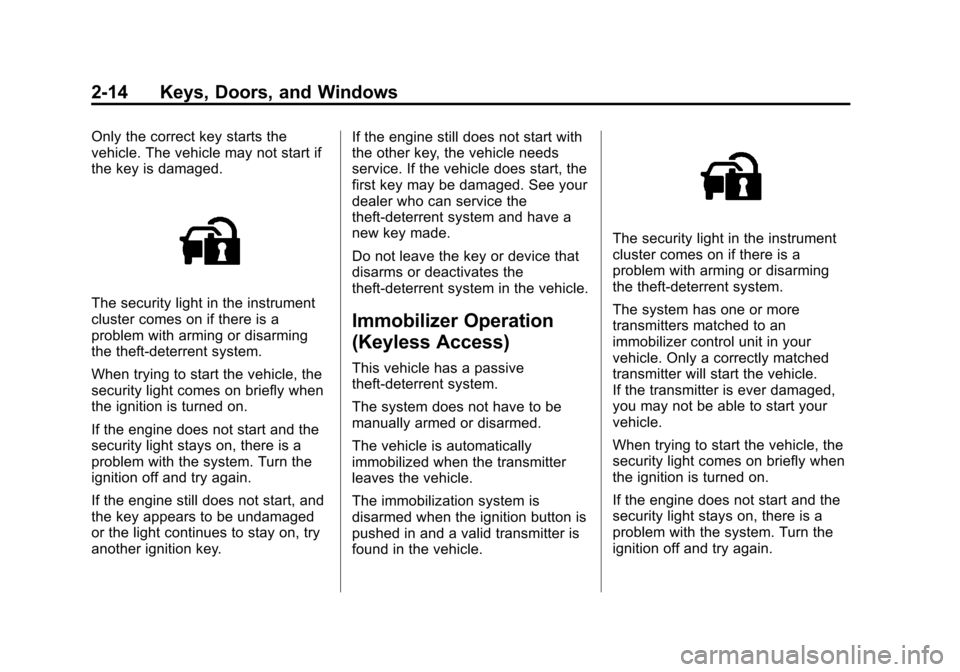
The security light in the instrument
cluster comes on if there is a
problem with arming or disarming
the theft-deterrent system.
When trying to start the vehicle, the
security light comes on briefly when
the ignition is turned on.
If the engine does not start and the
security light stays on, there is a
problem with the system. Turn the
ignition off and try again.
If the engine still does not start, and
the key appears to be undamaged
or the light continues to stay on, try
another ignition key.If the engine still does not start with
the other key, the vehicle needs
service. If the vehicle does start, the
first key may be damaged. See your
dealer who can service the
theft-deterrent system and have a
new key made.
Do not leave the key or device that
disarms or deactivates the
theft-deterrent system in the vehicle.
Immobilizer Operation
(Keyless Access)
This vehicle has a passive
theft-deterrent system.
The system does not have to be
manually armed or disarmed.
The vehicle is automatically
immobilized when the transmitter
leaves the vehicle.
The immobilization system is
disarmed when the ignition button is
pushed in and a valid transmitter is
found in the vehicle.
The security light in the instrument
cluster comes on if there is a
problem with arming or disarming
the theft-deterrent system.
The system has one or more
transmitters matched to an
immobilizer control unit in your
vehicle. Only a correctly matched
transmitter will start the vehicle.
If the transmitter is ever damaged,
you may not be able to start your
vehicle.
When trying to start the vehicle, the
security light comes on briefly when
the ignition is turned on.
If the engine does not start and the
security light stays on, there is a
problem with the system. Turn the
ignition off and try again.
Page 48 of 436
Black plate (16,1)Chevrolet Malibu Owner Manual - 2013 - CRC - 6/6/12
2-16 Keys, Doors, and Windows
Heated Mirrors
For vehicles with heated mirrors:
1(Rear Window Defogger):
Press to heat the mirrors.
See “Rear Window Defogger” under
Dual Automatic Climate Control
System on page 8‑3.
Reverse Tilt Mirrors
If the vehicle has the memory
package, the outside mirrors have a
reverse tilt feature. This feature tilts
the outside mirrors to a preselected
position when the vehicle is in
R (Reverse). This allows the driver
to view the curb for parallel parking.
The passenger and/or driver mirror
returns to its original position when
the vehicle is shifted out of
R (Reverse), or the ignition is turned
off or to OFF/LOCK.
This feature can be turned on or off
through the Driver Information
Center (DIC). See Vehicle
Personalization on page 5‑35.
Interior Mirrors
Manual Rearview Mirror
To adjust the inside rearview mirror,
hold the rearview mirror in the
center and move it to view the area
behind the vehicle.
For vehicles with a manual rearview
mirror, push the tab forward for
daytime use and pull it rearward for
nighttime use to avoid glare from
the headlamps from behind.
Vehicles with OnStar® have three
control buttons at the bottom of the
mirror. See a dealer for more
information about OnStar and how
to subscribe to it. See OnStar
Overview on page 14‑1.
Automatic Dimming
Rearview Mirror
To adjust the inside rearview mirror,
hold the rearview mirror in the
center and move it to view the area
behind the vehicle.
For vehicles with an automatic
dimming rearview mirror, the mirror
will automatically reduce the glare
from the headlamps from behind.
The dimming feature comes on
when the vehicle is started.
Vehicles with OnStar have three
control buttons at the bottom of the
mirror. See a dealer for more
information about OnStar and how
to subscribe to it. See OnStar
Overview on page 14‑1.
Cleaning the Mirror
Do not spray glass cleaner directly
on the mirror. Use a soft towel
dampened with water.
Page 49 of 436
Black plate (17,1)Chevrolet Malibu Owner Manual - 2013 - CRC - 6/6/12
Keys, Doors, and Windows 2-17
Windows
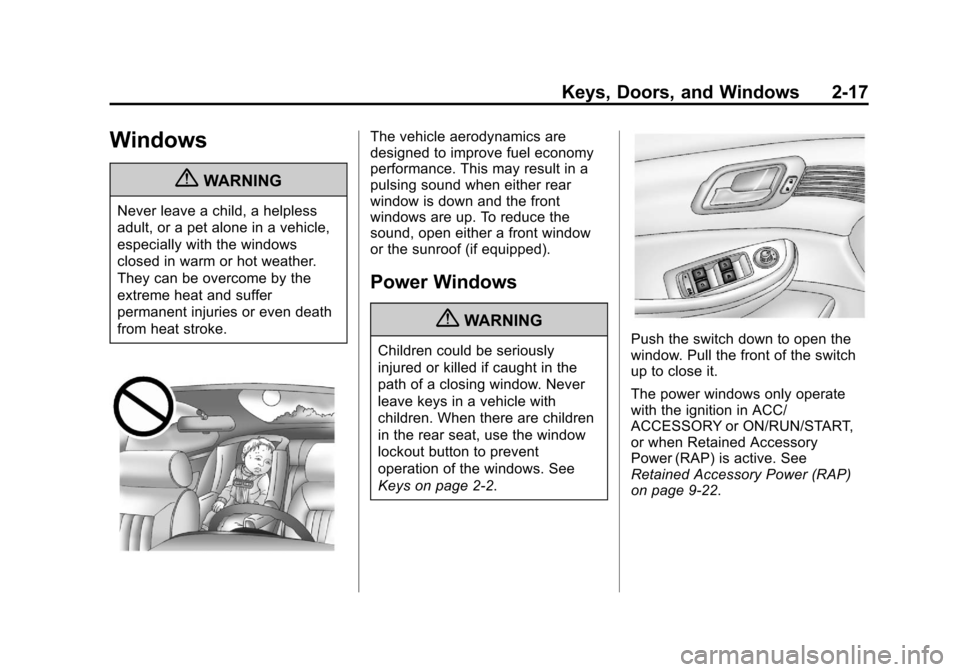
{WARNING
Never leave a child, a helpless
adult, or a pet alone in a vehicle,
especially with the windows
closed in warm or hot weather.
They can be overcome by the
extreme heat and suffer
permanent injuries or even death
from heat stroke.
The vehicle aerodynamics are
designed to improve fuel economy
performance. This may result in a
pulsing sound when either rear
window is down and the front
windows are up. To reduce the
sound, open either a front window
or the sunroof (if equipped).
Power Windows
{WARNING
Children could be seriously
injured or killed if caught in the
path of a closing window. Never
leave keys in a vehicle with
children. When there are children
in the rear seat, use the window
lockout button to prevent
operation of the windows. See
Keys on page 2‑2.Push the switch down to open the
window. Pull the front of the switch
up to close it.
The power windows only operate
with the ignition in ACC/
ACCESSORY or ON/RUN/START,
or when Retained Accessory
Power (RAP) is active. See
Retained Accessory Power (RAP)
on page 9‑22.
Page 50 of 436
Black plate (18,1)Chevrolet Malibu Owner Manual - 2013 - CRC - 6/6/12
2-18 Keys, Doors, and Windows
Express Window Operation
Windows with an express-down or
express-up feature allow the window
to be lowered or raised without
holding the switch. If equipped, the
driver window may also have
express-up. Pull a window switch up
or push it down all the way, release
it, and the window goes up or down
automatically. Stop the window by
pushing or pulling the switch in the
same direction a second time, or by
briefly operating the switch to the
first detent in either direction.
Safety Function
This is for vehicles with the
express-up feature. If any object is
in the path of the window when the
express-up feature is active, the
window will stop and auto-reverse
to a preset position. Weather
conditions may cause the window to
auto-reverse. The window switch
may be held up to the second
position to close the window. Thewindow will return to normal
operation once the obstruction or
condition is removed.
Safety Function Override
This is for vehicles with the
express-up feature. If the battery
on the vehicle has been recharged
or disconnected, or is not
working, the windows will need
to be reprogrammed for the
express-up feature to work. Before
reprogramming, replace or recharge
the vehicle's battery.
To program the driver window:
1. Close all doors, with the ignition
in ACC/ACCESSORY or ON/
RUN, or with RAP active.
2. Press and hold the power window switch until the window
is fully open.
3. Pull the power window switch up until the window is fully closed. 4. Continue holding the switch up
for approximately two seconds
after the window is completely
closed.
The window is now reprogrammed.Window Lockout
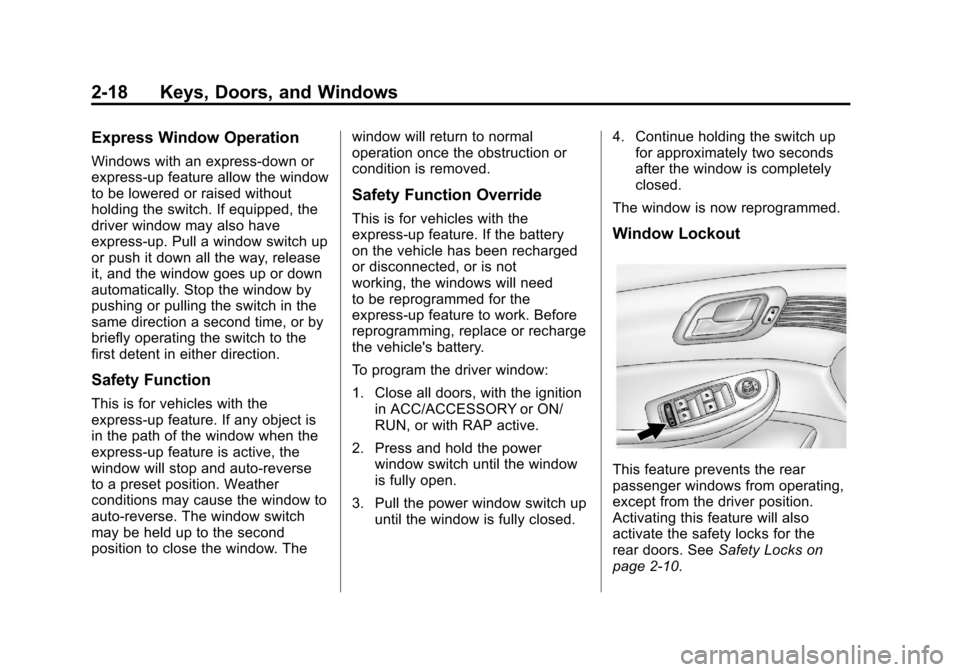
This feature prevents the rear
passenger windows from operating,
except from the driver position.
Activating this feature will also
activate the safety locks for the
rear doors. See Safety Locks on
page 2‑10.
Page 51 of 436
Black plate (19,1)Chevrolet Malibu Owner Manual - 2013 - CRC - 6/6/12
Keys, Doors, and Windows 2-19
Pressv{to activate the window
lockout. The indicator light in the
switch will illuminate.
Press
v {again to deactivate the
window lockout and safety locks.
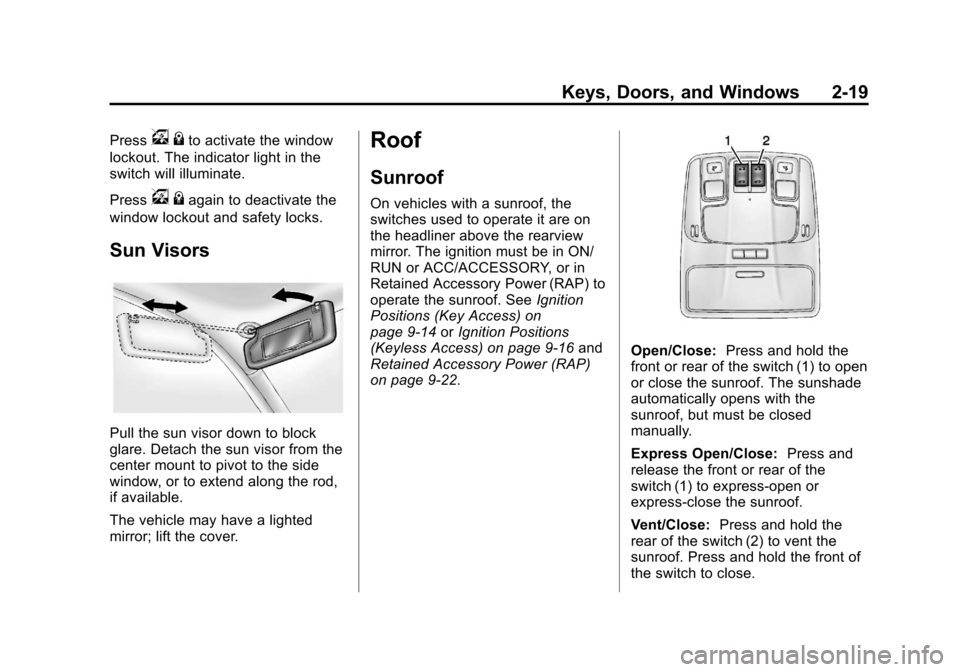
Sun Visors
Pull the sun visor down to block
glare. Detach the sun visor from the
center mount to pivot to the side
window, or to extend along the rod,
if available.
The vehicle may have a lighted
mirror; lift the cover.
Roof
Sunroof
On vehicles with a sunroof, the
switches used to operate it are on
the headliner above the rearview
mirror. The ignition must be in ON/
RUN or ACC/ACCESSORY, or in
Retained Accessory Power (RAP) to
operate the sunroof. See Ignition
Positions (Key Access) on
page 9‑14 orIgnition Positions
(Keyless Access) on page 9‑16 and
Retained Accessory Power (RAP)
on page 9‑22.
Open/Close: Press and hold the
front or rear of the switch (1) to open
or close the sunroof. The sunshade
automatically opens with the
sunroof, but must be closed
manually.
Express Open/Close: Press and
release the front or rear of the
switch (1) to express-open or
express-close the sunroof.
Vent/Close: Press and hold the
rear of the switch (2) to vent the
sunroof. Press and hold the front of
the switch to close.
Page 58 of 436
Black plate (6,1)Chevrolet Malibu Owner Manual - 2013 - CRC - 6/6/12
3-6 Seats and Restraints
Memory Seats
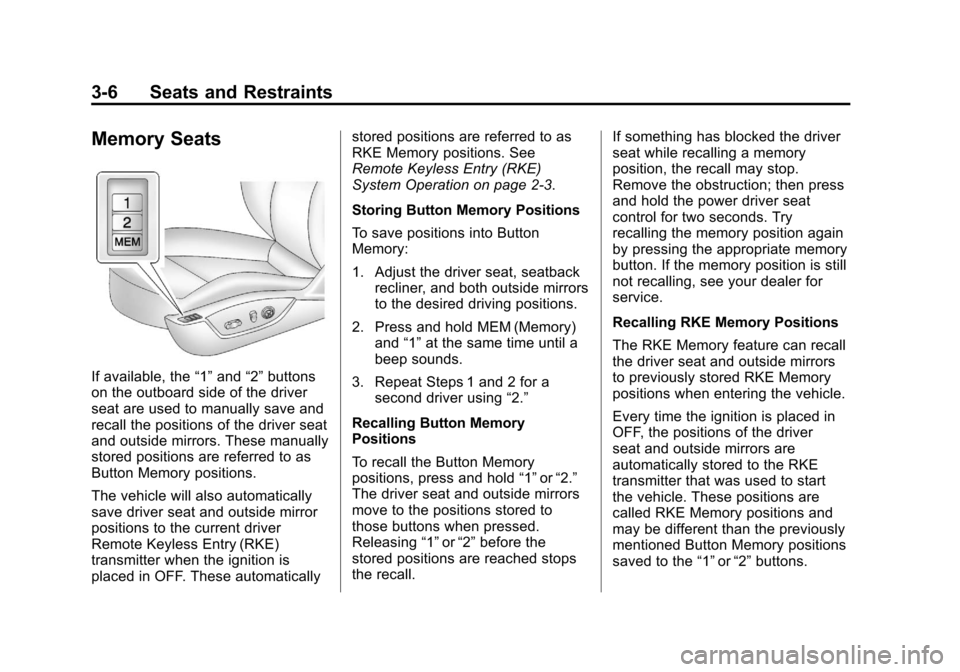
If available, the“1”and “2”buttons
on the outboard side of the driver
seat are used to manually save and
recall the positions of the driver seat
and outside mirrors. These manually
stored positions are referred to as
Button Memory positions.
The vehicle will also automatically
save driver seat and outside mirror
positions to the current driver
Remote Keyless Entry (RKE)
transmitter when the ignition is
placed in OFF. These automatically stored positions are referred to as
RKE Memory positions. See
Remote Keyless Entry (RKE)
System Operation on page 2‑3.
Storing Button Memory Positions
To save positions into Button
Memory:
1. Adjust the driver seat, seatback
recliner, and both outside mirrors
to the desired driving positions.
2. Press and hold MEM (Memory) and “1”at the same time until a
beep sounds.
3. Repeat Steps 1 and 2 for a second driver using “2.”
Recalling Button Memory
Positions
To recall the Button Memory
positions, press and hold “1”or“2.”
The driver seat and outside mirrors
move to the positions stored to
those buttons when pressed.
Releasing “1”or“2” before the
stored positions are reached stops
the recall. If something has blocked the driver
seat while recalling a memory
position, the recall may stop.
Remove the obstruction; then press
and hold the power driver seat
control for two seconds. Try
recalling the memory position again
by pressing the appropriate memory
button. If the memory position is still
not recalling, see your dealer for
service.
Recalling RKE Memory Positions
The RKE Memory feature can recall
the driver seat and outside mirrors
to previously stored RKE Memory
positions when entering the vehicle.
Every time the ignition is placed in
OFF, the positions of the driver
seat and outside mirrors are
automatically stored to the RKE
transmitter that was used to start
the vehicle. These positions are
called RKE Memory positions and
may be different than the previously
mentioned Button Memory positions
saved to the
“1”or“2” buttons.
Page 59 of 436
Black plate (7,1)Chevrolet Malibu Owner Manual - 2013 - CRC - 6/6/12
Seats and Restraints 3-7
To recall RKE Memory positions:
.On vehicles with RKE, pressK
on the RKE transmitter and open
the driver door.
.On vehicles with keyless access,
press the lock/unlock button on
the outside driver door handle
and open the door. The RKE
transmitter must be present for
the recall to activate.
.If the driver door is already
open, press
Kon the RKE
transmitter to activate the recall.
The driver seat and outside mirrors
will move to the previously saved
RKE Memory positions.
This feature is turned on or off using
the vehicle personalization menu.
See Vehicle Personalization on
page 5‑35.
To stop recall movement, press one
of the memory, power mirror,
or power seat controls. If something has blocked the driver
seat while recalling a memory
position, the recall may stop.
Remove the obstruction; then press
and hold the appropriate manual
control for the memory item that is
not recalling for two seconds. Try
recalling the memory position again
by opening the driver door and
pressing the RKE transmitter
K
button. If the memory position is still
not recalling, see your dealer for
service.
Easy Exit Driver Seat
This feature moves the seat
rearward allowing the driver more
room to exit the vehicle.
To activate, place the ignition in
OFF and open the driver door. If the
driver door is already open, placing
the ignition in OFF will activate the
recall.
This feature is turned on or off using
the vehicle personalization menu.
See
Vehicle Personalization on
page 5‑35.
To stop recall movement, press
one of the memory or power seat
controls.
If something has blocked the driver
seat while recalling the exit position,
the recall may stop. Remove the
obstruction; then press and hold the
power seat control rearward for
two seconds. Try recalling the exit
position again. If the exit position is
still not recalling, see your dealer for
service.
Page 60 of 436
Black plate (8,1)Chevrolet Malibu Owner Manual - 2013 - CRC - 6/6/12
3-8 Seats and Restraints
Heated Front Seats
{WARNING
If you cannot feel temperature
change or pain to the skin, the
seat heater may cause burns. To
reduce the risk of burns, people
with such a condition should use
care when using the seat heater,
especially for long periods of
time. Do not place anything on
the seat that insulates against
heat, such as a blanket, cushion,
cover, or similar item. This may
cause the seat heater to
overheat. An overheated seat
heater may cause a burn or may
damage the seat.
Uplevel Climate Control SystemShown, Base Similar
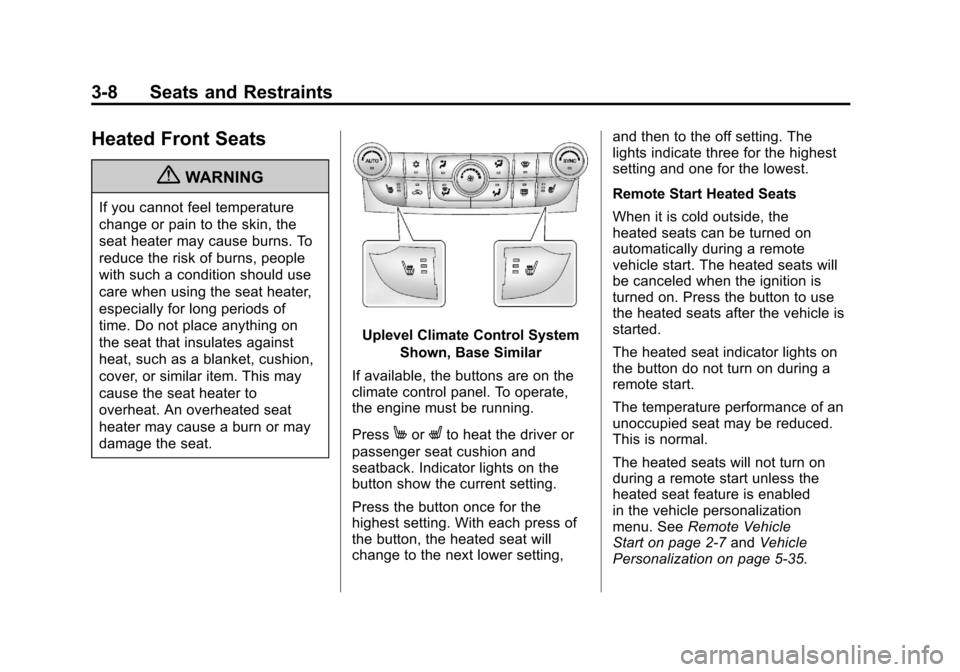
If available, the buttons are on the
climate control panel. To operate,
the engine must be running.
Press
MorLto heat the driver or
passenger seat cushion and
seatback. Indicator lights on the
button show the current setting.
Press the button once for the
highest setting. With each press of
the button, the heated seat will
change to the next lower setting, and then to the off setting. The
lights indicate three for the highest
setting and one for the lowest.
Remote Start Heated Seats
When it is cold outside, the
heated seats can be turned on
automatically during a remote
vehicle start. The heated seats will
be canceled when the ignition is
turned on. Press the button to use
the heated seats after the vehicle is
started.
The heated seat indicator lights on
the button do not turn on during a
remote start.
The temperature performance of an
unoccupied seat may be reduced.
This is normal.
The heated seats will not turn on
during a remote start unless the
heated seat feature is enabled
in the vehicle personalization
menu. See
Remote Vehicle
Start on page 2‑7 andVehicle
Personalization on page 5‑35.