2013 CHEVROLET CORVETTE warning
[x] Cancel search: warningPage 112 of 414
Black plate (8,1)Chevrolet Corvette Owner Manual - 2013 - crc2 - 11/8/12
5-8 Instruments and Controls
Warning Lights,
Gauges, and
Indicators
Warning lights and gauges can
signal that something is wrong
before it becomes serious enough
to cause an expensive repair or
replacement. Paying attention to the
warning lights and gauges could
prevent injury.Warning lights come on when there
could be a problem with a vehicle
function. Some warning lights come
on briefly when the engine is started
to indicate they are working.
Gauges can indicate when there
could be a problem with a vehicle
function. Often gauges and warning
lights work together to indicate a
problem with the vehicle.
When one of the warning lights
comes on and stays on while
driving, or when one of the gauges
shows there may be a problem,
check the section that explains what
to do. Follow this manual's advice.
Waiting to do repairs can be costly
and even dangerous.
Page 121 of 414

Black plate (17,1)Chevrolet Corvette Owner Manual - 2013 - crc2 - 11/8/12
Instruments and Controls 5-17
{WARNING
If the airbag readiness light stays
on after the vehicle is started or
comes on while driving, it means
the airbag system might not be
working properly. The airbags in
the vehicle might not inflate in a
crash, or they could even inflate
without a crash. To help avoid
injury, have the vehicle serviced
right away.
Passenger Airbag Status
Indicator
The vehicle has the passenger
sensing system. SeePassenger
Sensing System on page 3‑20 for
important safety information. The
rearview mirror has a passenger
airbag status indicator.
United States
Canada and Mexico
When the vehicle is started, the
passenger airbag status indicator
will light ON and OFF, or the symbol
for on and off, for several seconds
as a system check. Then, after
several more seconds, the status
indicator will light either ON or OFF,
or the on or off symbol, to let you
know the status of the front
outboard passenger frontal and
seat-mounted side impact airbags. If the word ON or the on symbol is
lit on the passenger airbag status
indicator, it means that the front
outboard passenger frontal airbag
and seat-mounted side impact
airbag are allowed to inflate.
If the word OFF or the off symbol is
lit on the passenger airbag status
indicator, it means that the
passenger sensing system has
turned off the front outboard
passenger frontal airbag and
seat-mounted side impact airbag.
If, after several seconds, both status
indicator lights remain on, or if there
are no lights at all, there may be a
problem with the lights or the
passenger sensing system. See
your dealer for service.
Page 122 of 414

Black plate (18,1)Chevrolet Corvette Owner Manual - 2013 - crc2 - 11/8/12
5-18 Instruments and Controls
{WARNING
If the airbag readiness light ever
comes on and stays on, it means
that something may be wrong
with the airbag system. To help
avoid injury to yourself or others,
have the vehicle serviced right
away. SeeAirbag Readiness
Light on page 5‑16 for more
information, including important
safety information.
Malfunction
Indicator Lamp
A computer system called OBD II
(On-Board Diagnostics-Second
Generation) monitors the operation
of the vehicle to ensure emissions
are at acceptable levels, helping to
maintain a clean environment. The
malfunction indicator lamp comes
on when the vehicle is placed in
Service Only Mode, as a check to
show it is working. If it does not, have the vehicle serviced by your
dealer. See
Ignition Positions on
page 9‑18 for more information.
If the malfunction indicator lamp
comes on while the engine is
running, this indicates that the OBD
II system has detected a problem
and diagnosis and service might be
required.
Malfunctions often are indicated by
the system before any problem is
apparent. Being aware of the light
can prevent more serious damage
to the vehicle. This system also
assists the service technician in
correctly diagnosing any
malfunction. Notice:
If the vehicle is
continually driven with this light
on, the emission controls might
not work as well, the vehicle fuel
economy might not be as good,
and the engine might not run as
smoothly. This could lead to
costly repairs that might not be
covered by the vehicle warranty.
Notice: Modifications made to the
engine, transmission, exhaust,
intake, or fuel system of the
vehicle or the replacement of the
original tires with other than
those of the same Tire
Performance Criteria (TPC) can
affect the vehicle's emission
controls and can cause this light
to come on. Modifications to
these systems could lead to
costly repairs not covered by the
vehicle warranty. This could also
result in a failure to pass a
required Emission Inspection/
Maintenance test. See
Accessories and Modifications on
page 10‑3.
Page 124 of 414

Black plate (20,1)Chevrolet Corvette Owner Manual - 2013 - crc2 - 11/8/12
5-20 Instruments and Controls
The DLC is under the instrument
panel to the left of the steering
wheel. See your dealer if assistance
is needed.
The vehicle may not pass
inspection if:
.The malfunction indicator lamp is
on with the engine running, or if
the vehicle is placed in Service
Only Mode and the malfunction
indicator lamp does not come
on. See your dealer for
assistance in verifying proper
operation of the malfunction
indicator lamp.
.The OBD II (On-Board
Diagnostics) system determines
that critical emission control
systems have not been
completely diagnosed. The
vehicle would be considered notready for inspection. This can
happen if the 12-volt battery has
recently been replaced or run
down. The diagnostic system is
designed to evaluate critical
emission control systems during
normal driving. This can take
several days of routine driving.
If this has been done and the
vehicle still does not pass the
inspection for lack of OBD II
system readiness, your dealer
can prepare the vehicle for
inspection.
Brake System Warning
Light
The vehicle brake system consists
of two hydraulic circuits. If one
circuit is not working, the remaining
circuit can still work to stop the
vehicle. For normal braking
performance, both circuits need to
be working.
MetricEnglish
This light comes on briefly while
starting the engine. If it does not
come on, have it fixed so it is ready
to warn if there is a problem.
{WARNING
The brake system might not be
working properly if the brake
system warning light is on.
Driving with the brake system
warning light on can lead to a
crash. If the light is still on after
the vehicle has been pulled off
the road and carefully stopped,
have the vehicle towed for
service.
Page 125 of 414

Black plate (21,1)Chevrolet Corvette Owner Manual - 2013 - crc2 - 11/8/12
Instruments and Controls 5-21
If this warning light stays on after
the engine is started, the parking
brake may still be set or there could
be a brake problem. Refer to
Parking Brake on page 9‑33to see
if it is set. If the parking brake is not
set, have the brake system
inspected right away.
If the light comes on while driving
and a CHECK BRAKE FLUID
message shows on the DIC, pull off
the road and stop carefully. The
pedal may be harder to push or the
pedal may go closer to the floor.
It may take longer to stop. If the
light is still on, have the vehicle
towed for service. See Towing the
Vehicle on page 10‑79 andBrake
System Messages on page 5‑35 for
more information.Antilock Brake System
(ABS) Warning Light
For vehicles with the Antilock Brake
System (ABS), this light comes on
briefly when the engine is started.
If it does not, have the vehicle
serviced by your dealer. If the
system is working normally the
indicator light then goes off.
If the ABS light stays on, turn the
ignition off. If the light comes on
while driving, stop as soon as it is
safely possible and turn the ignition
off. Then start the engine again to
reset the system. If the ABS light
stays on, or comes on again while
driving, the vehicle needs service.
If the regular brake system warning
light is not on, the vehicle still has
brakes, but not antilock brakes. If the regular brake system warning
light is also on, the vehicle does not
have antilock brakes and there is a
problem with the regular brakes.
See
Brake System Warning Light on
page 5‑20.
One-to-Four Shift Light
(Manual Transmission)
When this light comes on, the
vehicle can only be shifted from
1 (First) to 4 (Fourth) instead of
1 (First) to 2 (Second).
The shift must be completed into
4 (Fourth) to turn off this feature.
This helps the vehicle get the best
possible fuel economy.
After shifting to 4 (Fourth), the
vehicle can be downshifted to a
lower gear.
Page 127 of 414

Black plate (23,1)Chevrolet Corvette Owner Manual - 2013 - crc2 - 11/8/12
Instruments and Controls 5-23
If the TCS is off, the system does
not assist in controlling the vehicle.
Turn on the TCS and the Active
Handling systems and the warning
light turns off.
SeeActive Handling System on
page 9‑35 andTraction Control
System (TCS) on page 9‑34 for
more information.
Active Handling System
Light
The Active Handling System light
comes on briefly while starting the
engine. If it does not, have the
vehicle serviced by your dealer. If the light stays on or comes on
while driving, a chime sounds and a
SERVICE ACTIVE HANDLING
SYSTEM message appears on the
DIC and the vehicle need service.
When the Active Handling System is
turned off, the light comes on, a
chime sounds, and the TRACTION
SYSTEM AND ACTIVE
HANDLING–
OFF message
displays in the DIC. The Traction
Control System is off and the Active
Handling System does not assist
with controlling the vehicle.
When the Active Handling System is
turned back on, the light turns off, a
chime sounds, and the TRACTION
SYSTEM AND ACTIVE
HANDLING– ON message displays
in the DIC.
See Ride Control System Messages
on page 5‑42 for more information.
Tire Pressure Light
For vehicles with the Tire Pressure
Monitor System (TPMS), this light
comes on briefly when the engine is
started. It provides information
about tire pressures and the TPMS.
When the Light Is On Steady
This indicates that one or more of
the tires are significantly
underinflated.
A Driver Information Center (DIC)
tire pressure message may also
display. SeeTire Messages on
page 5‑48. Stop as soon as
possible, and inflate the tires to the
pressure value shown on the Tire
and Loading Information label. See
Tire Pressure on page 10‑60.
Page 129 of 414
Black plate (25,1)Chevrolet Corvette Owner Manual - 2013 - crc2 - 11/8/12
Instruments and Controls 5-25
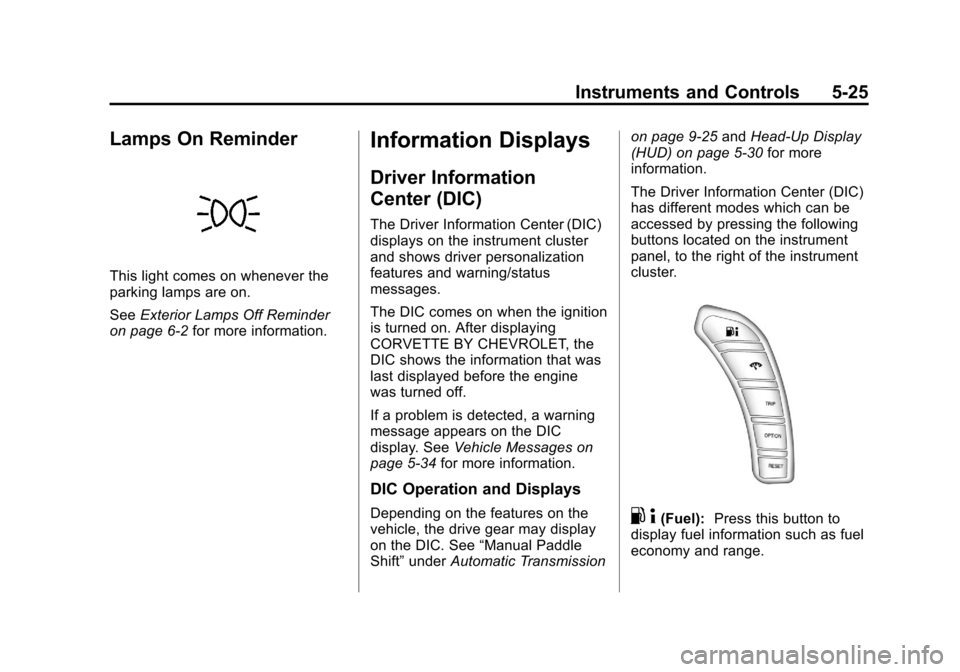
Lamps On Reminder
This light comes on whenever the
parking lamps are on.
SeeExterior Lamps Off Reminder
on page 6‑2 for more information.
Information Displays
Driver Information
Center (DIC)
The Driver Information Center (DIC)
displays on the instrument cluster
and shows driver personalization
features and warning/status
messages.
The DIC comes on when the ignition
is turned on. After displaying
CORVETTE BY CHEVROLET, the
DIC shows the information that was
last displayed before the engine
was turned off.
If a problem is detected, a warning
message appears on the DIC
display. See Vehicle Messages on
page 5‑34 for more information.
DIC Operation and Displays
Depending on the features on the
vehicle, the drive gear may display
on the DIC. See “Manual Paddle
Shift” under Automatic Transmission on page 9‑25
andHead-Up Display
(HUD) on page 5‑30 for more
information.
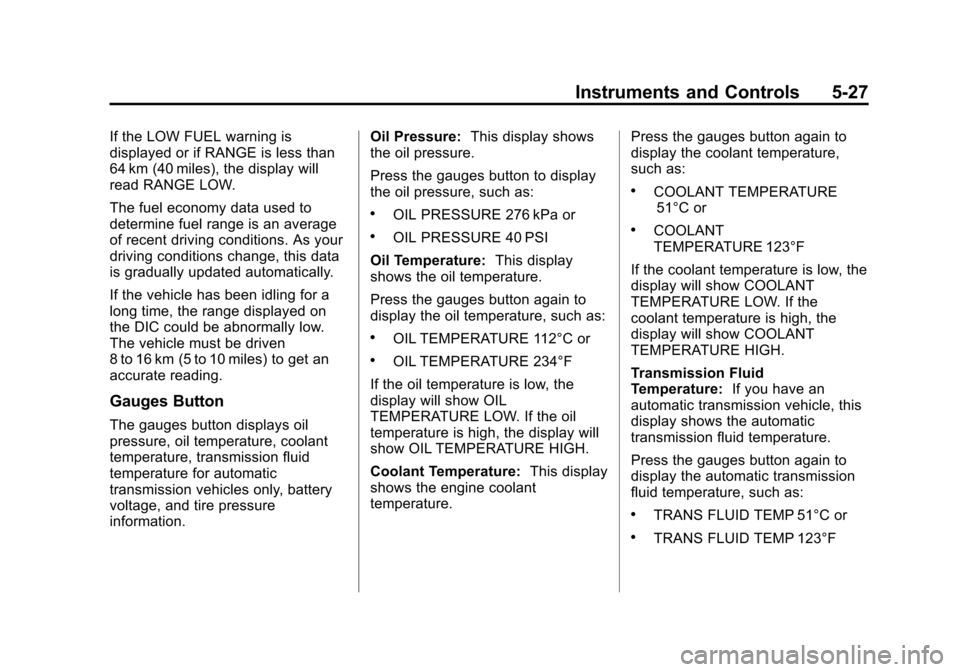
The Driver Information Center (DIC)
has different modes which can be
accessed by pressing the following
buttons located on the instrument
panel, to the right of the instrument
cluster.. 4(Fuel): Press this button to
display fuel information such as fuel
economy and range.
Page 131 of 414
Black plate (27,1)Chevrolet Corvette Owner Manual - 2013 - crc2 - 11/8/12
Instruments and Controls 5-27
If the LOW FUEL warning is
displayed or if RANGE is less than
64 km (40 miles), the display will
read RANGE LOW.
The fuel economy data used to
determine fuel range is an average
of recent driving conditions. As your
driving conditions change, this data
is gradually updated automatically.
If the vehicle has been idling for a
long time, the range displayed on
the DIC could be abnormally low.
The vehicle must be driven
8 to 16 km (5 to 10 miles) to get an
accurate reading.
Gauges Button
The gauges button displays oil
pressure, oil temperature, coolant
temperature, transmission fluid
temperature for automatic
transmission vehicles only, battery
voltage, and tire pressure
information.Oil Pressure:
This display shows
the oil pressure.
Press the gauges button to display
the oil pressure, such as:
.OIL PRESSURE 276 kPa or
.OIL PRESSURE 40 PSI
Oil Temperature: This display
shows the oil temperature.
Press the gauges button again to
display the oil temperature, such as:
.OIL TEMPERATURE 112°C or
.OIL TEMPERATURE 234°F
If the oil temperature is low, the
display will show OIL
TEMPERATURE LOW. If the oil
temperature is high, the display will
show OIL TEMPERATURE HIGH.
Coolant Temperature: This display
shows the engine coolant
temperature. Press the gauges button again to
display the coolant temperature,
such as:
.COOLANT TEMPERATURE
51°C or
.COOLANT
TEMPERATURE 123°F
If the coolant temperature is low, the
display will show COOLANT
TEMPERATURE LOW. If the
coolant temperature is high, the
display will show COOLANT
TEMPERATURE HIGH.
Transmission Fluid
Temperature: If you have an
automatic transmission vehicle, this
display shows the automatic
transmission fluid temperature.
Press the gauges button again to
display the automatic transmission
fluid temperature, such as:
.TRANS FLUID TEMP 51°C or
.TRANS FLUID TEMP 123°F