2013 CHEVROLET AVALANCHE tailgate
[x] Cancel search: tailgatePage 49 of 494
Black plate (15,1)Chevrolet Avalanche Owner Manual - 2013 - CRC - 8/27/12
Keys, Doors, and Windows 2-15
WARNING (Continued)
tailgate. Be sure everyone in your
vehicle is in a seat and using a
safety belt properly.
Use the Remote Keyless
Entry (RKE) transmitter or power
door lock switch to lock and unlock
the tailgate.
Open the tailgate by lifting up on its
handle while pulling the tailgate
toward you.
To close the tailgate, push it firmly
upward until it latches. Push and
pull on the tailgate to be sure it is
latched securely.
Tailgate Removal
The tailgate is not to be removed.
Removing the tailgate may cause
damage to the electrical connector
resulting in loss of lock/unlock and
rear vision camera function.
Power Assist Steps
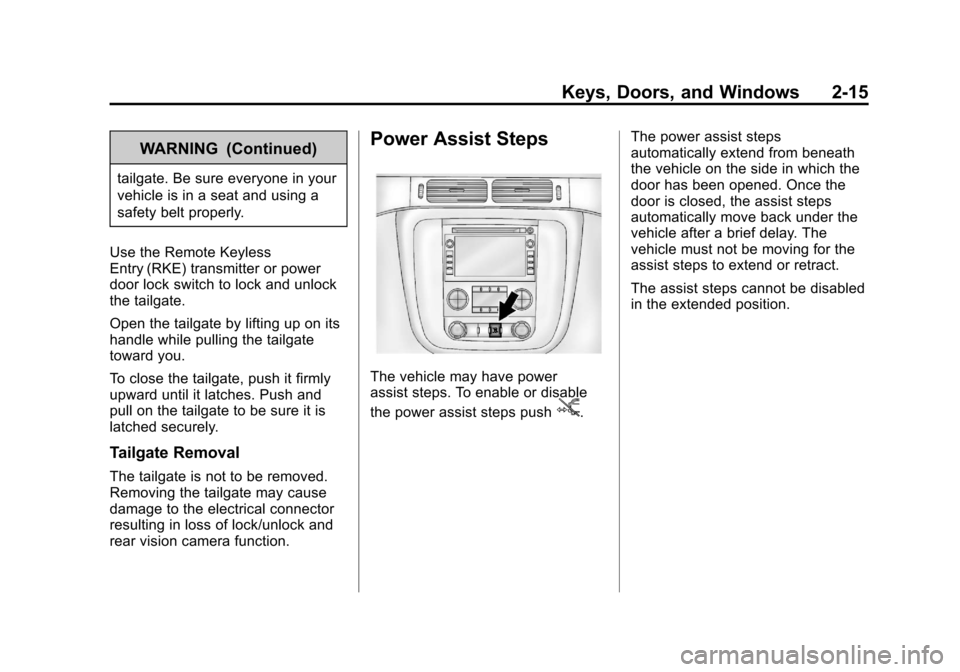
The vehicle may have power
assist steps. To enable or disable
the power assist steps push
j. The power assist steps
automatically extend from beneath
the vehicle on the side in which the
door has been opened. Once the
door is closed, the assist steps
automatically move back under the
vehicle after a brief delay. The
vehicle must not be moving for the
assist steps to extend or retract.
The assist steps cannot be disabled
in the extended position.
Page 50 of 494

Black plate (16,1)Chevrolet Avalanche Owner Manual - 2013 - CRC - 8/27/12
2-16 Keys, Doors, and Windows
Vehicle Security
This vehicle has theft-deterrent
features; however, they do not make
the vehicle impossible to steal.
Vehicle Alarm System
Your vehicle has a content
theft-deterrent alarm system.
This is the security light.To arm the theft-deterrent system:
1. Open the door.
2. Lock the door with the Remote
Keyless Entry (RKE) transmitter
or the power door lock switch.
The security light will come on to
inform the driver the system is
arming. If a door is open when
the doors are locked, the
security light will flash.
If the delayed locking feature is
turned on, the theft‐deterrent
system will not start the arming
process until the last door is
closed and the delay timer has
expired. See Delayed Locking
on page 2‑7.
3. Close all doors. The security light should go off after about
30 seconds. The alarm is not
armed until the security light
goes off.
The content theft deterrent
system does not sense if the
midgate or tailgate are open or ajar, therefore, vehicle contents
may not be protected if the
midgate is left open or ajar.
If a locked driver door is opened
without using the RKE transmitter,
a ten second pre-alarm will occur.
The horn will chirp and the lights will
flash. If the key is not placed in the
ignition and turned to START or the
door is not unlocked by pressing
the unlock button on the RKE
transmitter during the ten second
pre-alarm, the alarm will go off. Your
vehicle's headlamps will flash and
the horn will sound for about
30 seconds, then will turn off to save
the battery power.
The theft-deterrent system will not
activate if the doors are locked with
the vehicle's key or the manual door
lock. It activates only if you use the
power door lock switch with the door
open or the RKE transmitter. You
should also remember that you can
start your vehicle with the correct
ignition key if the alarm has been
set off.
Page 117 of 494
Black plate (3,1)Chevrolet Avalanche Owner Manual - 2013 - CRC - 8/27/12
Storage 4-3
E. Water drainage area aroundboth sides of the box and the
tailgate side
F. Rear drains
G. Cargo floor
H. Cargo mat
Maintenance and Cleaning
To ensure that the water
management system performs
properly, be sure that the Midgate,
tailgate, and cover system are fully
closed and that all parts are clean
and not blocked with debris. Follow
the instructions given next in this
section for the proper procedures on
cleaning each item.
Top Drain Grates –Removal
and Cleaning
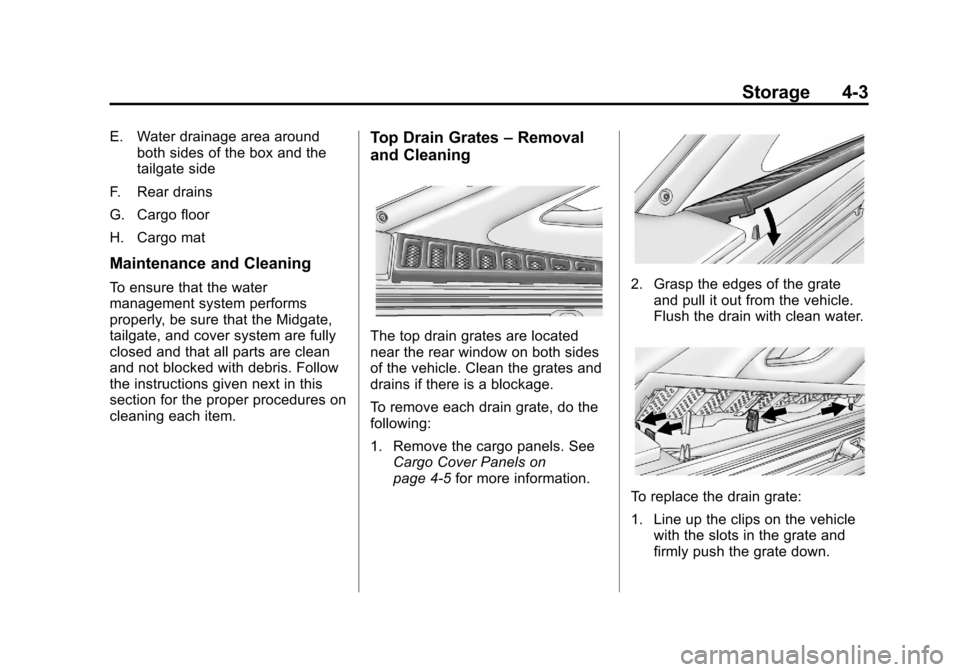
The top drain grates are located
near the rear window on both sides
of the vehicle. Clean the grates and
drains if there is a blockage.
To remove each drain grate, do the
following:
1. Remove the cargo panels. See
Cargo Cover Panels on
page 4‑5 for more information.
2. Grasp the edges of the grate
and pull it out from the vehicle.
Flush the drain with clean water.
To replace the drain grate:
1. Line up the clips on the vehiclewith the slots in the grate and
firmly push the grate down.
Page 119 of 494
Black plate (5,1)Chevrolet Avalanche Owner Manual - 2013 - CRC - 8/27/12
Storage 4-5
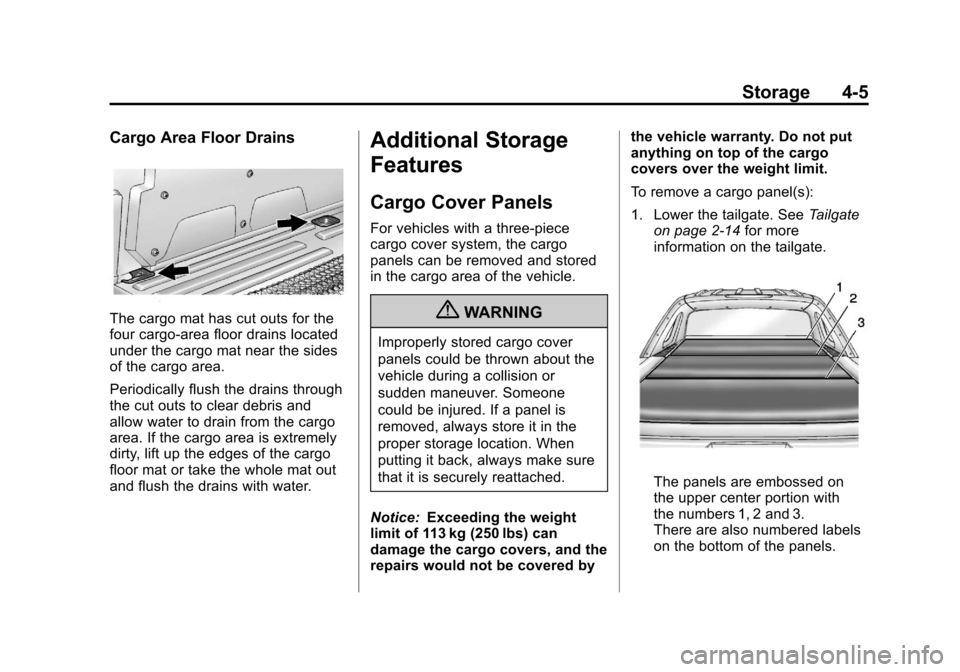
Cargo Area Floor Drains
The cargo mat has cut outs for the
four cargo-area floor drains located
under the cargo mat near the sides
of the cargo area.
Periodically flush the drains through
the cut outs to clear debris and
allow water to drain from the cargo
area. If the cargo area is extremely
dirty, lift up the edges of the cargo
floor mat or take the whole mat out
and flush the drains with water.
Additional Storage
Features
Cargo Cover Panels
For vehicles with a three-piece
cargo cover system, the cargo
panels can be removed and stored
in the cargo area of the vehicle.
{WARNING
Improperly stored cargo cover
panels could be thrown about the
vehicle during a collision or
sudden maneuver. Someone
could be injured. If a panel is
removed, always store it in the
proper storage location. When
putting it back, always make sure
that it is securely reattached.
Notice: Exceeding the weight
limit of 113 kg (250 lbs) can
damage the cargo covers, and the
repairs would not be covered by the vehicle warranty. Do not put
anything on top of the cargo
covers over the weight limit.
To remove a cargo panel(s):
1. Lower the tailgate. See
Tailgate
on page 2‑14 for more
information on the tailgate.
The panels are embossed on
the upper center portion with
the numbers 1, 2 and 3.
There are also numbered labels
on the bottom of the panels.
Page 171 of 494

Black plate (45,1)Chevrolet Avalanche Owner Manual - 2013 - CRC - 8/27/12
Instruments and Controls 5-45
NO CHANGE:No change will be
made to this feature. The current
setting will remain.
To select a setting, press the set/
reset button while the desired
setting is displayed on the DIC.
You can also change the language
by pressing the trip odometer reset
stem. See “Language” under DIC
Operation and Displays (Without
DIC Buttons) earlier in this section
for more information.
AUTO DOOR LOCK
This feature allows you to select
when the vehicle's doors will
automatically lock. See Automatic
Door Locks on page 2‑7 for more
information. Press the customization button until
AUTO DOOR LOCK appears on the
DIC display. Press the set/reset
button once to access the settings
for this feature. Then press the
customization button to scroll
through the following settings:
SHIFT OUT OF PARK (default):
The doors, including the tailgate, will
automatically lock when the vehicle
is shifted out of P (Park).
AT VEHICLE SPEED:
The
doors, including the tailgate, will
automatically lock when the vehicle
speed is above 13 km/h (8 mph) for
3 seconds.
NO CHANGE: No change will be
made to this feature. The current
setting will remain.
To select a setting, press the
set/reset button while the desired
setting is displayed on the DIC. AUTO DOOR UNLOCK
This feature allows you to select
whether or not to turn off the
automatic door unlocking feature.
It also allows you to select which
doors and when the doors will
automatically unlock. See
Automatic
Door Locks on page 2‑7 for more
information.
Press the customization button until
AUTO DOOR UNLOCK appears on
the DIC display. Press the set/reset
button once to access the settings
for this feature. Then press the
customization button to scroll
through the following settings:
OFF: None of the doors will
automatically unlock.
DRIVER AT KEY OUT: Only the
driver door will unlock when the key
is taken out of the ignition.
DRIVER IN PARK: Only the driver
door will unlock when the vehicle is
shifted into P (Park).
Page 172 of 494
Black plate (46,1)Chevrolet Avalanche Owner Manual - 2013 - CRC - 8/27/12
5-46 Instruments and Controls
ALL AT KEY OUT:All of the doors,
including the tailgate, will unlock
when the key is taken out of the
ignition.
ALL IN PARK (default): All of the
doors, including the tailgate, will
unlock when the vehicle is shifted
into P (Park).
NO CHANGE: No change will be
made to this feature. The current
setting will remain.
To select a setting, press the set/
reset button while the desired
setting is displayed on the DIC.
REMOTE DOOR LOCK
This feature allows you to select the
type of feedback you will receive
when locking the vehicle with the
Remote Keyless Entry (RKE)
transmitter. You will not receive
feedback when locking the vehicle
with the RKE transmitter if the doors
are open. See Remote Keyless
Entry (RKE) System Operation on
page 2‑2 for more information. Press the customization button until
REMOTE DOOR LOCK appears on
the DIC display. Press the set/reset
button once to access the settings
for this feature. Then press the
customization button to scroll
through the following settings:
OFF:
There will be no feedback
when you press the lock button on
the RKE transmitter.
LIGHTS ONLY: The exterior lamps
will flash when you press the lock
button on the RKE transmitter.
HORN ONLY: The horn will sound
on the second press of the lock
button on the RKE transmitter.
HORN & LIGHTS (default): The
exterior lamps will flash when you
press the lock button on the RKE
transmitter, and the horn will sound
when the lock button is pressed
again within five seconds of the
previous command.
NO CHANGE: No change will be
made to this feature. The current
setting will remain. To select a setting, press the set/
reset button while the desired
setting is displayed on the DIC.
REMOTE DOOR UNLOCK
This feature allows you to select the
type of feedback you will receive
when unlocking the vehicle with the
Remote Keyless Entry (RKE)
transmitter. You will not receive
feedback when unlocking the
vehicle with the RKE transmitter if
the doors are open. See
Remote
Keyless Entry (RKE) System
Operation on page 2‑2 for more
information.
Press the customization button until
REMOTE DOOR UNLOCK appears
on the DIC display. Press the set/
reset button once to access the
settings for this feature. Then press
the customization button to scroll
through the following settings:
LIGHTS OFF: The exterior lamps
will not flash when you press the
unlock button on the RKE
transmitter.
Page 173 of 494
Black plate (47,1)Chevrolet Avalanche Owner Manual - 2013 - CRC - 8/27/12
Instruments and Controls 5-47
LIGHTS ON (default):The exterior
lamps will flash when you press the
unlock button on the RKE
transmitter.
NO CHANGE: No change will be
made to this feature. The current
setting will remain.
To select a setting, press the set/
reset button while the desired
setting is displayed on the DIC.
DELAY DOOR LOCK
This feature allows you to select
whether or not the locking of the
vehicle's doors and tailgate will be
delayed. When locking the doors
and tailgate with the power door
lock switch and a door or the
tailgate is open, this feature will
delay locking the doors and tailgate
until five seconds after the last door
is closed. You will hear three chimes
to signal that the delayed locking
feature is in use. The key must be
out of the ignition for this feature to work. You can temporarily override
delayed locking by pressing the
power door lock switch twice. See
Delayed Locking on page 2‑7
for
more information.
Press the customization button until
DELAY DOOR LOCK appears on
the DIC display. Press the set/reset
button once to access the settings
for this feature. Then press the
customization button to scroll
through the following settings:
OFF: There will be no delayed
locking of the vehicle's doors.
ON (default): The doors will not
lock until five seconds after the last
door or the tailgate is closed.
NO CHANGE: No change will be
made to this feature. The current
setting will remain.
To select a setting, press the set/
reset button while the desired
setting is displayed on the DIC. EXIT LIGHTING
This feature allows you to select
the amount of time you want the
exterior lamps to remain on when
it is dark enough outside. This
happens after the key is turned from
ON/RUN to LOCK/OFF.
Press the customization button
until EXIT LIGHTING appears on
the DIC display. Press the set/reset
button once to access the settings
for this feature. Then press the
customization button to scroll
through the following settings:
OFF:
The exterior lamps will not
turn on.
30 SECONDS (default): The
exterior lamps will stay on for
30 seconds.
1 MINUTE: The exterior lamps will
stay on for one minute.
2 MINUTES: The exterior lamps will
stay on for two minutes.
Page 308 of 494
Black plate (50,1)Chevrolet Avalanche Owner Manual - 2013 - CRC - 8/27/12
9-50 Driving and Operating
{WARNING
The URPA system does not
detect children, pedestrians,
bicyclists, animals, or objects
below the bumper or that are too
close or too far from the vehicle.
It is not available at speeds
greater than 8 km/h (5 mph). To
prevent injury, death, or vehicle
damage, even with URPA, always
check the area around the vehicle
and check all mirrors before
backing.
How the System Works
URPA comes on automatically when
the shift lever is moved into
R (Reverse). A single tone sounds
to indicate the system is working.
URPA operates only at speeds less
than 8 km/h (5 mph).
An obstacle is indicated by audible
beeps. The interval between the
beeps becomes shorter as the
vehicle gets closer to the obstacle.When the distance is less than
30 cm (12 in) the beeping is a
continuous tone for five seconds.
To be detected, objects must be at
least 25 cm (10 in) off the ground
and below tailgate level. Objects
must also be within 2.5 m (8 ft) from
the rear bumper. This distance may
be less during warmer or humid
weather.
Turning the System On and Off
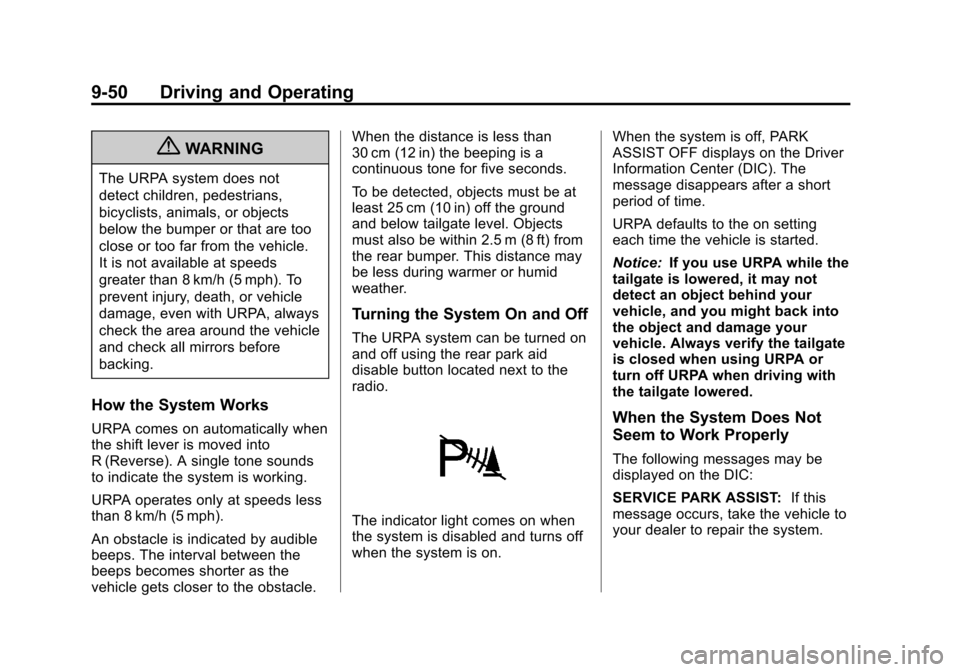
The URPA system can be turned on
and off using the rear park aid
disable button located next to the
radio.
The indicator light comes on when
the system is disabled and turns off
when the system is on.
When the system is off, PARK
ASSIST OFF displays on the Driver
Information Center (DIC). The
message disappears after a short
period of time.
URPA defaults to the on setting
each time the vehicle is started.
Notice:
If you use URPA while the
tailgate is lowered, it may not
detect an object behind your
vehicle, and you might back into
the object and damage your
vehicle. Always verify the tailgate
is closed when using URPA or
turn off URPA when driving with
the tailgate lowered.
When the System Does Not
Seem to Work Properly
The following messages may be
displayed on the DIC:
SERVICE PARK ASSIST: If this
message occurs, take the vehicle to
your dealer to repair the system.