2013 CADILLAC XTS reset
[x] Cancel search: resetPage 148 of 438

Black plate (28,1)Cadillac XTS Owner Manual - 2013 - 1st - 4/13/12
5-28 Instruments and Controls
SorT:Press the five-way control
to move between the interactive
display zones in the cluster. Press
Sto go back to the previous menu.
SEL (Select): Press the center to
open a menu or select a menu item.
Press and hold to reset values on
certain screens.
DIC Information Display
Options
The info displays on the DIC can be
turned on or off through the
Settings menu.
1. Press SEL while viewing the Settings page in one of the
interactive display zones on the
cluster.
2. Scroll to Info Pages and press SEL.
3. Press
yorzto move through
the list of possible info displays. 4. Press SEL while an item is
highlighted to select or deselect
that item. When an item is
selected, a checkmark will
appear next to it.
DIC Information Displays
The following is the list of all
possible DIC information displays.
Some of the information displays
may not be available for your
particular vehicle.
Speed (Base Cluster): The digital
speedometer shows the vehicle
speed in either kilometers per
hour (km/h) or miles per hour (mph).
Trip 1 or Trip 2 (Base
Cluster) / Trip 1 or Trip 2 and
Average Fuel Economy (Uplevel
Cluster): The Trip display shows
the current distance traveled, in
either kilometers (km) or miles (mi),
since the trip odometer was last
reset. The trip odometer can be
reset by pressing and holding SEL
while this display is active. The Average Fuel Economy display
shows the approximate average
liters per 100 kilometers (L/100 km)
or miles per gallon (mpg). This
number is calculated based on the
number of L/100 km (mpg) recorded
since the last time this menu item
was reset. The Average Fuel
Economy can be reset along with
the trip odometer by pressing and
holding SEL while this display is
active.
Fuel Range:
The Fuel Range
display shows the approximate
distance the vehicle can be driven
without refueling. LOW will be
displayed when the vehicle is low
on fuel. The fuel range estimate is
based on an average of the
vehicle's fuel economy over recent
driving history and the amount of
fuel remaining in the fuel tank.
Average Fuel Economy (Base
Cluster): The Average Fuel
Economy display shows the
approximate average liters per
100 kilometers (L/100 km) or miles
per gallon (mpg). This number is
Page 149 of 438

Black plate (29,1)Cadillac XTS Owner Manual - 2013 - 1st - 4/13/12
Instruments and Controls 5-29
calculated based on the number of
L/100 km (mpg) recorded since the
last time this menu item was reset.
The Average Fuel Economy can be
reset by pressing and holding SEL
while this display is active.
Instantaneous Fuel Economy:
The Instantaneous Fuel Economy
display shows the current fuel
economy in either liters per
100 kilometers (L/100 km) or miles
per gallon (mpg). This number
reflects only the fuel economy that
the vehicle has right now and
changes frequently as driving
conditions change.
Fuel Used:The Fuel Used display
shows the approximate liters (L) or
gallons (gal) of fuel that have been
used since last reset. The fuel used
can be reset by pressing and
holding SEL while this display is
active.
Average Speed: The Average
Speed display shows the average
speed of the vehicle in kilometers
per hour (km/h) or miles per hour (mph). This average is
calculated based on the various
vehicle speeds recorded since the
last reset of this value. The average
speed can be reset by pressing and
holding SEL while this display is
active.
Timer:
This display can be used as
a timer. To start the timer, press SEL
while this display is active. The
display will show the amount of time
that has passed since the timer was
last reset. To stop the timer, press
SEL briefly while this display is
active and the timer is running. To
reset the timer to zero, press and
hold SEL while this display is active.
Compass: The Compass display
shows the direction the vehicle is
driving.
Turn Arrow: The Turn Arrow
display shows the next maneuver
when using route guidance.
Travel Time: The Travel Time
display shows the estimated time
duration remaining for the current
route. Distance to Destination:
The
Distance to Destination display
shows the distance to the
destination when using route
guidance.
Speed Limit: The Speed Limit
display shows the current speed
limit. The information for this page
comes from a roadway database.
Speed Warning: The Speed
Warning display allows the driver to
set a speed that they do not want to
exceed. To set the Speed Warning,
press SEL when Speed Warning is
displayed. Press
yorzto adjust
the value. This feature can be
turned off by pressing and holding
SEL while viewing this page. If the
selected speed limit is exceeded, a
pop-up warning is displayed with a
chime.
Cruise Set Speed: The Cruise Set
Speed display shows the speed the
cruise control or Adaptive Cruise
Control is set to.
Page 150 of 438

Black plate (30,1)Cadillac XTS Owner Manual - 2013 - 1st - 4/13/12
5-30 Instruments and Controls
Follow Distance:The Follow
Distance display shows the current
following distance to the vehicle
ahead.
Battery Voltage: The Battery
Voltage display shows the current
battery voltage.
Oil Life: The Oil Life display shows
an estimate of the oil's remaining
useful life. If REMAINING OIL LIFE
99% is displayed, that means 99%
of the current oil life remains.
When the remaining oil life is low,
the CHANGE ENGINE OIL SOON
message will appear on the display.
See Engine Oil Messages on
page 5‑37. The oil should be
changed as soon as possible. See
Engine Oil on page 10‑6. In addition
to the engine oil life system
monitoring the oil life, additional
maintenance is recommended. See
Maintenance Schedule on
page 11‑3.
Remember, the Oil Life display must
be reset after each oil change. It will
not reset itself. Also, be careful not to reset the Oil Life display
accidentally at any time other than
when the oil has just been changed.
It cannot be reset accurately until
the next oil change. To reset the
engine oil life system, press and
hold SEL for several seconds while
the Oil Life display is active. See
Engine Oil Life System on
page 10‑9.
Oil Pressure:
Available on some
vehicles, this display shows the oil
pressure in either kilopascals (kPa)
or pounds per square inch (psi).
Tire Pressure: The Tire Pressure
display shows the approximate
pressures of all four tires. Tire
pressure is displayed in either
kilopascal (kPa) or in pounds per
square inch (psi). If the pressure is
low, the value for that tire is shown
in amber. See Tire Pressure Monitor
System on page 10‑43 andTire
Pressure Monitor Operation on
page 10‑44. Maintenance Required:
This
display shows how many kilometers
(miles) until the next maintenance is
needed.
Blank Page: The Blank Page
display allows for no information to
be displayed in the cluster info
display areas.
Head-Up Display (HUD)
{WARNING
If the HUD image is too bright or
too high in your field of view, it
may take you more time to see
things you need to see when it is
dark outside. Be sure to keep the
HUD image dim and placed low in
your field of view.
For vehicles with HUD, some
information concerning the
operation of the vehicle is projected
onto the windshield. The images are
projected through the HUD lens on
the instrument panel.
Page 157 of 438

Black plate (37,1)Cadillac XTS Owner Manual - 2013 - 1st - 4/13/12
Instruments and Controls 5-37
HIGH COOLANT
TEMPERATURE
This message displays if the coolant
temperature is hot. SeeEngine
Overheating on page 10‑14.
Engine Oil Messages
CHANGE ENGINE OIL SOON
This message displays when the
engine oil needs to be changed.
When you change the engine oil, be
sure to reset the Oil Life System.
See Engine Oil Life System on
page 10‑9, Driver Information
Center (DIC) on page 5‑27, Engine
Oil on page 10‑6, and Maintenance
Schedule on page 11‑3.
ENGINE OIL HOT, IDLE
ENGINE
This message displays when the
engine oil temperature is too hot.
Stop and allow the vehicle to idle
until it cools down.
ENGINE OIL LOW —ADD OIL
On some vehicles, this message
displays when the engine oil level
may be too low. Check the oil level
before filling to the recommended
level. If the oil is not low and this
message remains on, take the
vehicle to your dealer for service.
See Engine Oil on page 10‑6.
OIL PRESSURE LOW —STOP
ENGINE
This message displays if low oil
pressure levels occur. Stop the
vehicle as soon as safely possible
and do not operate it until the cause
of the low oil pressure has been
corrected. Check the oil as soon as
possible and have the vehicle
serviced by your dealer.
Engine Power Messages
ENGINE POWER IS REDUCED
This message displays when the
vehicle's engine power is reduced.
Reduced engine power can affect
the vehicle's ability to accelerate.
If this message is on, but there is no
reduction in performance, proceed
to your destination. The
performance may be reduced the
next time the vehicle is driven. The
vehicle may be driven at a reduced
speed while this message is on, but
maximum acceleration and speed
may be reduced. Anytime this
message stays on, the vehicle
should be taken to your dealer for
service as soon as possible.
Fuel System Messages
FUEL LEVEL LOW
This message displays when the
vehicle is low on fuel. Refuel as
soon as possible
Page 184 of 438

Black plate (2,1)Cadillac XTS Owner Manual - 2013 - 1st - 4/13/12
7-2 Infotainment System
driving. A grayed-out function is not
available when the vehicle is
moving. All functions are available
when the vehicle is parked.
Before driving:
.Become familiar with the
infotainment system operation
and buttons on the faceplate.
.Set up the audio by presetting
favorite stations, setting the
tone, and adjusting the
speakers.
.Set up phone numbers in
advance so they can be called
easily by pressing a single
button or by using a single voice
command for vehicles equipped
with phone capability.
See Defensive Driving on page 9‑3.
This vehicle’s infotainment system
may be equipped with a noise
reduction system which can work
improperly if the audio amplifier,
engine calibrations, exhaust system,
microphones, radio, or speakers are modified or replaced. This could
result in more noticeable engine
noise at certain speeds.
The vehicle has Retained
Accessory Power (RAP). With RAP,
the audio system can be played
even after the ignition is turned off.
See
Retained Accessory Power
(RAP) on page 9‑19.
The base radio is included in this
manual. See the separate CUE
infotainment manual for information
on the CUE radio, audio players,
phone, navigation system, and
voice or speech recognition. There
is also information on settings and
downloadable applications (if
equipped).
Theft-Deterrent Feature
TheftLock® is designed to
discourage theft of the vehicle's
radio by learning a portion of the
Vehicle Identification Number (VIN).
The radio does not operate if it is
stolen or moved to a different
vehicle.
Page 190 of 438

Black plate (8,1)Cadillac XTS Owner Manual - 2013 - 1st - 4/13/12
7-8 Infotainment System
speakers. The middle position
balances the sound between the
left and right speakers.
.Fade:Turn the MENU knob to
highlight. Press the MENU knob
to select. Turn the MENU knob
to the left for more sound from
the front speakers and to the
right for more sound from the
rear speakers. The middle
position balances the sound
between the front and rear
speakers.
.EQ (Equalizer): Turn the MENU
knob to highlight. Turn the
MENU knob to scroll through the
options. Press the MENU knob
to select. Press the
SBACK
button to go back to the
previous menu.
Station List: Select to display a list
of AM or FM stations. Press
S
BACK to go to the previous menu.
Auto Volume: If equipped, this
feature adjusts the volume based on
the vehicle speed. Select the level between off, low, medium-low,
medium, medium-high, and high.
Press
SBACK to go to the
previous menu.
Bose AudioPilot: If equipped, this
feature adjusts the volume based on
the noise in the vehicle. When
turned on, AudioPilot detects noise
and vehicle speed to continuously
adjust the audio signal so that music
will sound the same at a set volume
level. This feature is most effective
at lower radio volume settings
where background noise can affect
how well the music is being played.
See www.bose.com/audiopilot. This
feature can be turned On or Off.
Options for SiriusXM Only
XM View: Select to display
Channel List in XM source. Turn the
MENU knob to highlight and press
the MENU knob to select. Press
S
BACK to go to the previous menu. Channel List:
Select to display a
list of SiriusXM stations. Turn the
MENU knob to highlight and press
the MENU knob to select. Press
S
BACK to go to the previous menu.
Also see the radio settings common
for all sources earlier in this section.
Finding a Station
Seeking a Station
Press
7or6to search for the
previous or next strongest station.
Tuning a Station
Turn the MENU knob to manually
find a station.
Storing Radio Station Presets
Favorites are stored in the favorites
area at the bottom of the screen.
Press
{to display the Home Page.
Turn the MENU knob to highlight
AUDIO. Press the MENU knob to
access the active audio source
main page.
Page 191 of 438
Black plate (9,1)Cadillac XTS Owner Manual - 2013 - 1st - 4/13/12
Infotainment System 7-9
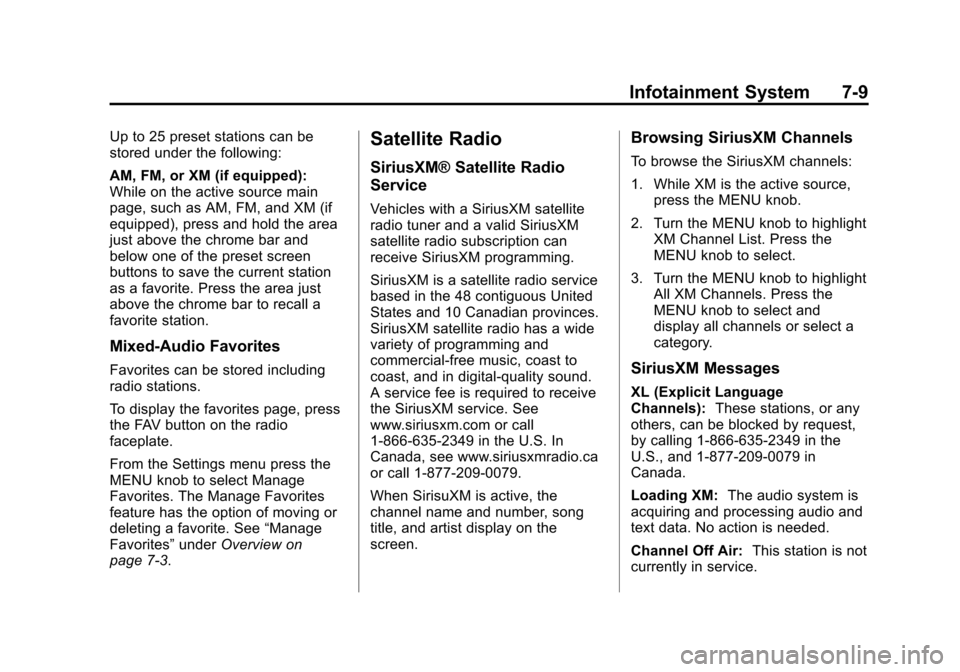
Up to 25 preset stations can be
stored under the following:
AM, FM, or XM (if equipped):
While on the active source main
page, such as AM, FM, and XM (if
equipped), press and hold the area
just above the chrome bar and
below one of the preset screen
buttons to save the current station
as a favorite. Press the area just
above the chrome bar to recall a
favorite station.
Mixed-Audio Favorites
Favorites can be stored including
radio stations.
To display the favorites page, press
the FAV button on the radio
faceplate.
From the Settings menu press the
MENU knob to select Manage
Favorites. The Manage Favorites
feature has the option of moving or
deleting a favorite. See“Manage
Favorites” underOverview on
page 7‑3.
Satellite Radio
SiriusXM® Satellite Radio
Service
Vehicles with a SiriusXM satellite
radio tuner and a valid SiriusXM
satellite radio subscription can
receive SiriusXM programming.
SiriusXM is a satellite radio service
based in the 48 contiguous United
States and 10 Canadian provinces.
SiriusXM satellite radio has a wide
variety of programming and
commercial-free music, coast to
coast, and in digital-quality sound.
A service fee is required to receive
the SiriusXM service. See
www.siriusxm.com or call
1-866-635-2349 in the U.S. In
Canada, see www.siriusxmradio.ca
or call 1-877-209-0079.
When SirisuXM is active, the
channel name and number, song
title, and artist display on the
screen.
Browsing SiriusXM Channels
To browse the SiriusXM channels:
1. While XM is the active source, press the MENU knob.
2. Turn the MENU knob to highlight XM Channel List. Press the
MENU knob to select.
3. Turn the MENU knob to highlight All XM Channels. Press the
MENU knob to select and
display all channels or select a
category.
SiriusXM Messages
XL (Explicit Language
Channels): These stations, or any
others, can be blocked by request,
by calling 1-866-635-2349 in the
U.S., and 1-877-209-0079 in
Canada.
Loading XM: The audio system is
acquiring and processing audio and
text data. No action is needed.
Channel Off Air: This station is not
currently in service.
Page 303 of 438

Black plate (9,1)Cadillac XTS Owner Manual - 2013 - 1st - 4/13/12
Vehicle Care 10-9
Used oil can be a threat to the
environment. If you change your
own oil, be sure to drain all the oil
from the filter before disposal. Never
dispose of oil by putting it in the
trash or pouring it on the ground,
into sewers, or into streams or
bodies of water. Recycle it by taking
it to a place that collects used oil.
Engine Oil Life System
When to Change Engine Oil
This vehicle has a computer system
that indicates when to change the
engine oil and filter. This is based
on a combination of factors which
include engine revolutions, engine
temperature, and miles driven.
Based on driving conditions, the
mileage at which an oil change is
indicated can vary considerably. For
the oil life system to work properly,
the system must be reset every time
the oil is changed.
When the system has calculated
that oil life has been diminished, it
indicates that an oil change isnecessary. A CHANGE ENGINE
OIL SOON message comes on. See
Engine Oil Messages on page 5‑37.
Change the oil as soon as possible
within the next 1 000 km (600 mi).
It is possible that, if driving under
the best conditions, the oil life
system might indicate that an oil
change is not necessary for up to a
year. The engine oil and filter must
be changed at least once a year
and at this time the system must be
reset. Your dealer has trained
service people who will perform this
work and reset the system. It is also
important to check the oil regularly
over the course of an oil drain
interval and keep it at the proper
level.
If the system is ever reset
accidentally, the oil must be
changed at 5 000 km (3,000 mi)
since the last oil change.
Remember to reset the oil life
system whenever the oil is changed.
How to Reset the Engine Oil
Life System
Reset the system whenever the
engine oil is changed so that the
system can calculate the next
engine oil change. To reset the
system:
1. Using the DIC controls, located
on the right side of the steering
wheel, display REMAINING OIL
LIFE on the DIC. See Driver
Information Center (DIC) on
page 5‑27. When remaining oil
life is low, the CHANGE
ENGINE OIL SOON message
will appear on the display. See
Engine Oil Messages on
page 5‑37.
2. Press SEL on the DIC controls and hold SEL down for a few
seconds to clear the CHANGE
ENGINE OIL SOON message
and reset the oil life at 100%.