2013 CADILLAC ESCALADE change time
[x] Cancel search: change timePage 280 of 532

Black plate (98,1)Cadillac Escalade/Escalade ESV Owner Manual - 2013 - CRC 2nd Edition - 10/
9/12
7-98 Infotainment System
.Surface streets run parallel to a
freeway.
.Vehicle has just been transferred
by a vehicle carrier or a ferry.
.Current position calibration is set
incorrectly.
.Vehicle is traveling at high
speed.
.Vehicle changes directions more
than once, or when the vehicle is
turning on a turn table in a
parking lot.
.Vehicle is entering and/or exiting
a parking lot or a garage.
.GPS signal is not received.
.Roof carrier is installed on the
vehicle.
.Vehicle is being driven with tire
chains.
.Tires are replaced.
.Tire pressure for the tires is
incorrect.
.Tires are worn.
.First time the map DVD is
inserted.
.Battery is disconnected for
several days.
.Vehicle is driving in heavy traffic
where driving is at low speeds,
and the vehicle is stopped and
started repeatedly.
See your dealer if other problems
occur.
Problems with Route
Guidance
Inappropriate route guidance may
occur under one or more of the
following conditions:
.You have not turned onto the
road indicated.
.Route guidance may not be
available when using automatic
rerouting for the next right or
left turn.
.The route may not be changed
when using automatic rerouting.
.There is no route guidance when
turning at an intersection.
.Plural names of places may be
announced occasionally.
.It may take a long time to
operate automatic rerouting
during high-speed driving.
.Automatic rerouting may display
a route returning to the set
stopover if you are heading for a
destination without passing
through a set stopover.
.The route prohibits the entry of a
vehicle due to a regulation by
time or season or any other
regulation which may be given.
.Some routes may not be
searched.
.The route to the destination may
not be shown if there are new
roads, if roads have recently
changed, or if certain roads are
not listed on the map DVD. See
Database Coverage
Explanations on page 7‑100
Page 284 of 532

Black plate (102,1)Cadillac Escalade/Escalade ESV Owner Manual - 2013 - CRC 2nd Edition - 10/
9/12
7-102 Infotainment System
If not currently driving on a route,
the system automatically creates the
voice tag destination as the final
destination. If driving on a route, the
system automatically creates the
voice tag destination as a stopover.
Up to three stopovers can be
created.
Storing Voice Tags
From the address book entry
information page, press the Add
Voice tag screen button. The
system responds“Name Please?”
and you will have four seconds to
record a name. The system asks for
confirmation of the name before
saving it as a voice tag.
Navigation Help
This command instructs the system
to assist with navigation commands.
Display Commands
Use the following display commands
to set the display mode.
Display [set] day [mode]: Sets the
display to daytime mode. Display [set] night [mode]:
Sets
the display to night mode.
Display [set] auto [mode]: Sets
the display to automatic mode. The
system changes between day and
night mode automatically.
System help: Instructs the system
to assist with display commands.
Radio Commands
The following are radio commands
that can be accessed by clearly
stating the commands exactly as
they are written.
Radio [band] [select] AM, radio
[band] [select] FM, radio [band]
[select] XM (if equipped), radio
[band] [select] satellite (if
equipped): Instructs the system to
go to either the AM, FM, or XM (if
equipped).
Radio [select] (frequency) AM,
radio [select] (frequency) FM:
Instructs the system to go to a
specific frequency on either AM
or FM. Radio [select] (channel) XM (if
equipped), radio [select]
(channel) satellite (if equipped):
Instructs the system to go to a
specific channel on the XM band (if
equipped).
Radio help:
Instructs the system to
assist with radio commands.
CD Commands
The following are CD, MP3, and
DVD commands that can be
accessed by clearly stating the
commands exactly as they are
written.
CD, DVD, Disc: Use this command
to select a CD, DVD, or disc that is
currently loaded.
CD, DVD, Disc, [select] track (one,
two, three, etc.): Instructs the
system to select a specific track
number.
CD, DVD, Disc select next
folder: Use this command to select
the next folder on the MP3 or
audio DVD.
Page 286 of 532

Black plate (104,1)Cadillac Escalade/Escalade ESV Owner Manual - 2013 - CRC 2nd Edition - 10/
9/12
7-104 Infotainment System
A Bluetooth system can use a
Bluetooth-capable cell phone with a
Hands-Free Profile to make and
receive phone calls. The system
can be used while the key is in the
ON/RUN or ACC/ACCESSORY
position. The range of the Bluetooth
system can be up to 9.1 m (30 ft).
Not all phones support all functions,
and not all phones work with the
in-vehicle Bluetooth system. See
www.gm.com/bluetooth for more
information on compatible phones.
Voice Recognition
The Bluetooth system uses voice
recognition to interpret voice
commands to dial phone numbers
and name tags.
For additional information, say
“Help”while you are in a voice
recognition menu.
Noise: Keep interior noise levels to
a minimum. The system may not
recognize voice commands if there
is too much background noise. When to Speak:
A short tone
sounds after the system responds
indicating when it is waiting for a
voice command. Wait until the tone
and then speak.
How to Speak: Speak clearly in a
calm and natural voice.
Audio System
When using the in-vehicle Bluetooth
system, sound comes through the
vehicle's front audio system
speakers and overrides the audio
system. Use the audio system
volume knob, during a call, to
change the volume level. The
adjusted volume level remains in
memory for later calls. To prevent
missed calls, a minimum volume
level is used if the volume is turned
down too low.
Bluetooth Controls
Use the buttons on the steering
wheel to operate the in-vehicle
Bluetooth system. See Steering
Wheel Controls on page 5‑2.
b/g(Push to Talk): Press to
answer incoming calls, confirm
system information, and start
speech recognition.
c/x(End): Press to end a call,
reject a call, or cancel an operation.
Pairing
A Bluetooth-enabled cell phone
must be paired to the Bluetooth
system and then connected to the
vehicle before it can be used. See
the cell phone manufacturer's user
guide for Bluetooth functions before
pairing the cell phone. If a Bluetooth
phone is not connected, calls will be
made using OnStar Hands-Free
Calling, if equipped. See OnStar
Overview on page 14‑1.
Pairing Information
.A Bluetooth phone with MP3
capability cannot be paired to
the vehicle as a phone and an
MP3 player at the same time.
.Up to five cell phones can be
paired to the Bluetooth system.
Page 287 of 532

Black plate (105,1)Cadillac Escalade/Escalade ESV Owner Manual - 2013 - CRC 2nd Edition - 10/
9/12
Infotainment System 7-105
.The pairing process is disabled
when the vehicle is moving.
.Pairing only needs to be
completed once, unless the
pairing information on the cell
phone changes or the cell phone
is deleted from the system.
.Only one paired cell phone can
be connected to the Bluetooth
system at a time.
.If multiple paired cell phones are
within range of the system, the
system connects to the first
available paired cell phone in the
order that they were first paired
to the system. To connect to a
different paired phone, see
“Connecting to a Different
Phone”later in this section.
Pairing a Phone
1. Press and hold
b/gfor
two seconds.
2. Say “Bluetooth.” This command
can be skipped. 3. Say
“Pair.”The system responds
with instructions and a four-digit
Personal Identification Number
(PIN). The PIN is used in Step 5.
4. Start the pairing process on the cell phone that you want to pair.
For help with this process, see
the cell phone manufacturer's
user guide.
5. Locate the device named “Your
Vehicle” in the list on the cell
phone. Follow the instructions
on the cell phone to enter the
PIN provided in Step 3. After the
PIN is successfully entered, the
system prompts you to provide a
name for the paired cell phone.
This name will be used to
indicate which phones are
paired and connected to the
vehicle. The system responds
with “
successfully paired” after the
pairing process is complete.
6. Repeat Steps 1–5 to pair additional phones. Listing All Paired and Connected
Phones
The system can list all cell phones
paired to it. If a paired cell phone is
also connected to the vehicle, the
system responds with
“is connected”
after that phone name.
1. Press and hold
b/gfor
two seconds.
2. Say “Bluetooth.”
3. Say “List.”
Deleting a Paired Phone
If the phone name you want to
delete is unknown, see “Listing All
Paired and Connected Phones.”
1. Press and hold
b/gfor
two seconds.
2. Say “Bluetooth.”
3. Say “Delete.” The system asks
which phone to delete.
4. Say the name of the phone you want to delete.
Page 288 of 532

Black plate (106,1)Cadillac Escalade/Escalade ESV Owner Manual - 2013 - CRC 2nd Edition - 10/
9/12
7-106 Infotainment System
Connecting to a Different Phone
To connect to a different cell phone,
the Bluetooth system looks for the
next available cell phone in the
order in which all the available cell
phones were paired. Depending on
which cell phone you want to
connect to, you may have to use
this command several times.
1. Press and hold
b/gfor
two seconds.
2. Say “Bluetooth.”
3. Say “Change phone.”
.If another cell phone is
found, the response will be
“
connected.”
.If another cell phone is not
found, the original phone
remains connected.
Storing and Deleting Phone
Numbers
The system can store up to 30
phone numbers as name tags in the
Hands-Free Directory that is shared
between the Bluetooth and OnStar
systems, if equipped.
The following commands are used
to delete and store phone numbers.
Store:This command will store a
phone number, or a group of
numbers as a name tag.
Digit Store: This command allows
a phone number to be stored as a
name tag by entering the digits one
at a time.
Delete: This command is used to
delete individual name tags.
Delete All Name Tags: This
command deletes all stored name
tags in the Hands-Free Calling
Directory and the OnStar
Turn-by-Turn Destinations Directory,
if equipped. Using the
“Store”Command
1. Press and holdb/gfor
two seconds.
2. Say “Store.”
3. Say the phone number or group of numbers you want to store all
at once with no pauses, then
follow the directions given by the
system to save a name tag for
this number.
Using the “Digit Store” Command
If an unwanted number is
recognized by the system, say
“Clear” at any time to clear the last
number.
To hear all of the numbers
recognized by the system, say
“Verify” at any time.
1. Press and hold
b/gfor
two seconds.
2. Say “Digit Store.”
Page 289 of 532

Black plate (107,1)Cadillac Escalade/Escalade ESV Owner Manual - 2013 - CRC 2nd Edition - 10/
9/12
Infotainment System 7-107
3. Say each digit, one at a time,that you want to store. After
each digit is entered, the system
repeats back the digit it heard
followed by a tone. After the last
digit has been entered, say
“Store,” and then follow the
directions given by the system to
save a name tag for this number.
Using the “Delete”Command
1. Press and hold
b/gfor
two seconds.
2. Say “Delete.”
3. Say the name tag you want to delete.
Using the “Delete All Name Tags”
Command
This command deletes all stored
name tags in the Hands-Free
Calling Directory and the OnStar
Turn-by-Turn Destinations Directory,
if equipped. To delete all name tags:
1. Press and hold
b/gfor
two seconds.
2. Say “Delete all name tags.”
Listing Stored Numbers
The list command will list all stored
numbers and name tags.
Using the “List”Command
1. Press and hold
b/gfor
two seconds.
2. Say “Directory.”
3. Say “Hands-Free Calling.”
4. Say “List.”
Making a Call
Calls can be made using the
following commands.
Dial or Call: The dial or call
command can be used
interchangeably to dial a phone
number or a stored name tag. Digit Dial:
This command allows a
phone number to be dialed by
entering the digits one at a time.
Re-dial: This command is used to
dial the last number used on the cell
phone.
Using the “Dial”or“Call”
Command
1. Press and hold
b/gfor
two seconds.
2. Say “Dial”or“Call.”
3. Say the entire number without pausing, or say the name tag.
Once connected, the person called
will be heard through the audio
speakers.
Calling 911 Emergency
1. Press and hold
b/gfor
two seconds.
2. Say “Dial”or“Call.”
3. Say “911.”
4. Say “Dial”or“Call.”
Page 296 of 532

Black plate (4,1)Cadillac Escalade/Escalade ESV Owner Manual - 2013 - CRC 2nd Edition - 10/
9/12
8-4 Climate Controls
freezing. The recirculation mode
cannot be selected while in the
defog mode.
0(Defrost):This mode removes
fog or frost from the windshield
more quickly. Air is directed to the
windshield and side window vents,
with some directed to the floor
vents. In this mode, the system
automatically forces outside air into
the vehicle and runs the air
conditioning compressor unless the
outside temperature is close to
freezing. The recirculation mode
cannot be selected while in the
defrost mode.
The passenger temperature control
cannot be activated while in defrost
mode. If the passenger control knob
is pressed, the passenger
temperature flashes three times and
will not work. If the passenger
control knob is adjusted, the driver
temperature indicator changes. The
passenger temperature will not be
displayed. If vent, bi-level, or floor mode is
selected again, the climate control
system displays the previous
temperature settings.
Do not drive the vehicle until all the
windows are clear.
#(Air Conditioning):
Press to
turn the air conditioning (A/C)
compressor on and off. An indicator
light comes on to show that the air
conditioning is on.
Pressing this button when the
outside temperature is too cool for
air conditioning will make the air
conditioning indicator flash 3 times
and then turn off indicating the air
conditioning mode is not available.
If the air conditioning is on and the
outside temperature drops below a
temperature which is too cool for air
conditioning to be effective, the air
conditioning light turns off to show
that the air conditioning mode has
been canceled. On hot days, open the windows long
enough to let hot inside air escape.
This helps to reduce the time it
takes for the vehicle to cool down.
It also helps the system to operate
more efficiently.
The air conditioning system
removes moisture from the air, so a
small amount of water might drip
under the vehicle while idling or
after turning off the engine. This is
normal.
@(Recirculation):
Press to turn
the recirculation mode on or off. An
indicator light comes on to show
that the recirculation is on.
This mode recirculates and helps to
quickly cool the air inside the
vehicle. It can be used to help
prevent outside air and odors from
entering the vehicle.
Page 332 of 532
Black plate (32,1)Cadillac Escalade/Escalade ESV Owner Manual - 2013 - CRC 2nd Edition - 10/
9/12
9-32 Driving and Operating
spin the tires. When stopping on
a hill, use the brakes to hold the
vehicle in place.
Normal Mode Grade Braking
Normal Mode Grade Braking is
enabled when the vehicle is started,
but is not enabled in Range
Selection Mode. It assists in
maintaining desired vehicle speeds
when driving on downhill grades by
using the engine and transmission
to slow the vehicle. The first time
the system engages for each
ignition key cycle, a DIC message
will be displayed. SeeTransmission
Messages on page 5‑36.
To disable or enable Normal Mode
Grade Braking within the current
ignition key cycle, press and hold
the Tow/Haul button for
three seconds. A DIC message
displays. See Transmission
Messages on page 5‑36.
For other forms of grade braking,
see Tow/Haul Mode on page 9‑33
and Cruise Control on page 9‑41.
Manual Mode
Driver Shift Control (DSC)
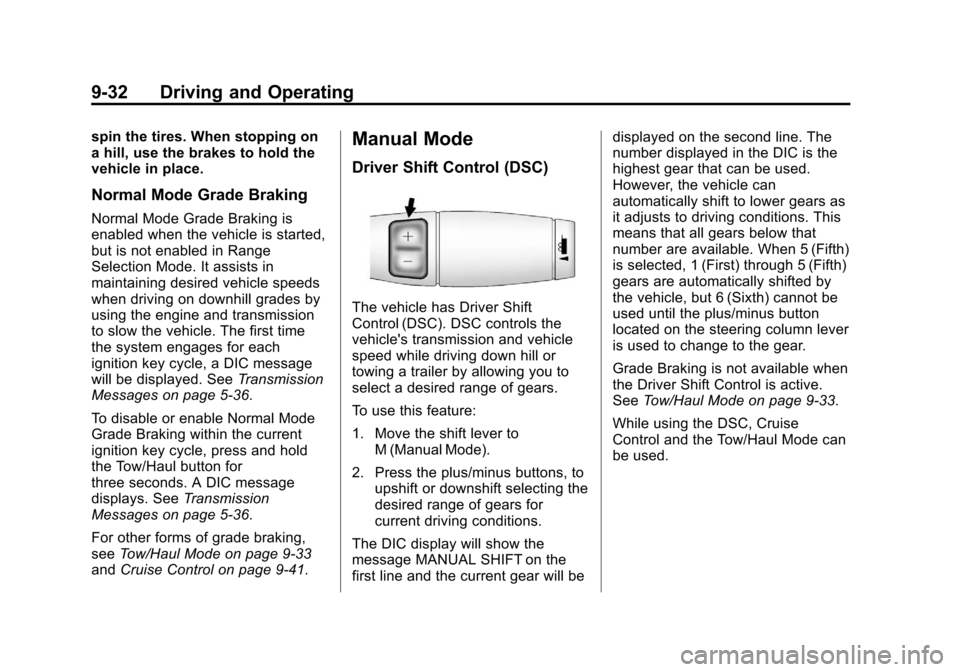
The vehicle has Driver Shift
Control (DSC). DSC controls the
vehicle's transmission and vehicle
speed while driving down hill or
towing a trailer by allowing you to
select a desired range of gears.
To use this feature:
1. Move the shift lever to
M (Manual Mode).
2. Press the plus/minus buttons, to upshift or downshift selecting the
desired range of gears for
current driving conditions.
The DIC display will show the
message MANUAL SHIFT on the
first line and the current gear will be displayed on the second line. The
number displayed in the DIC is the
highest gear that can be used.
However, the vehicle can
automatically shift to lower gears as
it adjusts to driving conditions. This
means that all gears below that
number are available. When 5 (Fifth)
is selected, 1 (First) through 5 (Fifth)
gears are automatically shifted by
the vehicle, but 6 (Sixth) cannot be
used until the plus/minus button
located on the steering column lever
is used to change to the gear.
Grade Braking is not available when
the Driver Shift Control is active.
See
Tow/Haul Mode on page 9‑33.
While using the DSC, Cruise
Control and the Tow/Haul Mode can
be used.