2013 CADILLAC ESCALADE seat adjustment
[x] Cancel search: seat adjustmentPage 73 of 532

Black plate (21,1)Cadillac Escalade/Escalade ESV Owner Manual - 2013 - CRC 2nd Edition - 10/
9/12
Seats and Restraints 3-21
Shoulder Belt Height Adjuster
The vehicle has a shoulder belt
height adjuster for the driver and
right front passenger positions.
Adjust the height so the shoulder
portion of the belt is on the shoulder
and not falling off of it. The belt
should be close to, but not
contacting, the neck. Improper
shoulder belt height adjustment
could reduce the effectiveness of
the safety belt in a crash. SeeHow
to Wear Safety Belts Properly on
page 3‑17.
Squeeze the buttons (A) on the
sides of the height adjuster and
move the height adjuster to the
desired position.
The adjuster can be moved up just
by pushing up on the shoulder belt
guide.
After the adjuster is set to the
desired position, try to move it down
without squeezing the buttons to
make sure it has locked into
position.
Safety Belt Pretensioners
This vehicle has safety belt
pretensioners for front outboard
occupants. Although the safety belt
pretensioners cannot be seen, they
are part of the safety belt assembly.
They can help tighten the safety
belts during the early stages of a
moderate to severe frontal, near
frontal, or rear crash if the threshold
conditions for pretensioner
activation are met. And, if the
vehicle has side impact airbags,
safety belt pretensioners can help
tighten the safety belts in a side
crash or a rollover event.
Pretensioners work only once. If the
pretensioners activate in a crash,
the pretensioners and probably
other parts of the vehicle's safety
belt system will need to be replaced.
See Replacing Safety Belt System
Parts after a Crash on page 3‑26.
Page 127 of 532

Black plate (7,1)Cadillac Escalade/Escalade ESV Owner Manual - 2013 - CRC 2nd Edition - 10/
9/12
Instruments and Controls 5-7
To calibrate the compass, use the
following procedure:
Compass Calibration Procedure
1. Before calibrating the compass,make sure the compass zone is
set to the variance zone in which
the vehicle is located. See
“Compass Variance (Zone)
Procedure” earlier in this
section.
Do not operate any switches
such as window, sunroof,
climate controls, seats, etc.
during the calibration procedure.
2. Press the vehicle information button until PRESS
VTO
CALIBRATE COMPASS
displays.
3. Press the set/reset button to start the compass calibration.
4. The DIC will display CALIBRATING: DRIVE IN
CIRCLES. Drive the vehicle in
tight circles at less than 8 km/h
(5 mph) to complete the
calibration. The DIC will display CALIBRATION COMPLETE for a
few seconds when the
calibration is complete. The DIC
display will then return to the
previous menu.
Clock
The analog clock is not connected
with any other vehicle system and
runs by itself.
To adjust the clock, do the following:
1. Locate the adjustment button,
near the lower left corner of the
clock.
2. Push and hold the adjustment button to advance the clock
hands. Holding the button down
will cause the clock to advance
faster. Release the button before
you get to the desired time.
3. Push and release the button to increase the time by one minute
increments until the desired time
is reached.
Power Outlets
The accessory power outlets can be
used to plug in electrical equipment,
such as a cell phone or MP3 player.
The vehicle has three accessory
power outlets located:
.Inside the floor console
storage bin.
.On the rear of the floor console.
.In the rear cargo area on the
passenger side.
Remove the cover to use and
replace when not in use.
The accessory power outlets are
powered, even when the ignition is
in LOCK/OFF. Continuing to use
power outlets while the ignition is in
LOCK/OFF may cause the vehicle's
battery to run down.
Page 214 of 532

Black plate (32,1)Cadillac Escalade/Escalade ESV Owner Manual - 2013 - CRC 2nd Edition - 10/
9/12
7-32 Infotainment System
Overview RSE Base System
Some DVDs do not allow fast
forwarding or skipping of the
copyright information or previews.
If the DVD does not begin playing at
the main title, refer to the on-screen
instructions.
The DVD player can be controlled
by using the buttons located below
the video display screen or by using
the buttons on the system’s remote
control. See “Remote Control” later
for more information.
The following discs are compatible
with the DVD player:
.DVD-Video: A DVD that has
video.
.CD-DA: A CD that has music or
sound content only.
.CD-Video: A CD that has a
movie.
.CD-R/RW: A disc that has audio
files such as CD-R with
downloaded MP3 files, MPEG,
or JPEG files.
The DVD player and discs are
coded by global region. The DVD
players are set to Region 1. Discs
with other region codes will not work
in the players.
If an error message displays on the
video screen, see “DVD Messages”
later in this section.
While the vehicle is moving,
passengers should not unfasten
their safety belts to make
adjustments to the video screen
control buttons. See Safety Belts on
page 3‑16. Use the remote control
for any necessary adjustments. See
“Remote Control” later in this
section.
A. Video Screen
.Located behind the front
seat headrest.
B. CD/DVD Slot
.The loading slot for the
DVD player is located at
the top of the head
restraint. Insert the disc
partially into the loading
slot with the printed side
facing the rear of the
vehicle. The DVD player
automatically draws the
disc in, “Loading” displays
on the screen along with a
Page 220 of 532

Black plate (38,1)Cadillac Escalade/Escalade ESV Owner Manual - 2013 - CRC 2nd Edition - 10/
9/12
7-38 Infotainment System
RSE Overview Uplevel System
The loading slot for the DVD player
is located at the top of the head
restraint. Insert the disc partially into
the loading slot with the printed side
facing the rear of the vehicle. The
DVD player automatically draws the
disc in,“Loading” displays on the
screen along with a disc indicator,
and playback starts. If the disc is
inserted incorrectly, the DVD player
ejects the disc and No Disc
displays.
Some DVDs do not allow fast
forwarding or skipping of the
copyright information or previews.
If the DVD does not begin playing at
the main title, refer to the on-screen
instructions.
The DVD player can be controlled
by using the buttons located below
the video display screen or by using
the buttons on the system’ s remote
control. See “Remote Control” later
for more information. The following discs are compatible
with the DVD player:.DVD-Video: A DVD that has
video.
.CD-DA: A CD that has music or
sound content only.
.CD-Video: A CD that has a
movie.
.CD-R/RW: A disc that has audio
files such as CD-R with
downloaded MP3 files, MPEG,
or JPEG files.
The DVD player and discs are
coded by global region. The DVD
players are set to Region 1. Discs
with other region codes will not work
in the players.
If an error message displays on the
video screen, see “DVD Messages”
later in this section. While the vehicle is moving,
passengers should not unfasten
their safety belts to make
adjustments to the video screen
control buttons. See
Safety Belts on
page 3‑16. Use the remote control
for any necessary adjustments. See
“Remote Control” later in this
section.
A. Video Screen
.Located behind the front
seat headrest.
Page 322 of 532
Black plate (22,1)Cadillac Escalade/Escalade ESV Owner Manual - 2013 - CRC 2nd Edition - 10/
9/12
9-22 Driving and Operating
Adjustable Throttle and
Brake Pedal
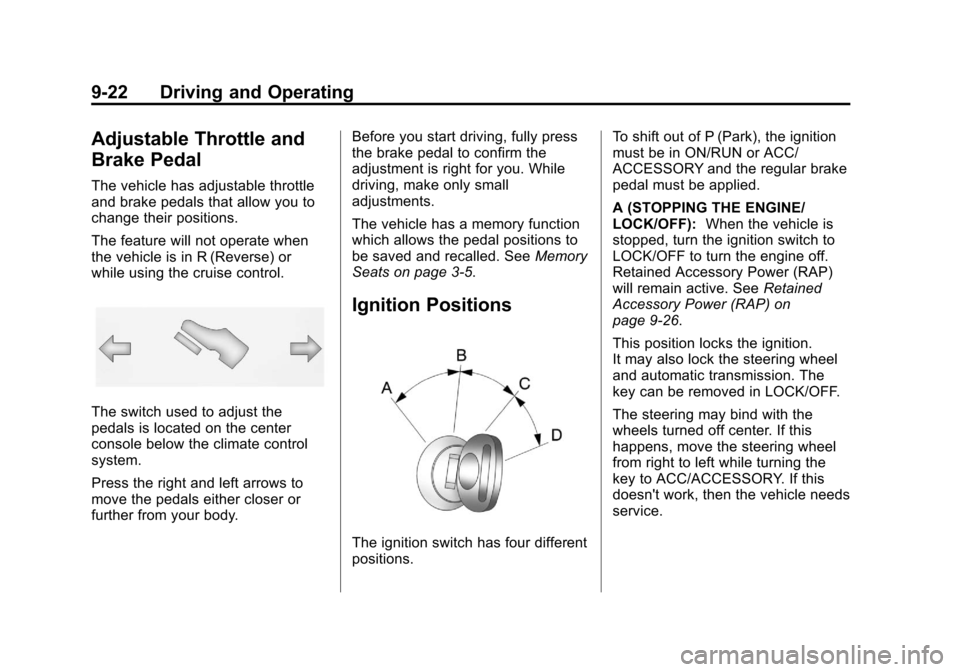
The vehicle has adjustable throttle
and brake pedals that allow you to
change their positions.
The feature will not operate when
the vehicle is in R (Reverse) or
while using the cruise control.
The switch used to adjust the
pedals is located on the center
console below the climate control
system.
Press the right and left arrows to
move the pedals either closer or
further from your body.Before you start driving, fully press
the brake pedal to confirm the
adjustment is right for you. While
driving, make only small
adjustments.
The vehicle has a memory function
which allows the pedal positions to
be saved and recalled. See
Memory
Seats on page 3‑5.
Ignition Positions
The ignition switch has four different
positions. To shift out of P (Park), the ignition
must be in ON/RUN or ACC/
ACCESSORY and the regular brake
pedal must be applied.
A (STOPPING THE ENGINE/
LOCK/OFF):
When the vehicle is
stopped, turn the ignition switch to
LOCK/OFF to turn the engine off.
Retained Accessory Power (RAP)
will remain active. See Retained
Accessory Power (RAP) on
page 9‑26.
This position locks the ignition.
It may also lock the steering wheel
and automatic transmission. The
key can be removed in LOCK/OFF.
The steering may bind with the
wheels turned off center. If this
happens, move the steering wheel
from right to left while turning the
key to ACC/ACCESSORY. If this
doesn't work, then the vehicle needs
service.
Page 519 of 532

Black plate (1,1)Cadillac Escalade/Escalade ESV Owner Manual - 2013 - CRC 2nd Edition - 10/
9/12
INDEX i-1
A
Accessories andModifications . . . . . . . . . . . . . . . . . 10-3
Accessory Power . . . . . . . . . . . . . . 9-26
Active Fuel Management
®. . . . . 9-28
Add-On Electrical Equipment . . . . . . . . . . . . . . . . . . . 9-67
Additional Information OnStar
®. . . . . . . . . . . . . . . . . . . . . . 14-5
Adjustable Throttle and Brake Pedal . . . . . . . . . . . . . . . . . . 9-22
Adjustments Lumbar, Front Seats . . . . . . . . . . . 3-4
Air Cleaner/Filter, Engine . . . . . 10-12
Air Vents . . . . . . . . . . . . . . . . . . . . . . . 8-8
Airbag System Check . . . . . . . . . . . . . . . . . . . . . . . . 3-40
How Does an AirbagRestrain? . . . . . . . . . . . . . . . . . . . 3-32
Passenger Sensing
System . . . . . . . . . . . . . . . . . . . . . . 3-34
What Makes an Airbag Inflate? . . . . . . . . . . . . . . . . . . . . . . 3-32 Airbag System (cont'd)
What Will You See after an
Airbag Inflates? . . . . . . . . . . . . . 3-33
When Should an Airbag
Inflate? . . . . . . . . . . . . . . . . . . . . . . 3-30
Where Are the Airbags? . . . . . . 3-28
Airbags Adding Equipment to theVehicle . . . . . . . . . . . . . . . . . . . . . . 3-39
Passenger Status Indicator . . . 5-14
Readiness Light . . . . . . . . . . . . . . 5-14
Servicing Airbag-Equipped Vehicles . . . . . . . . . . . . . . . . . . . . . 3-38
System Check . . . . . . . . . . . . . . . . 3-26
Alarm Vehicle Security . . . . . . . . . . . . . . 2-12
All-Wheel Drive . . . . . . . . . 10-25, 9-34
AM-FM Radio . . . . . . . . . . . . . . . . . . . 7-9
Antenna Rear Side Window . . . . . . . . . . . . 7-17
Satellite Radio . . . . . . . . . . . . . . . . 7-18
Antilock Brake System (ABS) . . . . . . . . . . . . . . . . 9-34
Warning Light . . . . . . . . . . . . . . . . . 5-19
Appearance Care Exterior . . . . . . . . . . . . . . . . . . . . . 10-90
Interior . . . . . . . . . . . . . . . . . . . . . . 10-93 Armrest Storage . . . . . . . . . . . . . . . . 4-2
Ashtrays . . . . . . . . . . . . . . . . . . . . . . . . 5-9
Audio Players
CD/DVD . . . . . . . . . . . . . . . . . . . . . . 7-18
MP3 . . . . . . . . . . . . . . . . . . . . . . . . . . 7-27
Audio System Radio Reception . . . . . . . . . . . . . . 7-16
Rear Seat (RSA) . . . . . . . . . . . . . 7-60
Theft-Deterrent Feature . . . . . . . . 7-3
Automatic Dimming Mirrors . . . . . . . . . . . . . . 2-17
Door Locks . . . . . . . . . . . . . . . . . . . . 2-8
Headlamp System . . . . . . . . . . . . . 6-6
Level Control . . . . . . . . . . . . . . . . . 9-40
Transmission . . . . . . . . . . . . . . . . . 9-29
Transmission Fluid . . . . . . . . . . . 10-9
Automatic Transmission Manual Mode . . . . . . . . . . . . . . . . . 9-32
Shift Lock ControlFunction Check . . . . . . . . . . . 10-28
Auxiliary
Devices . . . . . . . . . . . . . . . . . . . . . . . 7-30
Axle, Front . . . . . . . . . . . . . . . . . . . . 10-25
Axle, Rear . . . . . . . . . . . . . . . . . . . . 10-26
Page 525 of 532

Black plate (7,1)Cadillac Escalade/Escalade ESV Owner Manual - 2013 - CRC 2nd Edition - 10/
9/12
INDEX i-7
Lights (cont'd)High/Low Beam Changer . . . . . . 6-5
Safety Belt Reminders . . . . . . . . 5-13
Security . . . . . . . . . . . . . . . . . . . . . . 5-22
StabiliTrak
®OFF . . . . . . . . . . . . . 5-20
Tire Pressure . . . . . . . . . . . . . . . . . 5-21
Tow/Haul Mode . . . . . . . . . . . . . . . 5-20
Traction Control System (TCS)/StabiliTrak
®. . . . . . . . . . 5-21
Locking Rear Axle . . . . . . . . . . . . . 9-39
Locks Automatic Door . . . . . . . . . . . . . . . . 2-8
Delayed Locking . . . . . . . . . . . . . . . 2-7
Door . . . . . . . . . . . . . . . . . . . . . . . . . . . 2-6
Lockout Protection . . . . . . . . . . . . . 2-8
Power Door . . . . . . . . . . . . . . . . . . . . 2-7
Safety . . . . . . . . . . . . . . . . . . . . . . . . . 2-8
Loss of Control . . . . . . . . . . . . . . . . . 9-5
Lower Anchors and Tethers
for Children (LATCH
System) . . . . . . . . . . . . . . . . . . . . . . 3-49
Lumbar Adjustment . . . . . . . . . . . . . 3-4 Front Seats . . . . . . . . . . . . . . . . . . . . 3-4
M
Maintenance
Records . . . . . . . . . . . . . . . . . . . . .11-16
Maintenance Schedule Recommended Fluidsand Lubricants . . . . . . . . . . . . .11-13
Malfunction Indicator Lamp . . . . 5-16
Manual Mode . . . . . . . . . . . . . . . . . . 9-32
Map Data Updates . . . . . . . . . . . . . 7-99
Maps . . . . . . . . . . . . . . . . . . . . . . . . . . 7-64
Memory Features . . . . . . . . . . . . . . . 1-8
Memory Seats . . . . . . . . . . . . . . . . . . 3-5
Menu
Configure . . . . . . . . . . . . . . . . . . . . . 7-84
Messages Airbag System . . . . . . . . . . . . . . . . 5-35
Battery Voltage and
Charging . . . . . . . . . . . . . . . . . . . . 5-29
Brake System . . . . . . . . . . . . . . . . 5-29
Door Ajar . . . . . . . . . . . . . . . . . . . . . 5-29
Engine Cooling System . . . . . . . 5-30
Engine Oil . . . . . . . . . . . . . . . . . . . . 5-31
Engine Power . . . . . . . . . . . . . . . . 5-31 Messages (cont'd)
Fuel System . . . . . . . . . . . . . . . . . . 5-32
Key and Lock . . . . . . . . . . . . . . . . . 5-32
Lamp . . . . . . . . . . . . . . . . . . . . . . . . . 5-32
Object Detection System . . . . . 5-32
Ride Control System . . . . . . . . . . 5-33
Security . . . . . . . . . . . . . . . . . . . . . . 5-35
Tire . . . . . . . . . . . . . . . . . . . . . . . . . . . 5-35
Transmission . . . . . . . . . . . . . . . . . 5-36
Vehicle . . . . . . . . . . . . . . . . . . . . . . . 5-28
Vehicle Reminder . . . . . . . . . . . . . 5-37
Washer Fluid . . . . . . . . . . . . . . . . . 5-37
Mirrors Automatic Dimming . . . . . . . . . . . 2-17
Automatic Dimming
Rearview . . . . . . . . . . . . . . . . . . . . 2-17
Convex . . . . . . . . . . . . . . . . . . . . . . . 2-15
Heated . . . . . . . . . . . . . . . . . . . . . . . 2-16
Park Tilt . . . . . . . . . . . . . . . . . . . . . . 2-17
Power . . . . . . . . . . . . . . . . . . . . . . . . 2-16
Monitor System, Tire Pressure . . . . . . . . . . . . . . . . . . . . 10-49
MP3 . . . . . . . . . . . . . . . . . . . . . . . . . . . 7-27
Page 527 of 532

Black plate (9,1)Cadillac Escalade/Escalade ESV Owner Manual - 2013 - CRC 2nd Edition - 10/
9/12
INDEX i-9
Power (cont'd)Seat Adjustment . . . . . . . . . . . . . . . 3-3
Steering Fluid . . . . . . . . . . . . . . . 10-20
Windows . . . . . . . . . . . . . . . . . . . . . 2-18
Power Assist Steps . . . . . . . . . . . . 2-12
Pregnancy, Using Safety Belts . . . . . . . . . . . . . . . . . . . . . . . . . 3-24
Privacy Radio Frequency
Identification (RFID) . . . . . . . 13-21
Problems with Route Guidance . . . . . . . . . . . . . . . . . . . . 7-98
Program Courtesy Transportation . . . . 13-13
Proposition 65 Warning, California . . . . . . . . . . . . . . . . . . . . . 10-2
R
Radio FrequencyIdentification (RFID) . . . . . . . . 13-21
Statement . . . . . . . . . . . . . . . . . . 13-21 Radios
AM-FM Radio . . . . . . . . . . . . . . . . . . 7-9
CD/DVD Player . . . . . . . . . . . . . . . 7-18
Reception . . . . . . . . . . . . . . . . . . . . 7-16
Satellite . . . . . . . . . . . . . . . . . . . . . . . 7-15
Reading Lamps . . . . . . . . . . . . . . . . . 6-9
Rear Axle . . . . . . . . . . . . . . . . . . . . . 10-26 Locking . . . . . . . . . . . . . . . . . . . . . . . 9-39
Rear Climate Control System . . . 8-6
Rear Seat Audio (RSA) System . . . . . . . . . . . . . . . . . . . . . . . 7-60
Rear Seat Entertainment
System . . . . . . . . . . . . . . . . . 7-31, 7-50
Rear Seat Audio (RSA) . . . . . . . 7-60
Rear Seats
Heated . . . . . . . . . . . . . . . . . . . . . . . . 3-8
Rear Side Window Antenna . . . 7-17
Rear Storage . . . . . . . . . . . . . . . . . . . 4-2
Rear Vision Camera (RVC) . . . . 9-47
Rear Window Washer/Wiper . . . . 5-5
Rearview Mirrors Automatic Dimming . . . . . . . . . . . 2-17
Reclining Seatbacks . . . . . . . . . . . . 3-4 Recommended
Fuel . . . . . . . . . . . . . . . . . . . . . . . . . . 9-51
Recommended Fluids and Lubricants . . . . . . . . . . . . . . . . . . . 11-13
Records Maintenance . . . . . . . . . . . . . . . . .11-16
Recreational Vehicle
Towing . . . . . . . . . . . . . . . . . . . . . . 10-87
Reimbursement Program, GM Mobility . . . . . . . . . . . . . . . . . . 13-7
Remote Keyless Entry (RKE)
System . . . . . . . . . . . . . . . . . . . . . . . . 2-2
Remote Vehicle Start . . . . . . . . . . . 2-5
Replacement Glass . . . . . . . . . . . . . . . . . . . . . . . 10-30
Replacement Bulbs . . . . . . . . . . . 10-32
Replacement Parts
Airbags . . . . . . . . . . . . . . . . . . . . . . . 3-40
Maintenance . . . . . . . . . . . . . . . . .11-15
Replacing Airbag System . . . . . . 3-40
Replacing LATCH System Parts after a Crash . . . . . . . . . . . 3-56
Replacing Safety Belt System Parts after a Crash . . . 3-26