2013 CADILLAC ATS fuel
[x] Cancel search: fuelPage 208 of 450
Black plate (2,1)Cadillac ATS Owner Manual - 2013 - CRC - 10/5/12
8-2 Climate Controls
10. Rear Window Defogger
11. Recirculation
Automatic Operation
The system automatically controls
the fan speed, air delivery, air
conditioning, and recirculation in
order to heat or cool the vehicle to
the desired temperature.
When the indicator light is on or
AUTO is displayed on the screen,
the system is in full automatic
operation. If the air delivery mode or
fan setting is manually adjusted, the
auto indicator turns off and the
display will show the selected
settings.
For automatic operation:
1. Press AUTO.
2. Set the temperature. Allow thesystem time to stabilize. Then
adjust the temperature as
needed for best comfort.
To improve fuel efficiency and to
cool the vehicle faster, recirculation
may be automatically selected in warm weather. The recirculation
light will not come on. Press
@to
select recirculation; press it again to
select outside air.
English units can be changed to
metric units through the instrument
cluster. See “Settings”under
Instrument Cluster on page 5‑9.
OFF (Fan): Press to turn the fan on
or off. The temperature control and
air delivery mode can still be
adjusted.
w/x(Driver and Passenger
Temperature Controls): The
temperature can be adjusted
separately for the driver and the
passenger. Press to increase or
decrease the temperature. Press
and hold to rapidly increase or
decrease the temperature.
SYNC (Synchronized
Temperature): Press SYNC to link
all climate zone settings to the
driver settings. The SYNC indicator
will be lit. Adjust the driver side
temperature control to change the
linked temperature. When the passenger settings are adjusted, the
temperatures are unlinked and the
SYNC indicator turns off.
Manual Operation
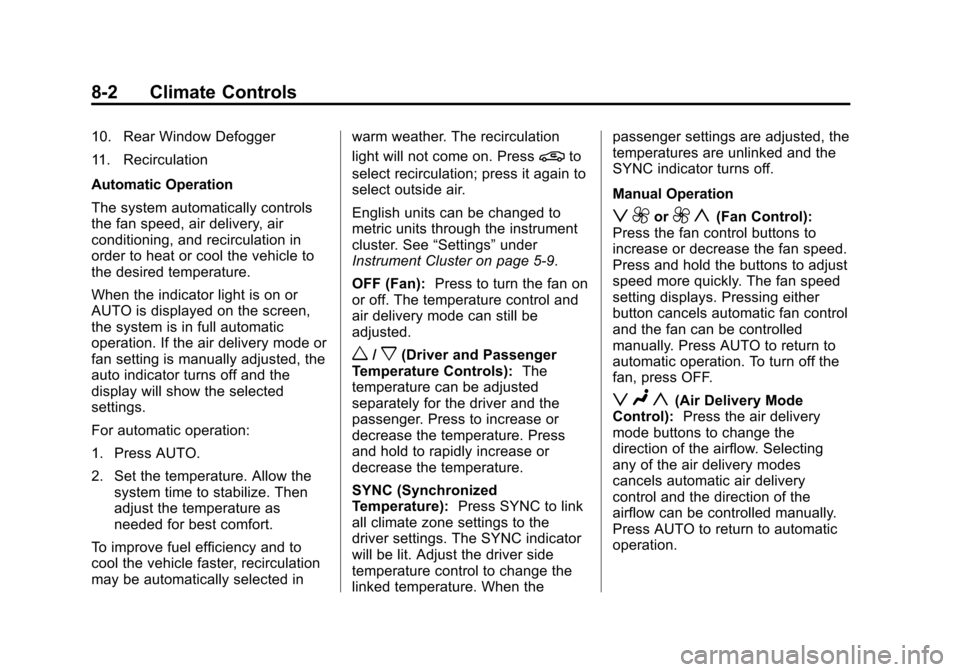
z 9or9 y(Fan Control):
Press the fan control buttons to
increase or decrease the fan speed.
Press and hold the buttons to adjust
speed more quickly. The fan speed
setting displays. Pressing either
button cancels automatic fan control
and the fan can be controlled
manually. Press AUTO to return to
automatic operation. To turn off the
fan, press OFF.
z N y(Air Delivery Mode
Control): Press the air delivery
mode buttons to change the
direction of the airflow. Selecting
any of the air delivery modes
cancels automatic air delivery
control and the direction of the
airflow can be controlled manually.
Press AUTO to return to automatic
operation.
Page 213 of 450

Black plate (7,1)Cadillac ATS Owner Manual - 2013 - CRC - 10/5/12
Climate Controls 8-7
To improve fuel efficiency and to
cool the vehicle faster, recirculation
may be automatically selected in
warm weather. The recirculation
light will not come on. Press
@to
select recirculation; press it again to
select outside air.
English units can be changed to
metric units through the instrument
cluster. See “Settings”under
Instrument Cluster on page 5‑9.
OFF (Fan): Press to turn the fan on
or off. The temperature control and
air delivery mode can still be
adjusted.
w/x(Driver and Passenger
Temperature Controls): The
temperature can be adjusted
separately for the driver and the
passenger. Press to increase or
decrease the temperature. Press
and hold to rapidly increase or
decrease the temperature. SYNC (Synchronized
Temperature):
Press SYNC on the
touch screen to link all climate zone
settings to the driver settings. Adjust
the driver side temperature control
to change the linked temperature.
When the passenger settings are
adjusted, the SYNC button is
displayed when the temperatures
are unlinked.
Manual Operation
z 9or9 y(Fan Control):
Press the fan control buttons or the
touch screen fan control, to increase
or decrease the fan speed. Press
and hold the buttons or the touch
screen control to adjust speed more
quickly. The fan speed setting
displays. Pressing either button
cancels automatic fan control and
the fan can be controlled manually.
Press AUTO to return to automatic
operation. To turn off the fan and
climate control system, press and
hold the fan down button or touch
screen fan control until it is off. Air Delivery Mode Control:
Press
the CLIMATE touch screen button to
select climate control. Press the air
delivery mode touch screen button
to change the direction of the
airflow. The selected air delivery
mode button is lit. Pressing any of
the air delivery buttons cancels
automatic air delivery control and
the direction of the airflow can be
controlled manually. Press AUTO to
return to automatic operation.
To change the current mode, select
one of the following:
Y(Vent): Air is directed to the
instrument panel outlets.
\(Bi-Level): Air is divided
between the instrument panel
outlets and the floor outlets.
[(Floor): Air is directed to the
floor outlets, with some air to the
windshield and side windows.
Page 220 of 450

Black plate (2,1)Cadillac ATS Owner Manual - 2013 - CRC - 10/5/12
9-2 Driving and Operating
Fuel
Fuel . . . . . . . . . . . . . . . . . . . . . . . . . 9-64
Recommended Fuel . . . . . . . . . 9-64
Gasoline Specifications . . . . . . 9-65
California FuelRequirements . . . . . . . . . . . . . . 9-65
Fuels in Foreign Countries . . . 9-65
Fuel Additives . . . . . . . . . . . . . . . 9-65
Fuel E85 (85% Ethanol) . . . . . 9-66
Filling the Tank . . . . . . . . . . . . . . 9-68
Filling a Portable Fuel Container . . . . . . . . . . . . . . . . . . . 9-69
Towing
General TowingInformation . . . . . . . . . . . . . . . . . 9-70
Driving Characteristics and Towing Tips . . . . . . . . . . . . . . . . 9-70
Trailer Towing (With V6 Engine) . . . . . . . . . . . . . . . . . 9-73
Trailer Towing (With L4 Engine) . . . . . . . . . . . . . . . . . . . . . 9-74
Towing Equipment . . . . . . . . . . . 9-74
Conversions and Add-Ons
Add-On Electrical Equipment . . . . . . . . . . . . . . . . . 9-75
Driving Information
Distracted Driving
Distraction comes in many forms
and can take your focus from the
task of driving. Exercise good
judgment and do not let other
activities divert your attention
away from the road. Many local
governments have enacted laws
regarding driver distraction. Become
familiar with the local laws in
your area.
To avoid distracted driving, always
keep your eyes on the road, hands
on the wheel, and mind on the drive.
.Do not use a phone in
demanding driving situations.
Use a hands-free method to
place or receive necessary
phone calls.
.Watch the road. Do not read,
take notes, or look up
information on phones or other
electronic devices.
.Designate a front seat
passenger to handle potential
distractions.
.Become familiar with vehicle
features before driving, such as
programming favorite radio
stations and adjusting climate
control and seat settings.
Program all trip information into
any navigation device prior to
driving.
.Wait until the vehicle is parked
to retrieve items that have fallen
to the floor.
.Stop or park the vehicle to tend
to children.
.Keep pets in an appropriate
carrier or restraint.
.Avoid stressful conversations
while driving, whether with a
passenger or on a cell phone.
Page 224 of 450

Black plate (6,1)Cadillac ATS Owner Manual - 2013 - CRC - 10/5/12
9-6 Driving and Operating
.Try to avoid sudden steering,
acceleration, or braking,
including reducing vehicle speed
by shifting to a lower gear. Any
sudden changes could cause
the tires to slide.
Remember: Antilock brakes help
avoid only the braking skid.
Racing or Other
Competitive Driving
Competitive driving may affect the
vehicle warranty. See the warranty
book before using the vehicle for
competitive driving.
Notice: Low oil levels can
damage the engine. If using the
vehicle for competitive driving,
the engine may use more oil than
it would with normal use. Check
the oil level often during
competitive driving. For 2.0L Turbo Engine Only:
.Keep the level at or near 1 L
(1 qt) above the upper mark that
shows the proper operating
range on the engine oil dipstick.
.A 600 W fan in addition to the
production option V03.
.RON 104 premium fuel must be
used with colder spark plugs.
See your dealer.
For 3.6L Engine Only:
.Keep the level at or near 0.5 L
(0.5 qt) above the upper mark
that shows the proper operating
range on the engine oil dipstick.
.Install an engine oil cooler kit,
including engine oil cooler lines
and oil filter adapter.
.Install a heavy duty fan. This
requires electrical changes to
the vehicle. Contact your dealer. Notice:
Low oil levels can
damage the engine. If using the
vehicle for competitive driving,
the engine may use more oil than
it would with normal use. Check
the oil level often during
competitive driving.
For vehicles equipped with front
Brembo brake systems:
.Performance/racing brake pads
are required prior to racing or
closed track driving. Vehicles
with option code Y4Q have
performance brake pads.
.Before racing, replace existing
brake fluid with a qualified
racing brake fluid from a sealed
container. Brake fluid with a dry
boiling point >279°C (534°F) is
qualified. If racing brake fluid is
used, replace it with GM
approved brake fluid before
driving on public roads. See
Recommended Fluids and
Lubricants on page 11‑13.
.Do not use silicone-based fluids.
Page 228 of 450

Black plate (10,1)Cadillac ATS Owner Manual - 2013 - CRC - 10/5/12
9-10 Driving and Operating
{WARNING
Snow can trap engine exhaust
under the vehicle. This may
cause exhaust gases to get
inside. Engine exhaust contains
carbon monoxide (CO) which
cannot be seen or smelled. It can
cause unconsciousness and even
death.
If the vehicle is stuck in the snow:
.Clear away snow from around
the base of your vehicle,
especially any that is blocking
the exhaust pipe.
.Check again from time to
time to be sure snow does
not collect there.
.Open a window about 5 cm
(2 in) on the side of the
vehicle that is away from the
wind to bring in fresh air.(Continued)
WARNING (Continued)
.Fully open the air outlets on
or under the instrument
panel.
.Adjust the climate control
system to a setting that
circulates the air inside the
vehicle and set the fan speed
to the highest setting. See
“Climate Control Systems” in
the Index.
For more information about
carbon monoxide, see Engine
Exhaust on page 9‑24.
To save fuel, run the engine for only
short periods as needed to warm
the vehicle and then shut the engine
off and close the window most of
the way to save heat. Repeat this
until help arrives but only when you
feel really uncomfortable from the
cold. Moving about to keep warm
also helps. If it takes some time for help to
arrive, now and then when you run
the engine, push the accelerator
pedal slightly so the engine runs
faster than the idle speed. This
keeps the battery charged to restart
the vehicle and to signal for help
with the headlamps. Do this as little
as possible to save fuel.
If the Vehicle Is Stuck
Slowly and cautiously spin the
wheels to free the vehicle when
stuck in sand, mud, ice, or snow.
If stuck too severely for the traction
system to free the vehicle, turn the
traction system off and use the
rocking method. See
Traction
Control System (TCS) on
page 9‑34.
Page 233 of 450

Black plate (15,1)Cadillac ATS Owner Manual - 2013 - CRC - 10/5/12
Driving and Operating 9-15
fuel, and cargo. Never exceed
the GVWR for the vehicle, or the
Gross Axle Weight Rating
(GAWR) for either the front or
rear axle.
And, if there is a heavy load, it
should be spread out. See
“Steps for Determining Correct
Load Limit”earlier in this
section.
{WARNING
Do not load the vehicle any
heavier than the Gross
Vehicle Weight Rating
(GVWR), or either the
maximum front or rear Gross
Axle Weight Rating (GAWR).
This can cause systems to
break and change the way the
vehicle handles. This could
cause loss of control and a
crash. Overloading can also
shorten the life of the vehicle. If you put things inside the
vehicle
—like suitcases, tools,
packages, or anything
else —they will go as fast as the
vehicle goes. If you have to stop
or turn quickly, or if there is a
crash, they will keep going.
{WARNING
Things inside the vehicle can
strike and injure people in a
sudden stop or turn, or in a
crash.
.Put things in the cargo
area of the vehicle. In the
cargo area, put them as
far forward as possible.
Try to spread the weight
evenly.
(Continued)
WARNING (Continued)
.Never stack heavier
things, like suitcases,
inside the vehicle so that
some of them are above
the tops of the seats.
.Do not leave an
unsecured child restraint
in the vehicle.
.Secure loose items in the
vehicle.
.Do not leave a seat folded
down unless needed.
Page 234 of 450
Black plate (16,1)Cadillac ATS Owner Manual - 2013 - CRC - 10/5/12
9-16 Driving and Operating
Starting and
Operating
New Vehicle Break-In
Follow these recommended
guidelines during the first
2 414 km (1,500 mi) of driving this
vehicle. Parts have a break-in
period and performance will be
better in the long run.
For the first 2 414 km (1,500 mi):
.Avoid full throttle starts and
abrupt stops.
.Do not exceed 4000 engine rpm.
.Avoid driving at any one
constant speed, fast or slow.
.Avoid downshifting to brake or
slow the vehicle when the
engine speed will exceed
4000 rpm.
.Do not let the engine labor.
Never lug the engine in high
gear at low speeds. With a
manual transmission, shift to the
next lower gear. This rule
applies at all times, not just
during the break-in period.
.Check engine oil with every
refueling and add if necessary.
Oil and fuel consumption may be
higher than normal during the
first 2 414 km (1,500 mi).
.New brake linings also need a
break-in period. Avoid making
hard stops during the first
322 km (200 mi). This is
recommended every time brake
linings are replaced.
Ignition Positions
The vehicle has an electronic
keyless ignition with pushbutton
start.
Pressing the button cycles it through
three modes: ACC/ACCESSORY,
ON/RUN/START, and Stopping the
Engine/OFF.
Page 238 of 450

Black plate (20,1)Cadillac ATS Owner Manual - 2013 - CRC - 10/5/12
9-20 Driving and Operating
The vehicle has a
Computer-Controlled Cranking
System. This feature assists in
starting the engine and protects
components. If the START
button is pressed, and then
released when the engine
begins cranking, the engine will
continue cranking for a few
seconds or until the vehicle
starts. If the engine does not
start and the button is pressed
for many seconds, cranking will
be stopped after 15 seconds to
prevent cranking motor damage.
To prevent gear damage, this
system also prevents cranking if
the engine is already running.
Engine cranking can be stopped
by pressing the START button a
second time.Notice:
Cranking the engine for
long periods of time, by pressing
the START button immediately
after cranking has ended, can
overheat and damage the
cranking motor, and drain the
battery. Wait at least 15 seconds
between each try, to let the
cranking motor cool down.
2. If the engine does not start after
five to 10 seconds, especially in
very cold weather (below −18°C
or 0°F), it could be flooded with
too much gasoline. Try pushing
the accelerator pedal all the way
to the floor and holding it there
as you press the START button,
for up to a maximum of
15 seconds. Wait at least
15 seconds between each try, to
allow the cranking motor to cool
down. When the engine starts,
let go of the button and the
accelerator. If the vehicle starts briefly but then stops again, do
the same thing. This clears the
extra gasoline from the engine.
Do not race the engine
immediately after starting it.
Operate the engine and
transmission gently until the oil
warms up and lubricates all
moving parts.
Engine Heater
Vehicles with the engine coolant
heater can use this option in
cold weather conditions at or
below
−18°C (0°F) for easier
starting and better fuel economy
during engine warm-up. Plug in the
coolant heater at least four hours
before starting your vehicle. An
internal thermostat in the plug-end
of the cord may exist which will
prevent engine coolant heater
operation at temperatures above
−18°C (0°F).