2013 CADILLAC ATS Fan
[x] Cancel search: FanPage 98 of 450

Black plate (44,1)Cadillac ATS Owner Manual - 2013 - CRC - 10/5/12
3-44 Seats and Restraints
According to accident statistics,
children and infants are safer when
properly restrained in a child
restraint system or infant restraint
system secured in a rear seating
position. SeeWhere to Put the
Restraint on page 3‑39 for
additional information.
Securing a Child Restraint
Designed for the LATCH
System
{WARNING
If a LATCH-type child restraint is
not attached to anchors, the child
restraint will not be able to protect
the child correctly. In a crash, the
child could be seriously injured or
killed. Install a LATCH-type child
restraint properly using the
anchors, or use the vehicle safety
belts to secure the restraint,
following the instructions that
came with the child restraint and
the instructions in this manual.
{WARNING
Do not attach more than one child
restraint to a single anchor.
Attaching more than one child
restraint to a single anchor could
cause the anchor or attachment
to come loose or even break
during a crash. A child or others
could be injured. To reduce the
risk of serious or fatal injuries
during a crash, attach only one
child restraint per anchor.
{WARNING
Children can be seriously injured
or strangled if a shoulder belt is
wrapped around their neck and
the safety belt continues to
tighten. Buckle any unused safety
belts behind the child restraint so
children cannot reach them. Pull
the shoulder belt all the way out
(Continued)
WARNING (Continued)
of the retractor to set the lock,
if the vehicle has one, after the
child restraint has been installed.
Notice: Do not let the LATCH
attachments rub against the
vehicle’ s safety belts. This may
damage these parts. If necessary,
move buckled safety belts to
avoid rubbing the LATCH
attachments.
Do not fold the empty rear seat
with a safety belt buckled. This
could damage the safety belt or
the seat. Unbuckle and return the
safety belt to its stowed position,
before folding the seat.
If you need to secure more than one
child restraint in the rear seat, see
Where to Put the Restraint on
page 3‑39.
Page 154 of 450

Black plate (44,1)Cadillac ATS Owner Manual - 2013 - CRC - 10/5/12
5-44 Instruments and Controls
CUE Infotainment System Audio
System Controls
To access the
personalization menu:
1. Press SETTINGS on the Homepage on the infotainment system
display.
2. Press Vehicle Settings.
3. Press the desired feature to display a list of available
options.
4. Press to select the desired feature setting.
5. Press the
0to return to the
previous menu.
Personalization Menus
The following list of menu items may
be available:
.Climate and Air Quality
.Collision/Detection Systems
.Comfort and Convenience
.Language
.Lighting
.Power Door Locks
.Remote Locking, Unlocking,
Starting
.Return to Factory Settings
Climate and Air Quality
Select the Climate and Air Quality
menu and the following may be
displayed:
.Auto Fan Max Speed
.Auto Defog
.Auto Rear Defog
Auto Fan Max Speed
This feature will set the maximum
auto fan speed.
Select Low, Medium, or High.
Auto Defog
This will turn auto defog on or off.
Only vehicles with the uplevel dual
automatic climate control system will
have this option.
Select Off or On. Auto Rear Defog
If equipped, this will turn auto rear
defog on or off. This feature will
automatically turn on the rear
window defogger when it is cold
outside.
Select Off or On.
Collision/Detection Systems
Select the Collision/Detection
Systems menu and the following will
be displayed (if equipped):
.Alert Type
.Auto Collision Preparation
.Park Assist
.Go Notifier
.Side Blind Zone Alert
Alert Type
This feature will set crash alerts to
beeps or seat vibrations. This
setting affects all crash alerts
including Forward Collision,
Page 207 of 450

Black plate (1,1)Cadillac ATS Owner Manual - 2013 - CRC - 10/5/12
Climate Controls 8-1
Climate Controls
Climate Control Systems
Dual Automatic Climate ControlSystem (Base) . . . . . . . . . . . . . . . 8-1
Dual Automatic Climate Control System (Uplevel) . . . . . . . . . . . . 8-5
Air Vents
Air Vents . . . . . . . . . . . . . . . . . . . . . 8-10
Maintenance
Passenger Compartment AirFilter . . . . . . . . . . . . . . . . . . . . . . . . 8-11
Service . . . . . . . . . . . . . . . . . . . . . . 8-11
Climate Control Systems
Dual Automatic Climate Control System (Base)
For vehicles with this system, it controls the heating, cooling, and ventilation.
1. Driver and Passenger
Temperature Controls
2. Fan Control
3. AUTO (Automatic Operation)
4. Air Delivery Mode Control
5. OFF (Fan) 6. SYNC (Synchronized
Temperature)
7. Driver and Passenger Heated Seats (If Equipped)
8. AC (Air Conditioning)
9. Defrost
Page 208 of 450
Black plate (2,1)Cadillac ATS Owner Manual - 2013 - CRC - 10/5/12
8-2 Climate Controls
10. Rear Window Defogger
11. Recirculation
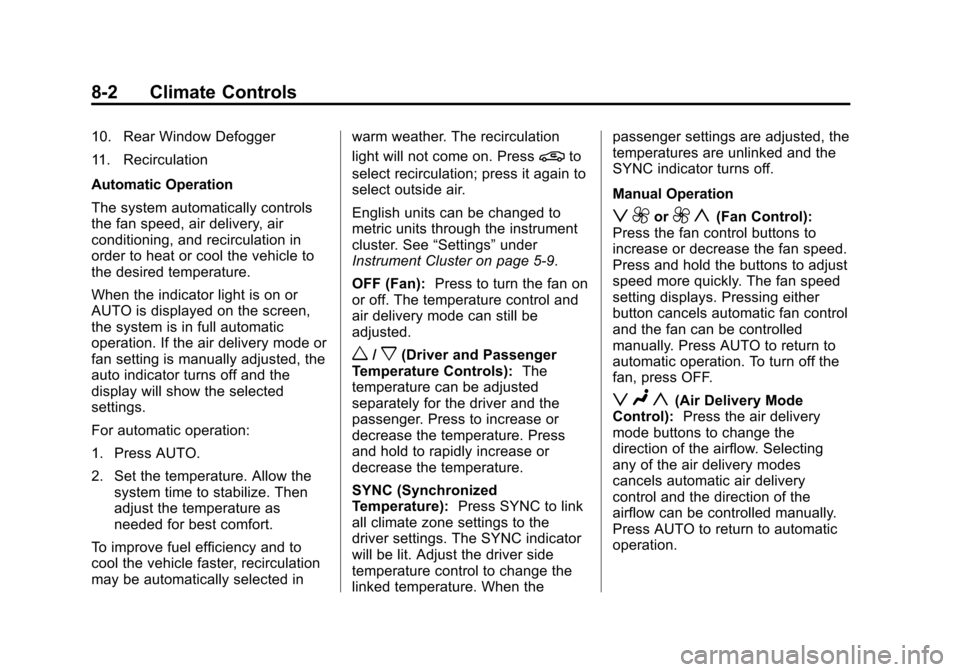
Automatic Operation
The system automatically controls
the fan speed, air delivery, air
conditioning, and recirculation in
order to heat or cool the vehicle to
the desired temperature.
When the indicator light is on or
AUTO is displayed on the screen,
the system is in full automatic
operation. If the air delivery mode or
fan setting is manually adjusted, the
auto indicator turns off and the
display will show the selected
settings.
For automatic operation:
1. Press AUTO.
2. Set the temperature. Allow thesystem time to stabilize. Then
adjust the temperature as
needed for best comfort.
To improve fuel efficiency and to
cool the vehicle faster, recirculation
may be automatically selected in warm weather. The recirculation
light will not come on. Press
@to
select recirculation; press it again to
select outside air.
English units can be changed to
metric units through the instrument
cluster. See “Settings”under
Instrument Cluster on page 5‑9.
OFF (Fan): Press to turn the fan on
or off. The temperature control and
air delivery mode can still be
adjusted.
w/x(Driver and Passenger
Temperature Controls): The
temperature can be adjusted
separately for the driver and the
passenger. Press to increase or
decrease the temperature. Press
and hold to rapidly increase or
decrease the temperature.
SYNC (Synchronized
Temperature): Press SYNC to link
all climate zone settings to the
driver settings. The SYNC indicator
will be lit. Adjust the driver side
temperature control to change the
linked temperature. When the passenger settings are adjusted, the
temperatures are unlinked and the
SYNC indicator turns off.
Manual Operation
z 9or9 y(Fan Control):
Press the fan control buttons to
increase or decrease the fan speed.
Press and hold the buttons to adjust
speed more quickly. The fan speed
setting displays. Pressing either
button cancels automatic fan control
and the fan can be controlled
manually. Press AUTO to return to
automatic operation. To turn off the
fan, press OFF.
z N y(Air Delivery Mode
Control): Press the air delivery
mode buttons to change the
direction of the airflow. Selecting
any of the air delivery modes
cancels automatic air delivery
control and the direction of the
airflow can be controlled manually.
Press AUTO to return to automatic
operation.
Page 209 of 450

Black plate (3,1)Cadillac ATS Owner Manual - 2013 - CRC - 10/5/12
Climate Controls 8-3
To change the current mode, select
one of the following:
Y(Vent):Air is directed to the
instrument panel outlets.
\(Bi-Level): Air is divided
between the instrument panel
outlets and the floor outlets.
[(Floor): Air is directed to the
floor outlets, with some air to the
windshield and side windows.
-(Defog): Clears the windows of
fog or moisture. Air is directed to the
windshield, side windows and floor
outlets. Some air may go to the rear
floor outlets.
0(Defrost): Press the0button
to turn on or off. This clears the
windshield of fog or frost more
quickly. Air is directed to the
windshield and side windows, with
some air to the rear floor. A/C (Air Conditioning):
Press to
turn the air conditioning on or off.
If the fan is turned off or the outside
temperature falls below freezing, the
air conditioner will not run.
Press AUTO to return to automatic
operation and the air conditioner
runs as needed. When the indicator
light is on, the air conditioner runs
automatically to cool the air inside
the vehicle or to dry the air needed
to defog the windshield faster.
Automatic Air Recirculation:
When the AUTO indicator light is
on, the air is automatically
recirculated as needed to help
quickly cool the inside of the
vehicle.
@(Recirculation): Press to
alternate between recirculating air
inside the vehicle or pulling in
outside air. The indicator light on the
button is lit when recirculation mode
is active. This helps to quickly cool
the air inside the vehicle or prevent
outside air and odors from entering. Pressing this button cancels
automatic recirculation. Press AUTO
to return to automatic operation;
recirculation runs automatically as
needed.
Manual recirculation mode is not
available when in Defrost or Defog
modes.
Auto Defog:
The climate control
system may have a sensor to
automatically detect high humidity
inside the vehicle. When high
humidity is detected, the climate
control system may adjust to
outside air supply and turn on the
air conditioner. If the climate control
system does not detect possible
window fogging, it returns to normal
operation. To turn Auto Defog off or
on, see “Climate and Air Quality”
under Vehicle Personalization on
page 5‑43.
Page 211 of 450

Black plate (5,1)Cadillac ATS Owner Manual - 2013 - CRC - 10/5/12
Climate Controls 8-5
Sensors
The solar sensor monitors the
solar heat.
The climate control system uses the
sensor information to adjust the
temperature, fan speed,
recirculation, and air delivery mode
for best comfort.
If the sensor is covered, the
automatic climate control system
may not work properly.
Dual Automatic Climate Control System (Uplevel)
The climate control buttons and the touch screen are used to adjust the
heating, cooling, and ventilation.
Climate Control Buttons
1. Driver and Passenger Temperature Controls
2. Fan Control
3. OFF (Fan)
4. Driver and Passenger Heated Seats (If Equipped) 5. AUTO (Automatic Operation)
6. Defrost
7. Rear Window Defogger
8. Recirculation
Page 212 of 450

Black plate (6,1)Cadillac ATS Owner Manual - 2013 - CRC - 10/5/12
8-6 Climate Controls
Climate Touch Screen Controls
1. Outside Air Temperature Display
2. Driver and Passenger Temperature Displays
3. Fan Control
4. SYNC (Synchronized Temperature)
5. AC Mode (Air Conditioning)
6. Climate Control Selection (Application Tray Button)
7. Air Delivery Mode Control Climate Control Touch Screen
The fan, air delivery mode, A/C
mode, and SYNC settings can be
controlled by pressing CLIMATE on
the infotainment home screen or the
climate button in the touch screen
application tray. A selection can
then be made on the front climate
control page displayed. See the
infotainment manual.
Climate Control Status Screen
The climate control status screen
appears briefly when the climate
control buttons on the faceplate areadjusted. The air delivery mode can
be adjusted on the climate control
status screen.
Automatic Operation
The system automatically controls
the fan speed, air delivery, air
conditioning, and recirculation in
order to heat or cool the vehicle to
the desired temperature.
When the indicator light is on or
AUTO is displayed on the touch
screen, the system is in full
automatic operation. If the air
delivery mode or fan setting is
manually adjusted, the auto
indicator turns off and the display
will show the selected settings. Auto
operation can be turned off
individually for climate settings.
For automatic operation:
1. Press AUTO.
2. Set the temperature. Allow the
system time to stabilize. Then
adjust the temperature as
needed for best comfort.
Page 213 of 450

Black plate (7,1)Cadillac ATS Owner Manual - 2013 - CRC - 10/5/12
Climate Controls 8-7
To improve fuel efficiency and to
cool the vehicle faster, recirculation
may be automatically selected in
warm weather. The recirculation
light will not come on. Press
@to
select recirculation; press it again to
select outside air.
English units can be changed to
metric units through the instrument
cluster. See “Settings”under
Instrument Cluster on page 5‑9.
OFF (Fan): Press to turn the fan on
or off. The temperature control and
air delivery mode can still be
adjusted.
w/x(Driver and Passenger
Temperature Controls): The
temperature can be adjusted
separately for the driver and the
passenger. Press to increase or
decrease the temperature. Press
and hold to rapidly increase or
decrease the temperature. SYNC (Synchronized
Temperature):
Press SYNC on the
touch screen to link all climate zone
settings to the driver settings. Adjust
the driver side temperature control
to change the linked temperature.
When the passenger settings are
adjusted, the SYNC button is
displayed when the temperatures
are unlinked.
Manual Operation
z 9or9 y(Fan Control):
Press the fan control buttons or the
touch screen fan control, to increase
or decrease the fan speed. Press
and hold the buttons or the touch
screen control to adjust speed more
quickly. The fan speed setting
displays. Pressing either button
cancels automatic fan control and
the fan can be controlled manually.
Press AUTO to return to automatic
operation. To turn off the fan and
climate control system, press and
hold the fan down button or touch
screen fan control until it is off. Air Delivery Mode Control:
Press
the CLIMATE touch screen button to
select climate control. Press the air
delivery mode touch screen button
to change the direction of the
airflow. The selected air delivery
mode button is lit. Pressing any of
the air delivery buttons cancels
automatic air delivery control and
the direction of the airflow can be
controlled manually. Press AUTO to
return to automatic operation.
To change the current mode, select
one of the following:
Y(Vent): Air is directed to the
instrument panel outlets.
\(Bi-Level): Air is divided
between the instrument panel
outlets and the floor outlets.
[(Floor): Air is directed to the
floor outlets, with some air to the
windshield and side windows.