2013 BUICK REGAL AUX
[x] Cancel search: AUXPage 170 of 412

Black plate (18,1)Buick Regal Owner Manual - 2013 - crc - 11/5/12
7-18 Infotainment System
No Folder
When the CD only contains
compressed audio files without any
folders or playlists, all files are
under the root folder.
File System and Naming
The song titles, artists, albums, and
genres are taken from the file's ID3
tag and are only displayed if present
in the tag. If a song title is not
present in the ID3 tag, the radio
displays the file name as the
track name.
Preprogrammed Playlists
The radio recognizes
preprogrammed playlists; however,
there is no editing capability. These
playlists are treated as special
folders containing compressed
audio song files.Auxiliary Devices
This vehicle has an auxiliary input
jack in the center console. Possible
auxiliary audio sources include:
.Laptop computer
.MP3 player
This jack is not an audio output. Do
not plug headphones into the
auxiliary input jack. Drivers are
encouraged to set up any auxiliary
device while the vehicle is in
P (Park).
Connect a 3.5 mm (1/8 in) cable
from the auxiliary device to the
auxiliary input jack. When a device
is connected, the system
automatically begins playing audio
from the device over the vehicle
speakers.
If an auxiliary device has already
been connected, but a different
source is currently active, press the
Now Playing screen button on the
Home Page, then press Source repeatedly to cycle through all of the
available audio source screens, until
the AUX source screen is selected.
Portable devices are controlled by
using the menu system described in
Overview on page 7‑2.Using the 3.5 mm (1/8 in)
Auxiliary Input Jack
Connect a 3.5 mm (1/8 in) cable to
the 3.5 mm (1/8 in) auxiliary input
jack to use a portable audio player.
Playback of an audio device that is
connected to the 3.5 mm (1/8 in)
auxiliary input jack can only be
controlled using the controls on the
device.
Adjusting the Volume
Turn the
3/Oknob to adjust the
volume of the infotainment system
after the volume level has been set
on the portable audio device.
Page 173 of 412

Black plate (21,1)Buick Regal Owner Manual - 2013 - crc - 11/5/12
Infotainment System 7-21
Playing from an iPod®
This feature supports the following
iPod models:
.iPod nano®(1st, 2nd, 3rd, and
4th generation)
.iPod®with video (5.0 and 5.5
generation). Video is not shown;
only audio is supported.
.iPod classic®(6th generation)
.iPod touch®(1st and 2nd
generation)
There may be problems with
operation and function in the
following situations:
.When connecting an iPod on
which a more recent version of
the firmware is installed than is
supported by the infotainment
system.
.When connecting an iPod on
which firmware from other
providers is installed. To connect and control an iPod,
connect one end of the standard
iPod USB cable to the iPod's dock
connector. Connect the other end to
the USB port in the center console.
iPod music information displays on
the radio’s display and begins
playing through the vehicle’s audio
system.
The iPod battery recharges
automatically while the vehicle is on.
When the vehicle is off while an
iPod is connected using the iPod
USB cable, the iPod battery stops
charging and the iPod automatically
turns off.
If the iPod is an unsupported model,
it can still be listened to in the
vehicle by connecting to the
auxiliary input jack using a standard
3.5 mm (1/8 in) stereo cable.
iPod Menu
Shuffle Songs:
Press to play the
tracks randomly. Press again to stop
shuffle. Press any of the following buttons
on the iPod Menu:
Playlists:
1. Press to view the playlists stored
on the iPod.
2. Select a playlist name to view a list of all songs in the playlist.
3. Select the desired song from the list to begin playback.
Artists:
1. Press to view the artists stored on the iPod.
2. Select an artist name to view a list of all songs by the artist.
3. Select the desired song from the list to begin playback.
Albums:
1. Press to view the albums stored on the iPod.
2. Select an album name to view a list of all songs on the album or
select All Songs to view all
songs by the artist.
Page 219 of 412

Black plate (23,1)Buick Regal Owner Manual - 2013 - crc - 11/5/12
Driving and Operating 9-23
the plug-end of the cord will prevent
engine coolant heater operation at
temperatures above−18°C (0°F).
To Use the Engine Coolant
Heater
1. Turn off the engine.
2. Open the hood and unwrap the
electrical cord.
The electrical cord is located on
the passenger side of the engine
compartment, between the
fender and the air cleaner. 3. Plug it into a normal, grounded
110-volt AC outlet.
{WARNING
Plugging the cord into an
ungrounded outlet could cause an
electrical shock. Also, the wrong
kind of extension cord could
overheat and cause a fire. You
could be seriously injured. Plug
the cord into a properly grounded
three-prong 110-volt AC outlet.
If the cord will not reach, use a
heavy-duty three-prong extension
cord rated for at least 15 amps.
4. Before starting the engine, be sure to unplug and store the
cord as it was before to keep it
away from moving engine parts.
The length of time the heater should
remain plugged in depends on
several factors. Ask a dealer in the
area where you will be parking the
vehicle for the best advice on this.
Retained Accessory
Power (RAP)
These vehicle accessories can be
used for up to 10 minutes after the
engine is turned off:
.Audio System
.Power Windows
.Sunroof (If Equipped)
.Auxiliary Power Outlet
Power to the audio system will
continue to operate for up to
10 minutes or until the driver door is
opened.
Power to the power windows and
sunroof will continue to operate for
up to 10 minutes or until any door is
opened.
All of these features will work when
the ignition is in ON/RUN or ACC/
ACCESSORY.
Page 285 of 412

Black plate (37,1)Buick Regal Owner Manual - 2013 - crc - 11/5/12
Vehicle Care 10-37
Fuse
Number Usage
16 Heated Steering Wheel
17 Airbag
18 BPIM (eAssist Only)
19 Not Used
20 Not Used
21 Rear Power Windows
22 Antilock Brake System Valve
23 Variable Effort Steering
24 Front Power Windows
25 Power Outlets
26 Antilock Brake System Pump
27 Electric Parking Brake Fuse
Number Usage
28 Heated Rear Window
29 Left-Hand Seat Lumbar
30 Right-Hand Seat Lumbar
31 A/C Clutch
32 Body Control Module 6
33 Heated Front Seats
34 Sunroof
35 Infotainment System
36 Not Used
37 Right-Hand High-Beam
Headlamp
38 Left-Hand High-Beam
Headlamp Fuse
Number Usage
39 Not Used
40 Not Used
41 Vacuum Pump
42 Radiator Fan
43 Passive Entry/ Passive Start
44 Transmission Auxiliary Pump
(eAssist Only)
45 Radiator Fan
46 Terminal 87, Main Relay
47 Oxygen Sensor
48 Fog Lamps
49 Right-Hand Low Beam, High Intensity
Discharge
Headlamp
Page 287 of 412

Black plate (39,1)Buick Regal Owner Manual - 2013 - crc - 11/5/12
Vehicle Care 10-39
Relay
Number Usage
11 Transmission Auxiliary Pump
(eAssist Only)
12 Cooling Fan (2.0L Engine RPO LHU)
13 Cooling Fan
14 High Intensity Discharge Lamps
15 Ignition
16 Secondary AIR Pump (eAssist and
2.4L Engine
RPO LEA)
17 Window/Mirror DefogInstrument Panel Fuse
Block
The instrument panel fuse block is
located in the instrument panel, on
the driver side of the vehicle.
To access the fuses, open the
storage compartment. Press in on
the sides of the compartment to
release it from the instrument panel.
Pull the door toward you to release
it from the hinge.
Instrument Panel Fuse Block
Number Usage
1 Suspension Control Module/Universal
Garage Door
Opener/ESC
2 Body Control Module 1
3 Body Control Module 5
4 Radio
Page 401 of 412

Black plate (1,1)Buick Regal Owner Manual - 2013 - crc - 11/5/12
INDEX i-1
A
Accessories andModifications . . . . . . . . . . . . . . . . . 10-3
Accessory Power . . . . . . . . . . . . . . 9-23
Add-On Electrical Equipment . . . . . . . . . . . . . . . . . . . 9-51
Additional Information
OnStar
®. . . . . . . . . . . . . . . . . . . . . . 14-5
Adjustments Lumbar, Front Seats . . . . . . . . . . . 3-4
Air Cleaner/Filter, Engine . . . . . 10-14
Air Filter, Passenger
Compartment . . . . . . . . . . . . . . . . . 8-6
Air Intake . . . . . . . . . . . . . . . . . . . . . . . 8-6
Air Vents . . . . . . . . . . . . . . . . . . . . . . . 8-6
Airbag System Check . . . . . . . . . . . . . . . . . . . . . . . . 3-28
How Does an AirbagRestrain? . . . . . . . . . . . . . . . . . . . 3-21
Passenger Sensing
System . . . . . . . . . . . . . . . . . . . . . . 3-23
What Makes an Airbag Inflate? . . . . . . . . . . . . . . . . . . . . . . 3-21 Airbag System (cont'd)
What Will You See after an
Airbag Inflates? . . . . . . . . . . . . . 3-21
When Should an Airbag
Inflate? . . . . . . . . . . . . . . . . . . . . . . 3-20
Where Are the Airbags? . . . . . . 3-19
Airbags Adding Equipment to theVehicle . . . . . . . . . . . . . . . . . . . . . . 3-27
Passenger Status Indicator . . . 5-14
Readiness Light . . . . . . . . . . . . . . 5-14
Servicing Airbag-Equipped Vehicles . . . . . . . . . . . . . . . . . . . . . 3-27
System Check . . . . . . . . . . . . . . . . 3-17
Alarm Vehicle Security . . . . . . . . . . . . . . 2-13
AM-FM Radio . . . . . . . . . . . . . . . . . . . 7-9
Antenna Satellite Radio . . . . . . . . . . . . . . . . 7-15
Antilock Brake System (ABS) . . . . . . . . . . . . . . . . 9-31
Warning Light . . . . . . . . . . . . . . . . . 5-19
Appearance Care
Exterior . . . . . . . . . . . . . . . . . . . . . 10-92
Interior . . . . . . . . . . . . . . . . . . . . . . 10-95 Assistance Program,
Roadside . . . . . . . . . . . . . . 13-7, 13-11
Audio Players . . . . . . . . . . . . . . . . . 7-15 CD . . . . . . . . . . . . . . . . . . . . . . . . . . . 7-15
MP3 . . . . . . . . . . . . . . . . . . . . . . . . . . 7-16
Audio System Backglass Antenna . . . . . . . . . . . 7-14
Radio Reception . . . . . . . . . . . . . . 7-13
Theft-Deterrent Feature . . . . . . . . 7-2
Automatic Headlamp System . . . . . . . . . . . . . 6-2
Transmission . . . . . . . . . . . . . . . . . 9-27
Transmission Fluid . . . . . . . . . 10-13
Automatic Transmission Manual Mode . . . . . . . . . . . . . . . . . 9-29
Shift Lock ControlFunction Check . . . . . . . . . . . 10-27
Auxiliary Devices . . . . . . . . . . . . . . . . . . . . . . . 7-18
Page 403 of 412
Black plate (3,1)Buick Regal Owner Manual - 2013 - crc - 11/5/12
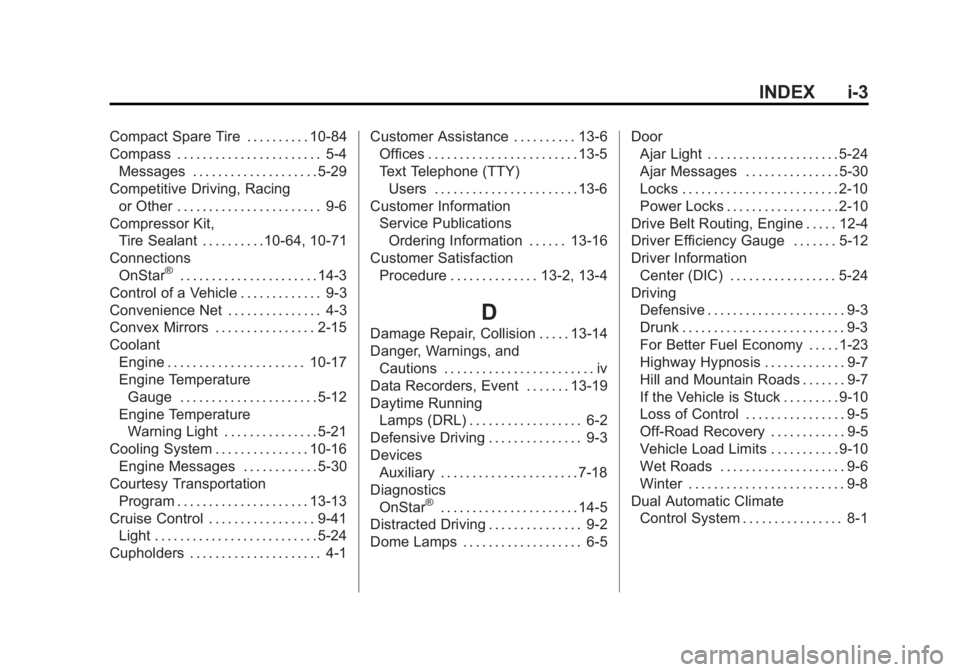
INDEX i-3
Compact Spare Tire . . . . . . . . . . 10-84
Compass . . . . . . . . . . . . . . . . . . . . . . . 5-4Messages . . . . . . . . . . . . . . . . . . . . 5-29
Competitive Driving, Racing or Other . . . . . . . . . . . . . . . . . . . . . . . 9-6
Compressor Kit, Tire Sealant . . . . . . . . . .10-64, 10-71
Connections OnStar
®. . . . . . . . . . . . . . . . . . . . . . 14-3
Control of a Vehicle . . . . . . . . . . . . . 9-3
Convenience Net . . . . . . . . . . . . . . . 4-3
Convex Mirrors . . . . . . . . . . . . . . . . 2-15
Coolant Engine . . . . . . . . . . . . . . . . . . . . . . 10-17
Engine TemperatureGauge . . . . . . . . . . . . . . . . . . . . . . 5-12
Engine Temperature Warning Light . . . . . . . . . . . . . . . 5-21
Cooling System . . . . . . . . . . . . . . . 10-16 Engine Messages . . . . . . . . . . . . 5-30
Courtesy Transportation
Program . . . . . . . . . . . . . . . . . . . . . 13-13
Cruise Control . . . . . . . . . . . . . . . . . 9-41 Light . . . . . . . . . . . . . . . . . . . . . . . . . . 5-24
Cupholders . . . . . . . . . . . . . . . . . . . . . 4-1 Customer Assistance . . . . . . . . . . 13-6
Offices . . . . . . . . . . . . . . . . . . . . . . . . 13-5
Text Telephone (TTY)
Users . . . . . . . . . . . . . . . . . . . . . . . 13-6
Customer Information Service PublicationsOrdering Information . . . . . . 13-16
Customer Satisfaction Procedure . . . . . . . . . . . . . . 13-2, 13-4
D
Damage Repair, Collision . . . . . 13-14
Danger, Warnings, andCautions . . . . . . . . . . . . . . . . . . . . . . . . iv
Data Recorders, Event . . . . . . . 13-19
Daytime Running Lamps (DRL) . . . . . . . . . . . . . . . . . . 6-2
Defensive Driving . . . . . . . . . . . . . . . 9-3
Devices
Auxiliary . . . . . . . . . . . . . . . . . . . . . . 7-18
Diagnostics OnStar
®. . . . . . . . . . . . . . . . . . . . . . 14-5
Distracted Driving . . . . . . . . . . . . . . . 9-2
Dome Lamps . . . . . . . . . . . . . . . . . . . 6-5 Door
Ajar Light . . . . . . . . . . . . . . . . . . . . . 5-24
Ajar Messages . . . . . . . . . . . . . . . 5-30
Locks . . . . . . . . . . . . . . . . . . . . . . . . . 2-10
Power Locks . . . . . . . . . . . . . . . . . . 2-10
Drive Belt Routing, Engine . . . . . 12-4
Driver Efficiency Gauge . . . . . . . 5-12
Driver Information Center (DIC) . . . . . . . . . . . . . . . . . 5-24
Driving Defensive . . . . . . . . . . . . . . . . . . . . . . 9-3
Drunk . . . . . . . . . . . . . . . . . . . . . . . . . . 9-3
For Better Fuel Economy . . . . . 1-23
Highway Hypnosis . . . . . . . . . . . . . 9-7
Hill and Mountain Roads . . . . . . . 9-7
If the Vehicle is Stuck . . . . . . . . . 9-10
Loss of Control . . . . . . . . . . . . . . . . 9-5
Off-Road Recovery . . . . . . . . . . . . 9-5
Vehicle Load Limits . . . . . . . . . . . 9-10
Wet Roads . . . . . . . . . . . . . . . . . . . . 9-6
Winter . . . . . . . . . . . . . . . . . . . . . . . . . 9-8
Dual Automatic Climate Control System . . . . . . . . . . . . . . . . 8-1