2013 BMW M6 CONVERTIBLE automatic transmission
[x] Cancel search: automatic transmissionPage 72 of 222

▷Then press the brake pedal with normal
braking force.
Activating/deactivating the system
manually
Using the button
Press the button.
▷LED comes on: Auto Start Stop function is
deactivated.
The engine is started during an automatic
engine stop.
The engine can only be stopped or started
via the Start/Stop button.▷LED goes out: Auto Start Stop function is
activated.
Switching off the vehicle during an
automatic engine stop
During an automatic engine stop, the vehicle
can be switched off permanently, e.g., when
leaving it.
1.Press the Start/Stop button. The ignition is
switched off. The Auto Start/Stop function
is deactivated.
Transmission position P is engaged auto‐
matically.2.Set the parking brake.
Engine start as usual via Start/Stop button.
Automatic deactivation
In certain situations, the Auto Start/Stop func‐
tion is deactivated automatically for safety rea‐
sons, such as when the driver is detected to be
absent.
Malfunction
The Auto Start/Stop function no longer
switches of the engine automatically. A Check
Control message is displayed. It is possible to
continue driving. Have the system checked.
Parking brake
The concept The parking brake is used to prevent the vehi‐
cle from rolling when it is parked.
Setting
Pull the switch.
The LED lights up.
The indicator lamp lights up red. The
parking brake is set.
Lower lamp: indicator lamp in Canadian
models
Set the parking brake and further secure
the vehicle as required
Set the parking brake firmly when parking; oth‐
erwise, the vehicle could roll. On steep upward
and downward inclines, further secure the ve‐
Seite 68ControlsDriving68
Online Edition for Part no. 01 40 2 910 746 - VI/13
Page 73 of 222

hicle, for example, by turning the steering
wheel in the direction of the curb. ◀
While driving
Use while driving serves as an emergency
braking function:
Pull the switch and hold it. The vehicle brakes
hard while the switch is being pulled.
The indicator lamp lights up red, a sig‐
nal sounds and the brake lamps light
up.
Lower lamp: indicator lamp in Canadian
models.
If the vehicle is braked to a speed of approx.
2 mph/3 km/h, the parking brake remains set.
Releasing
With the ignition switched on:
Manual transmission: Press the switch
while the brake or clutch pedal is
pressed.
Double-clutch transmission: Press the switch
while pressing on the brake pedal.
The LED and indicator lamp go out.
The parking brake is released.
Automatic Release
For automatic release, operate the accelerator
pedal.
The LED and indicator lamp go out.
Subject to the following requirements, the
parking brake is automatically released by op‐
eration of the accelerator pedal:▷Engine on.▷Drive position engaged.▷Driver buckled in and doors closed.
Inadvertent operation of the accelerator
pedal
Make sure that the accelerator pedal is not op‐
erated unintentionally; otherwise, the vehicle is
set in motion and there is a risk of an acci‐
dent.◀
Automatic release for manual
transmission
Drive off as usual. The parking brake disen‐
gages when the clutch pedal is released.
The LED and indicator lamp go out.
Under the following conditions, the parking
brake is automatically released:▷Engine on.▷Gear engaged.▷Driver buckled in and doors closed.▷Engine power is sufficient to drive off.
Inadvertent operation of the clutch pedal
Make sure that the clutch pedal is not
operated unintentionally; otherwise, the vehi‐
cle is set in motion when the clutch is released,
and there is a risk of an accident.◀
Malfunction
In the event of a failure or malfunction of the parking brake, secure the vehicle against roll‐
ing using a wheel chock, for example, when leaving it.
After a power failure Only put the parking brake into operation
after a power failure
The parking brake should only be put into op‐
eration again if it was manually released due to
an interruption in the supply of electrical
power. Otherwise, it cannot be ensured that
the parking brake will function properly.◀
Putting the parking brake into
operation
1.Switch on the ignition.2. Press the switch while the brake is
depressed or transmission position P is
engaged.
Seite 69DrivingControls69
Online Edition for Part no. 01 40 2 910 746 - VI/13
Page 74 of 222

It may take several seconds for the brake to be
put into operation. Any sounds associated with
this are normal.
The indicator lamp in the instrument
cluster goes out as soon as the parking
brake is ready for operation.
Lower lamp: indicator lamp in Canadian
models.
M double-clutch
transmission with Drivelogic
The conceptThe M double-clutch transmission with Drive‐
logic is an automatic shift transmission with
two clutches and partial transmissions in which
the gears can be changed without interrupting
the tractive force.
The operation is via the shift lever or two shift
paddles on the steering wheel.
Functions▷Sequential mode or drive mode.▷Various drive programs, Drivelogic.▷Upshifting display, Shift Lights.▷Automatic downshifting and protection
from misshifting even in sequential mode.▷Launch Control.▷Automatic double-clutching.▷Low Speed Assistant.Selector lever, transmission positions
At a glance▷R: reverse gear.▷N: neutral.▷ Center position, forward position.▷+: manual upshifting.▷-: manual downshifting.▷D/S: switch between drive mode and se‐
quential mode.
Engaging the transmission position
Pull or push lever in the corresponding direc‐
tion.
As soon as the selector lever is released, it re‐
verts to the center position. In position R, the
selector lever locks.
The engaged transmission position is dis‐
played in the instrument cluster and on the se‐
lector lever.
With the transmission position engaged, the
vehicle can be moved very slowly when ma‐
neuvering or in stop and go traffic. To do this,
depress the accelerator briefly while the vehi‐
cle is stationary.
Shift lock
To shift out of neutral, apply the brake while
the vehicle is stationary.
R is Reverse
Select only when the vehicle is stationary.
Seite 70ControlsDriving70
Online Edition for Part no. 01 40 2 910 746 - VI/13
Page 75 of 222

It is also possible to rock the vehicle up to
6 mph/10 km/h. To do this, switch between
forward and reverse gear.
N is Neutral Use in automatic car washes, for example. The
vehicle can then roll.
S Sequential mode
Use the shift paddles or the shift lever to up‐
shift or downshift without letting off the gas.
Automatic Functions:▷Upshifting or downshifting is done only if
the rpm and vehicle speed are appropriate.
For example, there is no downshifting if the
engine speed is too high.▷Shortly before falling below a gear-de‐
pendent minimum speed, the transmission
is automatically downshifted.
It is also possible to start out in 2nd gear, e. g.
on icy roads.
Kickdown: for maximum acceleration, e. g.
when passing. To do this, depress the acceler‐
ator pedal past the resistance point, and pull
the left shift paddle once or push the shift lever
forward once.
Switch to Drive mode: push selector lever in
D/S direction.
D Drive mode In Drive mode, all forward gears are automati‐
cally changed.
Kickdown: for maximum acceleration, e. g.
when passing. To do this, depress the acceler‐
ator pedal past the resistance point.
Switch to Sequential mode: shift using the
shift paddles or the selector lever, or push the
selector lever in the D/S direction.
P Park
The drive wheels are blocked.
P is engaged automatically:
▷After the engine is switched off in ignition
off, refer to page 64, if position R or D is
engaged.▷If the ignition is switched off and position N
is engaged.
Displays in the instrument cluster
Sequential mode
▷Engaged gear, arrow 1.▷Selected driving program,
Drivelogic, refer to
page 72, arrow 2.
Drive mode
▷Engaged gear together with
a D, arrow 1.▷Selected driving program,
Drivelogic, refer to
page 72, arrow 2.
Note
When the external temperature is very low, the
display may not work. Current driving direction
is recognizable at the engaged selector lever
position.
Gear change
Shifting in Sequential mode possible.
A shift in Drive mode causes a switch to Se‐
quential mode.
Using the selector lever
▷To shift up: pull the selector lever rear‐
wards.▷To shift down: press the selector lever for‐
ward.Seite 71DrivingControls71
Online Edition for Part no. 01 40 2 910 746 - VI/13
Page 78 of 222
When the maximum possible speed is
reached, the entire speed display flashes.
When the maximum speed is exceeded, the
supply of fuel is interrupted in order to protect
the engine. Speeds in this range must be
avoided.
Displaying Shift LightsShift Lights can only be displayed in M view,
refer to page 134.1.Switch on Head-Up Display, refer to
page 134.2."Settings"3."Head-Up Display"4."Displayed information"5."M View"
Low Speed Assistant
The Low Speed Assistant gives assistance at
very low speeds. The vehicle travels at walking
speed and automatically controls the speed of
the engine.
This can also be used for rocking the vehicle in
the snow. To do this, switch between reverse
gear and forward gear without stepping on the
brakes in the process.
Activating
1.Engage a driving position.2.Briefly tap the accelerator petal.
The vehicle rolls at minimum speed.
This is possible in 1st and 2nd gear and in re‐
verse gear.
Overheating
Do not ride the brake; otherwise, the
transmission may overheat.◀
DeactivatingApply the brakes until the vehicle comes to a
stop.
System limits
This transmission has an overheating protec‐
tion mechanism, which protects the clutch
from extreme stress.▷Indicator lamp lights up yellow:
transmission too hot.
Avoid high engine stress and fre‐
quent starts.▷Indicator lamp lights up red: transmission
is overheating.
Further driving at a moderate pace is pos‐
sible. At the next opportunity, stop the car,
shut off the engine and allow the transmis‐
sion to cool down.
Avoid fast starts, and on inclines did not accel‐
erate lightly while letting the clutch slip; other‐
wise, the transmission may overheat.
During traffic jams or at very low speeds, use
the Low Speed Assistant, refer to page 74.
M Driving Dynamics Control
The concept The M Driving Dynamics Control affects the
response of the vehicle to accelerator pedal
movements.
ProgramsResponse behavior options:
▷"Efficient": comfortable. Minimal fuel con‐
sumption.
Ideal e. g. in city traffic or on snow.▷"Sport": sporty, dynamic.▷"Sport Plus": spontaneous, direct. Maxi‐
mum dynamics.Seite 74ControlsDriving74
Online Edition for Part no. 01 40 2 910 746 - VI/13
Page 90 of 222
Detailed information on service
requirements
More information on the scope of service re‐
quired can be displayed on the Control Dis‐
play.1."Vehicle Info"2."Vehicle status"3. "Service required"
Required maintenance procedures and le‐
gally mandated inspections are displayed.4.Select an entry to call up detailed informa‐
tion.
Symbols
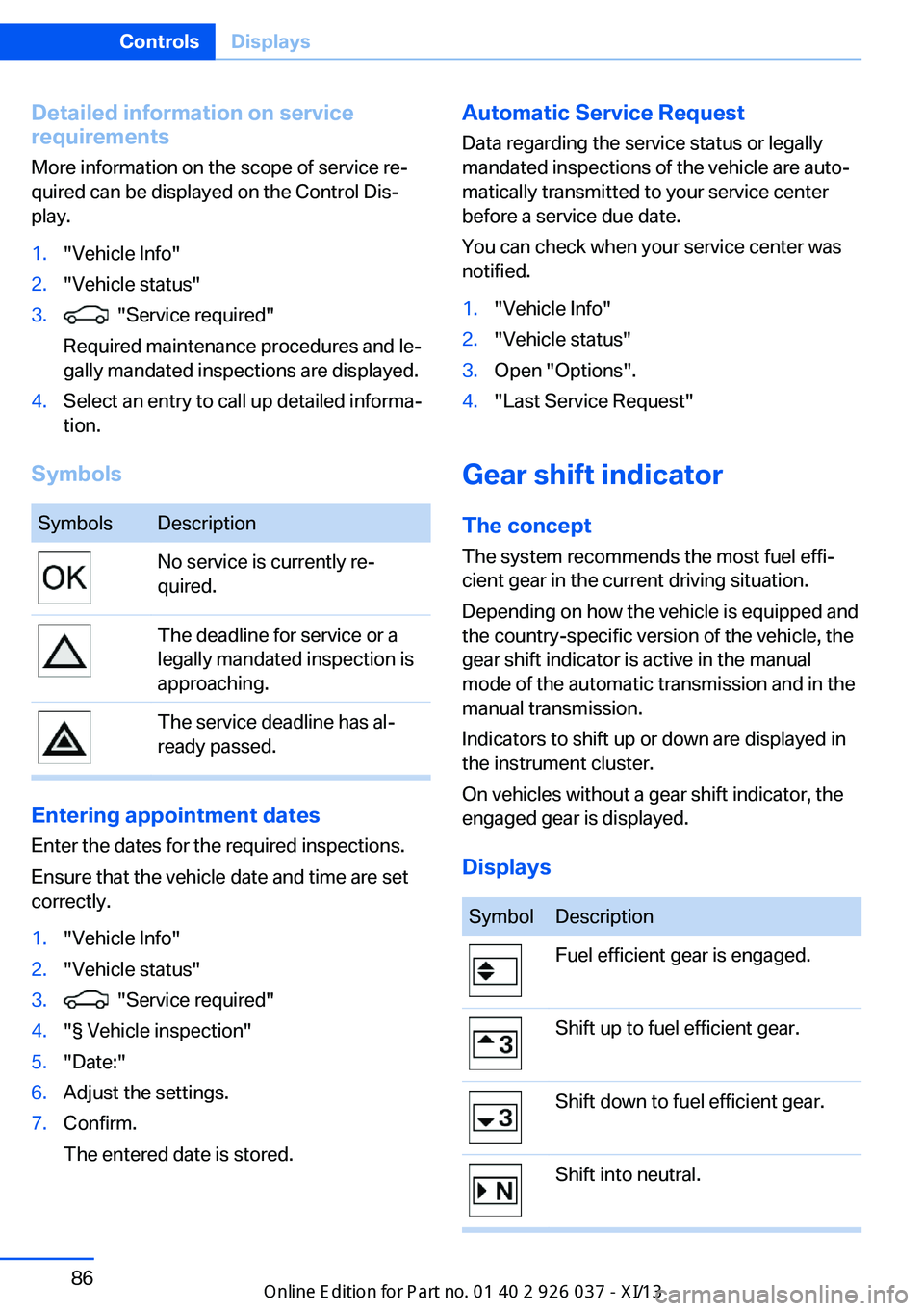
SymbolsDescriptionNo service is currently re‐
quired.The deadline for service or a
legally mandated inspection is
approaching.The service deadline has al‐
ready passed.
Entering appointment dates
Enter the dates for the required inspections.
Ensure that the vehicle date and time are set
correctly.
1."Vehicle Info"2."Vehicle status"3. "Service required"4."§ Vehicle inspection"5."Date:"6.Adjust the settings.7.Confirm.
The entered date is stored.Automatic Service Request
Data regarding the service status or legally
mandated inspections of the vehicle are auto‐
matically transmitted to your service center
before a service due date.
You can check when your service center was
notified.1."Vehicle Info"2."Vehicle status"3.Open "Options".4."Last Service Request"
Gear shift indicator
The conceptThe system recommends the most fuel effi‐
cient gear in the current driving situation.
Depending on how the vehicle is equipped and
the country-specific version of the vehicle, the
gear shift indicator is active in the manual
mode of the automatic transmission and in the
manual transmission.
Indicators to shift up or down are displayed in
the instrument cluster.
On vehicles without a gear shift indicator, the
engaged gear is displayed.
Displays
SymbolDescriptionFuel efficient gear is engaged.Shift up to fuel efficient gear.Shift down to fuel efficient gear.Shift into neutral.Seite 86ControlsDisplays86
Online Edition for Part no. 01 40 2 910 746 - VI/13
Page 111 of 222

Switching on/off
Switching on automatically The system is automatically active every time
the engine is started using the Start/Stop but‐
ton.
Switching off The system is only switched off until the next
time the engine is started with the Start/Stop
button.
Press the button.
The LED goes out.
Warning with braking function Adapting your speed and driving style
The warning does not relieve the driver
of the responsibility to adapt his or her driving
speed and style to the traffic conditions.◀
Display
If a collision with a vehicle detected in this way
is imminent, a warning symbol appears on the
instrument cluster and in the Head-up Display.SymbolMeasureThe vehicle lights up red: prewarn‐
ing.
Increase braking and distance.The vehicle flashes red and an
acoustic signal sounds: acute warn‐
ing.
You are requested to intervene by
braking or making an evasive ma‐
neuver.
Braking intervention
The warning prompts the driver himself to in‐
tervene. During the warning, the maximum
braking force is used, even with light pressure
on the brake pedal. In addition, if there is a risk
of collision, the system can assist with a slight
braking intervention. The intervention can
bring a vehicle traveling at slow speed to a
complete stop.
Manual transmission: During a braking inter‐
vention up until reaching a complete stop, the
engine may be shut down.
The braking intervention is executed only if
DSC Dynamic Stability Control is switched on
and Dynamic Traction Control DTC is acti‐
vated.
The braking intervention can be interrupted by
pressing on the accelerator or by actively mov‐
ing the steering wheel.
When towing or tow-starting the vehicle,
switch off the collision warning with braking
function to prevent undesired interventions.
System limits Be alert
Due to system limitations, warnings may
be not be issued at all, or may be issued late or
improperly. Therefore, always be alert and
ready to intervene; otherwise, there is the dan‐
ger of an accident occurring.◀
Detection range
The system's detection capabilities are limited.
This may result in the warning not being is‐ sued or being issued late.
For example, the following situations may not be detected:▷Slow moving vehicles when you approach
them at high speed.▷Vehicles that suddenly swerve in front of
you or sharply decelerating vehicles.▷Vehicles with an unusual rear appearance.▷Two-wheeled vehicles ahead of you.▷Pedestrians.Seite 107SafetyControls107
Online Edition for Part no. 01 40 2 910 746 - VI/13
Page 113 of 222
At a glance
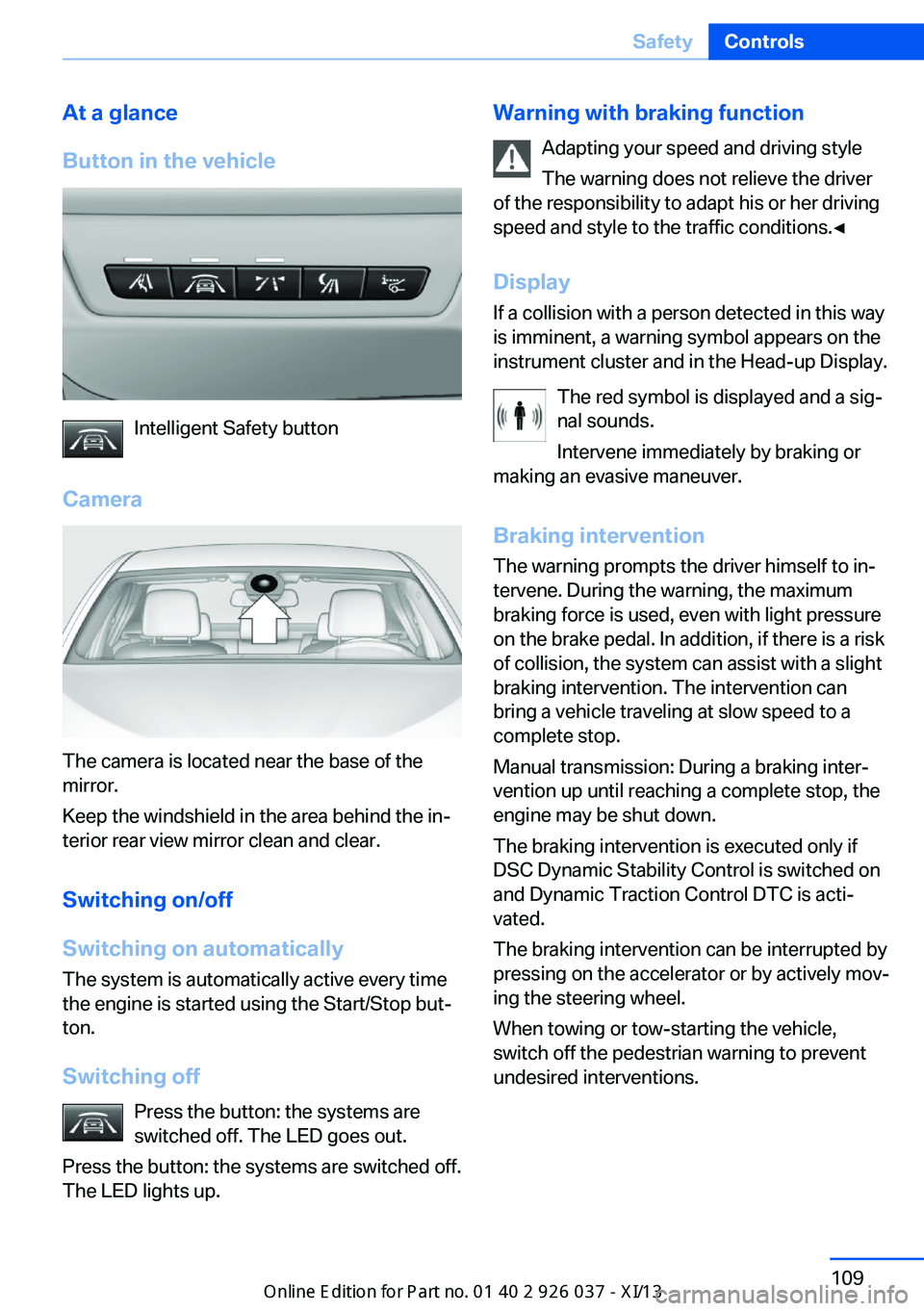
Button in the vehicle
Intelligent Safety button
Camera
The camera is located near the base of the
mirror.
Keep the windshield in the area behind the in‐
terior rear view mirror clean and clear.
Switching on/off
Switching on automatically The system is automatically active every time
the engine is started using the Start/Stop but‐
ton.
Switching off Press the button: the systems are
switched off. The LED goes out.
Press the button: the systems are switched off.
The LED lights up.
Warning with braking function
Adapting your speed and driving style
The warning does not relieve the driver
of the responsibility to adapt his or her driving
speed and style to the traffic conditions.◀
Display If a collision with a person detected in this way
is imminent, a warning symbol appears on the
instrument cluster and in the Head-up Display.
The red symbol is displayed and a sig‐
nal sounds.
Intervene immediately by braking or
making an evasive maneuver.
Braking intervention
The warning prompts the driver himself to in‐
tervene. During the warning, the maximum
braking force is used, even with light pressure
on the brake pedal. In addition, if there is a risk
of collision, the system can assist with a slight
braking intervention. The intervention can
bring a vehicle traveling at slow speed to a
complete stop.
Manual transmission: During a braking inter‐
vention up until reaching a complete stop, the
engine may be shut down.
The braking intervention is executed only if
DSC Dynamic Stability Control is switched on
and Dynamic Traction Control DTC is acti‐
vated.
The braking intervention can be interrupted by
pressing on the accelerator or by actively mov‐
ing the steering wheel.
When towing or tow-starting the vehicle,
switch off the pedestrian warning to prevent
undesired interventions.Seite 109SafetyControls109
Online Edition for Part no. 01 40 2 910 746 - VI/13