2013 BMW 335IS CONVERTIBLE service
[x] Cancel search: servicePage 226 of 308

225
ConnectedDrive
Communications
>
In addition, the optional Convenience Plan
offers Concierge service and information on
route planning, the traffic situation and
weather. Using Critical Calling, a limited
number of calls can be made via the BMW
Assist Response Center, for example if the
mobile phone is not available or discharged.
Press the SOS button to contact the BMW
Assist Response Center.
TeleService:
General information
TeleService supports communication with your
BMW center.
>Data on the vehicle's service requirements
can be sent directly to the BMW center. In
this way, the BMW center can plan its work
in advance. This shortens the duration of
the service appointment.
> In the event of a breakdown, data on the
vehicle's condition can be sent directly to
Roadside Assistance.
> The service varies by country.
> Connection may incur charges.
> Services may be restricted abroad.
Requirements
>BMW Assist is activated.
> Wireless reception is available.
> Ignition switched on.
Using TeleService
Generally, TeleService is activated in the vehi-
cle.
If TeleService is not activated, it is possible to
establish a voice contact to the BMW Group
Mobile Service.
For additional uses or to deactivate the ser-
vices, consult your BMW center or contact Cus-
tomer Relations.
Concierge service
General information
The Concierge service of BMW Assist will
inform you, for example, about upcoming
events, filling station, or hotels and supplies you
with their phone numbers and addresses. Many
hotels can be booked directly through the BMW
Assist Concierge service. Use of the Concierge
service requires an additional activation by the
BMW Assist Response Center.
Starting the Concierge service
1."BMW Assist" or "ConnectedDrive"
2. "Concierge"
3. "Start service"
A voice contact with the BMW Concierge ser-
vice is established. Phone numbers and
addresses can be transmitted as a message.
Messages
Information about messages, refer to page 216.
Roadside Assistance
At a glance
BMW Roadside Assistance can be contacted if
assistance is needed in the event of a break-
down.
Contact with BMW Roadside Assistance can
also be established using a Check Control mes-
sage, refer to page 89.
00320051004F004C00510048000300280047004C0057004C005200510003
Page 227 of 308
226
CommunicationsConnectedDrive
Starting BMW Roadside Assistance
without BMW Assist or TeleService
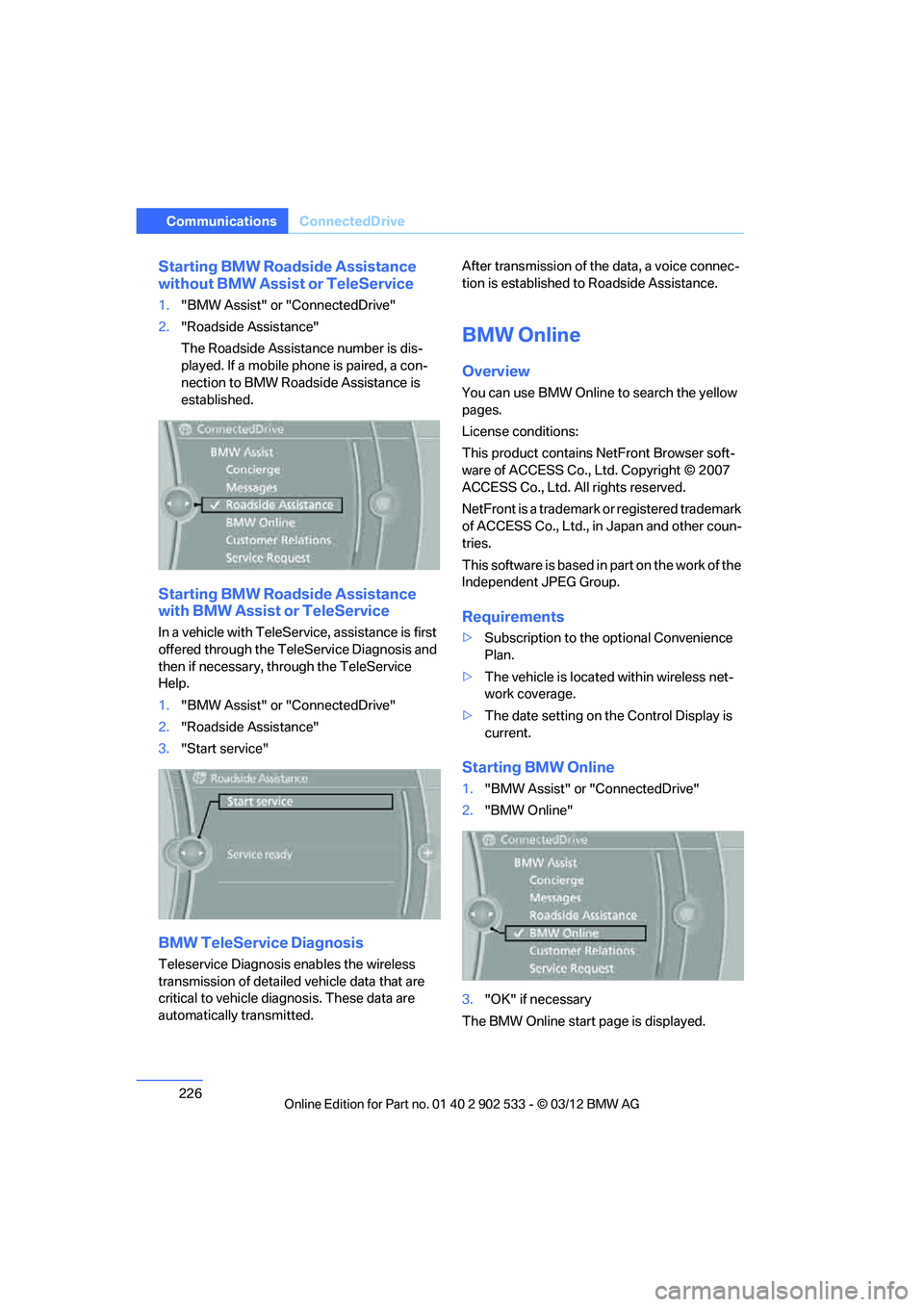
1."BMW Assist" or "ConnectedDrive"
2. "Roadside Assistance"
The Roadside Assistance number is dis-
played. If a mobile phone is paired, a con-
nection to BMW Roadside Assistance is
established.
Starting BMW Roadside Assistance
with BMW Assist or TeleService
In a vehicle with TeleService, assistance is first
offered through the TeleService Diagnosis and
then if necessary, through the TeleService
Help.
1."BMW Assist" or "ConnectedDrive"
2. "Roadside Assistance"
3. "Start service"
BMW TeleService Diagnosis
Teleservice Diagnosis enables the wireless
transmission of detailed vehicle data that are
critical to vehicle diagnosis. These data are
automatically transmitted. After transmission of the data, a voice connec-
tion is established to Roadside Assistance.
BMW Online
Overview
You can use BMW Online to search the yellow
pages.
License conditions:
This product contains NetFront Browser soft-
ware of ACCESS Co., Ltd. Copyright © 2007
ACCESS Co., Ltd. All rights reserved.
NetFront is a trademark or registered trademark
of ACCESS Co., Ltd., in Japan and other coun-
tries.
T h is s o f t w a re i s b a s ed i n p a r t o n t h e w o r k o f t h e
Independent JPEG Group.
Requirements
>
Subscription to the optional Convenience
Plan.
> The vehicle is located within wireless net-
work coverage.
> The date setting on the Control Display is
current.
Starting BMW Online
1."BMW Assist" or "ConnectedDrive"
2. "BMW Online"
3. "OK" if necessary
The BMW Online start page is displayed.
00320051004F004C00510048000300280047004C0057004C005200510003
Page 228 of 308

227
ConnectedDrive
Communications
Using BMW Online
To select and display content:
>
Turn the controller to highlight an element.
> Press the controller to display an element.
Opening the start page
1.Open "Options".
2. "Display start page"
Loading a new page
1.Open "Options".
2. "Reload"
Canceling
1.Open "Options".
2. "Cancel loading"
Customer Relations
Overview
Contact Customer Relations for information on
all aspects of your vehicle.
Calling Customer Relations
Vehicle not equipped with BMW Assist
or TeleService
1."BMW Assist" or "ConnectedDrive"
2. "Customer Relations"
The Customer Relations phone number is dis-
played. If a mobile phone is paired, a connection
is established to Customer Relations.
Vehicle equipped with BMW Assist or
TeleService
1. "BMW Assist" or "ConnectedDrive"
2. "Customer Relations"
3. "Start service"
Service Request
Overview
Inform your BMW center that you need to
schedule a service appointment. The Teleser-
vice data is transmitted during a Service
Request. If possible, your BMW center will
establish contact with you.
Starting a Service Request
1."BMW Assist" or "ConnectedDrive"
2. "Service Request"
3. "Start service"
Automatic Service Request
The Teleservice data necessary for servicing
the vehicle are automatically sent to your BMW
center prior to the service deadline. If possible,
the center will contact you and a service
appointment can be arranged.
Check when your BMW center was notified.
00320051004F004C00510048000300280047004C0057004C005200510003
Page 229 of 308
228
CommunicationsConnectedDrive
1."Vehicle Info"
2. "Vehicle status"
3. Open "Options".
4. "Last Service Request"
Service status
Displaying available services
Display of all services available in the vehicle.
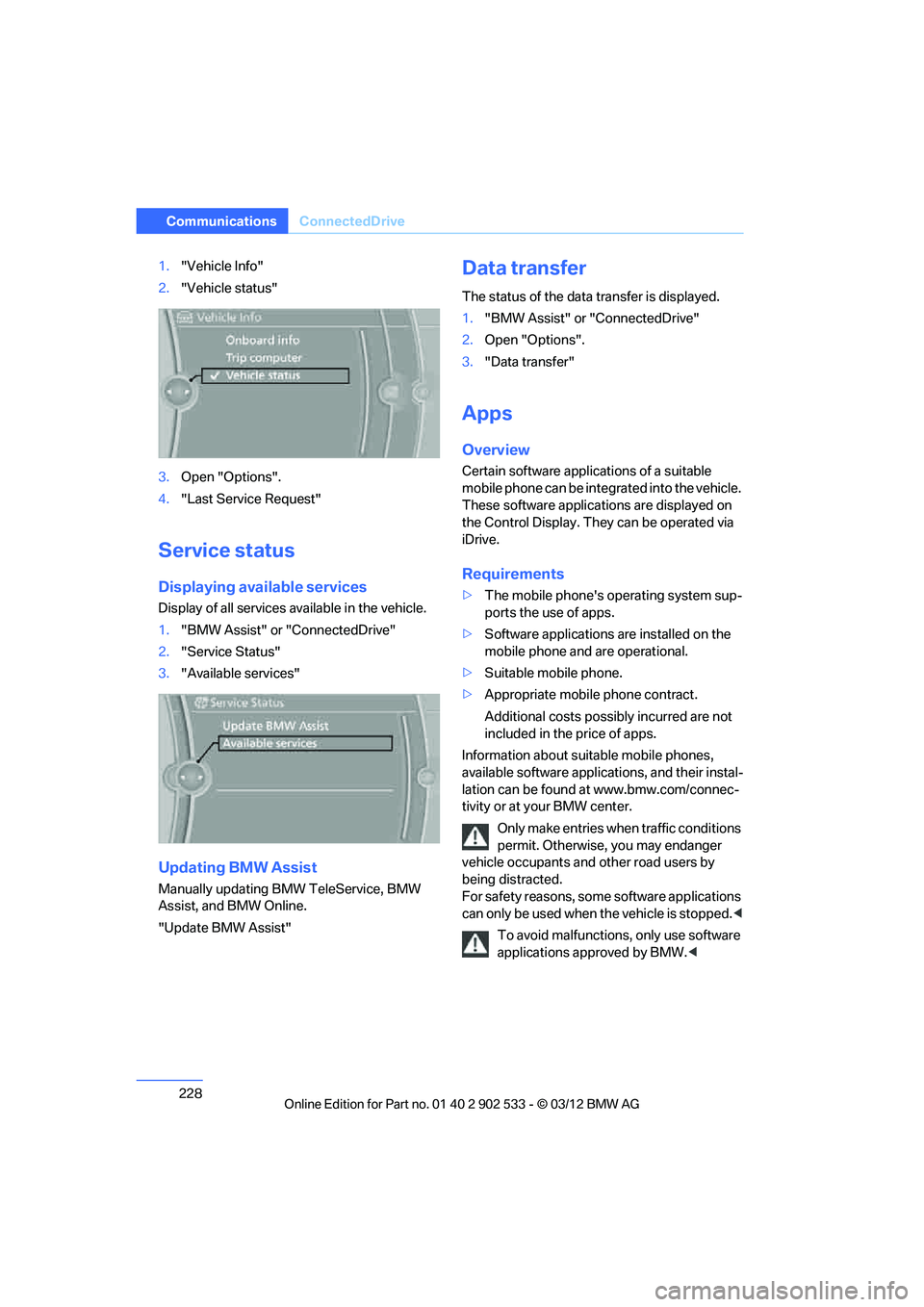
1."BMW Assist" or "ConnectedDrive"
2. "Service Status"
3. "Available services"
Updating BMW Assist
Manually updating BMW TeleService, BMW
Assist, and BMW Online.
"Update BMW Assist"
Data transfer
The status of the data transfer is displayed.
1."BMW Assist" or "ConnectedDrive"
2. Open "Options".
3. "Data transfer"
Apps
Overview
Certain software applications of a suitable
mobile phone can be integrated into the vehicle.
These software applications are displayed on
the Control Display. They can be operated via
iDrive.
Requirements
>The mobile phone's operating system sup-
ports the use of apps.
> Software applications are installed on the
mobile phone and are operational.
> Suitable mobile phone.
> Appropriate mobile phone contract.
Additional costs possibly incurred are not
included in the price of apps.
Information about suitable mobile phones,
available software applications, and their instal-
lation can be found at www.bmw.com/connec-
tivity or at your BMW center.
Only make entries when traffic conditions
permit. Otherwise, you may endanger
vehicle occupants and other road users by
being distracted.
For safety reasons, some software applications
can only be used when the vehicle is stopped. <
To avoid malfunctions, only use software
applications approved by BMW. <
00320051004F004C00510048000300280047004C0057004C005200510003
Page 232 of 308
This section helps you maintain your car's
mobility by supplying important information
on vital topics including fuels and lubricants, wheels and tires, service, maintenance and Roadside Assistance.
Mobility
00320051004F004C00510048000300280047004C0057004C005200510003
Page 236 of 308
235
Wheels and tires
Mobility
Wheels and tires
Vehicle equipment
In this chapter, all production, country, and
optional equipment that is offered in the model
range is described. For this reason, descrip-
tions will be given of some equipment that may
not be available in a vehicle, for example due to
the special options or national-market version
selected. This also applies to safety related
functions and systems.
Tire inflation pressures
Information for your safety
It is not merely the tires' service life, but also
driving comfort and, to a great extent, driving
safety that depend on the condition of the tires
and the maintenance of the specified tire pres-
sure.
Check the tire inflation pressure regularly
and correct it, if necessary: at least twice a
month and before starting long trips. If you fail
to observe this precaution you may be driving
on tires with incorrect tire pressures, a condi-
tion that can not only compromise your vehi-
cle's driving stability, but also lead to tire dam-
age and the risk of an accident. Do not drive
with deflated, i.e. flat tires, except when using
run-flat tires. A flat tire will seriously impair your
vehicle's handling and braking response.
Attempts to drive on a flat tire can lead to loss of
control over the vehicle. <
Checking pressure
Only check tire inflation pressure when the
tires are cold. This means after a maximum of
1.25 miles/2 km driving or when the vehicle has
been parked for at least 2 hours. When tires are
warm, the tire inflation pressure is higher.
After correcting the tire inflation pressure,
reset the Tire Pressure Monitor, refer to page
101, or reinitialize the Flat Tire Monitor,
refer to page 98.<
Inflation pressure specifications
The tables below provide all the correct inflation
pressures for the specified tire sizes at ambient
temperature.
The inflation pressures apply to the tire
sizes approved and tire brands recom-
mended by BMW; a list of these is available
from your BMW center. <
For correct identification of the right tire infla-
tion pressures, observe the following:
> Tire sizes for your vehicle
> Maximum allowable driving speed
Tire inflation pressures for driving up to
100 mph or 160 km/h
For normal driving up to 100 mph or 160 km/h
and to achieve optimum driving comfort, adjust
pressures to the respective tire inflation pres-
sures listed on the following pages in the col-
umns for traveling speeds up to a maximum of
100mph or 160km/h.
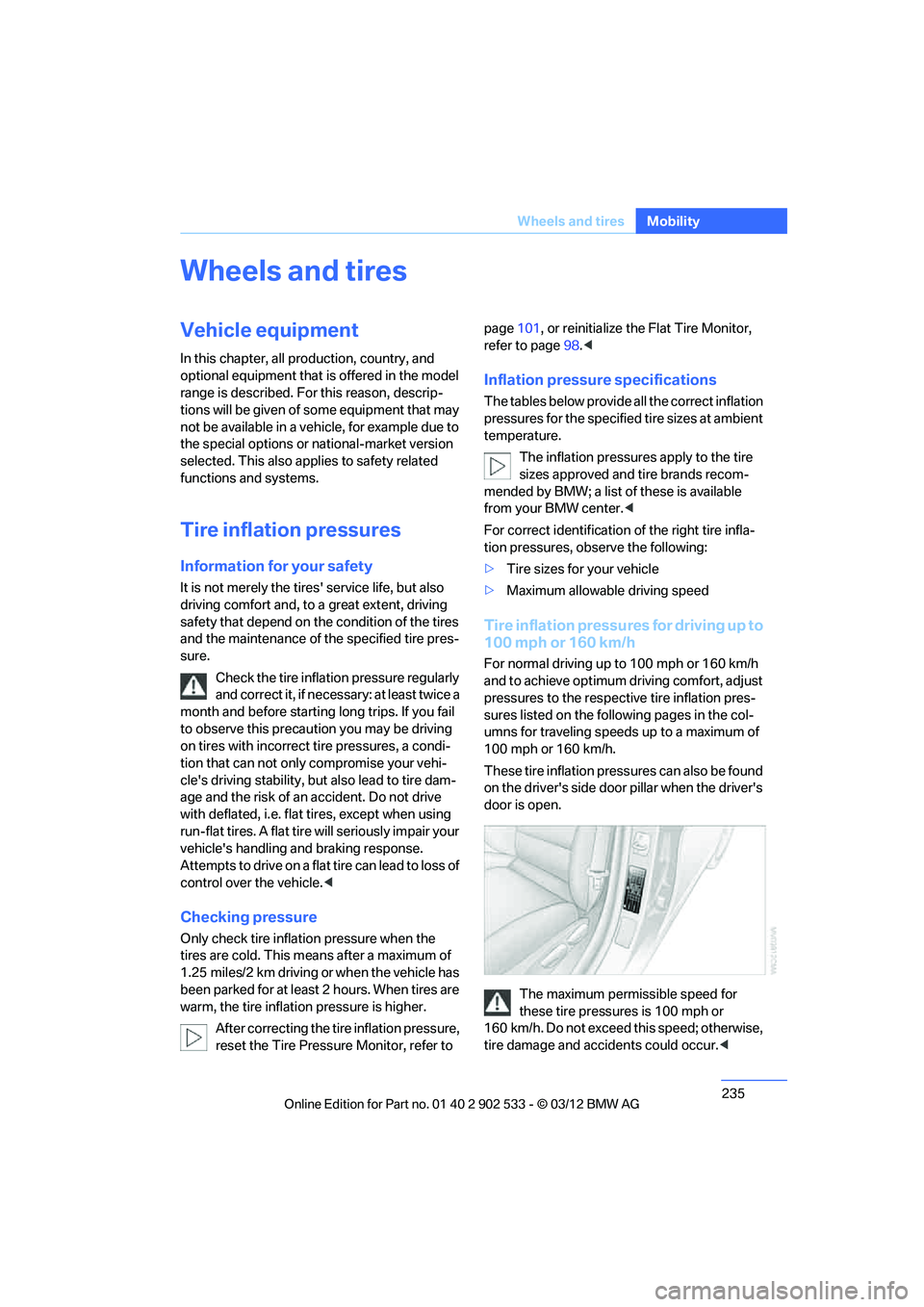
These tire inflation pressures can also be found
on the driver's side door pillar when the driver's
door is open.
The maximum permissible speed for
these tire pressures is 100 mph or
160 km/h. Do not exceed this speed; otherwise,
tire damage and accidents could occur. <
00320051004F004C00510048000300280047004C0057004C005200510003
Page 252 of 308

251
Wheels and tires
Mobility
Tire identification marks
Knowledge of the labeling on the side of the tire
makes it easier to identify and choose the right
tires.
Tire size
Speed code letter
Q = up to 100 mph (160 km/h)
T = up to 118 mph or 190 km/h
H = up to 131 mph (210 km/h)
V = up to 150 mph (240 km/h)
W = up to 167 mph (270 km/h)
Y = up to 190 mph (300 km/h)
Tire Identification Number
Tires with DOT codes meet the guidelines of
the US Department of Transportation.
DOT code:
Tire age
The manufacturing date of tires is contained in
the tire coding: DOT … 1012 means that the
tire was manufactured in week 10 of 2012.
BMW recommends that you replace all tires
after 6 years at most, even if some tires may last
for 10 years.
Uniform Tire Quality Grading
Quality grades can be found where applicable
on the tire sidewall between tread shoulder and
maximum section width. For example:
Tread wear 200 Traction AA
Temperature A
DOT Quality Grades
Tread wear
Traction AA A B C
Temperature A B C
All passenger car tires must conform to
Federal Safety Requirements in addition
to these grades. <
Tread wear
The tread wear grade is a comparative rating
based on the wear rate of the tire when tested
under controlled conditions on a specified gov-
ernment test course. For example, a tire graded
150 would wear one and one-half (1 γ) times as
well on the government course as a tire graded
100. The relative performance of tires depends
upon the actual conditions of their use, how-
ever, and may depart significantly from the
norm due to variations in driving habits, service
practices and differences in road characteris-
tics and climate.
Traction
The traction grades, from highest to lowest, are
AA, A, B, and C.
Those grades represent the tire's ability to stop
on wet pavement as measured under controlled
conditions on specified government test sur-
faces of asphalt and concrete. A tire marked C
may have poor traction performance.
The traction grade assigned to this tire is
based on straight-ahead braking traction
tests, and does not include acceleration, cor-
nering, hydroplaning, or peak traction charac-
teristics. <
e.g.
Nominal width in mm
Aspect ratio in
Ξ
Radial belt construction
Rim diameter in inches
Load rating,
not on ZR tires
Speed code letter,
in front of the R on ZR tires
225/45 R1791 V
e.g.
Manufacturer's
code for tire make
Tire size and tire design
Tire ageDOT xxxx xxx 1012
00320051004F004C00510048000300280047004C0057004C005200510003
Page 254 of 308

253
Wheels and tires
Mobility
In these cases, reduce speed immedi-
ately and have wheels and tires thor-
oughly checked. To do so, drive carefully to the
nearest BMW center or tire dealer. If necessary,
have the vehicle towed there.
Otherwise, tire damage can pose a lethal hazard
to vehicle occupants and other road users. <
Tire age
For various reasons, such as the development
of brittleness, BMW recommends tire replace-
ment after no more than 6 years, regardless of
the actual wear of the tires.
The manufacturing date of tires is contained in
the tire coding:
DOT... 1012 means that the tire was manufac-
tured in week 10 of 2012.
New wheels and tires
Have new wheels and tires mounted only
by your BMW center or by a tire dealer. If
this work is not carried out properly, there is a
danger of subsequent damage and related
safety hazards. Make sure that the new wheels
are balanced. <
Retreaded tires
BMW recommends that you do not use
retreaded tires, since driving safety may
be impaired. The causes for this include poten-
tially different tire casing structures and often
wide variations in tire age, which can result in a
limited service life. <
Correct wheels and tires
When mounting new tires or changing over
from summer to winter tires and vice versa,
mount run-flat tires for your own safety. In the
event of a flat, no spare wheel is available. Your
BMW center will be glad to advise you.
BMW recommends that you use only
wheel and tire combinations that BMW
has tested and approved for your particular
vehicle. Variations in factors such as manufac- turing tolerances mean that even wheels and
tires with identical official size ratings could
actually have different dimensions, which could
lead to body contact and thus to severe acci-
dents. If non-approved wheels and tires are
used, BMW cannot evaluate their suitability,
and therefore cannot guarantee their driving
safety.<
You can inquire about the right wheel/tire com-
bination at your BMW center.
The correct combination of wheels and tires is
also necessary to ensure reliable operation of
various vehicle systems such as ABS, DSC or
FTM.
To maintain good handling and vehicle
response, use only tires of a single brand and
tread configuration. After a tire has been dam-
aged, mount the previous wheel and tire combi-
nation again as soon as possible.
Wheels with Tire Pressure Monitor
TPM electronics
When mounting new tires or changing over
from summer to winter tire
s, or vice versa, only
use wheels with TPM electronics; otherwise,
the Tire Pressure Monitor may not be able to
detect a puncture, refer to page 100. Your
BMW center will be glad to advise you.
Recommended tire brands
Certain makes of tire are recommended by
BMW for each tire size. They are marked with a
clearly visible BMW designation on the sidewall
of the tire.
00320051004F004C00510048000300280047004C0057004C005200510003