2013 AUDI A6 instrument cluster
[x] Cancel search: instrument clusterPage 82 of 306
80 On the road
The stored speed and the ind icator light
A;(l)~i~ (US mo dels) 1,'I (Canadian mode ls) a p
pea r in the instrument cluster d isp lay
c::> fig. 81. The display may vary, depending on
the type of d isplay in your vehicle .
This informat ion is also shown briefly in the
Head -up Display*.
The speed is kept constant v ia an engine o ut
put adjustment or active b rake intervention.
A WARNING
- Always pay attention to traffic even when
the cruise control is switched on. You are
always responsible for your speed and
the distance between your vehicle and
other vehicles .
- For safety reasons, the cruise control
should not be used in the city, in stop
and-go traff ic, on twist ing roads and
when road conditions are poor (such as ice , fog, grave l, heavy ra in and hydro
planing) -risk of accident.
- Turn
off the cruise control temporar ily
when entering turn lanes, highway exit lanes o r in construc tion zones.
- Please note that inadvertently "rest ing"
yo ur foot on the accelerator peda l causes
the cruise control not to brake . T his is
because the cr uise control is overridden
by the d river's acce leration .
- If a brake system malfunc tion such as
overheating occurs when the cruise con
tro l system is switched on, the braking
function in the system may be switched
off. The other cruise control functions re
ma in active as long as the indicator light
[~;rn~i~ (US models) !Ill (Canad ian mod
els) is on .
(j) Tips
The brake lights illuminate as soon as the
brakes decelerate automat ica lly.
Changing speed
Applies to veh icles: w ith cru ise control
., To increase/decrease the speed in inc re
ments, tap the lever in the
0 10 direc tion
c::> fig . 80
., To increase/decrease the speed quic kly,
hold t he lever in the
0 10 direction until
the desired speed is displayed.
You can also press the accelerator pedal down
to increase your speed, e.g . if you want to
pass someone . The speed you saved earlier
will res ume as soon as you release the acceler
ator pedal.
If, however, you exceed your saved speed by
6 mph (10 km/h) for longer than 5 m inutes,
the cr uise control wi ll turn
off temporari ly.
The green symbol
A;(l)~i~ (US mode ls) 1,'I
(Canadian mode ls) in the display will go out
but the saved speed rema ins the same .
Presetting your speed
Applies to veh icles : w ith cru ise control
You can preset your desired speed while the
vehicle is not moving.
., Switch on the ignition.
., Pull lever into position
(D c::> fig . 80.
., Press t he lever in the 0 or 0 direction to
increase or decrease your speed .
., Release the lever to save that speed .
This function makes it possible, for examp le,
to save the speed you want before dr iving on
the h ighway. Once on t he h ighway, act ivate
the cru ise control by pulling the lever toward
(D .
Switching the system off
Applies to veh icles: w ith cruise control
Temporary deactivation
., Press the b rake pedal, or
., Press the leve r into posi tion @(n ot clicked
into place)
c::> fig. 80, or
... Drive for longer t han 5 min utes at more
than 5 mph (10 km/h) above the stored
speed.
Page 86 of 306

84 Audi adaptive cruise control and braking guard
@ is located in front of that vehicle, the sys
tem will not react to the stationary vehicle.
Audi adaptive cruise control
Description
Applies to vehicles: with Audi adaptive cruise control
Fig. 85 Detection range
What can adaptive cruise control do?
The adaptive cruise control system uses video,
radar and ultrasou nd. Moving vehicles ahead
can be recognized up to about 650 feet (200 m) away.
On open roads w ith no traffic, adaptive cruise
control works like a regular cruise control sys
tem. The stored speed is maintained. When
approaching a moving vehicle detected up
ahead, the adaptive cruise control system au
tomatically s lows down to match that vehi
cle's speed and then maintains the distance
that the driver previous ly stored. As soon as
the system does not detect a vehicle up
ahead, adaptive cruise control accelerates
back up to the stored speed.
In stop-and-go traffic, adaptive cru ise control
can brake until the vehicle stops and acceler
ate again under certain conditions and if this
is possible within the system's limits and ca
pabilities¢
page 86. Adaptive cruise control
will not make an emergency stop .
Which functions can be controlled?
When you switch adaptive cruise contro l on,
you can set the current speed as the "control
speed" ¢
page 84, Switching on and off.
When driving, you can stop cruise control
¢
poge 86 or change the speed ¢ page 85
at any time.
You can also set the distance to the object
ahead and set the adaptive cruise control driv
ing program ¢
page 86.
Switching on and off
Applies to vehicles: with Audi adaptive cruise control
Fig. 86 Selector lever: switching on/off
Fig. 87 Instrument cluster: adaptive cruise control
You can set any speed between 20 mph and
95 mph (30 and 150 km/h).
Indicator lamps and messages in the instru
ment cluster d isplay inform you about the cur
rent system status and settings.
An additional indicator appears in the Head
up D isplay*.
Switching adaptive cruise control on
.,. Pull the lever toward you into position (D
¢ fig. 86. ACC standby appears in the in
strument cluster display.
Setting the speed and activating
regulation
.,. To set the current speed, press the ISETI
button ¢ fig. 86. The set speed is shown in 1111-
Page 94 of 306

92 Audi active lane assist
Activating and deactivating
Appl ies to vehicles: with active lan e assis t
Fig. 93 Turn signal leve r: Active lane ass ist butto n
Fig. 94 Windshie ld: Active lane assist ca mera viewing
win dow
-
I
~ Press the c::> fig. 93 button to activate or de
activate the system. The indicator light.
or . in the instrument cluster will illumi
nate or go out.
Instrument cluster indicator light
• Ready: The indicator light shows that the
system is ready to use . The system can now
warn you if you are about to cross a known
lane marker line .
• Not ready: The indicator light shows that
the system is turned on but unable to send a
warning . This can be due to the following:
- There is no lane marker line .
- The relevant lane marker lines are not de·
tected (for example, markings in a construc
tion zone or because they are obstructed by
snow, dirt, water or backlight ing).
- The vehicle 's speed is below the speed need
ed to activate it, which is about 40 mph (65
km/h) .
- The lane is narrower than about 8 ft . (2 .5 m)
or wider than 4 .5 m .
- The curve is too sharp. - The driver's hands are not on the steering
wheel.
(D Tips
Make sure the camera's field of view
c::> fig. 94 is not obstructed by stickers, de
posits or anything else. For information on
cleaning, refer to
c::> page 211.
Active lane assist display in the
instrument cluster
Applies to vehicles: wit h active lane assist
Fig. 95 D isplay : Active lane assist is switc hed on a nd is
warning
Fig. 96 Instrument cl uster: Active lane assist is switch ·
ed o n but not r eady to p rov id e warn ings
You can call up the active lane assist display
using the buttons in the multifunction steer
ing wheel
c::> page 23.
An additional indicator appears in the Head
up Display*.
When active lane assist is switched on, the
system indicates which lines are detected by
displaying solid lines on the left and/or right
side of your vehicle: .,..
Page 95 of 306
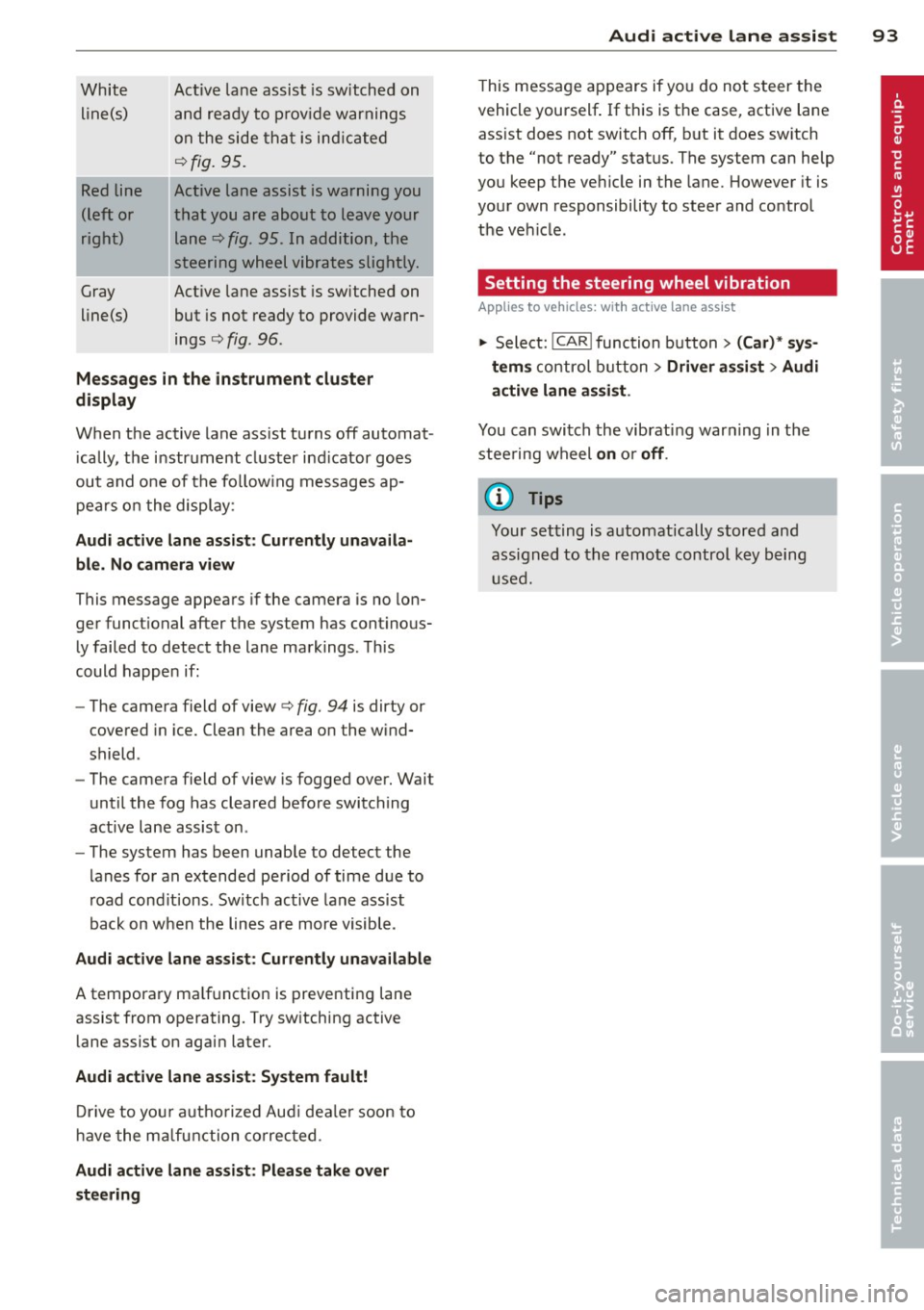
White line(s)
Red line
(left or
right)
Gray
line(s) Act
ive lane assist is switched on
and ready to p rov ide warnings
on the side that is ind icated
Q fig. 95.
Act ive lane assist is warning you
that you are about to leave your lane
Q fig. 95. In addition, the
steering wheel vibrates slightly.
Act ive l ane assist is switched on
but is not ready to provide warn
ings
Q fig . 96 .
Mes sages in the instrument clu ster
display
When the active lane ass ist turns off automat
i cally, the i nstrument cluster ind icator goes
out and o ne of the fo llow ing messages ap
pears on the display :
Audi active lane a ssist : Currently un availa
ble . No camera view
This message appears if the camera is no lon
ger funct ional after the system has cont inous
ly failed to detec t the lane markings . This
could happe n if:
- The camera field of view
Q fig. 94 is dirty or
covered in ice. Clean the area o n the wind
shield .
- The camera field of view is fogged over. Wait
until the fog has cleared before switching
active lane assis t on .
- The system has been unable to detect the
lanes for an extended period of time due to
road cond it ions . Switch active lane ass ist
back on when the lines are more visible .
Audi active lane assist: Currently un available
A temporary ma lf u nction is preventing lane
assist from operating. Try sw itching active
lane assist on again later.
Audi active lane a ssist : Sy stem fault!
D rive to you r autho rized Aud i dea le r soon to
h ave the ma lfunction co rrec ted .
Audi active lane a ssist : Pl ea se take over
s te ering
Audi acti ve lane a ssis t 93
This message appears if yo u do not s teer the
vehicle yourself . If this is the case, active lane
ass ist does not switch off, b ut it does sw itch
to the "not ready" stat us. The system can help
you keep the ve hicle in the lane. However it is
your own responsibility to steer and control
t h e ve hicle .
Setting the steering wheel vibration
Applies to vehicles: with active lane assist
11> Select: !CAR !function button> (Car) * sys
tem s
control button > Driver assi st > Audi
active lan e assi st.
You can switch the vibrat ing war ning in t he
stee ring wheel
on o r off .
(D Tips
Your setting is a utomat ically stored and
assigned to the remo te control key being
used.
Page 99 of 306

@ Tips
-Side assist is not active while you are
making the adjustment.
- Your settings are automatically stored
and assigned to the remote control key
being used.
Driver messages
Applies to vehicles: with side assist
If side assist switches off by itself, the LED in
the button turns off and a message will ap
pear in the instrument cluster display:
Audi side assist: Currently unavailable. No
sensor vision
The radar sensors' vision is affected. Do not
cover the area in front of the sensors with bike
wheels, stickers, dirt or other objects. Clean
the area in front of the sensors, if necessary
c>fig. 100.
Audi side assist: Currently unavailable
Side assist cannot be switched on temporarily
because there is a malfunction (for example,
the battery charge level may be too low).
Audi side assist: System fault!
The system cannot guarantee that it will de
tect vehicles correctly and it is switched off .
The sensors have been displaced or are faulty.
Have the system checked by an authorized
Audi dealer or authorized Audi Service Facility
soon.
Audi side assist: Unavailable when towing.
Side assist switches off automatically when a
factory-installed trailer hitch is connected to
the electrical connector on the trailer. There is
no guarantee the system will switch off when
using a retrofitted trailer hitch. Do not use
side assist when towing a trailer.
Audi side assist 97
Page 103 of 306

Night vision assistant
Night vision assistant
with detected pedestrian marking
Description
App lies to vehicles: with night v isio n assistant
Fig . 103 Disp lay: nig ht v is ion assistant
"N ight v is ion assistant with pedestrian detec
tion" uses an infrared camera to monitor the
area in front of your vehicle at night. Within
the limits of the system , it can display objects
up to about 1000 feet (300 meters) away. The
heat image of a pedestrian detected by the
camera is shown in the instrument cluster dis
play
Q fig . 103 . Warm areas appear lighter
and cold areas appear darker .
Pedestrian detection
Applies to vehicles: with n ig ht v ision ass istant
Fig. 104 Display : yellow pedestrian marking
Night vision assistant 101
Fig. 105 D isp lay: symbo l w hen infrare d image is not
visi ble
Night vision assistant can detect pedestrians
that are between about 50 and 300 feet (15
and 90 meters) in front of the vehicle, under
ideal conditions .
If a pedestrian is detected
when it is dark outside and the vehicle head
lights are switched on, the pedestrian is high
lighted in yellow
Qf/g . 104, Qpage 102,
General information.
If another display such
as navigation replaces the image from the
night vision assistant, the symbo l~,, appears
in a tab
Q fig. 105.
(D Tips
If the night vision assistant image does
not appear when the system is sw itched
on, you can access it with the buttons on
the multifunction steering wheel
Q page24 .
Page 107 of 306

Automatic Transmission
multitronic ®, S tronic ®,
tiptronic
Introduction
App lies to vehicles: with multitro ni c/S tronic/t iptronic
The automatic transmission is controlled elec
tronically . The transmission upshifts or down
shifts automatically depend ing on which drive
program is se lected.
When a
moderate driving style is used, the
transmission selects the most economical
driving mode .
It will then change up early and
de lay the downshifts to g ive better fuel econ
omy.
The transmission switches to a sporty mode after a k ick-down or when the driver uses a
sporty driving style characterized by quick ac
celerator pedal movements, heavy accelera
tion, frequent changes in speed and traveling
at the maximum speed.
If desired, the driver can a lso se lect the gears
manually (t iptronic mode ) ¢ page 109.
Various automatic transm issions may be in
stalled, depend ing on the model :
multitronic® transmission
The multitronic ® transmission is a continuous
ly variable transmission. Power is transferred
using a multidisk clutch. In contrast to con
ventional automatic transmissions using shift
ing operat ions, the transmission ratio in the
continuously variable transmission is changed
continuously. This opt imizes the comfort level
and conserves fuel.
S tronic ® transmission
The S tronic ® is a dual-clutch transmission .
Power is transferred using two clutches that
work independently from one another. They
r eplace the torque converter used in conven
tional automat ic transmissions and allow the
vehicle to accelerate without a noticeable in
terruption in traction.
Automatic Transmission 105
tiptronic transmission
In the tiptronic transmission, power is trans
ferred by a torque converter .
Selector lever positions
Applies to vehicles: wit h mult itronic/5 tro nic/tiptro nic
Fig. 111 Disp lay in the instrument cluster: selector
l ever pos itio n
The selector lever position engaged appears
next to the selector lever as well as in the in
strument cluster display.
P -Park
In this selector lever position the transmis
sion is mechanically locked. Engage P only
when the vehicle is
completely stopped¢&.
in Driving the automatic transmission on
page 108.
To shift in or out of position P, yo u must first
press and ho ld the brake pedal and then press
the release button in the selector lever handle
while moving the selector lever to or from P .
You can shift out of this position only with the ignition on .
R -Reverse
Select R only when the vehicle is at a full stop
and the engine is running at idle speed¢ A in
Driving the automatic transmission on
page 108.
Before you move the se lector lever to R, press
both the button in the handle of the selector
lever
and the brake pedal at the same time .
When the ignition is on, the backup lights illu
minate when the selector lever is moved into
R. .,.
Page 108 of 306

106 Autom atic Tran smissi on
N - N eutr al
The transmission is in neutral in this position.
Shift to this position for stand ing with the
brakes applied
q .&. in Driving the automatic
transmission on page 108.
When the ve hicle is stationary o r at speeds
be low 1 mph (2 km/h), you must always apply
the footbrake befo re and while moving the
l ever out of N .
DIS -Normal position for driving forward
In the D/S position, the transmiss ion can be
operated e ither in the normal mode Dor in
the sport mode S. To select the sport mode S,
pull the se lector lever back briefly . Pulling the
lever back aga in will select the normal mode
D. The instrument cluster display shows the
selected driving mode.
In the
normal m ode D, the transmission auto
mat ica lly selects the suitab le gear ratio.
It de
pends on engine load, veh icle speed and driv
ing style.
Select the
s p or t mod e S for sporty driving.
The vehicle makes fu ll use of the engine's
power. Shifting may become noticeable when
accelerating.
When the ve hicle is stationary or at speeds
be low 1 mph (2 km/h), you must always apply
the foot brake before and while moving the lever to D/S out of N .
A WARNING
Read and follow all WARNINGS q .&. in
Driving the automatic transmission on
page 108.
(D Note
-
Coast ing downh ill with the transmission in
N and the engine not running w ill result in
damage to the automatic transmiss io n
and possib ly the catalytic converter .
@ Tips
-Audi drive select : you can adjust the
sporty sh ift c haracte ristics in the
Dy-
namic driv ing mode.Swi ll appea r in the
instrument cluster display instead of D.
-If you acc identally select N whi le driving,
take your foot off the accelerator pedal immediately and wait for the engine to
slow down to idle before selecting D/S.
- If there is a power fail ure, the selector
lever w ill not move out of the P position.
The emergency release can be used if
this happens
qpage 111.
Automatic Shift Lock (ASL)
Applies to vehicles: with multitronic/5 tronic/tiptron ic
The Automatic Shift Lock safeguards you
against accidentally shifting into a forward or
the reverse gear and causing the vehicle to
move unintentionally.
' ) ( )
F ig . 11 2 Shi ft gate: selector lever lock pos it ions a nd
release b utto n high lig h ted
The selector lever lock is released as follows:
.,. Turn the ignition on.
.,. Step on the brake pedal.
At the same time
press and hold the re lease button on the
side of the gear selector knob
c::> fig . 112
with your thumb until you have moved the
selector lever to the desired posit ion .
Automat ic sel ect or lev er lo ck
The selector lever is locked in the P and N po
s itions when the ignit ion is turned on . Yo u
must press the brake pedal and the re lease
button to select another position . As a re
minder to the driver, the following warni ng
appears in the instrument clus ter display
whe n the selector is in P and N:
When stationary appl y brake peda l while se-
lec ting gear ..,_