2013 AUDI A4 SEDAN lights
[x] Cancel search: lightsPage 83 of 294

.. Select : ICAR lfunction button> Car systems
control button > Driver assist > Speed
warning.
Warning thresho ld 2 can be set in the speed
range starting from 20 mph to 150 mph (30
km/h to 240 km/h). Settings can each be ad
justed in intervals of 6 mph (10 km/h).
Cruise control
Switching on
The cruise control system makes it possible to
drive at a constant speed starting at 20 mph (30 km/h).
®
f
®t
0
Fig. 79 Con tro l lev er w it h push-bu tton
Fig. 80 D isplay : S ele ct ed speed
.. Pull the lever to position (D ¢ fig. 79 to
switch the system on.
.. Drive at the speed to be controlled .
.. Press button @to set that speed.
The stored speed and the green symbol
[ij;jl)~i~ (US model)/ .. (Canadian model) are
shown in the display ¢ fig. 80. The display
may vary, depending on the type of display in
your vehicle. The indicator light
[ij;(l)~i~ (US model)/ B (Canadian model) w ill
also light up in the instrument cluster.
On the road 81
The speed is kept constant by modifying en
gine power or through an active brake inter
vention.
_& WARNING
- Always pay attent ion to the traffic
around you when the cruise control is in
operation. You are always responsible for
your speed and the distance between
your veh icle and other vehicles .
- For reasons of safety, cru ise control
should not be used in the city, in stop
and-go traffic, on twisting roads and
when road conditions are poor (such as
ice, fog, gravel, heavy rain and hydro
p lani ng) -risk of accident.
- Turn off the cruise control temporarily
when enter ing turn lanes, highway exit
lanes or in construction zones .
- Please note that inadvertently "resting"
your foot on the accelerator pedal causes
the cruise control not to brake. This is
because the cruise control is overridden
by the driver's acceleration .
-If a brake system malfunction such as
overheating occurs when the cruise con
trol system is switched on, the braking
function in the system may be switched off. The other cruise control functions re
main active as long as the indicato r light
lijj(l )~i~ (US models) li'I (Canadian mod
e ls ) is on.
@ Tips
-Veh icles with manual transmiss ion: You
can attain the set speed only if the gear
that is currently engaged will allow it, or
if it does not tax the engine and allows i t
to run smoothly. Therefore shift into a
higher or lower gear in a timely manner.
- The brake lights illuminate as soon as
the brakes apply automatically.
Changing speed
.. To increase/decrease the speed in incre
ments, tap the lever in the
0 10 direction
¢ page 81, fig. 79. Ill>
Page 85 of 294

Transmission Manual transmission
Gearshift lever
App lies to vehicles: with manu al transmission
The clutch pedal must be depressed all the
way before you can start the engine.
T he manua l transm ission in your Audi is
equ ipped w ith an
interlock-feature.
~ Depress the clutc h pedal all t he way .
~ Start the eng ine with the gea rshift lever in
Ne utral and the clutch peda l depressed.
(D Note
Always dep ress the clutch peda l fully when
chang ing gears . Do not hold the vehicle on
a hill with the clutch pedal partially de
pressed . This may cause p remature clutch
wear or damage .
@ Tips
-Resting your hand on the gearsh ift leve r
knob while driving will cause prematu re
w ear i n the t ransm ission.
- The back -up lights go on when you s hift
i nto Reverse w ith the igniti on o n.
Gearshift pattern (6-speed manual
transmission)
Applies to vehicles: with man ual transmission
F ig . 8 1 Gears hift patte rn: 6 -speed manu al tran smi s
sio n
Engaging reverse gear (R)
~ Move t he sh ift leve r a ll the way to the left,
press it d ow n, then push it fo rward .
Transm ission 83
Espec ia lly afte r drivi ng fo rward, stop the vehi
cle completely, s hift into
Neutral and rest the
shift lever br iefly in Neutra l before shift ing in
to
Reverse .
multitronic ®, tiptronic
Introduction
App lies to vehicles: with multitronic or tiptr onic
Applies to vehicles with a multitronic ®
transmission
You r vehicle is equip ped wi th an e lectronically
controlled,
continuou sly variable transmis
sion (m ultitronic ®). In contrast to convention
al automatic transmissions us ing shifting op
erations, the transmission ratio in the contin uo usly var iable transmission is changed con
t in uously . This optimizes the comfort level
and conse rves fue l.
The gear rat io in the transmission is selected
(upsh ift and downshift) comp letely automati
ca lly as a function of the def ined dr iv ing pro
grams.
If desired, the driver can also select the gears
manually (t iptronic mode) .
Instead of the torque converter in convention
al automatic transmissi ons, your m ultitronic ®
transmission uses a mu ltidisc clutch for power
transmission . Therefore, the "creep behavior"
of the vehicle dur ing idling whe n temporar ily
st opped in selec to r l ever pos it ion D/S, or R is
l ess pronounced.
Applies to vehicles with a tiptronic
transmission
Your vehicle is equipped with an electronically
controlled automa tic transmiss io n. Upshift ing
and downsh ifting take place
automati cally.
If desired, the driver can also shift gears man
ually
( tiptronic mode ).
Page 87 of 294

necessary to keep the vehicle from
rolling.
- If the selector lever is unintentionally
moved into N while you are driving, take
your foot
off the accelerator pedal and
wait for the engine to return to idle
speed before selecting a driving position .
- Never shift into R or P when the vehicle is
in motion .
- Never get out of the driver's seat when
the engine is running.
- If you must get out of the vehicle, move
the selector lever securely into the P po
sit ion and apply the parking brake firmly.
- If the engine must remain running, never
have any driving position engaged when
checking under the hood . Make sure the
selector lever has securely engaged and
is locked in P with the parking brake
firmly set ¢
page 208, Engine compart
ment.
Otherwise, any increase in engine
speed may set the vehicle in motion,
even with the parking brake applied.
(D Tips
For safety reasons, the parking brake is re
leased automatically only when the driv
er 's safety belt is engaged in the buckle.
Selector lever positions
Applies to vehicles: with multit ronic or tiptronic
This section describes the selector lever posi
tions and driving ranges .
2
Radio WXRK
9:30-
12/5/2 011
121 19 .0mpg
1992 mi 40 .4
~= ~p +7 2~
Fig. 83 Display in the in str um ent cluste r: selecto r leve r
i n positi on P
Transmission 85
The selector lever position engaged appears
next to the selector lever as well as in the in
strument cluster display .
P -Park
In this selector lever position the transmis
s ion is mechanically locked. Engage P only
when the vehicle is
completely stopped ¢ &
in Driving the automatic transmission on
page 84.
T o shift in or out of position P, you must first
press and hold the brake pedal and then press
the re lease button in the selector lever handle
while moving the selecto r lever to or from P.
You can shift out of this position only with the
ignition on.
R- Reverse
The transmission will automatically select the
lowest gear ratio when you shift into reverse.
Select R only when the vehicle is at a
full stop
and the engine is running at idle speed ¢ & in
Driving the automatic transmission on
page 84.
Before you move the selector lever to R, press
both the button in the handle of the selector
lever
and the brake pedal at the same time .
When the ignition is on, the backup lights illu
minate when the selector lever is moved into
R.
N -Neutral
The transmission is in neutral in this position.
Shift to th is position for standing with the
brakes applied ¢
page 86.
When the vehicle is stationary or at speeds
below 3 mph (S km/h), you must always apply
the footbrake before and while mov ing the
lever out of N.
D /S -Normal position for driving forward
In the D/S pos ition, the transmission can be
operated either in the normal D mode or in
the S sport mode . To select the S sport mode,
pull the selector lever back briefly . Pulling the
lever back again will se lect the normal D ...,
Page 92 of 294

90 Transmi ssion
You can a lso shift the gears manually using
tiptron ic, if you like ¢page 93.
Selector lever positions
Appl ies to vehicles: with S tro nic t ransmission
F ig . 89 Display : Selector lever posit io ns
The inst rument cluster display shows the cur
rent selector lever position and current gear .
P-Park
The wheels are mechanically locked in this po
sition . You can only sh ift into Park when the
vehicle is
stationary ¢,&. .
To shift in and out of P, press the inter lock
button in the selector lever
while pressing the
brake pedal.
R - Re verse
Only shift into reverse gear when the vehicle is
stationary and the engine is running at idle
speed ¢.&. .
To select R, press the interlock button
while
pressing the brake pedal. The back-up lights
switch on in the R posit ion if the ignition is
switched on.
N -N eutral
The transmission is in id le in this position.
0 /5 -Normal position for driving forward
In t he D/S position, the transmiss io n can be
ope rated e ither in the normal D mode or i n
the S sport mode . To select the S sport mode,
pu ll the se lector lever back brief ly . Pulling the
l ever back again will select the normal D
mode. The instrument cluster disp lay shows
the selected driving mode. In the
n
o rmal mode D, the transmission auto
matically selects the best gear ratio.
It de
pends on engine load, vehicle speed and the
dynamic contro l program (DRP).
Se lect the
s port m ode S for sporty driving.
T he vehicle makes full use of the engine's
power . Shift ing is more noticeable when accel
erating.
When the vehicle is stationary or at speeds below 3 mph (5 km/h), you must always app ly
the foot brake before and while moving the l ever to D/S out of N.
In certain circumstances it may be advanta
geous to temporari ly switch to the manua l
shift program to manua lly select gear ratios
to match specific driving conditions
¢ page 93.
A WARNING
-- Never select R or P whi le driving .
- Power is still transmitted to the wheels
when the engine is runn ing at idle . To
prevent the vehicle from "creeping", you
m ust keep your foot on the brake in a ll
selecto r lever posit ions (except P) whe n
the eng ine is ru nning. Do not inadver
t en tly press the a ccelera tor pedal when
the vehicle is s topped if a gear is engag
ed . Otherwise the vehicle will start to
move immediate ly . This could happen
even if the park ing brake is act ivated.
- Before opening the hood and working on
a running engine, select P w ith the selec
tor lever and activate the parking brake. Always read and follow the applicable
war nings
c>page 208, Engine compart
ment.
@ Tips
- On vehicles with Audi dr ive select* , yo u
can adjust the sporty shift character istics
in the
Dynami c driving mode.Swill ap-
pear in the ins trument cluster display in-
stead of D. ..,.
Page 94 of 294

92 Transmi ssion
• Wait a moment until the transm ission
shifts . You wi ll notice a slight movement
when the gear engages.
• Re lease the brake pedal and press the accel
erator pedal
c::> .&, .
Stopping t empora ril y
• Press the brake peda l to prevent the vehicle
from moving, for example at traffic lights .
• Do not press the accelerator pedal when do -
ing this.
P a rk ing
If the selector lever is not in the P position
when you open the driver's door, the vehicle
could ro ll. The message
T ran smi ssio n: Car
m ay roll! Shift to p ark!
appears.
• Press and ho ld the brake pedal
c::> .&, .
• Activate the parking brake .
• Hold t he interlock button down, place the
selector lever in the
P position and release
the interlock button.
Stopping on an inclin e
• Always press the b rake peda l to hold the ve
hicle in p lace and prevent it from "rolling
back" c::>
.&,. Do not try to prevent the ve hicle
from "ro lling back" when a gear is engaged
by increasing the engine speed
c::> (D.
Starting on an incline
• Activate the parking brake .
• With the driving gear se lected, press the ac
celerator pedal carefully. The parking brake
will release automat ically if your seat be lt is
fastened.
Dr ivin g on an incline: Under certain circum
stances, such as driving in the mountains, it may be useful to sw itch temporarily to the
manual shift program in order to adjust the
gears to the driving conditions by hand
c::> & .
On slopes, activate the parking brake first and
then move the selector lever to the P posit ion.
This prevents the lock ing mechanism from be
ing loaded too heav ily and w ill make it easier
to move the selector leve r out of P .
A WARNING
-Never leave your vehicle with the engine
running while in gear. If you must leave
your veh icle when the engine is running,
activate the pa rking brake and move the
selecto r lever to P .
- Powe r is still transmitted to the w heels
when the engine is runn ing at idle. To
p revent the vehicle from "c reeping", you
m ust keep your foot on the brake when
the engine is running and the selector
lever is in D/S or R or "t iptronic" mode is
selected.
- Do not press the accelerator pedal when changing the se lector lever position
while the veh icle is stationary and the
engine is running.
- Never sh ift into R or
P while driving .
- Before driving down a steep s lope, re-
duce your speed and shift into a lower
gear with "tiptronic".
- Do not ride the brakes o r press the bra ke
pedal too often or too long. Constant
brak ing ca uses the brakes to overheat
and substantially reduces braking per
formance, increases braking d istance or
causes complete failure of the brake sys
tem.
- To preve nt the vehicle from ro lling back
when stopp ing on inclines, always hold it
in place with the b rake pedal or parking
b rake.
- Never hold the vehicle on an incline with
a slipping clutc h. T he clutch opens auto
mat ica lly when it becomes too hot from
the overload. An indica tor l amp
mJ ill u
minates and a driver message appears
c::>
page 95 when the clutc h is overload
ed .
(D Note
-When s topping on an incl ine, do no t try
to hold t he vehicle in place by pressing
the acce lerator pedal while a driving gear
is se lected. This can cause the S t ron ic
transm ission to overheat and can dam
age it. Activate t he parking brake or
Page 102 of 294

100 Audi adaptive cruise control and braking guard
Switching on and off
Applies to vehicles: with Audi adaptive cruise co ntrol
Fig. 100 Selec tor lever: switching o n/off
Fig. 101 Instrument clus te r: adap tive cru ise control
You can set any speed between 20 mph and
95 mph (30 and 150 km/h).
Indicator lamps and messages in the instru
ment cluster display inform you about the cur
r ent system status and settings.
Switching adaptive cruise control on
.. Pull the lever toward you into posit ion @
-:>fig . 100 . ACC standby appears in the in
strument cluster d isplay .
Setting the speed and activating
regulation
.. To set the current speed , press the ISET !
button ¢ page 11 , fig. 4. The set speed is shown in the tachometer
@and is also
shown briefly in the display@r:::>fig.
101.
Switching adaptive cruise control off
.. Push the lever away from you into positio n
@ until it clicks into place. The message
ACC off appears.
@ Indicator lights
II-Adaptive cruise control is switched on. No
vehicles are detected up ahead. The stored
speed is maintained.
I -A moving vehicle is detected up ahead .
T he adaptive cru ise control system regulates
the speed and distance to the moving vehicle
ahead and accelerates/brakes automatically.
I -When automatic braking is not able to
keep e nough d istance to a prev iously detected
moving veh icle up ahead, you must take con
trol and brake ~
page 103, Request for driver
intervention.
© Display
If adapt ive cru ise control is not shown in the
display, you can call it up w ith the
I RESET I
button ¢ page 24.
Based on the symbols in the display, you can
determine if the system is maintain ing a d is
tance to the vehicle ahead and what that dis
tance is.
No vehicle -No vehicle ahead was de tected .
White vehicle -A vehicle ahead was detected .
Red vehicle -Prompt for the driver to take ac
tion
~ page 103.
Both arrows on the scale© indicate the dis
tance to the vehicle ahead. No arrow appears
when the vehicle is on an open road and there
is no object ahead. If an object is detected
ahead, the arrow moves on the scale .
T he green zone on the scale shows the stored
distance. For information on changing the
stored distance, refer to~
page 102 . If the
distance se lected is too close or may soon be
com e too close , the arrows move into the re d
z one on the sca le.
Page 128 of 294
126 Driving Saf ely
Driving Safely
General notes
Safe driving habits
Please remember -safety first!
This chapter contains important information,
tips, instructions and warnings that you need
to read and observe for your own safety, the
safety of your passengers and others. We have
summarized here what you need to know
about safety belts, a irbags, ch ild restra ints as
well as child safety. Your safety is for us
priori
ty number 1.
Always observe the info rmat ion
and warn ings in th is sect ion -fo r yo ur own
safety as well as that of your passengers .
The information in this se ction app lies to all
model ve rsions of your veh icle. Some of the
feat ures described in this sec tions may be
standard equipment on some models, or may
be optional equipment on others. If you are
not sure, ask your authorized Audi dealer.
A WARNING
-Always make sure that you follow the in
struct ions and heed the WARNINGS in
this Manual. It is in your interest and in
the inte rest of you r passengers.
- Always keep the complete Owner's Liter
ature in your Audi when you lend or sell
your vehicle so that this important info r
mation will always be ava ilable to the
dr iver and passengers.
- Always keep the Owner's literature handy
so that you can find i t eas ily if you have
ques tions.
Safety equipment
The safety features are part of the occupant
restraint system and work together to help
redu ce the risk of injury in a wide variety of
accident situations.
Your safety and the safety of your passenge rs
should not be left to chance. Advances in
technology have made a varie ty o f fea tures
avai la bl e to he lp re duce the risk of injury in an accident
. The following is a list of just a few of
the safety features in your Audi:
- sophis tic ated s afety be lts fo r drive r and a ll
passenger sea ting pos it ions,
- be lt fo rce limi ters fo r the seats,
- belt p retensioners for the seats,
- head restra ints for each seating positio n,
- front airbags,
- side airbags in the front seats,
- side curtain a irbags,
- specia l LATCH anchorages for child re-
s tr aints,
- ad justab le steer ing colum n.
These ind iv idual safety features, can work to
gether as a system to he lp protect you and
you r passengers in a w ide range of accidents.
T hese fe atures canno t work as a system if
they a re not always correct ly adjusted and co r
rect ly used.
Safety i s everybody' s respon sibility!
Important things to do before driving
Safety is everybody's job! Vehicle and occu
pant safety always depends on the informed and careful driver.
Fo r yo ur safety and the safety of your passen
gers,
before driv ing alway s:
.,. Make sure that all lights and signals a re op
erati ng correctly .
.,. Make su re that the tire pressu re is co rrect.
.,. Make su re that all w indows are clean and
afford good v is ib il ity to the o utside.
.,. Sec ure a ll lugg age and o ther items caref ully
qpage 60 .
.,. Make s ure that nothing can interfere with
the peda ls .
.,. Adjust front seat, head restraint and mir
rors correctly for your height.
.,. Instruct rear seat passengers to adjust the
head restra ints according to their he ight.
.,. Make su re to use the right child restraint
co rrectly to p rotect chi ldren¢
page 165,
Child Safety. "'
Page 138 of 294
136 Safety belts
Safety belts
General notes
Always wear safety belts!
Wearing safety belts correctly saves lives!
This chapter explains why safety be lts are nec
essary, how they work and how to adjust and
wear them correctly .
.. Read a ll the information that fo llows and
heed all of the instruct ions and WARNINGS.
A WARNING
Not wearing safety belts or wearing them
improperly increases the risk of ser ious
personal in jury and death .
- Safety belts are the sing le most effective
means avai lab le to reduce the risk of se
r ious injury and dea th in a utomob ile acci
dents. For your protection and that of
yo ur passenge rs, always co rrectly wear
safety belts when the vehicle is moving.
- P regnant women, injured, or physically
im paired perso ns mu st also use safety
bel ts. Lik e all veh icle occup ants, they are
more like ly to be ser iously injured if they
do not wea r safety be lts . The best way to
protect a fetus is to protect the mother -
throughout the entire pregnancy.
Number of seats
Your Audi has a total of five seating positions: two in the front and three in the rear. Each
seating position has a safety belt.
A WARNING
Not wea ring safety belts or weari ng them
improp erly increases th e risk of ser ious
pe rsonal i njury and dea th.
- N ever st rap more than one pe rson, in
cl uding small ch ild ren, into any belt.
It is
e speci ally dange rous to pla ce a safety
belt over a child s itting on yo ur lap.
- N ever le t mo re people ride in the ve hicl e
than there are s afe ty be lts avail able. -
Be s ure everyone riding in the vehicle is
properly restrained w ith a separate safe
ty belt or child restra int.
Safety belt warning light
Your vehicle hos o warning system for the
driver and (on USA models only) front seat
passenger to remind you about the impor
tance of buckling-up .
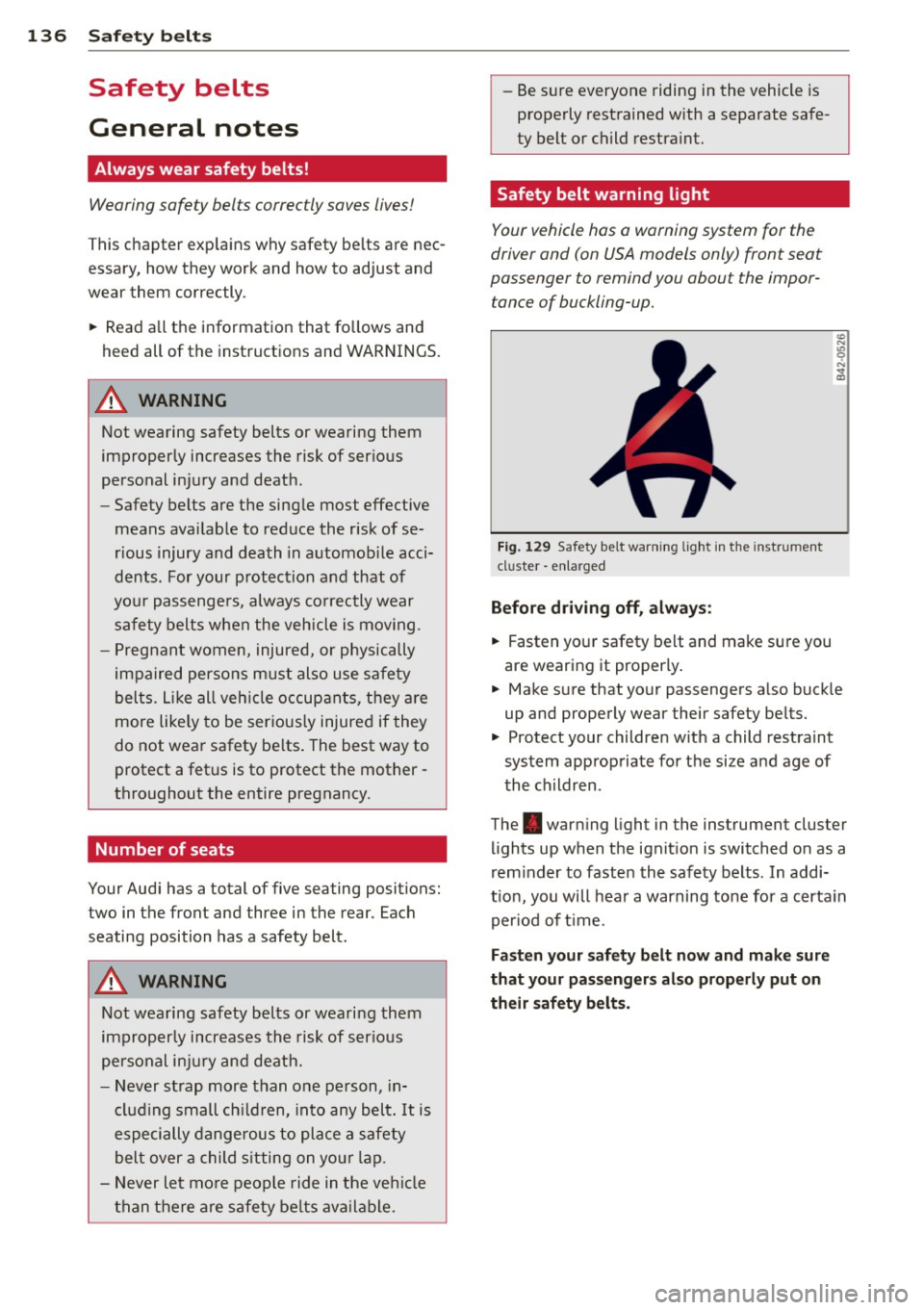
Fi g. 129 Safety belt warni ng lig ht in the instrument
cluster -e nl arge d
Before driving off, always :
.. Fasten you r safety belt and make sure you
are wearing it properly .
.. Make s ure that yo ur passengers a lso buck le
up and properly wear their safety be lts.
.. Protect your children w ith a child rest raint
system approp riate fo r the size and age of
t he children.
The . war ning light in the instrument cluster
lights up when the ignit ion is switched on as a
rem inder to faste n the safety belts. In addi
t ion, you will hea r a warning tone for a certa in
per iod of t ime.
Fasten your safety b elt now and make sure
that your pas sengers also properly put on
their safety belts.