2013 AUDI A4 SEDAN light
[x] Cancel search: lightPage 25 of 294
Instruments and warning/indicator lights 23
=/4 Ignit ion lock
l!J Ignition lock defective
There is a malfunction in the electron ic igni
tion lock. Please go to an authorized Aud i
dealer or other qualified workshop to have the
malfunct ion repaired.
¢ Q Turn signals
Whenever you use the left II or the right IJ
turn signal, the indicator light blinks. When
you use the emergency flashers, both indica
tor lights flash .
If one of the turn signal light bulbs burn out,
the turn signal will blink twice as fast as nor
mal. Carefully drive to your authorized Audi
dealer immediately to have the malfunction
corrected.
Page 26 of 294

24 Driver information d isplay
Driver information
display
Introduction
The Driver information display inside the in
strument cluster provides you, the driver ,
with important information.
Fig. 7 Ins trum en t cl uster : ce nter display
Fig. 8 W iper lev er: con trols fo r th e menu disp lay
Center display
W ith the ignition on, the display in the Dr iver
I nformation System shows the following in
formation :
- CD* inserted or Radio* station set
- Outside temperature* : At temperatures be-
low 41 °F (+5 °C), a snowflake symbol ap
pears in front of the temperature display
c::> .&_.
-Warning if one of the doors, front lid or en-
gine compartment lid is not closed .
Additional functions
You can open the following functions in the
Driver Information System display by pressing
the
! RESET I button c::> fig. 8 one or more times:
Digital speedometer*
Tire pressure monitoring *
~page248
Trip computer*
Efficiency program*
Service interval display
c::>page25
c::> page 27
c::> page 29
--·-
Gearshift selector positions
Automatic transmission
Adaptive cruise control*
Auto Check Control
c::> page 79
Some functions and vehicle components are
scanned for their operating status when you
switch the ignition on and whi le you are driv
ing. Malfunctions or required service proce
dures are signaled audibly and indicated by
red and yellow illuminated symbols and re
minders in the d isplay.
A WARNING
--- Never rely exclusively on the outside
temperature display to determine if a
road surface is icy or not. Keep in mind
that road surfaces, especially br idges
and overpasses, could be ice covered and
slippery even at an outside temperature
above 41 °F (+5 °C).
- Always remember, even if the "snow
flake" symbol (ice warning) does not ap
pear in the disp lay, black ice cou ld be on
the road.
- Always reduce your speed and drive with
specia l care in cold weather cond itions
when the chance of encountering icy
road surfaces increases.
¢j) Tips
If the vehicle is stationary, or if you are
driving at a very low speed, the tempera
ture shown in the display might be s light ly
higher than the actual outs ide tempera
ture. This i.s caused by the heat being radi
ated from the engine .
Page 29 of 294

The values in the single-t rip or the total-trip
memory can a ll be reset to zero at the same
time under
Reset in the menu .
I n addition, you can determine what informa
tion from the trip computer should be shown
in the instrument cluster display. If one of the
p ieces of driver information is turned
Off , that
driver information w ill not be shown in the
display. The information will continue to be
calculated by the trip computer and can be
turned back
On at any t ime.
(D Tips
- This function is not avai lab le on all
vehicles.
- The driving information in the efficiency
program is also reset to zero with the
s ingle-trip memory.
Gearshift Indicator
A ppl ies to vehicles: with manu al transmi ssion a nd gea r·
shi ft indica tor
This indicator con help conserve fuel.
~~~------------~~ ~.;;-
Fig. 12 Display: Gea rs hi ft indicator
The radio or MMI* can be used to activate or
deactivate the gearsh ift indicator.
Driving information -fading in and out
.,. Se lect: ICARlfunction button> Instrument
cluster
> Shifting recommendation . Or
m ~ ~ a, a,
.,. Select: ICARI funct ion button> Car systems
control button > Driver assist > Gear recom
mendation .
In order to become familiar with the gearshift
indictor, at first just drive the way you are
used to.
If the current gear -and the driving
situation -is not th e best one for conserving
Driver information display 2 7
fuel, then the indicator wi ll display the recom
mended gear. The display shows the current
gear and the gear that is recommended
¢fig. 12.
-Upshifting The disp lay wi ll light up to the
right of the gear currently selected if it is
recommend ing a higher gear .
-Downshifting: The display wi ll lig ht up to
the
left of the gear currently se lected if it is
recommending a lower gear .
Sometimes the indicator will recommend
skipping a gear (3
> 5).
If there is no gearshift recommendation, then
just drive in the appropriate gear for conserv
ing fuel.
(D Note
This indicator can help you conserve fuel.
This indicator is not meant to show you
which gear you sho uld always be in in all
driving situations . Sometimes, in situa
tions s uch as passing, dr iv ing through
mountains or when towing a trailer, there
won't be any gearshift recommendation.
(D Tips
The display does not light up when the
clutch pedal is be ing depressed.
Efficiency program
Description
App lies t o vehicles: wi th trip co mp ute r wi th effici ency
prog ram
Fig. 13 D isplay: efficie ncy progra m
Page 30 of 294

28 Driver information d isplay
• Press the I RESET I button @c:::> page 26,
fig. 11 repeatedly until the efficiency pro
gram appears in the display.
The effic iency program can help you to use
less fuel. It evaluates driving information in
reference to fuel consumption and shows oth
er equipment influencing consumption as well
as shift recommendations. Fuel economy messages c:::>
page 29 prov ide tips for effi
cient driving .
The efficiency program uses distance and con
sumption data from trip computer
1. If the
data are deleted in the eff iciency program,
those values are also reset in trip computer
1.
Enhanced shift indicator
Applies to vehicles: with manual transmission and trip
co mpute r with efficiency program
Fig . 14 D is p lay: e nhance d shi ft ind icato r
• In the efficiency program, press the func
tion selection switch c:::>
page 26, fig. 11 @
repeated ly until the enhanced shift indicator
appears in the display.
The effic iency program also has an enhanced
shift indicator. This enhanced shift indicator
follows the same concept as the "standard"
shift indicator
c:::> page 27. The selected and
the recommended gears are highlighted in
colors like a traffic light.
The color of the circle indicates if the most
suitable gear is engaged or if you should shift
up or down. Green
circle w ithout No gear or the most
or w ith a gear su itable gear is en
gaged
Yellow circle
c:::> fig. 14 Shift up or down one
gear
Red circle Shift up two gears
(D Note
This enhanced shift indicator can help you
conserve fuel.
It is not designed to recom
mend the correct gear in all driving situa
tions. Only the driver can decide which
gear is correct in certain driving situations
such as when passing another vehicle,
driving on hills or towing a trailer .
(!) Tips
-The enhanced shift indicator display is
different in vehicles with a monochrome
display .
- The "standard" shift indicator* disap
pears when the-enhanced shift indicator
is displayed .
Other equipment
Applies to vehicles: with trip computer with eff iciency
program
Fig. 15 D isplay : oth er equi pm en t
• In the efficiency program, press the func
tion selection switch ¢
page 26, fig. 11 @
repeatedly until the other equipment ap
pears in the display .
Other equipment that is currently affecting
fuel consumption is listed in the efficiency program. The disp lay shows up to three other
items of equipment @. The equipment using
the most fuel is listed first .
If more than three ""
Page 32 of 294
30 Driver information display
the approp riate service on your vehicle. You
a lso have the possibility to reset the oil
change schedule after having performed an
oil change according to Audi specifications.
Select
I CAR I function button > Service interval
display > Reset oil change interval
or ICARI
function button> Car systems control button
> Servicing & checks > Reset oil change inter
val.
(CT;) Note
If you disconnect the battery terminals, no
calculations can be made for the service
interva l display during this time and no
service reminder will appear. Remember
that observing the proper serv ice interva ls
is vitally important to extending the life of
your vehicle, particularly the engine, and
maintaining its value. Even if the mileage
driven is low, the maximum period of one
year from one serv ice to the next must not
be exceeded.
@ Tips
-Do not reset the display between oil
changes, otherw ise the display will be in
correct.
- The information in the Service Reminder
remains stored even when the vehicle
battery is disconnected.
On-Board Diagnostic
system (OBD)
Malfunction Indicator Lamp (MIL)
The Malfunction Indicator Lamp (MIL) II in
the instrument cluster is part of the On-Board
Diagnostic (OBD II) system.
The warning/indicator light illuminates when
the ignition is switched on and goes out after
the engine starts and the idle has stabi lized .
This indicates that the MIL is working proper
l y.
If the light does not go out after the engine
is started, or illuminates while you are driv
ing, a malfunction may exist in the engine sys- tern.
If the
light illuminates, the catalytic con
verter could be damaged.
Continue driving
with reduced power (avoid
ing sustained high speeds and/or rapid accel
erations) and have the condition corrected.
Contact your authorized Audi dea ler.
If the light illuminates, the electronic speed
limiter may also be malfunct ioning. For more
information
q page 31, El ectronic speed
limiter .
An improperly closed fuel filler cap may also
cause the MIL light to illuminate
~page 212.
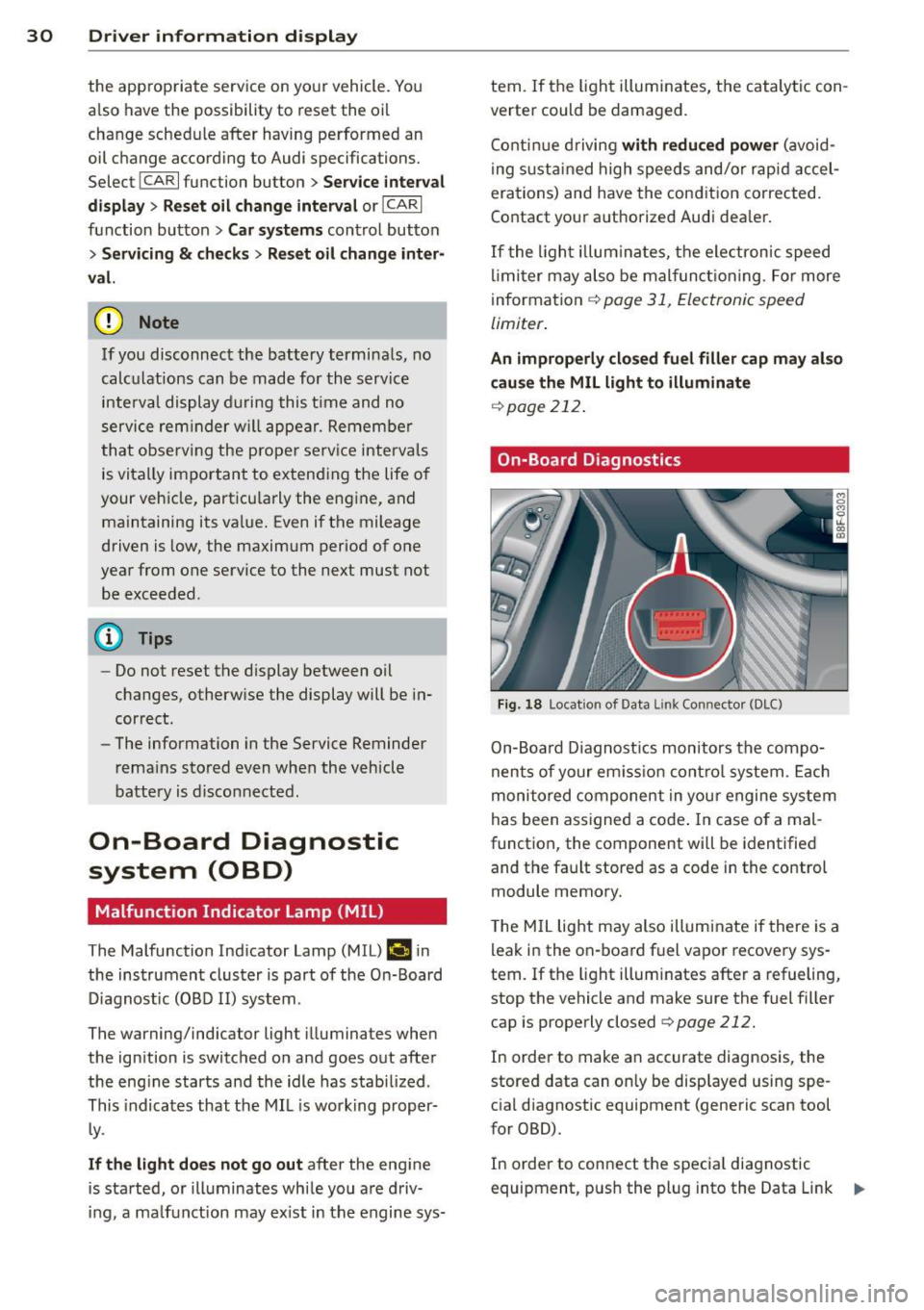
On-Board Diagnostics
Fig. 18 Locat ion of Data L ink Connector (DLC)
On-Board Diagnostics monitors the compo
nents of your em ission control system . Each
monitored component in your engine system
has been assigned a code . In case o f a mal
function, the component will be identified
and the fault stored as a code in the control
module memory.
T he MIL light may also illuminate if there is a
leak in the on-board fuel vapor recovery sys
tem.
If the light illuminates after a refueling,
stop the vehicle and make sure the fuel filler
cap is properly closed
q page 212.
In order to make an accurate diagnosis, the
stored data can on ly be displayed using spe
cial diagnostic equipment (generic scan tool
for OBD).
In order to connect the special diagnostic
equipment, push the plug into the Data Link ..,.
Page 33 of 294

Connector (DLC). The DLC is located to the
right of the hood release¢
fig. 18.
Your authorized Audi dealer or qualified work
shop can interpret the code and perform the
necessary repair.
~ WARNING
Do not use the diagnostic connector for
personal use. Incorrect usage can cause
malfunctions, which can increase the risk
of a coll is ion!
Electronic speed limiter
-
Your veh icle may be factory equipped with
tires that are rated for a maximum speed of 130 mph (210 km/h). This is may be less than
the maximum speed of your ve hicle. To reduce
the risk of sudden tire failure and loss of con
trol if the vehicle is operated at excess ive
speeds, your vehicle has an e lectronic speed
limiter. The electronic speed limiter prevents
your vehicle from going faster than the t ire
speed rating. For more information
¢page 241.
If the engine contro l unit receives fau lty vehi
cle roadspeed signals, the Malfunction Indica
tor Light (MIL)
(llllij will illuminate . If this oc
curs, contact the nearest authorized Audi
dealer for assistance .
A WARNING
-
Always observe the posted speed limits
and adjust your speed to suit prevailing
road, traffic and weather conditions. Never
drive your vehicle faster than the maxi
mum speed rating of the tires insta lled .
Driver information display 31
Page 36 of 294

34 Openin g and clo sing
keys. Unguarded access to the keys pro
vides children the opportunity to start the engine and/or act ivate vehicle sys
tems such as the power w indows etc . Un
supervised operation of any veh icle sys
tem by ch ildren can res ult in serious in
Jury.
- Do not remove the key from the ignition
lock until the vehicle has come to a com
plete stop. Otherwise the steering col
um n loc k co uld suddenly e ngage -caus
ing the risk of an accident.
@ Tips
- The operation of the remote contro l key
c a n be tempo rarily disrupted by in terfer
ence from tran smi tters in t he v ici nity of
the veh icle work ing in the same frequen
cy ra nge (e.g . a ce ll phone, radio equip
ment).
- Fo r security reasons, replacement keys
are on ly available from Aud i dea le rs .
- Fo r De clarat ion o f Compliance to United
States FCC and Industry Canada regu la
tions
¢ page 275.
Removing the mechanical key
Fig . 20 Remot e ma ste r key: re mov ing the mec hanic al
key
.. Press the release button @¢ fig. 20.
.. Pu ll the mecha nical key @ out of the mas
te r key .
Using the mechan ica l key, you can :
- l ock and unlock* the glove compartmen t on
the passenger's side ¢
page 61 .
-lock and unlock t he lockable* rear bench
seat and pass-through* ¢
page 64. -
activate the child sa fety locks on the rear
doors ¢
page 40.
- lock and unlock the vehicle manua lly
~ page 3 7 if this should not be possible
w ith the master key.
- use t he ignition key emergency release
~ page 35.
Check light and battery in the master
key
Fig. 21 Rem ote mas ter key: re m ov ing th e ba ttery h old
e r
Check light in the ma ster key
The check light@¢ fig. 21 in the mas ter key
provides information about different condi
t ions .
.. The check light turns on br iefly once when a
button is pressed, and during an "inquiry"
by the convenience key system .
.,. If the check light does not come on, the
battery is dead and has to be replaced . In
add it io n, w hen t he battery is dead
the m
indicator light appea rs in the instrument
cl uster display as we ll as the message
Please change key battery .
Master key battery replacement
.,. Remove the m echan ical key ~ page 34.
.,. Press t he release button @~
fig. 21 on the
b attery ho lde r and at the same time pull the
battery holder o ut o f the master key in the
direction of the arrow .
.. Insta ll the new battery CR 2032 with the
"+ " sign facing down.
.. Push the battery holder carefully into the
master key .
.. Insta ll the mechanical key .
Page 39 of 294

- You cannot open the doors or the rear lid
from the
outside (increased security, for ex
ample when you are stopped at a red light).
- The diodes in the power locking switches il
luminate when all the doors are closed and
locked.
- Front doors: you can unlock and open the
doors from the inside by pu lling on the door
handle .
- Rear doors: pull the door handle
once to re
lease the lock . Pull the hand le
again to open
the door.
- If you have a crash and the airbag is activat
ed, the doors automatically unlock.
A WARNING
- The power locking switch works with the
ignition off and automatically locks the
entire vehicle when it is actuated .
- On a vehicle locked from the outside the
power locking system switch is inopera
t ive .
- locked doors make it more difficult for
emergency workers to get into the vehi
cle, which puts lives at risk . Do not leave
anyone behind in the vehicle, especially
ch ildren.
@ Tips
Your vehicle is locked automatically at a
speed of
9 mph (15 km/h) (Auto lock)
r=:>poge 32. You can unlock the vehicle
again using the opening function in the
power locking system switch[@].
Setting power locking
In the radio/MM!*, you con set which doors
the central locking system will unlock.
~ Select : ICARI funct ion button > Central lock
ing .
Or
~ Select: ~ I C~ A~R ~I funct ion button > Car systems
control button > Vehicle settings > (Central
locking)*.
Single door unlocking /Unlock doors * -
you
can specify which doors unl ock when you open
the vehicle .
Opening and closing 3 7
- Select ing off/All and pressing the Im button
on the remote control key unlocks the entire
veh icle.
- Selecting
on/Driver and pressing the Im but
ton on the remote control key once un locks
only the driver's door. In vehicles with a con
venience key*, only the door whose handle
you pull will unlock. If you press the
l@J but
ton twice, the entire vehicle will unlock . If
you press the
Ii button, the entire vehicle
w ill always lock .
luggage comp. lock/Lock exterior trunk han
dle -
If you select On, you can no longer open
the luggage compartment using the rear lid
handle
r=:> page 39, fig. 28. In this case, the
rear lid can be opened with the
l""'I bu tto n on
the master key
r=:> page 35, fig. 22 or with the
l""'I * button in the driver's door.
Tone when locking -if you select On, a tone
will sound when you lo ck the vehicle.
Auto Lock /Lock when driving -if you select
On, the entire vehicle w ill lock automatically
when the speed reaches 9 mph (IS km/h).
Emergency locking
Fig. 25 D rive r's doo r: lock cylinder
Fig . 26 Fro nt passenger 's doo r/ rear doors*: eme rgency
lock .,..