2013 AUDI A4 SEDAN battery
[x] Cancel search: batteryPage 37 of 294

@ For the sake of the environment
Dispose of dead batteries properly so as
not to pollute the environment.
@ Tips
The replacement battery must be the
same specification as the original.
Emergency unlocking of the ignition key
In the event of malfunctions in the electrical
system, it may happen that you cannot re move the ignition key .
• Remove the mechanical key<:? page 34.
• Lock the vehicle using the mechanical key
<:?page 37.
• Have the e lectrica l system inspected by an
authori zed Audi dealership .
Locking and unlocking the vehicle with
the remote control
Fig. 22 Remote master key: function but tons
• Press button @to unlock the vehicle
Qfig . 22.
• Press button fij to lock the vehicle QA in
General description on page
32 .
• Press button ,c:;5 briefly to unlock the rear
lid .
• Press the button
,c:;5 for at least one second
to open the rear lid .
• Push the red
I PANIC I button to activate the
panic function. The horn sounds and the
turn s ignals flash . Push the red
I PANIC ! but
ton again to deactivate the panic function.
If the vehicle is unlocked and no door, the rear
lid or the hood is opened within 60 seconds,
Opening and closing 35
the vehicle locks itself again automat ica lly.
This feature prevents the vehicle from being
accidentally left unlocked over a long period of time.
It depends on the settings in the radio or
MMI* whether the entire vehicle is unlocked
or only certain doors <:?
page 37.
On vehicles with automatic transmission, the
selector lever must be in the P position, other
wise the vehicle cannot be locked.
A WARNING
Read and follow all WARNINGS ¢.&. in
General description on page
32.
(D Tips
- In order to make sure the locking func
tion is working, you should a lways keep
your eye on the vehicle to make sure it is properly locked.
- Do not use the remote control if you are
inside the car, otherwise you may unin
tentionally lock the vehicle, and then you
would set off the anti-theft alarm when
you try to start the eng ine or open a
door . In case this happens anyhow, push
t he unlock button@.
- Use the pan ic function only if you are in
an emergency s ituation.
-Add itional remote control key functions
¢page 41 .
Page 38 of 294

36 Opening and clo sing
locking and unlocking with convenience
key
Appl ies t o vehicles : wit h convenience key
The doors ond the rear lid can be unlocked
and locked without operating the master key.
Fig . 23 Door hand le: lock ing the v ehi cle
Unlocking vehicl e
.. Take hold of the door hand le . The door is
unlocked automatically .
.. Pull the handle to open th e door .
locking vehicle
.. Move the selecto r lever to the P position
(a ut oma tic transmiss ion *) , othe rwi se the
vehicle cannot be locked.
.. To lock the vehicle , close the door and touch
the sensor in th e door hand le
onc e¢ fig. 23
c:> A in General description on page 32 . Do
not reach inside the door handle .
The vehicle ca n be locked and unlocked at any
door. The remote control key cannot be more
t han 1.5 m away from the door hand le. It
makes no difference whether the m aster key
is in your jacket pocket or i n your brief ca se .
If you grip the door handle while lo cking, th is
can adversely affect the lock ing funct ion.
I t is not possible to re-open the door for a
brief period direct ly after closing it. This al
l ows you to ensure that the doors are properly
locked.
I t depends on the sett ings in the radio or
MMI* whether the e ntire vehicle is unlocked
or one of the doors
c:> page 3 7 .
A WARNING
-
Read and follow all WARNINGS c:> .&. in
General description on page
32 .
(D Tips
If your vehicle has been standing for an ex
tended per iod, please note the following:
- The prox imity sensors are deactivated af-
ter a few days to save power. You then
have to pull on the door handle once to
unlock the vehicle and a second t ime to
open the vehicle .
- To prevent the battery from being d is
charged and to preserve your vehicle 's
ability to start for as long as possib le,
the energy managemen t system gra du
ally switches off u nnecessa ry c onven
ience func tions.
It is possib le th at you
w ill not be able to unloc k your vehicle us
ing these convenience func tions.
- F or Declar ation of Complian ce to Unite d
States FC C and Ind ustry Canada reg ula
tions
¢ page 275.
locking and unlocking the vehicle from
inside
Fi g. 24 Drive r's doo r: pow er lock ing sw it c h
.. Press the b utton B to lock the vehicle c::> ,& .
.. Press the button @ to unlock the vehicle
c::> fig. 24.
If you lock the veh icle using the power loc king
switch, p lease note the followi ng:
- I f a door is open, the veh icle canno t be
loc ked u sing the power loc king system
sw itch.
Page 44 of 294

42 Opening and clo sing
- Always read and heed WARNING ¢ &. in
General description on page 32.
Correcting window regulator
malfunction
After disconnecting the vehicle battery, the
one-touch up and down feature must be acti
vated again .
.. Pull and hold the power window switch un
til the window is completely closed.
.. Release the switch and pull the switch again
for one second.
Sliding/tilting sunroof
Operation
Fig. 3 4 Section of headli ner: knob fo r sunroof
Tilting
Requirement: the roof switch must be in the
@ pos it io n ¢
fig . 34.
.. To tilt it, briefly press the switch ¢ fig. 34.
.. To close it, briefly pull the switch¢.&._.
.. To set an inte rmediate pos ition, press/pull
the switch until the roof reaches the des ired
pos it ion.
Opening/ sliding (version 1 )
.. To move the sunroof to the position for re
duced wind noise, turn the switch to posi
t ion @ unt il resistance can be felt.
.. To ope n the s unroof comp lete ly, t urn and
hold the switch against t he res istance in po
s it ion @.
.. To close the sunroo f comple tely, turn the
switch to @posi tion
¢ .&._ . ..
To se lect a setting in between, turn the
switch to the desired position .
Opening/sliding (version 2)
.. To s lide the roof a ll the way open, turn the
sw itch to the
(D posi tion.
.. To close the sun roof completely, turn the
switch to @ position ¢ .&._ .
.. To se lect a setting in between, turn the
sw itch to the desired position .
T he sunshade can be opene d and closed man
u ally in any posit io n. When openi ng the sun
roof, the sunshade is automatically opened.
After the igni tion is sw itche d off , you can s till
o pera te the sunroof for about 1 0 minutes . As
soon as the driver's or passenger 's doo r is
opened, the switch is inoperative.
_8 WARNING ~ -
Pay careful attention when closing the
su nroof -otherw ise serio us i njury co uld re
sult! Fo r th is reason, always remove the ig
ni tio n key when leaving the vehicle.
(D Note
Always close your sun roof w hen leav ing
your vehicle. Sudde n ra in ca n cause dam
age to t he interior equipment of your ve hi
cle, part icu larly the ele ctronic equ ipment.
@ Tips
- Informat ion regarding convenience
opening/closing
c:> page 41 .
Emergency closing of the sliding/tilting
, sunroof
If the s unroof detects an object in its path
whe n it is closing, it w ill open again automati
ca lly. In this case, you can close the roof with
the power emergency closing function .
.. Within five seconds after the sunroo f opens
au tom atically, pull the switc h until the roof
closes .
Page 62 of 294
60 Seats and st o rage
12-volt socket
Appl ies to vehicles: wit h 12-volt socket
Electrical accessories can be connected to the
12-volt socket.
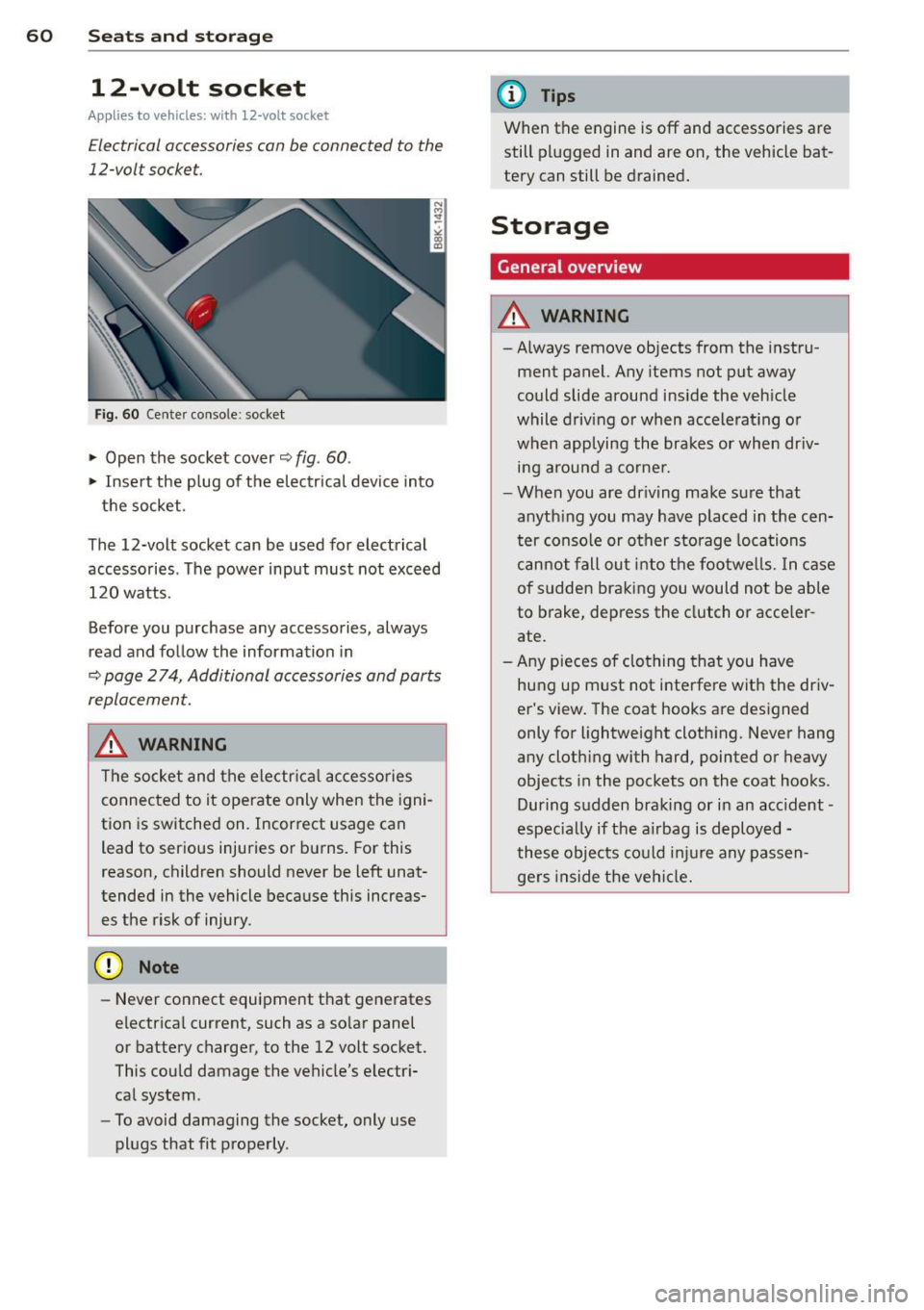
Fig. 60 Cente r console: socket
.,. Open the socket cover~ fig. 60 .
.,. Insert the plug of the electrical device into
the socket.
The 12-volt socket can be used for electrical accessories. The power input must not exceed 120 watts.
Before you purchase any accessories, always
read and follow the information in
~ page 2 74, Additional accessories and parts
replacement.
.&_ WARNING
The socket and the electr ica l accesso ries
connected to it operate only when the igni
tion is switched on. Incorrect usage can lead to ser ious injuries or burns. For this
reason, children should never be Left unat
tended in the vehicle because this increas es the risk of injury.
- Never connect equipment that generates
electrical current, such as a so lar panel
or battery charger, to the 12 volt socket.
This could damage the vehicle's electr i
cal system .
- To avoid damaging the socket, only use
plugs that fit properly .
(D Tips
When the engine is off and accessories are
still plugged in and are on, the vehicle bat
tery can still be drained.
Storage
General overview
.&_ WARNING
-Always remove objects from the instru
ment panel. Any items not put away
could slide around inside the veh icle
while driv ing or when accelerat ing o r
when applying the brakes or when dr iv
ing around a corne r .
- When you are driving make sure that
anyth ing you may have placed in the cen
ter console or other storage locations
cannot fall out into the footwells. In case
of sudden braking you would not be able
to brake, depress the clutch or acce ler
ate.
- Any pieces o f clothing that you have
hung up must not i nterfere wit h the driv
er's view . The coat hooks are designed
only for lightweight clothing. Never hang
any cloth ing with hard, pointed or heavy
objects in the pockets on the coat hooks .
During sudden braking or in an accident -
especia lly if the a irbag is deployed -
these objects could injure any passen gers inside the vehicle.
-
Page 91 of 294
There is a system malfunction in the transmis
sion. You may continue driving. Drive to your
authorized Audi dealer or qualified repair fa
cility soon to have the malfunction corrected.
[O] Transmission malfunction: Limited driv·
ing functionality
There is a system malfunction in the transmis
sion . The transmission is switching to emer
gency mode. This mode only shifts into cer
tain gears or will no longer shift at all. The en
gine may stall. Drive to your authorized Audi
dealer or qualified repair facility immediately
to have the malfunction corrected .
[O] Transmission malfunction: Stop vehicle
and shift to park.
Do not continue driving. Select the P selector
lever position and see your authorized Audi
dealer or qualified repair facility for assis
tance.
([) Note
If the transmission switches to emergency
mode, you should take the vehicle to an
authorized Audi dealership as soon as pos
sible to have the condition corrected.
Emergency release of the selector lever
Applies to vehicles: with multitronic or tiptro nic
If the vehicle's power supply foils, the selec
tor lever can be released in an emergency.
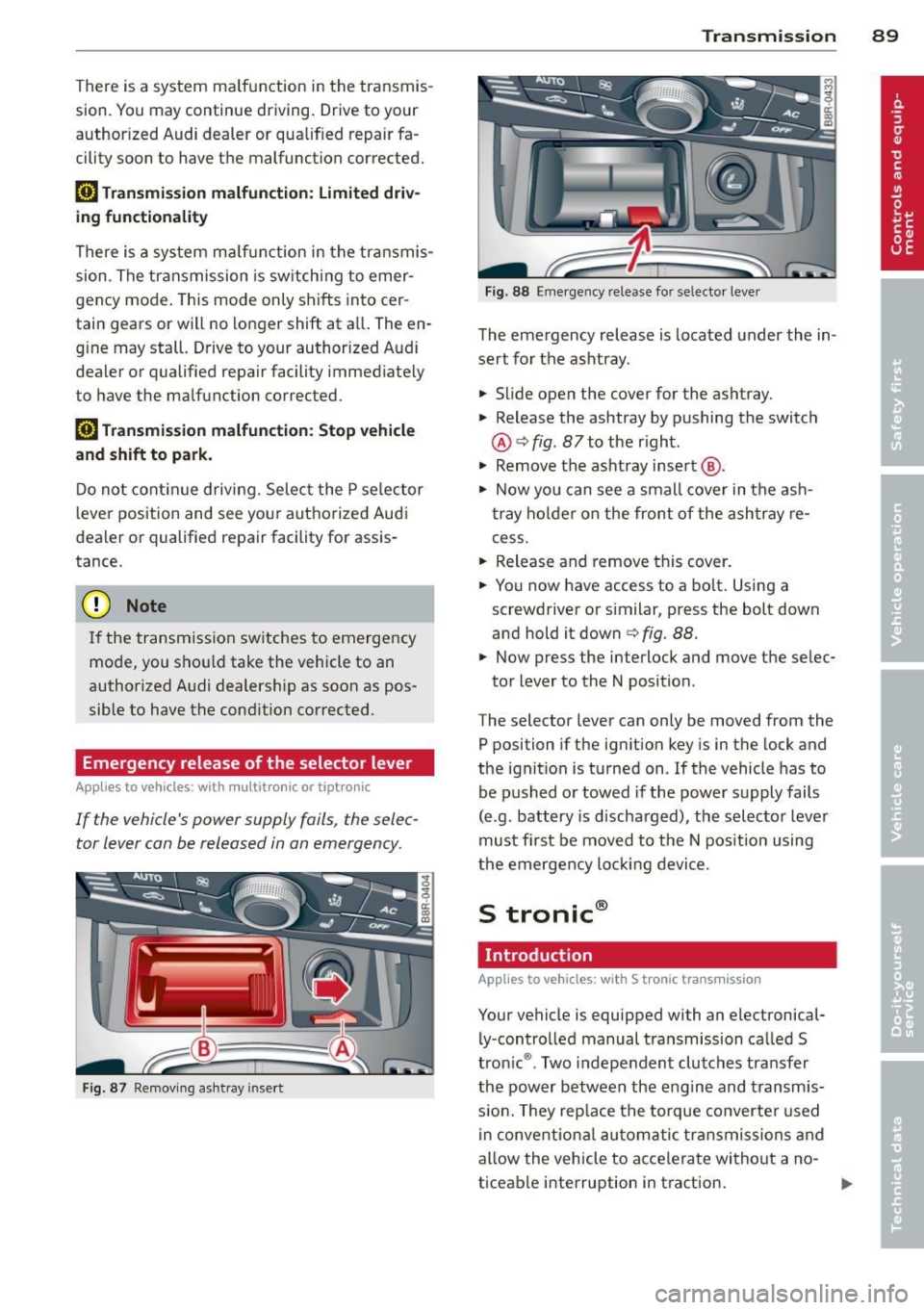
Fig . 87 Removing ashtray insert
Transmission 89
Fig . 88 Emerge ncy release fo r se lecto r lever
The emergency release is located under the in
sert for the ashtray.
.,. Slide open the cover for the ashtray.
.,. Release the ashtray by pushing the switch
@ ¢
fig. 87 to the right .
.,. Remove the ashtray insert @ .
.,. Now you can see a small cover in the ash
tray holder on the front of the ashtray re
cess .
.,. Release and remove this cover.
.,. You now have access to a bolt. Using a
screwdriver or similar, press the bolt down
and hold it down ¢
fig. 88.
.,. Now press the interlock and move the selec-
tor lever to the N position .
The selector lever can only be moved from the
P position if the ignition key is in the lock and
the ignition is turned on . If the vehicle has to
be pushed or towed if the power supply fails
(e .g . battery is discharged), the selector lever
must first be moved to the N position using
the emergency locking device.
S tronic®
Introduction
Applies to vehicles : with S tronic transmission
Your vehicle is equipped with an electronical
ly -controlled manual transmission called S
tronic ®. Two independent clutches transfer
the power between the engine and transmis
s ion. They rep lace the torque converter used
in conventional automatic transmissions and
allow the vehicle to accelerate without a no
ticeable interruption in traction.
Page 112 of 294
110 Audi side assist
-Side assist is not active while you are
making the adjustment.
- Your settings are automatically stored
and assigned to the remote control key
being used.
Driver messages
App lies to vehicles: with side assist
If side assist switches off by itself, the LED in
the button turns off and a message will ap
pear in the instrument cluster display:
Audi side assist unavailable: Sensors blocked
The radar sensors' vision is affected. Do not
cover the area in front of the sensors with bike
wheels, stickers, dirt or other objects. Clean
the area in front of the sensors, if necessary
c:::;,page 108, fig. 110.
Audi side assist: Currently unavailable
Side assist cannot be switched on temporarily
because there is a malfunction (for example,
the battery charge level may be too low).
Audi side assist: System fault!
The system cannot guarantee that it will de
tect vehicles correctly and it is switched off .
The sensors have been displaced or are faulty .
Have the system checked by an authorized
Audi dealer or authorized Audi Service Facility
soon .
Audi side assist: Unavailable when towing
Side assist switches off automatically when a
factory-installed trailer hitch is connected to
the electrical connector on the trailer . There is
no guarantee the system will switch off when
using a retrofitted trailer hitch. Do not use
side assist when towing a trailer.
Page 192 of 294

190 Intelligent technology
will have no warning from a sudden in
crease in engine speed as with a front
wheel drive vehicle. Always drive at speeds wh ich are suited to the road con
ditions -risk of c rash .
Energy management
Starting ability is optimized
Energy management controls the distribution
of electrical energy and thus optimizes the
availability of electrical energy for starting
the engine.
I f a vehicle with a conven tional energy system
i s not d riven for a long period of time , the bat
tery is discharged by idling c urrent consumers
(e .g. immobilizer) . In certain circumstances it
can result in there being insuffic ient energy
avai lab le to start the engine.
I ntelligent energy management in your veh i
cle hand les the distribution of electrical ener
gy . Starting abi lity is marked ly improved and
the life of the battery is extended .
B asically , energy management consists o f
battery diagno sis, idling current manage
ment
and dynami c ene rg y man agement.
Battery diagnosis
Battery d iagnosis con tinuously dete rm ines
the state of the battery. Senso rs determ ine
battery vo ltage, batte ry cur rent and battery
temperature. This determines the current
state of charge and the power of the battery.
Idling current management
I dling c urrent managemen t red uces energy
consumption while the vehicle is stand ing.
With the ignition switched off, it contro ls the
energy s upply to the various e lectrica l compo
nents . Data from battery diagnosis is consid
ered.
D epending on the battery's state of charge,
individual consumers are grad ually turned off
to prevent excess ive d ischarge of the battery
and thus ma inta in start ing cap ability .
Dynamic energy management
While the vehi cle is being driven, dynamic en
ergy management distr ibutes the energy gen
erated according to the needs of the indiv id u
al components.
It regulates consumption, so
that more electrical energy is not being used
t h an is being generated and ensures an opti
mal state of c harge for the battery.
(!) Tips
- But even ene rgy management cannot
negate the limits of physics. Consider
that the power and life of a battery are limited.
- If start ing ability is threatened, the indi
cator light(•] appears¢
page 17 .
What you should know
The highe st priori ty is given to main taining
starting capability.
T he battery is seve re ly taxed in short -d istance
driv ing, in city traff ic and during the cold time
o f year. Abundant electrical energy is re
quired, but on ly a little is generated . It is also
critical if the engi ne is not r unning and electri
ca l components are tu rned on. In this in
sta nce ene rgy is be ing consumed bu t none is
being genera ted .
It is in precisely these s ituations t hat you will
notice ene rgy management active ly regu lat
i ng t he d istribu tion of ene rgy.
Vehicle stands for an extended period
If you do not drive your vehicle over a period
of several days or weeks, e lectr ica l compo
nents a re g radually cut back or sw itched off .
T h is reduces energy consumption and ma in
ta ins s tart ing capability over a longer pe riod .
Some of the convenience func tions may not
opera te, such as the interior ligh ts or the
power seat adjustment. The convenience
functions will be available again wh en you
switch on the ignition and start the eng ine .
Page 193 of 294

With the engine turned off
If you listen to the radio, for example, with
the engine turned off or use other MMI func
tions, the battery is being discharged .
If starting capability is jeopardized due to en
ergy consumption, the following warning ap
pears in the MMI display :
Please start the engine soon or the system
will be turned off.
The warning indicates that the system will be
turned off automatically after 3 minutes . If
you wish to continue using the functions , you
have to start the engine.
With the engine running
Although electrical energy is generated when
the vehicle is being driven , the battery can be
come discharged . This happens mostly when
little energy is being generated and a great
deal consumed and the battery's state of
charge is not optimal.
To bring the energy balance back into equili brium, consumers which require especially
large amounts of energy are temporarily cut
back or switched off . Heating systems in par
ticular require a great deal of energy. If you
notice , for example , that the heated seats* or
the heated rear window are not heating, they
have been temporarily cut back or switched
off. These systems will be available again as
soon as the energy balance has been restored.
You will also notice that engine idle speed has
been increased slightly. This is normal and not
a cause for concern . By increasing engine idle
speed the additional energy required is gener
ated and the battery is charged.
Intelligent technology 191
•
•