Page 459 of 650

These messages provide detailed
inf ormation about the service
needed f or your vehicle. When a
maintenance message appears on
the multi-information display, a list of
needed maintenance items is
provided through an AcuraLink
message. These messages tell you
the exact maintenance needed,
helping you to avoid unnecessary
maintenance costs.You can use the f ollowing message
options:
Reschedule the appointment with
the dealer.
Call your dealer f or an
appointment.
Find the nearest dealer. You can make an appointment with
your dealer through AcuraLink
when you receive a Maintenance
Minder message.
To use the automated appointment
f unction, you should visit the My
Acura website at
, register some
required settings, and complete the
Phone-Data Connection set-up (see
page ). Your
compatible phone should also be
paired and linked to your vehicle
(see page ).
Make an appointment f rom the
schedule at the dealer.
432
463
www.owners.acura.com
Bluetooth
CONT INUED
Maintenance MinderA ut omat ed A ppoint ment
AcuraLink(U.S. models only)
Features
455
TM
12/07/20 11:29:36 31TK4640_460
2013 TL
Page 464 of 650
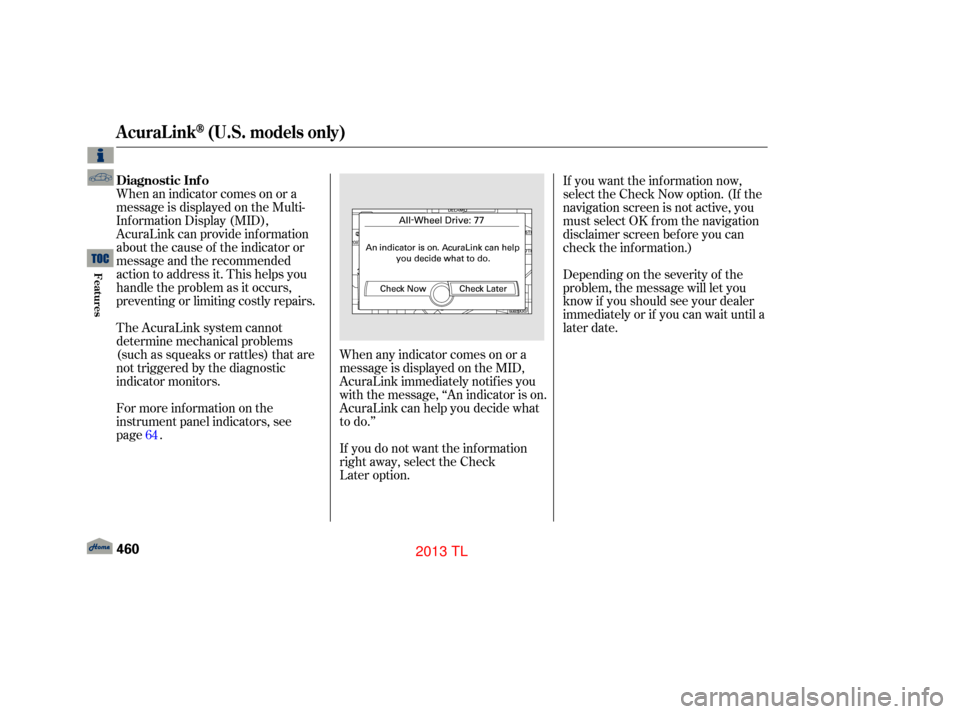
When an indicator comes on or a
message is displayed on the Multi-
Inf ormation Display (MID),
AcuraLink can provide inf ormation
about the cause of the indicator or
message and the recommended
action to address it. This helps you
handle the problem as it occurs,
preventing or limiting costly repairs.
The AcuraLink system cannot
determine mechanical problems
(such as squeaks or rattles) that are
not triggered by the diagnostic
indicator monitors.
For more information on the
instrument panel indicators, see
page. When any indicator comes on or a
message is displayed on the MID,
AcuraLink immediately notifies you
with the message, ‘‘An indicator is on.
AcuraLink can help you decide what
to do.’’
If you do not want the information
right away, select the Check
Later option. Depending on the severity of the
problem, the message will let you
know if you should see your dealer
immediately or if you can wait until a
later date. If you want the information now,
select the Check Now option. (If the
navigation screen is not active, you
must select OK f rom the navigation
disclaimer screen bef ore you can
check the inf ormation.)
64
AcuraLink(U.S. models only)
Diagnostic Inf o
460
12/07/20 11:30:13 31TK4640_465
Features
2013 TL
Page 467 of 650
�µ
�µ
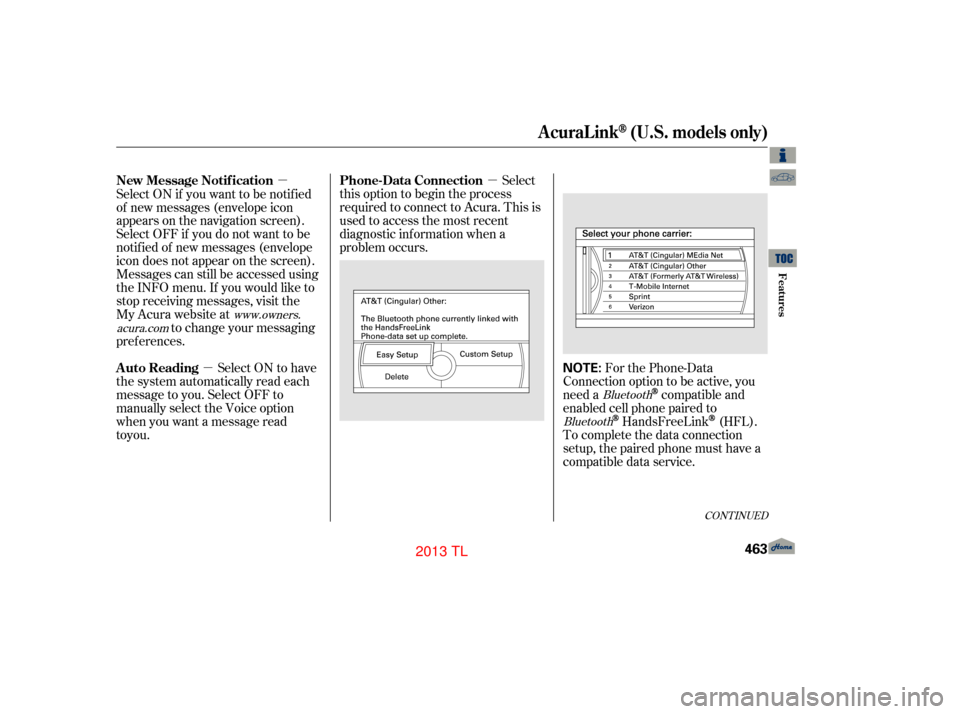
�µ For the Phone-Data
Connection option to be active, you
need a
compatible and
enabled cell phone paired to
HandsFreeLink(HFL).
To complete the data connection
setup, the paired phone must have a
compatible data service.
Select
this option to begin the process
required to connect to Acura. This is
used to access the most recent
diagnostic inf ormation when a
problem occurs.
Select ON if you want to be notif ied
of new messages (envelope icon
appears on the navigation screen).
Select OFF if you do not want to be
notif ied of new messages (envelope
icon does not appear on the screen).
Messages can still be accessed using
the INFO menu. If you would like to
stop receiving messages, visit the
My Acura website at
to change your messaging
pref erences.
Select ON to have
the system automatically read each
message to you. Select OFF to
manually select the Voice option
when you want a message read
Bluetooth
Bluetooth
www.owners.
acura.com
CONT INUED
Phone-Data Connection
New Message Notif ication
Auto Reading
AcuraLink(U.S. models only)
Features
463
NOTE:
12/07/20 11:30:35 31TK4640_468
to you.
2013 TL
Page 468 of 650
�µ
The def ault setting is prompt. When
a diagnostic inf o message appears,
and you select the Check Now option,
the system will prompt you bef ore
connecting to the Acura server. If
you do not wish to connect at that
time, select No at the prompt, and
you will see the inf ormation f rom the
onboard database. The ‘‘Auto’’
setting will remove the prompt when
you select the Check Now option and
will automatically connect to the
Acura server. This setting only
applies when you have a
enabled phone that is paired with
HFLandyouhavecompletedthe
Phone-Data Connection setup.
To find more information on
compatible and enabled
cell phones, visit or call
the HandsFreeLink
consumer
support at 1-888-528-7876. This device complies with the
appropriate requirements or the
required standards. See page f or
more inf ormation.
628
Bluetooth
Bluetooth
www.acura.com/handsfree link
Connect to the Acura Server
AcuraLink(U.S. models only)
464
12/07/20 11:30:39 31TK4640_469
Features
2013 TL
Page 481 of 650

�µ�µ
�µ �µ
�µ
�µ
�µ
Aggressive driving (hard
acceleration and braking)
Excessive idling, accelerating and
braking in stop-and-go traffic
Cold engine operation (engines
are more efficient when
Driving with a heavy load or the
air conditioner running
Improperly inflated tires
The f ollowing f actors can lower your
vehicle’s f uel economy:
Rapid
acceleration, abrupt cornering,
and hard braking increase
Aerodynamic drag has a big ef f ect
on f uel economy at speeds above
45 mph (75 km/h). Reduce your
speed and you reduce the drag.
Trailers, car top carriers, roof
racks and bike racks are also big
contributors to increased drag.
If your vehicle has a
manual transmission, you can
boost your f uel economy by up
shif ting as early as possible.
Idling
results in 0 miles per gallon (0 kms
per liter).
It puts a heavier
load on the engine, increasing
In
particular, a build-up of snow or
mud on your vehicle’s underside
adds weight and rolling resistance.
Frequent cleaning helps your An underinf lated tire increases
‘‘rolling resistance,’’ which reduces
f uel economy.
A properly maintained vehicle
maximizes f uel economy. Poor
maintenance can signif icantly reduce
f uel economy. Always maintain your
vehicle according to the maintenance
messages displayed on the multi-
inf ormation display (see on page ).For example:
539
CONT INUED
Fuel Economy Factors Use the recommended viscosity
motor oil, displaying the
API Certif ication Seal (see
page ).
Improving Fuel Economy Drive moderately
Observe the speed limit
Always drive in the highest gear
possible
Avoid excessive idling
A void carrying excess weight in
your vehicle
K eep your vehicle clean Maintain proper tire inf lation
Owner’s
Maintenance Checks 543
Vehicle Maint enance
Drive Ef f icient ly
Fuel Economy
Bef ore Driving
477
12/07/20 11:32:01 31TK4640_482
warmed up)
fuel consumption.
fuel economy. fuel consumption.
2013 TL
Page 482 of 650

�µ�µ
Fill the f uel tank until the nozzle automatically clicks of f .
Reset trip counter to zero.
Record the total gallons (liters) needed to ref ill.
Follow one of the simple calculations above.
The A/C
puts an extra load on the engine
which makes it use more fuel.
Use the fresh-air ventilation
when possible.
Combine several short trips into
one. A warmed-up engine is more
f uel ef f icient than a cold one.
Direct calculation is the
recommended source of inf ormation
about your actual f uel economy.
Using f requency of f ill-ups or taking
f uel gauge readings are NOT
accurate measures of f uel economy.
Fuel economy may improve over the
f irst several thousand miles
(kilometers). 1)
2)
3)
4)
Checking Your Fuel Economy
Measuring T echniquesMinimize the use of the air
conditioning system
Plan and combine trips
Calculating Fuel Economy
Fuel Economy
478
Miles per Gallon
100 Kilometers
Gallons
of fuel
Miles
driven
Liter Lper
100 km
12/07/20 11:32:10 31TK4640_483
Bef ore Driving
2013 TL
Page 483 of 650

Your dealer has Acura accessories
that allow you to personalize your
vehicle. These accessories have
been designed and approved f or your
vehicle, and are covered by warranty.Bef ore installing any accessory:
Make sure the accessory does not
obscure any lights, or interf ere
with proper vehicle operation or
perf ormance.
Although non-Acura accessories may
f it on your vehicle, they may not
meet f actory specif ications, and
could adversely af f ect your vehicle’s
handling, stability, and reliability. Bef ore installing any electronic
accessory, have the installer
contact your dealer for assistance.
If possible, have your dealer
inspect the f inal installation.
Do not install accessories on the
side pillars or across the rear
windows. Accessories installed in
theseareasmayinterferewith
proper operation of the side
curtain airbags. Be sure electronic accessories do
not overload electrical circuits
(see page ) or interf ere with
proper operation of your vehicle.
When properly installed, cellular
phones, alarms, two-way radios, and
low-powered audio systems should
not interf ere with your vehicle’s
computer controlled systems, such
as your airbags, anti-lock brakes, and
tire pressure monitoring system.
Modif ying your vehicle, or installing
non-Acura accessories, may make
your vehicle unsaf e. Bef ore you
make any modif ications or add any
accessories,besuretoreadthe
f ollowing inf ormation.
600
A ccessories
A ccessories and Modif ications
Bef ore Driving
479
Improper accessories or
modifications can affect your
vehicle’s handling, stability, and
performance, and cause a
crash in which you can be hurt
or killed.
Follow all instructions in this
owner’s manual regarding
accessories and modifications.
12/07/20 11:32:18 31TK4640_484
2013 TL
Page 484 of 650

Some examples are: Removing parts f rom your vehicle,
or replacing components with non-
Acura components could seriously
af f ect your vehicle’s handling,
stability, and reliability.Raising your vehicle with a non-
Acura suspension kit can af f ect
the handling, stability, and
reliability. Lowering the vehicle with a non-
Acura suspension kit that
signif icantly reduces ground
clearance can allow the
undercarriage to hit speed bumps
or other raised objects, which
could cause the airbags to deploy. Non-Acura wheels, because they
are a universal design, can cause
excessive stress on suspension
components and will not be
compatible with the tire pressure
monitoring system (TPMS).
Larger or smaller wheels and tires
can interf ere with the operation of
your vehicle’s anti-lock brakes and
other systems.
Modif ying your steering wheel or
any other part of your vehicle’s
safety features can make the
systems inef f ective.
If you plan to modif y your vehicle,
consult your dealer.
Modif ying Your Vehicle
A ccessories and Modif ications
480
12/07/20 11:32:26 31TK4640_485
Bef ore Driving
2013 TL
