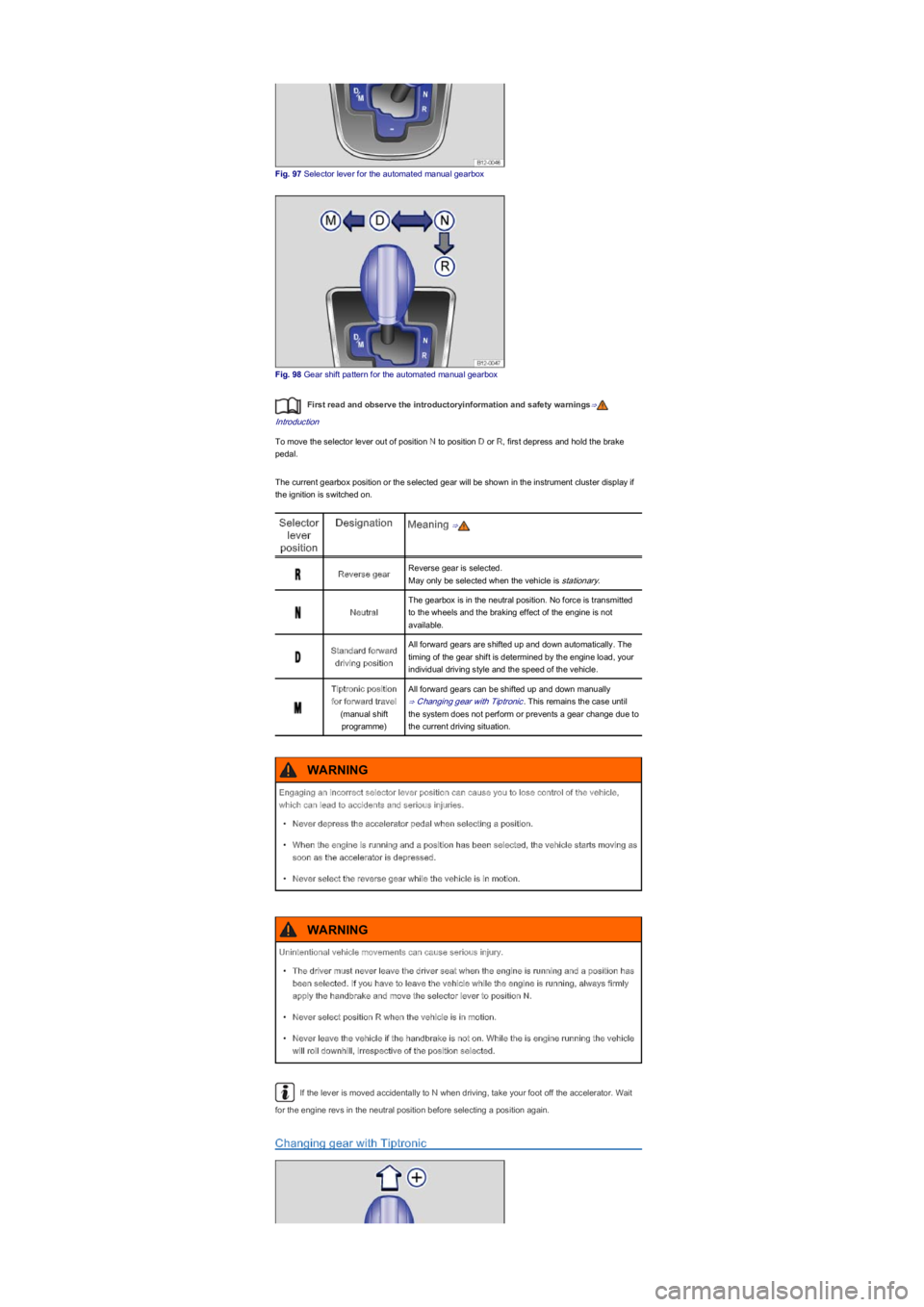
Fig. 97 Selector lever for the automated manual gearbox
Fig. 98 Gear shift pattern for the automated manual gearbox
First read and observe the introductoryinformation and safety warnings⇒
Introduction
To move the selector lever out of position N to position D or R, first depress and hold the brake
pedal.
The current gearbox position or the selected gear will be shown in the instrument cluster display if
the ignition is switched on.
Selector
lever
position
DesignationMeaning ⇒
Reverse gearReverse gear is selected.
May only be selected when the vehicle is stationary.
Neutral
The gearbox is in the neutral position. No force is transmitted
to the wheels and the braking effect of the engine is not
available.
Standard forward
driving position
All forward gears are shifted up and down automatically. The
timing of the gear shift is determined by the engine load, your
individual driving style and the speed of the vehicle.
Tiptronic position
for forward travel
(manual shift
programmeyf
All forward gears can be shifted up and down manually
⇒ Changing gear with Tiptronic. This remains the case until
the system does not perform or prevents a gear change due to
the current driving situation.
If the lever is moved accidentally to N when driving, take your foot off the accelerator. Wait
for the engine revs in the neutral position before selecting a position again.
Changing gear with Tiptronic
Engaging an incorrect selector lever position can cause you to lose control of the vehicle,
which can lead to accidents and serious injuries.
\f