Page 407 of 704
407 3-2. Using the audio system
3
Interior features
YARIS_F (including HV)_WE_52C79E
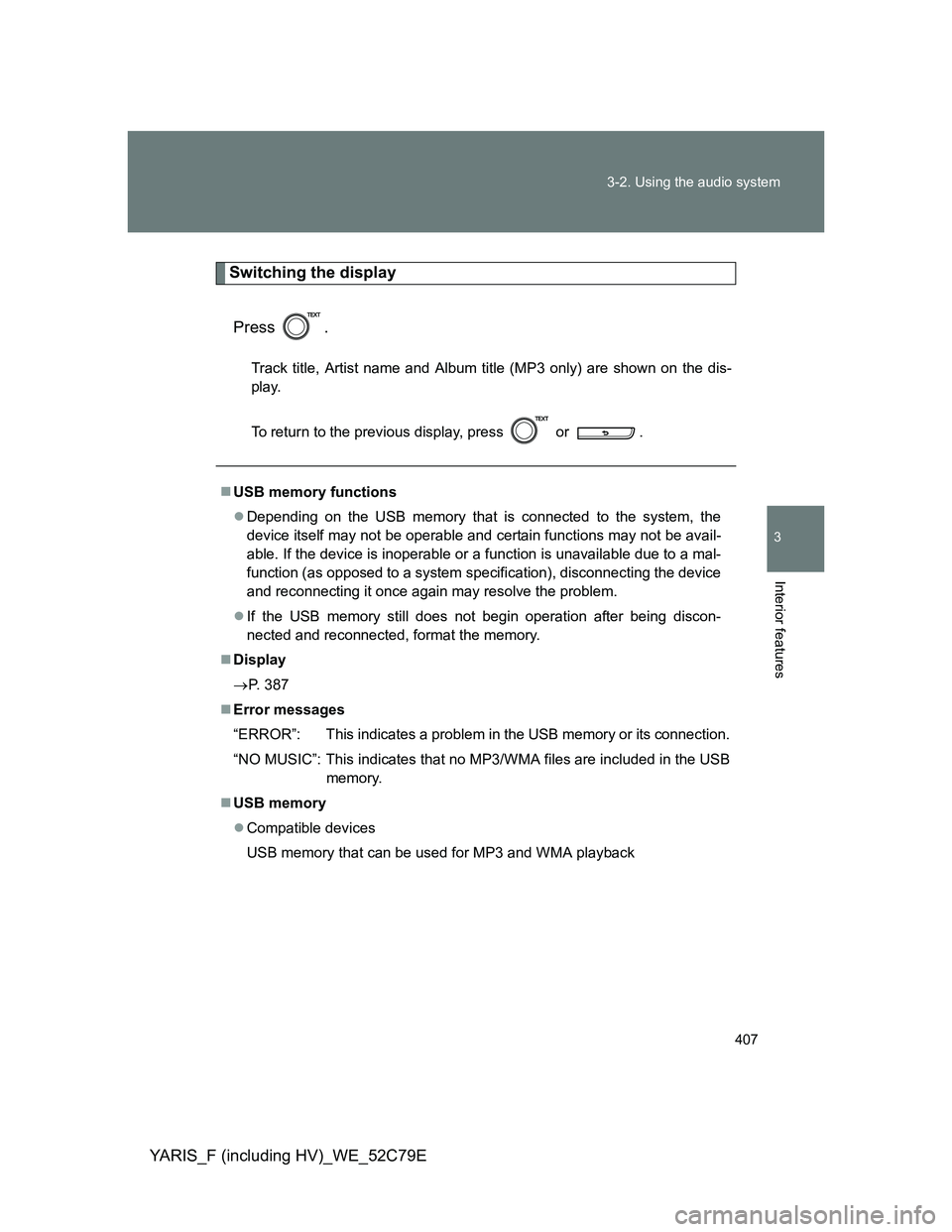
Switching the display
Press .
Track title, Artist name and Album title (MP3 only) are shown on the dis-
play.
To return to the previous display, press or .
USB memory functions
Depending on the USB memory that is connected to the system, the
device itself may not be operable and certain functions may not be avail-
able. If the device is inoperable or a function is unavailable due to a mal-
function (as opposed to a system specification), disconnecting the device
and reconnecting it once again may resolve the problem.
If the USB memory still does not begin operation after being discon-
nected and reconnected, format the memory.
Display
P. 387
Error messages
“ERROR”: This indicates a problem in the USB memory or its connection.
“NO MUSIC”: This indicates that no MP3/WMA files are included in the USB
memory.
USB memory
Compatible devices
USB memory that can be used for MP3 and WMA playback
Page 408 of 704

408 3-2. Using the audio system
YARIS_F (including HV)_WE_52C79E
Compatible device formats
The following device formats can be used:
• USB communication formats: USB2.0 FS (12 mbps)
• File formats: FAT16/32 (Windows)
• Correspondence class: Mass storage class
MP3 and WMA files written in any format other than those listed above
may not play correctly, and their file names and folder names may not be
displayed correctly.
Items related to standards and limitations are as follows:
• Maximum directory hierarchy: 8 levels
• Maximum number of folders in a device: 999 (including the root)
• Maximum number of files in a device: 9999
• Maximum number of files per folder: 255
MP3 and WMA files
MP3 (MPEG Audio LAYER 3) is a standard audio compression format.
Files can be compressed to approximately 1/10 of their original size using
MP3 compression.
WMA (Windows Media Audio) is a Microsoft audio compression format.
This format compresses audio data to a size smaller than that of the MP3
format.
There is a limit to the MP3 and WMA file standards that can be used and
to the media/formats on which the files are recorded.
MP3 file compatibility
• Compatible standards
MP3 (MPEG1 AUDIO LAYERII, III, MPEG2 AUDIO LAYERII, III,
MPEG2.5)
• Compatible sampling frequencies
MPEG1 AUDIO LAYERII, III: 32, 44.1, 48 (kHz)
MPEG2 AUDIO LAYERII, III: 16, 22.05, 24 (kHz)
MPEG2.5: 8, 11.025, 12 (kHz)
• Compatible bit rates (compatible with VBR)
MPEG1 AUDIO LAYERII, III: 32-320 (kbps)
MPEG2 AUDIO LAYERII, III: 32-160 (kbps)
MPEG2.5: 32-160 (kbps)
• Compatible channel modes: stereo, joint stereo, dual channel and
monaural
Page 411 of 704
411
3-2. Using the audio system
3
Interior features
YARIS_F (including HV)_WE_52C79E
Optimal use of the audio system
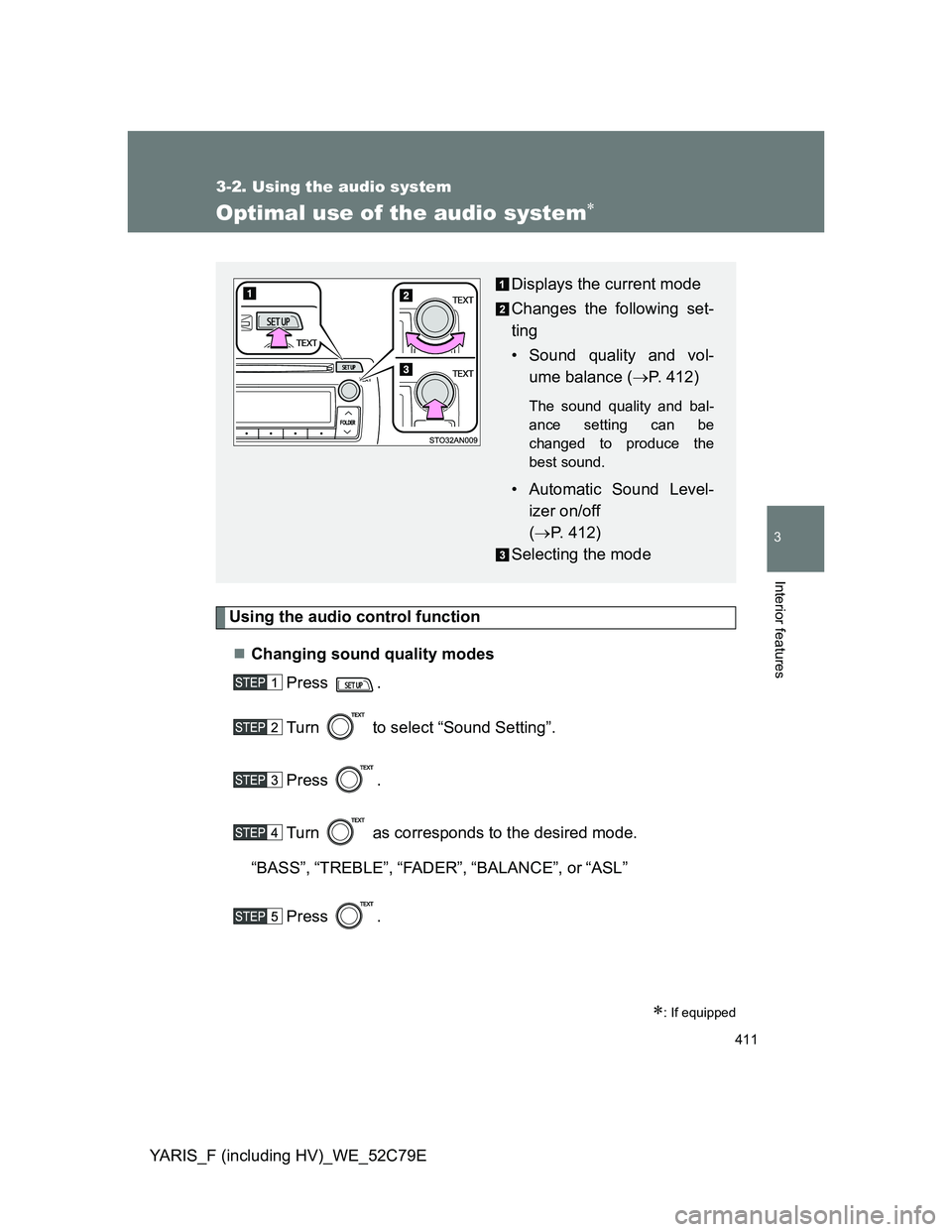
Using the audio control function
Changing sound quality modes
Press .
Turn to select “Sound Setting”.
Press .
Turn as corresponds to the desired mode.
“BASS”,“TREBLE”,“FADER”,“BALANCE”, or“ASL”
Press .
: If equipped
Displays the current mode
Changes the following set-
ting
• Sound quality and vol-
ume balance (P. 412)
The sound quality and bal-
ance setting can be
changed to produce the
best sound.
• Automatic Sound Level-
izer on/off
(P. 412)
Selecting the mode
Page 412 of 704
412 3-2. Using the audio system
YARIS_F (including HV)_WE_52C79EAdjusting sound quality
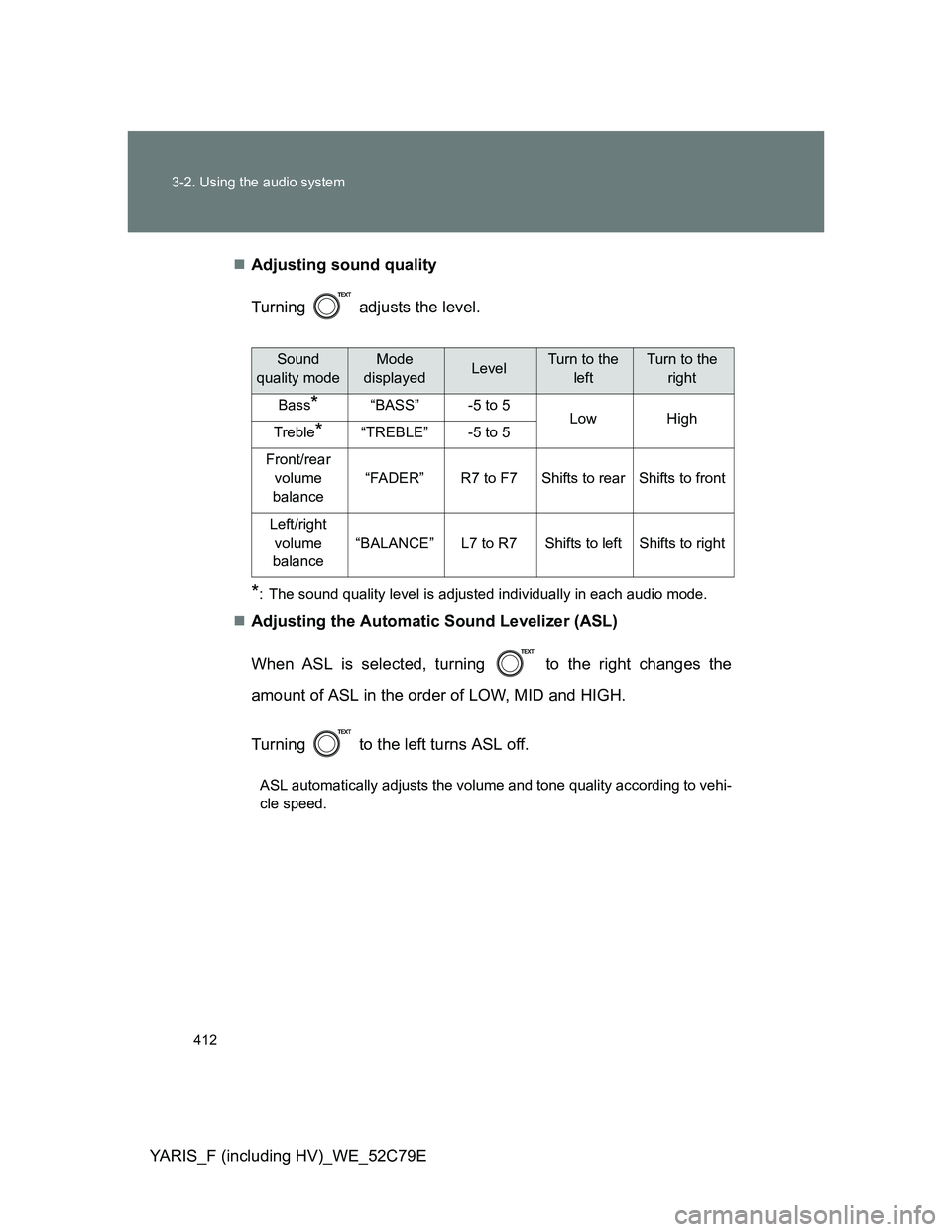
Turning adjusts the level.
*: The sound quality level is adjusted individually in each audio mode.
Adjusting the Automatic Sound Levelizer (ASL)
When ASL is selected, turning to the right changes the
amount of ASL in the order of LOW, MID and HIGH.
Turning to the left turns ASL off.
ASL automatically adjusts the volume and tone quality according to vehi-
cle speed.
Sound
quality modeMode
displayedLevelTurn to the
leftTurn to the
right
Bass*“BASS”-5 to 5LowHighTreble*“TREBLE”-5 to 5
Front/rear
volume
balance
“FADER”R7 to F7Shifts to rearShifts to front
Left/right
volume
balance
“BALANCE”L7 to R7Shifts to leftShifts to right
Page 428 of 704
428
3-5. Other interior features
YARIS_F (including HV)_WE_52C79E
Clock
The clock is displayed when
Except hybrid vehicle
Vehicles without a smart entry & start system:
The engine switch is in the “ON” position.
Vehicles with a smart entry & start system:
The “ENGINE START STOP” switch is in IGNITION ON mode.
Hybrid vehicle
Vehicles without an electronic key:
The engine switch is in the “ON” position.
Vehicles with an electronic key:
The “POWER” switch is in ON mode.
When disconnecting and reconnecting battery terminals
The clock data will be reset.
The clock can be adjusted by pressing the buttons.
Adjusts the hours
Adjusts the minutes
Page 429 of 704
429
3-5. Other interior features
3
Interior features
YARIS_F (including HV)_WE_52C79E
Outside temperature display
The outside temperature is displayed when
Except hybrid vehicle
Vehicles without a smart entry & start system:
The engine switch is in the “ON” position.
Vehicles with a smart entry & start system:
The “ENGINE START STOP” switch is in IGNITION ON mode.
Hybrid vehicle
Vehicles without an electronic key:
The engine switch is in the “ON” position.
Vehicles with an electronic key:
The “POWER” switch is in ON mode.
Display
In the following situations, the correct outside temperature may not be dis-
played, or the display may take longer than normal to change:
When the vehicle is stopped, or moving at low speeds (less than 25 km/h
[16 mph])
When the outside temperature has changed suddenly (at the entrance/
exit of a garage, tunnel, etc.)
When “” or “E” is displayed
The system may be malfunctioning. Take your vehicle to any authorized
Toyota dealer or repairer, or another duly qualified professional.
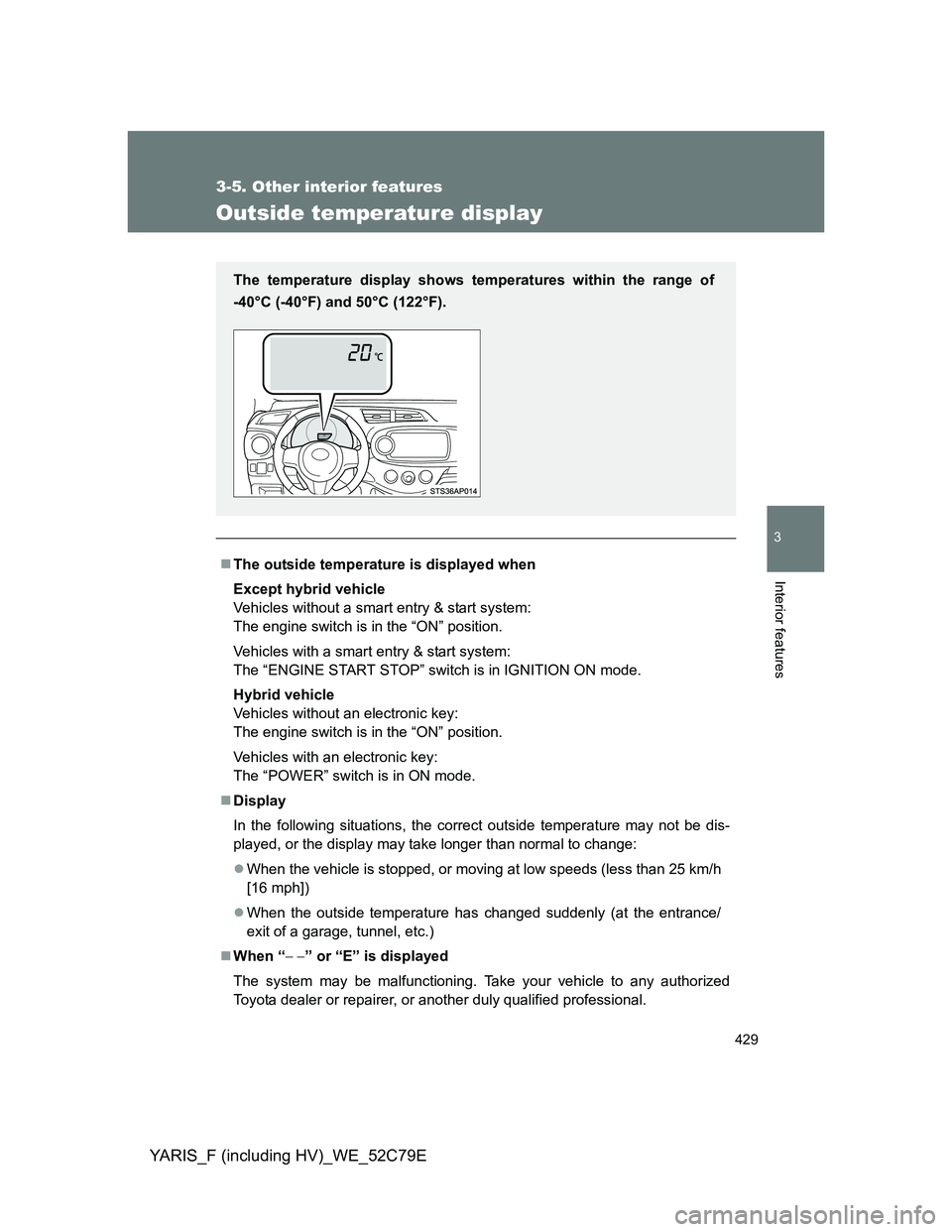
The temperature display shows temperatures within the range of
-40°C (-40°F) and 50°C (122°F).
Page 476 of 704
476 4-3. Do-it-yourself maintenance
YARIS_F (including HV)_WE_52C79E
Engine oil consumption
The amount of engine oil consumed depends on the oil viscosity, the
quality of the oil and the way the vehicle is driven.
More oil is consumed under driving conditions such as high speeds and
frequent acceleration and deceleration.
A new engine consumes more oil.
When judging the amount of oil consumption, keep in mind that the oil
may have become diluted, making it difficult to judge the true level accu-
rately.
Oil consumption: Max. 1.0 L/1000 km (1.1 qt./600 miles, 0.9 Imp. qt./600
miles)
If your vehicle consumes more than 1.0 L (1.1 qt., 0.9 Imp. qt.) every
1000 km (600 miles), contact any authorized Toyota dealer or repairer, or
another duly qualified and equipped professional.
After changing the engine oil (diesel engine only)
The engine oil maintenance data should be reset. Perform the following pro-
cedures:
Switch the display to the trip meter “A” when the engine is running.
(P. 287)
Vehicles without a smart entry & start system:
Turn the engine switch to the “LOCK” position.
Vehicles with a smart entry & start system:
Turn the “ENGINE START STOP” switch off.
Vehicles without a smart entry & start system:
While pressing the display change button (P. 287), turn the
engine switch to the “ON” position (do not start the engine because
reset mode will be canceled). Continue to press and hold the button
until the trip meter displays “000000”.
Vehicles with a smart entry & start system:
While pressing the display change button (P. 287), turn the
“ENGINE START STOP” switch to the IGNITION ON mode (do not
start the engine because otherwise the reset mode will be can-
celed). Continue to press and hold the button until the trip meter
displays “000000”.
Page 603 of 704

5
603 5-2. Steps to take in an emergency
When trouble arises
YARIS_F (including HV)_WE_52C79EInflate the tire until the specified
air pressure is reached.
The sealant will be injected
and the pressure will surge
and then gradually decrease.
The air pressure gauge will
display the actual tire inflation
pressure about 1 minute (5
minutes at low temperature)
after the switch is turned on.
Inflate the tire until the speci-
fied air pressure.
• Turn the compressor switch off
and then check the tire inflation
pressure. Being careful not to
over inflate, check and repeat
the inflation procedure until the
specified tire inflation pressure
is reached.
• If the tire inflation pressure is
still lower than the specified
point after inflation for 35 min-
utes with the switch on, the tire
is too damaged to be repaired.
Turn the compressor switch off
and contact any authorized
Toyota dealer or repairer, or
another duly qualified and
equipped professional.
• If the tire inflation pressure
exceeds the specified air pres-
sure, let out some air to adjust
the tire inflation pressure.
(P. 606, 672)