268 3-2. Using the audio system
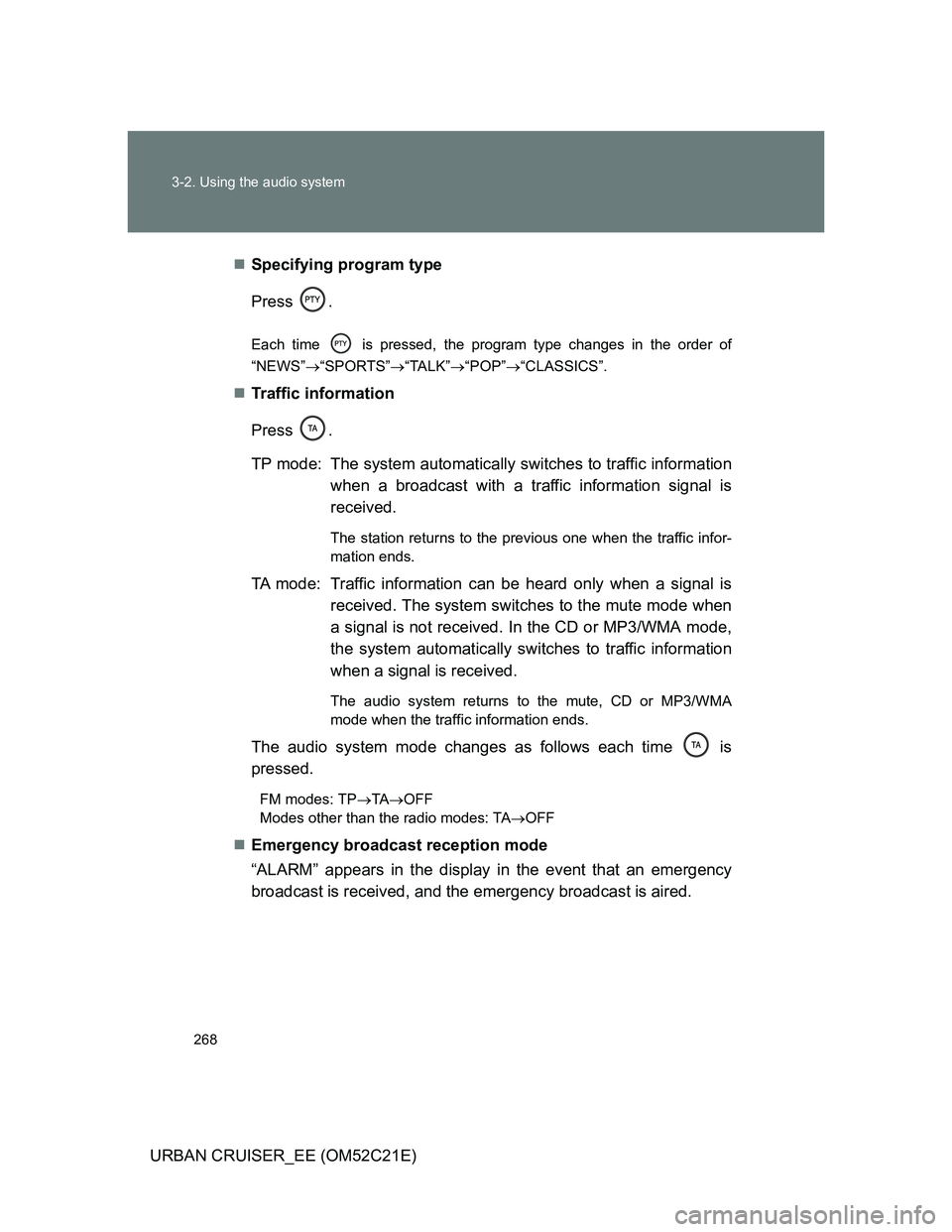
URBAN CRUISER_EE (OM52C21E)Specifying program type
Press .
Each time is pressed, the program type changes in the order of
“NEWS”“SPORTS”“TALK”“POP”“CLASSICS”.
Traffic information
Press .
TP mode: The system automatically switches to traffic information
when a broadcast with a traffic information signal is
received.
The station returns to the previous one when the traffic infor-
mation ends.
TA mode: Traffic information can be heard only when a signal is
received. The system switches to the mute mode when
a signal is not received. In the CD or MP3/WMA mode,
the system automatically switches to traffic information
when a signal is received.
The audio system returns to the mute, CD or MP3/WMA
mode when the traffic information ends.
The audio system mode changes as follows each time is
pressed.
FM modes: TPTAOFF
Modes other than the radio modes: TAOFF
Emergency broadcast reception mode
“ALARM” appears in the display in the event that an emergency
broadcast is received, and the emergency broadcast is aired.
272 3-2. Using the audio system
URBAN CRUISER_EE (OM52C21E)
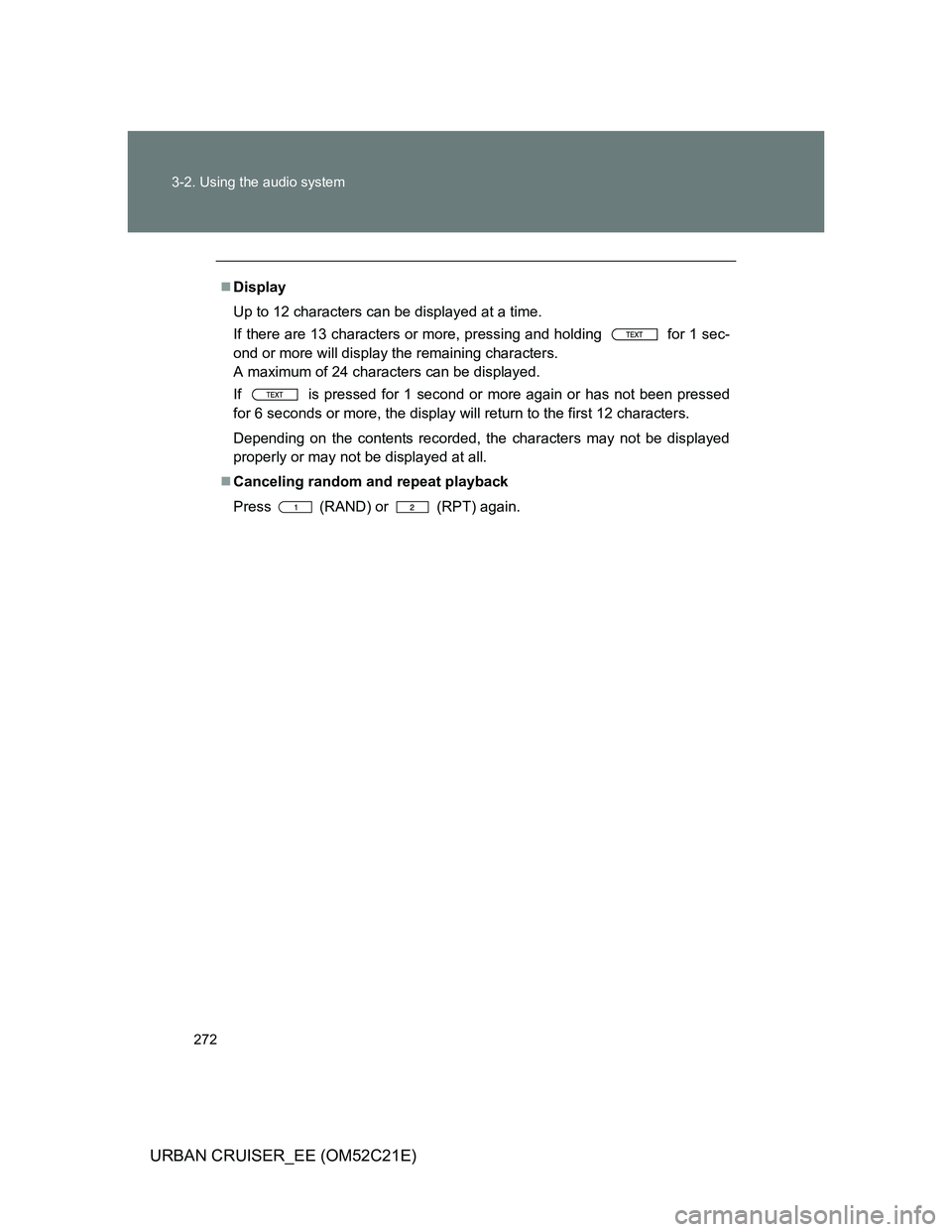
Display
Up to 12 characters can be displayed at a time.
If there are 13 characters or more, pressing and holding for 1 sec-
ond or more will display the remaining characters.
A maximum of 24 characters can be displayed.
If is pressed for 1 second or more again or has not been pressed
for 6 seconds or more, the display will return to the first 12 characters.
Depending on the contents recorded, the characters may not be displayed
properly or may not be displayed at all.
Canceling random and repeat playback
Press
(RAND) or (RPT) again.
277
3-2. Using the audio system
3
Interior features
URBAN CRUISER_EE (OM52C21E)
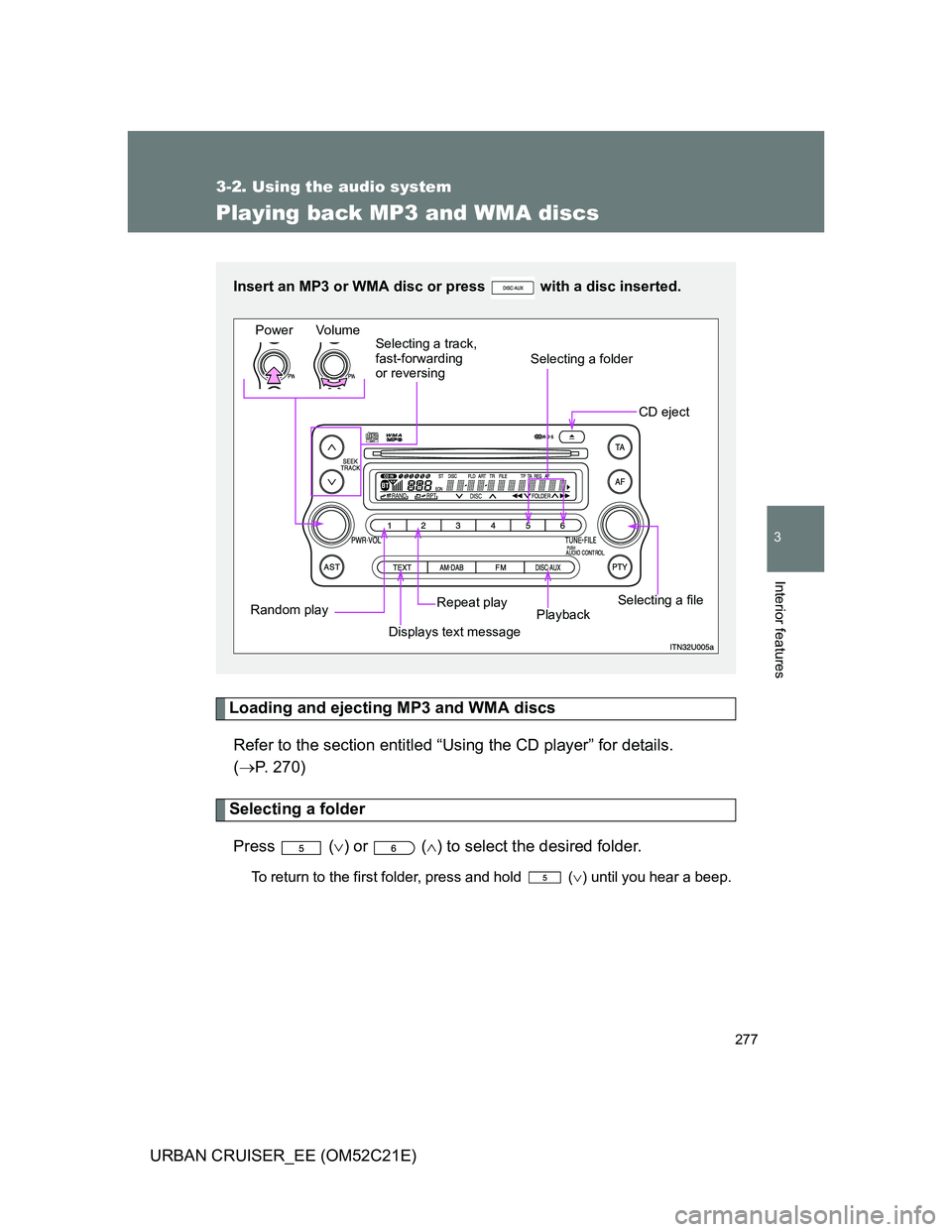
Playing back MP3 and WMA discs
Loading and ejecting MP3 and WMA discs
Refer to the section entitled “Using the CD player” for details.
(P. 270)
Selecting a folder
Press () or () to select the desired folder.
To return to the first folder, press and hold () until you hear a beep.
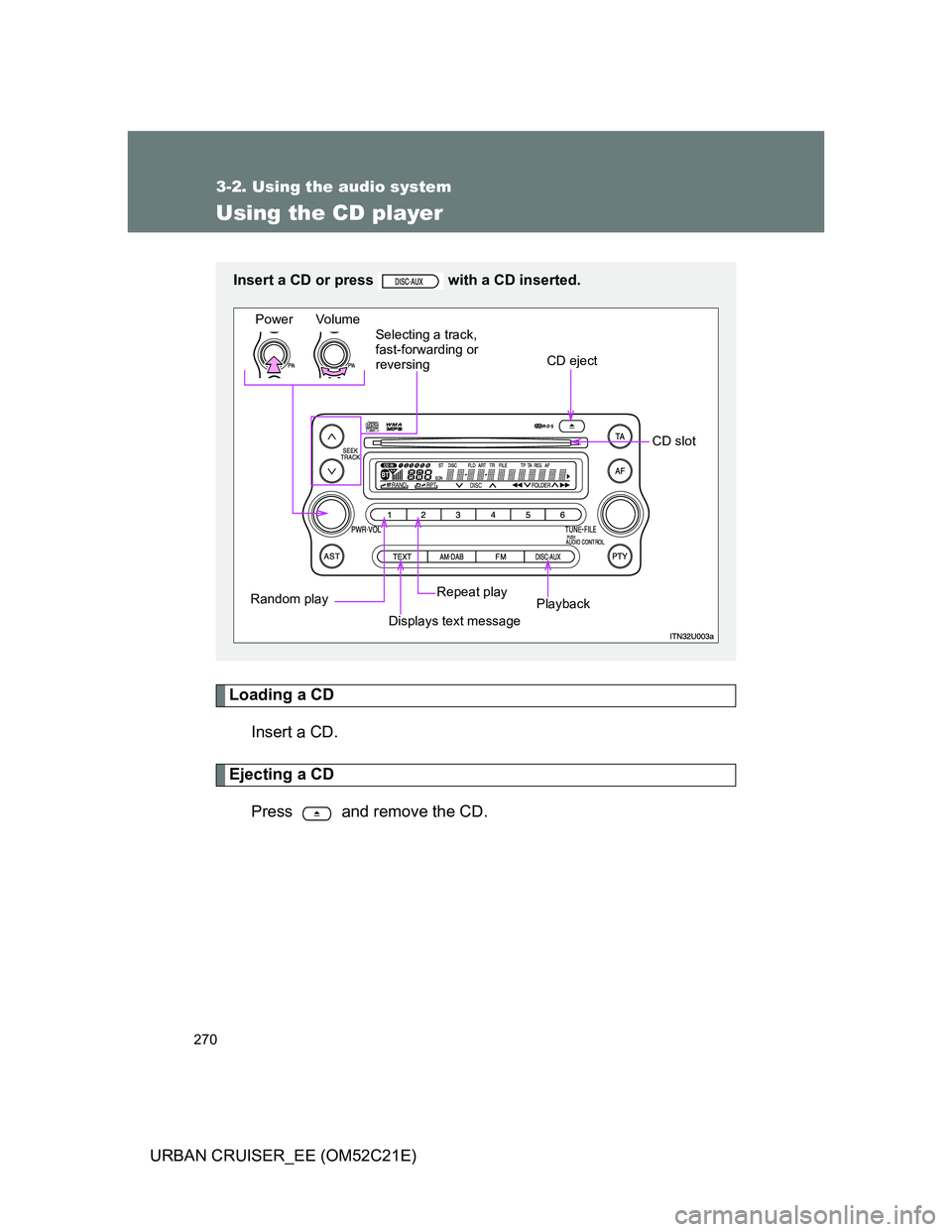
Insert an MP3 or WMA disc or press with a disc inserted.
Power Volume
CD eject
Selecting a file
Playback Repeat play
Displays text message Random playSelecting a track,
fast-forwarding
or reversing
Selecting a folder
279 3-2. Using the audio system
3
Interior features
URBAN CRUISER_EE (OM52C21E)
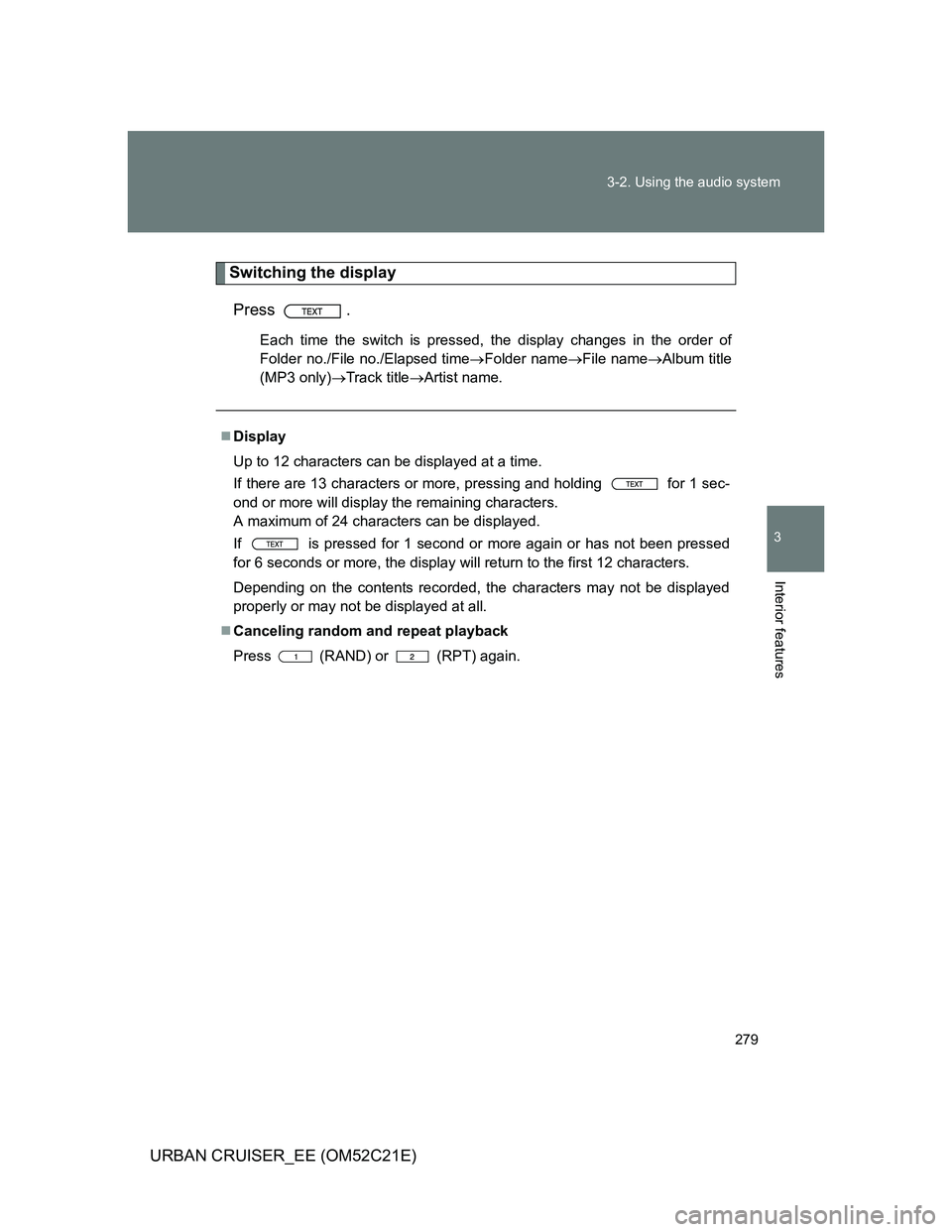
Switching the display
Press .
Each time the switch is pressed, the display changes in the order of
Folder no./File no./Elapsed timeFolder nameFile nameAlbum title
(MP3 only)Track titleArtist name.
Display
Up to 12 characters can be displayed at a time.
If there are 13 characters or more, pressing and holding for 1 sec-
ond or more will display the remaining characters.
A maximum of 24 characters can be displayed.
If is pressed for 1 second or more again or has not been pressed
for 6 seconds or more, the display will return to the first 12 characters.
Depending on the contents recorded, the characters may not be displayed
properly or may not be displayed at all.
Canceling random and repeat playback
Press
(RAND) or (RPT) again.
282 3-2. Using the audio system
URBAN CRUISER_EE (OM52C21E)
MP3 file compatibility
• Compatible standards
MP3 (MPEG1 LAYER3, MPEG2 LSF LAYER3)
• Compatible sampling frequencies
MPEG1 LAYER3: 32, 44.1, 48 (kHz)
MPEG2 LSF LAYER3: 16, 22.05, 24 (kHz)
• Compatible bit rates
MPEG1 LAYER3: 64, 80, 96, 112, 128, 160, 192, 224, 256, 320 (kbps)
• MPEG2 LSF LAYER3: 64, 80, 96, 112, 128, 144, 160 (kbps)
* Compatible with VBR
• Compatible channel modes: stereo, joint stereo, dual channel and
monaural
WMA file compatibility
• Compatible standards
WMA Ver. 7, 8, 9
• Compatible sampling frequencies
32, 44.1, 48 (kHz)
• Compatible bit rates
Ver. 7, 8: CBR 48, 64, 80, 96, 128, 160, 192 (kbps)
Ver. 9: CBR 48, 64, 80, 96, 128, 160, 192, 256, 320 (kbps)
* Only compatible with 2-channel playback
Compatible media
Media that can be used for MP3 and WMA playback are CD-Rs and CD-
RWs.
Playback in some instances may not be possible, depending on the status
of the CD-R or CD-RW. Playback may not be possible or the audio may
jump if the disc is scratched or marked with fingerprints.
Compatible disc formats
The following disc formats can be used.
• Disc formats: CD-ROM Mode 1 and Mode 2
CD-ROM XA Mode 2, Form 1 and Form 2
• File formats: ISO9660 Level 1, Level 2, (Romeo, Joliet)
MP3 and WMA files written in any format other than those listed above
may not play correctly, and their file names and folder names may not
be displayed correctly.