Page 58 of 532
58 1-2. Opening, closing and locking the doors
URBAN CRUISER_EE (OM52C21E)
Conditions affecting operation
Vehicles without smart entry & start system
The wireless remote control function may not operate normally in the follow-
ing situations.
Near a TV tower, radio station, electric power plant, airport or other facil-
ity that generates strong radio waves
When carrying a portable radio, cellular phone or other wireless commu-
nication device
When the wireless key has come into contact with, or is covered by a
metallic object
When a wireless key (that emits radio waves) is being used nearby
When the wireless key has been left near an electrical appliance such as
a personal computer
When the wireless key battery is depleted
If window tint with a metallic content or metallic objects are attached to
the rear window
Vehicles with smart entry & start system
P. 3 9
Customization
Settings (e.g. door lock buzzer) can be changed.
(Customizable features P. 514)
Page 120 of 532
120 1-6. Theft deterrent system
URBAN CRUISER_EE (OM52C21E)
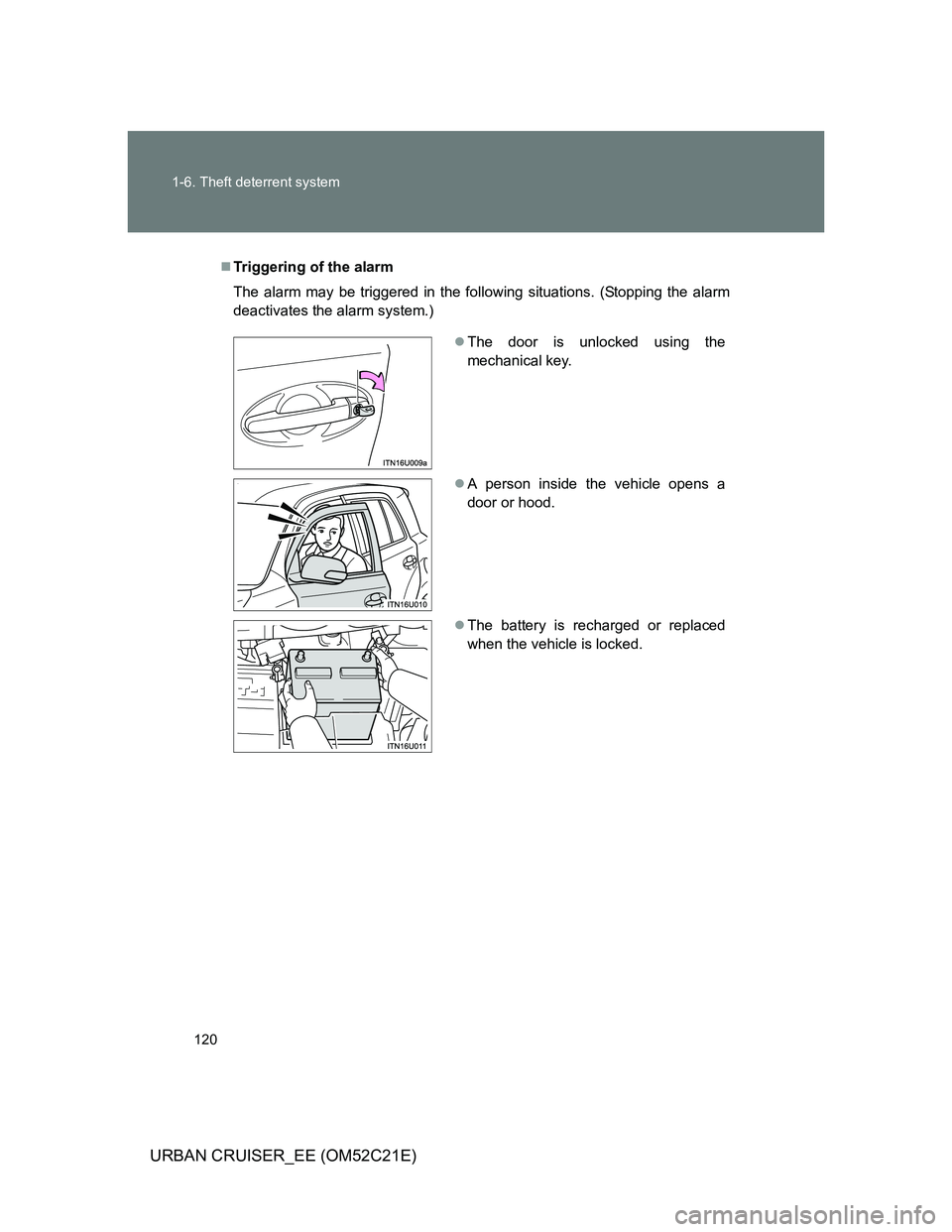
Triggering of the alarm
The alarm may be triggered in the following situations. (Stopping the alarm
deactivates the alarm system.)
The door is unlocked using the
mechanical key.
A person inside the vehicle opens a
door or hood.
The battery is recharged or replaced
when the vehicle is locked.
Page 121 of 532
121 1-6. Theft deterrent system
1
Before driving
URBAN CRUISER_EE (OM52C21E)
Alarm-operated door lock
When the alarm is operating, the doors are locked automatically to pre-
vent intruders.
Do not leave the key inside the vehicle when the alarm is operating, and
make sure the key is not inside the vehicle when recharging or replacing
the battery.
NOTICE
To ensure the system operate correctly
Do not modify or remove the system. If modified or removed, the proper
operation of the system cannot be guaranteed.
Page 181 of 532
181 2-1. Driving procedures
2
When driving
URBAN CRUISER_EE (OM52C21E)
If the engine does not start
The engine immobilizer system may not have been deactivated. (P. 108)
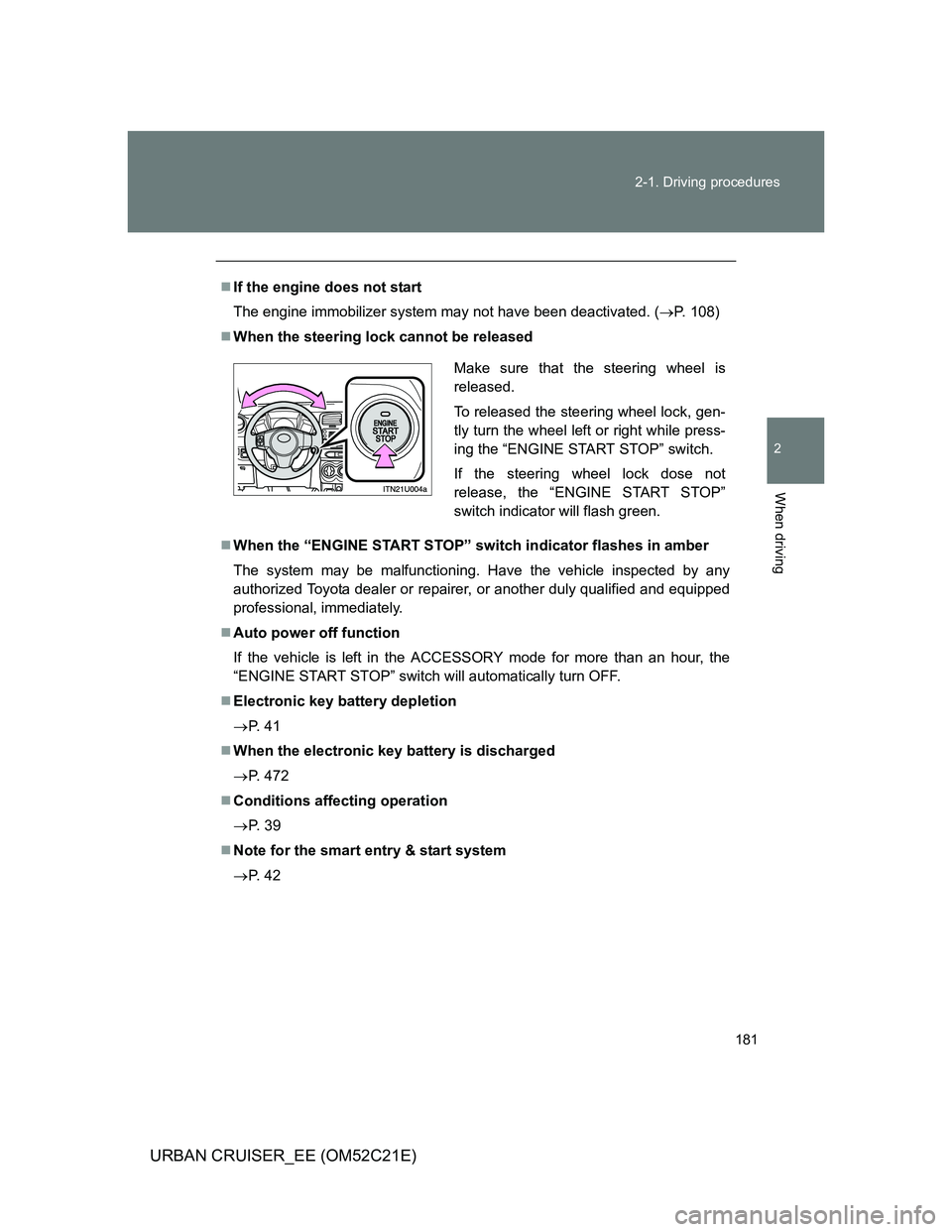
When the steering lock cannot be released
When the “ENGINE START STOP” switch indicator flashes in amber
The system may be malfunctioning. Have the vehicle inspected by any
authorized Toyota dealer or repairer, or another duly qualified and equipped
professional, immediately.
Auto power off function
If the vehicle is left in the ACCESSORY mode for more than an hour, the
“ENGINE START STOP” switch will automatically turn OFF.
Electronic key battery depletion
P. 4 1
When the electronic key battery is discharged
P. 472
Conditions affecting operation
P. 3 9
Note for the smart entry & start system
P. 4 2
Make sure that the steering wheel is
released.
To released the steering wheel lock, gen-
tly turn the wheel left or right while press-
ing the “ENGINE START STOP” switch.
If the steering wheel lock dose not
release, the “ENGINE START STOP”
switch indicator will flash green.
Page 321 of 532
321 3-4. Using the interior lights
3
Interior features
URBAN CRUISER_EE (OM52C21E)
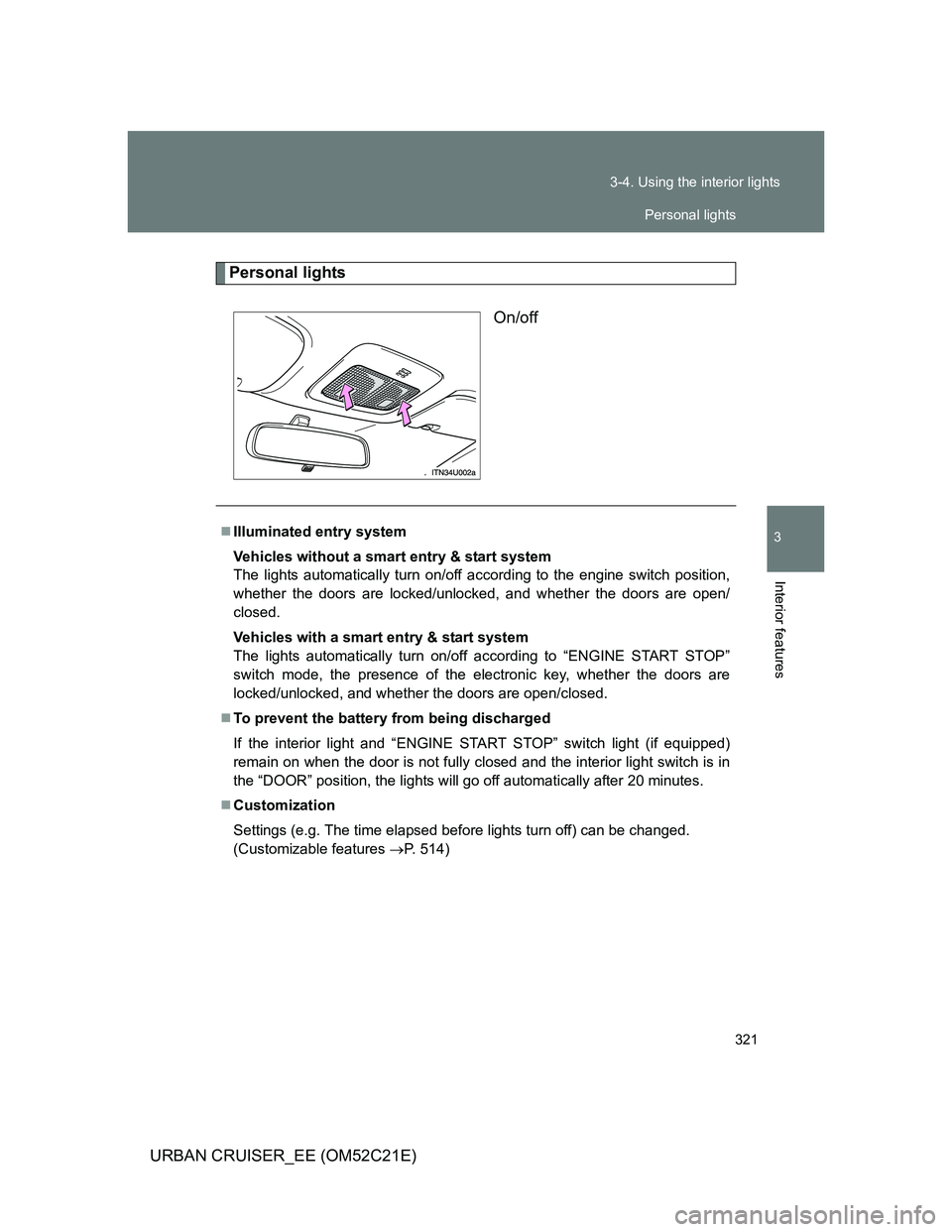
Personal lights
On/off
Illuminated entry system
Vehicles without a smart entry & start system
The lights automatically turn on/off according to the engine switch position,
whether the doors are locked/unlocked, and whether the doors are open/
closed.
Vehicles with a smart entry & start system
The lights automatically turn on/off according to “ENGINE START STOP”
switch mode, the presence of the electronic key, whether the doors are
locked/unlocked, and whether the doors are open/closed.
To prevent the battery from being discharged
If the interior light and “ENGINE START STOP” switch light (if equipped)
remain on when the door is not fully closed and the interior light switch is in
the “DOOR” position, the lights will go off automatically after 20 minutes.
Customization
Settings (e.g. The time elapsed before lights turn off) can be changed.
(Customizable features P. 514)
Personal lights
Page 339 of 532
4Maintenance and care
339
URBAN CRUISER_EE (OM52C21E)
4-1. Maintenance and care
Cleaning and protecting
the vehicle exterior ......... 340
Cleaning and protecting
the vehicle interior .......... 344
4-2. Maintenance
Maintenance
requirements................... 347
4-3. Do-it-yourself maintenance
Do-it-yourself service
precautions ..................... 350
Hood ................................. 354
Positioning a floor jack ...... 356
Engine compartment......... 358
Tires .................................. 375
Tire inflation pressure ....... 378
Wheels .............................. 380
Air conditioning filter ......... 382
Key battery........................ 386
Checking and replacing
fuses ............................... 390
Light bulbs ........................ 406
Page 386 of 532
386
4-3. Do-it-yourself maintenance
URBAN CRUISER_EE (OM52C21E)
Key batter y
Replace the battery with a new one if it is discharged.
You will need the following items:
Flathead screwdriver (To prevent damage to the key, cover
the tip of the screwdriver with rag.)
Small Phillips-head screwdriver
Lithium battery
Vehicles without smart entry & start system: CR2016
Vehicles with smart entry & start system: CR1632
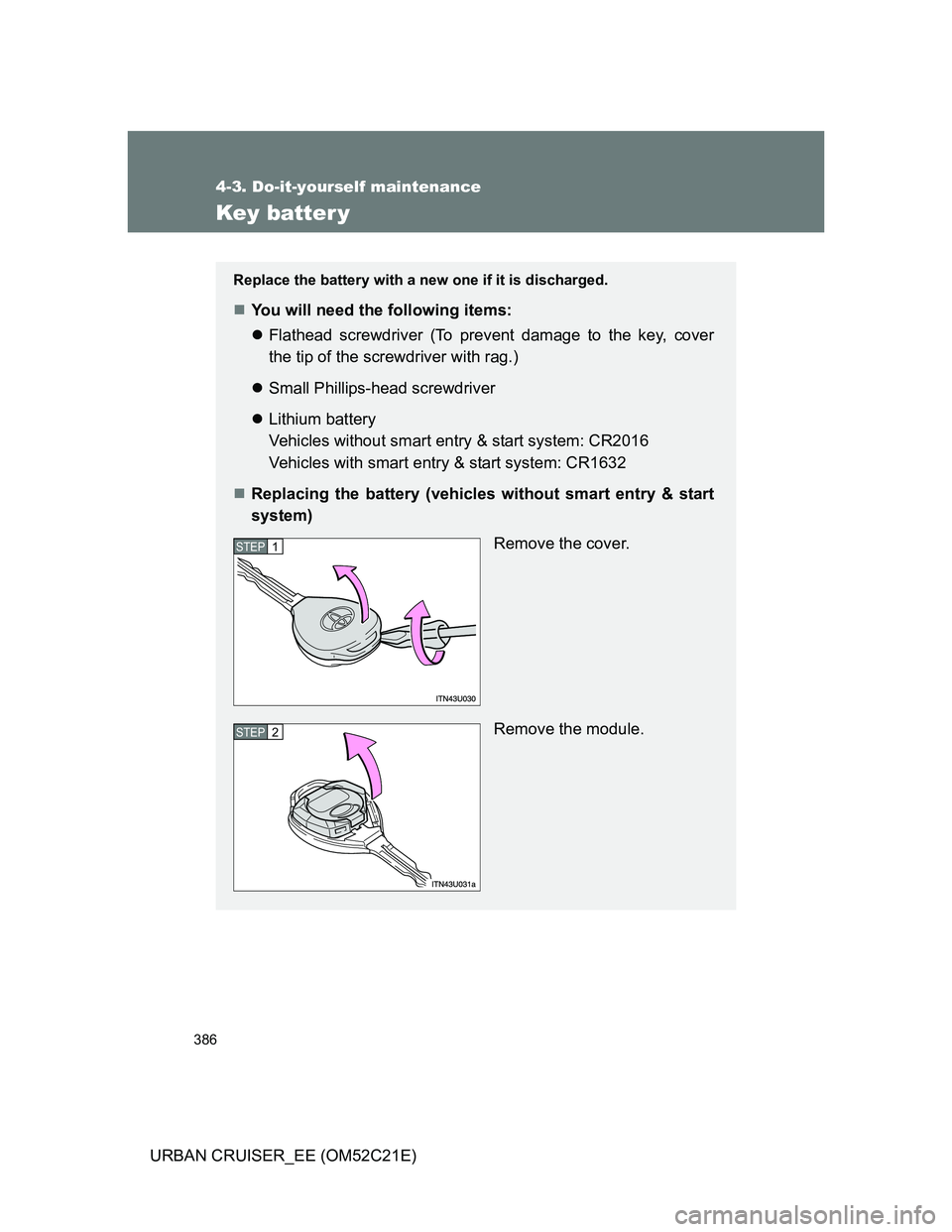
Replacing the battery (vehicles without smart entry & start
system)
Remove the cover.
Remove the module.
STEP1
STEP2
Page 387 of 532
387 4-3. Do-it-yourself maintenance
4
Maintenance and care
URBAN CRUISER_EE (OM52C21E)
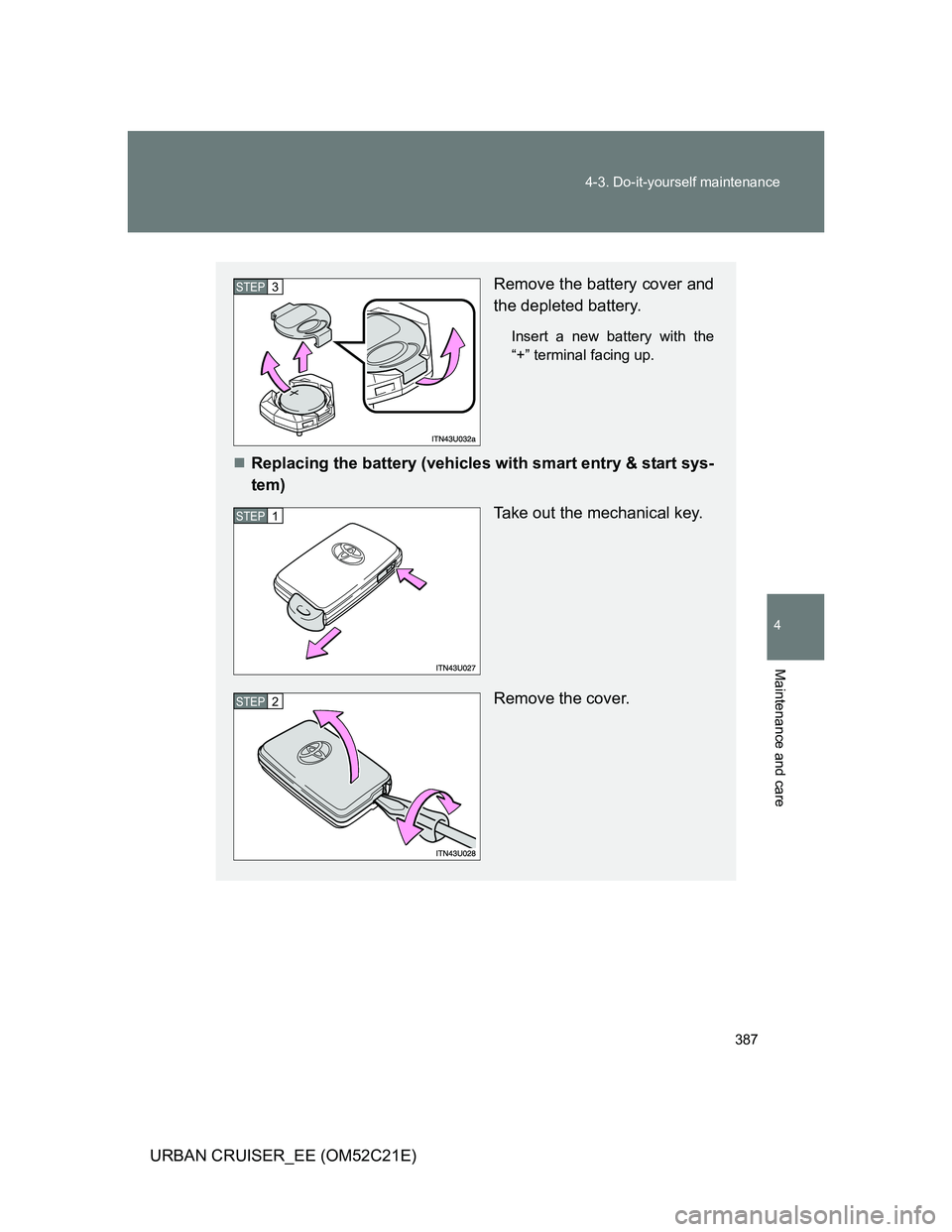
Remove the battery cover and
the depleted battery.
Insert a new battery with the
“+” terminal facing up.
Replacing the battery (vehicles with smart entry & start sys-
tem)
Take out the mechanical key.
Remove the cover.
STEP3
STEP1
STEP2