Page 296 of 744
296
3-1. Using the air conditioningsystem and defogger
Automatic air conditioning system ........................... 298
Manual air conditioning system ........................... 307
Outside rear view mirror defoggers and front
windshield wiper de-icer
(if equipped on Regular
Cab and Double Cab
models) .......................... 315
Back window, outside rear view mirror defoggers
and front windshield
wiper de-icer (if equipped
on CrewMax models) ..... 317
3-2. Using the audio system Audio system types .......... 320
Using the radio ................. 324
Using the CD player ......... 332
Playing MP3 and WMA discs............................... 341
Operating an iPod ............ 349
Operating a USB memory .......................... 355
Optimal use of the audio system ........................... 362
Using the AUX port .......... 366
Using the steering wheel audio switches ............... 368
Antenna............................ 371 3-3. Using the Bluetooth® audio
system
Bluetooth
® audio
system ........................... 374
Using the Bluetooth
®
audio system.................. 377
Operating a Bluetooth
®
enabled portable
player ............................. 382
Setting up a Bluetooth
®
enabled portable
player ............................. 384
Bluetooth
® audio system
setup .............................. 389
3-4. Using the rear audio/video system
Rear seat entertainment system ........................... 390
Using the DVD player (DVD video) ................... 399
Using the DVD player (video CD)...................... 408
Using the DVD player (audio CD/CD text) ........ 411
Using the DVD player (MP3 discs) .................... 413
Using the video mode ...... 416
Changing the Setup Menu settings .......................... 418
Interior and exterior
features3
Page 320 of 744
320
3-2. Using the audio system
Audio system types
With navigation system
Owners of models equipped with a navigation system should refer
to the “Navigation System Owner’s Manual”.
Without navig ation system
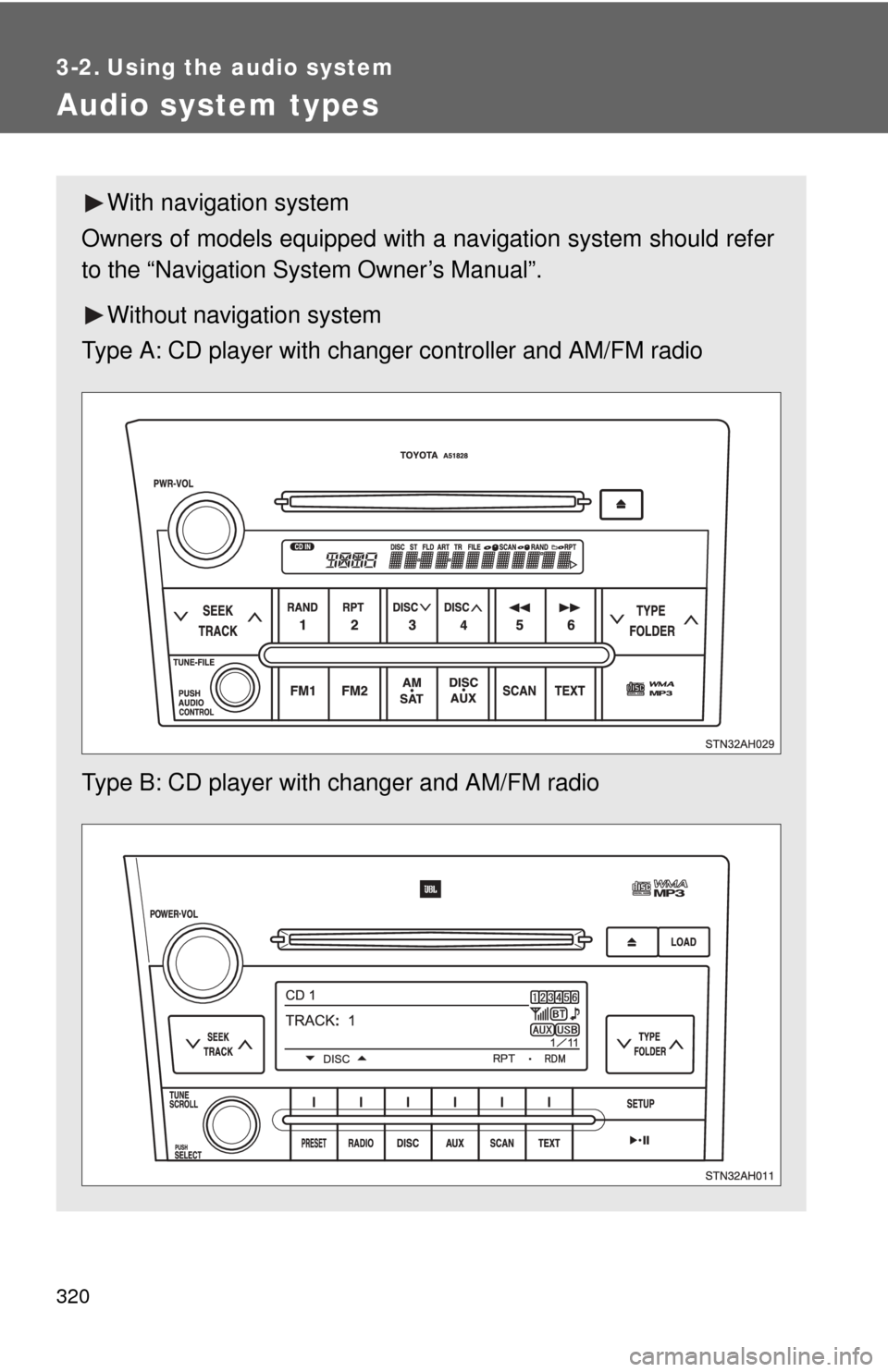
Type A: CD player with changer controller and AM/FM radio
Type B: CD player with changer and AM/FM radio
Page 321 of 744
321
3-2. Using the audio system
3
Interior and exterior features
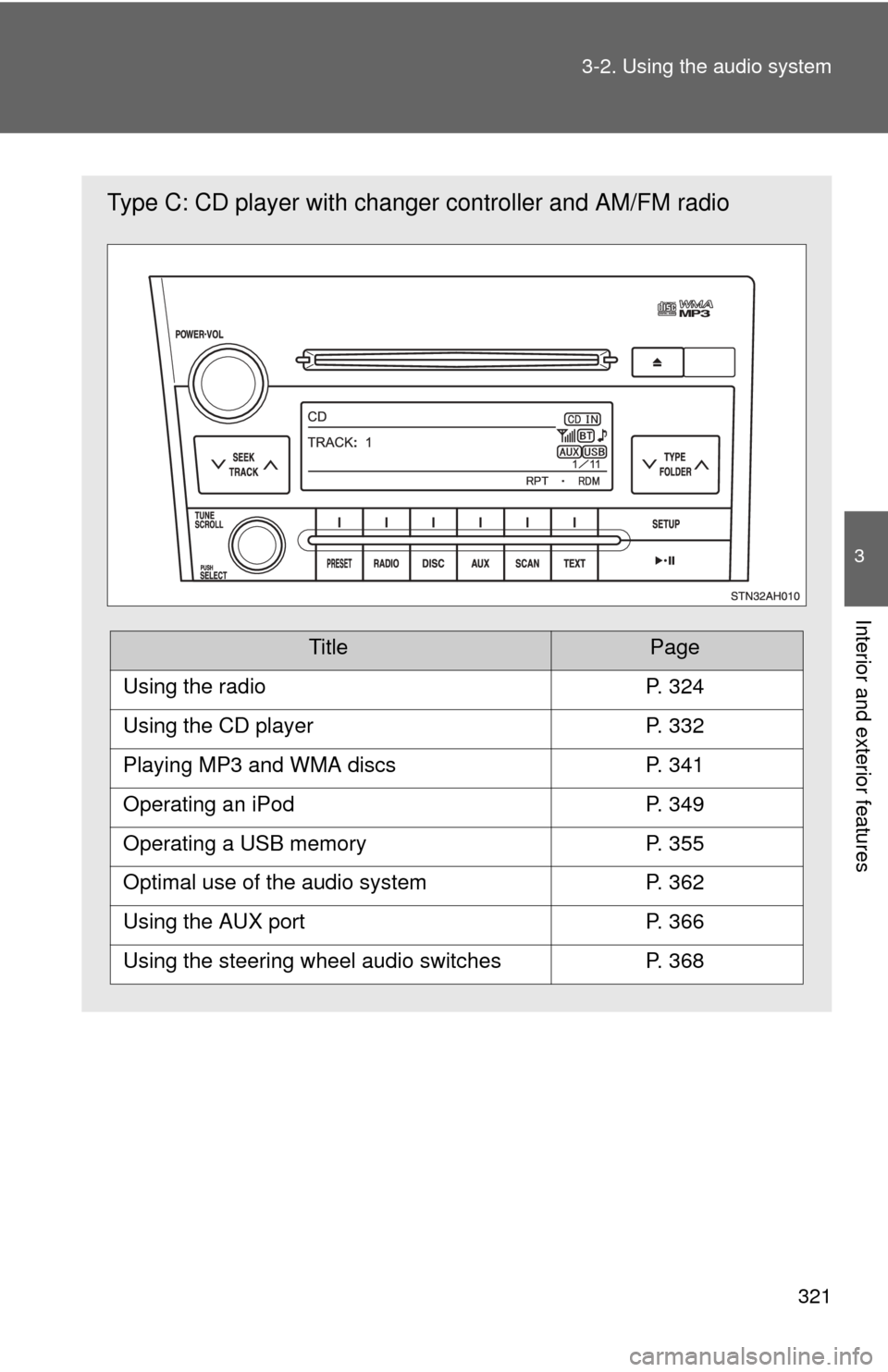
Type C: CD player with changer
controller and AM/FM radio
TitlePage
Using the radioP. 324
Using the CD playerP. 332
Playing MP3 and WMA discsP. 341
Operating an iPodP. 349
Operating a USB memoryP. 355
Optimal use of the audio systemP. 362
Using the AUX portP. 366
Using the steering wheel audio switchesP. 368
Page 322 of 744
322 3-2. Using the audio system
Language settings (type B and C)The language used for all voice guidance, voice recognition and mes-
sages may be changed.
Press .
Press that corresponds to “MORE”.
Press that corresponds to “LANG”.
Press that corresponds to the desired language.
For vehicles sold in the U.S.A.
“ENG” (English) or “ESP” (Spanish)
For vehicles sold in Canada
“ENG” (English) or “FRAN” (French)
■ Using cellular phones
Interference may be heard through the audio system’s speakers if a cellular
phone is being used inside or close to the vehicle while the audio syste\
m is
operating.
Page 323 of 744
323
3-2. Using the audio system
3
Interior and exterior features
CAUTION
■
For vehicles sold in U.S.A. and Canada
●Part 15 of the FCC Rules
FCC Warning:
Any unauthorized changes or modifications to this equipment will void the
user’s authority to operate this device.
● Laser products
• Do not take this unit apart or attempt to make any changes yourself.
This is an intricate unit that uses a laser pickup to retrieve information
from the surface of compact discs. The laser is carefully shielded so
that its rays remain inside the cabinet. Therefore, never try to disas-
semble the player or alter any of its parts since you may be exposed to
laser rays and dangerous voltages.
• This product utilizes a laser. Use of controls or adjustments or performance of procedures other
than those specified herein may result in hazardous radiation expo-
sure.
NOTICE
■ To prevent battery discharge
Do not leave the audio system on longer than necessary with the engine o\
ff.
■ To avoid damaging the audio system
Take care not to spill drinks or other fluids over the audio system.
Page 324 of 744
324
3-2. Using the audio system
Using the radio
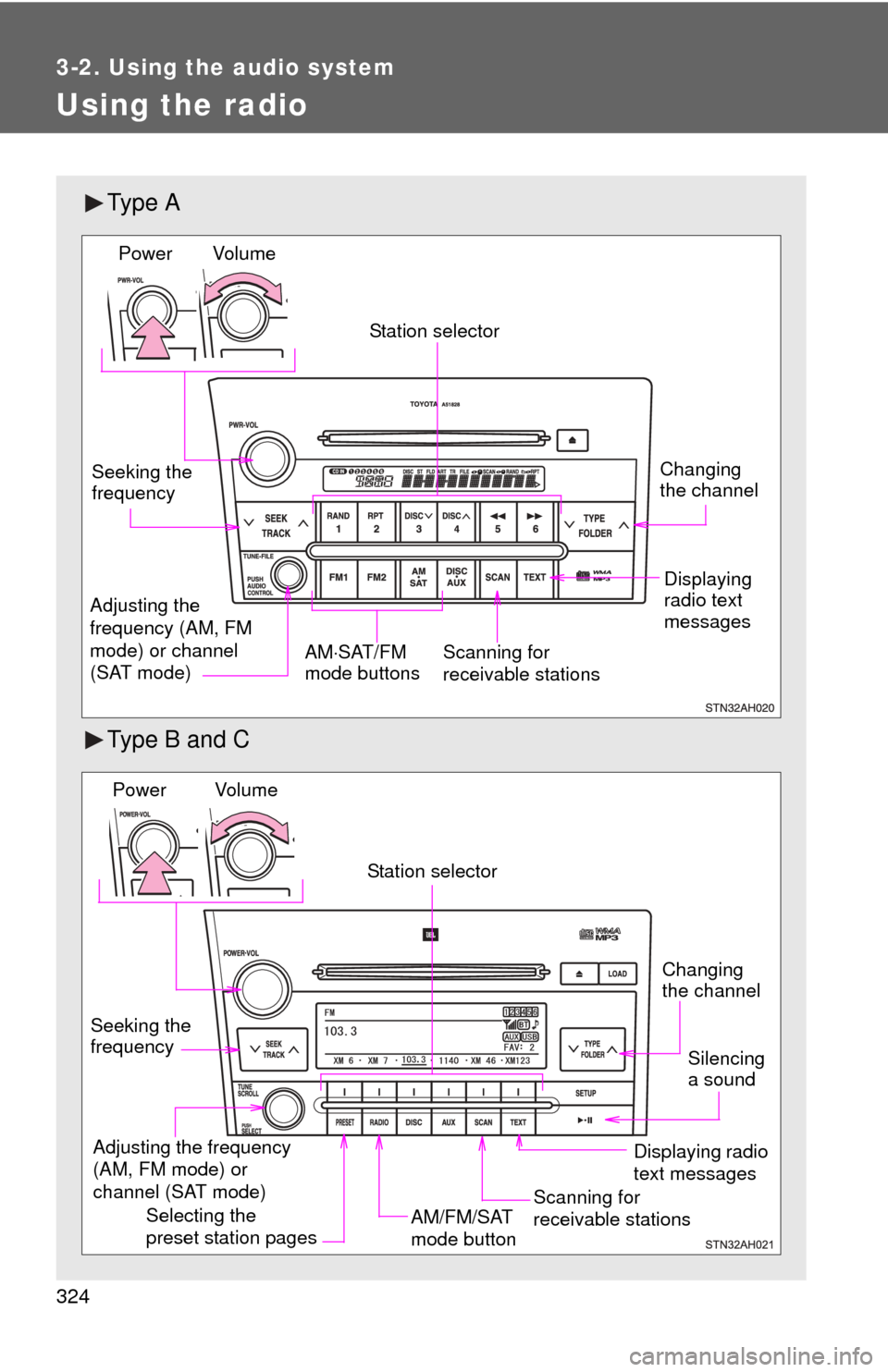
Ty p e A
Type B and C
Vol u m eScanning for
receivable stations
Station selector
Seeking the
frequency
Adjusting the
frequency (AM, FM
mode) or channel
(SAT mode) AM
SAT/FM
mode buttonsPower
Displaying
radio text
messages
Changing
the channel
AM/FM/SAT
mode button
Station selector
Seeking the
frequency Adjusting the frequency
(AM, FM mode) or
channel (SAT mode)
Displaying radio
text messages
Changing
the channel
Scanning for
receivable stations
Vo l u m e
Power
Silencing
a sound
Selecting the
preset station pages
Page 325 of 744
325
3-2. Using the audio system
3
Interior and exterior features
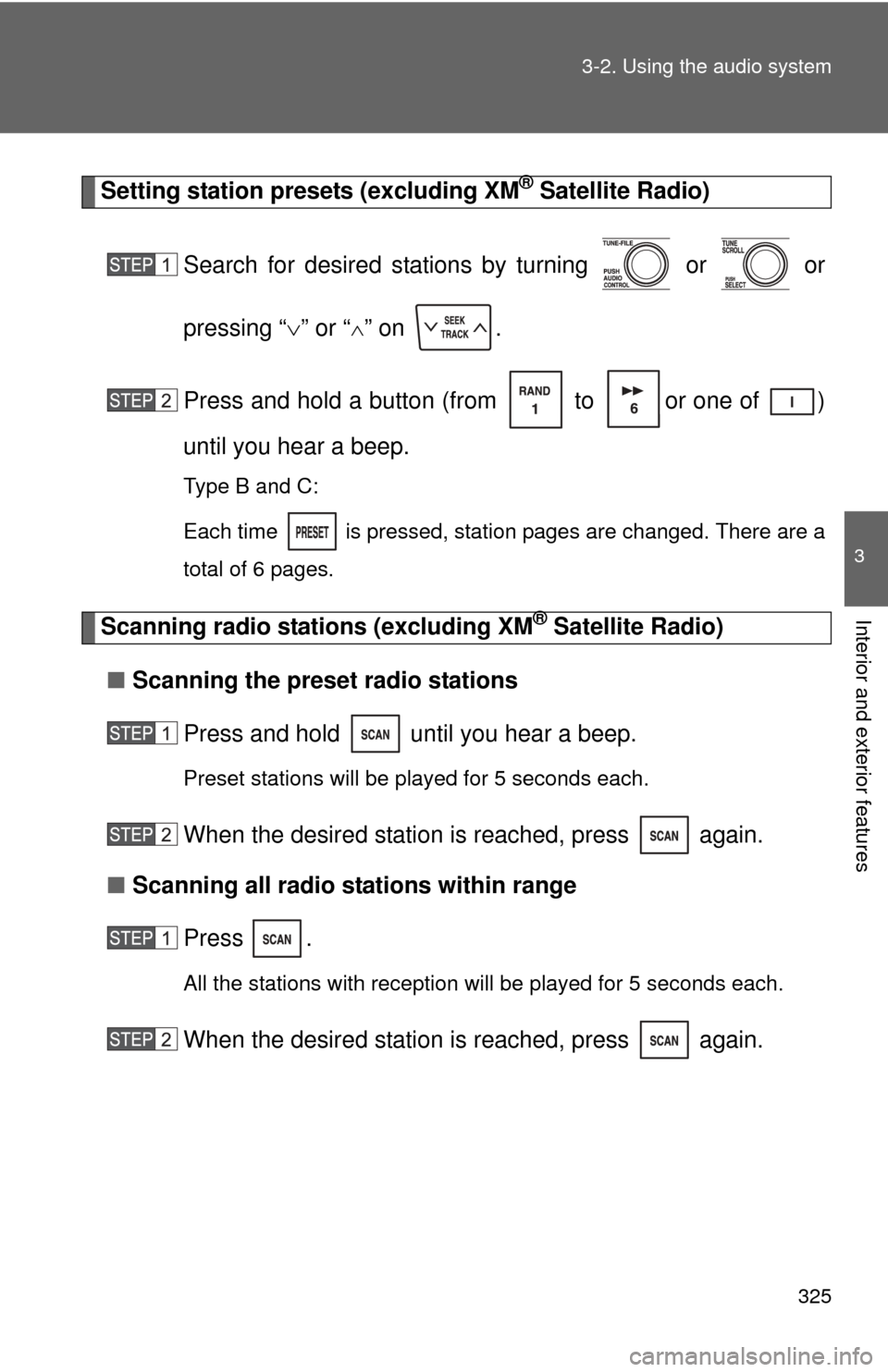
Setting station presets (excluding XM® Satellite Radio)
Search for desired stations by turning or or
pressing “ ” or “
” on .
Press and hold a button (from to or one of )
until you hear a beep.
Type B and C:
Each time
is pressed, station pages are changed. There are a
total of 6 pages.
Scanning radio stations (excluding XM® Satellite Radio)
■ Scanning the preset radio stations
Press and hold until you hear a beep.
Preset stations will be played for 5 seconds each.
When the desired station is reached, press again.
■ Scanning all radio stations within range
Press
.
All the stations with reception will be played for 5 seconds each.
When the desired station is reached, press again.
Page 326 of 744
326 3-2. Using the audio system
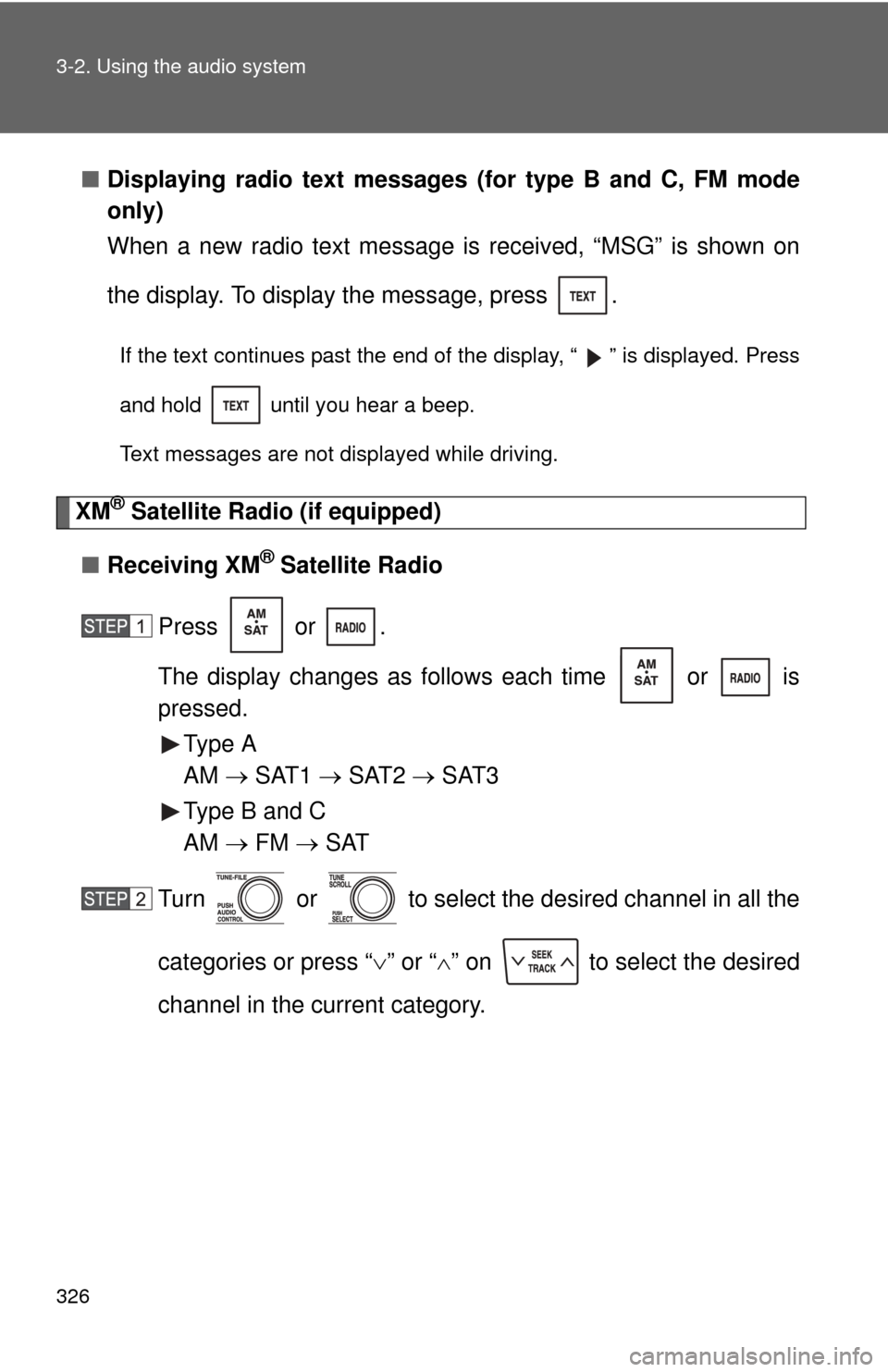
■Displaying radio text messages (for type B and C, FM mode
only)
When a new radio text message is received, “MSG” is shown on
the display. To display the message, press .
If the text continues past the end of the display, “ ” is displayed. Press
and hold until you hear a beep.
Text messages are not displayed while driving.
XM® Satellite Radio (if equipped)
■ Receiving XM
® Satellite Radio
Press or .
The display changes as follows each time or is
pressed. Type A
AM SAT1 SAT2 SAT3
Type B and C
AM FM SAT
Turn or to select the desired channel in all the
categories or press “ ” or “ ” on to select the desired
channel in the current category.