Page 252 of 860
252
2-2. Instrument cluster and information display
SIENNA_U (OM45477U)
Multi-information display
: If equipped
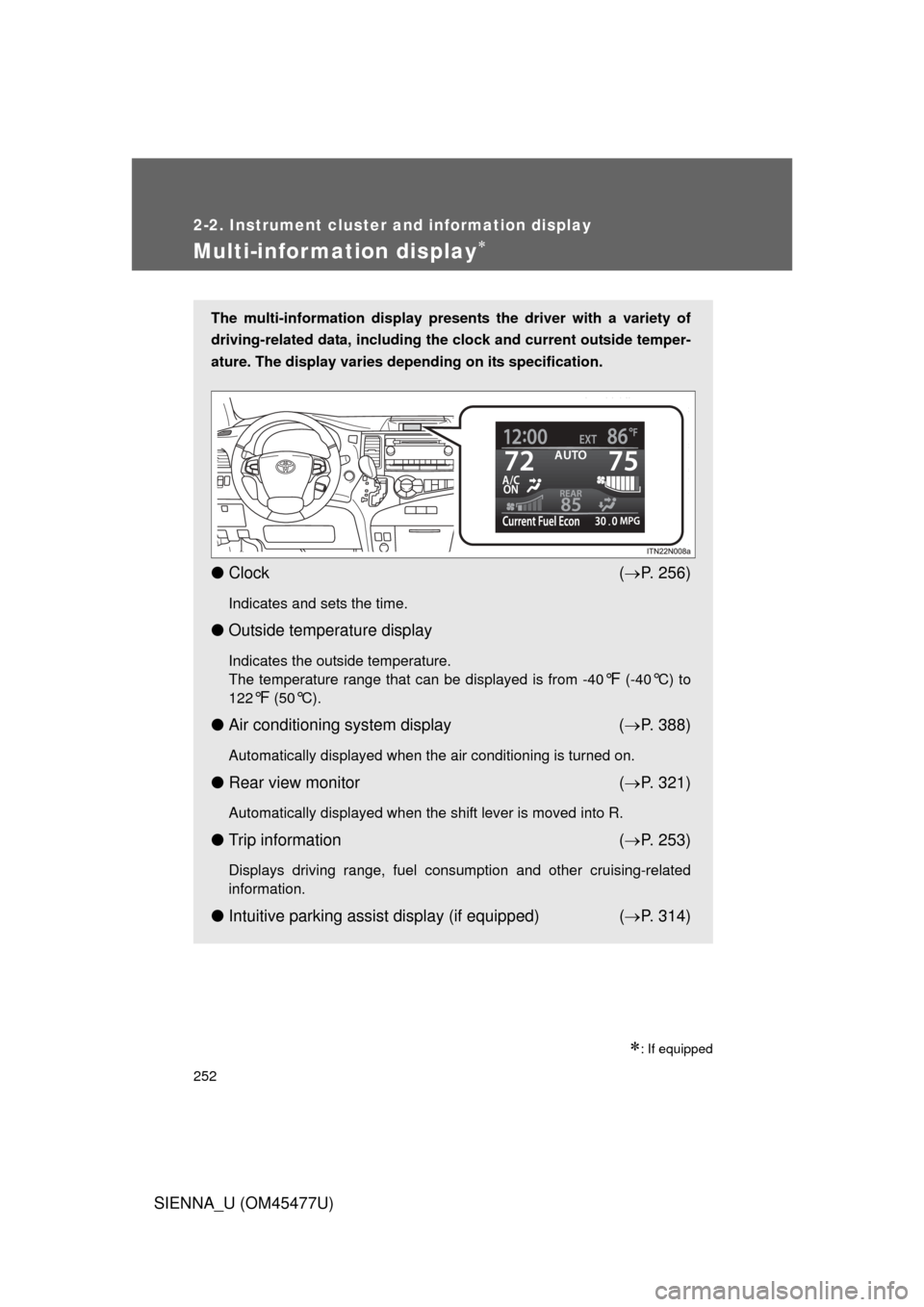
The multi-information display presents the driver with a variety of
driving-related data, including the clock and current outside temper-
ature. The display varies depending on its specification.
● Clock ( P. 256)
Indicates and sets the time.
● Outside temperature display
Indicates the outside temperature.
The temperature range that can be displayed is from -40
°F (-40°C) to
122
°F (50°C).
● Air conditioning system display ( P. 388)
Automatically displayed when the air conditioning is turned on.
● Rear view monitor ( P. 321)
Automatically displayed when the shift lever is moved into R.
● Trip information ( P. 253)
Displays driving range, fuel consumption and other cruising-related
information.
● Intuitive parking assist display (if equipped) ( P. 314)
Page 253 of 860
253
2-2. Instrument cluster and information display
2
When driving
SIENNA_U (OM45477U)
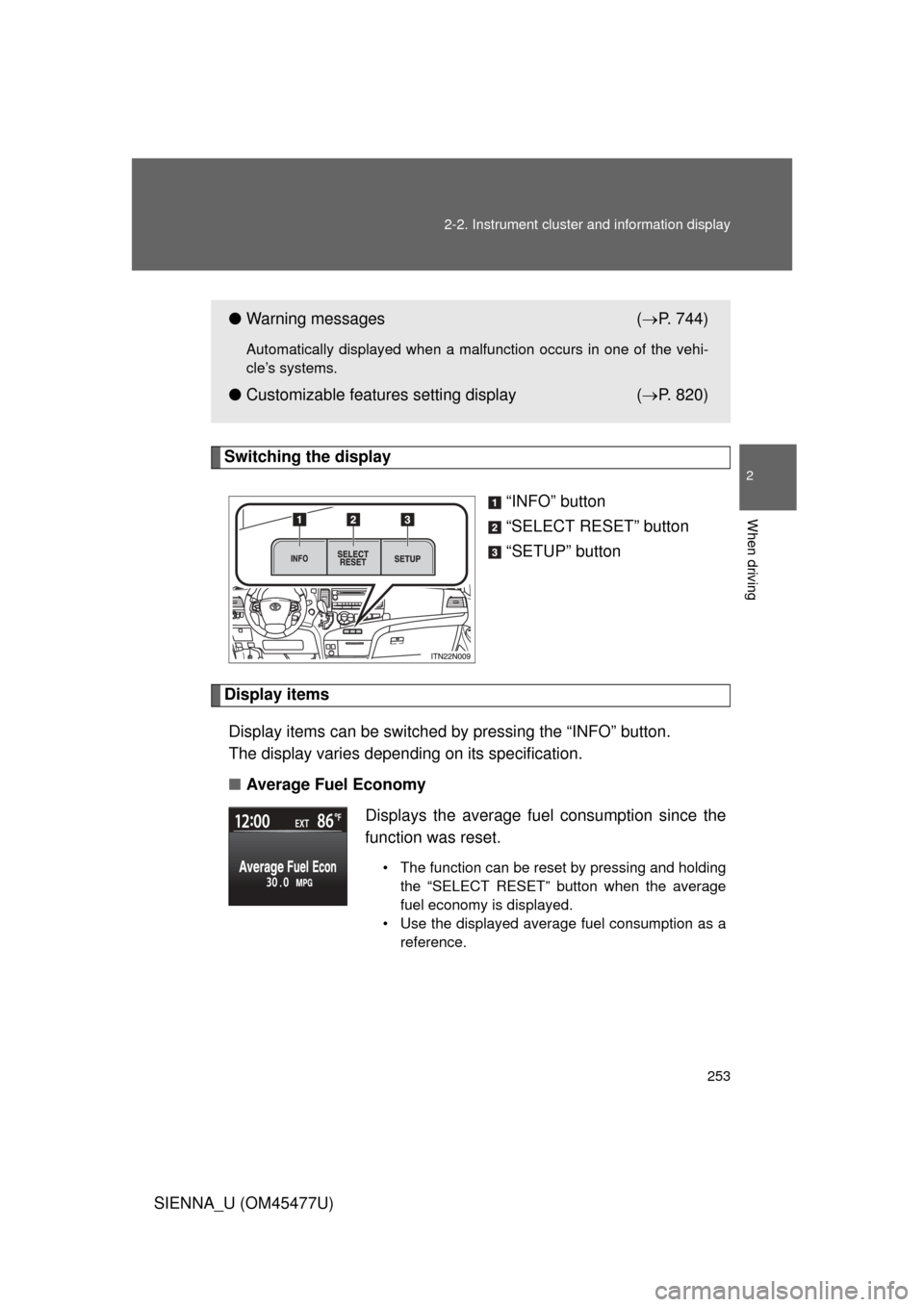
Switching the display
“INFO” button
“SELECT RESET” button
“SETUP” button
Display itemsDisplay items can be switched by pressing the “INFO” button.
The display varies depending on its specification.
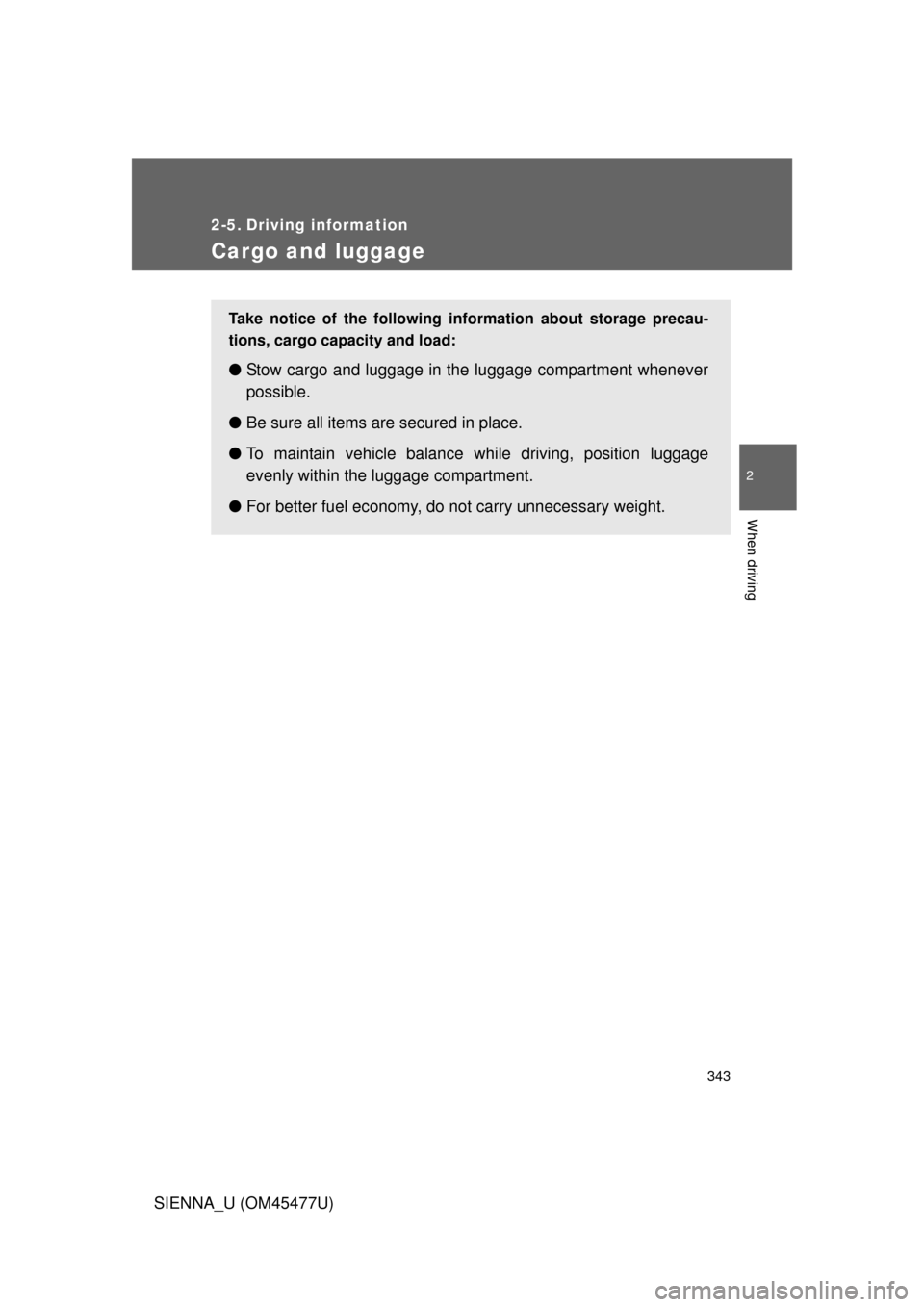
■ Average Fuel Economy
●Warning messages ( P. 744)
Automatically displayed when a malfunction occurs in one of the vehi-
cle’s systems.
● Customizable features setting display ( P. 820)
Displays the average fuel consumption since the
function was reset.
• The function can be reset by pressing and holding the “SELECT RESET” button when the average
fuel economy is displayed.
• Use the displayed average fuel consumption as a reference.
Page 254 of 860
254 2-2. Instrument cluster and information display
SIENNA_U (OM45477U)■
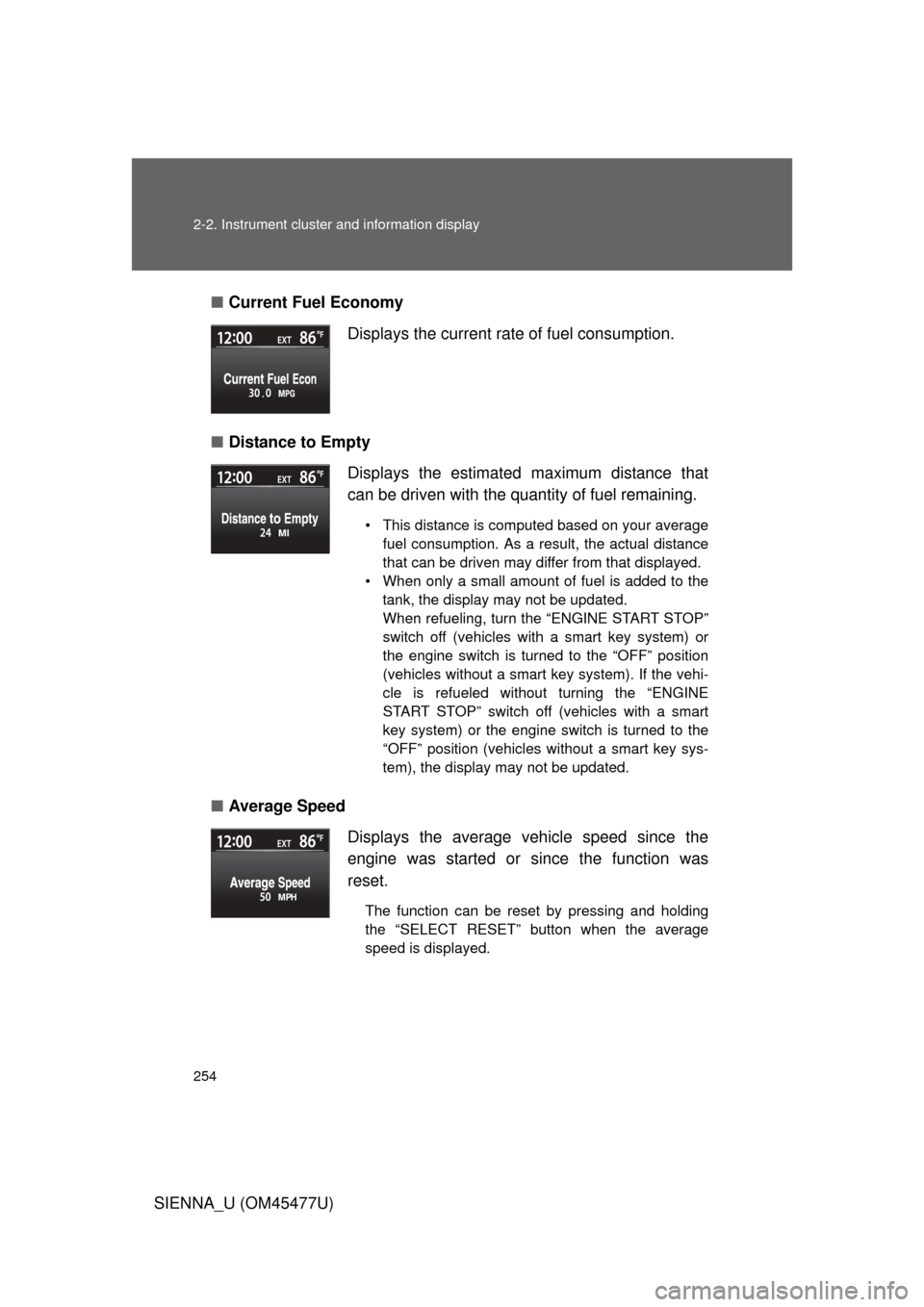
Current Fuel Economy
■ Distance to Empty
■ Average Speed Displays the current rate of fuel consumption.
Displays the estimated maximum distance that
can be driven with the quantity of fuel remaining.
• This distance is computed based on your average
fuel consumption. As a result, the actual distance
that can be driven may differ from that displayed.
• When only a small amount of fuel is added to the tank, the display may not be updated.
When refueling, turn the “ENGINE START STOP”
switch off (vehicles with a smart key system) or
the engine switch is turned to the “OFF” position
(vehicles without a smart key system). If the vehi-
cle is refueled without turning the “ENGINE
START STOP” switch off (vehicles with a smart
key system) or the engine switch is turned to the
“OFF” position (vehicles without a smart key sys-
tem), the display may not be updated.
Displays the average vehicle speed since the
engine was started or since the function was
reset.
The function can be reset by pressing and holding
the “SELECT RESET” button when the average
speed is displayed.
Page 270 of 860
270 2-3. Operating the lights and wipers
SIENNA_U (OM45477U)
■Daytime running light system (if equipped)
● To make your vehicle more visible to other drivers, the headlights turn on
automatically (at a reduced intensity) whenever the engine is started and
the parking brake is released. Daytime running lights are not designed for
use at night.
For the U.S.A.: Daytime running lights can be turned off by operating the
headlight switch.
● Compared to turning on the headlights, the daytime running light system
offers greater durability and consumes less electricity, so it can help
improve fuel economy.
■ Headlight control sensor (if equipped)
The sensor may not function properly if
an object is placed on the sensor, or any-
thing that blocks the sensor is affixed to
the windshield.
Doing so interferes with the sensor
detecting the level of ambient light and
may cause the automatic headlight sys-
tem to malfunction.
Page 343 of 860
343
2
When driving
SIENNA_U (OM45477U)
2-5. Driving information
Cargo and luggage
Take notice of the following information about storage precau-
tions, cargo capacity and load:
●Stow cargo and luggage in the luggage compartment whenever
possible.
● Be sure all items are secured in place.
● To maintain vehicle balance while driving, position luggage
evenly within the luggage compartment.
● For better fuel economy, do no t carry unnecessary weight.
Page 356 of 860
356
2-5. Driving information
SIENNA_U (OM45477U)
Trailer towing (with towing package)
Your vehicle is designed primarily as a passenger-and-load-carrying
vehicle. Towing a trailer can have an adverse impact on handling,
performance, braking, durability, and fuel consumption. For your
safety and the safety of others, you must not overload your vehicle
or trailer. You must also ensure that you are using appropriate tow-
ing equipment, that the towing eq uipment has been installed cor-
rectly and used properly, and that you employ the requisite driving
habits.
Vehicle-trailer stability and br aking performance are affected by
trailer stability, brake performance and setting, trailer brakes, the
hitch and hitch systems (if equipped).
To tow a trailer safely, use extreme care and drive the vehicle in
accordance with your trailer’s characteristics and operating condi-
tions.
Toyota warranties do not apply to damage or malfunction caused by
towing a trailer for commercial purposes.
Contact your Toyota dealer for fu rther information about additional
requirements such as a towing kit, etc.
Page 626 of 860

626 3-8. Other interior features
SIENNA_U (OM45477U)■
Stolen Vehicle Location
If your vehicle is stolen, Safety Connect can work with local author-
ities to assist them in locating and recovering the vehicle. After fil-
ing a police report, call the Safety Connect response center at 1-
800-331-4331 and follow the prompts for Safety Connect to initiate
this service.
In addition to assisting law enforc ement with recovery of a stolen
vehicle, Safety-Connect-equipped vehicle location data may, under
certain circumstances, be shared with third parties to locate your
vehicle. Further information is available at Toyota.com.
■ Emergency Assistance Button (“SOS”)
In the event of an emergency on the road, push the “SOS” button
to reach the Safety Connect response center. The answering
agent will determine your vehicl e’s location, assess the emer-
gency, and dispatch the necessary assistance required.
If you accidentally press the “SOS” button, tell the response-center agent
that you are not experiencing an emergency.
■ Roadside Assistance
Subscribers can press the “SOS” button to reach a Safety Connect
response-center agent, who can help with a wide range of needs,
such as: towing, flat tire, fuel deliv ery, etc. For a description of the
Roadside Assistance services and their limitations, please see the
Safety Connect Terms and Conditions, which are available at
To y o t a . c o m .
Page 631 of 860
631
4-1. Maintenance and care
4
Maintenance and care
SIENNA_U (OM45477U)
■
High pressure car washes
● Do not allow the nozzles of the car wash to come within close proximity
of the windows.
● Before using car wash, check that the fuel filler door on your vehicle is
closed properly.
■ Aluminum wheels
● Remove any dirt immediately by using a neutral detergent. Do not use
hard brushes or abrasive cleaners. Do not use strong or harsh chemical
cleaners.
Use the same mild detergent and wax as used on the paint.
● Do not use detergent on the wheels when they are hot, for example after
driving for long distance in the hot weather.
● Wash detergent from the wheels immediately after use.
■ Bumpers and side moldings
Do not scrub with abrasive cleaners.
■ Notes for vehicles with a smar t key system (if equipped)
● If the door handle becomes wet while the electronic key is within the
effective range, the door may lock and unlock repeatedly. Place the key
in a position 6 ft. (2 m) or more separate from the vehicle while the vehi-
cle is being washed. (Take care to ensure that the key is not stolen.)
● If the electronic key is inside the vehicle and a door handle becomes wet
during a car wash, a message may be shown on the multi-information
display and a buzzer will sound outside the vehicle. To turn off the alarm,
lock all the doors.