Page 481 of 860
481
3-3. Using the Bluetooth
® audio system
3
Interior features
SIENNA_U (OM45477U)
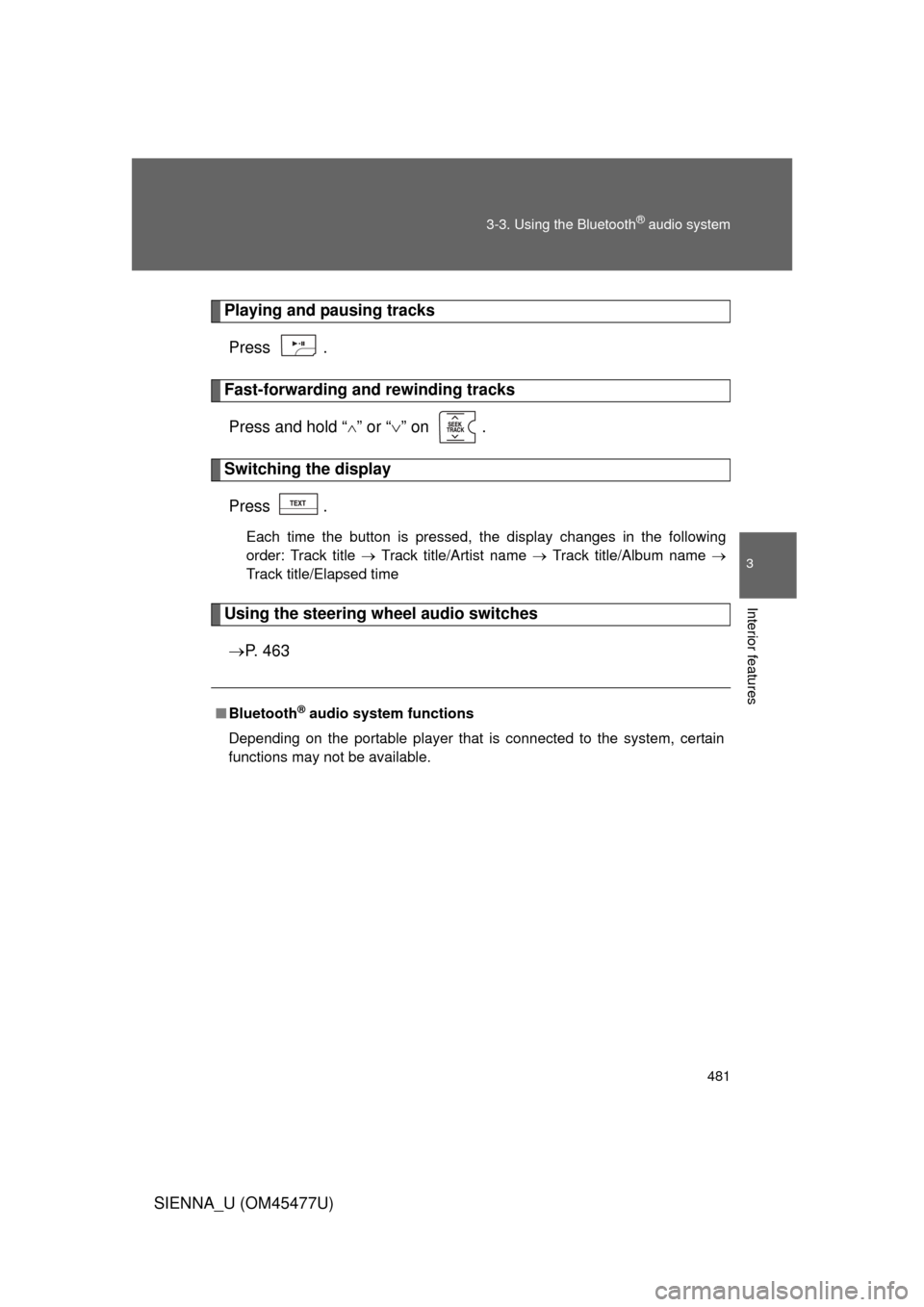
Playing and pausing tracks
Press .
Fast-forwarding and rewinding tracksPress and hold “
” or “ ” on .
Switching the display
Press .
Each time the button is pressed, the display changes in the following
order: Track title Track title/Artist name Track title/Album name
Track title/Elapsed time
Using the steering wheel audio switches
P. 4 6 3
■Bluetooth® audio system functions
Depending on the portable player that is connected to the system, certain
functions may not be available.
Page 505 of 860
505
3-4. Using the rear audio system
3
Interior features
SIENNA_U (OM45477U)
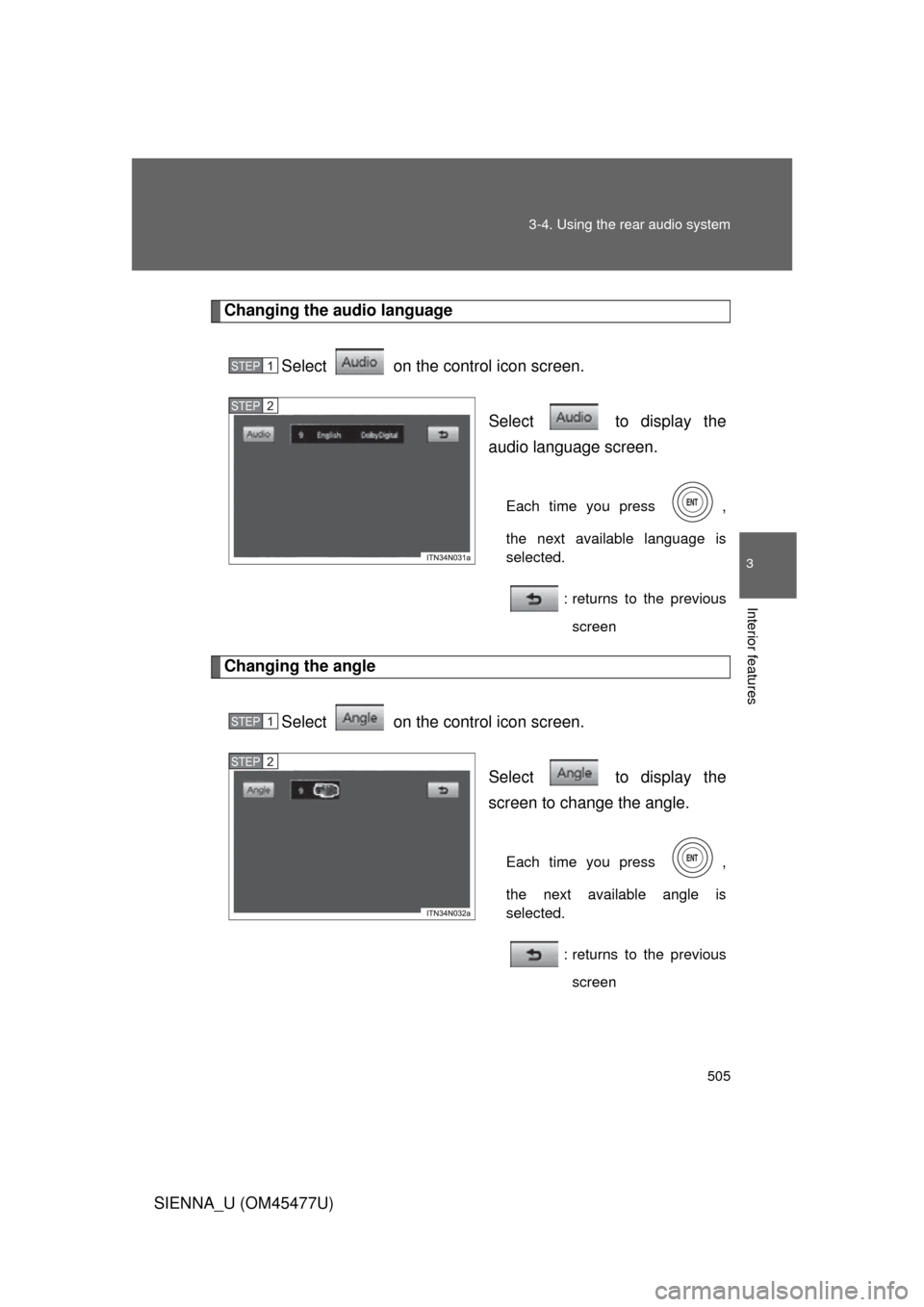
Changing the audio language
Select on the control icon screen. Select to display the
audio language screen.
Each time you press ,
the next available language is
selected.: returns to the previousscreen
Changing the angle
Select on the control icon screen. Select to display the
screen to change the angle.
Each time you press ,
the next available angle is
selected.: returns to the previousscreen
STEP1
STEP2
STEP1
STEP2
Page 571 of 860
571
3-6. Using the interior lights
3
Interior features
SIENNA_U (OM45477U)
■
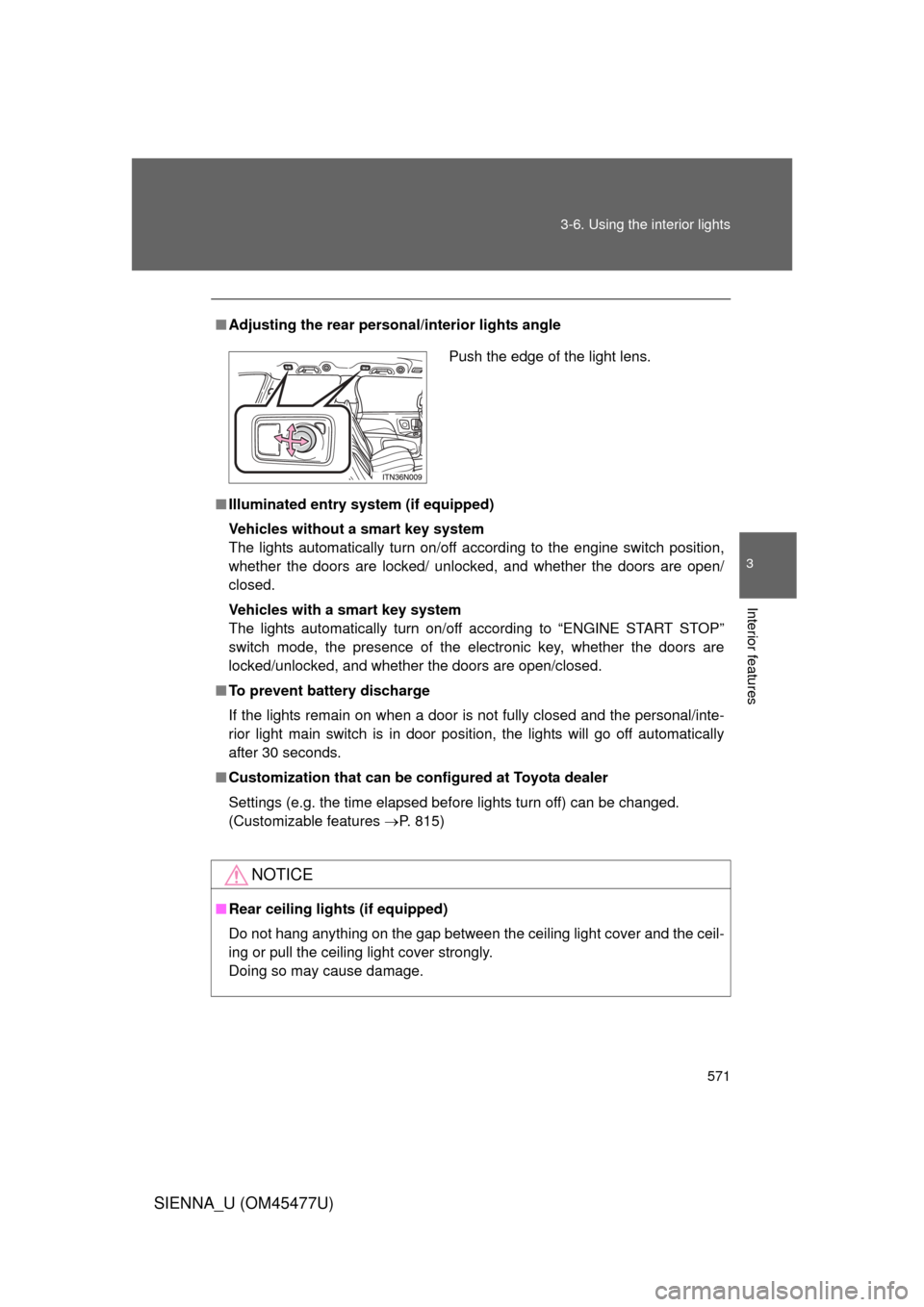
Adjusting the rear person al/interior lights angle
■ Illuminated entry system (if equipped)
Vehicles without a smart key system
The lights automatically turn on/off according to the engine switch position,
whether the doors are locked/ unlocked, and whether the doors are open/
closed.
Vehicles with a smart key system
The lights automatically turn on/off according to “ENGINE START STOP”
switch mode, the presence of the electronic key, whether the doors are
locked/unlocked, and whether the doors are open/closed.
■ To prevent battery discharge
If the lights remain on when a door is not fully closed and the personal/inte-
rior light main switch is in door position, the lights will go off automatically
after 30 seconds.
■ Customization that can be co nfigured at Toyota dealer
Settings (e.g. the time elapsed before lights turn off) can be changed.
(Customizable features P. 815)
NOTICE
■Rear ceiling lights (if equipped)
Do not hang anything on the gap between the ceiling light cover and the ceil-
ing or pull the ceiling light cover strongly.
Doing so may cause damage.
Push the edge of the light lens.
Page 768 of 860
768 5-2. Steps to take in an emergency
SIENNA_U (OM45477U)
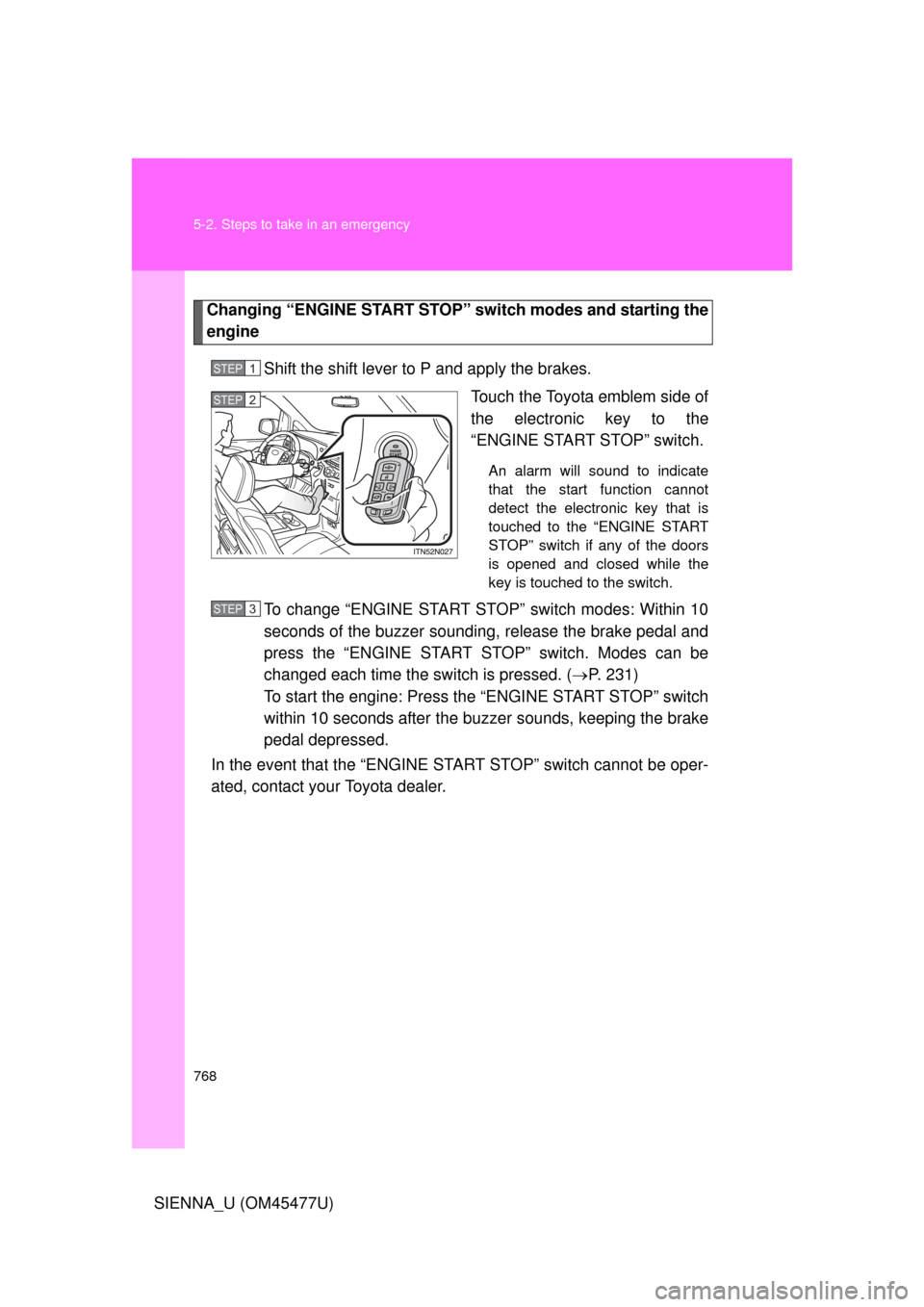
Changing “ENGINE START STOP” switch modes and starting the
engine
Shift the shift lever to P and apply the brakes. Touch the Toyota emblem side of
the electronic key to the
“ENGINE START STOP” switch.
An alarm will sound to indicate
that the start function cannot
detect the electronic key that is
touched to the “ENGINE START
STOP” switch if any of the doors
is opened and closed while the
key is touched to the switch.
To change “ENGINE START STOP” switch modes: Within 10
seconds of the buzzer soundin g, release the brake pedal and
press the “ENGINE START STOP” switch. Modes can be
changed each time the sw itch is pressed. (P. 231)
To start the engine: Press the “ENGINE START STOP” switch
within 10 seconds after the buz zer sounds, keeping the brake
pedal depressed.
In the event that the “ENGINE START STOP” switch cannot be oper-
ated, contact your Toyota dealer.
STEP1
STEP2
STEP3
Page 815 of 860
815
6
Vehicle specifications
SIENNA_U (OM45477U)
6-2. Customization
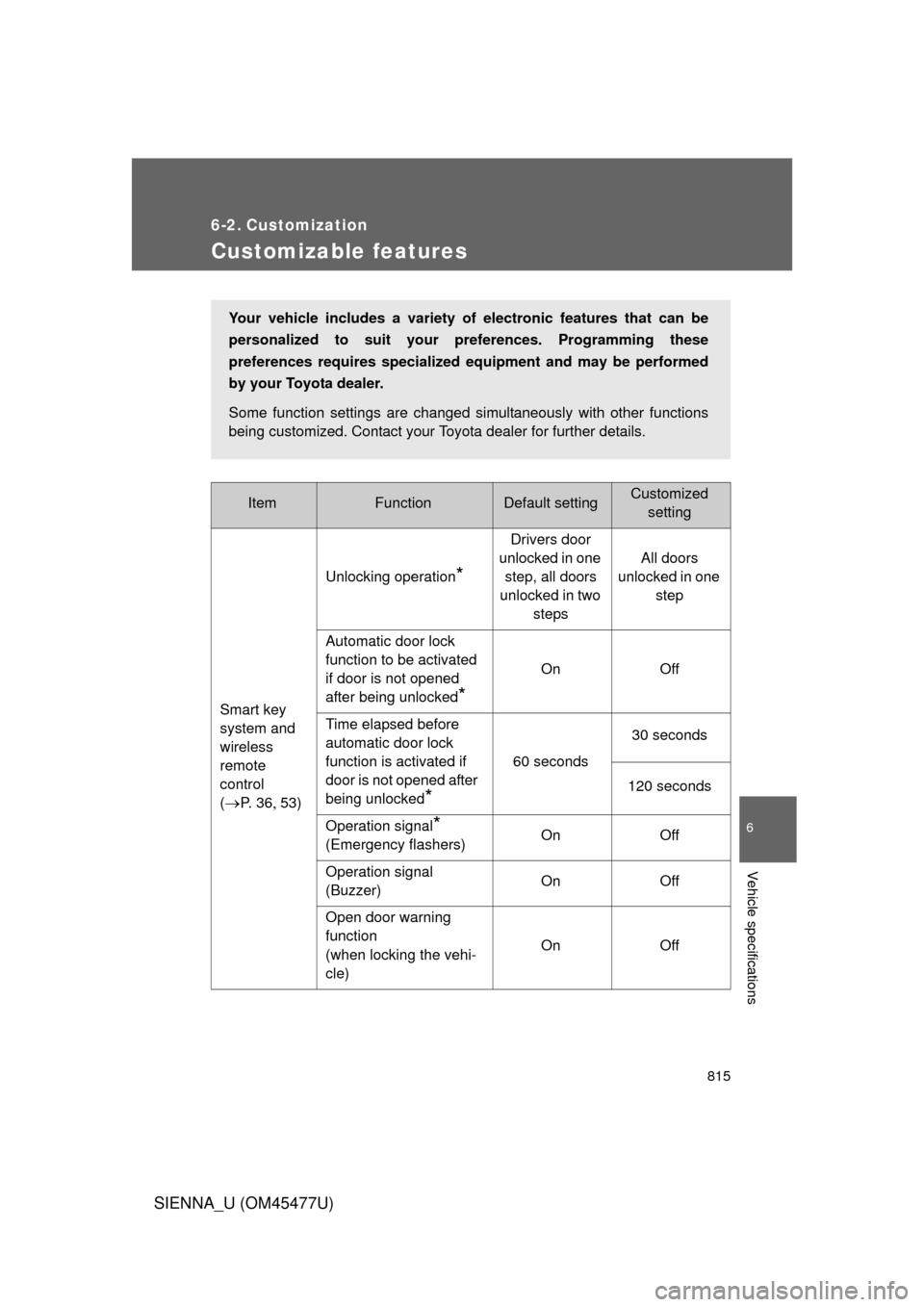
Customizable features
ItemFunctionDefault settingCustomizedsetting
Smart key
system and
wireless
remote
control
(
P. 3 653) Unlocking operation
*
Drivers door
unlocked in one step, all doors
unlocked in two steps All doors
unlocked in one step
Automatic door lock
function to be activated
if door is not opened
after being unlocked
*
On Off
Time elapsed before
automatic door lock
function is activated if
door is not opened after
being unlocked
*
60 seconds 30 seconds
120 seconds
Operation signal
*
(Emergency flashers) On Off
Operation signal
(Buzzer) On Off
Open door warning
function
(when locking the vehi-
cle) On Off
Your vehicle includes a variety of
electronic features that can be
personalized to suit your preferences. Programming these
preferences requires specialized eq uipment and may be performed
by your Toyota dealer.
Some function settings are changed simultaneously with other functions
being customized. Contact your Toyota dealer for further details.
Page 819 of 860
819
6-2. Customization
6
Vehicle specifications
SIENNA_U (OM45477U)
*: For vehicles with the multi-information display, the setting can be changed by
operating the multi-information display. (
P. 820)
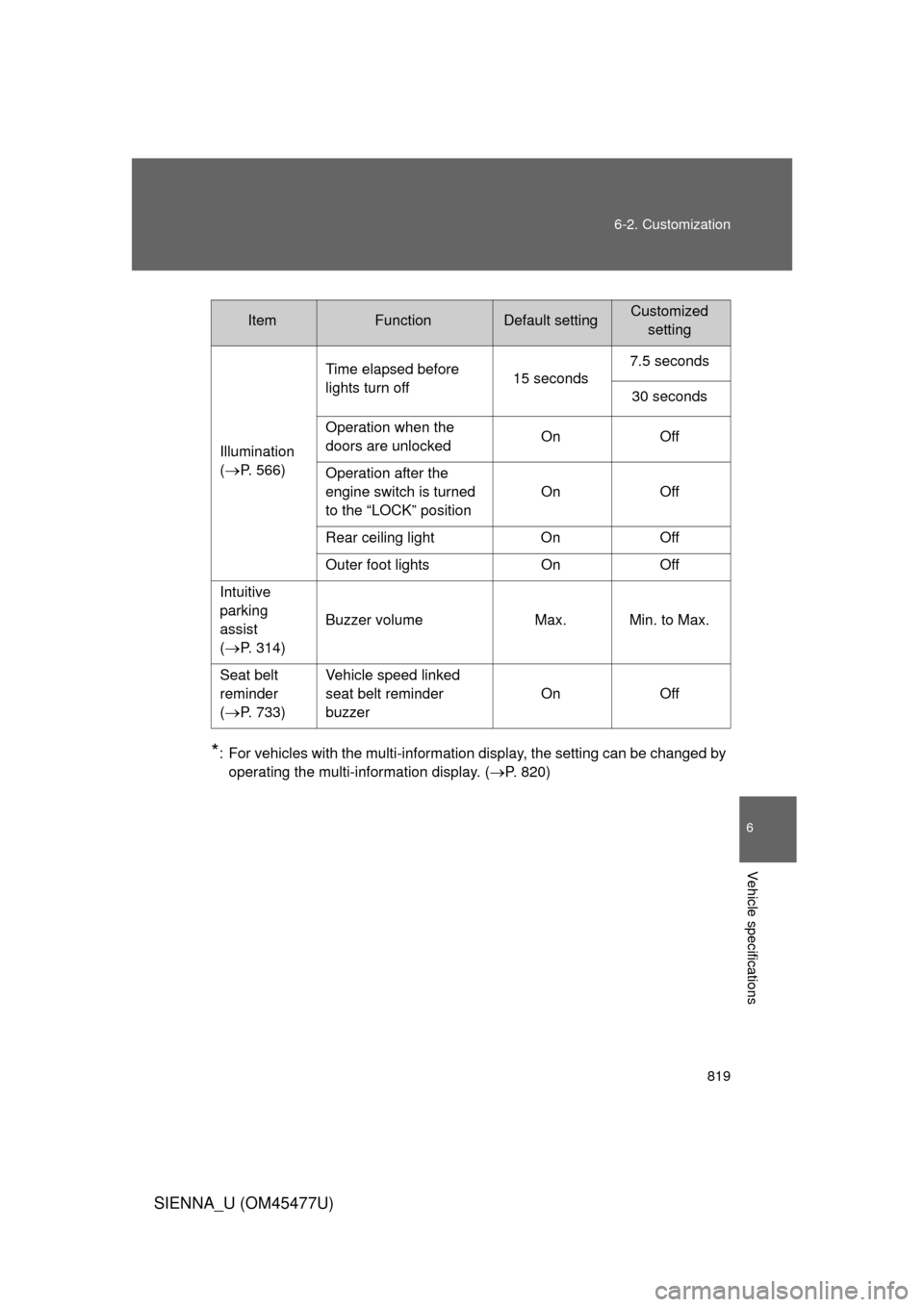
ItemFunctionDefault settingCustomized setting
Illumination
(
P. 566) Time elapsed before
lights turn off
15 seconds7.5 seconds
30 seconds
Operation when the
doors are unlocked On Off
Operation after the
engine switch is turned
to the “LOCK” position On Off
Rear ceiling light On Off
Outer foot lights On Off
Intuitive
parking
assist
(
P. 314) Buzzer volume Max. Min. to Max.
Seat belt
reminder
(
P. 733) Vehicle speed linked
seat belt reminder
buzzer
On Off
Page:
< prev 1-8 9-16 17-24