Page 265 of 860

265
2-2. Instrument cluster and information display
2
When driving
SIENNA_U (OM45477U)
■
System check display
Vehicles without a smart key system
After switching the engine switch to the “ON” position, “SIENNA” is dis-
played while system operation is checked. When the system check is
complete, the normal screen will return.
Vehicles with a smart key system After switching the “ENGINE START STOP” switch to IGNITION ON
mode, “SIENNA” is displayed while system operation is checked. When
the system check is complete, the normal screen will return.
■ When “--”, “E” or “F” is displayed on the outside temperature display
The system may be malfunctioning. Take your vehicle to your Toyota dealer.
■ Outside temperature display
In the following situations, the correct outside temperature may not be dis-
played, or the display may take longer than normal to change.
● When stopped, or driving at low speeds (less than 12 mph [20 km/h])
● When the outside temperature has changed suddenly (at the entrance/
exit of a garage, tunnel, etc.)
NOTICE
■The multi-information disp lay at low temperatures
Allow the interior of the vehicle to warm up before using the liquid crystal
information display. At extremely low temperatures, the information display
monitor may respond slowly, and display changes may be delayed.
Page 302 of 860
302 2-4. Using other driving systems
SIENNA_U (OM45477U)
■Vehicle-to-vehicle distance settings
Select a distance from the table below. Note that the distances
shown correspond to a vehicle speed of 50 mph (80 km/h). Vehi-
cle-to-vehicle distance increases/decreases in accordance with
vehicle speed.
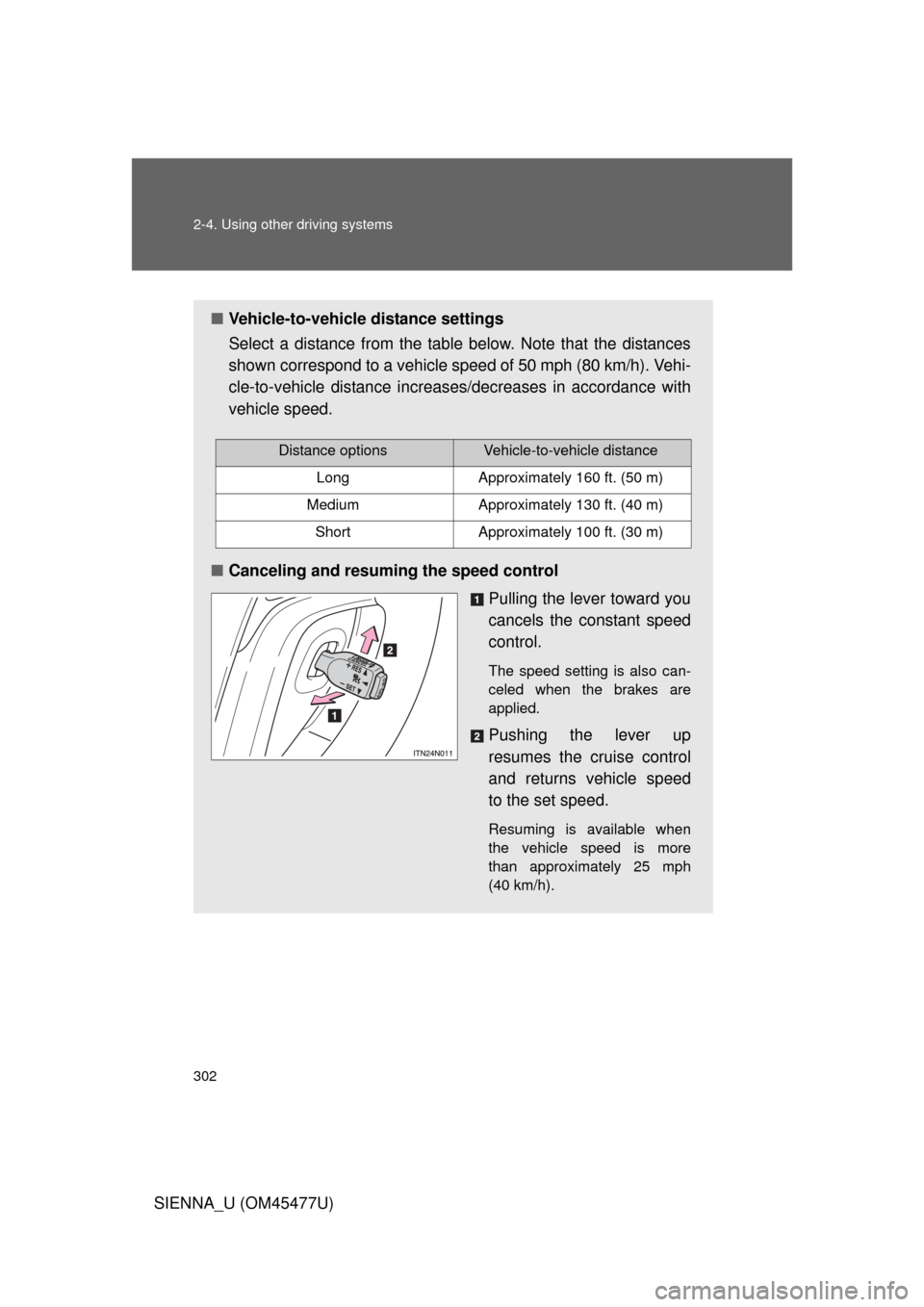
■ Canceling and resuming the speed control
Pulling the lever toward you
cancels the constant speed
control.
The speed setting is also can-
celed when the brakes are
applied.
Pushing the lever up
resumes the cruise control
and returns vehicle speed
to the set speed.
Resuming is available when
the vehicle speed is more
than approximately 25 mph
(40 km/h).
Distance optionsVehicle-to-vehicle distance
LongApproximately 160 ft. (50 m)
MediumApproximately 130 ft. (40 m)
ShortApproximately 100 ft. (30 m)
Page 309 of 860

309
2-4. Using other
driving systems
2
When driving
SIENNA_U (OM45477U)
■Certification
U.S.A.
FCC ID: HYQDNMWR005
This device complies with part 15 of the FCC Rules. Operation is subject to
the following two conditions: (1) This device may not cause harmful interfer-
ence, and (2) this device must accept any interference received, including
interference that may cause undesired operation.
FCC WARNING
Changes or modifications not expressly approved by the party responsible
for compliance could void the user’s authority to operate the equipment.
Radiofrequency radiation exposure Information:
This equipment complies with FCC radiation exposure limits set forth for an
uncontrolled environment.
This equipment should be installed and operated with minimum distance of
20 cm between the radiator (antenna) and your body.
This transmitter must not be co-located or operating in conjunction with any
other antenna or transmitter.
Canada
Operation is subject to the following two conditions: (1) this device may not
cause interference, and (2) this device must accept any interference, includ-
ing interference that may cause undesired operation of the device.
Page 332 of 860

332 2-4. Using other driving systems
SIENNA_U (OM45477U)
CAUTION
■When Enhanced VSC is activated
The slip indicator light flashes and a warning buzzer sounds. Always drive
carefully. Reckless driving may cause an accident. Exercise particular care
when the indicator light flashes and a buzzer sounds.
■ When TRAC and VSC systems are turned off
Be especially careful and drive at a speed appropriate to the road condi-
tions. As these are the systems to ensure vehicle stability and driving force,
do not turn the TRAC and VSC systems off unless necessary.
■ Replacing tires
Make sure that all tires are of the specified size and of the same brand, tread
pattern and total load capacity. In addition, make sure that the tires are
inflated to the recommended tire pressure level.
The ABS and Enhanced VSC systems will not function correctly if different
tires are installed on the vehicle.
Contact your Toyota dealer for further information when replacing tires or
wheels.
■ Handling of tires and suspension
Using tires with any kind of problem or modifying the suspension will affect
the driving assist systems, and may cause the system to malfunction.
■ Active Torque Control 4WD system
● The AWD system of this vehicle is intended to ensure driving stability on
normal roads. It is not designed for use in demanding situations such as
rally driving.
● Take care when driving on slippery road surfaces.
Page 340 of 860

340 2-4. Using other driving systems
SIENNA_U (OM45477U)
■When there is a malfunction in the system
Warning lights will turn on or flash. ( P. 729)
■ Certification
U.S.A.
FCC ID: HYQDNMWR005
This device complies with part 15 of the FCC Rules. Operation is subject to
the following two conditions: (1) This device may not cause harmful interfer-
ence, and (2) this device must accept any interference received, including
interference that may cause undesired operation.
FCC WARNING
Changes or modifications not expressly approved by the party responsible
for compliance could void the user’s authority to operate the equipment.
Radiofrequency radiation exposure Information:
This equipment complies with FCC radiation exposure limits set forth for an
uncontrolled environment.
This equipment should be installed and operated with minimum distance of
20 cm between the radiator (antenna) and your body.
This transmitter must not be co-located or operating in conjunction with any
other antenna or transmitter.
Canada
Operation is subject to the following two conditions: (1) this device may not
cause interference, and (2) this device must accept any interference, includ-
ing interference that may cause undesired operation of the device.
Page 367 of 860

367
2-5. Driving information
2
When driving
SIENNA_U (OM45477U)
●
Reversing with a trailer attached is difficult and requires practice.
Grip the bottom of the steering wheel and move your hand to the
left to move the trailer to the left. Move your hand to the right to
move the trailer to the right. (Thi s is generally opposite to reversing
without a trailer attached.) Avoid sharp or prolonged turning. Have
someone guide you when reversing to reduce the risk of an acci-
dent.
● As stopping distance is increased when towing a trailer, vehicle-to-
vehicle distance should be increased. For each 10 mph (16 km/h) of
speed, allow at least one vehicle and trailer length.
● Avoid sudden braking as you may skid, resulting in the trailer jack-
knifing and a loss of vehicle control. This is especially true on wet
or slippery surfaces.
● Avoid jerky starts or sudden acceleration.
● Avoid jerky steering and sharp turns, and slow down before mak-
ing a turn.
● Note that when making a turn, th e trailer wheels will be closer than
the vehicle wheels to the inside of the turn. Compensate by making
a wider than normal turning radius.
● Slow down before making a turn, in crosswinds, on wet or slippery
surfaces, etc.
Increasing vehicle speed can destabilize the trailer.
Page 373 of 860
373
2-5. Driving information
2
When driving
SIENNA_U (OM45477U)
CAUTION
■
Trailer towing precautions
To tow a trailer safely, use extreme care and drive the vehicle in accordance
with the trailer’s characteristics and operating conditions. Failure to do so
could cause an accident resulting in death or serious injury. Vehicle stability
and braking performance are affected by trailer stability, brake setting and
performance, and the hitch. Your vehicle will handle differently when towing
a trailer.
■ To avoid accident or injury
● Do not exceed the TWR, unbraked TWR, GCWR, GVWR or GAWR.
● If the gross trailer weight is over 2000 lb. (907 kg), a sway control device
with sufficient capacity is required.
● Adjust the tongue weight within the appropriate range. Place heavier loads
as close to the trailer axle as possible.
● Do not exceed 65 mph (104 km/h), the posted towing speed limit or the
speed limit for your trailer as set forth in your trailer owner’s manual,
whichever is lowest. Slow down sufficiently before making a turn, in cross-
winds, on wet or slippery surface, etc. to help avoid an accident. If you
experience a vehicle-trailer instabilit y from reducing a certain speed, slow
down and make sure you keep your vehicle speed under the speed of
which you experience the instability.
● Do not make jerky, abrupt or sharp turns.
● Do not apply the brakes suddenly as you may skid, resulting in jackknifing
and loss of vehicle control. This is especially true on wet or slippery sur-
faces.
● Do not exceed the trailer hitch assembly weight, gross vehicle weight,
gross axle weight and trailer tongue weight capacities.
Page 409 of 860
409
3-2. Using the audio system
3
Interior features
SIENNA_U (OM45477U)
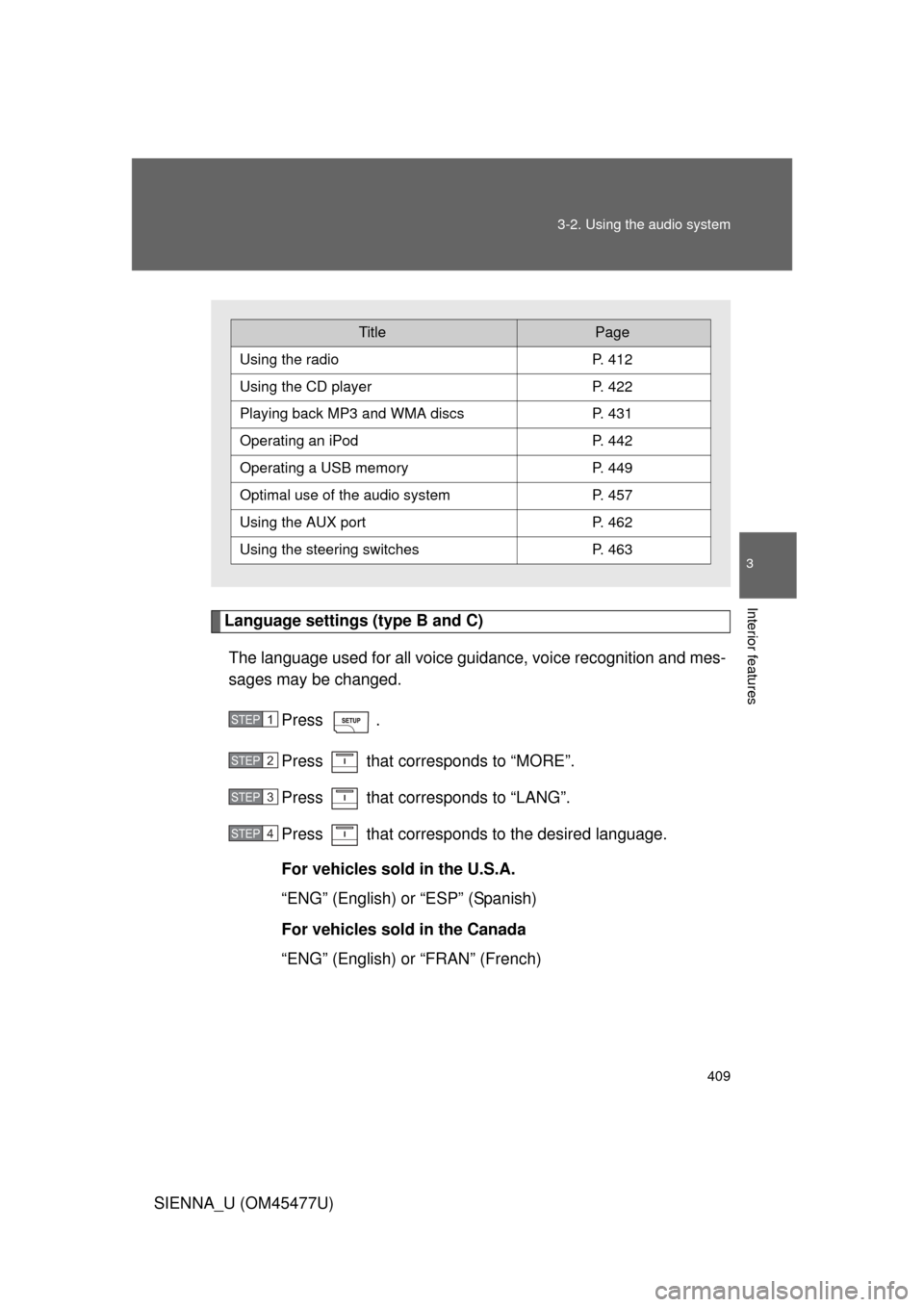
Language settings (type B and C)
The language used for all voice guidance, voice recognition and mes-
sages may be changed.
Press .
Press that corresponds to “MORE”.
Press that corresponds to “LANG”.
Press that corresponds to the desired language.
For vehicles sold in the U.S.A.
“ENG” (English) or “ESP” (Spanish)
For vehicles sold in the Canada
“ENG” (English) or “FRAN” (French)
TitlePage
Using the radioP. 412
Using the CD playerP. 422
Playing back MP3 and WMA discs P. 431
Operating an iPodP. 442
Operating a USB memoryP. 449
Optimal use of the audio systemP. 457
Using the AUX port P. 462
Using the steering switchesP. 463
STEP1
STEP2
STEP3
STEP4