2012 TOYOTA RAV4 light
[x] Cancel search: lightPage 198 of 544

198
2-4. Using other driving systems
Hill-start assist control
■Hill-start assist control operating conditions
• The shift lever is in a position other than P.
• The parking brake is not applied.
• The accelerator pedal is not depressed.
■ Hill-start assist control
●While hill-start assist control is operating, the brakes remain automati-
cally applied after the driver releases the brake pedal. The stop lights and
the high mounted stoplight turn on.
● Hill-start assist control operates for about 2 seconds after the brake pedal
is released.
● If the slip indicator does not flash and the buzzer does not sound when
the brake pedal is further depressed, slightly reduce the pressure on the
brake pedal (do not allow the vehicl e to roll backward) and then firmly
depress it again. If the system still does not operate, check if the operat-
ing conditions explained above have been met.
Hill-start assist control helps to prevent the vehicle from rolling
backwards when starting on an incline or slippery slope.
To engage hill-start assist con-
trol, further depress the brake
pedal when the vehicle is
stopped completely.
A buzzer will sound once to
indicate the system is acti-
vated. The slip indicator will
also start flashing.
: If equipped
Page 200 of 544

200
2-4. Using other driving systems
Downhill assist control system
While the downhill assist control system is operating
The slip indicator will flash to
indicate that the downhill assist
control system is operating, and
the stop lights and high mounted
stoplight will turn on.
With the downhill assist control system, the vehicle is able to
descend a steep hill while maintainin g a constant low speed of about
3 mph (5 km/h) without brake pedal operation.
■ Activating the downhill assist control system
Press the “DAC” switch.
The downhill assist control sys-
tem indicator will come on to
indicate that the downhill assist
control system is activated.
Pressing the switch again turns
the system off.
: If equipped
Page 225 of 544

225
2-5. Driving information
2
When driving
Connecting trailer lights
Please consult your dealer when installing trailer lights, as incorrect
installation may cause damage to the vehicle's lights. Please take
care to comply with your state's laws when installing trailer lights.
■Before towing
●Ensure that your vehicle’s tires are properly inflated. ( P. 494)
● Trailer tires should be inflated according to the trailer manufacturer's rec-
ommendation.
● All trailer lights must work in order to be legal.
● Confirm all lights work each time you connect them.
● The trailer ball is set up at the proper height for the coupler on the t\
railer.
● Check that your vehicle remains level when a loaded or unloaded trailer
is hitched. Do not drive if the vehicle is not level, and check for improper
tongue load, overloading, worn suspension, or other possible causes.
● Make sure the trailer cargo is securely loaded.
● Check that your rear view mirrors c onform to any federal, state/provincial
or local regulations. If they do not, inst all rear view mirrors appropriate for
towing purposes.
■ Break-in schedule
Toyota recommends that you do not use a new vehicle or a vehicle with any
new power train components (engine, transmission, differential, wheel bear-
ings, etc.) to tow a trailer for the first 500 miles (800 km) of driving.
■ Maintenance
●If you tow a trailer, your vehicle will require more frequent maintenance
due to the additional load. (See “Scheduled Maintenance Guide” or
“Owner's Manual Supplement”.)
● Retighten the fixing bolts of the towing ball and bracket after approxi-
mately 600 miles (1000 km) of trailer towing.
Page 226 of 544

226 2-5. Driving information
CAUTION
■To avoid accident or injury
●Do not exceed the trailer hitch assembly weight, gross vehicle weight,
gross axle weight and trailer tongue load capacities.
● Never load more weight in the back than in the front of the trailer. About
60% of the load should be in the front half of the trailer, and the remaining
40% in the rear.
● Do not use cruise control when you are towing.
■ Hitches
●Use only a hitch that conforms to the total trailer weight requirement.
● Follow the directions supplied by the hitch manufacturer.
● Lubricate the hitch ball with a light coat of grease.
● Remove the trailer hitch whenever you are not towing a trailer. After
removing the hitch, seal any mounting hole in the vehicle body to prevent
entry of any substances into the vehicle.
■ When towing a trailer
●If the gross trailer weight exceeds 600 lb. (272 kg), trailer brakes are
required.
● Never tap into your vehicle's hydraulic system, as this will lower the vehi-
cle's braking effectiveness.
● Never tow a trailer without using a safety chain securely attached to both
the trailer and the vehicle. If damage occurs to the coupling unit or hitch
ball, there is danger of the trailer wandering into another lane.
Page 227 of 544

227
2-5. Driving information
2
When driving
Trailer towing tips
Your vehicle will handle differently w hen towing a trailer. In order to
avoid accident, death or serious in jury, keep the following in mind
when towing:
● Before starting out, check the trailer lights and the vehicle-trailer
connections. Recheck after driving a short distance.
● Practice turning, stopping and reve rsing with the trailer attached in
an area away from traffic until you become accustomed to the feel
of the vehicle.
NOTICE
■ When installing a trailer hitch
●Use only the position recommended by your Toyota dealer. Do not install
the trailer hitch on the bumper; this may cause body damage.
● Do not use axle-mounted hitches, as they can cause damage to the axle
housing, wheel bearings, wheels or tires.
■ Brakes
Toyota recommends trailers with brakes that conform to all applicable fed-
eral and state/provincial regulations.
■ Safety chain
A safety chain must always be used between the towing vehicle and the
trailer. Leave sufficient slack in the chain for turns. The chain should cross
under the trailer tongue to prevent the tongue from dropping to the ground in
the case that it becomes damaged or separated. For the correct safety chain
installation procedure, ask your Toyota dealer.
■ Do not directly splice trailer lights
Directly splicing trailer lights may damage your vehicle's electrical system
and cause a malfunction.
Page 233 of 544
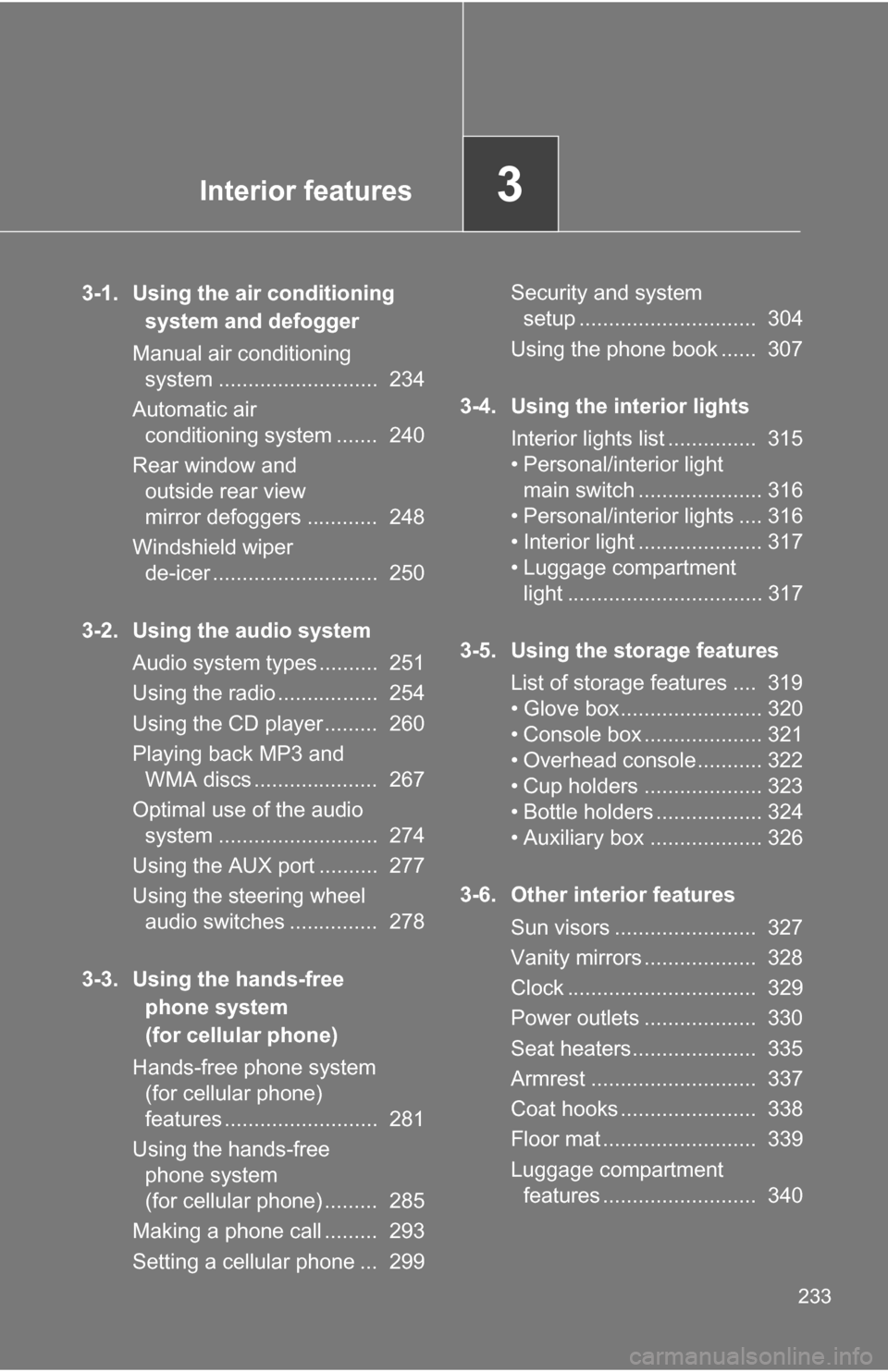
Interior features3
233
3-1. Using the air conditioning system and defogger
Manual air conditioning system ........................... 234
Automatic air conditioning system ....... 240
Rear window and outside rear view
mirror defoggers ............ 248
Windshield wiper de-icer ............................ 250
3-2. Using the audio system Audio system types .......... 251
Using the radio ................. 254
Using the CD player ......... 260
Playing back MP3 and WMA discs ..................... 267
Optimal use of the audio system ........................... 274
Using the AUX port .......... 277
Using the steering wheel audio switches ............... 278
3-3. Using the hands-free phone system
(for cellular phone)
Hands-free phone system (for cellular phone)
features .......................... 281
Using the hands-free phone system
(for cellular phone) ......... 285
Making a phone call ......... 293
Setting a cellular phone ... 299 Security and system
setup .............................. 304
Using the phone book ...... 307
3-4. Using the interior lights Interior lights list ............... 315
• Personal/interior light main switch ..................... 316
• Personal/interior lights .... 316
• Interior light ..................... 317
• Luggage compartment light ................................. 317
3-5. Using the storage features List of storage features .... 319
• Glove box........................ 320
• Console box .................... 321
• Overhead console ........... 322
• Cup holders .................... 323
• Bottle holders .................. 324
• Auxiliary box ................... 326
3-6. Other interior features Sun visors ........................ 327
Vanity mirrors ................... 328
Clock ................................ 329
Power outlets ................... 330
Seat heaters..................... 335
Armrest ............................ 337
Coat hooks ....................... 338
Floor mat .......................... 339
Luggage compartment features .......................... 340
Page 238 of 544

238 3-1. Using the air conditioning system and defogger
■Using the system in recirculated air mode
The windows will fog up more easily if the recirculated air mode is used for
an extended period.
■ Window defogger feature
Recirculated air mode may automatically be switched to outside air mode in
situations where the windows need to be defogged.
■ When outside air temperat ure approaches 32°F (0°C)
The air conditioning system may not operate even when
is pressed.
■ When the indicator light on flashes
Press
and turn off the air conditioning system before turning it on once
more. There may be a problem in the ai r conditioning system if the indicator
light keeps flashing. Turn the air conditioning system off and have it
inspected by your Toyota dealer.
■ When
is selected for the air outlets used
For your driving comfort, air flowing to the feet may be warmer than air flow-
ing to the upper body depending on the position of the temperature setting.
■ Air conditioning odors
●During use, various odors from inside and outside the vehicle may enter
into and accumulate in the air conditioning system. This may then cause
odor to be emitted from the vents.
● To reduce potential odors from occurring:
It is recommended that the air conditioning system be set to outside air
mode prior to turning the vehicle off.
CAUTION
■To prevent the windshield from fogging up
Do not set the air outlet selection dial to during cool air operation in
extremely humid weather. The difference between the temperature of the
outside air and that of the windshield can cause the outer surface of the
windshield to fog up, blocking your vision.
Page 246 of 544

246 3-1. Using the air conditioning system and defogger
■Switching between outside air and recirculated air modes
Recirculated air mode or outside air mode may be automatically switched to
in accordance with the temperature setting and the inside temperature.
■ Window defogger feature
Recirculated air mode may automatically switch to outside air mode in situa-
tions where the windows need to be defogged.
■ When outside temper ature approaches 32F (0 C)
The air conditioning system may not operate even when is pressed.
■ When
is selected for the air outlets used
For your driving comfort, air flowing to the feet may be warmer than air flow-
ing to the upper body depending on the position of the temperature setting.
■ Micro dust and pollen filter
●In order to prevent the windows from fogging up when the outside air is
cold, the following may occur.
• Outside air mode is not switched to recirculated air mode.
• The air conditioning system operates automatically.
• The operation is canceled after 1 minute.
● In rainy weather, the windows may fog up. Press .
■ When the indicator light on flashes
Press
and turn off the air conditioning system before turning it on once
more. There may be a problem in the ai r conditioning system if the indicator
light keep flashing. Turn the air conditioning system off and have it inspected
by your Toyota dealer.
■ Air conditioning odors
●During use, various odors from inside and outside the vehicle may enter
into and accumulate in the air conditioning system. This may then cause
odor to be emitted from the vents.
● To reduce potential odors from occurring:
• It is recommended that the air conditioning system be set to outside air
mode prior to turning the vehicle off.
• The start timing of the blower may be delayed for a short period of time immediately after the air conditioning system is started in automatic
mode.