Page 3 of 36
3
1. Charging operation
PLUG-IN QG_U (OM47747U)
■
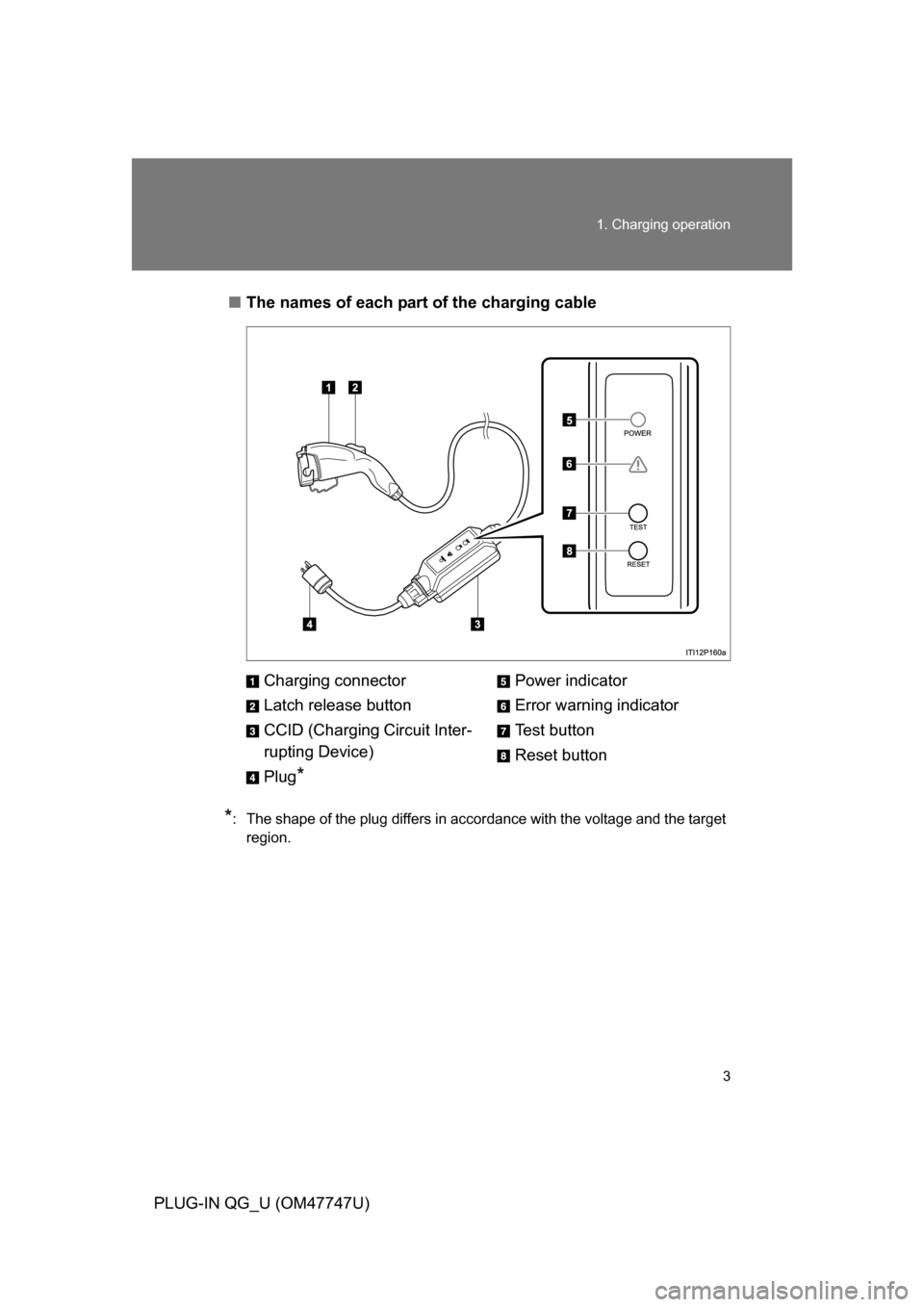
The names of each part of the charging cable
*: The shape of the plug differs in accordance with the voltage and the target
region.
Charging connector
Latch release button
CCID (Charging Circuit Inter-
rupting Device)
Plug
*
Power indicator
Error warning indicator
Test button
Reset button
Page 5 of 36
5
1. Charging operation
PLUG-IN QG_U (OM47747U)
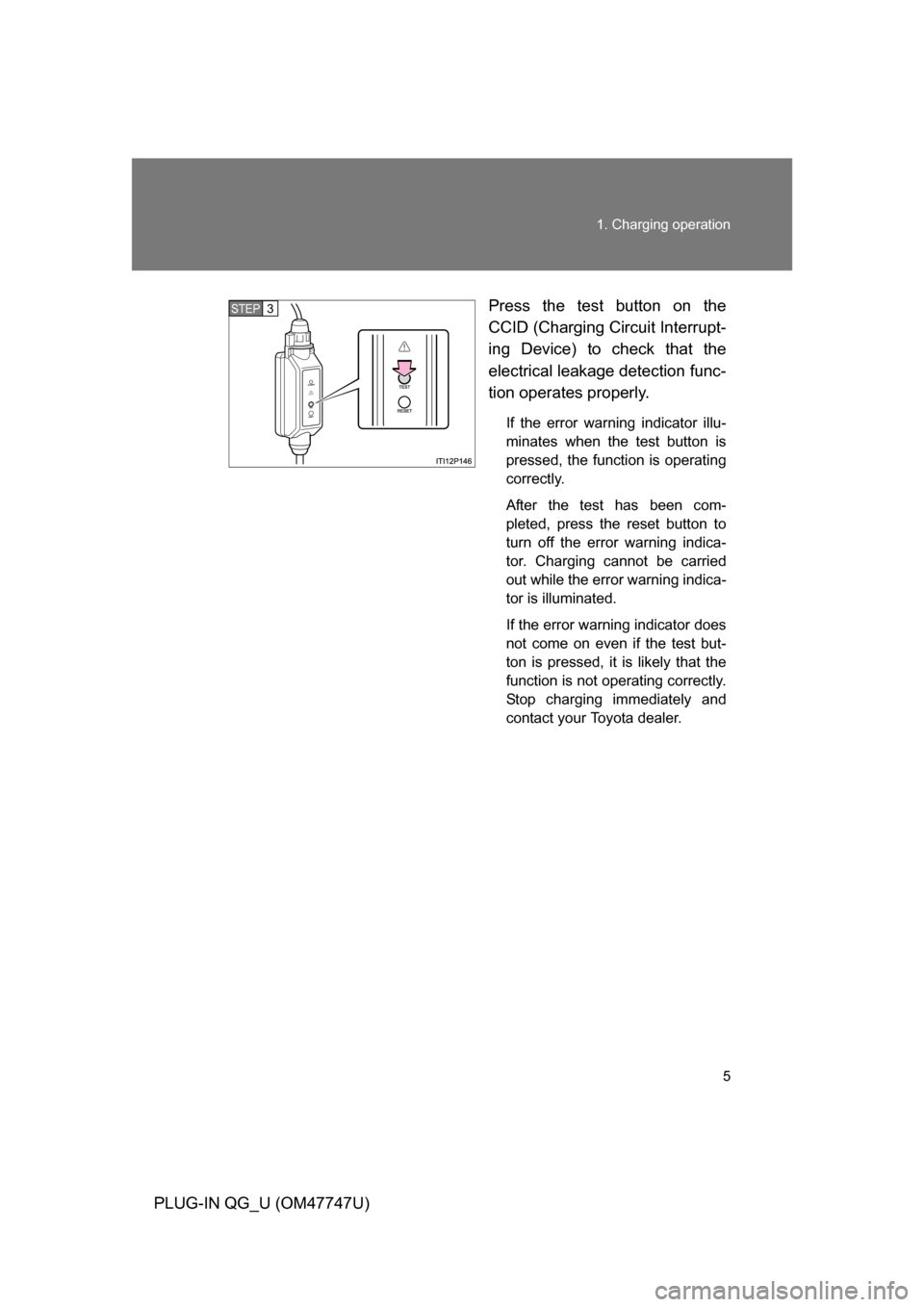
Press the test button on the
CCID (Charging Circuit Interrupt-
ing Device) to check that the
electrical leakage detection func-
tion operates properly.
If the error warning indicator illu-
minates when the test button is
pressed, the function is operating
correctly.
After the test has been com-
pleted, press the reset button to
turn off the error warning indica-
tor. Charging cannot be carried
out while the error warning indica-
tor is illuminated.
If the error warning indicator does
not come on even if the test but-
ton is pressed, it is likely that the
function is not operating correctly.
Stop charging immediately and
contact your Toyota dealer.
STEP3
Page 13 of 36
13
1. Charging operation
PLUG-IN QG_U (OM47747U)
■
Inspecting the electrical leakage detection function
For safety, inspect the charging cable on a routine basis (at least
once a month).
Check that the electrical leakage det ection function operates properly
by following the procedure below.
In the unlikely event that the elec trical leakage detection function
does not operate properly, contac t your Toyota dealer as soon as
possible.
Insert the charging cable into the outlet of the external power
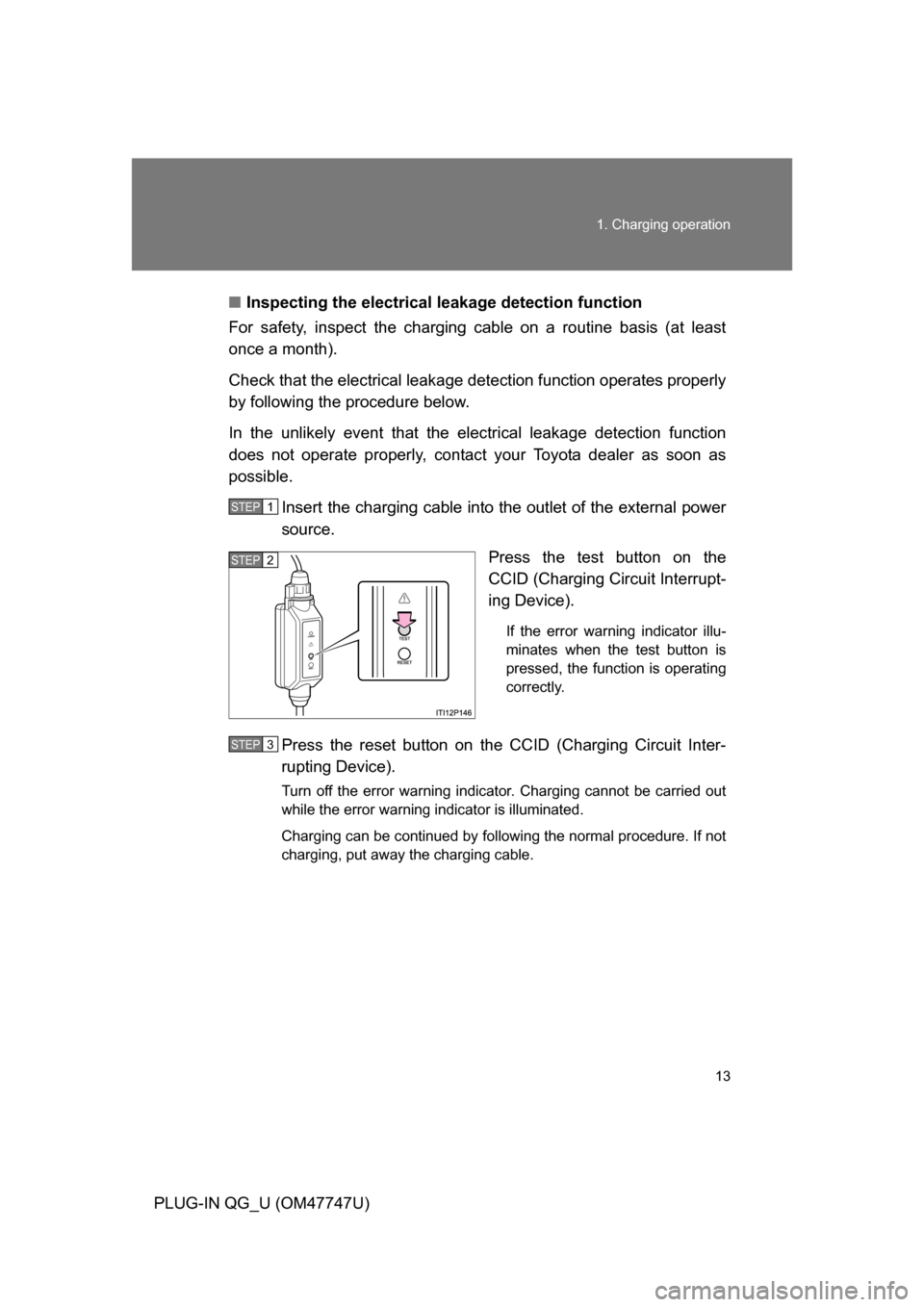
source. Press the test button on the
CCID (Charging Circuit Interrupt-
ing Device).
If the error warning indicator illu-
minates when the test button is
pressed, the function is operating
correctly.
Press the reset button on the CCID (Charging Circuit Inter-
rupting Device).
Turn off the error warning indicator. Charging cannot be carried out
while the error warning indicator is illuminated.
Charging can be continued by following the normal procedure. If not
charging, put away the charging cable.
STEP1
STEP2
STEP3