Page 270 of 684
270 2-2. Instrument cluster
PRIUS PHV_OM_OM47818U_(U)
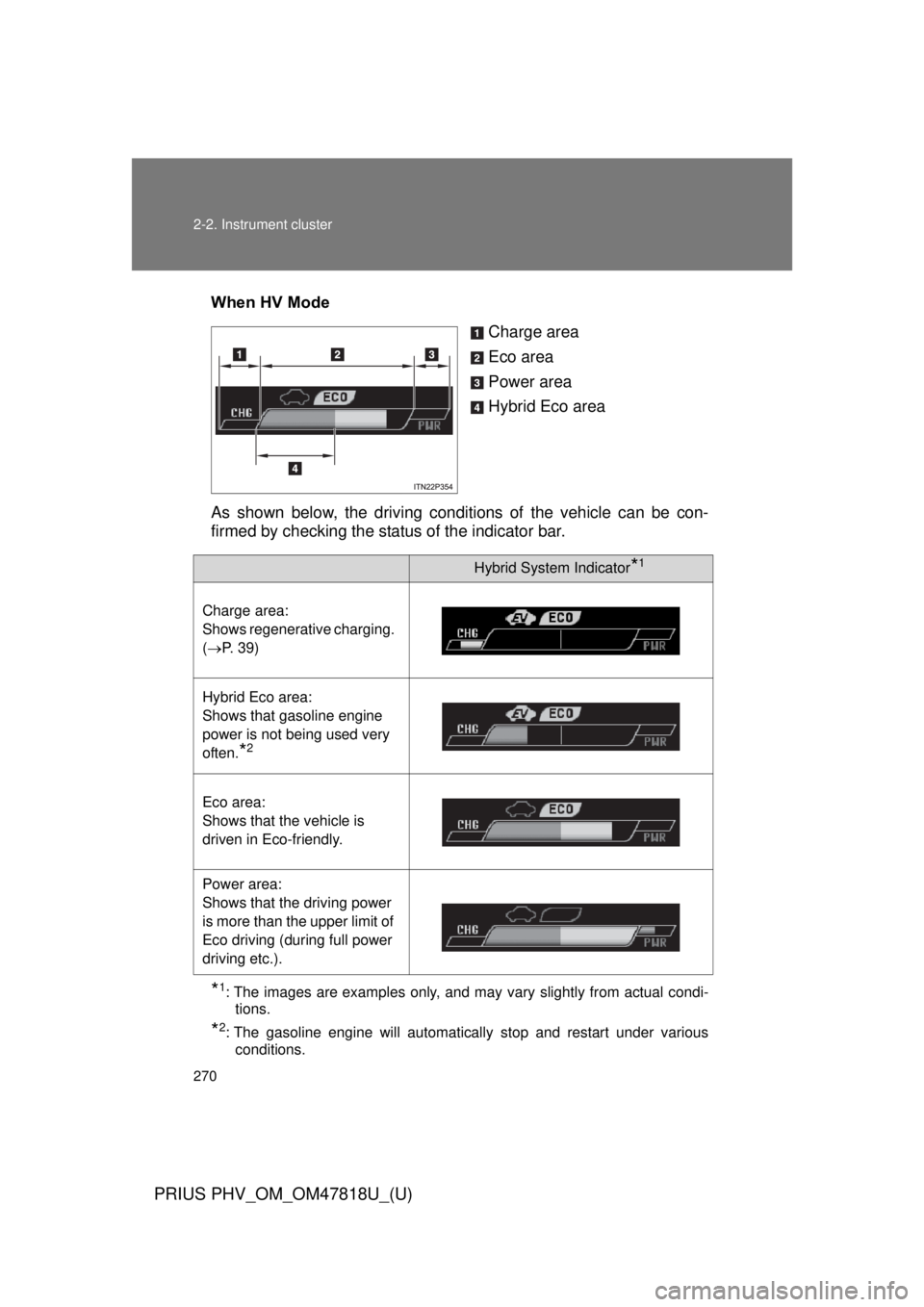
When HV ModeCharge area
Eco area
Power area
Hybrid Eco area
As shown below, the driving condit ions of the vehicle can be con-
firmed by checking the status of the indicator bar.
*1: The images are examples only, and may vary slightly from actual condi-
tions.
*2: The gasoline engine will automatically stop and restart under variousconditions.
Hybrid System Indicator*1
Charge area:
Shows regenerative charging.
(P. 39)
Hybrid Eco area:
Shows that gasoline engine
power is not being used very
often.
*2
Eco area:
Shows that the vehicle is
driven in Eco-friendly.
Power area:
Shows that the driving power
is more than the upper limit of
Eco driving (during full power
driving etc.).
Page 276 of 684
276 2-2. Instrument cluster
PRIUS PHV_OM_OM47818U_(U)
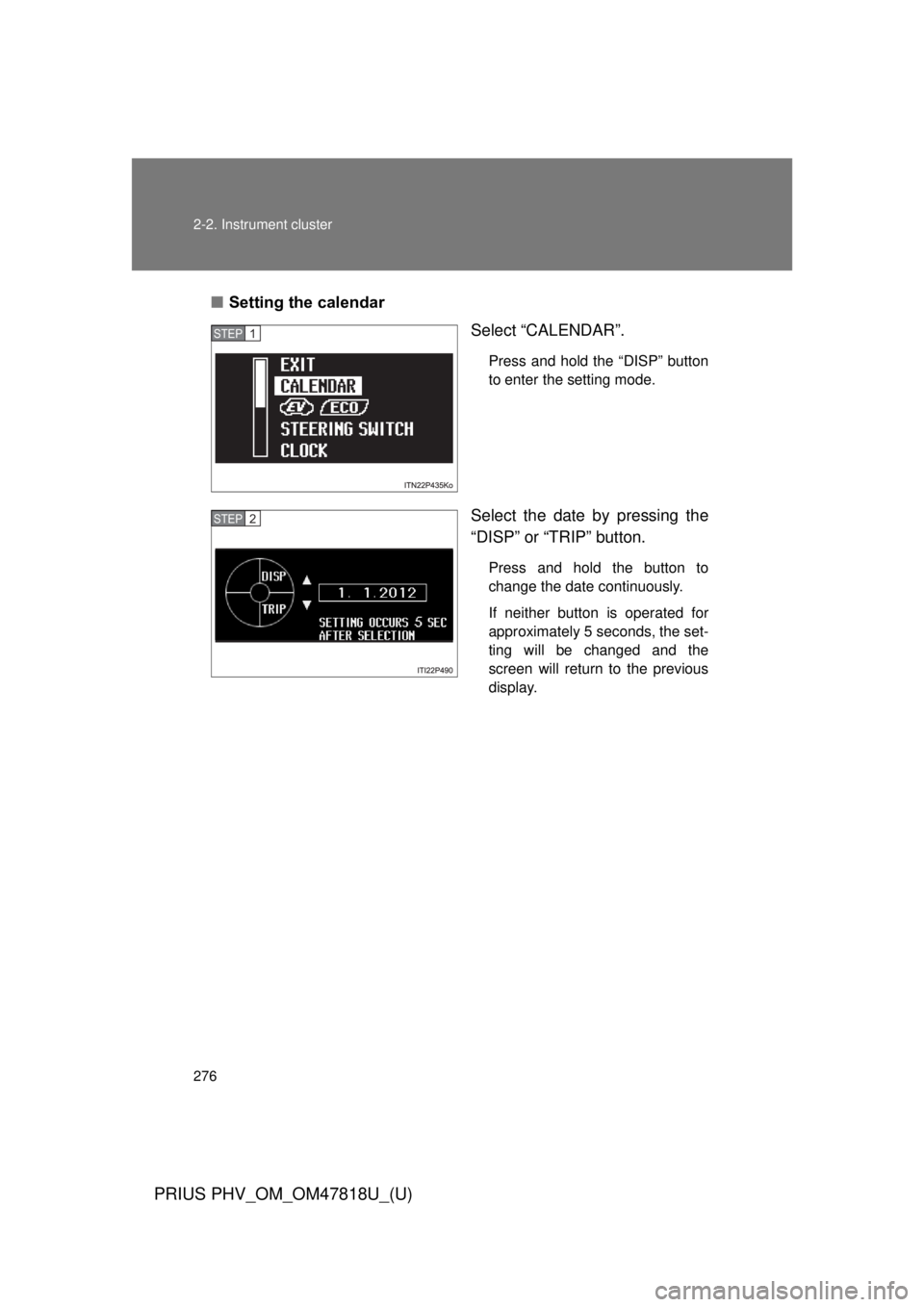
■Setting the calendar
Select “CALENDAR”.
Press and hold the “DISP” button
to enter the setting mode.
Select the date by pressing the
“DISP” or “TRIP” button.
Press and hold the button to
change the date continuously.
If neither button is operated for
approximately 5 seconds, the set-
ting will be changed and the
screen will return to the previous
display.
STEP 1
STEP 2
Page 277 of 684
277
2-2. Instrument cluster
PRIUS PHV_OM_OM47818U_(U)
2
When driving
■
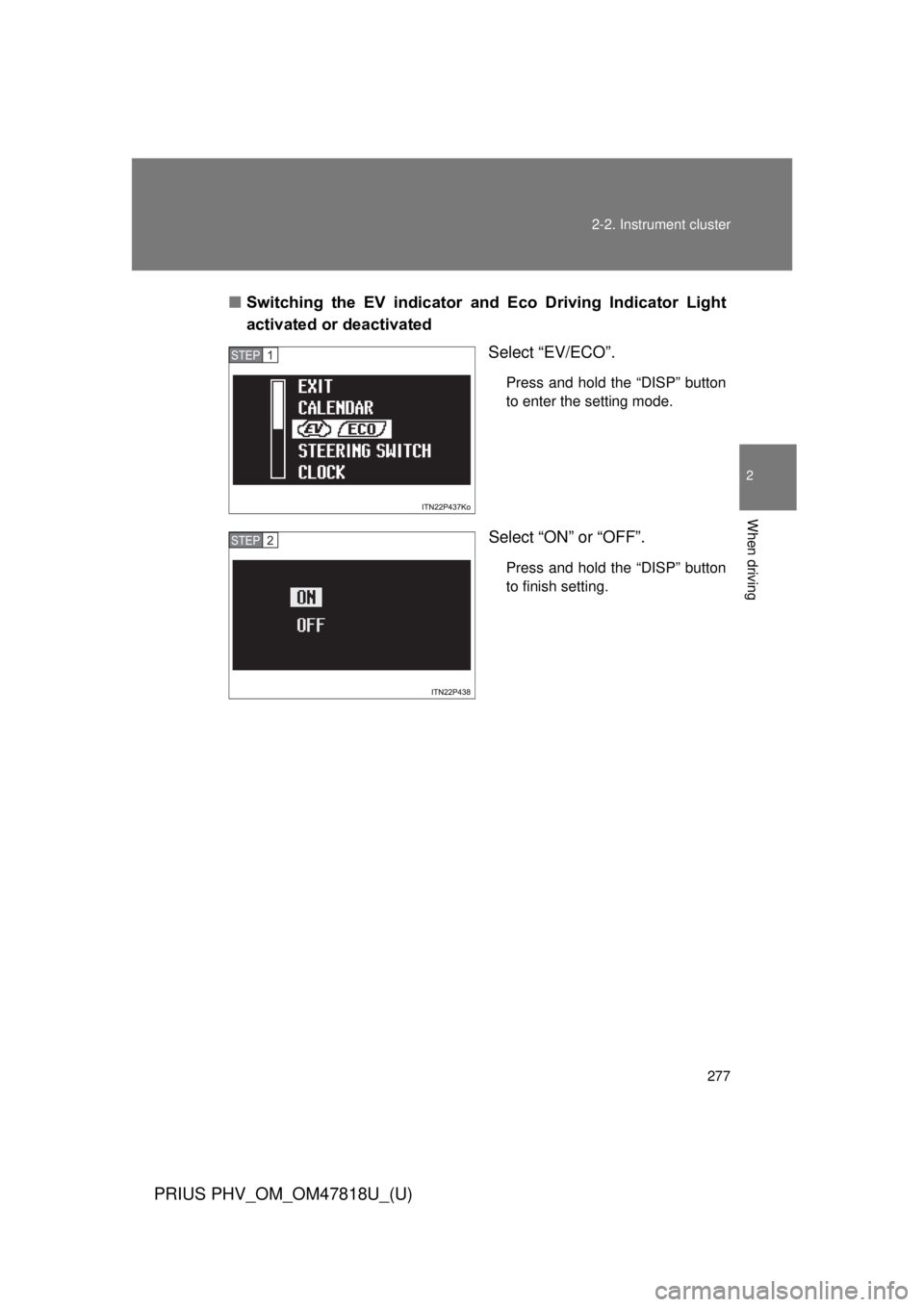
Switching the EV indicator and Eco Driving Indicator Light
activated or deactivated
Select “EV/ECO”.
Press and hold the “DISP” button
to enter the setting mode.
Select “ON” or “OFF”.
Press and hold the “DISP” button
to finish setting.
STEP 1
STEP 2
Page 282 of 684
282 2-2. Instrument cluster
PRIUS PHV_OM_OM47818U_(U)
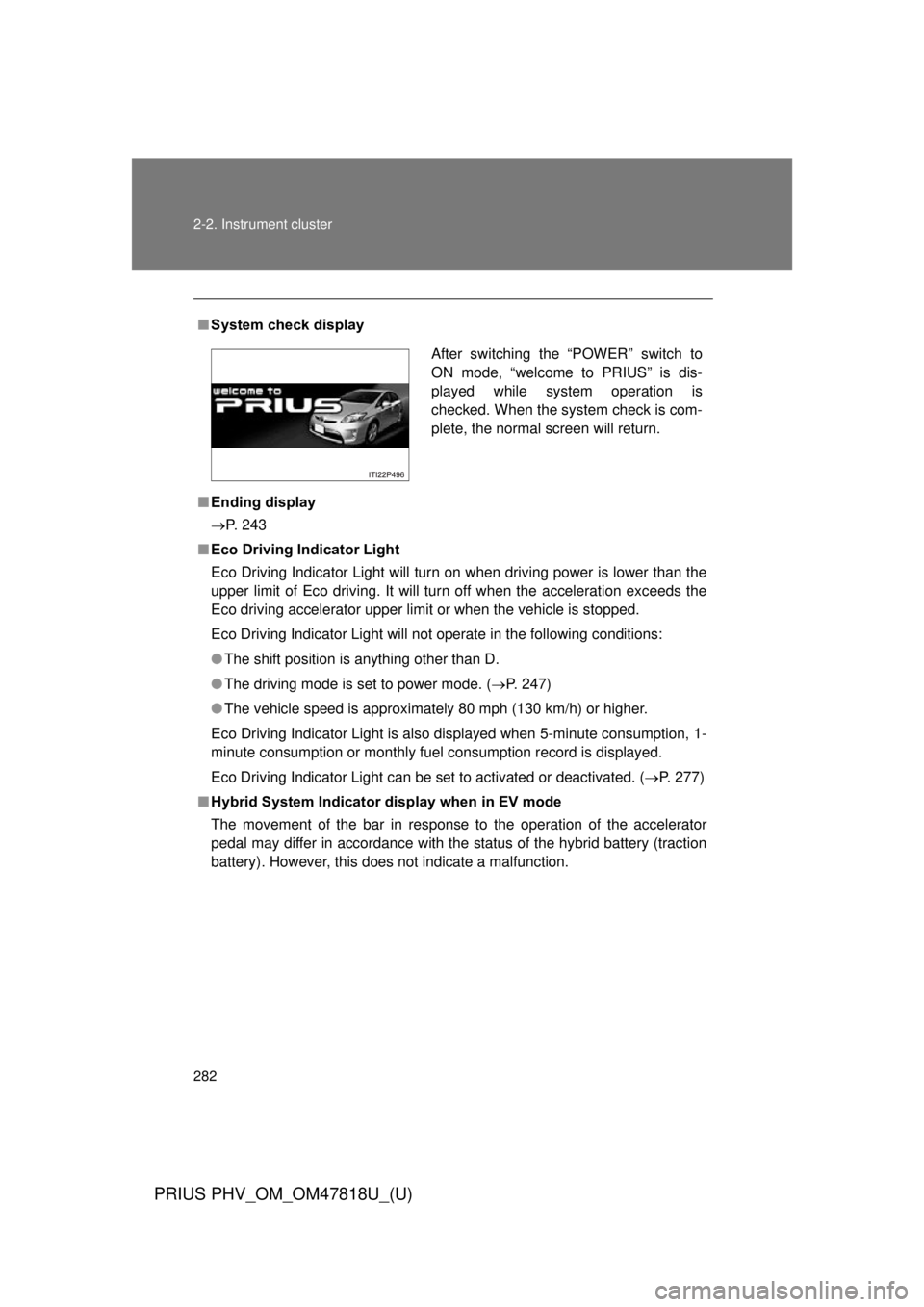
■System check display
■ Ending display
P. 243
■ Eco Driving Indicator Light
Eco Driving Indicator Light will turn on when driving power is lower than the
upper limit of Eco driving. It will turn off when the acceleration exceeds the
Eco driving accelerator upper limit or when the vehicle is stopped.
Eco Driving Indicator Light will not operate in the following conditions:
● The shift position is anything other than D.
● The driving mode is set to power mode. ( P. 247)
● The vehicle speed is approximately 80 mph (130 km/h) or higher.
Eco Driving Indicator Light is also displayed when 5-minute consumption, 1-
minute consumption or monthly fuel consumption record is displayed.
Eco Driving Indicator Light can be set to activated or deactivated. ( P. 277)
■ Hybrid System Indicator display when in EV mode
The movement of the bar in response to the operation of the accelerator
pedal may differ in accordance with the status of the hybrid battery (traction
battery). However, this does not indicate a malfunction.
After switching the “POWER” switch to
ON mode, “welcome to PRIUS” is dis-
played while system operation is
checked. When the system check is com-
plete, the normal screen will return.
Page 283 of 684
283
2-2. Instrument cluster
PRIUS PHV_OM_OM47818U_(U)
2
When driving
■
Driving in Eco drive mode
The multi-information display will automatically switch the display to Hybrid
System Indicator, regardless of which display is currently being shown.
(P. 268)
■ Touch tracer display (if equipped)
● The touch tracer display can be set to not display even if the steering
switches are touched.
● Only the circular, rubber-covered switches have a built-in touch sensor.
Touching any of the other switches will not display the touch tracer dis-
play.
■ Display settings can be changed when
The vehicle speed is less than approximately 5 mph (8 km/h).
■ Engine speed
On hybrid vehicles, engine speed is precisely controlled in order to help
improve fuel efficiency and reduce exhaust emissions etc. There are times
when the engine speed that is displayed may differ even when vehicle oper-
ation and driving conditions are the same.
■ When the 12-volt battery is disconnected
The following data will be reset.
● Average fuel consumption
● Distance to empty
● Average vehicle speed
● EV driving ratio
● Clock
● Display settings
● Trip meter
Page 296 of 684
296 2-3. Operating the lights and windshield wipers
PRIUS PHV_OM_OM47818U_(U)
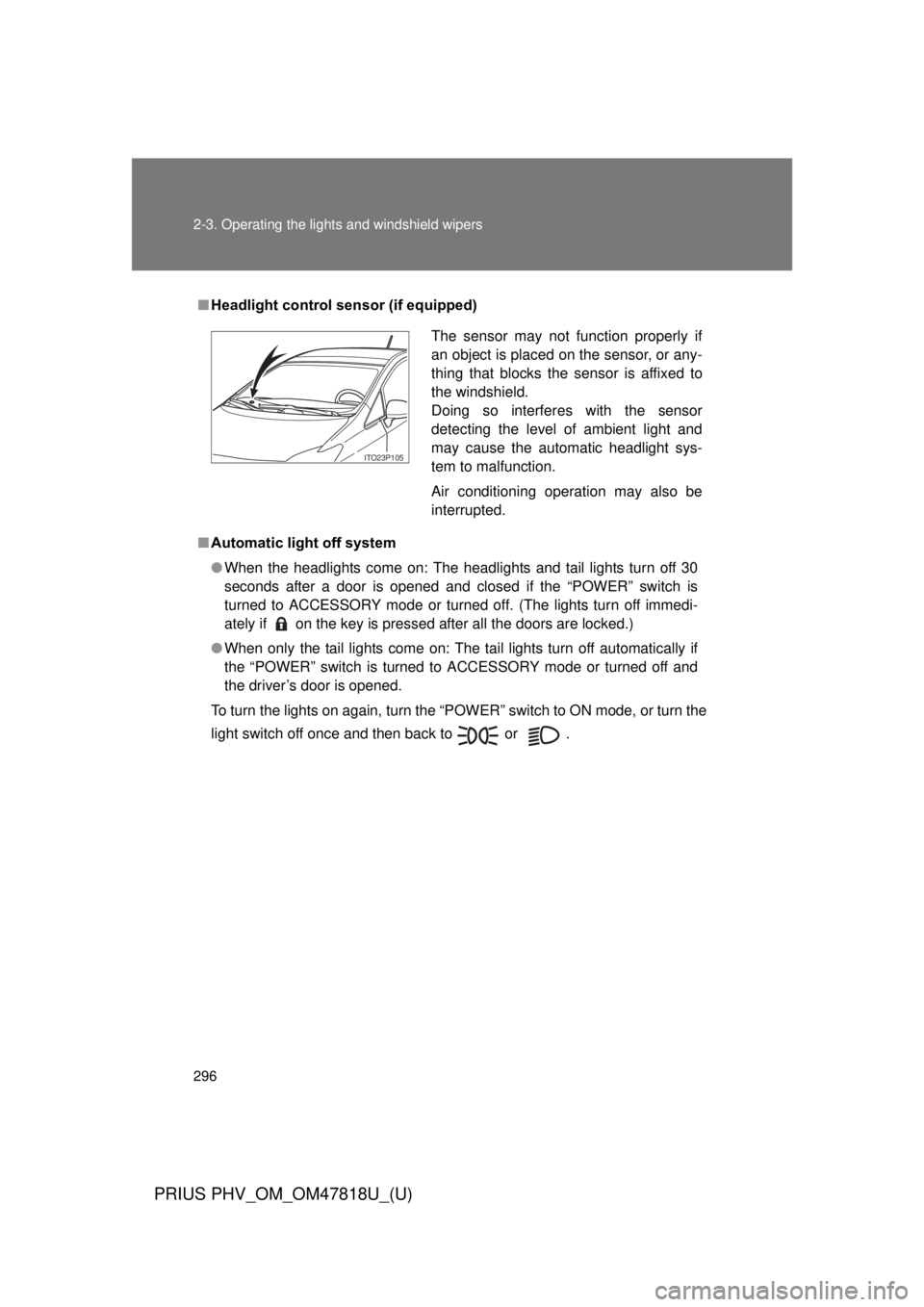
■Headlight control sensor (if equipped)
■ Automatic light off system
● When the headlights come on: The headlights and tail lights turn off 30
seconds after a door is opened and closed if the “POWER” switch is
turned to ACCESSORY mode or turned off. (The lights turn off immedi-
ately if on the key is pressed after all the doors are locked.)
● When only the tail lights come on: The tail lights turn off automatically if
the “POWER” switch is turned to ACCESSORY mode or turned off and
the driver’s door is opened.
To turn the lights on again, turn the “POWER” switch to ON mode, or turn the
light switch off once and then back to or .
The sensor may not function properly if
an object is placed on the sensor, or any-
thing that blocks the sensor is affixed to
the windshield.
Doing so interferes with the sensor
detecting the level of ambient light and
may cause the automatic headlight sys-
tem to malfunction.
Air conditioning operation may also be
interrupted.
ITO23P105
Page 313 of 684
313
2-4. Using other
driving systems
PRIUS PHV_OM_OM47818U_(U)
2
When driving
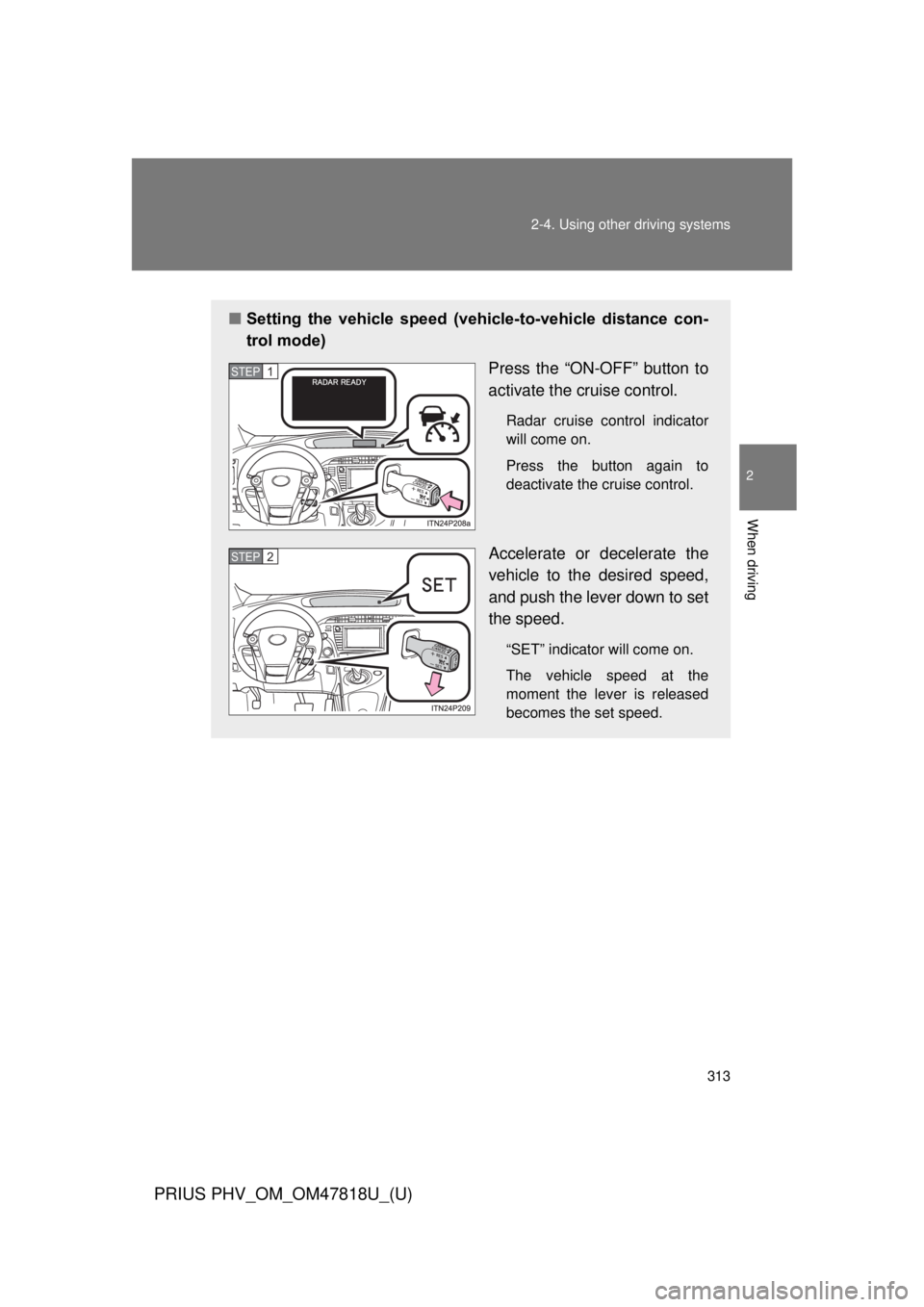
■Setting the vehicle speed (vehicle-to-vehicle distance con-
trol mode)
Press the “ON-OFF” button to
activate the cruise control.
Radar cruise control indicator
will come on.
Press the button again to
deactivate the cruise control.
Accelerate or decelerate the
vehicle to the desired speed,
and push the lever down to set
the speed.
“SET” indicator will come on.
The vehicle speed at the
moment the lever is released
becomes the set speed.
STEP 1
STEP 2
Page 314 of 684
314 2-4. Using other driving systems
PRIUS PHV_OM_OM47818U_(U)
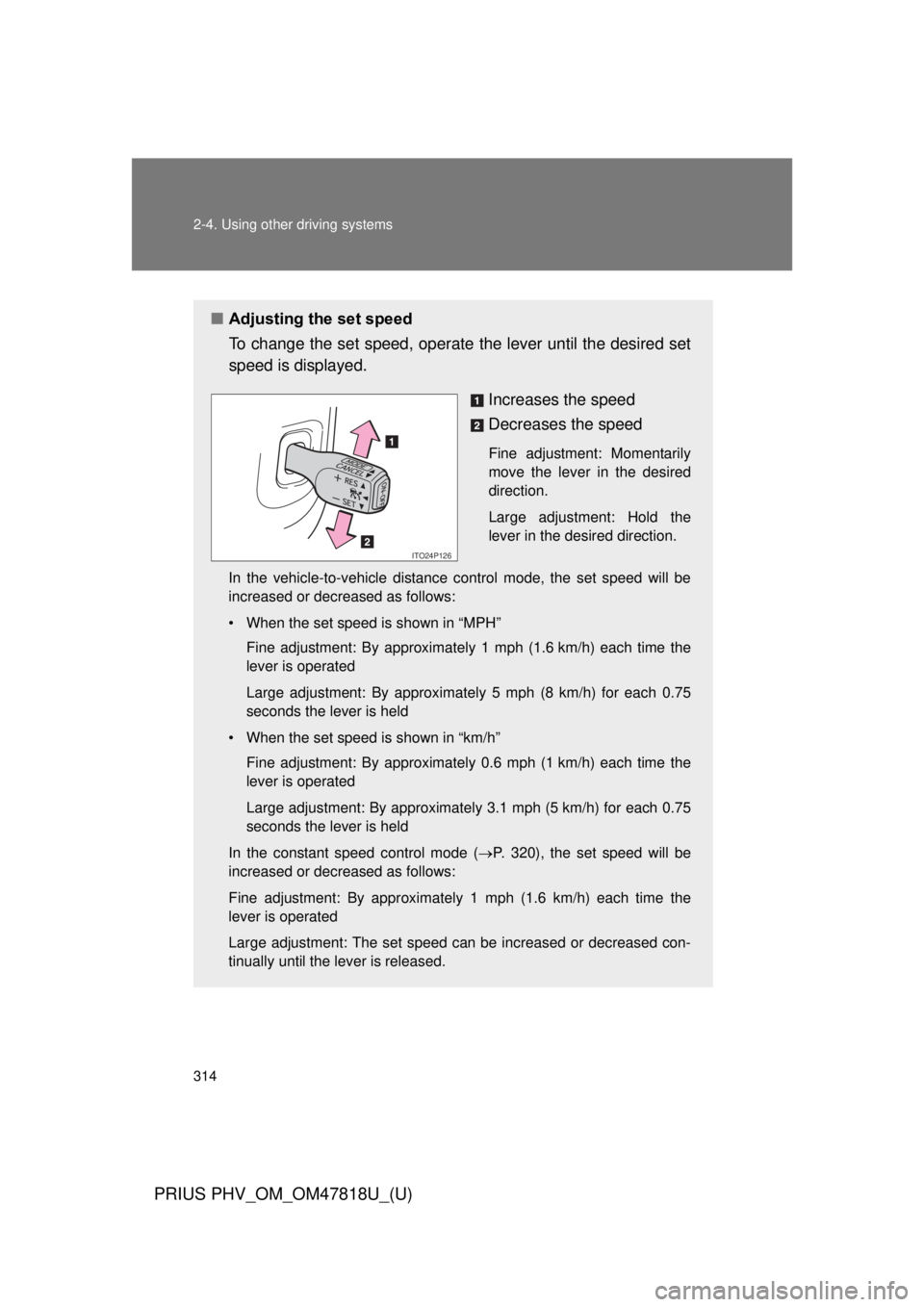
■Adjusting the set speed
To change the set speed, operate the lever until the desired set
speed is displayed.
Increases the speed
Decreases the speed
Fine adjustment: Momentarily
move the lever in the desired
direction.
Large adjustment: Hold the
lever in the desired direction.
In the vehicle-to-vehicle distance control mode, the set speed will be
increased or decreased as follows:
• When the set speed is shown in “MPH” Fine adjustment: By approximately 1 mph (1.6 km/h) each time the
lever is operated
Large adjustment: By approximately 5 mph (8 km/h) for each 0.75
seconds the lever is held
• When the set speed is shown in “km/h” Fine adjustment: By approximately 0.6 mph (1 km/h) each time the
lever is operated
Large adjustment: By approximately 3.1 mph (5 km/h) for each 0.75
seconds the lever is held
In the constant speed control mode ( P. 320), the set speed will be
increased or decreased as follows:
Fine adjustment: By approximately 1 mph (1.6 km/h) each time the
lever is operated
Large adjustment: The set speed can be increased or decreased con-
tinually until the lever is released.
ITO24P126