Page 18 of 636
18
C
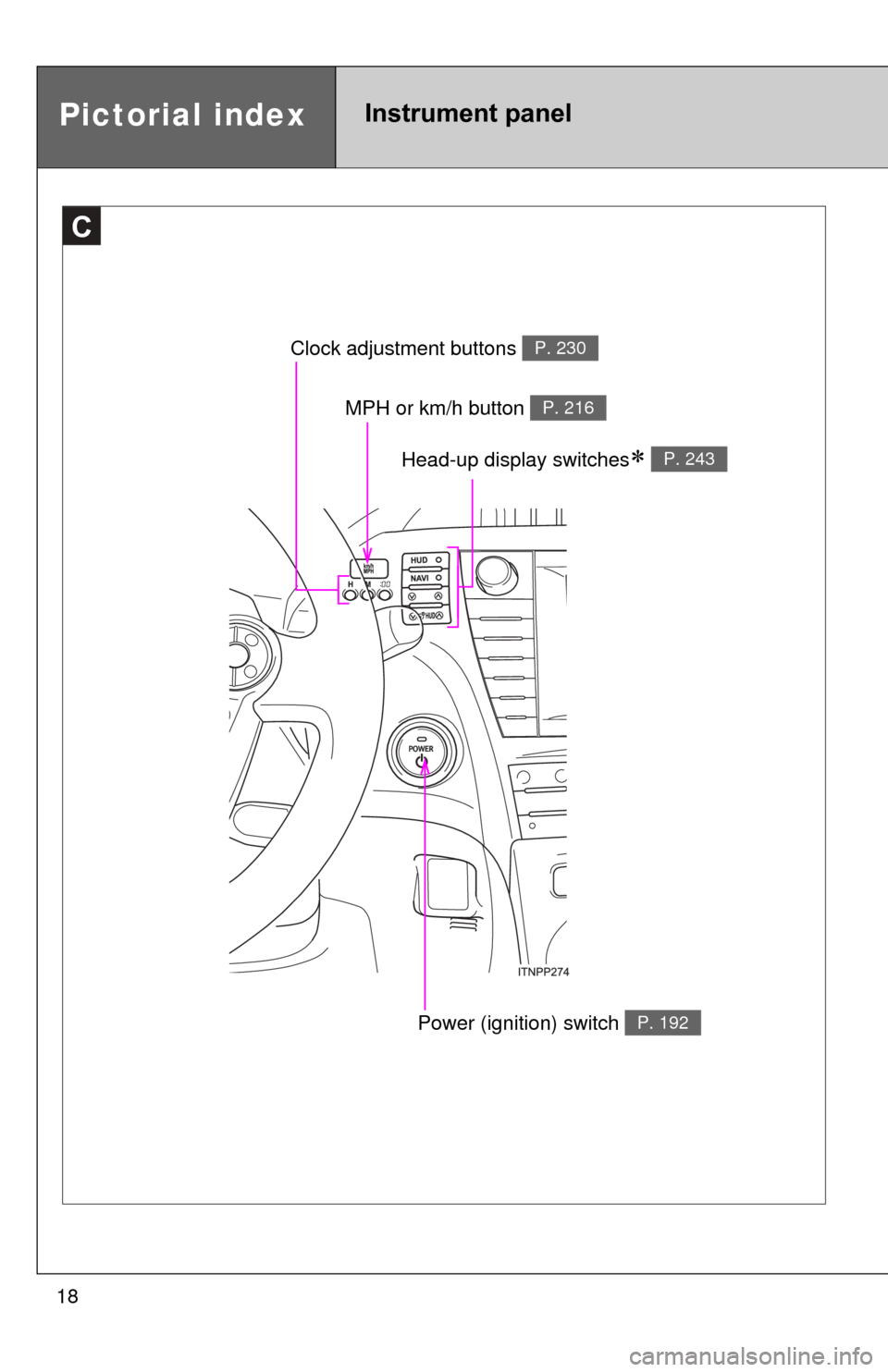
Clock adjustment buttons P. 230
MPH or km/h button P. 216
Power (ignition) switch P. 192
Pictorial indexInstrument panel
Head-up display switches P. 243
Page 32 of 636
32 1-1. Hybrid system
Vehicle proximity notification system
When driving with the gasoline engine stopped, a sound, which
changes in accordance with the dr iving speed, will be played in order
to warn people nearby of the vehicle’s approach. The sound will stop
when the vehicle speed exceeds a pproximately 15 mph (25 km/h).
■Regenerative braking
In the following situations, kinetic energy is converted to electric energy and
deceleration force can be obtained in conjunction with the recharging of the
hybrid battery (traction battery).
●The accelerator pedal is released while driving with the shift position in D
or B.
● The brake pedal is depressed while driving with the shift position in D or
B.
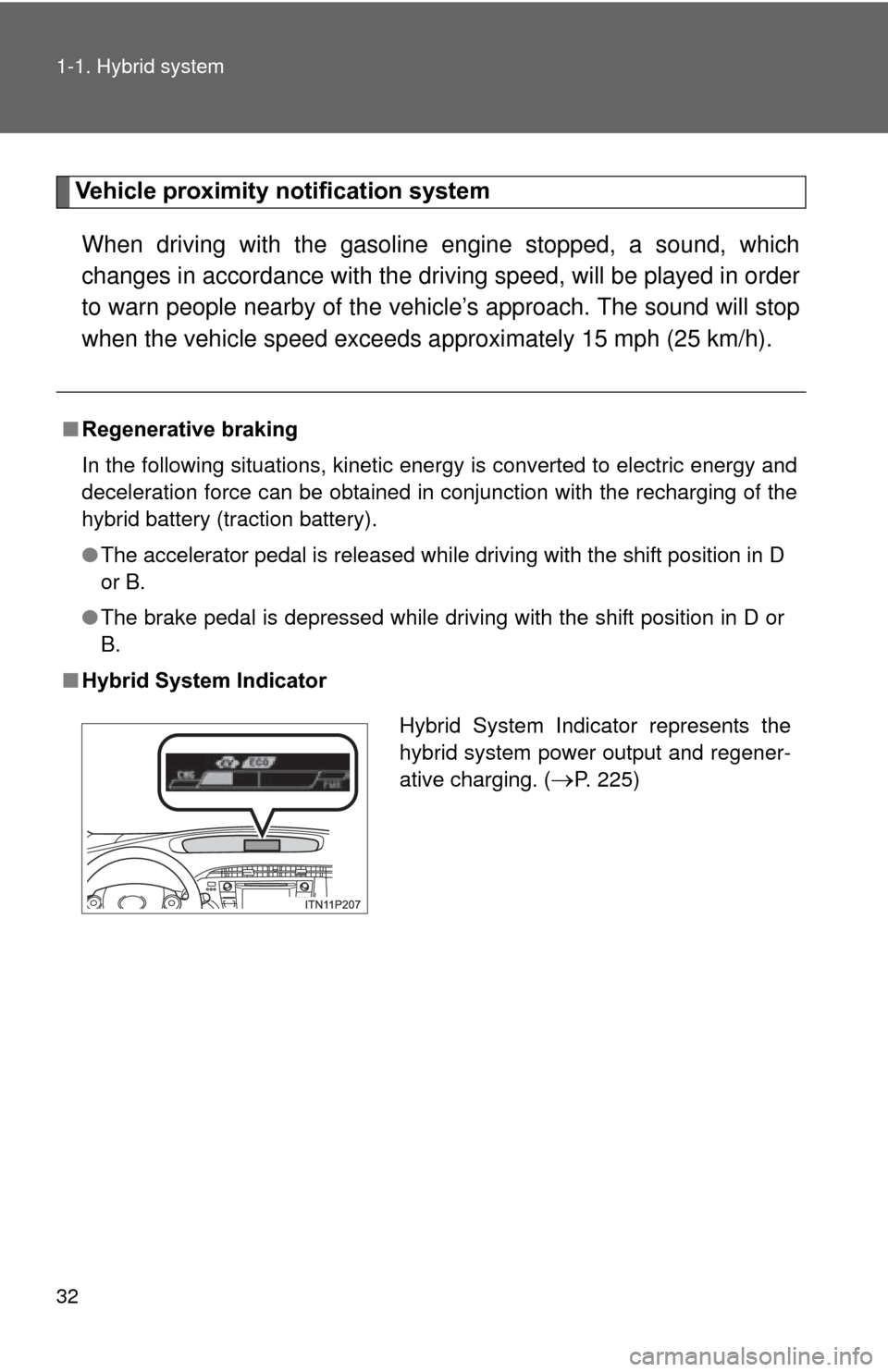
■ Hybrid System Indicator
Hybrid System Indicator represents the
hybrid system power output and regener-
ative charging. (
P. 225)
Page 89 of 636
89
1-3. Opening, closing and locking the doors
1
Before driving
Automatic door locking and unlocking systems
The following functions can be set or canceled:
■ Setting and canceling the functions
To switch between setting and canceling, follow the procedure
below:
Close all the doors and switch the “POWER” switch to ON
mode. (Perform within 20 seconds.)
FunctionOperation
Shift position linked
door locking function Shifting the shift position out of P locks all
doors.
Shift position linked
door unlocking function Shifting the shift position to P unlocks all
doors.
Speed linked door lock-
ing function All doors are locked when the vehicle speed is
approximately 12 mph (20 km/h) or higher.
Driver’s door linked door
unlocking function All doors are unlocked when the driver’s door
is opened within 10 seconds after turning the
“POWER” switch off.
STEP 1
STEP 2
Page 144 of 636

144 1-8. Safety information
■SRS airbag deployment conditions (SRS front airbags)
●The SRS front airbags will deploy in the event of an impact that exceeds
the set threshold level (the level of force corresponding to an approxi-
mately 12 - 18 mph [20 - 30 km/h] frontal collision with a fixed wall that
does not move or deform).
However, this threshold velocity will be considerably higher in the following
situations:
• If the vehicle strikes an object, such as a parked vehicle or sign pole,
which can move or deform on impact
• If the vehicle is involved in an underride collision such as a collision in which the front of the vehicle “underrides”, or goes under, the bed of a
truck
● Depending on the type of collision, it is possible that only the seat belt
pretensioners will activate.
● The SRS front airbags for the front passenger will not activate if there is
no passenger sitting in the front passenger seat. However, the SRS front
airbags for the front passenger may deploy if luggage is put in the seat,
even if the seat is unoccupied. ( P. 154)
■ SRS airbag deployment conditions (S RS side and curtain shield air-
bags)
The SRS side and curtain shield airbags will deploy in the event of an impact
that exceeds the set threshold level (the level of force corresponding to the
impact force produced by an approximately 3300 lb. [1500 kg] vehicle collid-
ing with the vehicle cabin from a direction perpendicular to the vehicle orien-
tation at an approximate speed of 12 - 18 mph [20 - 30 km/h]).
Page 185 of 636

185
2-1. Driving procedures
2
When driving
CAUTION
●
Do not adjust the positions of the steering wheel, the seat, or the inside or
outside rear view mirrors while driving.
Doing so may result in a loss of vehicle control that can cause accidents,
resulting in death or serious injury.
● Always check that all passengers’ arms, heads or other parts of their body
are not outside the vehicle, as this may result in death or serious injury.
● Do not drive in excess of the speed limit. Even if the legal speed limit per-
mits it, do not drive over 85 mph (140 km/h) unless your vehicle has high-
speed capability tires. Driving over 85 mph (140 km/h) may result in tire
failure, loss of control and possible injury. Be sure to consult a tire dealer
to determine whether the tires on your vehicle are high-speed capability
tires or not before driving at such speeds.
■ When driving on slippery road surfaces
●Sudden braking, acceleration and steering may cause tire slippage and
reduce your ability to control the vehicle, resulting in an accident.
● Sudden acceleration, engine braking due to shift changing, or changes in
engine speed could cause the vehicle to skid, resulting in an accident.
● After driving through a puddle, depress the brake pedal to make sure that
the brakes are functioning properly. Wet brake pads may prevent the
brakes from functioning properly. If the brakes on only one side are wet
and not functioning properly, steering control may be affected, resulting in
an accident.
Page 201 of 636

201
2-1. Driving procedures
2
When driving
■
Automatic cancelation of EV drive mode
When driving in EV drive mode, the gasoline engine may automatically
restart in the following situations. When EV drive mode is canceled, a buzzer
will sound and the EV drive mode indicator will flash and go off.
●The hybrid battery (traction battery) becomes low.
● Vehicle speed becomes high.
● The accelerator pedal is depressed firmly or the vehicle is on a hill etc.
■ Possible driving distance when driving in EV drive mode
In EV drive mode, it is possible to drive up to about 1.3 mile (2 km) if driving
at a speed of about 25 mph (40 km/h) or less. (The distance that is possible
depends on the hybrid battery [traction battery] level and driving conditions.)
■ Changing a driving mode when in EV drive mode
EV drive mode can be used in conjunction with Eco drive mode and power
mode.
However, EV drive mode may be automatically canceled when used in con-
junction with power mode.
■ Fuel economy
PRIUS is designed to achieve the best possible fuel economy during normal
driving (using the gasoline engine and electric motor [traction motor]). Driv-
ing in EV drive mode more than necessary may lower fuel economy.
CAUTION
■While driving
When driving in EV drive mode, pay special attention to the area around the
vehicle. Because there is no engine noise, pedestrians, people riding bicy-
cles or other people and vehicles in the area may not be aware of the vehicle
starting off or approaching them, so take extra care while driving.
Page 216 of 636
216 2-2. Instrument cluster
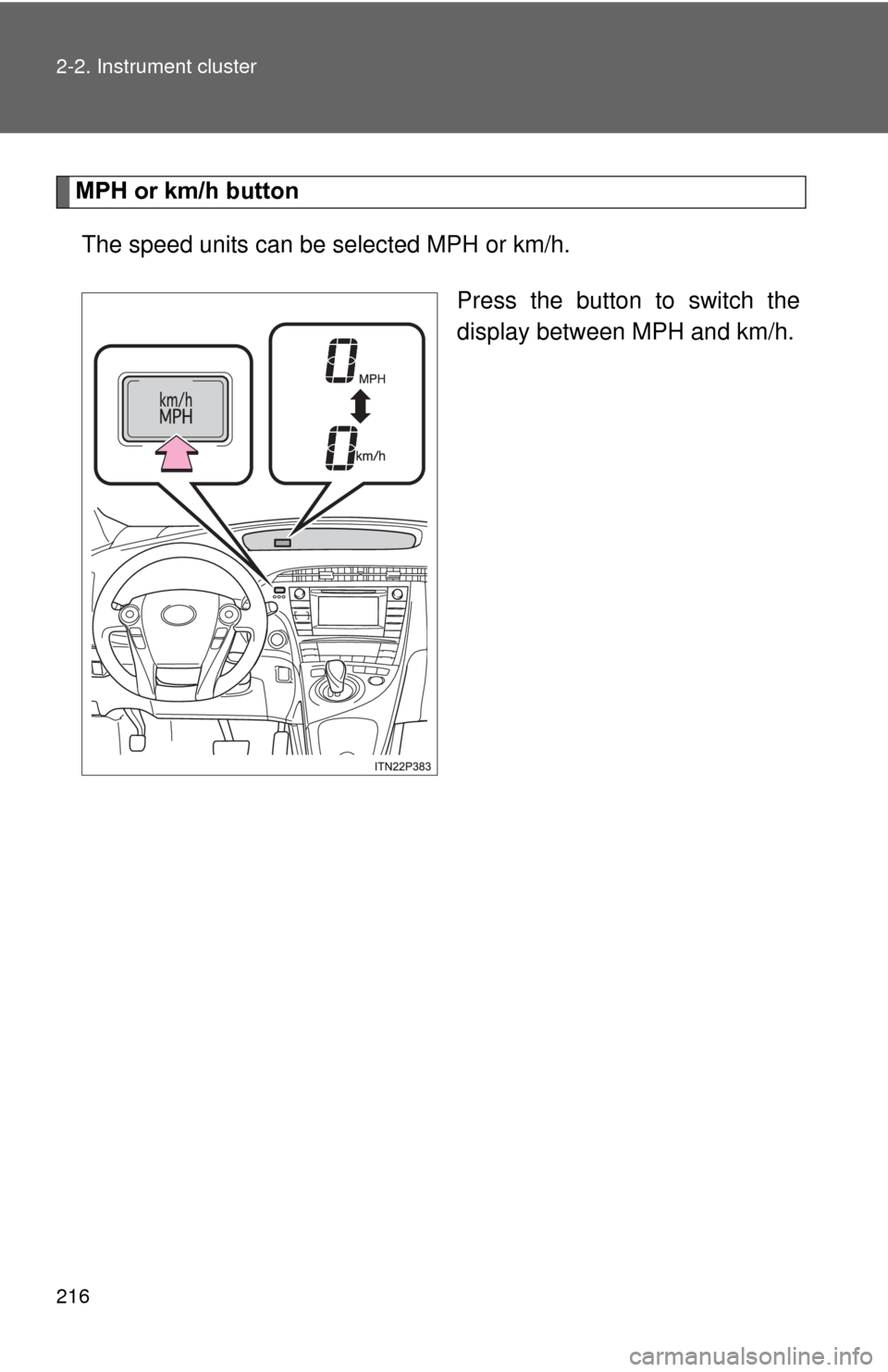
MPH or km/h buttonThe speed units can be selected MPH or km/h.
Press the button to switch the
display between MPH and km/h.
Page 240 of 636

240 2-2. Instrument cluster
■System check display
■ Ending display
P. 197
■ Eco Driving Indicator Light
Eco Driving Indicator Light will turn on when driving power is lower than the
upper limit of Eco driving. It will turn off when the acceleration exceeds the
Eco driving accelerator upper limit or when the vehicle is stopped.
Eco Driving Indicator Light will not operate in the following conditions:
●The shift position is anything other than D.
● The driving mode is set to power mode or EV drive mode. ( P. 199, 204)
● The vehicle speed is approximately 80 mph (130 km/h) or higher.
Eco Driving Indicator Light is also displayed when 5-minute consumption, 1-
minute consumption, monthly fuel cons umption record or eco savings record
is displayed.
Eco Driving Indicator Light can be set to activated or deactivated. ( P. 235)
After switching the “POWER” switch to
ON mode, “welcome to PRIUS” is dis-
played while system operation is
checked. When the system check is com-
plete, the normal screen will return.