Page 221 of 636
221
2-2. Instrument cluster
2
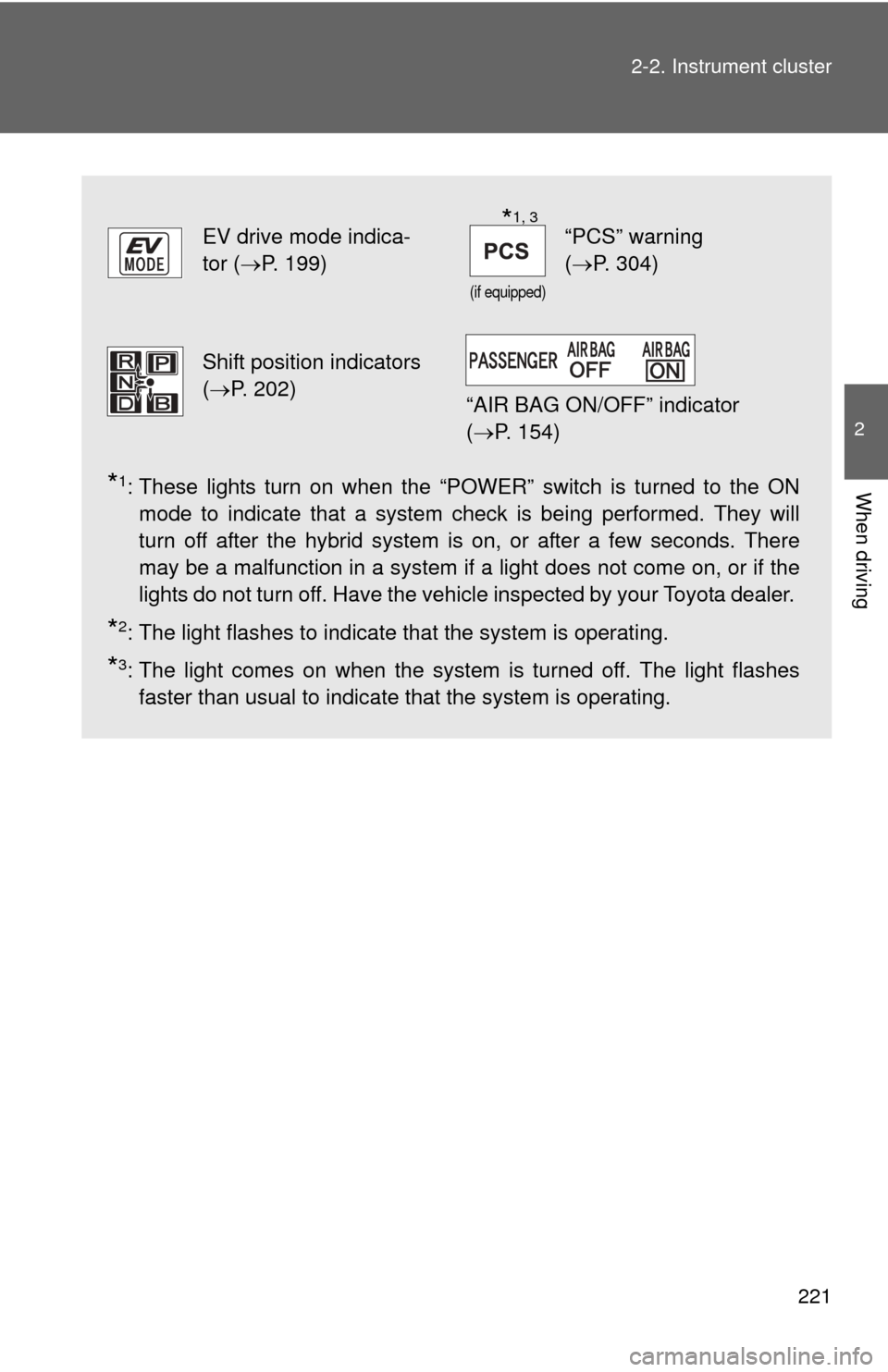
When driving*1: These lights turn on when the “POWER” switch is turned to the ON
mode to indicate that a system check is being performed. They will
turn off after the hybrid system is on, or after a few seconds. There
may be a malfunction in a system if a light does not come on, or if the
lights do not turn off. Have the vehicle inspected by your Toyota dealer.
*2: The light flashes to indicate that the system is operating.
*3: The light comes on when the system is turned off. The light flashes
faster than usual to indicate that the system is operating.
EV drive mode indica-
tor ( P. 199)
(if equipped)
“PCS” warning
(P. 304)
Shift position indicators
(P. 202)
“AIR BAG ON/OFF” indicator
( P. 154)
*1, 3
Page 222 of 636
222 2-2. Instrument cluster
CAUTION
■If a safety system warning light does not come on
Should a safety system light such as the ABS and SRS airbag warning light
not come on when you start the hybrid system, this could mean that these
systems are not available to help protect you in an accident, which could
result in death or serious injury. Have the vehicle inspected by your Toyota
dealer immediately if this occurs.
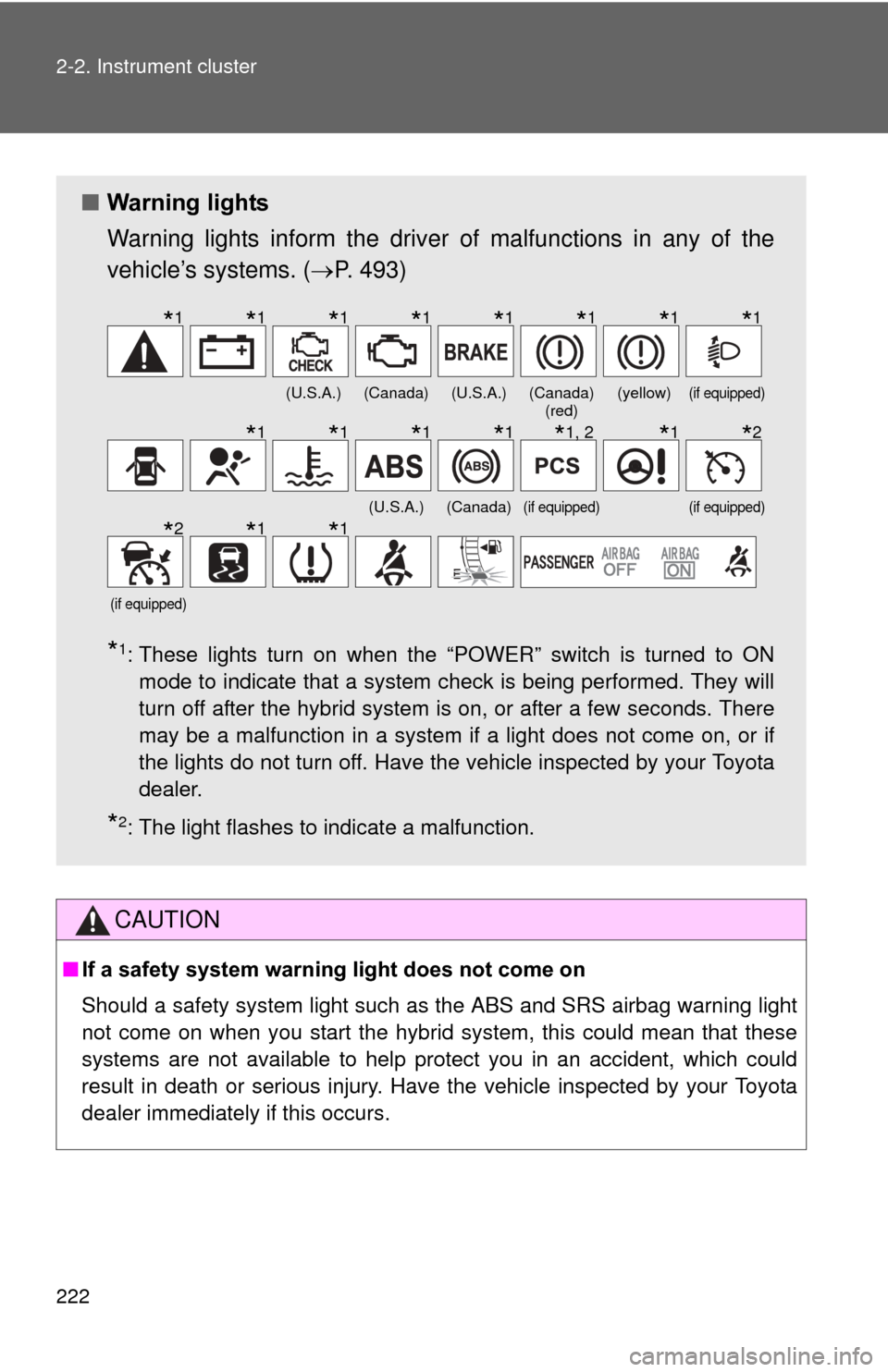
■ Warning lights
Warning lights inform the driver of malfunctions in any of the
vehicle’s systems. ( P. 493)
*1: These lights turn on when the “POWER” switch is turned to ON
mode to indicate that a system check is being performed. They will
turn off after the hybrid system is on, or after a few seconds. There
may be a malfunction in a system if a light does not come on, or if
the lights do not turn off. Have the vehicle inspected by your Toyota
dealer.
*2: The light flashes to indicate a malfunction.
(U.S.A.)(Canada)(U.S.A.)(Canada) (red)(yellow)(if equipped)
(U.S.A.)(Canada)(if equipped)(if equipped)
(if equipped)
*1*1*1*1*1*1*1*1
*1*1*1*1*1, 2*1*2
*2*1*1
Page 281 of 636

281
2-4. Using other
driving systems
2
When driving
■Warning lights, messages and buzze rs for dynamic radar cruise con-
trol
Warning lights, warning messages and buzzers are used to indicate a sys-
tem malfunction or to inform the driver of the need for caution while driving.
■ Certification
For vehicles sold in the U.S.A.
FCC ID: HYQDNMWR004
This device complies with part 15 of the FCC Rules. Operation is subject to
the following two conditions: (1) This device may not cause harmful interfer-
ence, and (2) this device must accept any interference received, including
interference that may cause undesired operation.
FCC WARNING
Changes or modifications not expressly approved by the party responsible
for compliance could void the user’s authority to operate the equipment.
Radiofrequency radiation exposure Information:
This equipment complies with FCC radiation exposure limits set forth for an
uncontrolled environment.
This equipment should be installed and operated with minimum distance of
20 cm between the radiator (antenna) and your body.
This transmitter must not be co-located or operating in conjunction with any
other antenna or transmitter.
For vehicles sold in Canada
Operation is subject to the following two conditions: (1) this device may not
cause interference, and (2) this device must accept any interference, includ-
ing interference that may cause undesired operation of the device.
Page 286 of 636

286
2-4. Using other driving systems
LKA (Lane-Keeping Assist)
: If equipped
While driving on a freeway or motor highway that has lane markings,
this system recognizes the lanes using a camera as a sensor to
assist the driver with staying in the lane. The LKA system has two
functions.
■ Lane departure warning function
If the system judges that the vehicle may deviate from its lane, it
alerts the driver using rapid be eping, indications on the multi-
information display, and a sensory warning
* given via the steer-
ing wheel.
*: A slight steering torque is applied for a short period of time in
the direction of the center of the lane.
■ Lane keeping assist function
This function will be active when the vehicle-to-vehicle distance
control mode of the cruise control ( P. 270) is set with vehicle
speed above approx. 50 mph (approx. 75 km/h) and while the
lane departure warning function is active. When the lane keep-
ing assist function is active , a slight steering torque will be
applied, to help the driver mainta in the vehicle inside the lane.
Page 291 of 636

291
2-4. Using other
driving systems
2
When driving
■No-handed driving warning
If the steering wheel is not operated for about 15 seconds on a straight road
or about 5 seconds on a curve, the buzzer will beep twice, indicators on the
multi-information display will flash, and the lane keeping assist function will
be temporarily canceled. If you drive the vehicle with your hands lightly
touching the steering wheel, this may also be detected as no-handed driv-
ing.
■ When the vehicle has been parked in the sun
The LKA system functions may not be available for a while after driving has
started. In such cases, turn the LKA system off and turn it on again after nor-
mal temperature returns. When the temperature in the cabin decreases and
the temperature around the camera sensor becomes suitable for its opera-
tion, the functions will begin to operate.
■ Warning lights and warning messages for LKA
Warning lights and messages are used to indicate a system malfunction or
to inform the driver of the need for caution while driving. ( P. 496, 510)
CAUTION
■Before using the LKA system
Do not rely on the LKA system to remain within a selected lane. The LKA
system is not designed to enable inattentive driving. The steering wheel
should be operated by the driver to mainta in the vehicle in a suitable position
within its lane. Always drive carefully.
Page 298 of 636

298 2-4. Using other driving systems
■Sounds and vibrations caused by the ABS, brake assist, VSC and
TRAC
● A sound may be heard from the engine compartment when the hybrid
system is started, just after the vehicle begins to move, if the brake pedal
is depressed forcefully or repeatedly, or 1-2 minutes after the hybrid sys-
tem is stopped. This sound does not indicate that a malfunction has
occurred in any of these systems.
● Any of the following conditions may occur when the above systems are
operating. None of these indicates that a malfunction has occurred.
• Vibrations may be felt through the vehicle body and steering.
• A motor sound may be heard after the vehicle comes to a stop.
• The brake pedal may pulsate slightly after the ABS is activated.
• The brake pedal may move down slightly after the ABS is activated.
■ EPS operation sound
When the steering wheel is operated, a motor sound (whirring sound) may
be heard. This does not indicate a malfunction.
■ Reduced effectiveness of the EPS system
The effectiveness of the EPS system is reduced to prevent the system from
overheating when there is frequent steering input over an extended period of
time. The steering wheel may feel heavy as a result. Should this occur,
refrain from excessive steering input or stop the vehicle and turn the hybrid
system off. The EPS system should return to normal within 10 minutes.
■ Electric power steering system warning light (warning buzzer)
P. 501
Page 303 of 636

303
2-4. Using other driving systems
2
When driving
PCS (Pre-Collision System)
: If equipped
When the radar sensor detects possibility of a frontal collision, the
pre-collision systems such as the brakes and seat belts are automat-
ically engaged to lessen impact as well as vehicle damage.
■ Pre-collision seat belts (front seat belts only)
If the pre-collision sensor detects t hat a collision is unavoidable, the
pre-collision system will retract the seat belt before the collision occurs.
The same will happen if the driver makes an emergency braking or
loses control of the vehicle. ( P. 1 11 )
However, when the VSC system is disabled, the system will not oper-
ate in the event of skidding.
■ Pre-collision brake assist
When there is a high possibility of a frontal collision, the system applies
greater braking force in relation to how strongly the brake pedal is
depressed.
■Pre-collision braking
When there is a high possibility of a frontal collision, the system warns
the driver using a warning light, warning display and buzzer. If the sys-
tem determines that a collision is unavoidable, the brakes are automat-
ically applied to reduce the collision speed. Pre-collision braking can be
disabled using the pre-collision braking off switch.
Page 304 of 636
304 2-4. Using other driving systems
Disabling pre-collision brakingPre-collision braking enabled
Pre-collision braking disabled
The “PCS” warning light will
turn on when pre-collision
braking is disabled.
Radar sensor
The radar sensor detects vehi-
cles or other obstacles on or
near the road ahead and deter-
mines whether a collision is
imminent based on the position,
speed, and heading of the obsta-
cles.